What are you looking for?
About Us Contact Us Careers Get a Free Quote (800) 486-0943
Pick a service
✅ Got Your Own System?
🎬 Home TheatreQuote 🎶 AV SoundQuote 🔑 Access ControlQuote
Now pick your area
Pick your area
Long Island
Hudson Valley
Services available
Pricing & Tools
Pick a service for pricing
🚪 Intercom Pricing 🔔 Buzzer Repair Pricing
Calculators
📹 Camera System Calculator 🚨 Alarm Calculator ⚡ Cabling Quote Builder ✅ Got Your Own System?
Select your area
Home › Fiber Optic Installation NYC
Licensed Low-Voltage Contractor · Five Boroughs · Risers, Backbones & Campus Links

Fiber Optic
Installation in
New York City

Single-Mode OS2 · Multimode OM4 · Fusion Splicing · LC / SC / MPO · OTDR & Power-Meter Testing

Private fiber for New York buildings: riser backbones between floors, links between telecom rooms that copper can no longer reach, building-to-building single-mode on campuses you own, and clean termination of the fiber a carrier or a previous contractor left behind. Every strand is spliced or terminated, tested end to end and handed over with a results file and a labelled map.

Reviewed and updated October 14, 2026 · Written by Anwar Timothy, NYS licence #12000287431

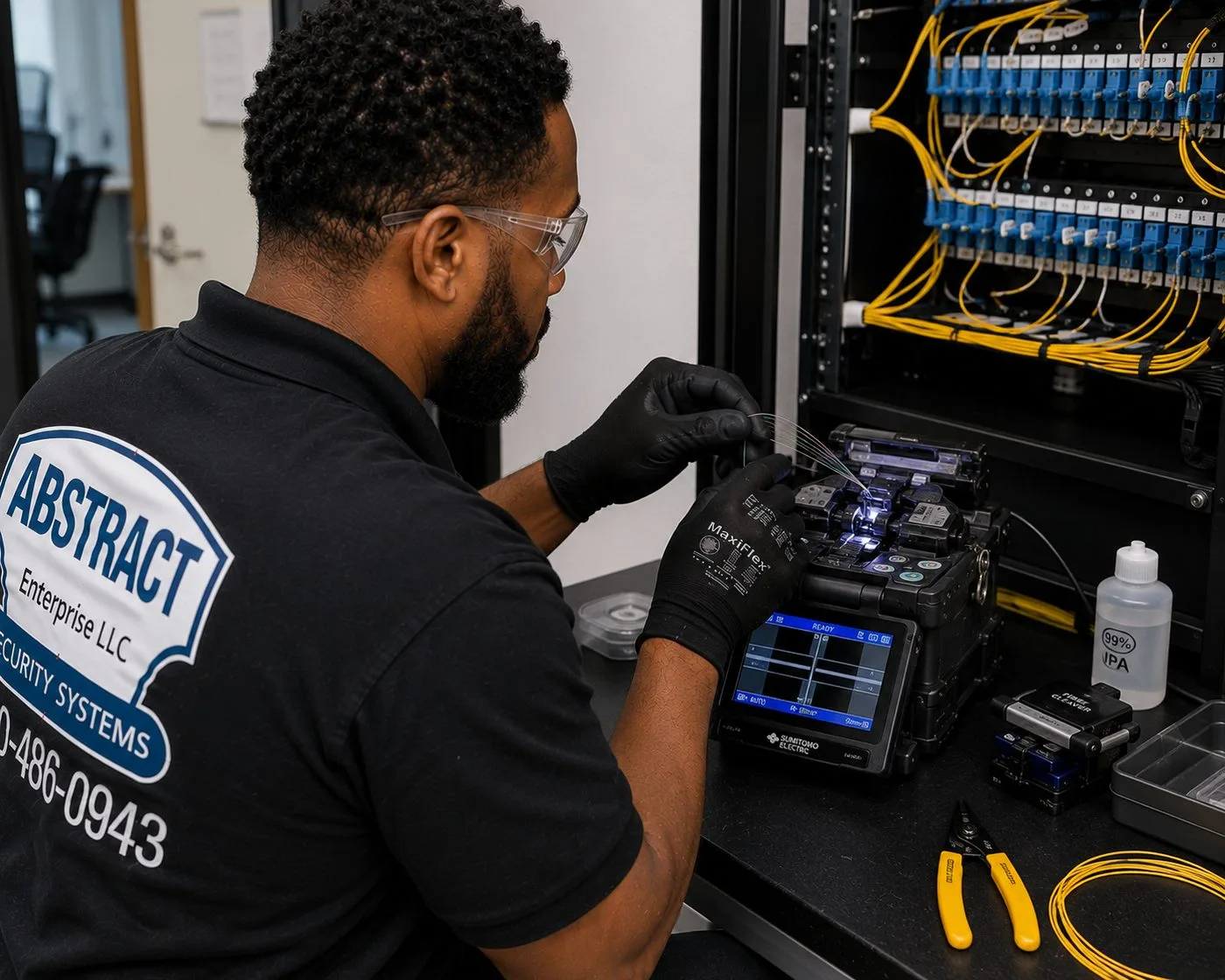
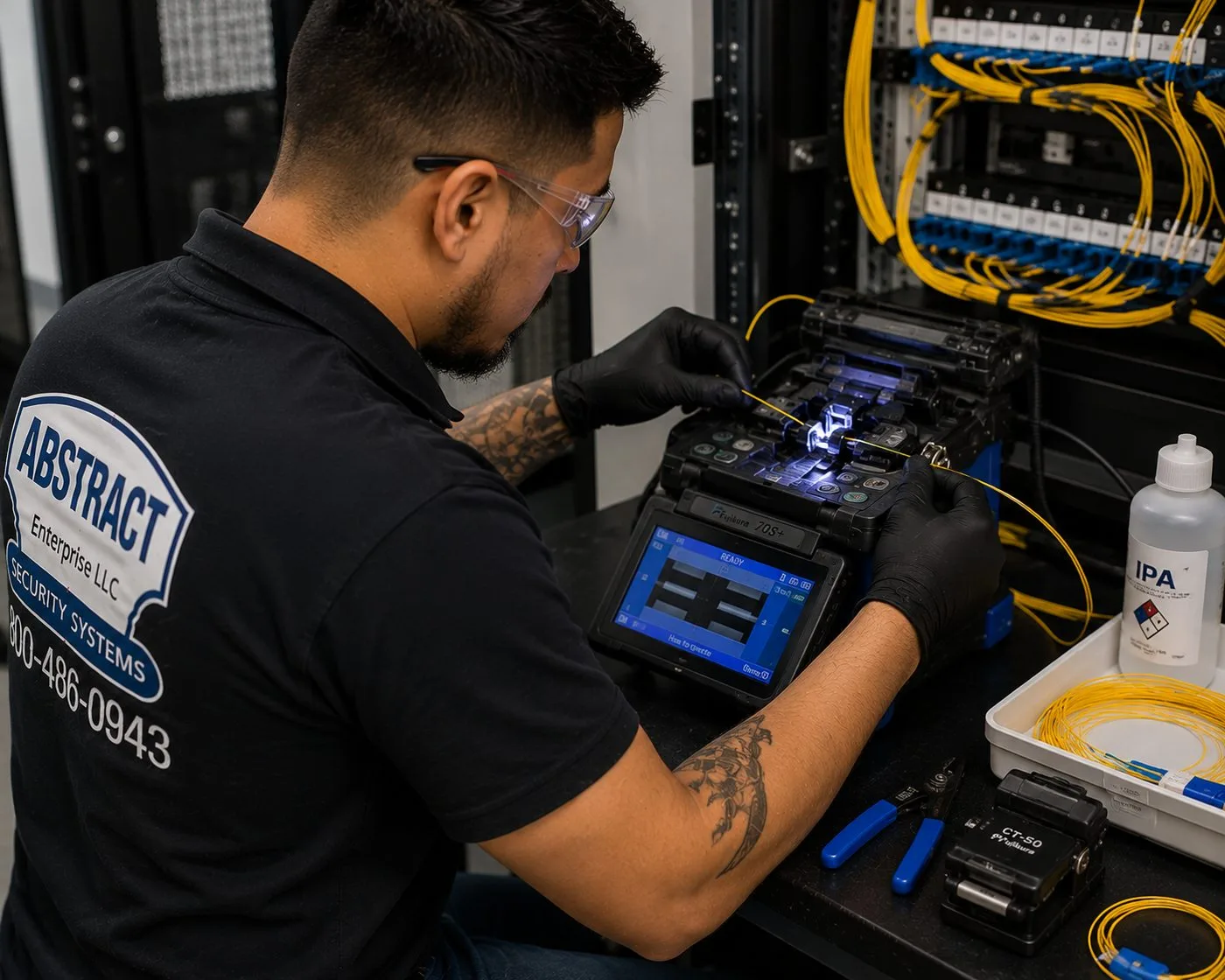
Technician operating a fusion splicer beside a fiber patch rack during a fiber optic installation in NYC
A gloved technician works a fusion splicer on a bench beside a rack of yellow single-mode patch cords, with cleaning alcohol and a spool of fiber on the tray.
Get a Free Fiber Quote
Tell us the buildings and floors — we call back the same business day

✅
Request Sent!
We'll call you back the same business day.
25+
Years Experience
✓
Same-Day Estimates
100%
Licensed & Insured
4.7★
201 Google Reviews

Need a number for a fiber run this week? Call (800) 486-0943 or use the 60-second quote form. A licensed tech, not a call centre, reads every request.

  • Every strand tested and the results file handed over
  • Firestopping restored at every penetration we open
  • NYS licence #12000287431 · insured for building-management COIs
The Neighborhood

Why New York City Properties Need Fiber Optic Installation

New York is one of the most heavily fibered cities in the country at street level, and one of the most under-fibered inside its own buildings. Carriers have spent decades pulling glass under the avenues. Verizon alone reported almost 89 million feet of fiber installed in the city, and by the end of 2013 said its network passed 94 percent of premises in Manhattan, 90 percent in the Bronx and Queens, 89 percent in Brooklyn and virtually all of Staten Island. That fiber stops at the building line, or at a demarc in the cellar. What happens between the cellar and the fourteenth floor, between the front building and the rear warehouse, between the server closet and the room at the far end of a long floor plate, is the owner's problem, and it is the problem we are hired to solve.

The gap shows up in a few predictable ways. A tenant signs a lease on an upper floor and discovers the only path from the carrier's equipment is a riser sleeve already packed with abandoned telephone pairs. An office grows into a second suite on the same floor, the new room is more than a hundred metres of cable path from the closet, and the copper link that "should work" drops packets every afternoon. A property owner with two buildings on one lot wants one network, one recording server and one internet circuit, and someone suggested a wireless bridge across the yard. A residential building is told by an internet provider that service can't be offered because the building "isn't wired for it" — the exact runaround one New Yorker described on Reddit's r/verizon when asking how to get fiber into an NYC building.

None of those are carrier problems in the narrow sense. The carrier will bring a circuit to the demarc and, in a building it has wired, run its own drop to a unit. It will not design a private backbone for a landlord, splice a campus link between two buildings it doesn't serve, or certify a riser that a tenant paid for. That work belongs to a licensed low-voltage contractor with a fusion splicer, an OTDR, and the patience to deal with a managing agent's insurance requirements, a superintendent's schedule and a freight elevator that is only available before eight in the morning.

The city has recognised the inside-the-building gap for years. In 2013 the New York City Economic Development Corporation ran ConnectNYC, which paid for fiber construction into unwired and under-wired buildings for companies with fewer than 500 employees; 24 businesses were connected in the first round alone. Housing agencies have had to address it too: the city's Department of Housing Preservation and Development tells affordable-housing developers that new fiber needs both fiber in the street and an accessible entry point in the basement before anything else is possible. Most of the calls we take start at that same point — with the cellar, the sleeve and the question of how to get light from there to where it is needed.

New York City fiber facts that shape the work

  • 89 million feet: Verizon's reported fiber footprint in New York City, roughly 17,000 miles, with premises-passed figures of 89–94 percent per borough as of the end of 2013 (Verizon).
  • 24.5 percent: share of New York City households with no broadband subscription — cable, fiber or DSL — according to the NYC Council Data Team; 8.1 percent had no internet access at all in 2021.
  • 44 percent: households without broadband in Melrose–Mott Haven–Port Morris in the Bronx, the highest of the 19 community districts the Council found above one-third.
  • 220 developments: NYCHA campuses covered by the city's Big Apple Connect programme, about 150,000 households and 330,000 residents, extended in September 2025 through June 2028.
  • Microtrenching: the city approved this narrow-cut street method for standard use after a Verizon pilot — a reminder that the outside plant keeps changing while inside risers stay the same age as the building.
  • Basement entry: HPD's broadband guidance treats an accessible basement entry point as a precondition for new fiber service to a residential building.

Those numbers explain why the work is steady across all five boroughs. Commercial owners need private fiber to make large or multi-building properties behave like one network. Residential owners, co-op boards and affordable-housing operators need a clean backbone so that providers can serve tenants without each one drilling its own hole through the same fire-rated slab. And almost every building more than a few decades old has cable in its risers that nobody can identify, which has to be dealt with before new glass goes in.

Most New York properties that add a fiber backbone pair it with structured copper on each floor and a camera or access-control system that finally has the bandwidth to reach one recorder. If that is your plan, our structured cabling team in NYC and our access control installers work from the same drawings, so the riser is sized once.

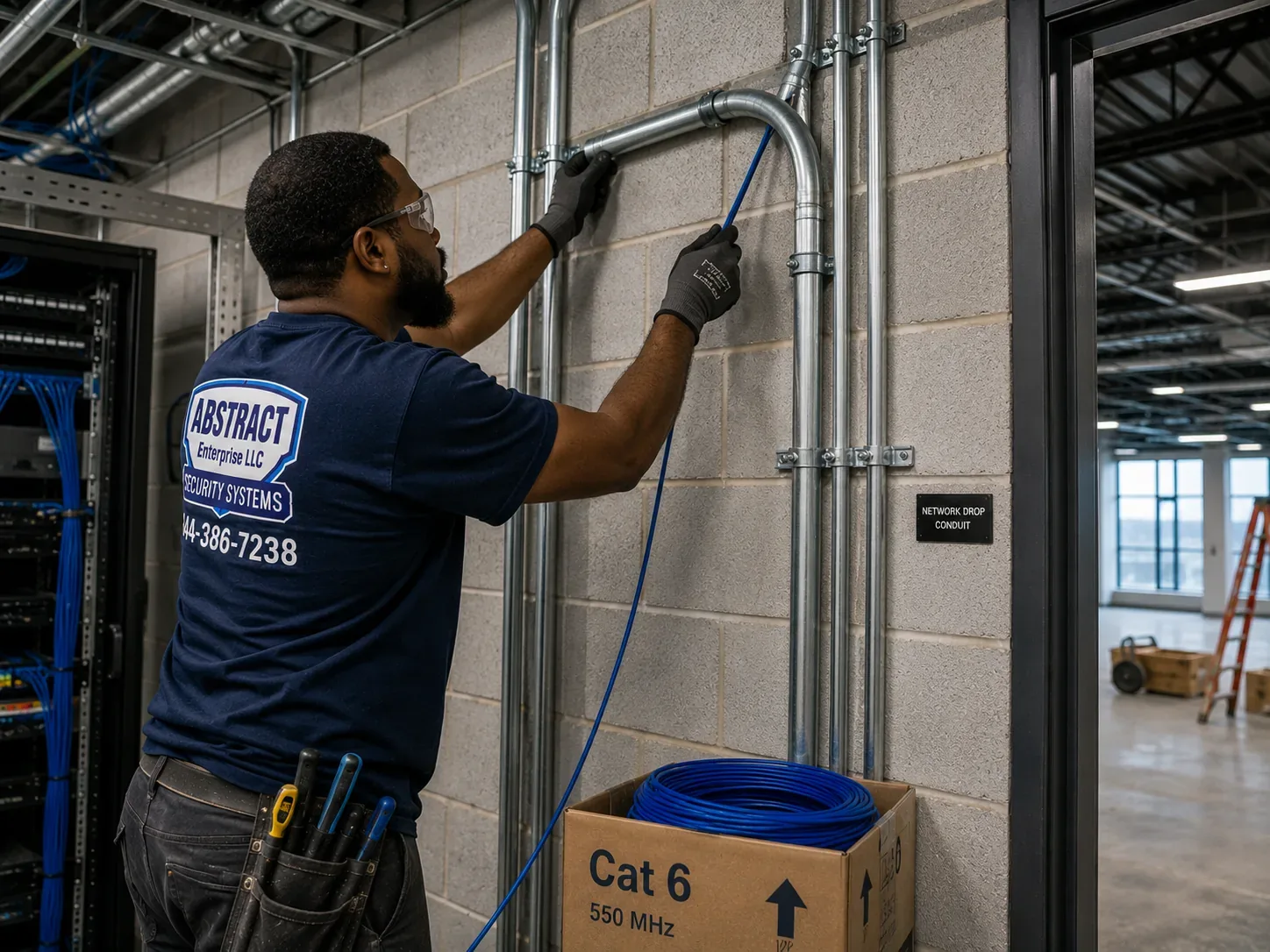
Technician feeding a cable pull into EMT conduit on a block wall for a protected pathway in a NYC building
A technician guides cable into EMT conduit fixed to a concrete-block wall beside an open rack — the kind of protected pathway we build when fiber has to cross a utility space.
Repair Capture

Need Fiber Repair in NYC?

A cut strand, a crushed patch cord or a link that started throwing errors after a renovation is a different job from a new installation. We handle it the same day where we can, and most single-point faults — a broken connector, a damaged pigtail, a dirty bulkhead — are found and fixed in one to two hours once a tech is on site. Call (800) 486-0943 and say it is a fiber repair, or see our network cable repair service across NYC for copper and mixed faults.

What We Install

Fiber Optic Installation Services in NYC

We install the private fiber that sits behind the carrier's demarc — the glass a building owner or tenant owns, maintains and depends on. Each of the services below is quoted on its own or combined into one project, and each ends the same way: every strand tested, every port labelled, the results handed over.

Riser Backbones

Fiber between a main telecom room and the closets on other floors. In a New York high-rise this usually means a riser-rated cable pulled through an existing sleeve or a new core, a splice or patch enclosure at each end and a strand count chosen for the next fifteen years rather than the next lease.

Room-to-Room Links on One Floor

Large floor plates in Hudson Yards towers, Long Island City conversions and Sunset Park industrial buildings routinely exceed the copper channel limit from a single closet. A short multimode link to a second room solves it without a rewire.

Building-to-Building Single-Mode

Two structures on one lot, a front building and a rear warehouse, a school with an annex: we run single-mode underground in conduit, along a building face in protective raceway, or through a shared cellar, and splice it into enclosures at each end.

Fusion Splicing

Pigtail splicing into rack-mount and wall-mount enclosures, mid-span splices where a cable was cut during demolition, and splice-tray reorganisation where a previous installer left loose buffer tubes hanging out of a box.

Termination of Existing Fiber

Fiber that a contractor pulled and never finished, carrier-abandoned cable that the owner now wants to reuse, or a cable left coiled in a ceiling after a fit-out. We identify it, test it and terminate it in LC, SC or MPO as the equipment requires.

Demarc Extensions

The carrier lands in the cellar; the network lives on the sixth floor. We extend the circuit on owner fiber from the demarc to the tenant's rack so the provider's technician only has to plug into a labelled panel.

Testing and Certification

Insertion-loss testing with a light source and power meter on every link, OTDR traces where length, splices or a dispute justify them, and connector end-face inspection before anything is mated.

Riser Clean-Up Before New Glass

Identification and removal of abandoned cable in a sleeve so the new backbone has room, with firestop restored at each floor once the pull is finished.

Fiber for Security Systems

Links that carry camera and access-control traffic from a remote building or a far corner of a property back to one recorder — the most common reason owners of multi-building properties call us in the first place.

Technician seating fiber in a splice enclosure next to a patched rack in a New York City telecom room
Working at a splicer on the bench while a rack of yellow fiber patch cords and blue copper sits behind — fiber and copper meeting in one room.
Building Specialists

Fiber Optic Installation for New York City's Architecture

A fiber backbone is designed around the building, not the other way round. The same twelve strands go in very differently in a 1920s loft, a glass office tower and a six-storey walk-up. These are the building types we work in most across the five boroughs, and what each one asks of the installation.

Pre-War Lofts and Manufacturing Buildings

Thick masonry, heavy timber or concrete floors, freight elevators and risers that were never meant for data. Penetrations are cored, not drilled, and the backbone often follows an old freight shaft or a pipe chase that management agrees to share. Interlocking armoured fiber earns its cost here.

Class A and Post-War Office Towers

Dedicated telecom closets stacked floor over floor, sleeves already in the slab, and a building engineer who wants every cable riser-rated and every penetration sealed before you leave. The challenge is access and coordination rather than construction.

Elevator Apartment Buildings and Co-ops

A board, a managing agent and a superintendent all have to say yes. Backbones usually run from a cellar demarc up a utility chase to a small enclosure on each floor, where providers can pick up service to individual units without drilling their own paths.

Affordable and Public-Housing Campuses

Several buildings on one site, a central boiler or management office, and broadband obligations under city programmes. Underground or cellar-to-cellar single-mode ties the buildings together so that one head-end serves the whole campus.

Industrial Campuses and Warehouses

Long distances, high ceilings, forklifts and loading docks. Fiber is the only medium that crosses a large plate or a yard without repeaters, and it doesn't care about the electrical noise from conveyors, compressors and dock-door motors.

Row Buildings and Small Mixed-Use

A shop on the ground floor, offices or apartments above, and a cellar shared with the neighbour's meters. These jobs are small — often a single link from cellar to an upper-floor office — but they are where careful firestopping and a tidy enclosure matter most, because everyone sees them.

Methods and materials by building type

Masonry and concrete slabs. We core with a water-fed or dust-extracted rig sized to the sleeve, install a short length of EMT or a listed sleeve, and seal it with a firestop system rated for that penetration. Old buildings sometimes have existing sleeves that were cored decades ago and never sealed; we seal the ones we use and point out the ones we don't touch.

Shared risers. Where the riser is shared with other tenants, the backbone goes in its own innerduct so the next contractor can't kink it pulling past, and the innerduct is labelled at every floor with the owner, the strand count and our contact. Riser-rated (OFNR) cable is the minimum; plenum-rated (OFNP) is used where the cable also passes through an air-return ceiling.

Long horizontal floor plates. Multimode OM4 in J-hooks or cable tray, kept separate from the copper bundle so nobody uses it as a support, with slack coiled in the enclosure rather than in the ceiling. On a raised floor we use innerduct to keep fiber out of the crush zone beneath tile edges.

Between buildings. Single-mode, usually loose-tube outdoor-rated cable in conduit, transitioning to an indoor-rated cable or a splice within the distance the code allows after entering the building. Where conduit can't be laid, we look at aerial or building-face routes with the owner and engineer before suggesting a wireless bridge as a last resort.

Occupied residential floors. Surface raceway painted to match, enclosures in closets rather than corridors, and work scheduled around the superintendent and the tenants, not just the clock.

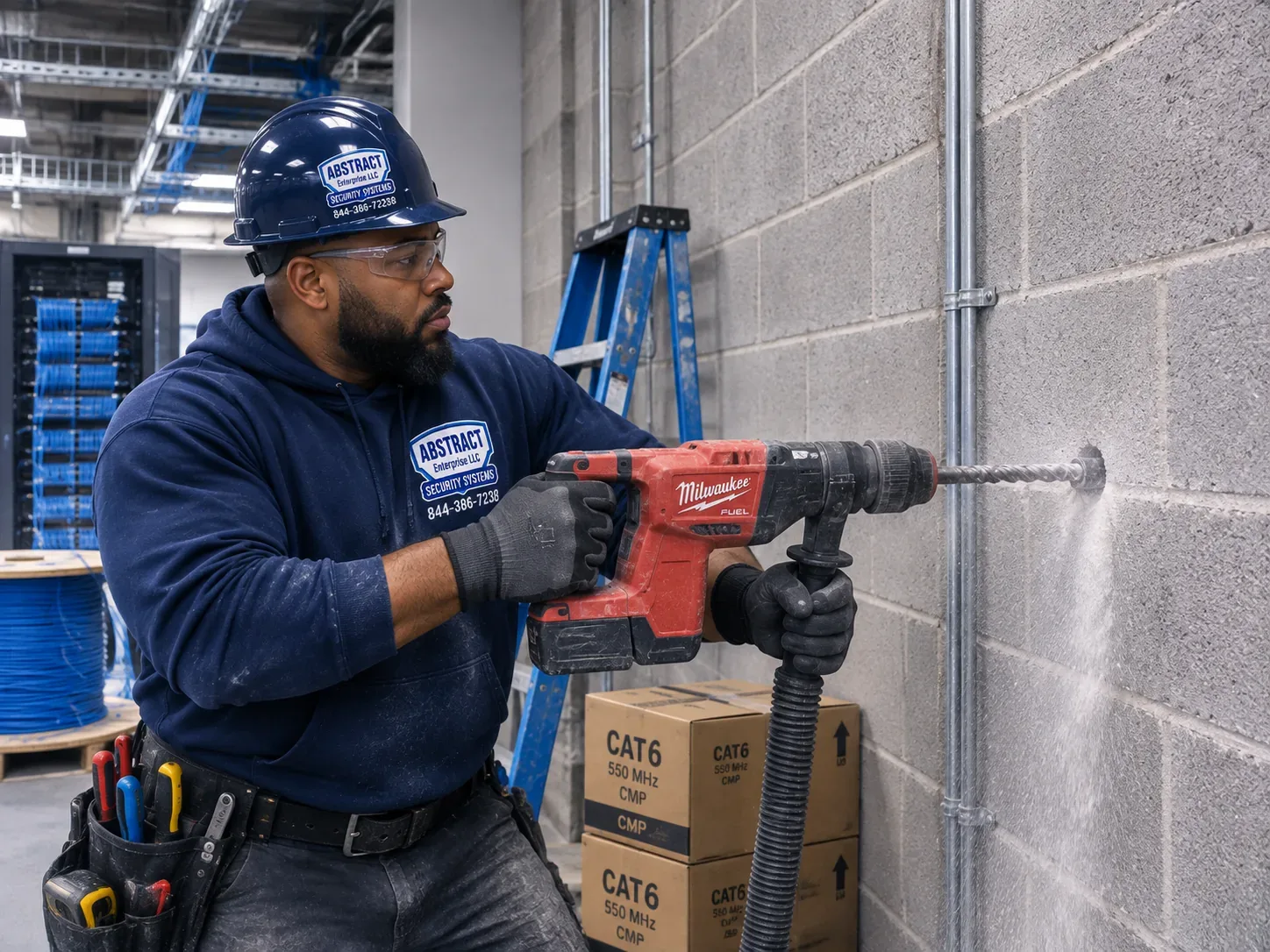
Technician in a hard hat drilling a block wall with dust extraction for a cable penetration in NYC
A technician in a hard hat and safety glasses drills a concrete-block wall with a dust-extraction hose attached, cable boxes and a rack visible behind him.
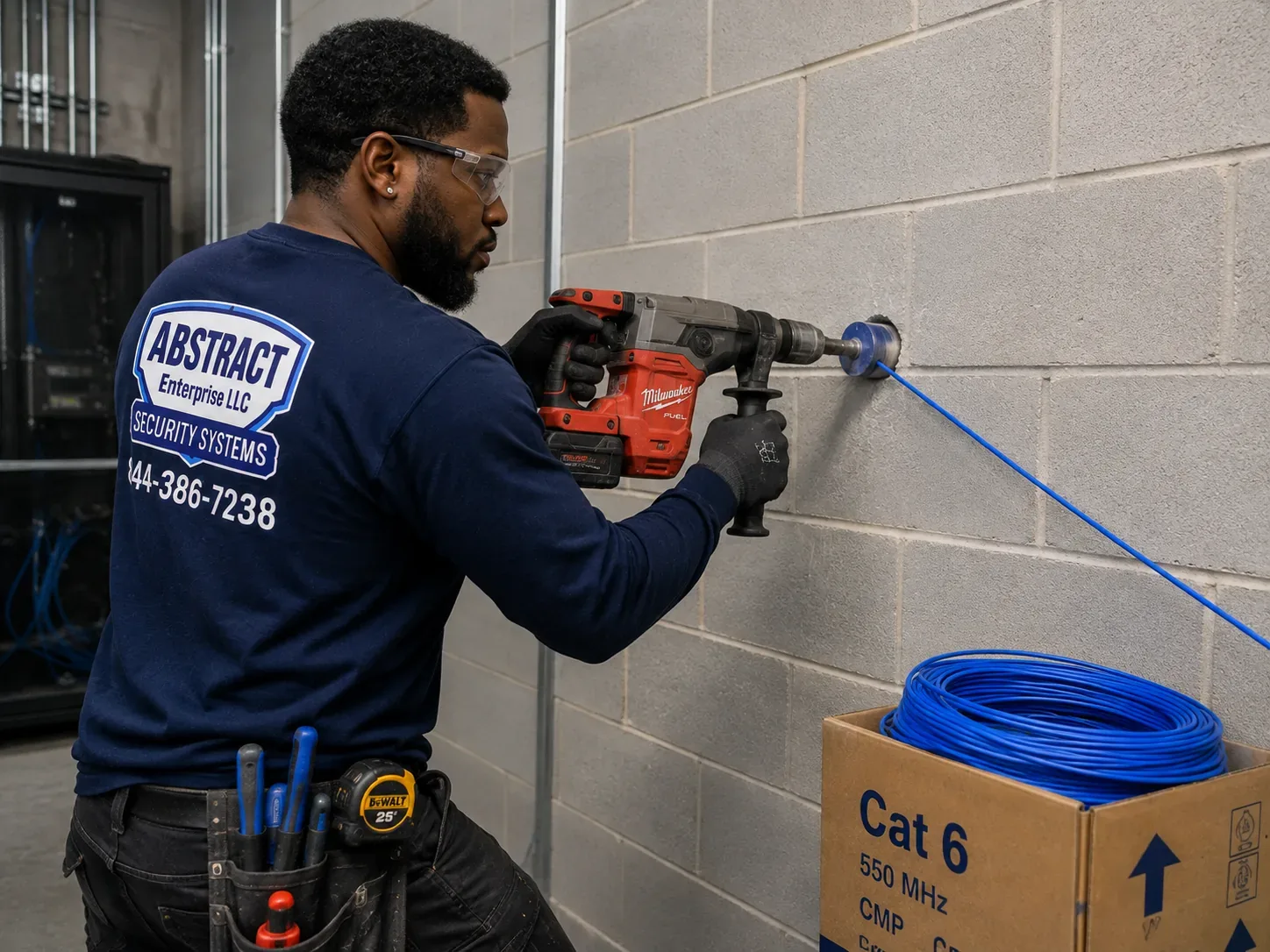
Pull line threaded through a fresh block-wall penetration for a fiber run in a New York City building
A finished hole through a block wall with a line already threaded through it, ready for the cable pull from the other side.

Many owners doing a backbone also add a camera system that finally reaches every building on the lot. Our commercial security camera installation in NYC is often scoped on the same walkthrough.

Commercial Fiber Optic

Business Fiber Optic Installation in NYC

Commercial fiber work in New York clusters around the places where carriers meet and where large floor plates sit. These are the corridors we work in most, and what the businesses there typically need.

Lower Manhattan and Tribeca

The blocks around 60 Hudson Street, the former Western Union Building that Digital Realty describes as Manhattan's densest carrier hotel. Financial, legal and media tenants nearby want diverse paths from the street to their suites and backbones that can carry whatever the next circuit upgrade brings.

Midtown and the Avenue of the Americas

Large multi-floor tenancies, stacked telecom closets and building engineers with detailed riser rules. Most of our work here is fiber between a tenant's floors and from the building's main point of entry up to a tenant's main room.

Chelsea and the Far West Side

From 111 Eighth Avenue to the newer towers of Hudson Yards, this is where large technology and media tenants put long floor plates and multiple rooms on one floor — room-to-room multimode territory.

Long Island City and Court Square

Converted industrial buildings beside new residential and office towers. Fit-outs here often inherit a riser from a manufacturing era and need new cores, new sleeves and fresh firestopping.

Sunset Park and Industry City

Sixteen interconnected buildings with a carrier-neutral meet-me room run by DataVerge and a campus fiber network to tenant suites. Tenants call us for the last stretch: from the campus fiber into a suite, between their own spaces, and into racks.

Hunts Point and the South Bronx

Food distribution, warehousing and fleet yards with big footprints, separate offices and outbuildings. Building-to-building single-mode carries scanners, cameras and office traffic from the far end of a site back to one room.

Compliance callouts for commercial fiber in NYC

  • Firestopping at every rated penetration. Every floor and rated wall we open is sealed with a listed firestop system appropriate to the penetration, and we photograph the result for the building's records.
  • Cable listing matches the space. OFNR in risers, OFNP in air-handling ceilings; outdoor-rated cable transitions to an indoor listing after it enters the building.
  • Permits versus approvals. Low-voltage cabling under 50 volts generally doesn't need its own Department of Buildings permit, but that is not the same as "no requirements" — managing agents still require certificates of insurance, approved pathways, work hours and documentation, and fiber that is part of a larger filed alteration follows that job's filing.
  • Landmarked exteriors. Anything that touches the outside of a landmarked building — a conduit on a facade, a new entry point — is raised with the owner before design, because it may need Landmarks Preservation Commission involvement.
  • ADA and egress. Raceway and enclosures stay out of accessible routes and egress paths; nothing is mounted where it reduces a corridor's clear width.
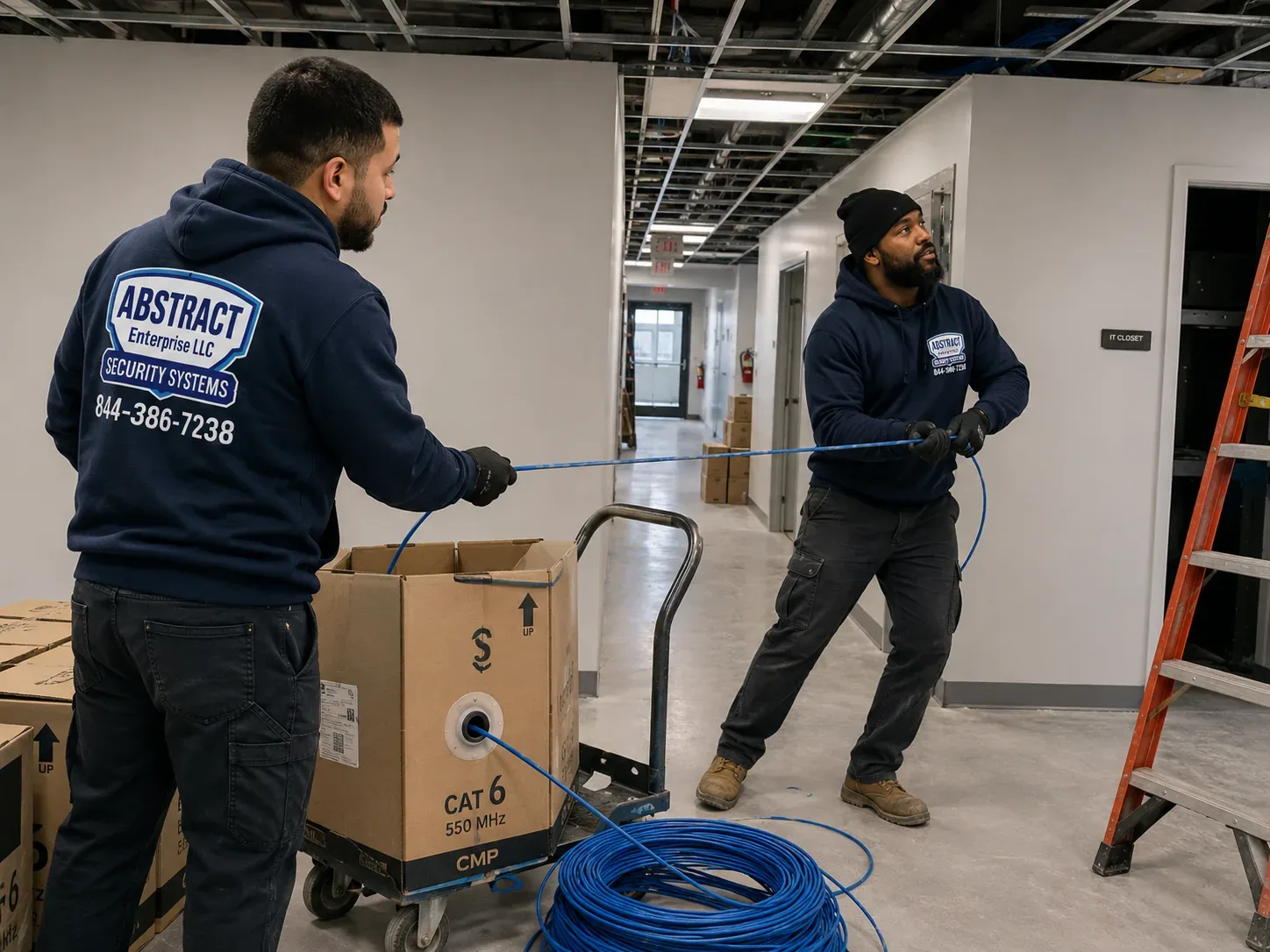
Two technicians pulling cable from a spool down an office corridor during a NYC cabling installation
Two technicians run a pull down an unfinished office corridor, one feeding from a boxed spool on a hand truck while the other draws the line.
When Fiber Is the Answer

Signs a New York Building Has Outgrown Copper Between Rooms

Nobody wakes up wanting fiber. They want a problem to go away, and fiber is what removes it. These are the situations that most often lead an owner, a facilities manager or an IT provider to call us about a backbone rather than another router.

  • Outlets that fail only at the far end of the floor. If the desks, cameras or access points nearest the closet are fine and the ones at the far wall drop out, the copper path is probably longer than the channel allows once it climbs into the ceiling and back down. A second room fed by fiber puts every outlet back within range.
  • A second suite, a second floor, a second building. Expansion is the most common trigger. Running copper between floors in a riser or across a yard was never the right medium, and the faults it produces are intermittent enough to waste months of troubleshooting.
  • A carrier circuit stuck in the cellar. The provider has delivered a fast circuit to the demarc, and the only way upstairs is a pair of old telephone wires or a long patch cord through a ceiling. An owner fiber extension carries the full circuit to the rack.
  • Cameras on several buildings, recorders in several places. Properties with outbuildings often end up with a recorder in each structure because nobody could get the video back to one room. A single fiber link consolidates them.
  • Noise from heavy equipment. Copper runs near elevator machine rooms, large motors and welding areas pick up interference that shows up as errors and slow links. Glass doesn't conduct electricity and is unaffected.
  • Links between buildings on different electrical services. Copper between structures can carry ground-potential differences and lightning surges into equipment. Non-conductive fiber removes that path entirely.
  • A riser so full that nothing more fits. A handful of fiber strands replaces bundles of copper that took up a sleeve, and it frees space for the building's other systems.
  • A wireless bridge that keeps dropping. Point-to-point radio across a courtyard or between rooftops is sometimes the only option, but where a cable route exists, fiber removes the weather, line-of-sight and interference questions for good.

If one of these sounds familiar, the walkthrough answers the next question — whether a short multimode link solves it, or whether the building needs a proper riser backbone. We will say so plainly if the honest answer is a copper fix instead.

What a walkthrough looks at

A fiber walkthrough in a New York building is mostly an exercise in following the path. We start where the outside world arrives — the carrier demarc or the main telecom room — and follow every possible route to the places that need connectivity, opening ceiling tiles, riser closets and sleeve covers as we go. We note which sleeves are full and which are empty, which have been firestopped and which haven't, whether there is any existing conduit between buildings, and how far the real cable route is from end to end.

We also ask the questions that only the people in the building can answer: when the freight elevator is available, what the managing agent requires, whether the superintendent has drawings, who the current internet and phone providers are, and what equipment the IT person plans to plug into the fiber. Those answers often matter more to price and schedule than the cable itself, and gathering them on day one is how we avoid surprises on day ten.

Your Questions Answered

Fiber Optic Installation in NYC: Questions Answered

These are the questions that come up on walkthroughs, grouped by what the person asking is really trying to decide. Each one is answered directly; the shorter questions about cost, permits and paperwork are in the FAQ further down.

Getting fiber into the building at all

My building isn't wired for fiber — what can actually be done?

"Not wired" almost always means one of three things, and each has a different fix. Sometimes the carrier has fiber in the street but no entry into the building; that is a carrier construction job, and the owner's role is to grant access and an entry point in the cellar, which is exactly what the city's housing agency lists as the precondition for new service. Sometimes the carrier reaches the cellar but has no path upstairs; that is where a private riser backbone comes in, and once it exists the provider only has to connect to a labelled panel on each floor instead of building its own. And sometimes the building has a path but it is full — a sleeve packed with dead telephone cable — in which case the first job is identification and removal.

On a walkthrough we trace the path from the demarc to the floors that need service, photograph the sleeves and closets, and tell you which of the three situations you are in. If it is the first, we explain what to ask the carrier for. If it is the second or third, we quote the backbone and the clean-up as separate lines so the owner can see what is construction and what is housekeeping.

Who owns the fiber once it's inside — the carrier, the landlord or us?

It depends on who paid for it and what the paperwork says, and it is worth settling before a single foot is pulled. A carrier's drop from its own equipment to a customer is the carrier's. A backbone the building owner commissions is the owner's, and the owner decides who may use it. A backbone a commercial tenant pays for during a fit-out is often the tenant's for the term of the lease and the landlord's afterwards, depending on the lease's alteration clause. Federal rules have also tightened around residential buildings: city housing guidance notes recent FCC rulings that ban exclusive and graduated revenue-share deals between landlords and providers, and sale-and-leaseback arrangements for inside wiring.

We label every enclosure and innerduct with the owner of record and include an ownership line on the as-built drawing. That small step prevents the most common later argument — a provider or another tenant using strands nobody agreed to share.

Choosing the right fiber

How do we choose between single-mode and multimode for a New York building?

Distance and future equipment decide it, not price per foot. Multimode OM4 has a 50-micron core and works with inexpensive short-reach optics; published figures put it at roughly 400 to 550 metres at 10 Gb/s and about 150 metres at 40 or 100 Gb/s. That is plenty for a link between two rooms on one floor or between floors of a mid-size building. Single-mode OS2 has a core of about 9 microns, runs at 1310 and 1550 nanometres and reaches ten kilometres or more at 10 Gb/s; the cable itself costs about the same as multimode, and the higher cost sits in the longer-reach optics.

Our rule of thumb in the city: single-mode for anything between buildings, anything in a tall riser where the backbone may one day carry carrier services, and anything the owner expects to keep for twenty years. Multimode for short in-building links where the equipment at both ends is already chosen and uses short-reach optics. Many backbones we install are hybrid — a mix of both in one cable — so the decision doesn't have to be made forever on day one.

Is fiber worth it inside one office, or only between floors?

Inside a single office of ordinary size, structured copper is usually the right answer to the desks and the access points, and fiber is overkill there. Fiber earns its place inside one floor when the floor is large enough that some outlets are beyond the copper channel limit from the main room, when there is heavy electrical equipment along the route, or when a second room needs a fat uplink to the first. In those cases one short fiber link to a second closet is far cheaper than trying to stretch copper and living with intermittent faults.

We measure the real cable path on the walkthrough — up into the ceiling, along the pathway, down the column — rather than the straight-line distance on a floor plan, because the path is what the channel limit applies to and it is always longer than people expect.

Timeline, approvals and cutover

How long does a fiber backbone take from walkthrough to light?

The cable work itself is often the shortest part. A two-room link on one floor can be pulled, terminated and tested in a day. A riser backbone serving ten or more floors in an occupied building is typically several days of work spread over one to three weeks, because freight elevator bookings, after-hours access and floor-by-floor coring set the pace. Building-to-building runs depend almost entirely on whether conduit exists between the structures.

Before work starts there is usually a week or two of paperwork: a certificate of insurance naming the building and its agent, a scope letter, a work schedule and sometimes a method statement for coring. We start that paperwork the day the proposal is accepted so the building's approval isn't the thing that delays the job.

What does the building management office need from a fiber contractor before work starts?

Most Manhattan and Brooklyn managing agents ask for the same short list: a certificate of insurance with the building owner and agent named as additional insureds at the limits in their contractor rules; the contractor's licence; a written scope showing which closets, sleeves and floors will be used; the dates and hours of work; and confirmation that every penetration will be firestopped and every abandoned cable removed or tagged. Co-op and condo boards often add an alteration agreement or a board approval letter when the work touches common areas.

We keep a standard package ready — licence, insurance, sample firestop documentation and a sample as-built — and tailor the scope letter to the building's own rules, which the superintendent or engineer usually has as a PDF.

What happens to service while a fiber cutover is in progress?

Nothing, if the cutover is planned properly. New fiber is pulled, terminated and tested alongside whatever is carrying traffic today. Only when every new strand passes do we schedule the move of live connections, usually early morning or after close, one link at a time, with the old path left in place until the new one has carried real traffic. If something doesn't come up, it goes back on the old path in minutes.

The single biggest risk during a cutover is a mislabelled port, which is why we label both ends before the switch-over, not after, and why we ask the IT person or managed-service provider to be available during the window.

Pathways and protection

Can new fiber share an old riser sleeve with existing cable?

Often, but not by just stuffing it in. A sleeve that is already more than partly full makes pulling dangerous for the fiber, because the pulling tension climbs and the cable can be crushed against old copper bundles. The fix is usually to remove dead cable first — New York risers are full of telephone pairs nobody has used in years — and to pull the new backbone inside its own innerduct so future pulls can't damage it.

Where a sleeve is genuinely full of live cable, a new core next to it is the honest answer. It costs more on day one, but it gives the building a clean path, and the firestop on the old sleeve is no longer disturbed every time someone adds a cable.

How is fiber protected where it runs past mechanical rooms or freight elevators?

The glass itself is immune to electrical interference, which is one of the reasons it is used near elevator machine rooms and motors. What it is not immune to is being stepped on, crushed by a pallet jack or bent too tightly when someone moves a duct. In mechanical spaces we route it in innerduct or EMT, keep it out of walking and working areas, and use interlocking armoured cable where it has to cross an exposed area at low height.

We also keep it out of hot zones above boilers and away from steam lines, label it clearly as fiber at intervals, and leave the service loop in an enclosure rather than coiled on top of a pipe where the next trade will use it as a shelf.

Proof, durability and scope

How do you prove a new fiber link is good before you leave?

Every link gets an insertion-loss test with a calibrated light source and power meter, at the wavelengths the link will use, and the measured loss is compared to a budget calculated from the length, the number of connectors and the number of splices. Every connector end-face is inspected under a scope and cleaned before mating, because a single speck of dirt can cost more loss than a hundred metres of cable. Where the run has splices, a long length or a history, we add an OTDR trace that shows where each event is along the cable.

The results go into a file with the strand, the port, the measured value and the pass/fail against the budget. That file is what you hand to a carrier, an auditor or the next contractor if anybody ever questions the link.

What breaks fiber in an occupied building after it's installed?

People, mostly. Patch cords get crushed in rack doors, pulled sideways by someone tracing a different cable or kinked when equipment is moved. Unprotected cable in a ceiling gets used as support by the next trade. Connectors get unplugged, left open and refitted dirty. And renovations cut cables that were never labelled, because nobody could tell what they were.

Most of the defence is housekeeping: enclosures with lockable or at least closed doors, innerduct in shared spaces, bend-radius guides at the rack, dust caps on every unused port and labels at intervals along the route. It costs little at installation and saves most of the repair calls we get on fiber other people installed.

Do we need fiber to every desk?

Almost never. Fiber to the desk exists, and a few trading floors, labs and secure environments use it, but for ordinary offices and residences it adds cost — optics or media converters at every outlet — without a practical benefit, and it can't deliver power to phones, cameras or access points the way copper can. The design that serves most New York businesses is fiber in the backbone and between rooms, copper from the closet to the outlet.

If you have a specific reason to want fiber at a workstation — a high-throughput workstation far from the closet, or a security requirement — we will design for it, and we will tell you plainly where copper would do the same job for less.
Plain-English Glossary

Fiber Terms You Will See on a Proposal

Fiber proposals are full of shorthand. These are the terms that appear on ours, explained without the jargon.

TermWhat it means for your building
BackboneThe cable that connects telecom rooms to each other — between floors, between rooms on a floor or between buildings — as opposed to the horizontal cable that runs to outlets.
DemarcThe demarcation point where the carrier's responsibility ends and the building's begins, usually in the cellar or a main telecom room.
StrandOne glass fiber. Most links use two strands, one to transmit and one to receive, so a 12-strand cable can carry six links.
OS2The current single-mode fiber type: a tiny core, long reach, used between buildings and in backbones meant to last.
OM3 / OM4 / OM5Multimode fiber grades with a larger core and shorter reach, paired with inexpensive short-reach optics. OM4 is the usual choice for new in-building links.
PigtailA short length of fiber with a factory-polished connector on one end, fusion-spliced onto the installed cable inside an enclosure.
Fusion spliceA permanent joint made by aligning two fiber ends and welding them with an electric arc; the lowest-loss way to join fiber.
Mechanical spliceA joint made by aligning fiber ends in a small device with index-matching gel; quicker to make, slightly higher loss.
Splice tray / enclosureThe organiser and box that hold splices and slack safely, in a rack or on a wall.
LC, SC, MPOConnector styles. LC is small and used by most modern optics; SC is larger and common on older or carrier equipment; MPO carries many fibers in one connector.
InnerductFlexible plastic tubing that the fiber is pulled through, protecting it inside a shared riser or tray.
OFNR / OFNPFire-performance listings printed on the cable jacket: riser-rated and plenum-rated non-conductive optical fiber.
Insertion lossHow much light a link loses from end to end, measured in decibels; the key number on a test report.
OTDRAn instrument that maps a fiber from one end, showing where connectors, splices and faults are along its length.
SFP / transceiverThe plug-in optic in a switch that turns electrical signals into light; it must match the fiber type and distance.
FirestopThe listed sealant or device that restores a fire-rated floor or wall after a cable passes through it.
As-builtThe drawing and records showing what was actually installed, where, and how each strand is assigned.

If a proposal from anyone — us included — uses a term that isn't explained here, ask. A contractor who can't explain what you're buying in plain words is a warning sign.

Equipment

Types of Fiber Optic Cabling We Install

The cable, the connectors and the boxes at each end matter as much as the pull. These are the categories we specify and install across New York, with the situations each one is chosen for.

Single-Mode OS2

The long-distance, long-life choice: building-to-building runs, tall risers and backbones that may later carry carrier services. About a 9-micron core, used at 1310 and 1550 nm.

Multimode OM4

Short in-building links with inexpensive 850 nm optics — room to room on a large plate, floor to floor in mid-size buildings. We rarely install OM3 new now; OM5 is a niche choice for specific data-room designs.

Riser and Plenum Listings

OFNR for vertical shafts and floor-to-floor runs, OFNP where cable passes through an air-handling space. A higher listing can substitute for a lower one, never the reverse.

Interlocking Armoured Fiber

Aluminium-armoured indoor cable for cellars, mechanical rooms, warehouses and anywhere a cable may be stepped on, crushed or chewed, often in place of separate conduit.

Outdoor Loose-Tube Cable

Gel-free or gel-filled loose-tube cable for underground conduit between buildings, transitioned to indoor-rated cable or spliced after it enters each structure.

Hybrid Cable

Single-mode and multimode strands in one sheath, so a backbone serves today's short-reach equipment and tomorrow's long-reach services without a second pull.

Connectors: LC, SC and MPO

LC for most modern switch optics, SC where existing equipment or a carrier panel uses it, and MPO trunks for high-density data rooms. Factory-polished pigtails, fusion-spliced in an enclosure.

Enclosures and Panels

Rack-mount patch and splice panels in telecom rooms, wall-mount enclosures in closets and cellars, and small lockable boxes on residential floors where providers pick up service.

Innerduct and Pathway

Corrugated innerduct to protect fiber in shared risers and trays, EMT through mechanical spaces, and J-hook or tray support on long horizontal runs.

Single-mode, multimode or copper: a quick comparison

MediumTypical reach at 10 Gb/sBest New York useCarries power?
Single-mode OS210 km and beyondBetween buildings, tall risers, long-life backbonesNo
Multimode OM4About 400–550 mRoom to room, floor to floor in mid-size buildingsNo
Multimode OM3About 300 mMatching existing OM3 plant onlyNo
Category copper100 m channelCloset to desk, access point, cameraYes (PoE)

Reach figures are published manufacturer and industry values for typical short-reach and long-reach optics; actual reach depends on the optics and the loss budget, which is why every link we install is measured rather than assumed.

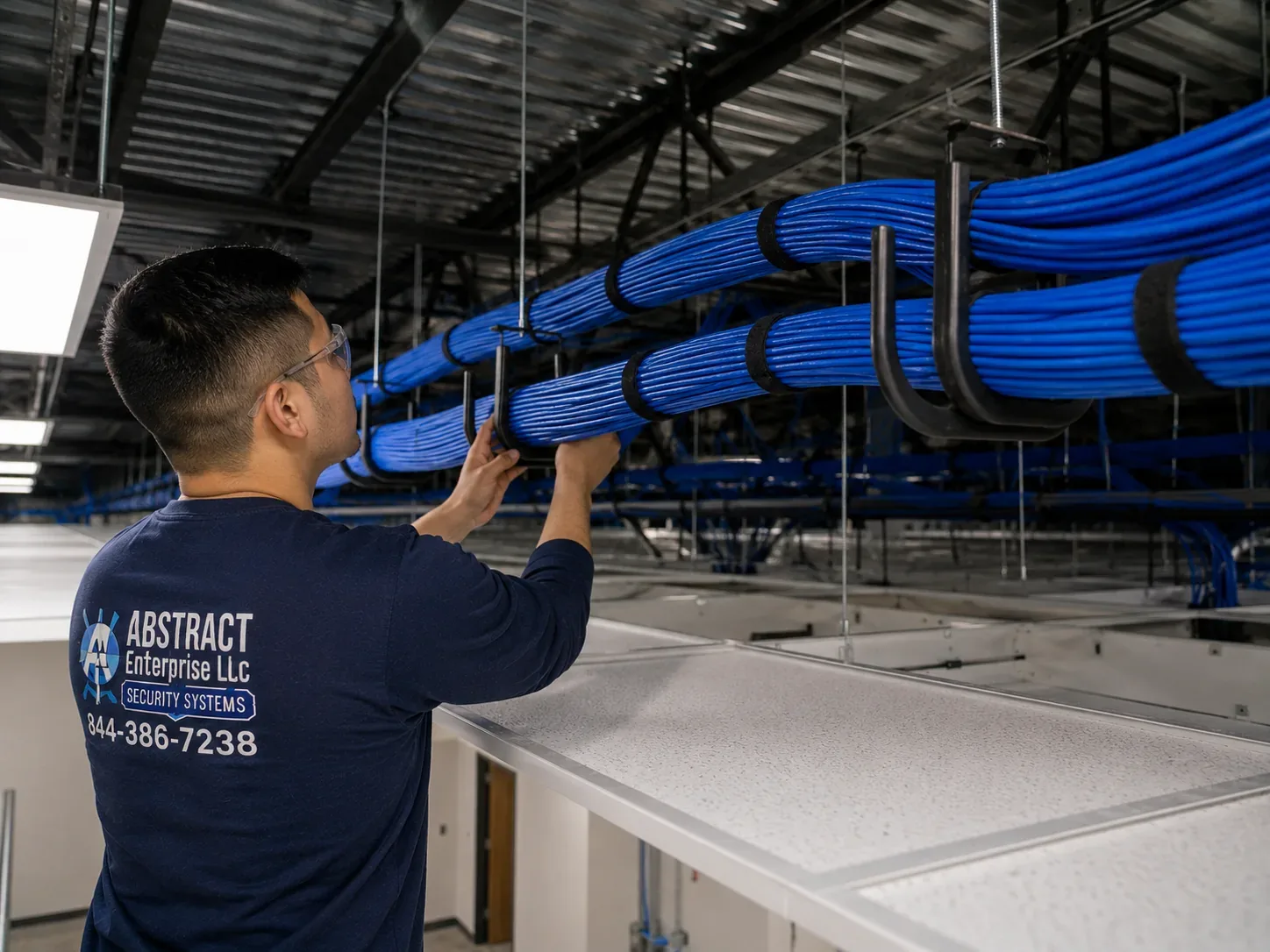
Technician dressing cable bundles in J-hooks under an open ceiling in a NYC commercial space
A technician dresses blue cable bundles into black J-hooks under an open ceiling deck — the supported pathway a fiber run shares with copper, kept in its own lane.
AI Overview Reality Check

What AI Gets Wrong About Fiber Optic Installation in NYC

We could not read Google's AI Overview from our research environment, so we have not invented its wording. What follows answers the claims that national cost guides and contractor pages actually publish — the claims summaries and chatbots tend to repeat — and corrects them against what fiber work involves inside New York buildings.

"Fiber costs $1 to $6 per linear foot to install"

That range appears on at least one New York-area fiber contractor's site, and similar figures circulate on national cost pages. It sounds precise, and it is the number a summary will grab first.

In a New York riser, the footage is the smallest part of the price. A 150-foot backbone up a twelve-storey building might involve twelve cores or sleeve clean-outs, firestop at every floor, two enclosures, twenty-four fusion splices, a day of freight-elevator time and a full test. Divide that by 150 feet and you get a per-foot number that bears no resemblance to the guide.

That is why we price fiber by the parts that drive cost — terminations, testing, backbone scope and pathway — and publish those lines, rather than quoting a footage rate that falls apart the moment a slab has to be cored.

"Underground fiber runs about $18 per foot"

One widely shared cost guide cites a Fiber Broadband Association report giving a median of $18 per foot underground and $8 aerial. Those are real figures — for outside-plant construction, the kind carriers do along roads.

They say little about a private link between two buildings on one property in the Bronx or Queens. If conduit already exists between the cellars, the job is a pull and two splice enclosures. If it doesn't, the cost is driven by excavation, pavement restoration and access, which an outside-plant median can't predict for a specific yard.

The honest answer is to walk the route. We check for existing conduit, look at whether a cellar-to-cellar or building-face route exists, and only then talk numbers.

"Fiber installation takes two to four hours"

Ask how long fiber takes and you will get the residential answer: T-Mobile says an in-home install can take up to four hours; AT&T says four to six. Those times are for a carrier technician connecting one home to a network that already reaches the building.

A private backbone is construction. Coring, pulling, splicing and testing a riser in an occupied Manhattan building takes days of work and is scheduled around the building, not the installer. Carrier multifamily programmes describe their own timelines in months, with separate construction and activation stages.

When someone tells you the fiber job will be done in an afternoon, ask what part of the job they mean. We give a schedule broken into approvals, pathway, pulling, splicing, testing and cutover so nothing is hidden inside "installation".

"The internet provider will wire the building"

This one comes up constantly in New York forums, and it is partly true: when an apartment is served by a provider that has wired the building, that provider runs the drop. Reddit's r/AskNYC threads say exactly that about Fios and about faulty building wiring.

The provider wires to its own subscribers on its own terms. It doesn't design a backbone the owner controls, link two buildings, extend a business circuit from the cellar to the sixth floor, or certify cable a tenant paid for. Buildings that rely only on provider wiring end up with several providers' cables in the same riser and no owner-controlled path at all.

An owner backbone flips that: one clean riser, a labelled panel on each floor, and providers who connect to it under the owner's rules.

"Multimode is cheaper, so use it inside buildings"

Summaries often reduce the fiber choice to "multimode for short, single-mode for long, multimode is cheaper." The cable price difference is small; one industry comparison notes single-mode cable costs about the same as OM3 or OM4, and the real difference is in the optics.

In a tall New York riser that may one day carry carrier services, or between buildings, single-mode is often the cheaper choice over the life of the backbone because it never has to be replaced to reach further. Multimode wins on short links where the equipment is known and short-reach optics are cheap.

We often install hybrid cable in risers for exactly this reason, so the owner isn't forced to bet on one answer.

"You need a permit for any fiber cabling in NYC"

Some answers state that a Department of Buildings permit is always required; others say no rules apply to low-voltage work. Both are wrong in practice.

Low-voltage cabling under 50 volts generally doesn't require its own DOB permit, but it still has to use the right listed cable, be firestopped wherever it passes through a rated assembly and satisfy the building's own contractor rules. When fiber is part of a larger alteration that is filed with the city, it follows that filing.

Industry guidance puts it well: "permit not required" is not the same as "no requirements". Unsealed penetrations are one of the most common inspection failures, and they are the first thing a building engineer checks after we leave.

"Any licensed electrician can install fiber"

Plenty of electricians do excellent work. Fiber, though, needs equipment and habits that general electrical work doesn't: a fusion splicer, a cleaver, an inspection scope, a light source and power meter, often an OTDR, and the discipline to keep connectors clean and bend radius respected during every pull.

The Fiber Optic Association's installation guidance is specific: pull only by the strength members, keep the bend radius at least twenty times the cable diameter under tension and ten times after installation, use a swivel pulling eye and figure-eight the cable to avoid twists. Break those rules and the link may test fine on day one and fail months later.

When comparing contractors, ask to see a sample test report. Anyone who installs fiber properly will have one ready.

Fiber That Is Measured, Not Assumed

Tell us the building, the floors and where the carrier lands. We will tell you what the backbone needs and what it costs.

Get In Touch

Request a Free Quote

Describe the buildings, the floors and the link you need. We reply the same business day, or call us at (800) 486-0943.

✅

We Got Your Request!

We'll call you back the same business day. If it's urgent, call us now at (800) 486-0943.

How It Works

Our Installation Process

Seven steps, the same on a two-room link and a thirty-floor riser. The difference is how long each one takes.

1. Walkthrough and route survey

We trace the path from demarc or main room to every endpoint, photograph sleeves, closets and cellars, measure the real route and note what is in the risers already.

2. Design and written proposal

Fiber type, strand count, cable listing, enclosures, pathway and a loss budget for each link, with prices broken into termination, testing, backbone and pathway lines.

3. Building approvals

Certificate of insurance, scope letter, schedule and firestop method sent to the managing agent or board; freight and after-hours access booked.

4. Pathway preparation

Dead cable removed, cores cut, sleeves and innerduct installed, enclosures mounted — all before any fiber is pulled.

5. Pull and firestop

Cable pulled by its strength members within its tension and bend-radius limits, service loops left in enclosures, and every penetration sealed and photographed the same day.

6. Splice, terminate and test

Pigtails fusion-spliced into trays, end-faces inspected and cleaned, insertion loss measured on every strand and OTDR traces taken where specified.

7. Labelling, cutover and closeout

Both ends labelled, live connections moved in a planned window, and the results file, as-built and photos handed over.

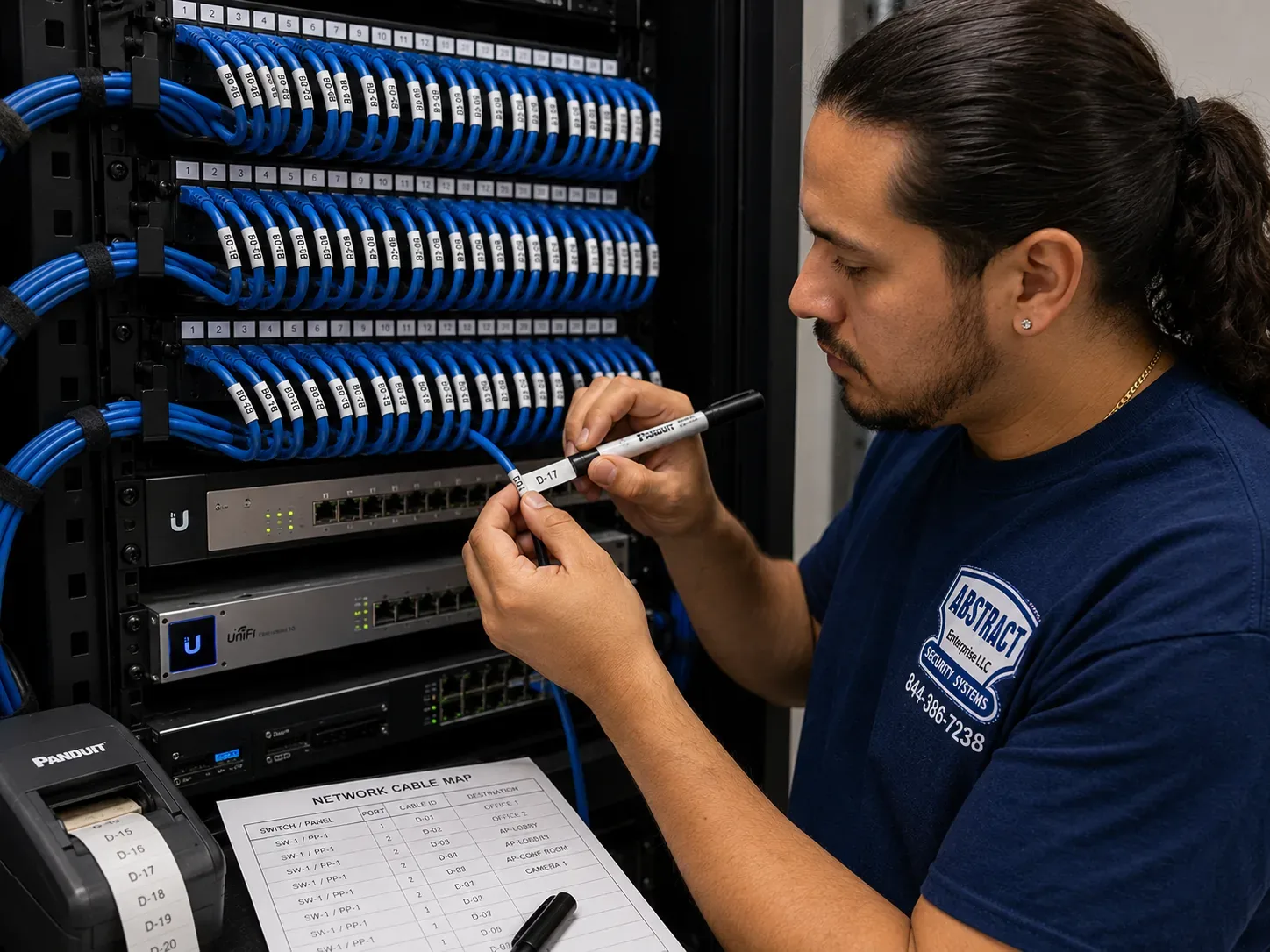
Technician labelling patch panel ports against a printed port map in a New York City network rack
Labelling patch-panel ports against a printed port map, with a label printer on the shelf — the last step before a cutover.
Coverage Area

Fiber Optic Installation Near NYC's Landmarks

Fiber in New York gathers around a handful of places where carriers meet and large buildings concentrate. We work in the buildings around all of them.

60 Hudson Street, Tribeca

The Art Deco former Western Union Building, built 1928–1930, now a 24-storey carrier hotel with a meet-me room on its ninth floor and cable vault entrances from several streets.

32 Avenue of the Americas

Named in data-centre reporting, alongside 60 Hudson Street and 111 Eighth Avenue, as one of Manhattan's principal carrier buildings — though 60 Hudson carries far more networks than either.

111 Eighth Avenue, Chelsea

The third of the carrier buildings that reporting groups with 60 Hudson Street, in Chelsea, surrounded by technology and media tenancies with long floor plates and several rooms per floor.

Industry City, Sunset Park

Sixteen interconnected buildings and more than 550 businesses, with a carrier-neutral meet-me room and campus fiber to tenant suites.

Hudson Yards, Far West Side

The newer office district on the Far West Side, where multi-floor tenants and stacked telecom rooms make floor-to-floor and room-to-room fiber the usual request.

Hunts Point, the Bronx

A South Bronx district of distribution, warehousing and fleet yards, where wide sites and outbuildings make building-to-building fiber the practical way to connect one property.

We also serve Long Island City, Downtown Brooklyn, Jamaica, Flushing, the North Shore of Staten Island and every neighbourhood between them, plus Nassau and Suffolk counties and the six Hudson Valley counties from Westchester to Ulster.

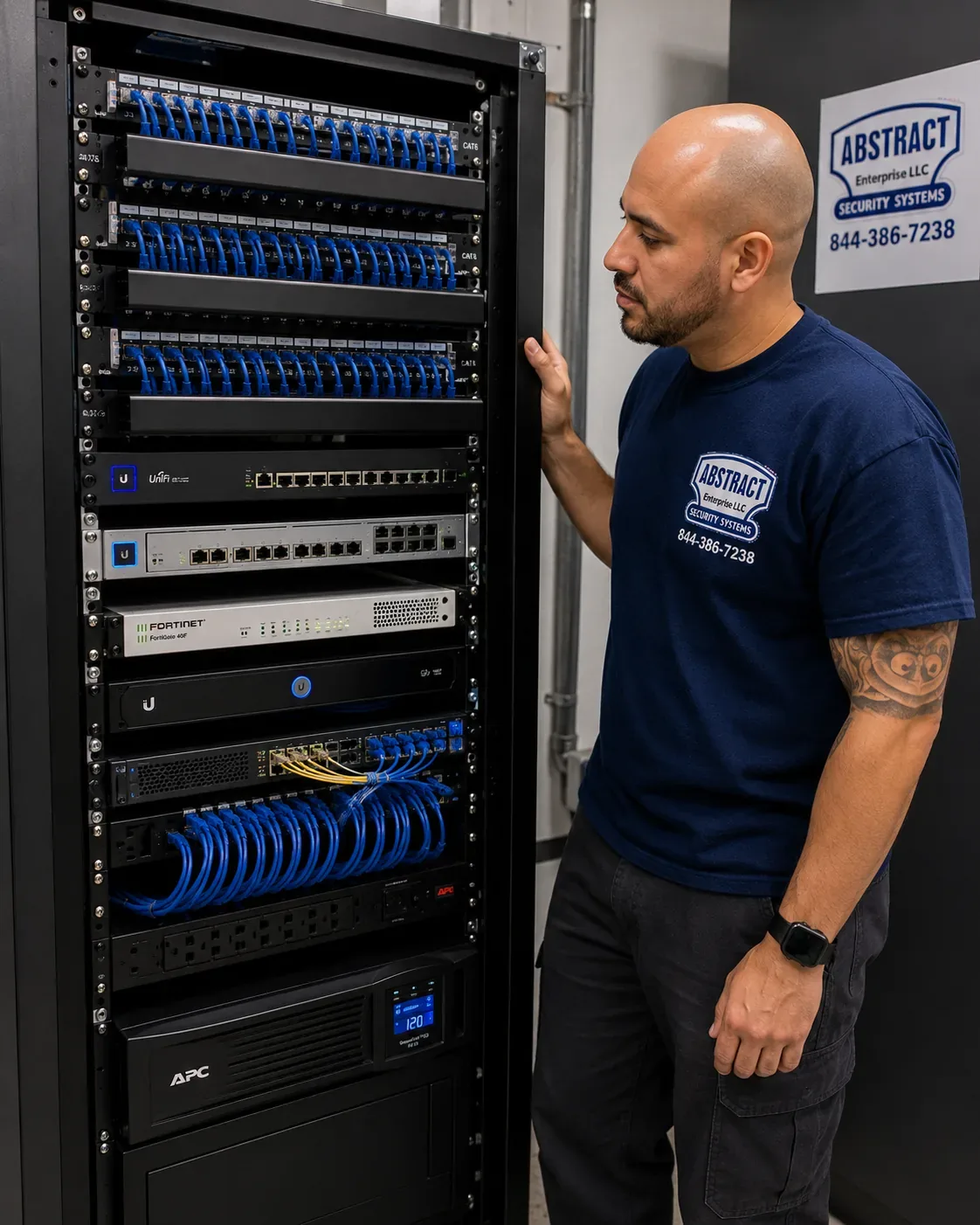
Technician beside a finished network rack with patch panels, switches and a UPS in a NYC telecom room
A finished floor-standing rack with patch panels, switches and a UPS at the base, with a technician checking the top of the cabinet.
Pricing

Fiber Optic Installation Cost in NYC

Fiber is quoted after a walkthrough, because route, pathway and access drive cost more than footage — but the building blocks are published. These are our standard prices at the New York City base rate; individual borough and county pages apply their own area multiplier.

ItemPriceWhat it covers
Fiber termination on an existing cable$35 per terminationST, SC, LC or MPO connector, fusion or mechanical
OTDR test$40 per strandTrace and event table for each strand
Multimode fiber drop$350 per dropShorter horizontal run, terminated and tested
Single-mode fiber drop$400 per dropShorter horizontal run, terminated and tested
12-strand OM4 floor-to-floor backbone$4,500 – $7,000Fusion-spliced, panels both ends, tested
24-strand OS2 building-to-building backbone$8,000 – $15,000+Single-mode with OTDR testing
Second telecom room with fiber linkfrom $2,400Room build-out and the fiber tie back to the main room
Service and callback rate$195/hr, 3-hr minimum ($585)Repairs, troubleshooting and return visits — not the initial install

What moves a fiber quote up or down

  • Pathway condition. An empty sleeve or existing conduit is the cheapest case. Cores through slabs, sleeve clean-outs and new conduit add labour and materials.
  • Access. Freight-elevator windows, escorts and after-hours requirements stretch the schedule more than the cable does.
  • Strand count and fiber type. More strands mean more splices and more testing; single-mode and hybrid cost a little more in cable and termination.
  • Testing level. Every link gets loss testing; OTDR is added per strand where the run or the client requires it.
  • Distance between buildings. Whether a route exists at all is the biggest variable on campus work.

National brand versus local contractor. Fiber isn't something the big consumer security brands sell — ADT, Ring and SimpliSafe offer monitored alarms and cameras, not private backbones — so the real comparison is between a carrier's construction team, a national integrator and a local licensed contractor. Carriers build to their own subscribers. National integrators are strong on large campuses but subcontract much of their New York field work. A local contractor with its own splicing and test equipment can walk the building this week and answer to you directly.

Shop Our Systems

Fiber Optic Installation Packages & Pricing

Three common starting points, built only from the published prices above. Your proposal will itemise the actual scope.

Starter — Finish What's There

$1,320

Terminate and certify an existing 12-strand cable left unfinished: 24 terminations at $35 and 12 OTDR traces at $40, with results file and labelled panels. Enclosures, if missing, are added at cost.

Standard — Floor-to-Floor Backbone

$4,500 – $7,000

A 12-strand OM4 multimode backbone between floors, fusion-spliced into panels at both ends, firestopped and loss-tested. The range reflects riser condition and distance.

Premium — Building to Building

$8,000 – $15,000+

A 24-strand OS2 single-mode link between two buildings you own, spliced into enclosures at each end with OTDR testing on every strand. Excavation and new conduit, if needed, are quoted separately.

Bring Your Own Equipment — Labour Only

Already bought the cable, the panels or the optics? We will install, splice and test customer-supplied materials at the $195 per hour service rate with a three-hour minimum ($585). Customer-supplied equipment carries its manufacturer's warranty rather than ours, and we test it before installing so a bad reel is caught on the floor, not in the riser.

Ready to Price Your Backbone?

A walkthrough costs nothing. You get an itemised proposal built from the prices on this page.

Across the Five Boroughs

How Fiber Work Differs Borough by Borough

The physics of fiber are the same everywhere. The buildings are not, and the buildings decide how a job runs. As each borough gets its own dedicated page, the detail will live there; here is the overview.

Manhattan

Manhattan fiber work is governed by access more than distance. Towers have stacked telecom closets and sleeves already in the slab, but every move needs a certificate of insurance, a booked freight elevator and approval from a building engineer who has seen plenty of contractors leave unsealed holes behind. Work clusters around the carrier buildings of Tribeca and Chelsea, the multi-floor tenancies of Midtown and the newer towers of the Far West Side. Pre-war and loft buildings downtown add masonry coring and shared freight shafts to the mix. Most Manhattan jobs are floor-to-floor backbones for a tenant spread over several floors, or extensions from a building's main point of entry up to a tenant's room.

Brooklyn

Brooklyn has the widest spread of building types of any borough. The industrial waterfront from Sunset Park to the Navy Yard and Greenpoint has huge floor plates and multi-building campuses where fiber between rooms and between buildings is a necessity rather than an upgrade. Downtown Brooklyn has office towers that behave like Manhattan's. And the brownstone and mixed-use blocks of the rest of the borough generate smaller jobs: a single link from a cellar demarc to an upper-floor office, or a backbone in a mid-size elevator building whose board wants to give tenants a choice of provider.

Queens

Queens combines the converted industrial stock of Long Island City with garden-apartment complexes, commercial strips and large institutional campuses further east. Conversion fit-outs in Long Island City often inherit risers from a manufacturing era with no usable sleeves, so the job starts with cores and firestopping. Multi-building residential complexes and campuses benefit from building-to-building single-mode that ties separate structures into one network.

The Bronx

The Bronx brings wide commercial sites — distribution, warehousing and fleet yards around Hunts Point and along the Bruckner corridor — alongside large pre-war apartment buildings on and around the Grand Concourse. The NYC Council's own data puts several Bronx community districts among the city's lowest for household broadband subscriptions, Mott Haven and Port Morris above all, which is part of why residential owners and affordable-housing operators there are investing in clean backbones that providers can use. Commercial work leans toward building-to-building links that bring a whole site back to one room.

Staten Island

Staten Island's commercial and institutional properties tend to be lower and wider, often on larger lots with more than one structure. That makes inter-building fiber and long horizontal runs the typical request, with fewer of the riser and freight-elevator constraints that dominate Manhattan. Residential multi-family buildings on the North Shore present the same cellar-to-floor backbone question as anywhere else in the city.

Testing Explained

Loss Budgets, OTDR Traces and What the Numbers Mean

A fiber test report is only useful if you know what it is telling you. Here is how to read the one we hand over.

The loss budget. Before testing, we calculate how much light each link is allowed to lose. The budget adds up the loss allowed for the length of fiber at the test wavelength, for each mated connector pair and for each splice. A short multimode link inside one building has a small budget; a long single-mode link between buildings has a larger one. The measured loss has to come in under the budget, and the closer it is to the budget, the less margin the equipment has.

Insertion-loss testing. This is the main test. A calibrated light source at one end and a power meter at the other measure how much light actually arrives, at the wavelengths the link will carry. Multimode is typically tested at 850 and 1300 nanometres, single-mode at 1310 and 1550. Each strand gets a pass or fail against its budget. This is the number that predicts whether a link will work with real equipment.

OTDR traces. An optical time-domain reflectometer sends pulses down the fiber from one end and reads what is reflected back. The trace shows the cable as a line on a graph, with events where connectors and splices sit and a sharp end where the fiber stops. It tells you where loss is happening along the length, which is invaluable for long runs, links with several splices and any dispute about where a problem sits. It is a diagnostic and documentation tool rather than a replacement for insertion-loss testing.

End-face inspection. Every connector is looked at under a scope before it is mated. Dust, oil and scratches on a connector end-face are the most common cause of poor fiber performance, and they are invisible to the eye. A clean, undamaged end-face is the cheapest guarantee of a good link.

Polarity and labels. Each link is checked so that the transmit strand at one end reaches the receive port at the other, and the label at each end names the same link. A link that passes every optical test but is crossed or mislabelled still fails on cutover day.

The report you receive lists each strand by its label, the wavelengths tested, the measured loss, the budget and the result. Keep it with the building's records. If a provider, an auditor or another contractor ever questions a link, that file answers them.

Before You Call

A Short Planning Checklist for Owners and Tenants

None of this is required before a walkthrough, but having it ready makes the proposal faster and more accurate.

  • Where service arrives. The location of the carrier demarc or the main telecom room, and who the current providers are.
  • Where it needs to go. The floors, rooms or buildings that need connectivity, and roughly how many links each needs.
  • Who decides. The managing agent, board or landlord contact, and a copy of the building's contractor rules if you have one.
  • Insurance requirements. The additional insureds and limits the building wants on a certificate, so ours can be issued before the visit.
  • Access windows. Freight-elevator hours, after-hours rules and any blackout dates for noisy work.
  • Equipment plans. What switches or devices will connect at each end, so fiber type and connectors match the optics.
  • Drawings. Any riser diagrams, floor plans or previous as-builts — even old ones help identify what is already in the sleeves.
  • Timeline. The date service needs to be live, especially if a lease start or a move is tied to it.

If you are a tenant, ask your landlord early who will own the fiber after the lease ends. If you are an owner, decide whether providers will be allowed to use the backbone and on what terms. Both questions are much easier to settle before the cable is in the riser than after.

Taking Over Existing Fiber

Common Problems With Fiber Someone Else Installed

A good share of our fiber calls involve plant that already exists — installed by a previous contractor, a former tenant or a carrier that has moved on. These are the faults we find most often, and how each is put right.

No documentation at all. Panels with no labels, no as-built and no test results. Nobody knows which strand goes where or whether any of them still work. We trace and test every strand, label both ends, and produce the documentation that should have existed from the start, so the plant becomes usable rather than mysterious.

Loose fibers outside an enclosure. Buffer tubes and bare fibers hanging out of a box, or spliced and left coiled on top of a ceiling tile. Every one is a break waiting to happen. We mount a proper enclosure, re-route the fibers into trays and re-splice anything that was damaged on the way.

Bend-radius damage. Cable pulled around a sharp corner, cinched with a tight cable tie or forced into a box too small for it. The link may work at first and degrade as micro-cracks grow. An OTDR trace usually shows exactly where the bend is; the fix is to release it and, if the fiber is cracked, re-splice or replace that section.

Wrong cable listing. General-purpose cable in a riser or a plenum ceiling, or outdoor cable run far into a building. It is a code issue as much as a performance one, and building engineers do check jackets. We replace it with correctly listed cable, usually taking the opportunity to add strands.

Mismatched fiber and optics. Multimode transceivers on single-mode fiber, or OM1 patch cords on an OM4 backbone. Links fail to come up or run with high error rates. We identify the fiber type from its jacket and testing, and match cords and optics to it.

Dirty or damaged connectors. The most common fault of all. Ports left uncapped, connectors mated without cleaning, end-faces scratched by repeated handling. We inspect, clean and, where necessary, re-terminate, then cap every unused port.

Unsealed penetrations. Fiber passing through floors and walls with no firestop. We seal the penetrations we use and point out any others to the building, because an inspector will find them eventually.

Taking over existing fiber is often the cheapest route to a working backbone. The test results tell us quickly whether the cable is worth keeping, and if it is, finishing and documenting it costs a fraction of a new pull.

Residential Buildings

An Owner Backbone for Co-ops, Condos and Rental Buildings

In a multi-family building, a privately owned fiber backbone changes the conversation with internet providers. Instead of each provider negotiating its own route and drilling its own holes, the building offers a clean riser with a small enclosure on each floor. Providers connect to it under the owner's terms, tenants get a choice, and the fire-rated slabs are opened once rather than every time a new company arrives.

The design is simple. Fiber runs from the cellar, where providers land, up a utility chase or riser to an enclosure on each floor or group of floors. From there, each unit is served by whatever the building chooses: fiber to the unit, existing coax or copper, or a provider's own drop from the floor enclosure. City housing guidance favours fiber as the most future-proof medium and notes that owning the infrastructure gives a building more leverage with providers.

Boards and owners usually want three things from us: a design that disturbs residents as little as possible, documentation the managing agent can hand to any provider, and a clear statement of who owns and maintains the backbone. We provide all three, and we schedule work in common areas around the superintendent and the residents rather than around our own convenience.

Complete Services

Every Fiber Optic Installation Service in NYC

Fiber rarely arrives on its own. These are the New York City services that most often sit on the same proposal.

Structured Cabling Installation NYC

The copper side of the plant: horizontal runs from each closet the backbone reaches to every outlet, panel and access point.

Cat6 Installation in NYC

Category cable to desks, cameras and wireless, terminated and certified to the same standard as our fiber.

Network Installation NYC

Switches, firewalls, wireless and segmentation — the equipment that lights the fiber and makes it useful.

Network Cable Repair NYC

Fault location and repair for copper and mixed plant when something stops working.

Low-Voltage Installation NYC

Every low-voltage system in one scope: data, security, intercom, audio and access.

Structured Cabling Pricing

Our full published price list for drops, panels, racks, fiber termination and testing.

Commercial Camera Installation NYC

Cameras across multi-building properties, recorded in one place over the fiber we install.

Access Control Installation NYC

Readers, locks and controllers that share the backbone with the rest of the building's systems.

Intercom Installation NYC

IP video intercoms in lobbies and entrances that ride the same riser to every floor.

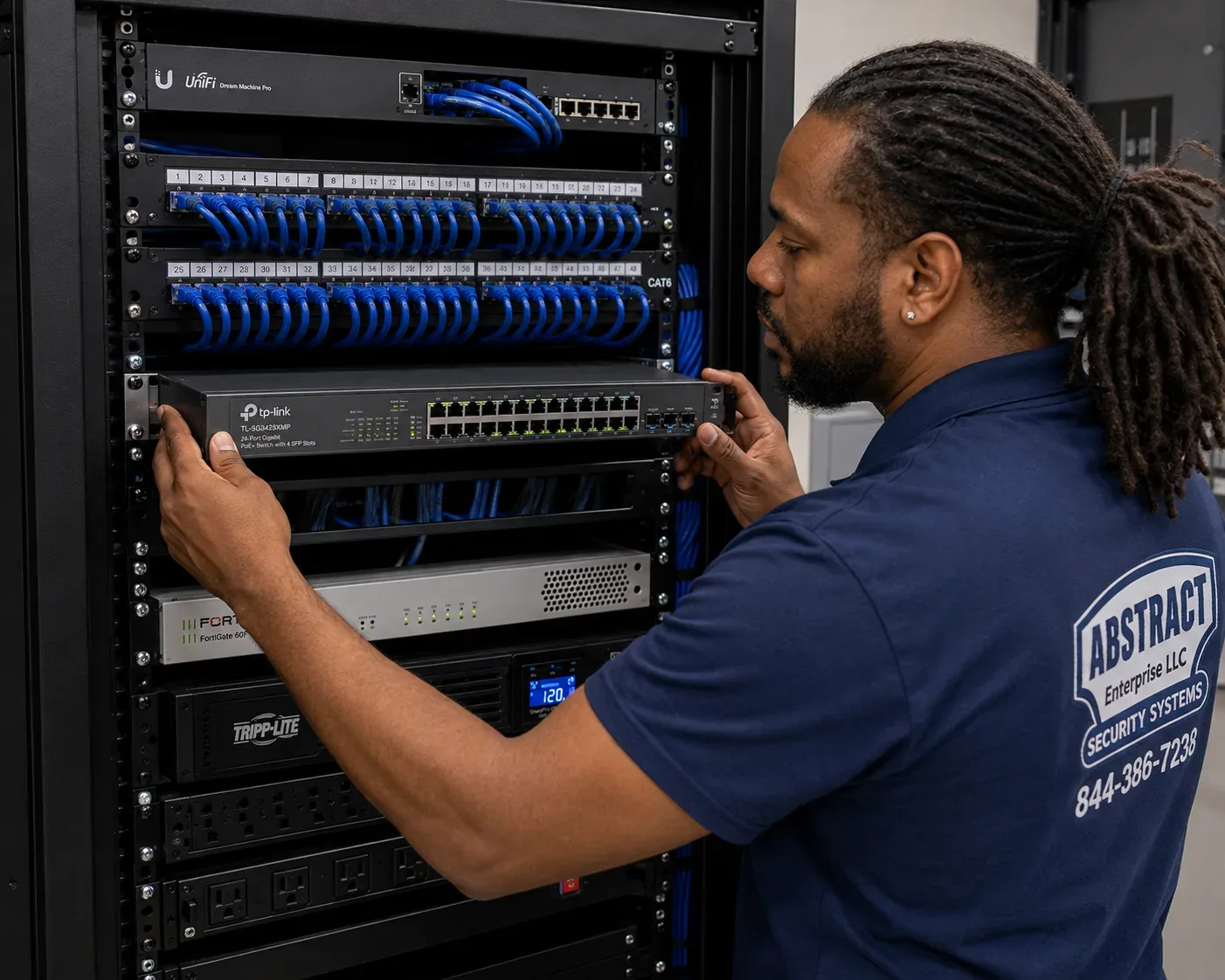
Technician mounting a network switch in a rack below patch panels in a New York City equipment room
A technician slides a switch into a rack below rows of patched panels — where a fiber backbone hands off to the network equipment.
Field Notes

Field Notes From New York Risers

How our installers approach an older riser — working practice, not a single job

The first thing our crews do in an older New York building is open the riser sleeve on the lowest floor and look at what's in it. In older stock it is common to find that much of it is dead: telephone pairs from a switchboard long gone, coax from a provider that changed hands, runs somebody pulled and never terminated. Nobody removes it because nobody knows whether it's live, and every new tenant adds a cable on top.

That pile is how fiber gets damaged. A new cable pulled across old ones sees its tension climb, and a strand can crack in the middle of a slab where no one will ever see it. So the rule is simple: before we pull glass, we prove what in the sleeve is dead and take it out, then put the new backbone in its own innerduct with a label at every floor. It costs a little time at the start, and it means the next contractor in that riser can find their way without disturbing ours.

The second thing we check is the firestop at each floor. If a sleeve was opened and left unsealed, we seal it when we use it, and we tell the building about the ones we didn't touch.

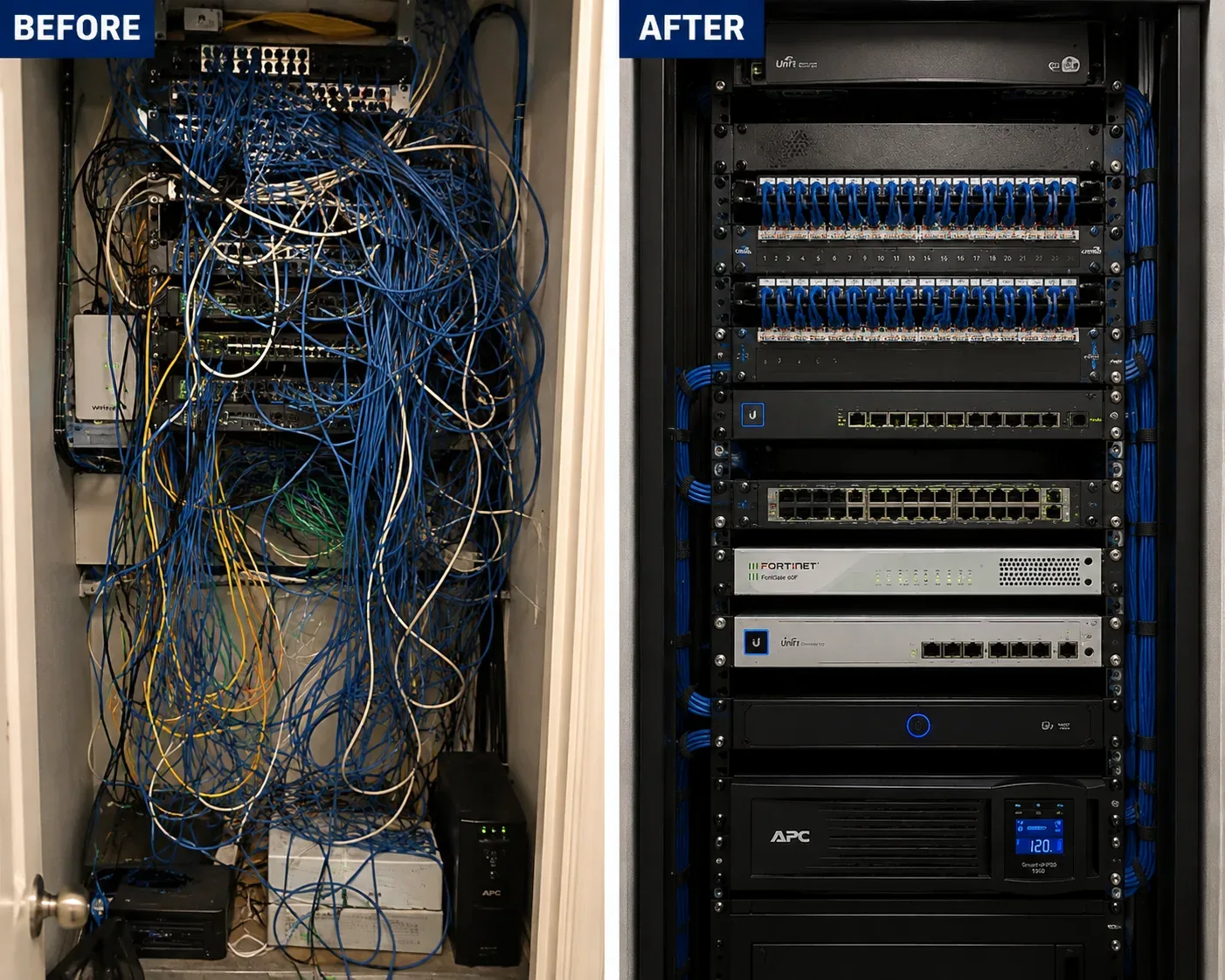
Before and after views of a cluttered network closet rebuilt into a clean rack in NYC
Side-by-side before and after: a tangle of unlabelled cable in a wall closet, then the same space rebuilt as a dressed rack with panels, switches and a UPS.
FAQ

NYC Fiber Optic Installation FAQ

What does a fiber optic installation cost in NYC?
+

It is quoted after a walkthrough, but the parts are published. Termination on an existing cable is $35 per termination and OTDR testing is $40 per strand. A short multimode drop is $350 and a single-mode drop $400. A 12-strand OM4 floor-to-floor backbone runs $4,500 to $7,000, and a 24-strand OS2 link between buildings $8,000 to $15,000 or more.

Is a DOB permit needed for fiber cabling in New York City?
+

Low-voltage cabling under 50 volts generally does not need its own Department of Buildings permit. It still has to use correctly listed cable, be firestopped at every rated penetration and meet the building's contractor rules, and fiber that is part of a larger filed alteration follows that job's filing.

What connector type should our fiber use?
+

Match the equipment. Most current switch optics use LC, so LC is our default on new backbones. SC remains common on carrier panels and older equipment, and MPO trunks suit high-density data rooms. We fusion-splice factory-polished pigtails, so changing a panel's connector type later does not mean re-pulling the cable.

How many strands should a backbone have?
+

More than you need today. Each link uses two strands, and spare strands cost very little at installation compared with a second pull later. Twelve strands is a sensible minimum between rooms or floors; 24 or more is common in risers that may serve several tenants or carry provider services.

Can you terminate fiber another contractor left unfinished?
+

Yes. We identify the cable and its type, check it for breaks before spending money on connectors, mount a proper enclosure if there isn't one, then splice or terminate it and test every strand. If the cable itself is damaged or the wrong type for the job, we tell you before terminating it.

Do you supply the switches and optics, or only the cable?
+

Either. We can install the passive plant only and hand it to your IT provider, or supply and configure switches and transceivers matched to the fiber type so the link lights on the day of cutover. Mismatched optics, such as multimode modules on single-mode fiber, are a common reason a new link refuses to come up.

Can fiber run between two buildings we own?
+

Usually, and it is one of the most useful things fiber does. Existing conduit or a shared cellar makes it a straightforward pull. Without one, we look at building-face and other routes with you and your engineer, and quote any excavation separately so the cable price stays clear.

Does fiber need its own conduit?
+

Not always. In a clean riser, riser-rated cable inside innerduct is enough. In mechanical rooms, cellars and anywhere it could be crushed, we use EMT or interlocking armoured cable. Between buildings underground, it goes in conduit.

How long does a fusion-spliced termination last?
+

A good fusion splice protected in a tray is effectively permanent; it is the most stable joint in the system. The weak points over time are the connectors people handle, which is why we cap unused ports and recommend cleaning and inspecting connectors whenever equipment is changed.

What documentation do we receive at closeout?
+

A results file with the measured loss of every strand against its budget, OTDR traces where specified, an as-built showing routes, enclosures and strand assignments, photos of firestopped penetrations, and a label key that matches what is printed on the panels.

Do you work nights and weekends in occupied buildings?
+

Yes. Coring, noisy work and cutovers are routinely scheduled before opening, after close or at weekends to suit the building's rules and the tenants, and we plan freight-elevator bookings around those windows.

Which areas outside the five boroughs do you cover?
+

Nassau and Suffolk counties on Long Island, and Westchester, Rockland, Orange, Putnam, Dutchess and Ulster counties in the Hudson Valley, with the same crews, equipment and documentation standard.

All Areas Served

Fiber Optic Installation Across New York

This is the New York City hub for our fiber optic installation service. Dedicated pages for each borough, Long Island and the Hudson Valley are being added; until each one is live, its link goes to our quote form and the same crews cover it today.

Back to the Abstract Enterprises Security Systems home page for every service we offer, or read about our company.

Fiber Down? Need Repair in NYC Today?

If a link that worked yesterday is dark today, call (800) 486-0943. Same-day dispatch where available; most connector, patch-cord and pigtail faults are fixed in one to two hours once we are on site, and every repaired strand is re-tested before we leave.

Fiber Optic Installation NYC — Licensed, Tested, Documented

Abstract Enterprises Security Systems · 1282 Troy Ave, Brooklyn, NY 11203 · (800) 486-0943 · WhatsApp (718) 679-0359 via wa.me

NYS Low-Voltage Licence #12000287431 · 100% Licensed & Insured · Same-Day Estimates · Rated 4.7★ from 201 Google Reviews

Full terms — including 50% deposit, one-year parts-only warranty on AESS-supplied products, and the late-fee schedule — are set out in the service agreement. See our warranty page.

Page reviewed and updated October 14, 2026. Changelog: first publication of the New York City fiber optic installation hub.