What are you looking for?
About Us Contact Us Careers Get a Free Quote (800) 486-0943
Pick a service
โœ… Got Your Own System?
๐ŸŽฌ Home TheatreQuote ๐ŸŽถ AV SoundQuote ๐Ÿ”‘ Access ControlQuote
Now pick your area
Pick your area
Long Island
Hudson Valley
Services available
Pricing & Tools
Pick a service for pricing
๐Ÿšช Intercom Pricing ๐Ÿ”” Buzzer Repair Pricing
Calculators
๐Ÿ“น Camera System Calculator ๐Ÿšจ Alarm Calculator โšก Cabling Quote Builder โœ… Got Your Own System?
Select your area
Nest doorbell gone dark on a brownstone stoop, a Nest Cam that will not pair in a cellar-routered rowhouse, or a package thief on last night's clip and no camera on the back? Brooklyn Google Nest line, same-day estimates: (347) 934-8335
Home โ€บ Google Nest Camera Installation NYC โ€บ Brooklyn
Brownstones ยท Brick Rowhouses ยท Two- and Three-Family Houses ยท Prewar Walk-Ups ยท Detached Houses in Southern Brooklyn ยท Storefronts on the BID Corridors

Google Nest Camera
Installation in
Brooklyn

See every Google Nest camera price in Brooklyn and build your own system →

Landmark Status Checked First ยท Mounts Set in Mortar, Not Stone ยท Paired to Your Own Google Account ยท Brooklyn Rate

Google Nest camera installation in Brooklyn is mostly a masonry and paperwork job dressed up as a gadget job. The borough's housing is old: Census figures for Kings County put the median year built at 1943, with more than half a million homes built in 1939 or earlier, and much of it is brick rowhouses and brownstones whose fronts may sit inside one of Brooklyn's historic districts. A Nest Cam or doorbell on those fronts can need Landmarks Preservation Commission approval, has to be fixed into mortar joints rather than the stone, and has to reach a router that usually lives in the cellar, two or three floors and several brick walls away. Behind the house there is a narrow yard twenty feet from the next row's windows. In front there is a stoop where packages sit. Inside, there is often a second household, a landlord or a co-op board. This page walks through how we plan all of that, what the published list for this silo charges, and how fast we can book you.

Reviewed and updated November 6, 2026, against the NYC Landmarks Preservation Commission's rules (Section 2-20) and Permit Guidebook chapter on health and safety equipment, LPC's guidebook introduction and its June 25, 2024 Willoughby-Hart Historic District designation; Sherman Architects on LPC timing and the DOB Buildings Information Search; U.S. Census ACS 2023 five-year tables for Kings County; Wikipedia's Brooklyn and Brooklyn Heights articles; Brownstoner on rowhouse and brownstone construction and its forum threads on Fios installs and Nest compatibility with monitoring companies; Google's Nest Cam and Nest Doorbell support pages; the Google Nest Community thread on mounting a Nest Cam on brick; NYC Admin Code ยง28-105.4.7 (Local Law 128 of 2024); the NYC Health Department's flooding data story on Hurricanes Ida and Sandy; CBS New York reports from Bushwick, Crown Heights, Fort Greene, Bed-Stuy, Cypress Hills and Park Slope; News 12 on NYC package theft; City Limits on the NYCHA camera lawsuit; the SBS Business Improvement District directory; the Bay Ridge 5th Avenue BID; and Yelp search results for Brooklyn Nest and camera installers. We found no Reddit threads, Patch or BKReader coverage, or Yelp complaints specific to Nest installs in Brooklyn, and could not capture Google's People Also Ask boxes or AI Overview in our build environment. ยท Anwar Timothy, NYS license #12000287431 ยท crews dispatched from our Troy Avenue office in Brooklyn

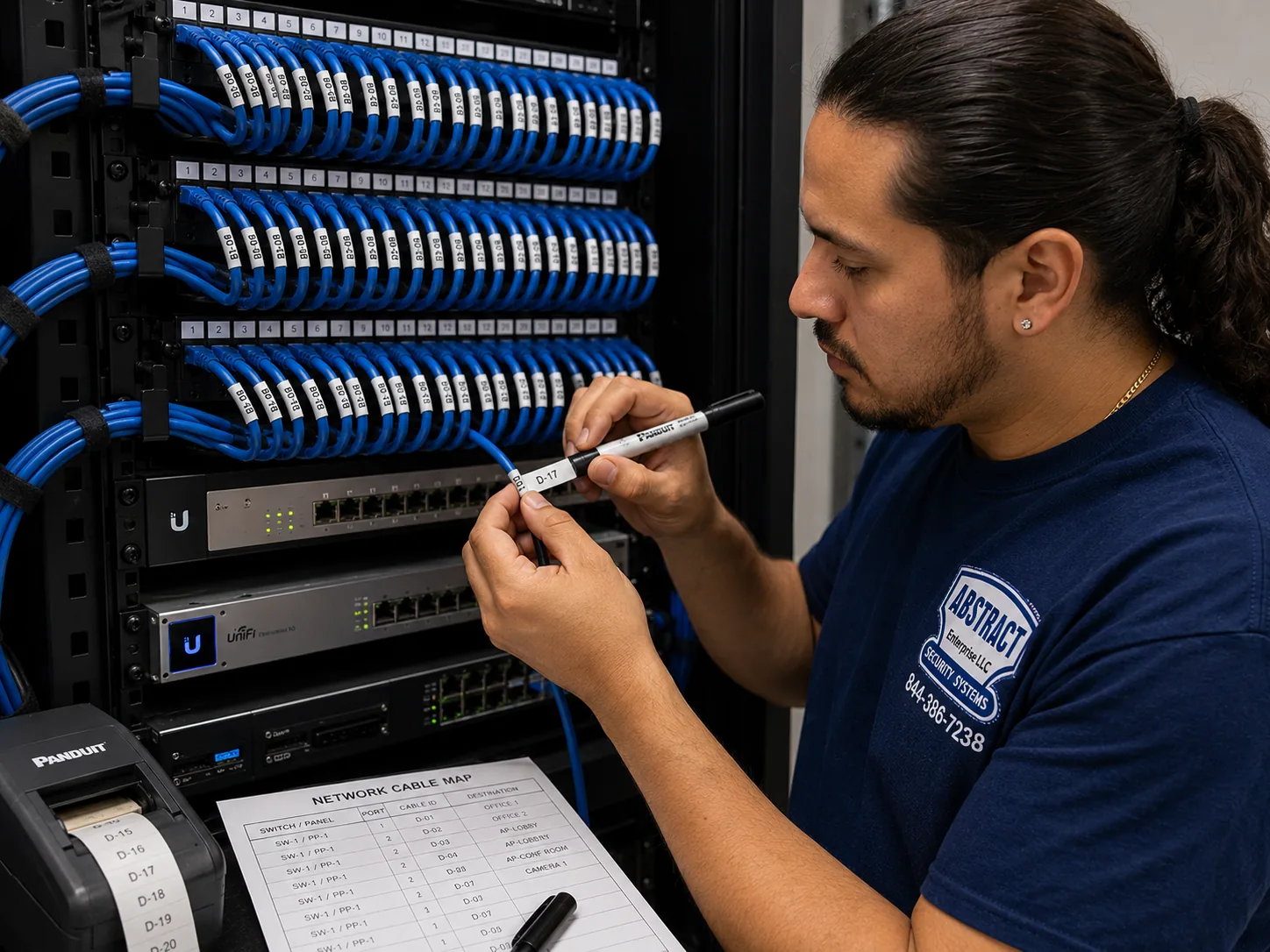
Google Nest camera installation Brooklyn, Brooklyn: technician printing cable labels at a patch panel beside a printed port map
A photo from the AESS job library, not taken in Brooklyn: a technician printing labels for a patch panel while checking a printed port map. A Nest camera is a Wi-Fi device, but in a Brooklyn brownstone where the internet lands in the cellar and the cameras sit three floors up and out back, the reliable installs are often the ones where an access point is wired up through the house and every cable end is labeled, so the next person who opens the closet knows exactly which line feeds the parlor floor.
Brooklyn Nest Camera Request
Brownstone, rowhouse, two-family, apartment or shop: tell us the block and the Nest devices, and a technician calls back with the plan and the price

โœ…
Request Sent!
Thank you. A technician will call you about the Brooklyn address, usually within two hours.
25+
Years Experience
โœ“
Same-Day Estimates
100%
Licensed & Insured
4.7โ˜…
201 Google Reviews

Owner-operated since 2002 ยท Thousands of jobs completed ยท Booked within 2 hours

Quick answer: a Brooklyn Nest job is priced from our published list and booked within two hours of your request. If your cameras are already up and only need pairing, sharing and tuning, that is a setup-only visit at $225 for the first hour, then 30-minute blocks. If cameras or a doorbell go onto the house, the mount is priced by the wall, and our list adds $65 for brick or stone and $45 for plaster; a paintable cord cover for any cable that has to show inside is $59. Each device is paired to your own Google account, fixed into mortar or plain masonry rather than decorative stone, aimed away from neighbors' windows and tested on your phone before we leave. If the front of your building is landmarked, we tell you before booking, because a camera there may need Commission staff approval first.

  • Three photos settle most quotes: the front of the building from the sidewalk, the back from the yard or a rear window, and the spot where your router or modem sits. Add the Nest box labels if you already bought the devices.
  • All work is done under New York State license #12000287431, and we send a certificate of insurance to a landlord, co-op board or managing agent before the visit when they ask for one.
  • The full list of Brooklyn lines, including every wall add-on, is on the Google Nest camera installation prices for Brooklyn page, and the citywide overview is on the Google Nest camera installation NYC hub.
The Neighborhood

Why Brooklyn Properties Need Google Nest Camera Installation

Brooklyn has been building houses for a long time, and almost every one of those decades left something on the front of a house that a camera now has to work around. The settlement the Dutch called Breuckelen was established in 1646. The City of Brooklyn absorbed Williamsburgh and the Town of Bushwick in 1854, and by 1860 it was the third-largest city in the country. It joined New York City on January 1, 1898, over the objections of many of its own residents. Through the late 1800s and early 1900s the borough grew largely by the block: long runs of brick and brownstone rowhouses, two to five stories tall, built for one or two families. Later, as Brownstoner and other local histories describe, owners divided many of those houses into smaller apartments, and the borough added luxury towers, public housing and small rental buildings around them. In 2020 Brooklyn had 2,736,074 residents. For a Nest installer that history is not background; it is the list of surfaces we will be drilling.

The Census numbers make the point plainly. In the 2023 five-year tables for Kings County, the median year a home was built is 1943, and 513,629 housing units date from 1939 or earlier. Two-unit buildings account for 175,805 units and buildings of three or four units for another 170,655, more than either detached or attached one-family houses. Roughly seven in ten occupied homes are rented. Put those together and a typical Brooklyn Nest call looks like this: a masonry building close to a century old, a front door that may be shared, a landlord or board with an opinion, and a household that wants to see who is on the stoop without starting a fight with the neighbors. A doorbell that clips onto a vinyl-sided ranch in ten minutes is a different job on a brick front with a brownstone face, where the stone is a veneer only a few inches thick over brick and the right fixing point is the mortar joint, not the carved stone.

The reason people call is usually on the evening news. CBS New York has aired package theft caught on camera on Eldert Street in Bushwick, where a thief walked off with roughly two thousand dollars' worth of clothing; a thief strolling up the steps of a home near Montgomery Street and New York Avenue in Crown Heights; a stroller taken from a stoop near Carlton and Willoughby Avenues in Fort Greene; a man apparently buzzed into a Lexington Avenue building in Bed-Stuy and Clinton Hill before taking a package; thieves cutting open boxes inside a Park Slope lobby; and, on Crescent Street between Atlantic Avenue and Fulton Street in Cypress Hills, a package thief who slashed a homeowner. News 12, citing the city's Department of Transportation, put the number of packages stolen in New York City at about 90,000 a day in December 2025. Brooklyn's stoops are a delivery shelf that faces the street, and a well-placed Nest doorbell or camera is how many households decide to keep an eye on them.

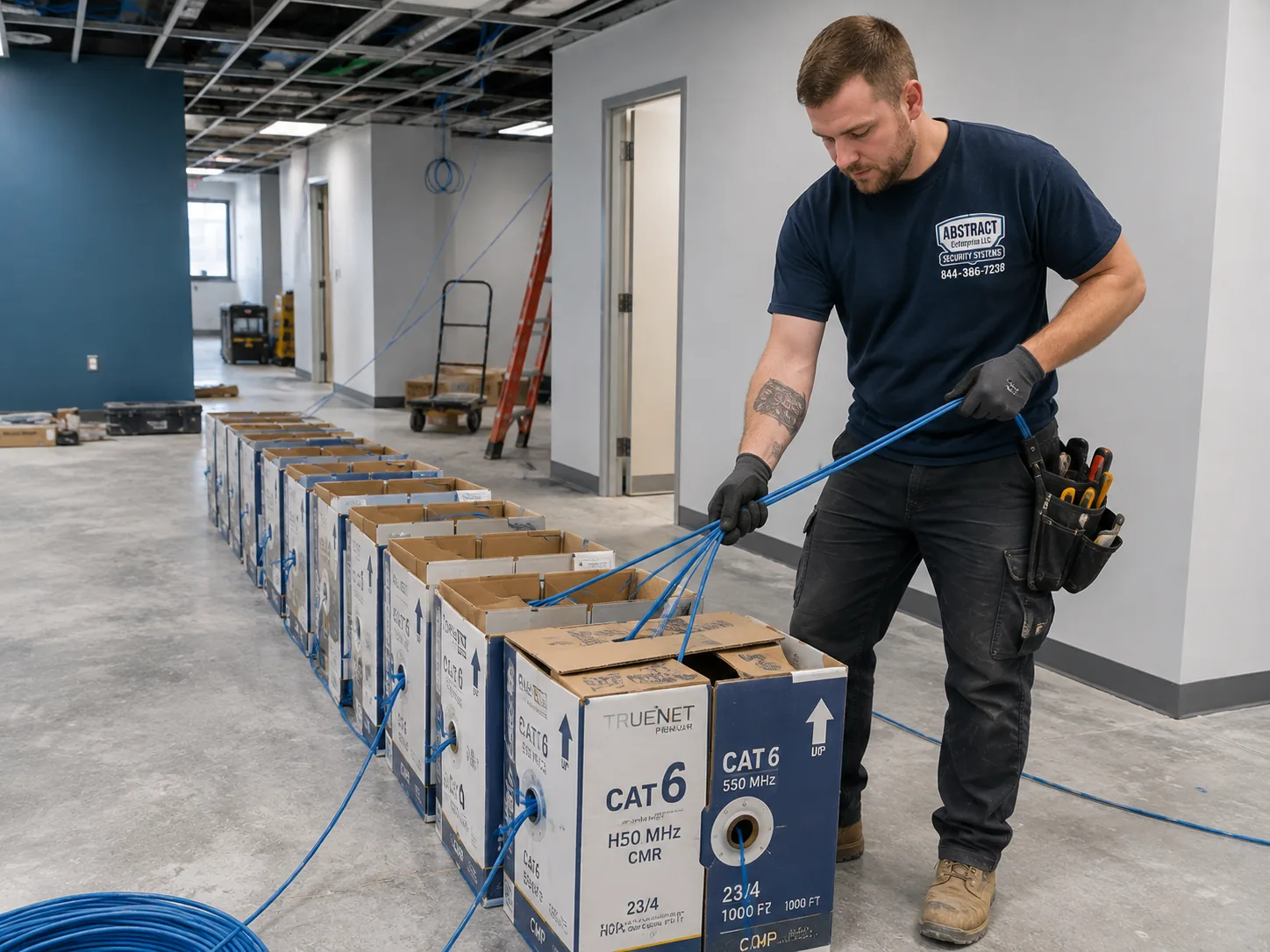
Nest camera installation planning Brooklyn, Brooklyn: boxes of cable staged on the floor of a working commercial premises for a multi-drop pull
A photo from the AESS job library, not taken in Brooklyn: cable boxes staged on the floor of a working commercial space before a multi-drop pull. Most Brooklyn Nest jobs need far less cable than this, but the principle carries over to a four-story brownstone or a mixed-use building on Fulton Street: everything that has to reach the cameras, from power to a wired access point, gets staged and planned before the first hole, so the house or the shop keeps working around us.

Then there is the paperwork side of a Brooklyn front. Brooklyn Heights became New York City's first historic district in 1965, and the Landmarks Preservation Commission followed with Park Slope, Cobble Hill, Fort Greene and many more; in June 2024 it added the Willoughby-Hart Historic District in Bedford-Stuyvesant, where every house went up within about twenty years starting in 1871. The Commission's rules list security cameras by name among the small equipment it reviews, and its Permit Guidebook shows dome cameras finished to blend with a facade as the kind of work staff can approve without a full hearing. That is good news, because it means a camera on a landmarked rowhouse is usually possible. It also means the order of work matters: check the building's status, pick a discreet spot, get the permit if one is needed, and only then drill. We do the first part on the phone before we quote.

The last Brooklyn wrinkle is the network. In a tall, narrow house the internet usually arrives in the cellar; one Brownstoner forum member describing a Fios install wrote that the fiber terminal "goes in the cellar," with network cable carried up to access points around the house. A Nest Cam on the back of the parlor floor or a doorbell at the top of a high stoop is then several floors and several brick walls from the router. Nest devices are Wi-Fi devices, so a weak signal shows up as a doorbell that lags, a camera that drops offline or a clip that arrives after the person has left. Part of every Brooklyn visit is measuring the signal at each spot before mounting anything, and when it is too weak, solving the network rather than blaming the camera.

Six Brooklyn facts that shape a Nest install before we choose a mount

  • The housing is old. Kings County's median year built is 1943, and 513,629 units were built in 1939 or earlier (Census ACS 2023). Expect brick, brownstone facing, plaster and old wiring, not drywall and vinyl siding.
  • Small multi-family buildings dominate. Two-unit buildings hold 175,805 units and three-to-four-unit buildings 170,655. Many fronts are shared, and many doorbells serve more than one household.
  • Most households rent. About 709,570 of the borough's occupied homes are renter-occupied, roughly seven in ten. Outdoor mounting usually needs a landlord's written yes.
  • Landmarks apply to a lot of fronts. Citywide there are more than 35,000 landmarked properties across 139 historic districts, and Brooklyn holds many of the oldest, from Brooklyn Heights (1965) to Willoughby-Hart (2024).
  • Packages go missing at scale. About 90,000 packages a day are stolen in New York City, according to the Department of Transportation figure News 12 reported in December 2025.
  • Cellars flood. During Hurricane Ida rain fell at a record 3.5 inches an hour against sewer capacity of about 1.75 inches an hour, and the city's health department notes southern Brooklyn is among the areas most vulnerable to flooding. A router on a cellar floor takes every camera down with it.

Where this page applies. It covers the whole borough at the Brooklyn rate, from Greenpoint and Williamsburg down through the brownstone belt of Brooklyn Heights, Park Slope, Fort Greene and Bed-Stuy, across Crown Heights and Flatbush, and south to Bay Ridge, Bensonhurst, Mill Basin, Sheepshead Bay and Coney Island. Citywide guidance lives on the NYC Nest installation hub, and the Brooklyn list of prices on the Brooklyn price page.

Same-Day Repair in Brooklyn

Need Repair in Brooklyn? A Nest Doorbell That Lags, a Back-Yard Cam That Keeps Disappearing, or a Mount Working Loose From the Brick

Nest trouble on Brooklyn houses tends to come in three shapes. The first is the device that is technically working but practically useless: the doorbell rings on your phone ten seconds after the courier has left, or the back camera shows "offline" every evening when the household starts streaming. In a brownstone that is almost always distance and masonry between the camera and a router in the cellar, sometimes made worse by a router that the internet provider installed in its default spot and nobody moved. The second is power: a battery camera that drains far faster than expected because it is waking for every passing bus on the avenue, or a wired camera whose cable was pinched in a window frame and has stopped charging. The third is physical: a mount fixed into the face of soft brownstone that has started to crumble around its anchors, or a doorbell plate set into a painted wooden door frame that has shifted with the seasons.

Before you call, try two things. Check the device's Wi-Fi signal in the Google Home app if it shows one, standing where the camera is, and check whether the router lights are normal. Then look at the mount itself: if it moves when you press it, or there is dust or a crack around the screws, stop pulling on it. Call (347) 934-8335 or send a photo on WhatsApp; we book within two hours of the request and give same-day estimates on most days. A visit to diagnose and fix pairing, network and settings problems on cameras that are already up is a setup-only visit, $225 for the first hour and then 30-minute blocks. If a mount has to be reset into the masonry, it is priced as a mount on that wall, with the brick or stone add-on of $65 where it applies. If the fault is in the wall itself, a cracked brownstone face or loose brick, we tell you so you can bring in a mason before anything is fixed back to it.

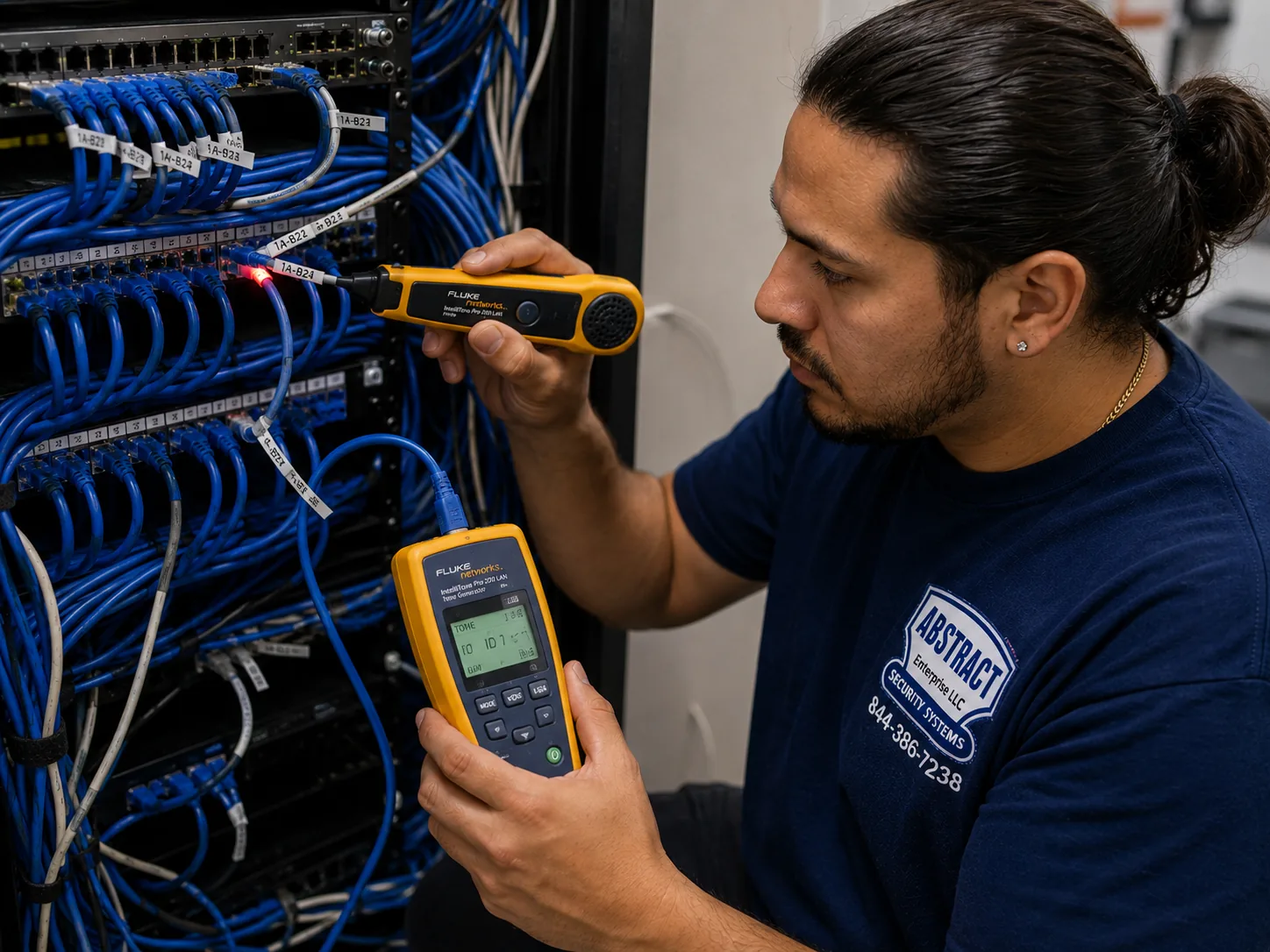
Nest camera repair Brooklyn, Brooklyn: technician tracing an unidentified cable run at a patch panel using a tone generator and probe
A photo from the AESS job library, not taken in Brooklyn: a technician tracing an unlabeled cable at a patch panel with a tone generator and probe. In Brooklyn rowhouses we often find old network or phone cable running from the cellar to an upper floor with nothing to say where it ends. Tracing it can turn a forgotten wire into the wired link a struggling Nest camera on the parlor floor has been missing.
What We Install

Google Nest Camera Installation Services in Brooklyn

Each service below starts with the same three questions: what is the wall made of, where does power come from, and who besides you has a say about what goes on the outside of the building. The answers set the price, the method and the order of work.

Nest doorbells at Brooklyn doors

Wired or battery Nest doorbells at stoop-top doors, garden-level doors under the stoop and apartment doors, chosen by what power the door actually has, with the plate set into wood trim or mortar rather than carved stone.

Outdoor Nest Cams on the back

Cameras on the rear wall of a rowhouse or brownstone looking down a narrow yard, mounted under a ledge or cornice where one exists, with activity zones that stop at your own fence line.

Front cameras on landmarked houses

Small, discreet placements under a stoop, beneath a band course or behind an areaway wall, with the landmark status checked first and the permit route explained before drilling.

Indoor Nest Cams

Cameras in vestibules, hallways inside your own unit, nurseries and ground-floor rooms, placed so they see your space and not a neighbor's door, with audio decided with you.

Network fixes for tall, narrow houses

Signal checks at every camera spot, router moves out of flood-prone cellars, and wired access points carried up through the house where Wi-Fi cannot get through the brick.

Nest cameras for small shops

Counter, door and stockroom cameras for small storefronts on Brooklyn's commercial corridors, installed before opening or after closing, with staff and owner access set up separately.

Building Specialists

Google Nest Camera Installation for Brooklyn's Architecture

Six kinds of building account for almost every Brooklyn Nest call. They differ in four ways that matter for a camera: what the front is made of, where the internet comes in, how far power has to travel and who controls the outside of the building.

The brownstone

A brick house with a brownstone face a few inches thick, a high stoop, a parlor floor and a garden level, often inside a historic district and often split into apartments.

The brick rowhouse

Two to five stories on a lot about twenty feet wide, brick front and back, router in the cellar, a long narrow yard behind and party walls on both sides.

The two- or three-family house

Stacked apartments with one shared front door or separate doors, an owner who often lives on one floor and tenants on the others, and one internet line or several.

The prewar walk-up

Masonry apartment buildings with a buzzer at the street, plaster inside, a landlord who controls the facade and the hallway, and tenants who control only their own door.

The detached house

Freestanding houses in Ditmas Park, Mill Basin and much of southern Brooklyn, with wood framing or brick, side driveways, rear garages and more room for cameras.

The co-op, condo or new tower

Board- or management-run buildings with house rules, insurance paperwork and limits on anything visible from outside, plus newer towers with building-wide Wi-Fi.

The brownstone: a stone face over brick, and a stoop that changes the camera angle

Brownstoner's architecture writers make a point that surprises many owners: a Brooklyn brownstone is, structurally, a brick house. The brownstone is a facing or veneer on the street front, typically four to six inches thick, carved into window hoods, door surrounds and cornices. That matters for a camera in two ways. The stone is soft and, after well over a century in New York weather, often fragile at the surface, so an anchor driven into the face of a carved surround can spall the stone around it. And the parts of the front that look most solid are often the most decorative, which is exactly what the Landmarks Commission asks installers to avoid. Its guidance for cameras is to attach at mortar joints, plain masonry, wood or metalwork, not through cast iron or decorative surfaces.

The stoop is the other half of a brownstone. The front door sits a full flight above the sidewalk, so a doorbell at the door looks down at the top of a visitor's head and may not see the bottom step, where packages often end up. Some owners solve that with a doorbell at the door plus a small camera tucked under the stoop or behind the areaway wall, both of which the Commission names as discreet locations for equipment on a primary facade. The garden-level door under the stoop, often the entrance to a separate apartment, gets its own device. We look at the stoop from the sidewalk and from the door before choosing, and we show you on your phone what each position actually sees before anything is fixed.

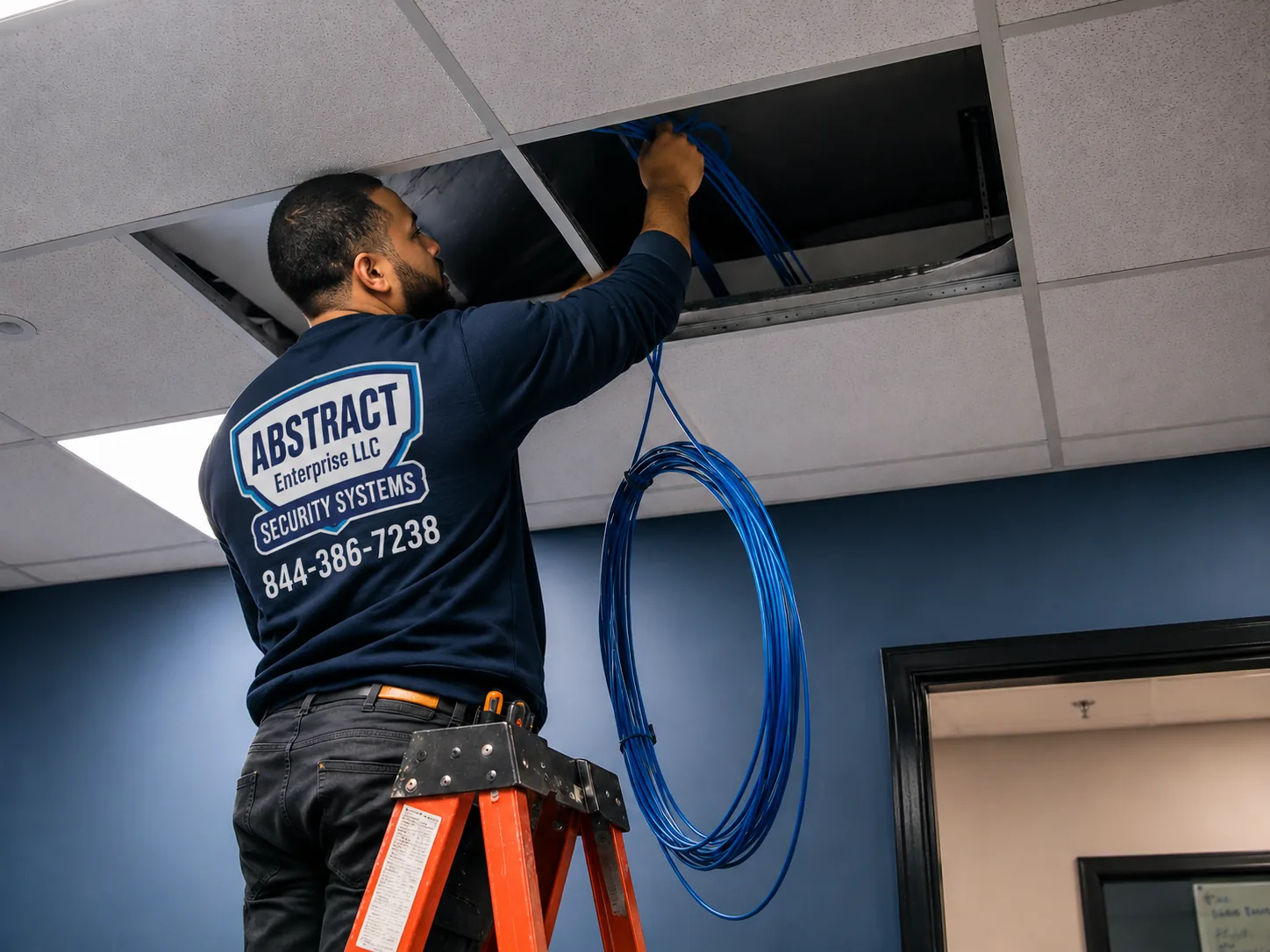
Nest camera installation Brooklyn, Brooklyn: technician feeding cable through a ceiling in an occupied commercial space
A photo from the AESS job library, not taken in Brooklyn: a technician feeding cable through a ceiling in a commercial space while it stays open. In a Brooklyn brownstone the equivalent route is up through a closet, a stair wall or a dumbwaiter shaft, carrying power or a network line to the parlor floor so that nothing has to be fixed across the carved front of the house.

The brick rowhouse: twenty feet wide, router in the cellar, yard out back

The prototypical New York lot is twenty feet by one hundred, and most Brooklyn rowhouses sit on something close to it, with a house roughly forty to fifty feet deep and a yard behind. Inside, that shape is the problem for Wi-Fi. A router in the cellar at the front of the house has to push a signal up through floors and back through the long, narrow rooms to a camera on the rear wall, and one member of the r/HomeNetworking forum, describing a four-floor New York brownstone, put it well: the router was already on the least busy channels, and the problem was that it "doesn't reach far enough through the house." A Nest camera at the far end of that path will connect on a good day and drop on a bad one.

Our approach on rowhouses is to measure first and then decide. If the signal at the camera spot is strong, the camera goes up as is. If it is marginal, the cheapest fix is often moving the router out of a cellar corner to a central, higher spot, which also takes it out of harm's way in a flood. If it is weak, the durable fix is a wired access point on the floor nearest the camera, fed by a network cable run up through the house, and in many rowhouses there is already an old cable or an existing chase that can carry it. Mesh systems that relay wirelessly floor to floor can work, but every brick floor and wall they relay through costs signal. The back wall itself is brick, which holds a Nest mount very well once the anchors go into the right part of it.

The two- or three-family house: one front door, two households

Two-family houses are common across the city; the Comptroller's office counts roughly 225,000 two-family structures citywide, where the owner typically lives in one unit and rents the other. In Brooklyn that often means one front door, one stoop and one doorbell serving two households who do not want to see each other's every coming and going. A Nest doorbell is tied to one Google Home account, and whoever controls that account controls the history, the alerts and who else is invited. Before we mount anything we settle three things: whose account the shared front devices live in, who is invited to see them, and whether any device should be private to one household, such as a camera on the owner's own back door.

Networks matter here too. If the upstairs tenant has their own internet line, their devices belong on it, and the owner's devices on the owner's line. If the house shares one connection, we keep the devices of each household in their own Google Home homes so that alerts and history do not mix. The physical installation is the same as a rowhouse, usually a brick front and back, but the setup takes longer, and it is the part of the job where a tenant and an owner thank us most for asking the questions out loud.

The prewar walk-up: your door, their hallway, the landlord's facade

Prewar masonry walk-ups are where Nest choices are most limited by who owns what. The street door usually has a buzzer panel, not a doorbell, and it belongs to the building. The hallway outside your apartment is a common area. The facade belongs to the landlord. A tenant generally controls the inside of the apartment. Installers who work in Brooklyn describe the practical line the same way: a camera inside your unit or a peephole-style camera on your own door is generally within a tenant's reach, while anything aimed down a shared hall or at a neighbor's door, or anything that needs drilling outside, usually needs the landlord's written approval. We do not drill a facade or a common hallway without it.

Inside, walk-up walls are typically plaster over brick or lath, and the plaster add-on on our list is $45 when a mount goes into it. Indoor Nest Cams rarely need much fixing; many sit on a shelf. Where an indoor camera needs to be fixed high to see an entry hall or a back window, we use anchors that reach past the plaster to whatever is behind it, and we keep the power cord tidy along trim or under a paintable cord cover ($59) rather than chasing it into the wall.

The detached house: driveways, garages and more wall to work with

Not all of Brooklyn is attached. Ditmas Park is known for freestanding Victorian houses in styles uncommon elsewhere in the borough, and in southern Brooklyn neighborhoods like Mill Basin, housing is largely detached and semi-detached, with many properties having driveways, private outdoor space or waterfront access near Jamaica Bay. These houses behave more like suburban homes for a Nest installer: wood framing or brick, eaves and porch ceilings that shelter a camera from weather, side walls that can carry a driveway camera, and garages at the back of the lot that need their own coverage.

The challenge shifts from masonry to distance and weather. A detached garage at the end of a driveway can be beyond the house Wi-Fi, so we test signal there before promising a camera on it. Waterfront and southern Brooklyn homes sit in the parts of the borough that the city's flood vulnerability index flags as especially exposed, so we keep routers and power off the cellar floor and choose mounting spots under eaves where wind-driven rain does not hit the lens straight on. Porch ceilings in older wood houses are often the best doorbell-adjacent camera position in Brooklyn: sheltered, high enough to see faces and close to power.

The co-op, condo or new tower: rules first, then hardware

In board-run and managed buildings, the hardware is the easy part. Most Brooklyn co-op and condo proprietary leases and house rules require contractors to be licensed and insured and to provide a certificate of insurance naming the building, and many limit anything visible from the outside or in common corridors. A Nest Cam inside your apartment is usually the realistic choice, with a peephole-style camera or an interior view of your own entry rather than a doorbell in the hallway. We send the certificate before the visit, follow the building's working hours, and if the board's rules stop a device you wanted, we say so rather than looking for a way around them.

Newer towers along the waterfront and in Downtown Brooklyn bring a different issue: building-provided Wi-Fi or a crowded wireless environment with hundreds of networks nearby. Nest devices need to join a network you control, and some building-wide networks require a sign-in page that a camera cannot complete. We check which network the device will use before the visit, and if the building's network will not work, the answer is usually your own router in the apartment, which the camera can join directly.

Field Notes

Field Notes: What a Technician Checks on a Brooklyn Front Before Unboxing a Nest Doorbell

These notes describe how our technicians work on Brooklyn houses. They are our standing practice, not a story about any particular address.

Stand on the sidewalk first. Before touching the door, the technician looks at the whole front from across the street: which parts are carved stone, which are plain brick, where the mortar joints run, whether there is a band course, an areaway wall or an under-stoop space that could hide a small camera, and whether the house has any existing wires, old bell buttons or conduit on its face. If the building is in a historic district, this is also the moment to compare the plan with the Commission's discreet-location guidance.

Check power at the door. Old bell wiring, if there is any, gets tested before a wired doorbell is chosen. Many Brooklyn houses have none at the front door at all, which steers us toward a battery doorbell or a different power path. We never open a wall to find out.

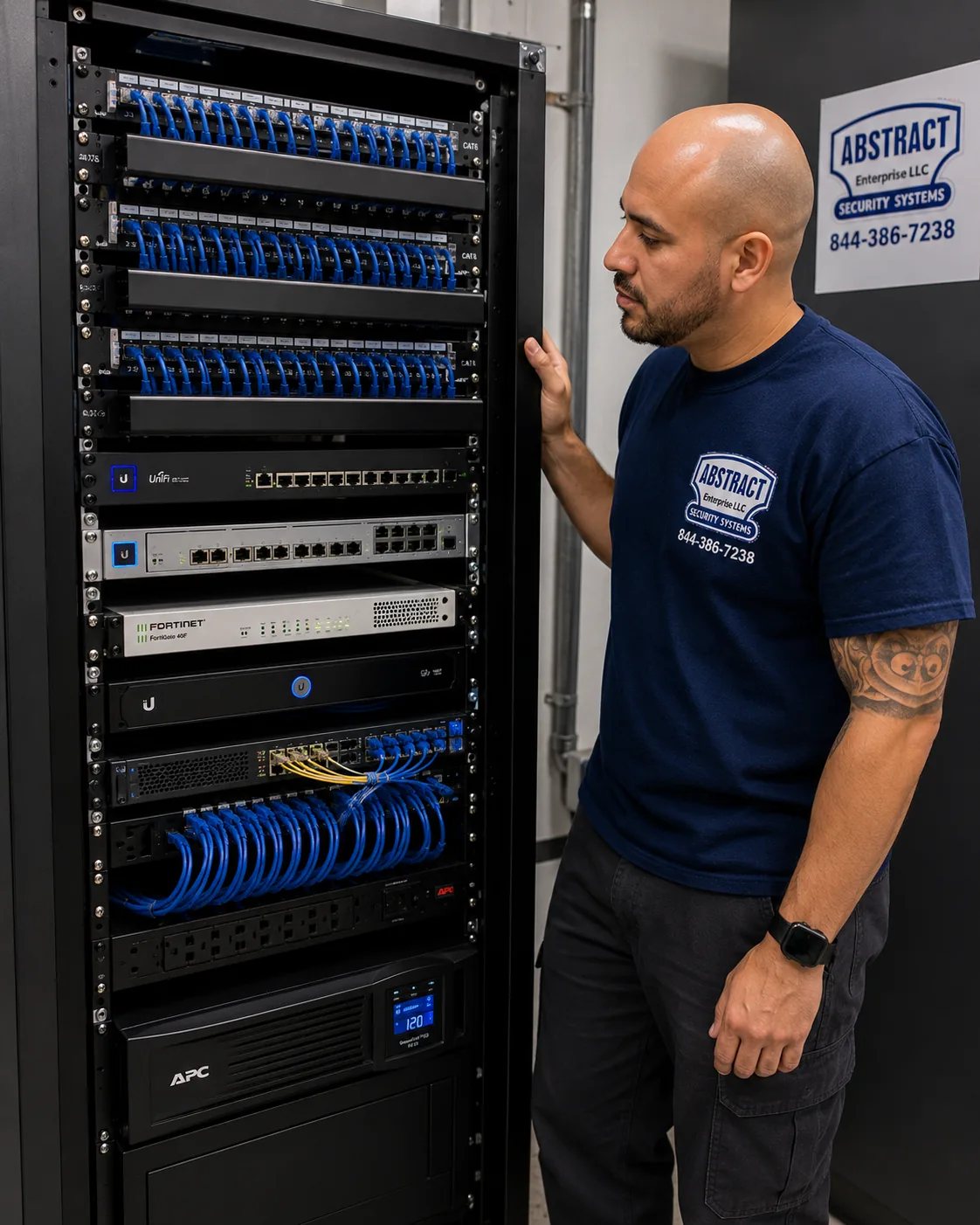
Finished network rack Brooklyn, Brooklyn: patch panels, switching, firewall and battery backup dressed and labeled
A photo from the AESS job library, not taken in Brooklyn: a finished rack with patch panels, switching, a firewall and a battery backup, every cable dressed and labeled. A Brooklyn home will not need anything this large, but the same habit applies to the shelf where a rowhouse's modem and router live: off the cellar floor, on a small battery backup where possible, and labeled, so the cameras stay online through a short outage and anyone can tell which box does what.

Walk the signal. With a phone or meter, the technician checks Wi-Fi at each planned camera spot and at the door, then walks back toward the router to see where the signal falls off. In a brownstone that fall-off is often at the parlor floor, and that one walk decides whether the job needs network work.

Pair in hand. Each Nest device is added to your Google Home app while it is still in the technician's hand, as Google recommends, so the QR code is easy to scan and updates finish before the device goes up a ladder.

Show the view. Before drilling, the technician holds the camera in place and shows you the live picture on your phone, so you can see whether it catches the bottom step, the gate and the face of someone at the door, and whether it also sees a neighbor's windows that should be masked out.

Landmarks and Facades

Landmarked Fronts, Mortar Joints and Cable: Putting a Nest Camera on a Historic Brooklyn House

No borough has more landmark questions per Nest call than Brooklyn, because so many of its historic districts are blocks of rowhouses whose owners want exactly the devices Nest makes: a doorbell and one or two cameras. The Commission's own materials are more practical than many owners expect. Section 2-20 of the LPC rules covers health, safety and utility equipment and names security cameras alongside fire alarm bells, sprinkler connections and lighting. The Permit Guidebook's chapter on that equipment shows dome cameras finished to match a facade and explains that when work meets the rules, Commission staff can approve it without a public hearing. The introduction to the guidebook says staff approval can come in as few as ten business days when an application meets the rules.

Where a camera can go. The guidebook's general criteria start from a simple idea: equipment should not go on or in front of a primary facade unless there is no feasible alternative, and if it must, it should go somewhere discreet, such as beneath a band course, underneath a stoop, behind an areaway wall or fence, or behind plantings. Cameras should be well spaced to avoid a cluttered look. For small residential and commercial buildings, the criteria allow no more than two cameras for each twenty-five feet of street frontage, and for larger buildings no more than three. A twenty-foot rowhouse front is therefore planned around two devices at most, and a doorbell usually counts as one of them.

How a camera is attached. The same criteria say equipment should be attached at mortar joints, plain masonry, wood or metalwork, and not through cast iron or decorative surfaces. That lines up with good practice for a Nest mount anyway. Google's own instructions for the Nest Cam Outdoor note that the box includes wall anchors for hard surfaces like brick or stone, and call for a 7/32-inch masonry bit and a hammer. On the Google Nest Community forum, one owner who mounted a Nest Cam on brick described using a plywood backer and drilling into the mortar to avoid making several holes in the brick itself. Mortar is easier to repoint than a brick or a carved stone is to replace, which is why we prefer it whenever the mount allows.

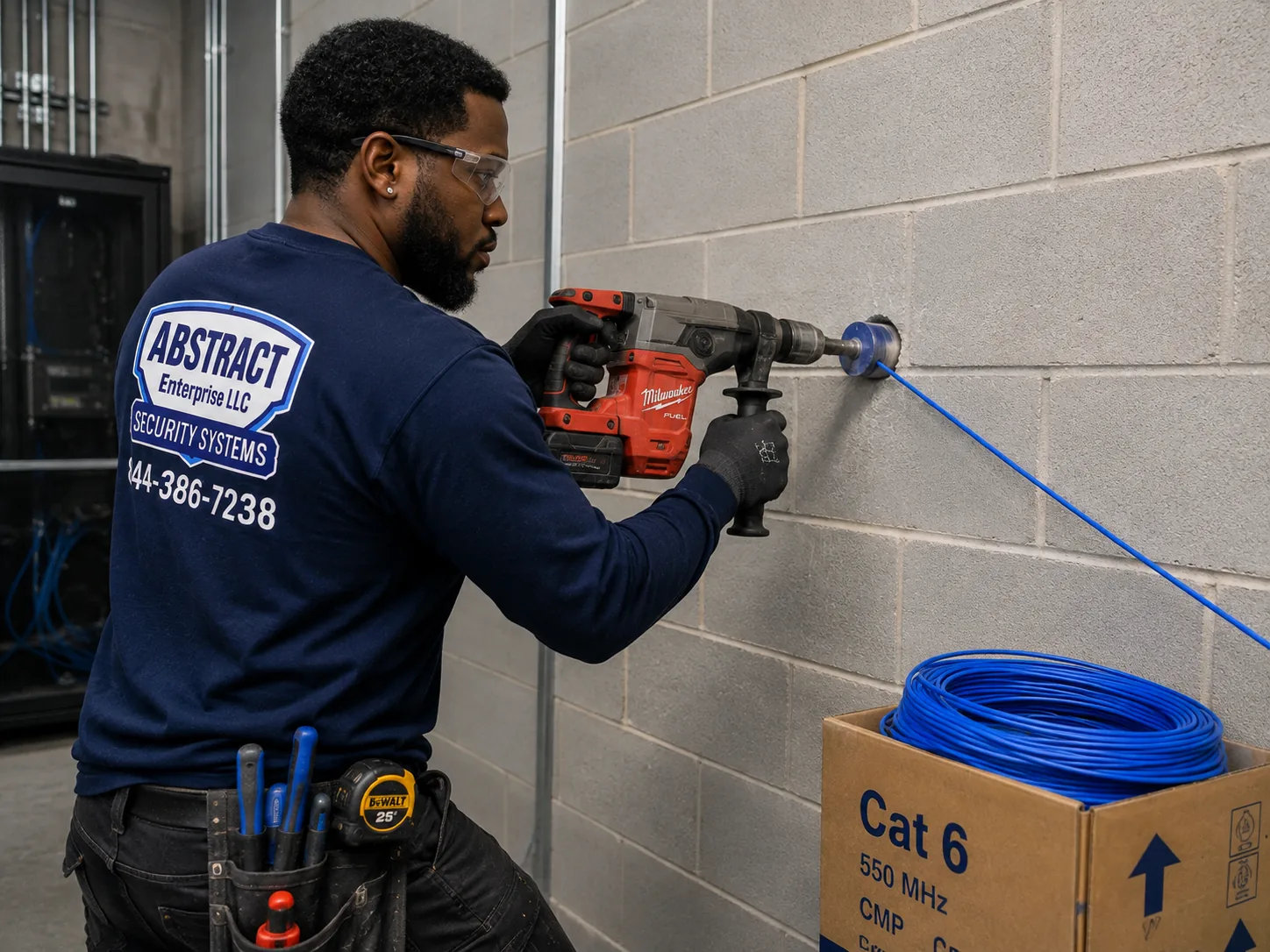
Masonry drilling for camera cable Brooklyn, Brooklyn: technician core drilling a block wall to carry cable through to a network room
A photo from the AESS job library, not taken in Brooklyn: a technician core drilling a block wall to carry cable into a network room. Nest cameras need nothing that large, and on a Brooklyn brownstone front we avoid new holes in the masonry altogether where we can, but on the brick rear wall of a rowhouse a single small, sealed opening into the cellar or a back room is sometimes the cleanest way to feed a wired camera's power cable.

What happens to the cable. The criteria ask that conduit be concealed through plain masonry or cladding directly behind the installation where possible, and where it cannot be, that no more than about ten inches be visible, painted to match and secured into mortar joints. For a Nest device, that pushes us toward three choices: battery models where there is no hidden route for power, wired models fed from directly behind the mount, or cameras placed under the stoop or on the rear of the house where cable can run out of sight. Google suggests routing the wired outdoor camera's cable along a ledge or hidden area and painting it to blend in, which works well along a rear cornice. One Brooklyn installer describes a common brownstone pattern of never penetrating the front at all, running cable through the rear yard, stairwells or roof bulkheads, keeping rear cameras in the eaves and using a single discreet device, often a doorbell, at the stoop. That is close to how we plan most landmarked jobs.

Timing, honestly. Ten business days is the Commission's best case. An architecture firm that files with the LPC regularly writes that staff are often backlogged and that owners should expect around sixty days for a Certificate of No Effect, and another Brooklyn installer estimates two to six weeks for non-emergency exterior approvals. In practice, a family that wants a camera on a landmarked front before the holidays should start in early autumn, and put the indoor and rear cameras up first while the front waits.

Which Brooklyn districts. Installers who work across the borough list Brooklyn Heights, Park Slope, Fort Greene, Cobble Hill, Carroll Gardens, Boerum Hill, Crown Heights North, Stuyvesant Heights, Clinton Hill and Greenwood Heights among the historic districts where exterior hardware needs approval, and the Commission keeps adding to the map, as it did with Willoughby-Hart in 2024. Rather than relying on a list, we check the individual building: the city's Buildings Information Search shows a landmark status field, and an "L" there means the work needs LPC approval. You can also call 311 and ask for the Commission.

Renters, Owners and Boards

Whose Wall, Whose Account: Nest Cameras When a Brooklyn House Has More Than One Household

With roughly seven in ten Brooklyn homes rented, and so many buildings holding two or more households, the questions that decide a Nest install are often not technical. We are installers, not lawyers, and nothing on this page is legal advice. What follows is how we handle the common situations, drawn from the public guidance we cite and from doing this work.

Renters. A tenant can generally put a wireless camera inside the rented unit. Installers who work in Brooklyn add that a tenant can usually cover the unit's own entrance from outside, as long as the camera is not pointed at anyone else's door or unit, and that anything outdoors or anything that requires drilling needs written landlord approval. Indoor Nest Cams fit that line well, because most sit on a shelf or a small bracket. For outdoor devices, we ask you to get the landlord's yes in writing before we book; a short message naming the device, the spot and how it will be attached is usually enough.

Owners who rent out a floor. If you own a two-family and live downstairs, the cameras on the front door and the back yard affect your tenant too. Telling the tenant which areas the cameras see, keeping them off the tenant's private entrance and windows, and deciding together whether the tenant gets access to the front doorbell avoids most disputes. Where the tenant has their own door, under the stoop for example, their device can be theirs entirely, on their own account and their own network.

Co-ops and condos. Board-run buildings normally require a licensed, insured contractor and a certificate of insurance naming the building, and many restrict devices in hallways or on the outside. We send the certificate, follow building hours and keep the job inside your apartment unless the board approves more.

Audio. Nest cameras can record sound. Installers who work in Brooklyn note that New York follows one-party consent for recording conversations, and commonly advise turning audio recording off on cameras that face shared or public spaces. We decide audio settings with you, device by device, during setup.

Tenants and cameras in the news. Brooklyn residents have pushed back on cameras when they felt watched rather than protected. Tenants at Atlantic Plaza Towers in Brownsville fought their landlord's plan for a facial-recognition entry system, and in August 2026 two NYCHA tenant associations representing residents of the Tilden Houses and Hughes Houses sued the city, accusing it of using a free internet program to give police access to public housing cameras. Neither case is about a household's own Nest doorbell, but they explain why your neighbors may ask what your camera sees, and why we aim and mask every device to your own space.

Commercial Google Nest Camera Installation

Business Google Nest Camera Installation in Brooklyn

Brooklyn's small businesses sit on corridors with their own improvement districts; the city's directory lists 24 active Business Improvement Districts in the borough. Nest cameras suit the smaller end of that world: a one-room shop, a cafe counter, a salon or a small office that wants alerts on the owner's phone and a few weeks of clips, without a recorder in a back closet. The cards below describe kinds of corridors and spaces; we do not name any business as a customer.

Atlantic Avenue

The shopping stretch from Court Street to Bond Street, with small shops in rowhouse ground floors, where a Nest camera often watches a narrow sales floor and the street door.

Fulton Mall and FAB Fulton

The pedestrian mall on Fulton Street between Flatbush Avenue and Adams Street, and the FAB Fulton stretch through Fort Greene and Clinton Hill, with busy doors and long hours.

Fifth Avenue in Bay Ridge

The BID corridor from 65th to 85th Streets, with small storefronts where cameras watch the counter, the register and the back door to the alley or yard.

Flatbush-Nostrand Junction and North Flatbush

Dense retail around the junction and along North Flatbush Avenue, where shop fronts face heavy foot traffic and backlit windows that challenge a camera.

Pitkin Avenue and Kings Highway

Long commercial strips in Brownsville and southern Brooklyn with family-run shops, where one or two Nest cameras and owner alerts cover a small store well.

Montague Street and Park Slope's Fifth Avenue

Montague Street's BID counts about 100 retail businesses; with Park Slope's Fifth Avenue it is mostly small shops, cafes and offices in older masonry buildings.

Brooklyn shop cameras end up on the news for the same reasons as stoop cameras. The NYPD released surveillance video of a Brooklyn bodega robbery in May 2026, and CBS New York and other outlets showed footage of four men wearing jackets printed with "NYPD" robbing a Bed-Stuy deli at gunpoint and leaving with a bag of lottery tickets. Footage like that is only useful if the camera saw faces, not just the backs of heads, and if the owner can find and share the clip quickly. For a small shop we place one camera to see faces at the door as people walk in, one to see the counter from behind the staff, and, where needed, one on the back door. We set staff access separately from the owner's so that an employee can check the door without seeing the stockroom history.

There are limits we are upfront about. A shop with many cameras, a need to keep weeks of continuous video on site, or a building where several tenants share a system is usually better served by a wired recorder system than by Nest, and we say so. Many Brooklyn storefronts also sit under apartments in buildings the business does not own, so the landlord decides what can go on the facade, and on a landmarked commercial building the same LPC criteria apply as on a house. We confirm in writing who approved the work, schedule installs before opening or after closing, and send a certificate of insurance to the landlord when asked.

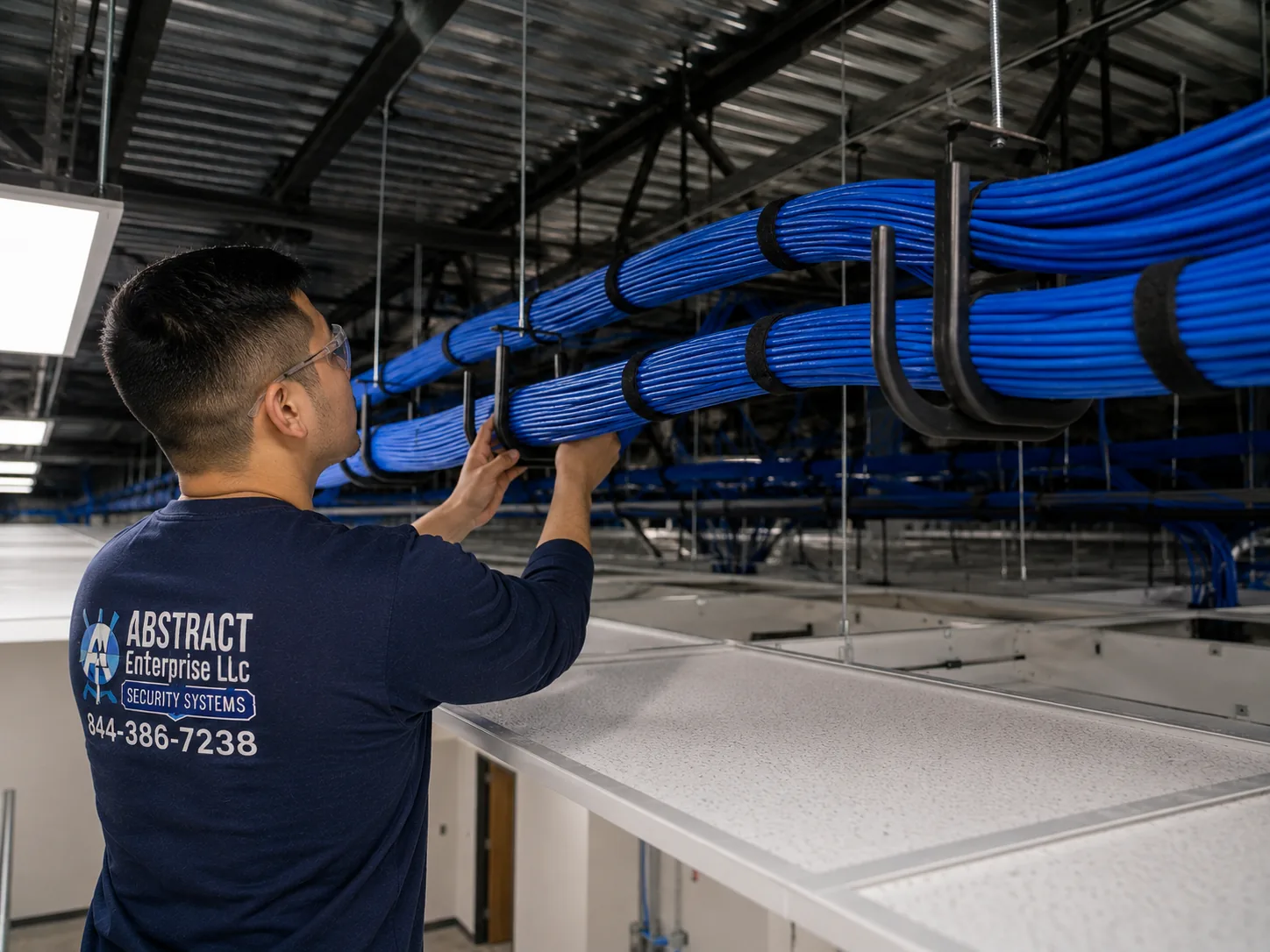
Commercial Nest camera cabling Brooklyn, Brooklyn: J-hook pathway carrying dressed cable bundles across a commercial ceiling
A photo from the AESS job library, not taken in Brooklyn: J-hooks carrying neat cable bundles across a commercial ceiling. A small shop on Atlantic Avenue or Fifth Avenue rarely needs a pathway this long for Nest cameras, but when a wired camera sits over the back door and the outlet is at the front, a supported, tidy run above the ceiling is how the cable gets there without hanging over the stock.

Compliance notes for Brooklyn homes and businesses

  • Landmarks. Cameras on designated buildings and in historic districts fall under LPC rules (Section 2-20). Check the building's status in the DOB Buildings Information Search or by calling 311 before anything goes on the front.
  • Low-voltage work and permits. Under NYC Admin Code ยง28-105.4.7, added by Local Law 128 of 2024 and effective December 21, 2025, an electrical permit is not required for wiring designed to run below 50 volts for signaling, communication, alarm and data circuits, provided a licensed master electrician, special electrician or qualified person as defined in the city electrical code does the work. Our camera work falls under NYS license #12000287431.
  • Line voltage is different. A wired Nest Cam with Floodlight connects to 120-volt house wiring, and line-voltage electrical work in New York City needs a DOB permit and a licensed master or special electrician. We plan that part with a licensed electrician, not around one.
  • Entrance doors. Apartment buildings covered by the city's self-closing, self-locking door rules must keep those doors working, and HPD issued 3,151 self-closing door violations in one recent year of inspections. Nothing we mount may interfere with a door closer or lock.
  • Exits and fire equipment. We do not mount cameras or run cable where they would obstruct an exit sign, a sprinkler head, a fire alarm device or the swing of a door, and cables stay off the floor in any path people use to leave.
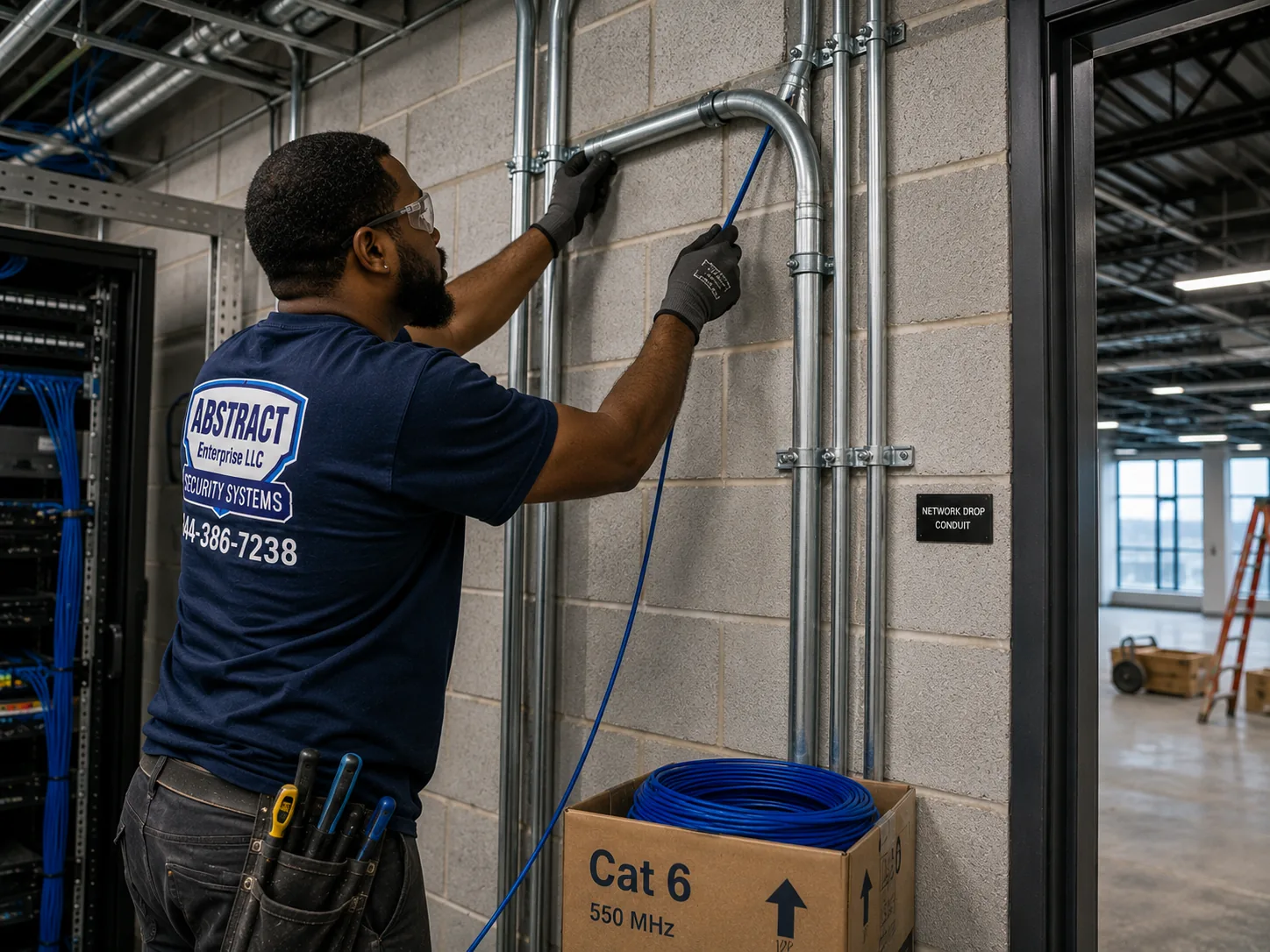
Camera cable in conduit Brooklyn, Brooklyn: technician running cable into EMT conduit beside a telecom room in an industrial building
A photo from the AESS job library, not taken in Brooklyn: a technician pulling cable into steel EMT conduit beside a telecom room in an industrial building. In Brooklyn's converted factory and warehouse buildings, where small businesses rent units and the landlord controls the common spaces, cable for a tenant's cameras often has to travel in conduit like this along a shared corridor.
Your Questions Answered

Google Nest Camera Installation in Brooklyn: Questions Answered

These are the questions Brooklyn owners, tenants and shopkeepers bring to a Nest job: landmark status, carved fronts, high stoops, shared houses, flooded cellars and whether Nest is even the right system. Each is answered here in full and not repeated in the FAQ further down.

Landmarks and the front of the house

How can we tell whether our Brooklyn building is landmarked before we pick a spot for the camera?

Look the address up in the Department of Buildings' Buildings Information Search, which has a landmark status field; according to an architecture firm that files with the Commission regularly, an "L" in that field means the work requires LPC approval. You can also call 311 and ask for the Landmarks Preservation Commission. Being on a pretty block is not proof either way: some striking streets are not designated, and some districts are newer than people think, such as Willoughby-Hart in Bed-Stuy, designated in June 2024. When you send us your address, we check the status before quoting, so the plan you get already accounts for it.

How many Nest devices can a landmarked rowhouse front have?

The Commission's Permit Guidebook allows no more than two cameras for every twenty-five feet of street frontage on small residential and commercial buildings, and no more than three on larger buildings, and asks that they be well spaced so the front does not look cluttered. A typical twenty-foot Brooklyn rowhouse is therefore planned around two devices at most on the front. A Nest doorbell at the door is one; a small camera under the stoop or behind the areaway wall is usually the second. Everything else goes on the rear of the house or inside, where the front-facade limits do not set the count.

How long should we expect to wait for Landmarks approval on a camera?

The Commission says staff can approve work that meets its rules in as few as ten business days. Real-world timing is often longer: an architecture firm that works with the LPC writes that staff are often backlogged and suggests expecting around sixty days for a Certificate of No Effect, and another Brooklyn installer estimates two to six weeks for non-emergency exterior work. Because of that, we usually suggest installing the rear and indoor cameras straight away and adding the front device once the approval arrives, so the house is not waiting on paperwork to be covered at all.

Do cameras inside our landmarked house, or on its back wall, also need the Commission's approval?

Interior cameras generally do not need LPC approval, though a co-op or condo may still have its own rules. The rear is less simple than many owners hope. The Commission's permits page says most exterior changes to both the front and rear facades of buildings in historic districts require review, but an architecture firm that files with the Commission notes that it is most concerned with what is visible from the street, and work that is not visible from public thoroughfares has an easier path. A small camera under a rear cornice is far easier to approve than one on the front, but on a designated building we still check before drilling rather than assuming the back is exempt.

Brownstone, brick and the mount itself

Will drilling into our brownstone front crack the stone?

It can if the drilling goes in the wrong place. Brownstone on a Brooklyn house is a facing a few inches thick over brick, and old carved surfaces are often soft or flaking, so an anchor in a window hood or door surround can break the stone around it. The Commission's criteria point to mortar joints, plain masonry, wood and metalwork as attachment points and away from decorative surfaces, and that is where we fix Nest mounts too. On a brick or stone wall, the brick or stone add-on on our list is $65. Where the only good camera position is on carved stone, we look for another spot, such as under the stoop, rather than risk the facade.

Why does your technician set the camera up on my phone before mounting it?

Because Google tells installers to. Its setup guidance says to connect the camera to the app before you install or mount it so you can still reach the QR code, which on some models is on the device itself and hard to scan once it is on a wall or under a stoop. Pairing in hand also lets firmware updates finish on the ground, lets us confirm the camera joins your network at full strength from a spot nearby, and lets you see the live view before we choose the final position. It adds a few minutes and saves a second trip up the ladder.

Can the camera or its cable be colored to blend into a brownstone or brick front?

The cable, yes. Google's guidance for the wired outdoor Nest Cam suggests running the cable along a ledge or hidden area and painting it to blend in with the house, and the Commission's criteria ask for any visible conduit to be painted to match. We generally do not paint the camera body itself, because paint can interfere with the lens, the sensors or the housing's seals. The better way to make a Nest device disappear on a Brooklyn front is placement: under the stoop, beneath a band course, behind the areaway wall, or tucked under a rear cornice where nobody on the sidewalk is looking.

Stoops, garden doors and the street door

Our front door is a full flight up a high stoop. How do we see someone taking a package from the bottom step?

A doorbell at the top of a stoop looks down at heads and can miss the lower steps, where couriers often leave boxes. One approach shared on a camera forum for a brownstone uses cameras on either side of the door about six feet up, angled at the stoop, with a third above the door pointing down the stairs. On a landmarked front the camera count limits that, so we usually pair the doorbell at the door with one small camera under the stoop or behind the areaway wall, which the Commission names as discreet spots, angled up the steps toward the sidewalk. Before drilling, we hold each device in place and check the view on your phone.

The garden apartment under our stoop has its own door. Can that door get its own Nest doorbell?

Usually, and it is often the most sheltered door on the house. Garden-level doors rarely have doorbell wiring, so a battery doorbell is the common choice; Google also offers an indoor power adapter for wired models where no bell wires exist. The space under a stoop is one of the discreet locations the Commission's guidance names, so on a landmarked house it is easier to approve than a device on the main facade, though it still counts toward the front's camera limit. If the garden unit is rented, the doorbell can live on the tenant's own Google account and network, so the owner upstairs does not see their visitors.

Package thieves in our building get buzzed in by someone else. What can a camera at the street door actually show?

CBS New York reported a case on Lexington Avenue where cameras caught a suspect who was apparently buzzed into the building before a package went missing, which is a common Brooklyn pattern. A camera inside the vestibule, facing the inner door, shows who came in and when, and a camera on the outside shows who pressed the buzzer. In a building you own, that can be a Nest Cam in the vestibule. In a building you rent, the street door and vestibule are the landlord's, so the camera there needs the landlord's approval; a tenant can still cover their own apartment door from inside. Either way, it is evidence after the fact, not a lock.

Shared houses, boards and southern Brooklyn

We own a two-family and rent the top floor. Should our tenant be able to see the front door camera?

That is your decision together, and it is worth making before the doorbell goes up. A Nest doorbell lives in one Google Home account, and the account owner decides who else is invited and sees the history. Many owners invite the tenant so they can answer their own deliveries, and keep the back-yard and owner-only cameras in a separate home that the tenant cannot see. If the tenant has a separate door, their device can be on their own account and network. Whatever you choose, tell the tenant what each camera covers, keep cameras off the tenant's private entrance and windows, and write it down.

Our co-op board wants a certificate of insurance naming the building before anything is mounted. Can you provide it?

Yes. Most Brooklyn co-op and condo proprietary leases require licensed, insured contractors and a certificate naming the building, and we send ours before the visit. Give us the exact names the managing agent wants on it, the building's working hours and any rules about hallway or exterior devices. If the board allows only devices inside your apartment, we plan around that, usually an indoor Nest Cam watching your own entry from inside, rather than putting anything in a common corridor. We will not install against a board's rules, because it is your lease, not ours, that pays for the mistake.

Our router sits on the cellar floor, and the cellar took water during Ida. Does that matter for the cameras?

It matters a lot. Every Nest camera depends on that router, so a router that floods takes the whole system down exactly when you would want it. During Hurricane Ida rain fell at a record 3.5 inches an hour, about double the sewer capacity of 1.75 inches an hour, and the city's health department describes unprecedented flooding in basements and low-lying areas, with southern Brooklyn flagged as especially vulnerable. We move the modem and router onto a high shelf or a dry upper floor when the incoming line allows it, ideally on a small battery backup, and we place any cellar equipment above the water line you have seen.

Our Mill Basin house has a side driveway running back to a garage. How should Nest cover it?

Detached houses in Mill Basin and much of southern Brooklyn give more room than a rowhouse. The usual plan is a doorbell at the front, one camera under the eave at the front corner looking down the driveway toward the street, and one on or near the garage looking back toward the house, so a car or person is seen from two directions. The garage camera is the one most likely to be beyond Wi-Fi, so we test signal there first. Under-eave spots shelter cameras from wind-driven rain, and on a waterfront lot we keep power and network equipment off the floor.

Choosing Nest at all

When is Nest the wrong choice for a Brooklyn building?

Nest fits single-family and two-family houses, apartments and small shops well: a handful of cameras, alerts on phones and clips in the cloud. It fits poorly when a building needs many cameras, needs continuous recording kept on site for weeks, has several owners or tenants who all need their own access to shared cameras, or has a weak internet connection that cannot carry many video streams at once. Our own Brooklyn camera team generally recommends wired recorder systems for whole apartment buildings for those reasons. If your building is in that category, we tell you before you buy more Nest devices.

Can our Nest cameras work with an alarm monitoring company?

Check before you buy. On the Brownstoner forum, a Brooklyn single-family owner asked whether Google Nest cameras and detectors could work with any monitoring company, and the reply that recommended a local alarm firm also said that firm was not compatible with Google Nest. Nest cameras send alerts to the Google Home app on your phone; whether a monitoring company can receive or act on them depends entirely on that company. If professional monitoring matters to you, ask the monitoring company in writing which devices it supports, and we will plan the cameras around the answer.
Equipment

Types of Google Nest Cameras We Install

We install the Nest devices you choose, and we help you choose before you buy. Each category below is matched to the Brooklyn spot where it tends to work best.

Nest Doorbell (battery)

The usual answer for Brooklyn doors with no bell wiring, including garden-level doors under the stoop and many brick fronts. Google lists it for homes without doorbell wires or the right transformer.

Nest Doorbell (wired)

For doors with working bell wiring and a suitable transformer, common on detached houses and some rowhouses. Google's spec calls for a 16โ€“24 VAC doorbell transformer and a chime.

Nest Cam (battery)

Flexible for rear walls and under-stoop spots. It can run on battery or stay plugged in, even outdoors, with Google's Nest Cam weatherproof cable, which suits cold Brooklyn winters.

Nest Cam Outdoor (wired)

A good fit for rear cornices and eaves where power is close inside. Google's guide has you plan the cable from an indoor outlet and route it along a ledge or hidden area.

Nest Cam Indoor (wired)

For apartments, vestibules inside a house you own, nurseries and shop counters. It is the main choice for tenants and co-op owners who cannot put anything outside.

Nest Cam with Floodlight

For dark rear yards and driveways in detached houses. It connects to 120-volt house wiring, so a licensed electrician handles the line-voltage side under DOB rules.

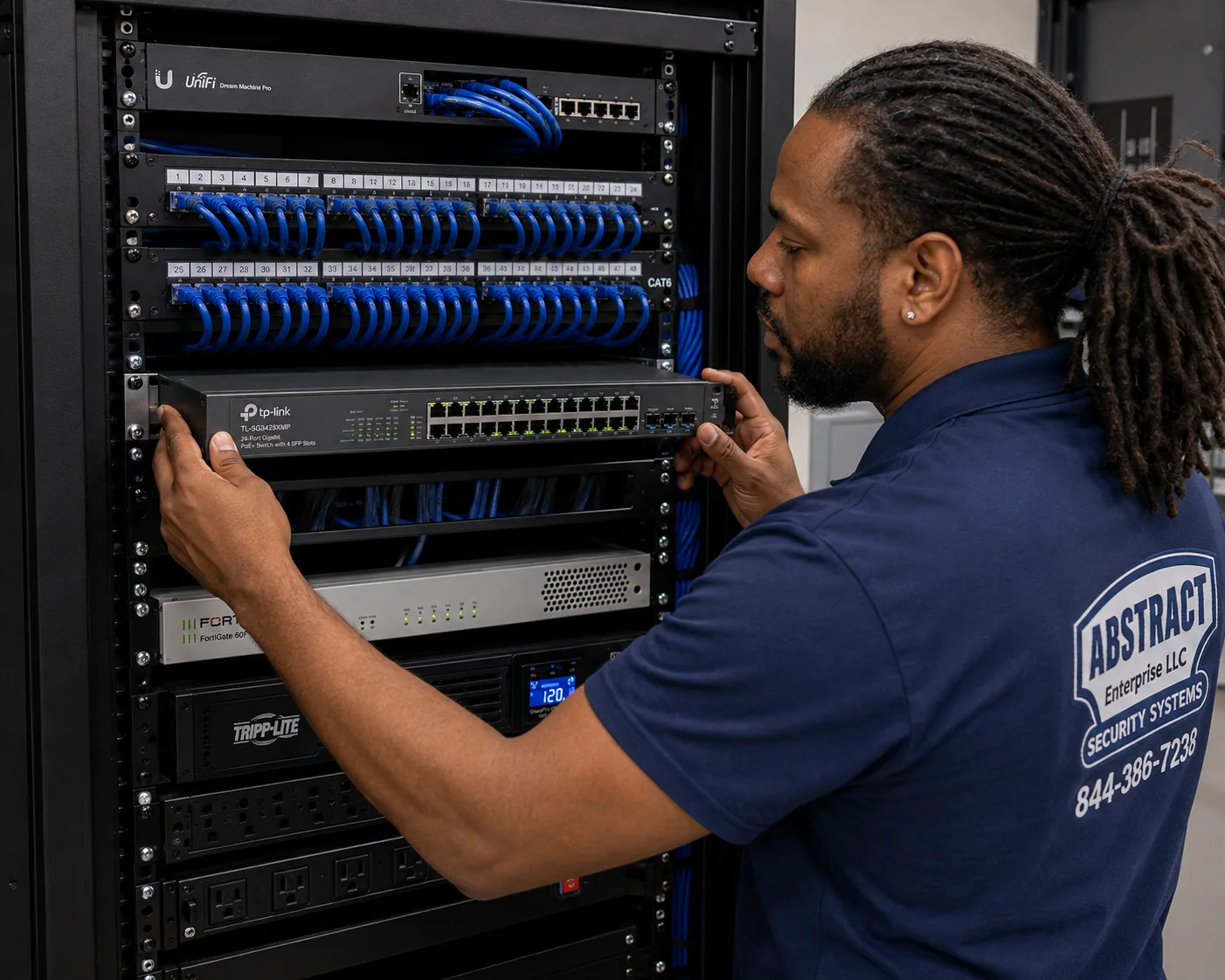
Network equipment for Nest cameras Brooklyn, Brooklyn: technician mounting a managed PoE switch below patch panels in a commercial rack
A photo from the AESS job library, not taken in Brooklyn: a technician mounting a managed PoE switch under patch panels in a commercial rack. Nest cameras themselves run on Wi-Fi, but the access points that carry that Wi-Fi to the parlor floor or the back of a deep Brooklyn shop are often powered and fed from a small switch like this, which is why the network closet is part of a good Nest install.

Doing it yourself, booking a big-box installer or hiring a local Brooklyn installer

Plenty of Brooklyn households put up an indoor Nest Cam themselves, and for a shelf camera in an apartment that is a perfectly good choice. Google also works with a national installation partner. The table below is about what changes on Brooklyn houses specifically, not the quality of anyone's work.

What the job needsDIY or national bookingAESS in Brooklyn
Landmark status of the frontUsually not checkedChecked from your address before quoting
Mounting on brownstone or brickDepends on who comesMortar joints and plain masonry, brick or stone add-on $65
Wi-Fi from a cellar routerOften left as isSignal walked and measured at every camera spot
Two households, one front doorOne account, one setupAccounts, homes and sharing planned with owner and tenant
Board and landlord paperworkVariesCertificate of insurance sent before the visit
Fixing what is already upVariesSetup-only visit, $225 first hour, then 30-minute blocks
AI Overview Reality Check

What AI Gets Wrong About Google Nest Camera Installation in Brooklyn

We could not capture Google's AI Overview for this topic in our build environment, so nothing below quotes it directly. These are claims that appear in generic online answers, product marketing and national cost guides such as Angi, HomeAdvisor and Fixr, paraphrased, each followed by what Brooklyn houses actually show.

"A Nest camera is a ten-minute DIY job"

Generic answers describe screwing a mount to the wall, scanning a code and finishing before the coffee cools, and for a Nest Cam on an apartment shelf that is close to true.

On a Brooklyn front it rarely is. The wall is brick with a brownstone face, the right fixing point is a mortar joint, the router is three floors down in the cellar, and the front may be inside a historic district where the Commission limits how many cameras go on twenty-five feet of frontage and where they sit. None of that shows up in a ten-minute video filmed on vinyl siding.

The honest version is that indoor and battery devices can be quick, while outdoor devices on masonry fronts need planning, the right bit and anchor, and sometimes a permit, before they are quick.

"Installation costs the national average"

National cost guides publish installed ranges for Nest and other cameras built from jobs all over the country, and Fixr's figures assume a fairly ordinary house.

An average cannot know that your camera spot is solid brick, that the doorbell sits at the top of a stoop, that the Wi-Fi needs a wired access point on the parlor floor, or that a co-op board wants paperwork. Those are the things that change a Brooklyn total.

Our list shows the lines that apply here, from the $225 first hour of a setup-only visit to the $65 brick or stone add-on, and the full Brooklyn list is published so you can add it up yourself.

"Landmark rules ban cameras on historic houses"

Some answers suggest that a landmarked brownstone simply cannot have a camera on its front, and others ignore landmark rules completely.

Both are wrong. The Commission's rules name security cameras as equipment it reviews, its guidebook shows cameras finished to blend with a facade, and staff can approve work that meets the criteria without a hearing: discreet locations, attachment at mortar joints, limited visible conduit, and no more than two cameras per twenty-five feet on a small building.

In practice, most Brooklyn landmarked houses can have a doorbell and a small under-stoop camera on the front, with the rest of the system on the back and inside.

"Any Wi-Fi is fine for a Nest camera"

Product pages make Wi-Fi sound like a given: connect the camera to your network and it works anywhere in the house.

In a twenty-foot-wide, four-story rowhouse with brick walls and a router in the cellar, the signal at the rear of the parlor floor can be too weak for steady video. A New York brownstone owner on r/HomeNetworking described exactly that, a well-configured router whose signal simply did not reach far enough through the house.

We measure signal at each camera spot before mounting, and when it is weak we fix the network, often with a wired access point, instead of mounting a camera that will drop every evening.

"Renters can mount whatever they like on their own door"

Some answers tell tenants that a camera on their own door is always fine, while others say tenants can never install cameras.

Brooklyn installers describe a narrower middle ground: a tenant can generally put a camera inside the unit or a peephole-style camera on their own door, but a camera aimed down a shared hallway or at a neighbor's door, or anything that needs drilling outside, usually needs the landlord's or board's approval.

With about seven in ten Brooklyn homes rented, we ask about the lease and the landlord before any outdoor device is booked.

"Mount it anywhere and seal the hole"

Generic guides treat every wall the same: drill where you want the camera, push the cable through, seal it and move on.

On a brownstone that can mean drilling through carved stone that is only a few inches thick and cannot be replaced cheaply. On a landmarked front it can mean unapproved work on a facade. Google's own guidance is gentler: route the cable along a ledge or hidden area, run it to an indoor outlet through an existing opening where possible, and paint it to blend.

We use existing openings, rear walls and mortar joints first, and drill new holes only where they are needed and allowed.

"A camera keeps your packages safe"

Marketing copy often implies that a doorbell camera stops package theft on its own.

Brooklyn's news archive says otherwise: thieves were caught on camera in Bushwick, Crown Heights, Fort Greene, Park Slope and Cypress Hills, which means the cameras recorded the theft rather than preventing it. A camera is evidence and a warning, and it is only useful evidence if it sees faces and the bottom of the stoop.

We aim for faces and the steps, and we tell customers plainly that a lockbox, a delivery hold or a neighbor who takes packages in does more to keep the box than any lens.

Talk to a Technician Before You Buy More Nest Devices

If you are not sure whether your front is landmarked, whether your Wi-Fi will reach the back, or which Nest doorbell your door can power, ask before you buy. Call now at (347) 934-8335, send a fast quote request, or send photos to a tech on WhatsApp. We book within two hours of a request, with same-day estimates on most days.

Get In Touch

Request a Free Quote

Give us the cross streets, the kind of building, which Nest devices you have or want, where the router is and whether the camera goes on the front, the back or inside. A technician will call back with the plan and the price for the Brooklyn address, or you can call (347) 934-8335 right now.

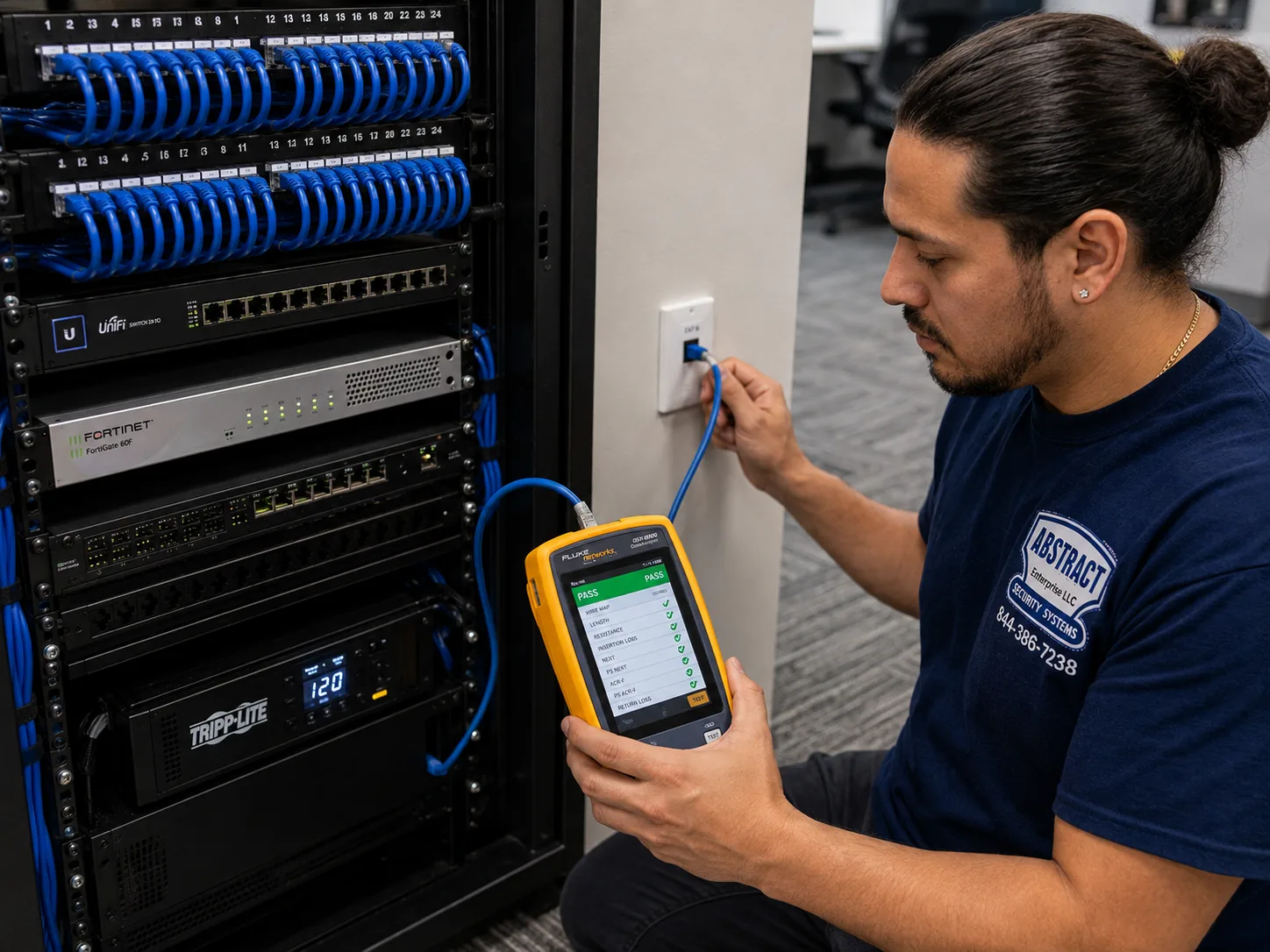
Testing a network drop for Nest cameras Brooklyn, Brooklyn: technician certifying a data drop with a cable analyzer showing a PASS result
A photo from the AESS job library, not taken in Brooklyn: a technician certifying a data drop with a cable analyzer that shows a PASS result. If your form says the Brooklyn house already has an old network jack on an upper floor, we bring a tester like this to find out whether that line can feed an access point for the cameras before running anything new.

โœ…
Request Sent!
Thank you. A technician will call you about the Brooklyn address, usually within two hours.
How It Works

Our Installation Process

1. Send photos and the address

The front from the sidewalk, the back from the yard, the router spot and your Nest boxes, with the address so we can check the building before quoting.

2. Check landmark and building rules

Landmark status, landlord or board approval and any certificate of insurance are settled before the visit is booked, so nobody drills twice.

3. Walk the property

Router and modem found, Wi-Fi measured at every camera spot, power located and each wall read: brick, brownstone facing, plaster, wood or block.

4. Pair each device in hand

Every camera and doorbell joins your own Google Home account before it is mounted, so the QR code is reachable and updates finish on the ground.

5. Mount into the right material

Mortar joints, plain masonry or wood, never cast iron or carved stone, with anchors and bits matched to the wall.

6. Route and cover power

Cables go inside through existing openings where possible, along ledges and trim outside, and under a paintable cord cover where they have to show.

7. Set zones, sharing and hand over

Activity zones stop at your fence, audio is set with you, the right people are invited, alerts are tested on your phone and you see how it all works.

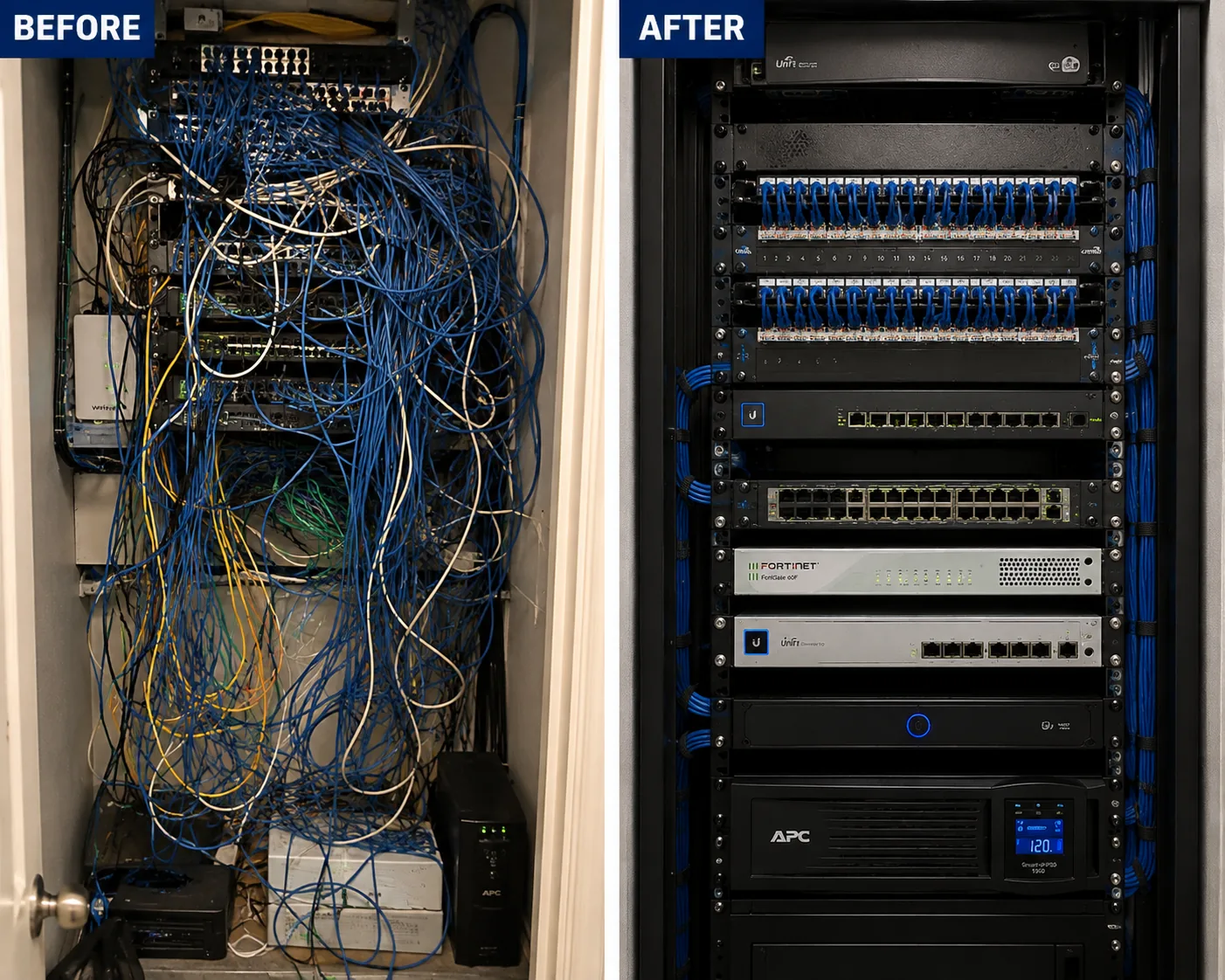
Network cleanup for Nest cameras Brooklyn, Brooklyn: before and after view of a tangled unlabeled rack rebuilt into a dressed, identified one
A photo from the AESS job library, not taken in Brooklyn: a before-and-after view of a tangled, unlabeled rack rebuilt into a dressed and identified one. Step three in many Brooklyn rowhouses and shops looks like a small version of the left side, a nest of cables and power strips beside the modem; tidying and labeling it is often what turns unreliable Nest cameras into dependable ones.
Coverage Area

Google Nest Camera Installation Near Brooklyn's Landmarks

Brooklyn Heights Historic District

New York City's first historic district, designated in 1965, with brownstone rowhouses, most built before the Civil War, where front cameras follow LPC rules.

Park Slope Historic District

Designated in 1973 and later extended, with rowhouses and stoops where a doorbell and an under-stoop camera are the usual front plan.

Fort Greene Historic District

Italianate, Queen Anne and Neo-Grec brownstone and brick rowhouses built from 1855 to 1875, around Fort Greene Park.

Prospect Park

Designed by Frederick Law Olmsted and Calvert Vaux in the 1860s, with Eastern and Ocean Parkways running out from it across the borough.

Fulton Mall

The pedestrian street and transit mall on Fulton Street between Flatbush Avenue and Adams Street in Downtown Brooklyn, lined with storefronts.

Brooklyn Navy Yard

More than 300 acres on the waterfront, home to over 550 businesses, many of them small tenants in shared industrial buildings.

Across the borough lines we also serve Queens, Manhattan, Staten Island and Long Island; see the Queens Nest prices, Manhattan Nest prices, Staten Island Nest prices and the Long Island Nest installation page.

Pricing

Google Nest Camera Installation Cost in Brooklyn

Brooklyn is billed at our Brooklyn rate. The lines below are the ones from our published Nest list that most often apply to Brooklyn jobs; the complete list, including every line for doorbells and cameras, is on the Brooklyn Nest price page, and the citywide list on the NYC Nest price page. Nothing is charged beyond what you agree before the visit, and if the wall turns out to be a different material, the technician tells you before drilling.

ItemList priceWhen it applies in Brooklyn
Setup-only visit, first hour$225, then 30-minute blocksPairing, accounts, sharing, zones and network fixes for devices already up
Brick or stone wall add$65Mounts into brick rowhouse fronts and backs, brownstone-faced walls and stone
Plaster wall add$45Indoor cameras fixed to plaster in prewar walk-ups and older houses
Paintable cord cover$59A tidy, paintable run for an indoor camera's power cord along trim or wall

Three things move a Brooklyn total most. The first is the wall: a brick or stone mount carries the $65 add-on, and almost every outdoor Brooklyn mount is masonry. The second is the network: if the Wi-Fi at a camera spot is too weak, solving it is part of the job, and we price it in writing before we start. The third is the number of households involved, because a two-family with two accounts and careful sharing takes longer to set up than a single owner's phone. Landmark approvals cost no installation time, but they change when the front device can go up.

Full terms โ€” including 50% deposit, one-year parts-only warranty on AESS-supplied products, and the late-fee schedule โ€” are set out in the service agreement.
Shop Our Systems

Google Nest Camera Installation Packages & Pricing

Three common shapes of Brooklyn Nest job, each built from lines on our published list. Your written quote adds up the exact lines for your house before you book.

Starter: setup-only, $225 first hour

You mounted the devices yourself and they lag, drop or confuse the household. We pair them properly, set up accounts and sharing for each household, set zones and audio, check the Wi-Fi and fix what we can, then 30-minute blocks if more time is needed.

Standard: the rowhouse back and stoop

A doorbell at the door plus an outdoor Nest Cam on the brick rear wall, each priced per device from the Brooklyn list, with the $65 brick or stone add-on on masonry mounts and signal checked at both spots.

Premium: the whole brownstone

Front doorbell, an under-stoop camera, a rear camera and indoor cameras, with landmark status checked, network work where the cellar router cannot reach, plaster add-on $45 indoors and cord covers at $59 where cables show.

Bring your own equipment. Most Brooklyn customers buy their Nest devices themselves, and that is exactly how we expect to work: you buy the cameras and doorbell, and we plan, mount, pair and set them up at the labor lines on our list. Keep the boxes and receipts, and tell us the model names when you request a quote so we can check power and placement before the visit.

Complete Services

Every Google Nest Camera Installation Service in Brooklyn

Doorbells and outdoor cameras

Stoops, garden doors, rear walls and driveways. Request a quote

Brooklyn price list

Every Nest line at the Brooklyn rate. Brooklyn Nest prices

Citywide Nest installation

Landmark, rental and building guidance across the five boroughs. Google Nest camera installation NYC

Beyond the city

Houses on Long Island and in the Hudson Valley. Hudson Valley Nest installation

FAQ

Brooklyn Google Nest Camera Installation FAQ

What can a setup-only Nest visit in Brooklyn get done, and what does it cost?
+

It is $225 for the first hour, then 30-minute blocks. In that time we usually pair or re-pair the cameras and doorbell, sort out which household's account each device belongs to, invite the right people, set activity zones and audio, and check Wi-Fi at each device so you know whether the network needs work.

Does the kind of wall change the price of mounting a Nest camera?
+

Yes. On our list a brick or stone wall adds $65 and a plaster wall adds $45. Most outdoor Brooklyn mounts are brick or brownstone, and most indoor mounts in older buildings are plaster. If the wall turns out to be different from what we quoted, you hear it before we drill.

Can an indoor camera's power cord be covered so it does not dangle down the wall?
+

Yes. A paintable cord cover is $59 on our list. It runs along the wall or trim from the camera to the outlet and can be painted to match, which suits rentals because it leaves only a few small screw holes when removed.

Is every Brooklyn neighborhood charged the same?
+

Yes. From Greenpoint to Coney Island, every Brooklyn address is billed at the same Brooklyn rate. What changes a total is the building, the walls and the network, not the neighborhood name.

Do we need to buy the Nest devices before you come?
+

Usually, yes. Most customers buy their own Nest cameras and doorbell, and we install them. Tell us which models you are considering before you buy, and we will check whether your door has power for a wired doorbell and whether each camera spot can be reached.

Do you clean up and patch after the install?
+

Yes. We lay down drop cloths, collect the dust and packaging, and leave the area as we found it. If an old device or bracket comes off during the job, we fill its holes so the wall is ready for paint.

How quickly can you book a Brooklyn Nest job?
+

We book within two hours of a request and give same-day estimates on most days. The install date then depends on your schedule, the building's rules and, for a landmarked front device, the Commission's approval.

What license does AESS work under?
+

Our camera and low-voltage work is done under New York State license #12000287431, held by owner Anwar Timothy, who has been in the security business since 2000 and has owned the company since 2002. We are insured and send a certificate of insurance when a landlord or board asks.

Will you need our Wi-Fi password and Google login on the day?
+

You will need the Wi-Fi name and password, and someone who can sign in to the Google account the cameras will belong to. We set the devices up on your phone so they live in your account, and you keep control of every password.

Can you put Nest cameras in a shop before it opens or after it closes?
+

Yes. For storefronts on Brooklyn's commercial corridors we schedule around business hours so customers and staff are not in the way, and we confirm the landlord's approval for anything on the facade before the visit.

Our brownstone already has an old wired camera system. Can Nest be added alongside it?
+

Yes. Nest devices run separately in the Google Home app, so the old system keeps recording while the Nest cameras send alerts to your phone. We look at both and tell you honestly whether it makes sense to keep the old system, replace it or retire it.

Do you work in Brooklyn's historic districts often?
+

Yes. Many of our Brooklyn Nest calls come from brownstone and rowhouse blocks in historic districts. We check each building's landmark status from its address, plan front devices in discreet spots and mortar joints, and put rear and indoor cameras up first while any front approval is pending.

Ready to See Who Is on the Stoop?

Send a photo of the front, the back and the spot where your router lives, with your cross streets, and we will tell you whether the front is landmarked, which Nest devices fit and what the job costs on the Brooklyn list. Call or text (347) 934-8335, message us on WhatsApp, or use the request form. Licensed under NYS license #12000287431, rated 4.7โ˜… across 201 Google Reviews, owner-operated since 2002 and booked within two hours of your request.

Google Nest Camera Installation by neighborhood: Brooklyn, Brooklyn google nest camera installation