Capture Advance HD and IP Systems · Planned Around Stoops, Facades and Cellars
Capture Advance is the professional camera line that ADI, the security distributor, sells under its own name. We install it all over Brooklyn, in Italianate row houses with high stoops, in walk-ups whose hallways still carry old coax, in co-op lobbies, and in shops on avenues where the apartments upstairs share the same front door. This page explains the brand plainly, tells you which half of the line fits your building, and shows our current Brooklyn prices.
4.7★ from 201 Google Reviews · NYS license #12000287431
Reviewed and updated November 11, 2026. Sources: ADI's Capture Advance brand page, the R2-5MPFXTUR product data sheet, the Capture ADV App Store listing, Resideo's Snap One announcement, the LPC Permit Guidebook chapter on security equipment, HPD's Tenant Data Privacy Law page, Brownstoner, Brick Underground, BK Reader, News12 Brooklyn and Security Info Watch.
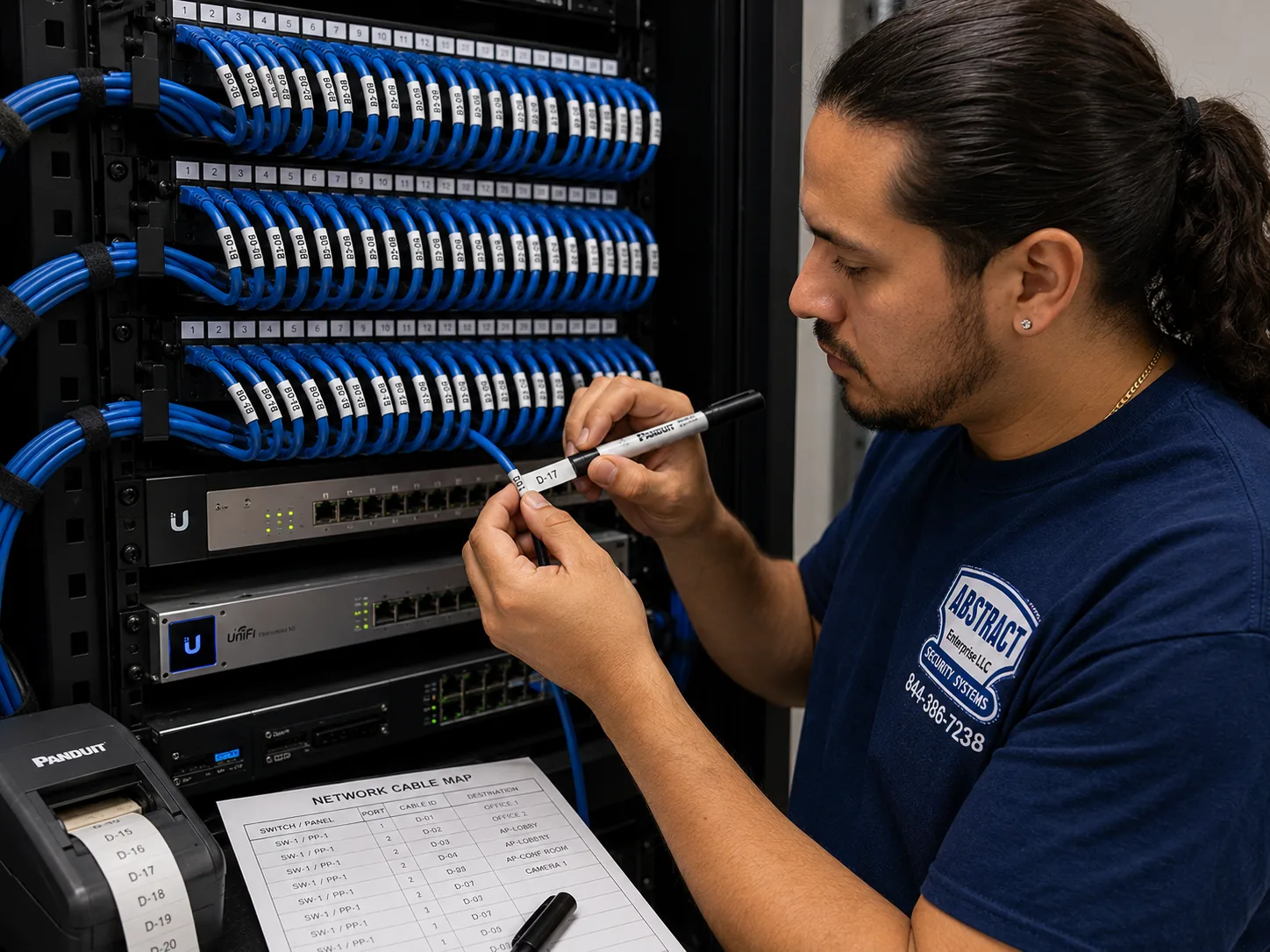
A photo from the AESS job library, taken on one of our Bronx network jobs and not in Brooklyn. It shows the habit that matters most on a Brooklyn Capture install: every camera cable gets a printed label that matches a written port map, so the next person in your cellar knows which wire is the stoop camera and which is the yard.
Brooklyn Capture Camera Request
Row house, walk-up, co-op, condo or shop: tell us the building and we will call back with a plan.
✅
Request Sent!
Thank you. A technician will call you about your Brooklyn building, usually the same day.
25+
Years Experience
✓
Same-Day Estimates
100%
Licensed & Insured
4.7★
201 Google Reviews
Three photos decide most Brooklyn Capture quotes before we visit. The first is the front of the building taken from across the street, so we can see the stoop, the cornice, the areaway and any sign band over a shop. The second is the spot where a recorder could live: a cellar shelf, a closet on the parlor floor, a back office or a utility room behind the counter. The third is whatever cable is already there, such as old coax hanging from a basement joist or a bundle of grey network cable coming out of a wall plate. Send them by text to (347) 934-8335 or on WhatsApp, and you will usually hear back the same day with a short answer about which Capture family fits and roughly what it costs.
Looking at photos and talking through the job costs nothing, and you are under no obligation to book.
All of our camera work is done under New York State license #12000287431, and our technicians carry the paperwork a co-op board or managing agent usually asks to see.
If you rent, we ask first whether the landlord has agreed in writing to anything that goes on the outside of the building or in a common hallway. Cameras inside your own apartment are a different conversation, covered further down.
The Brand
What Capture Advance Is, and Why It Shows Up on Brooklyn Quotes
Most people who call us about Capture cameras have seen the name on a quote from another installer, on a box in a basement left by a previous owner, or on the recorder in a building they just bought. Very few have seen it in a store, and that is the first thing worth explaining. Capture Advance is not a consumer brand like the doorbell and Wi-Fi camera names sold in electronics stores. ADI Global Distribution, a large wholesaler that supplies security installers, describes Capture Advance as "an ADI Exclusive Brand." In plain terms, ADI puts its own name on a full line of cameras, recorders, kits and mounting parts and sells it through its branches to professional installers. That is why it tends to arrive in a Brooklyn building through a technician rather than through a shopping cart.
ADI says the line is geared toward small and mid-sized residential and commercial properties. That description fits Brooklyn unusually well. The borough is mostly made of buildings that are too big for a single doorbell camera and a phone app, yet too small to justify the enterprise systems a hospital or a high-rise office uses. A three-story brownstone with a garden apartment, a four-story walk-up with eight units, a corner deli with two floors of apartments above it, a small warehouse in East Williamsburg: these are the properties the brand is built for. ADI lists residential security, retail, office buildings, banking, restaurants and hospitality, parking lots and garages, healthcare and manufacturing among the uses, which is a fair picture of what a single Brooklyn avenue holds on one block.
The company behind ADI has changed shape in the last few years, and it is worth knowing because it explains the app. ADI is part of Resideo. In June 2024 Resideo completed its purchase of Snap One, a company that sells smart-home and security products to professional integrators, and folded Snap One into the ADI distribution business. Resideo said the deal gives integrators "an increased selection of both third-party products and proprietary offerings." The Capture ADV app that runs Capture Advance recorders is published on Apple's App Store by Wirepath Home Systems, LLC. We mention this only so the name on the app listing does not surprise you when we set it up on your phone. The brand, the cameras and the support line all lead back to ADI.
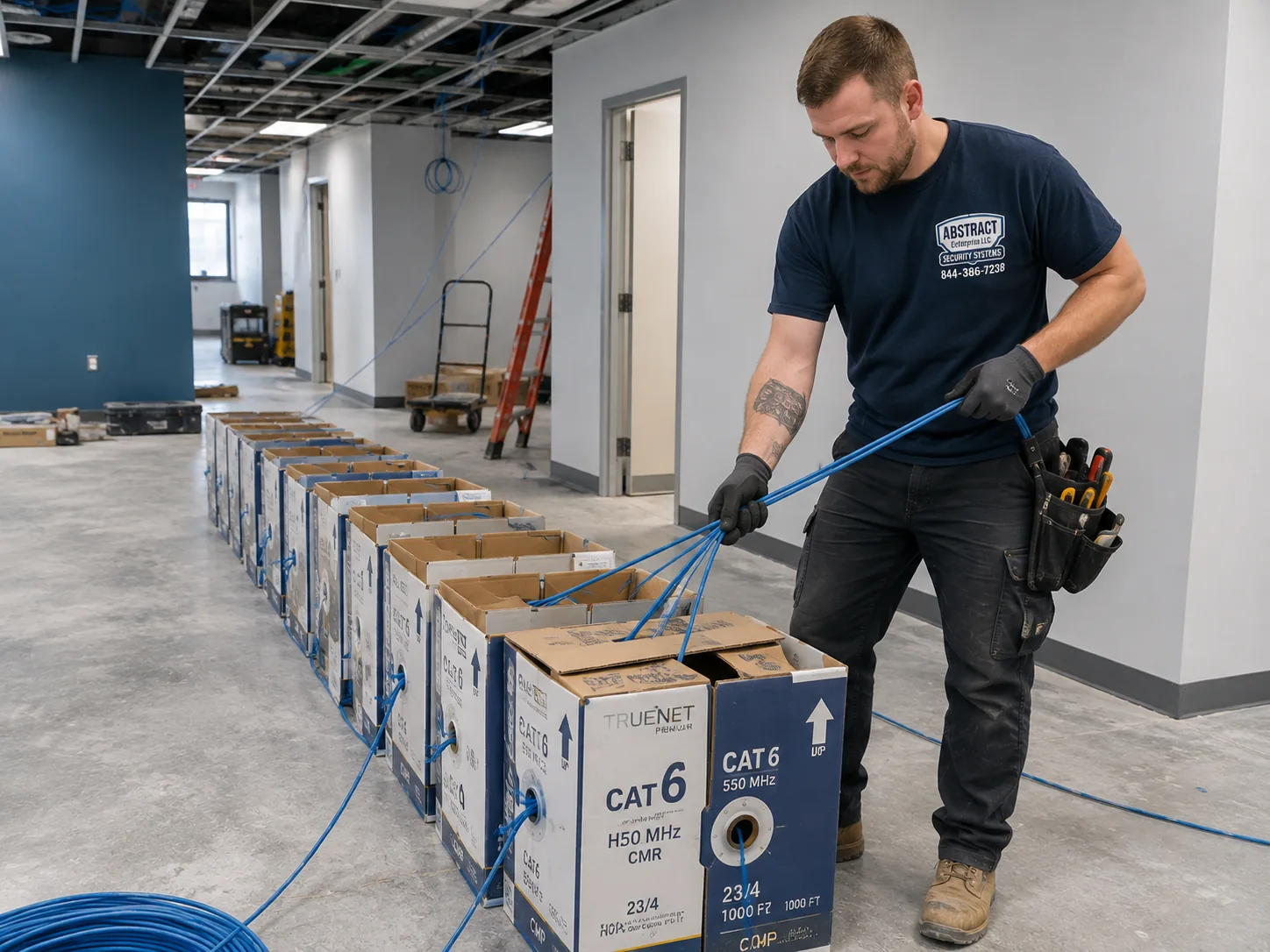
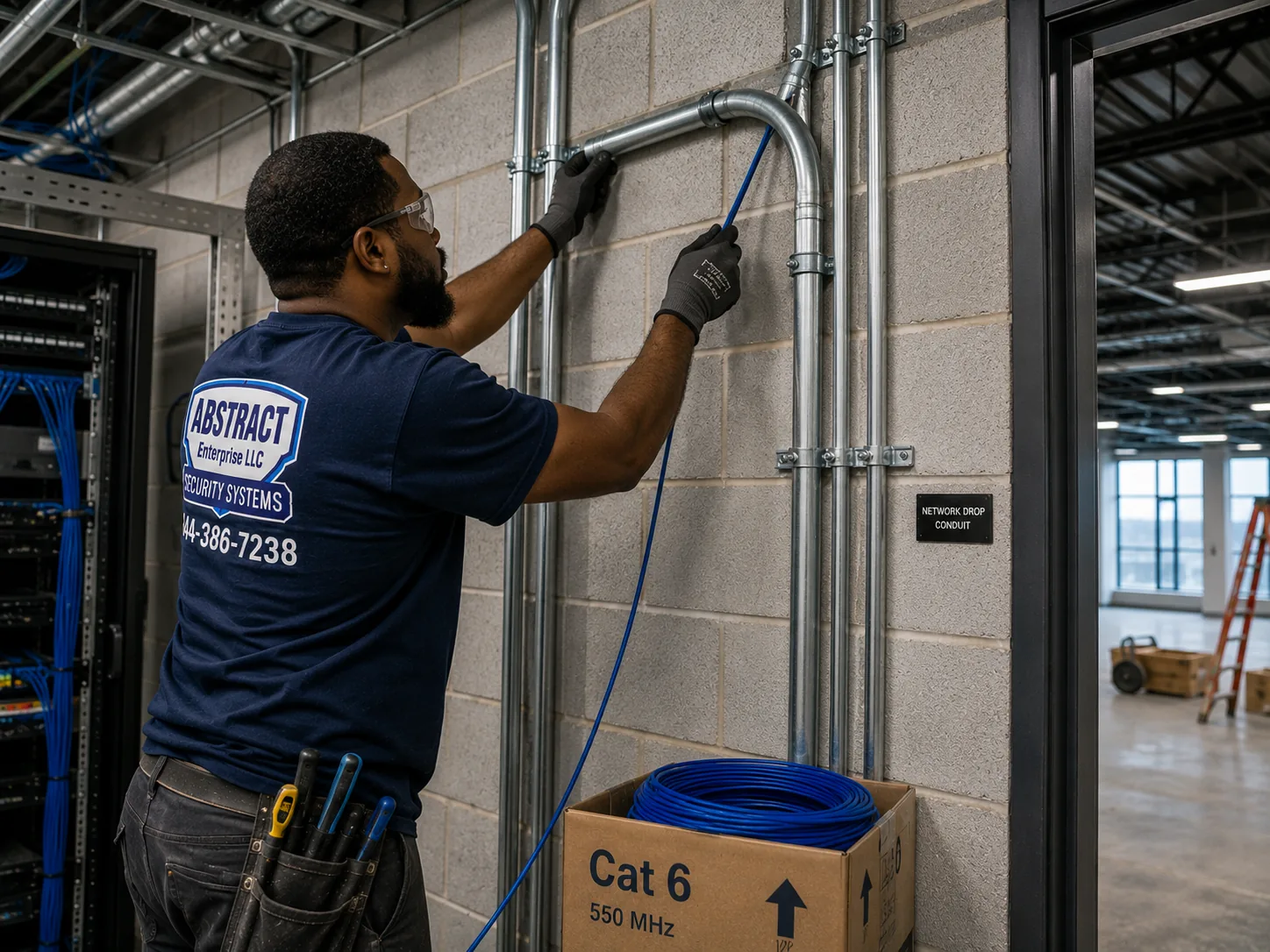
A photo from the AESS job library, taken on a Bronx commercial network job and not in Brooklyn. Boxes of cable staged for several runs at once. On a Brooklyn storefront with apartments above, we stage the same way so the pull to every camera happens in one visit while the shop stays open.
The product range is wide enough that we can usually match a building without leaving the brand. ADI groups it into IP cameras, which come as fixed and motorized dome, turret and bullet cameras at 5MP and 8MP, and HD cameras, which come as fixed and motorized dome, eyeball and bullet cameras at 2MP and 5MP. There are DVRs for the HD cameras, NVRs for the IP cameras, ready-made kits that pair a recorder with six or twelve cameras, monitors, and the unglamorous parts that make an install last: junction boxes, pendant caps, wall mounts, pole mounts and rain shades. Those mounting parts matter more in Brooklyn than people expect, because a camera on a brownstone cornice, a fire escape landing or a shop's sign band rarely sits on a flat, clean surface.
ADI also promises what it calls "an industry competitive warranty with readily available technical support," and backs the line with a support site at capture-adv.com that holds spec sheets and user guides. The brand page does not state a single warranty length for the whole line. The one data sheet we checked closely, for the R2-5MPFXTUR 5MP turret, lists the warranty as 36 months. We tell customers that figure when that model is on their plan and check the data sheet for any other model before we quote a number. Our own service terms are separate from the manufacturer's warranty and are set out in our service agreement, as explained in the pricing section.
Capture Advance and NDAA compliance
A growing number of Brooklyn customers ask about NDAA before they ask about resolution. Some run businesses that sell to government agencies, some sit on co-op boards that were told to avoid certain camera makers, and some simply read about federal restrictions and want to be safe. ADI's brand page opens by describing "Capture Advance NDAA compliant cameras, recorders and kits," and the individual listings we reviewed carry "NDAA Compliant" in the product name: the R2-5MPFXTUR and R2-5MPTRMTRZ IP turrets, the R2-HD2MPEYE, R2-HD5MPEYE and R2-HD5MPMOEY HD turrets, the R2-HD5MPDME HD dome, the R2-HDDVR4C2T four-channel DVR and the R2-NVR16C2TB sixteen-channel NVR. When a board or a client needs it in writing, we print the product listing or data sheet for each model on the plan and hand it over with the quote, rather than asking anyone to take a sales line on trust.
We are careful not to overstate this. "NDAA compliant" is a claim the distributor makes about its products. It is not a certificate we issue, and it does not say anything about where your footage goes or who can see it. Those things depend on how the recorder is set up, whether it is exposed to the internet, and who has the passwords, and we deal with them on every install regardless of the brand.
Two details in the line that suit older Brooklyn buildings
Two features stand out when we plan for the kind of buildings Brooklyn has. The first is on the HD side. ADI says the Capture Advance HD line is "multi-format compatible with CVI, TVI, AHD and CVBS." Those are the four common ways an analog camera sends video down a coax cable. In practice, it means a Capture DVR can often accept the signal from a camera another company installed years ago, and a Capture HD camera can often be read by a recorder that is already in the building. In a walk-up where a previous owner ran coax to every landing in the 2000s, that flexibility can save a lot of drilling through plaster and brick.
The second is on the IP side. ADI says every Capture Advance IP camera includes a microSD card slot with what it calls Automatic Network Replenishment. If the cable or switch between the camera and the recorder goes down, the camera keeps recording to its own card and, once the connection is back, sends the missing video to the recorder. In a brownstone where the recorder sits in the cellar and the cable to the top-floor rear camera runs through three floors of old house, that is a useful safety net. It does not replace good cabling, but it means a loose patch cord or a tripped switch does not leave a gap at the exact moment you need the footage.
Same-Day Help in Brooklyn
A Capture Recorder Beeping, a Blank Channel or an App That Stopped Connecting
Not every call is a new system. A good share of the Capture work we do in Brooklyn is on recorders someone else installed: a DVR in a cellar that beeps every few minutes, a channel that shows "no video" after a storm, a camera that went purple at night, or a Capture ADV app that stopped connecting after the building changed internet providers. Most of these come down to a short list of causes. The hard drive is failing or full, a power supply under the stairs has died, water has found its way into a connector on the outside of the building, or the recorder lost its address on the new router.
If a recorder is beeping, take a photo of its front panel and the screen if one is connected, and text it to (347) 934-8335. Do not unplug it repeatedly, because a drive that is starting to fail can lose more footage each time it is cut off. If you need to keep footage of an incident that already happened, tell us that first. We can usually pull the clip before doing anything else to the system, so a repair does not cost you the evidence you called about.
Choosing the Family
HD-over-Coax or IP: Which Half of the Capture Line Fits Your Brooklyn Building
Every Capture Advance system we install in Brooklyn starts with one decision, and it is not about megapixels. It is about the cable. The line is split into two families that do not mix on the same recorder. The HD family sends video over coaxial cable to a DVR. The IP family sends video and power over Cat6 network cable to an NVR. Pick the right family for the building and the rest of the plan falls into place. Pick the wrong one and you either pay to rip out cable that was perfectly usable, or you end up with a system that cannot grow the way you need.
When the HD family is the sensible choice
HD-over-coax, which the trade calls HDoC, exists to make the most of coax that is already in a building. Security Info Watch's overview of the technology puts the appeal simply: it "uses existing analog coaxial cabling to deliver high-definition video," with "no need to rip and replace existing analog infrastructure." The same article notes that most HDoC recorders are backwards-compatible, so newer HD cameras and older standard analog cameras can run on one recorder, and it warns that not every HDoC product works with every other. That last point is why the Capture HD line's support for CVI, TVI, AHD and CVBS matters. It widens the range of old cameras and recorders it can talk to.
Brooklyn has a lot of old coax. Many of the walk-ups we survey came with an older analog system and a coax run to each landing, the vestibule and the rear yard, and many shops have coax stapled along the ceiling from a camera package put in years ago. When that cable is in decent shape, the HD family lets us swap the cameras and the recorder, test each run, and leave the walls alone. On our Brooklyn price list, a four-camera HD system with 2MP turrets, a four-channel DVR and a 2TB drive is listed at $1,334 installed, and the 5MP HD packages run from $1,663 to $1,723.
HD has limits. Each camera needs its own coax run back to the recorder, and on most installs a separate power feed or a combined cable. The cameras are simpler than the IP ones and do not carry the same on-board analytics. And the largest Capture DVR on our list has sixteen channels, so a building that expects to grow beyond that is better served by IP from the start.
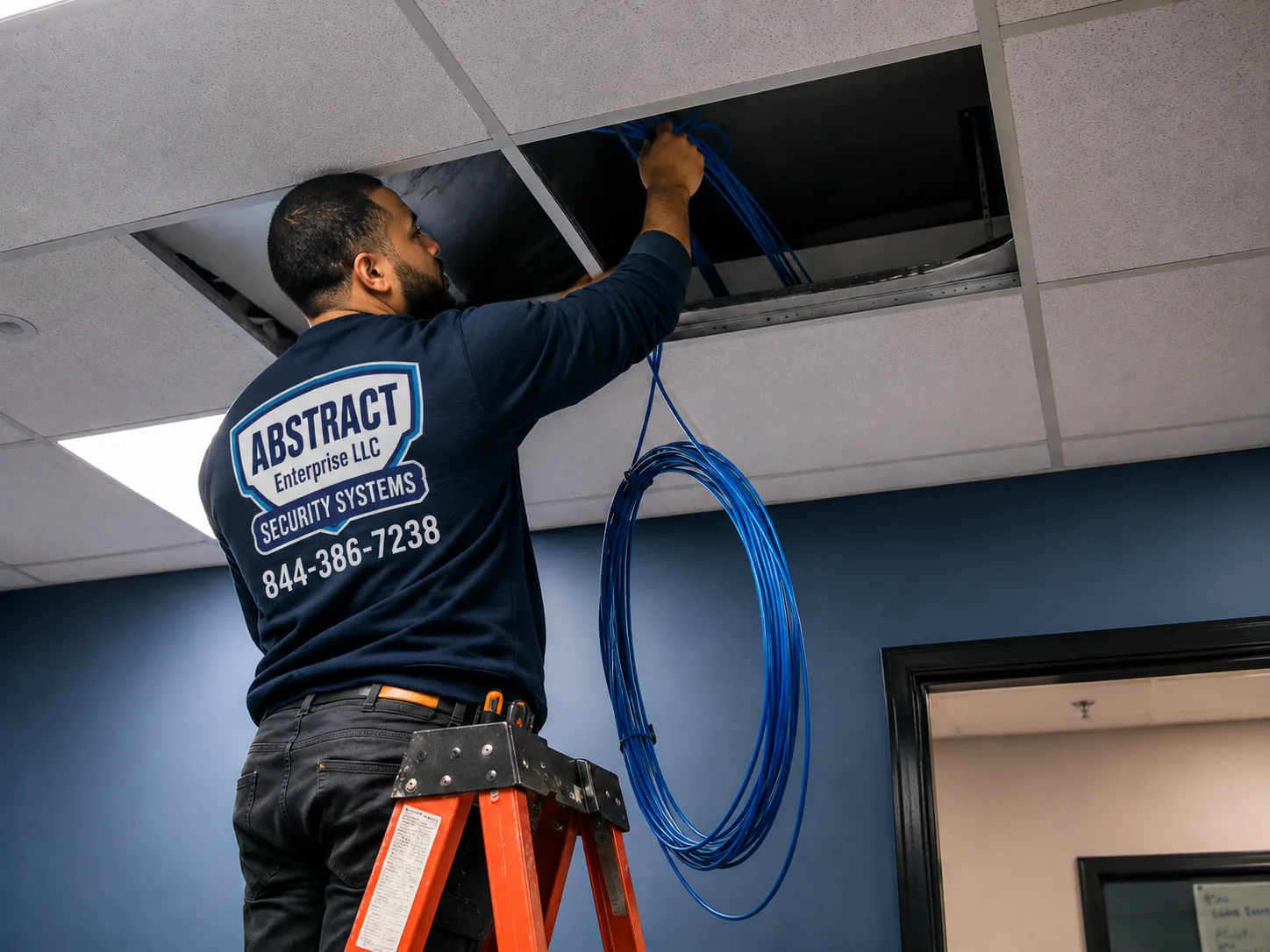
A photo from the AESS job library, taken on a Bronx commercial job and not in Brooklyn. A technician feeding cable above a ceiling while the space stays in use. Brooklyn shops with drop ceilings get their new Cat6 or replacement coax the same way, with the work fitted around opening hours.
When the IP family earns its higher price
The IP family runs on Cat6, with power delivered down the same cable through PoE. One cable per camera does everything. The cameras are smarter. The R2-5MPFXTUR data sheet lists face, human and vehicle detection, single and double virtual fences, people counting, regions of interest and privacy masking, along with true WDR for scenes with bright backgrounds and dark foregrounds. That last feature matters in Brooklyn vestibules, where the camera is often looking from a dim hallway out through a glass door onto a sunlit stoop. The IP cameras also carry the microSD backup described above, and they can connect to Capture's subscription cloud service if a business wants off-site storage.
On our Brooklyn list, a four-camera IP system with 5MP bullets and a four-port PoE NVR starts at $2,002, and the 5MP and 8MP turret and dome packages run from $2,138 to $2,298. The 4MP full-color turret package, which uses a white light to keep color at night, is $2,097. The step up from the HD packages is real, $1,334 against $2,002 at the entry level for four cameras, but it buys you a system that can take more cameras later on an off-the-shelf PoE switch, report what kind of motion it saw, and survive a network hiccup without a gap.
A quick rule we use on Brooklyn surveys
Coax already reaches every spot you want covered, and it tests clean. HD family. Keep the cable, replace the cameras and DVR.
No usable cable, or the old runs are cut, crushed or water-damaged. IP family. If we are pulling new cable anyway, Cat6 costs about the same to run and gives you more for the money.
You want analytics, people counting or a clean way to add cameras later. IP family.
A mix: good coax to the front, nothing to the back. We usually still pick one family for the whole building rather than running two recorders. Most often that means IP, with the old coax left in place as a spare pathway or used as a pull string for the new cable.
A board or a client needs NDAA paperwork. Either family works, because the listings we checked on both sides carry the claim. We print the listings for the models on your plan.
What We Install
Capture Camera Installation Services in Brooklyn
Each service below is priced from our Brooklyn Capture list, which shows every camera, recorder and kit with its installed price. The plan for your building names the exact model numbers, so you can check each line against that list yourself.
New Capture IP systems
5MP and 8MP turrets, domes and bullets on Cat6 with a PoE NVR, sized from four cameras to thirty-two, with person and vehicle rules set for your stoop, yard or shop floor.
HD upgrades on existing coax
Old analog cameras swapped for Capture HD cameras and a new DVR on the cable already in your building, with each run tested before we reuse it.
Capture kits, installed properly
Six- and twelve-camera Capture kits mounted, wired and set up, with the drive checked so you keep at least two weeks of recording.
Motorized-lens cameras
Varifocal Capture cameras for long rear yards, deep storefronts and driveways where a fixed 2.8mm lens shows too much sky and too little face.
Recorder and app setup
Capture DVRs and NVRs configured, passwords changed from the defaults, the Capture ADV app added to every phone that needs it, and clip export tested.
Customer-supplied Capture gear
Capture cameras or a kit you already own installed at our per-camera rate for customer equipment in Brooklyn.
Building Specialists
Capture Installation Across Brooklyn's Building Types
Brooklyn's buildings decide more about a camera job than the brand does. The same four Capture turrets go up very differently on an Italianate row house, a six-story co-op, a frame house with vinyl siding and a bodega with a roll-down gate. Here is how we approach each of the buildings we see most often.
The brownstone row house
A brick row house with a sandstone front, a high stoop, often a garden apartment below and a cellar under that. Cable routes run through the cellar and the rear wall, not across the front.
The landmarked row house
The same house inside a historic district, where the Landmarks Preservation Commission limits how many cameras can go on the front and how they are fixed.
The walk-up apartment building
Three to six stories of stairs, a vestibule with mailboxes, a buzzer panel and often a rear yard with a fire escape. Old coax is common.
The co-op or condo with a lobby
An elevator building with a board, a managing agent, a super and rules about contractors, insurance and when work can happen.
The frame two- or three-family
Wood-frame houses with siding, porches and side driveways, where cable can often run in the walls and attic far more easily than in masonry.
The storefront with apartments above
A shop on the ground floor of a mixed-use building, with its own cameras for the register and gate and, often, the landlord's cameras for the residential door next to it.
The brownstone row house: start in the cellar, finish on the stoop
Brownstoner's guide to the type describes a brownstone as a brick row house whose front is "dressed in reddish-brown sandstone," built mostly between 1840 and 1920, with high stoops and Italianate carving that it calls "the quintessential brownstone." It names Brooklyn Heights, Carroll Gardens, Park Slope, Fort Greene and Bedford-Stuyvesant among the places they cluster. For a camera installer, the part that matters is that the front of the house is the hardest surface on the property to work on and the one most people want covered.
We almost never run cable across a brownstone front. The route starts at the recorder, which in most of these houses lives on a cellar shelf or in a closet on the garden level, close to the building's internet connection. From there a cable can reach the front through the cellar wall under the stoop, come up behind the areaway wall or the newel, and arrive at a camera tucked under the stoop landing, the lintel over the garden door, or the underside of the cornice on the parlor-floor entry. At the back, the rear wall is usually plain brick, and a cable can climb inside a painted raceway or come straight out through a mortar joint at the camera.
The Capture camera that suits most brownstone fronts is a turret or a small dome, not a bullet. A turret sits flush under a stoop or a lintel and is easy to paint to match. The 2.8mm lens on the fixed models is wide enough to show the whole stoop and the sidewalk at its foot from a spot under the landing, which is what most owners want after a package goes missing. For a long garden behind the house, a motorized turret with a 2.7 to 13.5mm lens lets us zoom in on the back fence without moving the camera.
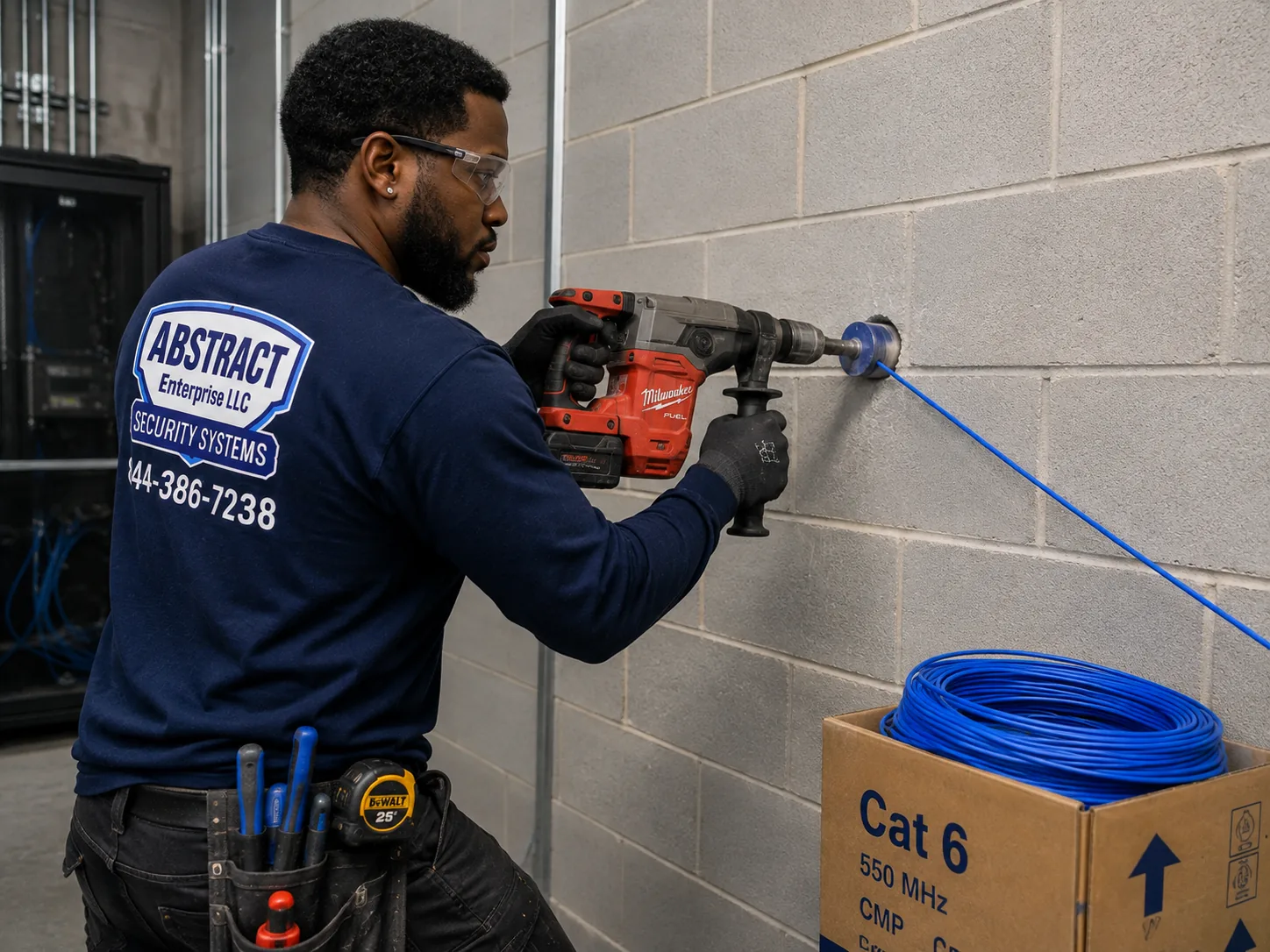
A photo from the AESS job library, taken on a Bronx job and not in Brooklyn. A technician core drilling a block wall to carry cable into an equipment room. In a Brooklyn row house the same kind of hole usually goes through the cellar wall under the stoop, out of sight of the street.
The landmarked row house: fewer cameras, better placed
Large parts of brownstone Brooklyn sit inside historic districts, and the rules there are specific enough that we plan around them from the first call. The Landmarks Preservation Commission's permit guidebook covers security cameras in its chapter on health and safety equipment. It says cameras "must be well spaced to avoid a cluttered, haphazard appearance," and that equipment generally should not go on or in front of a primary facade unless there is no feasible alternative. When a front camera is needed, the guidebook points to discreet spots: beneath a band course or the stoop, or behind an areaway wall, fence or plantings.
The guidebook also sets a count. On small residential or commercial buildings, staff can approve no more than two cameras per 25 feet of street frontage, and on large buildings no more than three. A typical row house frontage is narrower than that, which is why our plans for landmarked fronts almost always show one camera, sometimes two, rather than one per window. Cameras should attach to mortar joints, plain masonry, wood, metalwork or concrete at the areaway, and never through cast iron or decorative surfaces. Conduit should be hidden by running it through plain masonry behind the camera. Where that is not possible, staff may approve about ten inches of exposed conduit, painted to match and fixed into the mortar.
Those rules shape the Capture models we pick. A small turret or dome painted to match the brownstone or the stoop ironwork is far easier to approve than a long bullet with a sunshield. The application itself asks for manufacturer cut sheets, color photos and drawings of the existing and proposed facade, and we can supply the Capture data sheet and photos of the proposed spot for you or your expediter to file. Work that meets the guidebook can be approved at staff level. Work that does not may go to a public hearing, which is a long road for one camera.
The walk-up: the vestibule, the stairs and the yard
In a walk-up, most of the trouble happens in three places: the vestibule where packages pile up and the buzzer lets people in, the stairwell, and the rear yard where the fire escapes come down. Owners usually want the vestibule first. A Capture turret with true WDR, mounted inside the inner door and looking out through the glass toward the stoop, can hold faces against bright daylight far better than a basic camera, and a second camera over the mailboxes covers the packages.
Walk-ups are where the HD family earns its place. If a previous system left coax to each landing and the runs test clean, replacing the cameras and the DVR is a one-day job with almost no plaster work. If the coax has been painted over, cut by a renovation or chewed in the cellar, we pull Cat6 instead, usually up the public hall in a painted raceway that the super can live with, or up an old dumbwaiter or pipe chase if the building has one.
The common hallways of a rental building raise privacy questions that do not come up in a one-family house. An attorney answering a New York co-op question on Justia wrote that common-area cameras in hallways and stairwells are lawful as long as voice is not recorded and the camera is not aimed into an apartment when its door is open. We set Capture privacy masks over apartment doors where a camera would otherwise see into a unit, and we leave audio off on hallway cameras unless the owner has taken advice that says otherwise.
The co-op or condo: the board, the agent and the super
A Brooklyn co-op job begins long before the ladder comes out. The managing agent will want a certificate of insurance naming the corporation, the board may want to approve camera locations, and the super will want to know which hours we are working and where we are parking. We plan Capture systems in these buildings with a written location list and a simple drawing, so the board can approve exactly what will go up.
Many co-ops in the borough have been moving from keys to fobs and phone-based entry, and that brings in the city's Tenant Data Privacy Law, Local Law 63 of 2021. HPD's summary says that owners of multiple dwellings with smart access systems must get express consent before collecting reference data, keep only what the system needs, destroy authentication data within 90 days unless it is anonymized, and give residents a written data retention and privacy policy. They also may not sell the data or use it to harass or evict. A camera system is not a smart access system by itself, but when a board ties cameras to a fob reader, the two sit close enough that we bring the law up so the board can raise it with its counsel.
The frame house: easier walls, longer driveways
Out toward the south and east of the borough, many houses are frame two- and three-family buildings with siding, porches, side driveways and garages at the back. These are the easiest Brooklyn buildings to wire. Cable can often travel inside an exterior wall or through the attic, and a camera can sit under a soffit with the cable coming straight down behind it. The challenge is distance. A side driveway that runs past a detached garage can be long, and our installed price includes a cable run up to 100 feet per camera. On a long lot we measure every run before quoting so nothing changes on the day.
For driveways, the Capture bullet cameras make sense, because their shape points naturally down a long, narrow space. A 5MP bullet under the front soffit can cover the driveway and the side door, and a motorized bullet at the garage can be zoomed to frame the gate.
The storefront with apartments above: two owners, two systems
A shop on a Brooklyn avenue usually sits under two or three floors of apartments, and the residential door is often right beside the shop's gate. The shopkeeper wants the register, the door and the stockroom. The landlord wants the residential entry and the hallway. Very often each has a separate system, and we are asked whether to combine them. Our usual answer is to keep them separate. The shop's recorder belongs to the shop and the building's recorder belongs to the building, which keeps it simple when a lease ends or the police ask for footage.
Inside the shop, the Capture IP cameras with people counting and region-of-interest settings are useful beyond security. A shop owner can see how many people came through the door during a sale or keep a closer watch on the register area. Outside, a turret or dome under the sign band covers the gate and the sidewalk without cluttering the storefront.
Owners and Renters
Capture Systems in Houses with a Rented Unit, and Cameras Inside a Rented Apartment
A great many Brooklyn houses have an owner on one or two floors and a tenant on another, often in the garden apartment of a brownstone or the second floor of a frame two-family. That arrangement changes how we lay out a Capture system. The owner pays for it and keeps the recorder, but the tenant walks past the cameras every day and may want to see the stoop when a package goes missing. We plan for both from the start. The cameras cover the shared entrances, the stoop, the yard and the sidewalk, and none of them look into the tenant's windows or door. Where the tenant wants access to the stoop camera, the recorder can give them a separate login limited to that one camera, so the owner's other cameras stay private.
The recorder itself goes in the owner's space, not in a shared cellar where anyone can reach it, and it never sits inside the rented unit. If the only internet connection in the house belongs to the tenant, we talk that through before installing, because a recorder on someone else's network is a problem waiting to happen when the lease ends.
Renters ask us a different question: whether they can put cameras inside their own apartment. Cameras inside your own unit, aimed at your own rooms, are generally your business, and a small Capture system is more than most apartments need. What changes the answer is anything outside your door. A camera in the hallway, on the facade, on a fire escape or in the yard touches the landlord's property and the neighbors' privacy, so we ask for the landlord's written agreement before mounting anything there. A short email from the landlord or managing agent naming the spot is enough for us to go ahead.
If you plan to move in a year or two, tell us. We can mount the cameras and run the cable so the system comes out cleanly with only a few small holes to patch, and the recorder and cameras go with you to the next place.
Stoops and Packages
Package Theft from Brooklyn Stoops and Vestibules: Where a Capture Camera Actually Helps
Package theft is the reason a large share of our Brooklyn customers call, and the local news shows why. News12 Brooklyn has run clip after clip of it: a man taking packages in broad daylight in Kensington, a man who appeared to use a child in a stroller to get into a Crown Heights building and take a package, and a porch thief in Flatlands who took a two-year-old's birthday presents. In December 2024 the same station reported that a shipping store in Mill Basin, Outside the Box Shipping, was taking in about 100 packages a day from people who had given up on home delivery. One customer said she had lost more than $500 in packages. Another, who had cameras, said the thieves "look at the camera, and put their head down. They're getting smarter." The station also cited a mayor's office estimate that 90,000 packages are stolen or lost in transit every day across the city.
That last quote is the honest starting point. A camera does not stop a determined thief from taking a box, and a thief who knows where the camera is can keep his face down. What a well-placed camera does is record a usable image of the person, the time and the direction they went, and in a building with several apartments, it settles arguments about whether the package was ever delivered. The difference between a clip that helps and one that does not usually comes down to placement, not price.
Low and close beats high and wide
The most common mistake we see on Brooklyn stoops is a camera mounted high on the facade, looking down at the tops of heads. A person in a hood or a cap is unrecognizable from above. On a brownstone, the better spot is usually lower and closer: under the stoop landing looking across the steps, on the newel post area, or inside the vestibule looking out. A Capture 5MP turret at roughly head height inside the outer door, behind glass, sees faces straight on as people come up the steps, and it is out of reach.
Glass brings its own problem: at night the camera's infrared lights bounce back off the glass and blind it. When a camera has to look out through a vestibule door, we turn off its infrared and rely on the porch light, or we use the Capture full-color turret, which keeps a color image in low light with its own white light. Outside, under the stoop, the IR models work well, and the R2-5MPFXTUR's data sheet rates its infrared to 30 meters, which is far more than any stoop needs.
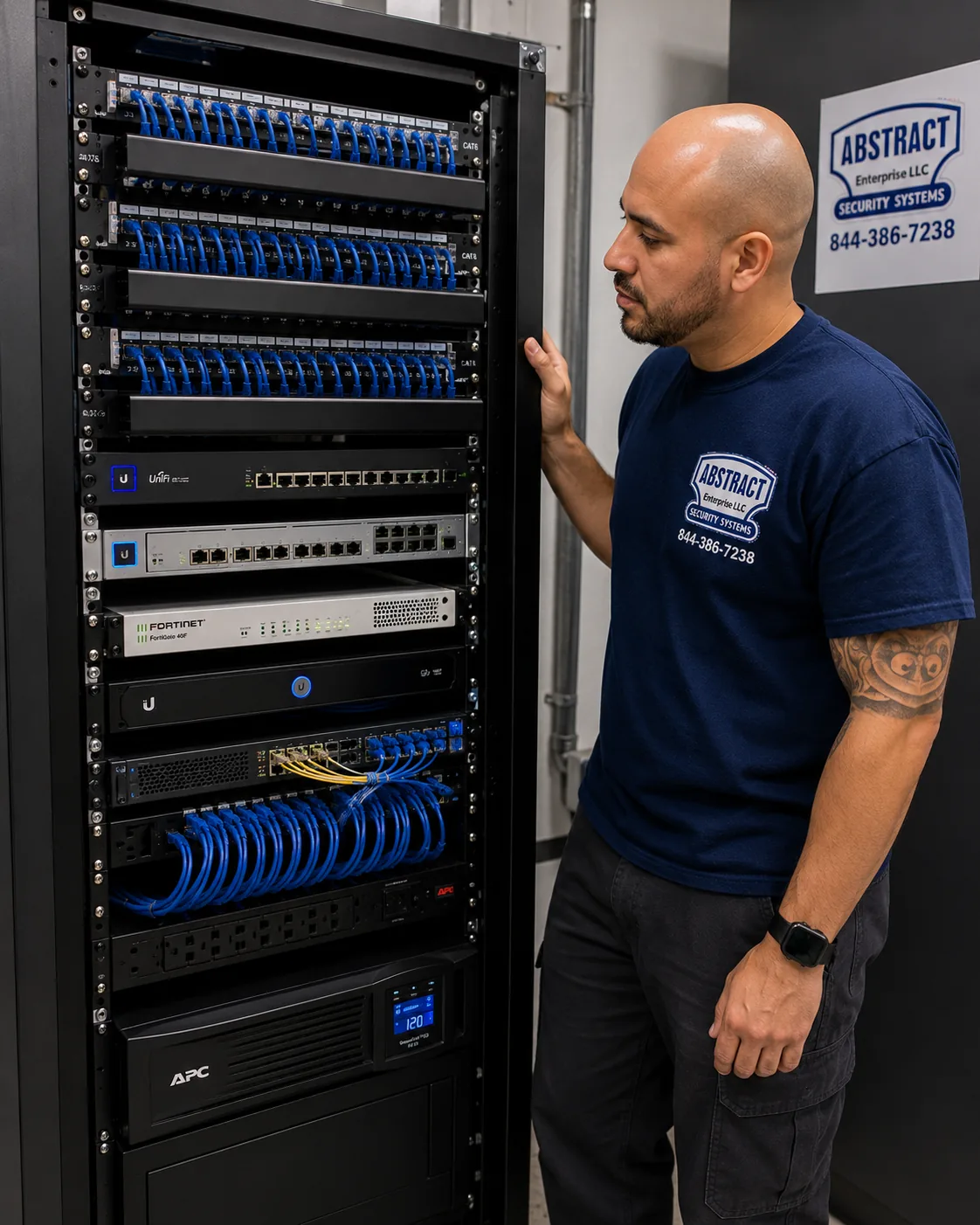
A photo from the AESS job library, taken on a Bronx job and not in Brooklyn. A finished rack with patch panels, switching, a firewall and battery backup, all labeled. A Brooklyn walk-up rarely needs a full rack, but the same parts in a small wall cabinet in the cellar keep a Capture NVR running and identifiable.
The vestibule and the mail area
In a walk-up or a small elevator building, packages usually end up on the vestibule floor or on top of the mailboxes. The question residents ask afterward is who came in behind the delivery driver. A camera over the inner door that sees both the mailboxes and anyone who holds the door open answers that question. In buildings with a buzzer or intercom panel, we often aim a second camera so it catches the face of anyone standing at the panel, which helps when someone keeps buzzing apartments until somebody lets them in.
What residents can and cannot get from the footage
Brick Underground answered a question from a Williamsburg renter whose packages kept disappearing. The building had cameras at the entry, but the landlord would only review the footage if the tenants called the police, and the police wanted the footage. The attorneys it asked were direct: "your landlord isn't obligated to share surveillance footage with you," and outside a legal process the landlord does not have to show it. One attorney added that there may be an argument that the landlord has a duty to act when theft is an ongoing problem, depending on the circumstances, and both suggested tenants organize, ask for a package locker, or use drop-off points like an Amazon Hub or UPS Access Point.
We pass that along because it affects how we set up systems for building owners. A Capture recorder makes it easy to export a short clip for one incident without giving anyone access to everything else. If a building owner wants to be able to answer residents quickly, we set up a simple routine on the day of the install: who in the building can export a clip, how to find a time on the timeline, and where to save it. It is a five-minute lesson that saves a lot of friction later.
Shops and the NYPD
Capture Cameras for Brooklyn Storefronts, Restaurants and Small Warehouses
Brooklyn's commercial streets run from the big shopping corridors to single corner stores on residential blocks, and the camera needs differ less than people think. Every shop wants the same four views: the door, the register, the back door or stockroom, and the sidewalk in front of the gate. What changes is how much light there is, how far the camera has to see, and how many hands need to reach the footage.
For the door, a turret above and slightly inside the entrance gets faces as people walk in. For the register, a dome on the ceiling behind the counter shows hands, cash and the screen without seeing customers' card PINs; we set a privacy mask if the angle catches the keypad. For a long, narrow shop, which is very common in older Brooklyn buildings, a motorized-lens camera at the front can be zoomed to cover the back of the store, so one camera does the work of two. For the sidewalk and the gate, a camera under the sign band covers the roll-down gate at night, when the shop is empty and the street is quiet.
Live sharing with the police is a choice, not a requirement
In May 2024 the city launched a pilot called Connect New York, which BK Reader described as linking participating businesses' security cameras directly to the NYPD so officers can view the footage in real time to fight retail theft, starting in nine precincts across the five boroughs. Separately, the city's long-running camera sharing arrangement lets businesses share video with the NYPD during emergencies. Neither one is something a Capture system does on its own, and neither is mandatory. If a shop owner wants to take part, we can set up the recorder and the network in the way the program asks. If not, the recorder stays private, and footage leaves only when the owner exports it.
Small warehouses and garages
The industrial blocks along the borough's waterfront and rail lines are full of small warehouses, auto shops, contractor yards and garages. These buildings tend to have high ceilings, wide roll-up doors, yards with gates, and long distances to the office where the recorder sits. The IP family suits them best. A PoE switch in a weatherproof box near the yard can feed several cameras over short runs, with one fiber or Cat6 link back to the NVR. Capture's motorized bullets reach across a yard to the gate, and the IP cameras' vehicle detection can be set to alert only when a car or truck crosses a line at the entrance, which cuts down on false alerts from cats, blowing trash and passing pedestrians.
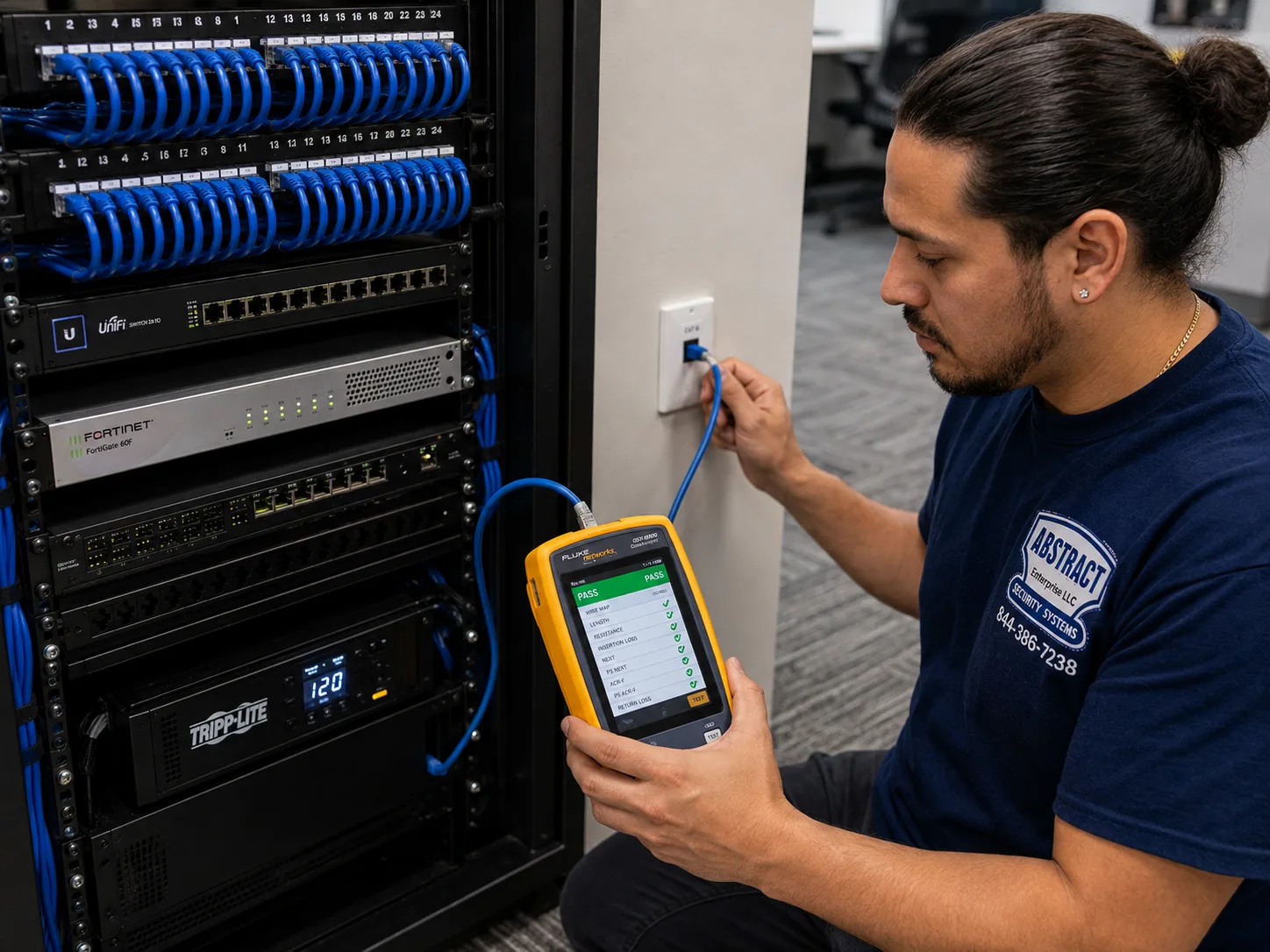
A photo from the AESS job library, taken on a Bronx job and not in Brooklyn. A cable analyzer showing a PASS on a new data run. Before a Capture IP camera goes on a long warehouse or yard run in Brooklyn, the Cat6 behind it gets tested the same way, so a weak run never gets blamed on the camera.
Cloud storage for businesses that need footage off site
Some businesses worry that a burglar will take the recorder along with everything else. Hiding the recorder in a locked cabinet away from the counter helps a lot. For businesses that want a copy off the premises, ADI offers Capture Advance Direct to Cloud, a subscription service that connects Capture cameras to the Capture Cloud VMS. ADI says a site can connect up to five Capture Advance cameras without buying a bridge or any extra equipment. It costs a monthly fee from ADI on top of the installed system, so we raise it only where the need is real, such as a shop that has already had a break-in, or an owner who manages several locations and wants to see them all in one place.
Recording and Power
Recording Time, Hard Drives and Keeping a Capture System Running When Brooklyn Loses Power
A camera that records nothing is a decoration, and most of the failed systems we are called to in Brooklyn failed at the recorder, not at the camera. Three things decide whether a Capture system has the footage when you need it: how much drive space it has, how it is set to record, and what happens to it when the power or the internet goes out.
How much recording you get
Every Capture system on our Brooklyn list includes enough hard drive space for at least two weeks of continuous recording, and we size the drive to your cameras rather than to the box. That is why some of the four-camera packages list a 6TB drive while the recorder itself ships with 2TB. Higher-resolution cameras write more data, and a 5MP or 8MP camera recording around the clock fills a drive faster than a 2MP camera does. If you want longer than two weeks, the answer is a bigger drive or more of them, and we price that on the plan.
We also set recording rules that make the footage easier to use. Continuous recording in the background guarantees nothing is missed. Motion or person events on top of that mark the timeline, so when you open the Capture ADV app to find out who took a package, you jump straight to the moments when someone was on the stoop rather than scrubbing through hours of empty steps.
When the internet goes down
Buildings change internet providers, and routers get replaced, unplugged and reset. On a properly set-up Capture system, losing the internet does not stop recording. The cameras talk to the recorder over the building's own cables, and the recorder keeps writing to its drive. What you lose is remote viewing on your phone until the connection comes back. When the router changes, the recorder may need to be added back to the network, which is one of the most common short service calls we get.
The IP cameras add another layer. Because each Capture Advance IP camera has a microSD slot with Automatic Network Replenishment, a camera that loses its link to the NVR keeps recording to its card and sends the missing video back when the link returns. We fit a card in every IP camera where the customer wants that protection, and it is especially worth it on cameras at the far end of long runs in the rear yard or on the top floor.
When the power goes out
A short power cut is the most common reason a Brooklyn recorder ends up with a gap or a damaged drive. A small battery backup under the recorder, sized to carry the recorder, the PoE switch or NVR ports, and the router, rides through most brief outages and lets the system shut down cleanly in a long one. It is not part of the packages on our price list, so if you want one we add it to the plan as a separate line. For IP systems, one backup covers the cameras too, because they draw their power from the NVR or switch. For HD systems, the camera power supply needs to be on the backup as well.
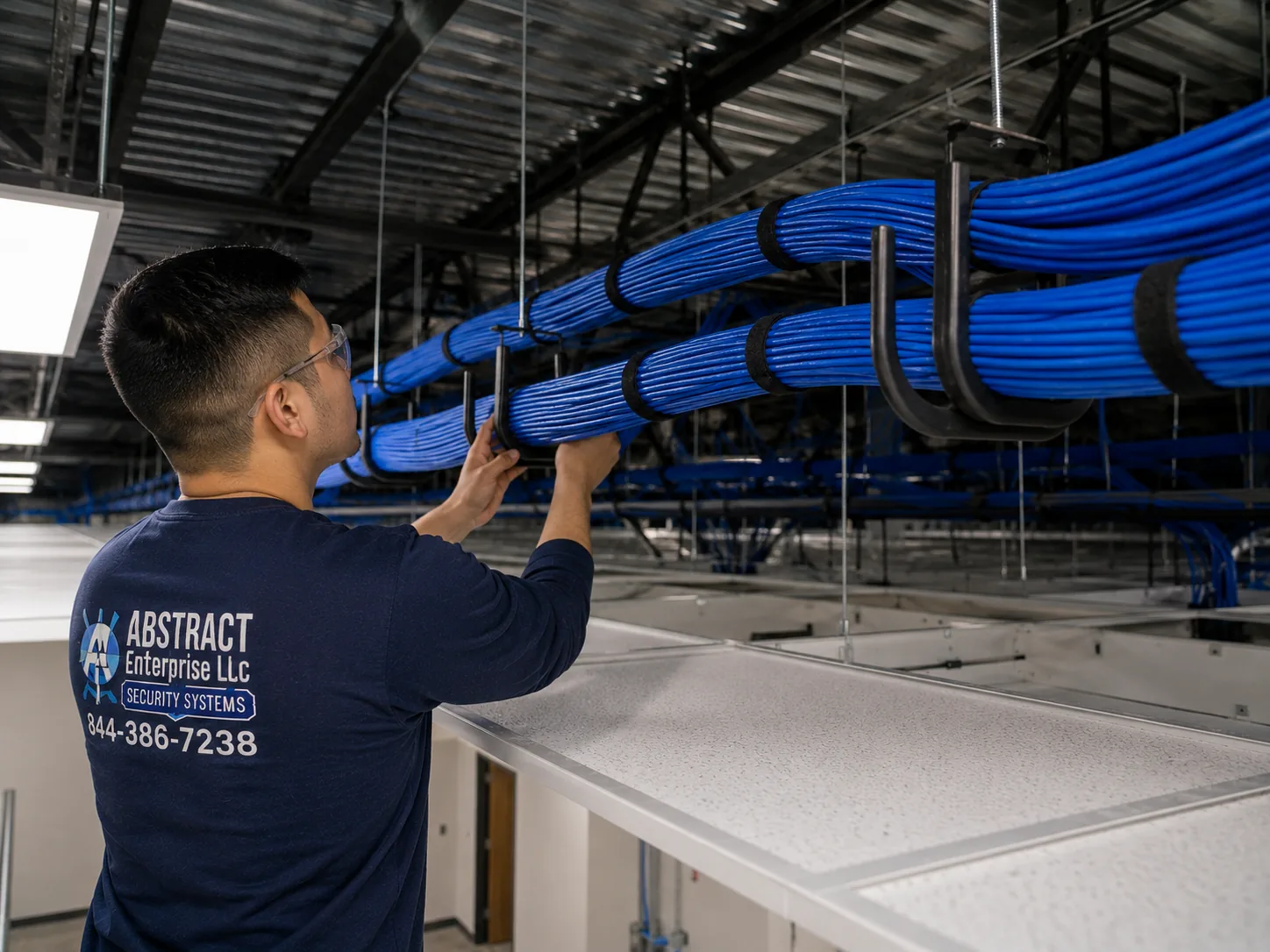
A photo from the AESS job library, taken on a Bronx job and not in Brooklyn. Camera and data cable carried in J-hooks across a commercial ceiling instead of lying on the tiles. In Brooklyn cellars we support runs along the joists the same way, so a plumber or electrician working later does not pull a camera offline by accident.
Cold, heat and weather
Brooklyn cameras face summer sun on south-facing fronts, winter wind off the harbor and the water, and the drip from cornices and fire escapes. The R2-5MPFXTUR data sheet gives an operating range of minus 40 to 131 degrees Fahrenheit and an IP66 rating, which covers dust and strong water jets. The real weak point is usually the connection, not the camera. We put the cable joint inside a Capture junction box or back box, seal the entry, and leave a drip loop so water runs off the cable before it reaches the camera. That one detail prevents most of the purple-picture and no-signal calls we see on systems other people installed.
Model Guide
The Capture Advance Models We Install Most in Brooklyn, and Where Each One Goes
Our Brooklyn price list carries eighteen Capture Advance cameras, eight recorders and five kits. Most customers do not need to read all of it. In practice, a handful of models cover nearly every Brooklyn job, and the choice between them comes down to the housing shape, the lens and whether the building is on coax or Cat6. The installed prices below are the per-camera figures from our Brooklyn list today. Each one includes the camera, mounting and a cable run up to 100 feet.
HD cameras for buildings keeping their coax
R2-HD2MPEYE, 2MP HD turret, 2.8mm, $241 installed. The least expensive Capture camera on our list and a sensible choice for a hallway, a cellar door or a landing where the camera is close to the people it watches.
R2-HD5MPEYE, 5MP HD turret, 2.8mm, $266 installed. The HD workhorse for stoops and vestibules on coax. It has more detail than the 2MP model for very little more money.
R2-HD5MPDME, 5MP HD dome, 2.8mm, $268 installed. A dome for ceilings: shop registers, lobby ceilings and the underside of a deep stoop.
R2-HD5MPBLT, 5MP HD bullet, 2.8mm, $281 installed. For side alleys and driveways on coax, where the camera points down a long, narrow space.
R2-HD5MPMOEY, R2-HD5MPMODM and R2-HD5MPMOBT, 5MP HD motorized turret, dome and bullet, 2.8 to 12mm, $354 to $368 installed. For long rear yards and deep shops where a fixed lens would make a face at the far end too small.
IP cameras for new Cat6 systems
R2-5MPFXBUL, 5MP IP bullet, 2.8mm, $325 installed. The camera in our entry-level IP package. Good for driveways, alleys and yards.
R2-5MPFXTUR and R2-5MPFXDOME, 5MP IP turret and dome, 2.8mm, $359 installed each. Our most common Brooklyn IP cameras. The data sheet for the turret lists a 93.4-degree horizontal view, infrared to 30 meters, true WDR, person and vehicle detection, people counting, PoE at up to 7.5 watts, and a microSD slot for up to 256GB.
R2-8MPFXBUL, R2-8MPFXTUR and R2-8MPFXDOME, 8MP IP bullet, turret and dome, 2.8mm, $379 to $399 installed. For wide scenes where you want to zoom into a recording afterward: a shop floor, a co-op lobby, a wide rear garden.
R2-IP4MPFLCR, 4MP full-color IP turret, $406 installed. For spots where color at night matters, such as a vestibule seen through glass or a gate under a street light, and where infrared would bounce off nearby surfaces.
R2-5MPTRMTRZ, R2-5MPDMTRZ and R2-5MPBLMTRZ, 5MP IP motorized turret, dome and bullet, 2.7 to 13.5mm, $428 installed each. The longest reach on our Capture list, for yards, loading docks and the far end of a long store.
Recorders
Capture recorders on our Brooklyn list are priced with setup on your phone included. On the HD side, the four-channel DVR is $370, the eight-channel DVR $458 and the sixteen-channel DVR $619, each with a 2TB drive. On the IP side, the four-channel PoE NVR is $473, the eight-channel PoE NVR $560, and the sixteen-channel PoE NVR is $629 with a 2TB drive or $717 with 4TB. The thirty-two-channel NVR, which has no built-in PoE and works with separate switches, is $888. For most Brooklyn homes and walk-ups, an eight-channel recorder is the right size even when you start with four cameras, because the next request almost always comes within a year: the rear yard, the roof door, or the cellar.
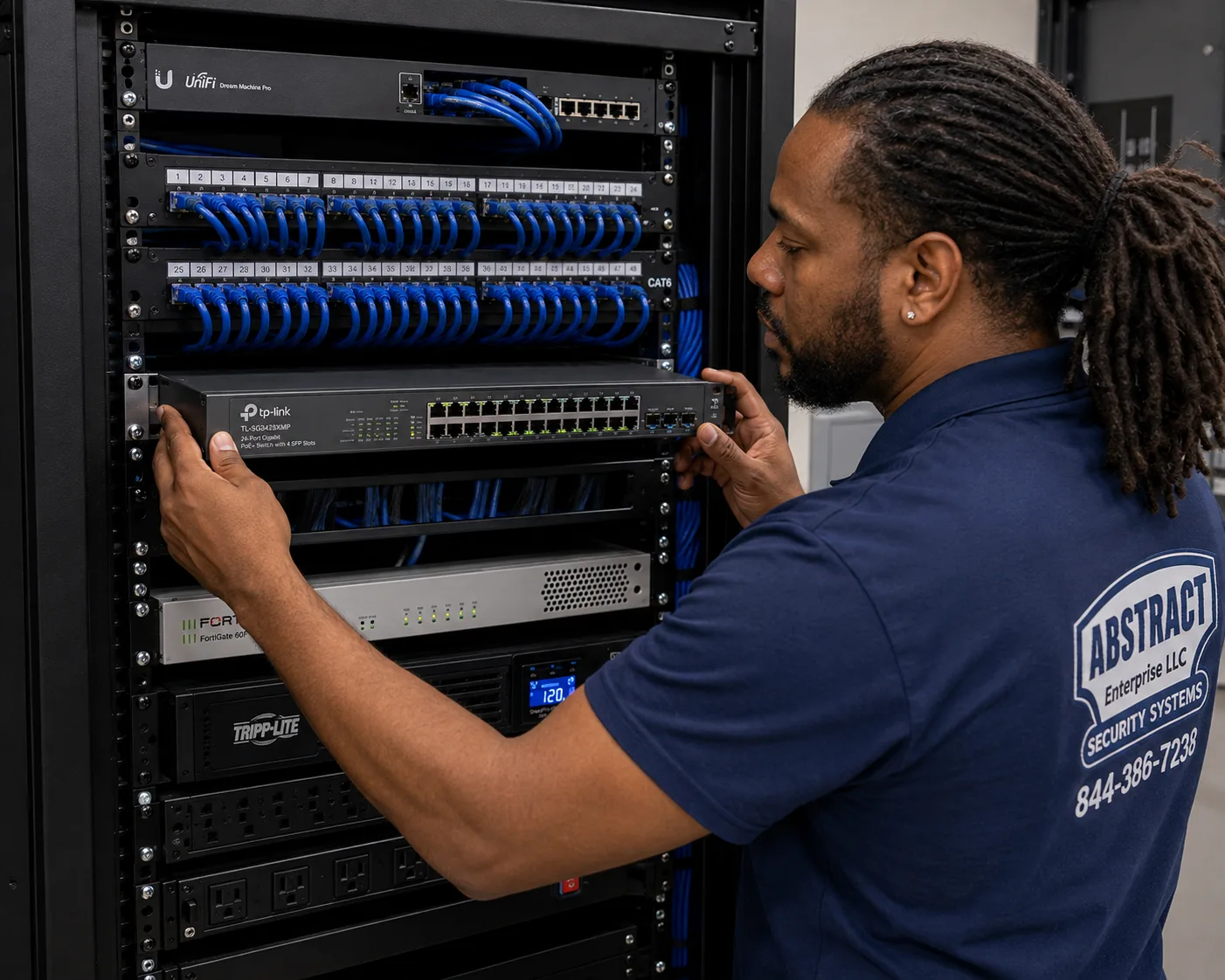
A photo from the AESS job library, taken on a Bronx job and not in Brooklyn. A technician mounting a managed PoE switch under patch panels. On larger Brooklyn Capture IP systems, such as a co-op lobby or a warehouse, a separate PoE switch feeds the cameras and the thirty-two-channel NVR records them.
Kits
Capture also sells boxed kits that pair a recorder with cameras. Our Brooklyn installed prices for them are $2,126 for the eight-channel 5MP HD DVR kit with six eyeball cameras, $2,535 for the eight-channel 4K PoE NVR kit with six 5MP turrets, $2,712 for the eight-channel full-color NVR kit with six 4MP full-color turrets, $4,020 for the sixteen-channel HD DVR kit with twelve eyeball cameras, and $4,696 for the sixteen-channel 4K PoE NVR kit with twelve 5MP turrets. The installed price adds mounting, wiring, setup and any extra drive space needed for two weeks of recording. Kits make sense when the building really needs six or twelve of the same camera. When it needs a mix, such as a motorized bullet for the yard, a dome in the vestibule and turrets on the stoop, building the system from single cameras usually fits better.
Pricing
Capture Camera Installation Prices in Brooklyn
These are the four-camera Capture packages on our Brooklyn Capture price page as of November 11, 2026. Each package includes four cameras, the recorder, a hard drive with at least two weeks of recording, mounting, wire runs up to 100 feet per camera and phone app setup. Prices are plus sales tax. Equipment prices move, so the price page is always the current figure, and your exact price comes after we see the property.
HD 2MP turrets: $1,334
Four R2-HD2MPEYE turrets on a four-channel HD DVR with 2TB. The lowest-cost way to modernize a building that already has coax.
HD 2MP bullets: $1,394
Four R2-HD2MPBUL2 bullets on the same DVR, for alleys and driveways.
HD 5MP turrets or domes: $1,663 / $1,671
Four 5MP HD turrets or domes on a four-channel DVR, with the drive sized up for two weeks at the higher resolution.
HD 5MP bullets: $1,723
Four R2-HD5MPBLT bullets, for long side yards and driveways on coax.
IP 5MP bullets: $2,002
Four R2-5MPFXBUL bullets on a four-channel PoE NVR. Our entry point for a new Cat6 system.
IP 5MP turrets or domes: $2,138
Four R2-5MPFXTUR turrets or R2-5MPFXDOME domes, the package we install most often on Brooklyn row houses and walk-ups.
IP 4MP full-color turrets: $2,097
Four R2-IP4MPFLCR turrets that keep a color picture at night.
IP 8MP bullets, turrets or domes: $2,218 to $2,298
Four 8MP cameras for wide scenes and more detail when zooming into a recording.
Hidden wiring. Our installed prices assume the cable runs exposed, through the cellar or through an attic. Hiding a run inside a hollow drywall wall is $200 more per camera, up to 100 feet. Plaster, brick, spray foam and exterior masonry walls, which are the norm in older Brooklyn buildings, are checked on site, because how a cable gets through them depends on what is behind the surface.
Capture gear you already own. If you bought Capture cameras or a kit yourself, or the previous owner left new equipment in a box, we install it at our per-camera rate for customer-supplied equipment in Brooklyn. We check the model numbers first so you are not paying for an installation that the equipment cannot support.
Deposit and terms. Half down books your install. The rest of the payment terms are in the service agreement you sign before work starts.
Full terms — including 50% deposit, one-year parts-only warranty on AESS-supplied products, and the late-fee schedule — are set out in the service agreement.
The cameras and recorders also carry their manufacturer's warranty, which is separate from our service terms. The R2-5MPFXTUR data sheet lists 36 months, and we confirm the figure for every other model on your plan from its own data sheet.
Comparing brands. If you are not set on Capture, our Capture camera installation NYC page explains how the brand compares across the city, and the price lists for other boroughs, such as Queens and Manhattan, show how the same packages are priced elsewhere.
Field Notes
Field Notes: How a Technician Surveys a Brooklyn Building for Capture
These notes describe how our technicians work through a Brooklyn survey for a Capture system. They are not a checklist we read from. They are the order of things that experience has taught us, and they explain why a survey visit takes as long as it does.
Stand across the street first. Before touching anything, the technician looks at the building from the opposite sidewalk. That view shows what a passer-by sees, where a camera would stand out, whether the facade is brownstone, brick, limestone, siding or a shop front, and whether the street trees will block a camera's view in summer. In a historic district, it also shows the band courses, cornice and stoop details that the Landmarks guidebook points to as discreet mounting spots.
Find the recorder's home before the cameras'. The recorder needs power, a connection to the building's internet, some air around it, and a place where a burglar will not see it. In a row house, that is usually a cellar shelf away from the boiler, or a closet. In a shop, it is a locked cabinet in the back office, not a shelf under the register. Once the recorder's spot is fixed, every cable route is planned back to it.
Test whatever cable is already there. If there is old coax, the technician traces each run with a tone generator and probe to find out which end goes where, then checks it for damage. Coax that has been stapled flat, kinked around a pipe, cut during a renovation or left soaking in a damp cellar gives a poor picture no matter how good the camera is. If more than one or two runs fail, the plan usually moves to IP with new Cat6.
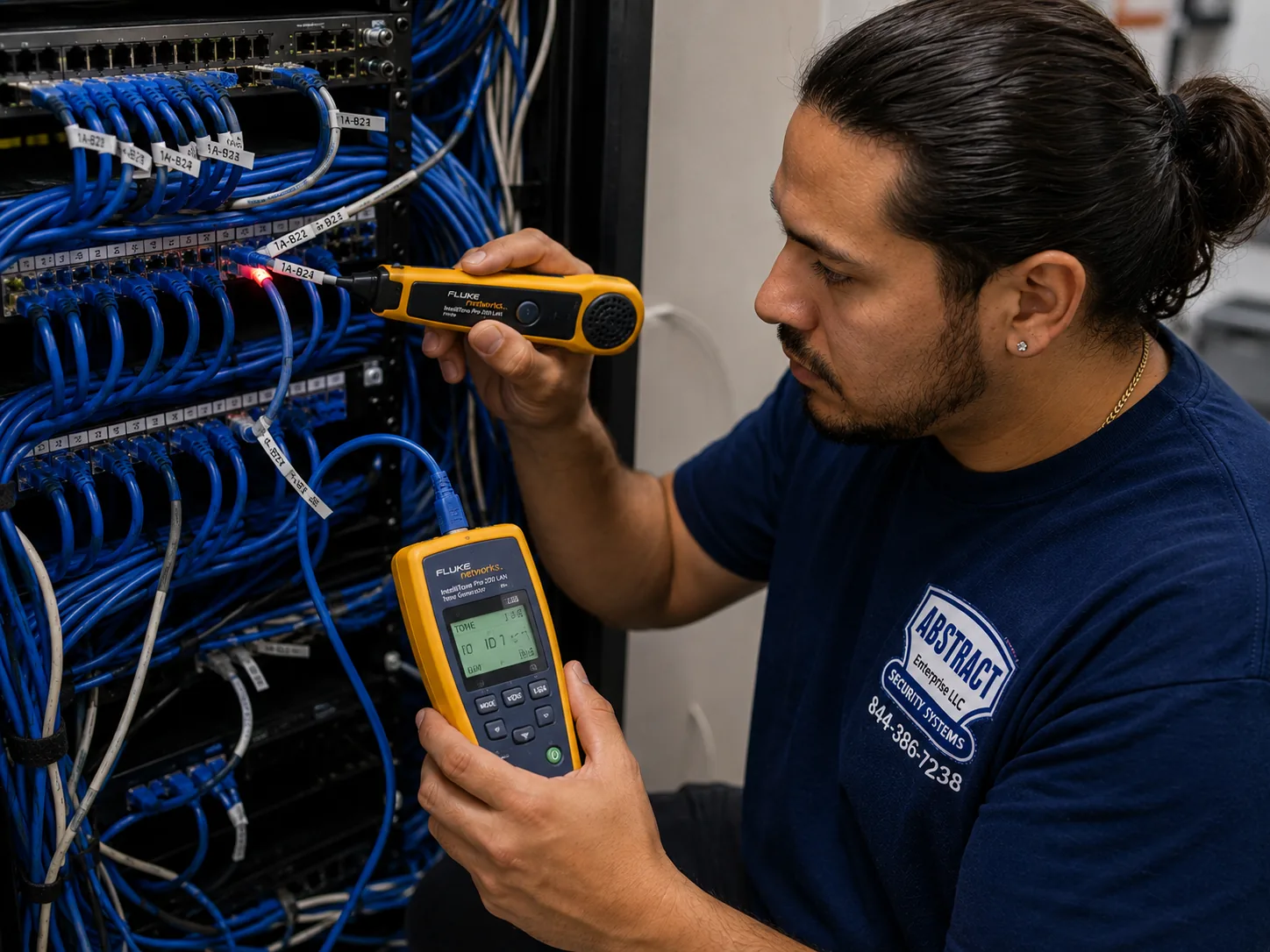
A photo from the AESS job library, taken on a Bronx network repair job and not in Brooklyn. A technician tracing an unknown cable with a tone generator and probe. On Brooklyn surveys we trace inherited coax and network cable the same way before deciding whether a Capture HD upgrade can reuse it.
Look at the light at each spot. A stoop that faces south gets hard sun in the afternoon and deep shadow under the landing. A vestibule looks from dark into bright. A rear yard may have no light at all after dusk. The technician notes each one, because it decides between a standard IR camera, a WDR camera and a full-color camera, and whether a small light needs to go up as well.
Mark privacy before it becomes a problem. Brooklyn lots are narrow, and a rear camera can easily see into a neighbor's garden or kitchen window. The technician points out where a camera's view crosses the property line, so the owner can decide on angle and privacy masks before the camera goes up, not after a neighbor knocks on the door.
Write the plan down. The survey ends with a plan that lists every camera by model number, where it goes, what it sees and how the cable gets there, along with the recorder, the drive size and the price from our Brooklyn list. For a co-op board or a landmarks filing, the same plan becomes the location list and drawing they ask for.
Common Advice, Checked
Things People Hear About Capture Cameras in Brooklyn, and What Holds Up
"A store-bought Wi-Fi camera does the same job"
For one door of a one-family house, a battery camera can be fine. For a brownstone with a garden apartment, a walk-up with eight units or a shop, the limits show up quickly. Wi-Fi struggles through brick party walls and up several floors. Batteries need charging and fail in cold weather. Most consumer cameras keep footage in a subscription cloud. A wired Capture system records locally, around the clock, to a drive you own, and the cameras get power down the cable. The trade-off is that it needs proper installation, which is what we do.
"Old coax is useless now"
Not necessarily. HD-over-coax was built for exactly the situation where good coax is already in the walls, and the Capture HD line reads CVI, TVI, AHD and CVBS signals. If the cable tests clean, keeping it is often the most sensible way to spend the budget. If it does not, we tell you, and we do not pretend a new camera will fix a bad cable.
"More megapixels always means a better picture"
Resolution matters less than placement, lens and light. A 5MP turret mounted low under a stoop gives a far more useful face than an 8MP camera on the third floor looking down. The 8MP models earn their price where the scene is wide and you want to zoom into a recording later, such as a shop floor or a wide garden, not on a narrow stoop.
"Cameras on a landmarked house need a hearing"
Most do not. The Landmarks guidebook lets staff approve cameras that meet its criteria: well spaced, discreet, as small as possible, attached to mortar joints or plain surfaces, with conduit hidden. The hearing route is for proposals that do not meet the rules. Planning a small, painted camera in a discreet spot from the start is what keeps a filing at staff level.
"The app is the system"
The Capture ADV app is how you watch, but the system is the recorder and the cable. The App Store listing describes it as a free app that decodes H.264 and H.265, shows up to 16 live channels and 4 in playback, and handles recordings, snapshots and alarms. At the time we checked, it had a 2.6 out of 5 average from 19 ratings. We are open about that with customers. The app does its job when the recorder is set up properly, and most complaints we hear trace back to network settings, not to the app itself. We set up and test it with you on the day so you are not left to work it out alone.
Give us the cross streets, the kind of building and the spots you want covered, and say whether there is old camera cable already in place. A technician will call back with the Capture family that fits, a rough price from our Brooklyn list and a time to visit. If it is urgent, call (347) 934-8335 right now.
A photo from the AESS job library, taken in a Bronx industrial building and not in Brooklyn. Cable being run into steel conduit beside a telecom room. Brooklyn warehouses, garages and the cellars of mixed-use buildings often need the same protection where a Capture camera cable passes through a busy or damp space.
✅
Request Sent!
Thank you. A technician will call you about your Brooklyn Capture system, usually the same day.
How It Works
Our Capture Installation Process in Brooklyn
1. Photos and a first call
You send the facade, the stoop or storefront, the rear and the recorder spot. We pick the HD or IP family and give a rough figure from the Brooklyn list.
2. Walk the building
A technician checks the facade, any landmark status, old coax or network cable, power, light at each spot and how a cable reaches every camera.
3. Plan and price
You get a written plan with every model number, location and cable route, priced from our Brooklyn Capture list, before anything is drilled.
4. Run and label the cable
Coax or Cat6 goes along the agreed route, fixed into mortar joints or hidden, and every run is labeled at both ends and tested.
5. Mount and aim
Each camera is mounted and aimed with you watching the live picture, with privacy masks set where it could see into a neighbor's window.
6. Recorder and app
The DVR or NVR is set up, default passwords changed, the drive sized for two weeks or more, and the Capture ADV app added to your phones.
7. Hand over
We test night images, playback and clip export with you and leave a labeled cable map and the recorder login with the owner.
After the Install
What You Should Have in Hand When Our Technician Leaves
A camera system outlives the person who installed it, and in Brooklyn it often outlives the owner who paid for it, because buildings change hands. We leave every Capture system in a state that the next owner, super or technician can understand without calling us. Before we pack up, you should have each of the following, and if anything is missing, ask for it.
The recorder's admin login, written down and changed from the default. Default passwords are the most common way camera systems end up exposed. We set a new one with you and record it where only the owner keeps it.
A labeled cable map. A simple drawing or list showing every camera, its model number, its channel on the recorder and the label on its cable at both ends, like the port map in the first photo on this page.
The Capture ADV app on every phone that should have it. Each person gets their own login where the recorder supports it, so access can be removed later without changing everyone's password.
A tested clip export. You will have exported a clip yourself, from the app or the recorder, so you know how to do it the day you need it.
Recording settings you understand. How many days the drive holds, which cameras record continuously and which flag motion, and where the privacy masks sit.
The data sheets for the models installed. Useful for a landmarks filing, an insurance claim, a co-op board or a future upgrade.
For building owners, we also suggest a short written note for residents or staff saying which areas are recorded and who to contact for footage. It is not required for a private home, but in a walk-up or a shop it heads off most of the questions and complaints before they start.
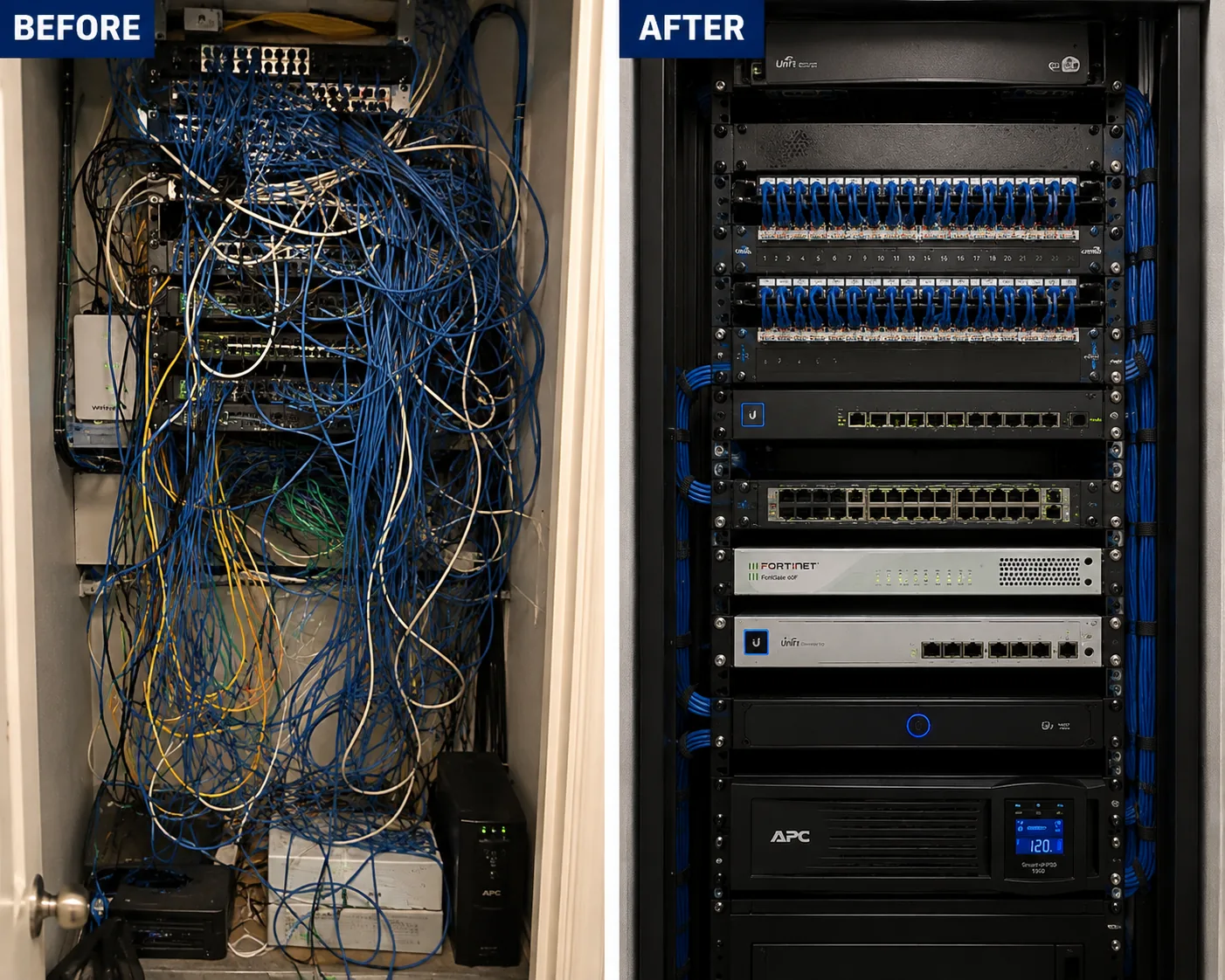
A photo from the AESS job library, taken on a Bronx rack cleanup and not in Brooklyn. The same rack before and after: an unlabeled tangle turned into dressed, identified cabling. When we take over an inherited camera system in a Brooklyn cellar, this is the standard we leave it at.
Complete Services
Every Capture Service We Offer in Brooklyn
New installations
HD and IP Capture systems from four cameras up. Request a quote
Current prices
Every Capture camera, recorder and kit with its Brooklyn installed price. Brooklyn Capture prices
Who is behind the Capture Advance brand, and why is it hard to find in stores?
+
Capture Advance is a house brand of ADI Global Distribution, a wholesaler that supplies security installers, and ADI calls it an ADI exclusive brand. That is why it usually reaches a Brooklyn building through an installer rather than a retail shelf. ADI is part of Resideo, which bought Snap One in June 2024 and folded it into the ADI business. The Capture ADV app that runs the recorders is listed on the App Store under Wirepath Home Systems, LLC. When we install Capture in your building, support for the hardware comes from ADI and support for the installation comes from us.
Are Capture Advance cameras and recorders NDAA compliant?
+
ADI describes the line as NDAA compliant cameras, recorders and kits, and the product listings we checked carry NDAA Compliant in their names, including the R2-5MPFXTUR and R2-5MPTRMTRZ IP turrets, the 2MP and 5MP HD turrets, the R2-HD5MPDME dome, the four-channel HD DVR and the sixteen-channel PoE NVR. When a co-op board, a landlord or a client needs it in writing, we print the listing or data sheet for each model on the plan. Compliance is a claim about the products, so we still lock down passwords and network access on every install.
How many cameras can go on the front of a landmarked Brooklyn row house?
+
The Landmarks Preservation Commission permit guidebook lets staff approve no more than two cameras per 25 feet of street frontage on small residential or commercial buildings, and no more than three on large buildings. Because most row houses are narrower than 25 feet, we usually plan one camera on the front, occasionally two. The guidebook also asks for discreet spots, such as under the stoop or a band course or behind an areaway wall, small equipment painted to match, attachment into mortar joints rather than cast iron or carved stone, and hidden conduit.
If the building's internet drops, do Capture cameras keep recording?
+
Yes, as long as the recorder has power. The cameras send video to the DVR or NVR over the building's own cables, so the drive keeps filling even when the internet is down. You only lose live viewing on your phone until the connection returns. The IP cameras add a backup: ADI says every Capture Advance IP camera has a microSD slot with Automatic Network Replenishment, which records to the card if the camera loses its link to the NVR and sends the missing video once the link is back.
Turret, dome or bullet: which Capture housing suits a Brooklyn stoop?
+
On most stoops we use a turret. It sits neatly under the landing or a lintel, is easy to paint to match a brownstone or ironwork, and its wide 2.8mm lens shows the steps and the sidewalk below. A dome suits a ceiling, such as a deep vestibule or a shop register. A bullet points well down long, narrow spaces like a side alley or driveway, but it stands out on a historic front. On a landmarked house, the smaller turret or dome is also easier to get approved.
Do I need a monthly subscription to watch Capture cameras on my phone?
+
No. The Capture ADV app is free, and the recorder stores footage on its own hard drive, so watching live video and playing back recordings does not need a subscription. ADI does offer an optional paid service called Capture Advance Direct to Cloud, which connects Capture cameras to the Capture Cloud VMS for off-site storage, and it says a site can connect up to five cameras without extra hardware. We suggest it only for businesses that need a copy of the footage away from the premises.
My landlord has cameras in the lobby but will not show me footage of my stolen package. What can I do?
+
Brick Underground put that question to two New York attorneys. They said a landlord is not obligated to share surveillance footage with a tenant outside a legal process, such as a police or court request. One said there may be an argument that a landlord has to act when theft is an ongoing problem, depending on the facts. Both suggested forming a tenants association to ask for footage reviews or a package locker, and using drop-off points such as an Amazon Hub or UPS Access Point. Filing a police report is usually what gets the footage pulled.
What do people think of the Capture ADV app?
+
When we checked its App Store listing, the Capture ADV app had an average of 2.6 out of 5 from 19 ratings. The listing describes a free app that decodes H.264 and H.265 video, shows up to 16 live channels and 4 in playback, and manages recordings, snapshots and alarms in 21 languages. In our experience, most connection trouble comes from how the recorder sits on the home or building network rather than from the app, which is why we set it up and test it with you before we leave.
What is the difference between the $1,334 and the $2,002 four-camera Capture packages?
+
The $1,334 package uses four 2MP HD-over-coax turrets on a four-channel DVR with a 2TB drive, and it is meant for buildings that already have usable coax. The $2,002 package uses four 5MP IP bullets on a four-port PoE NVR over Cat6, with the drive sized up for two weeks at the higher resolution. The IP package gives more detail, on-camera person and vehicle detection, microSD backup and an easier path to adding cameras. Both include mounting, runs up to 100 feet per camera and phone setup, plus sales tax.
How long is the manufacturer warranty on a Capture camera?
+
It depends on the model, so we check each one. The data sheet for the R2-5MPFXTUR 5MP IP turret, one of the cameras we install most in Brooklyn, lists a warranty of 36 months. ADI describes the line as backed by an industry competitive warranty without giving one figure for every product. The manufacturer warranty covers the equipment and is separate from our own service terms, which are set out in the service agreement you sign before we start.
Can a Capture camera count how many people walk into my shop?
+
The Capture Advance IP cameras can. The data sheet for the R2-5MPFXTUR lists people counting alongside face, human and vehicle detection, virtual fences, regions of interest and privacy masking. For a Brooklyn storefront, we mount a turret above the entrance looking down at the door so it counts people crossing a line we draw in the software. The HD-over-coax cameras do not carry these features, so a shop that wants counts should go with the IP family.
Can I keep the old analog cameras from another brand and add Capture to the same recorder?
+
Often, yes, on the HD side. ADI says the Capture Advance HD line is multi-format compatible with CVI, TVI, AHD and CVBS, which are the common analog signals other brands used. A Capture DVR can therefore often take signals from older cameras that are still working, so you can replace the worst ones first and the rest later. Security Info Watch warns that not every HD-over-coax product works with every other, so we test each old camera on the new recorder before relying on it. IP cameras need an NVR and cannot share a DVR.
Ready for a Capture System That Actually Sees Your Brooklyn Stoop
Send a photo of the front of your building, the recorder spot and any old cable, and we will tell you which half of the Capture line fits and what it costs from our Brooklyn list. Call or text (347) 934-8335, message us on WhatsApp, or use the request form. Licensed under NYS license #12000287431, rated 4.7★ from 201 Google Reviews, and working in every Brooklyn neighborhood from the same office on Troy Avenue.