What are you looking for?
About Us Contact Us Careers Get a Free Quote (800) 486-0943
Pick a service
โœ… Got Your Own System?
๐ŸŽฌ Home TheatreQuote ๐ŸŽถ AV SoundQuote ๐Ÿ”‘ Access ControlQuote
Now pick your area
Pick your area
Long Island
Hudson Valley
Services available
Pricing & Tools
Pick a service for pricing
๐Ÿšช Intercom Pricing ๐Ÿ”” Buzzer Repair Pricing
Calculators
๐Ÿ“น Camera System Calculator ๐Ÿšจ Alarm Calculator โšก Cabling Quote Builder โœ… Got Your Own System?
Select your area
Still running an old GeoVision recorder or video server in a Nassau or Suffolk home, shop or office? Some end-of-life GeoVision models are being actively exploited. Get it checked: (800) 486-0943
Home › GeoVision Camera Installation › Long Island
Levittown Slab Ranches · North Shore Estates · South Shore Waterfront · Route 110 and Hauppauge Flex Buildings · Legacy GeoVision Takeovers · Licensed Low-Voltage

GeoVision Camera
Installation in
Long Island

See every GeoVision camera price in Long Island and build your own system →

Old Recorders Checked Before Anything Else · Wired PoE, Not Wi-Fi · Nassau and Suffolk Price Lists

GeoVision camera installation on Long Island usually starts with a question about the box already on the shelf. GeoVision systems have been sold for years, and some of the older units, including the GV-VS12, GV-VS11, GV-DSP LPR V3 and GV-LX4C V2 and V3, are past end of life, unsupported, and named in two flaws that CISA lists as actively exploited. At the same time, Nassau and Suffolk police and local news keep pointing homeowners toward wired cameras, after a Long Island man said thieves jammed his Wi-Fi cameras before taking a personal watercraft from his driveway. We install current GeoVision NVRs, GV-VMS and PoE cameras on hard-wired Cat6, take over and clean up older GeoVision systems, and tell you plainly which parts of an existing system can stay and which need to go, in a slab ranch in Levittown, a Gold Coast estate, a South Shore canal house or a flex building off Route 110.

Reviewed and updated November 5, 2026 by Anwar Timothy, NYS license #12000287431 · Sources: CISA Known Exploited Vulnerabilities coverage by BeyondMachines and The Hacker News, Security Affairs, BleepingComputer, Bitdefender and Cybersecurity Help reports on CVE-2024-6047 and CVE-2024-11120, GeoVision's GV-NVR product page and support FAQ, the 2N integration wiki on GV-VMS, the GV-Eye App Store listing and installation guide, CBS New York, News 12 Long Island, ABC7, NBC New York, Daily Voice, the LI Herald, Long Island Life & Politics, The Suffolk Times, Finwire, the U.S. Census Bureau's 2023 American Community Survey, ny.gov county profiles, the NYS Department of Financial Services August 2024 flood release, Wikipedia entries for Levittown, Levitt & Sons, Nassau County, the North Shore, Roosevelt Field and Stony Brook University, Encyclopedia.com, the Suffolk County Police SHIELD camera registry page, the Garden City Police private camera registration page, Suffolk County Code Chapter 563 on eCode360, Nassau County Consumer Affairs, and New York General Business Law Article 6-D · Dispatched from 1282 Troy Ave, Brooklyn

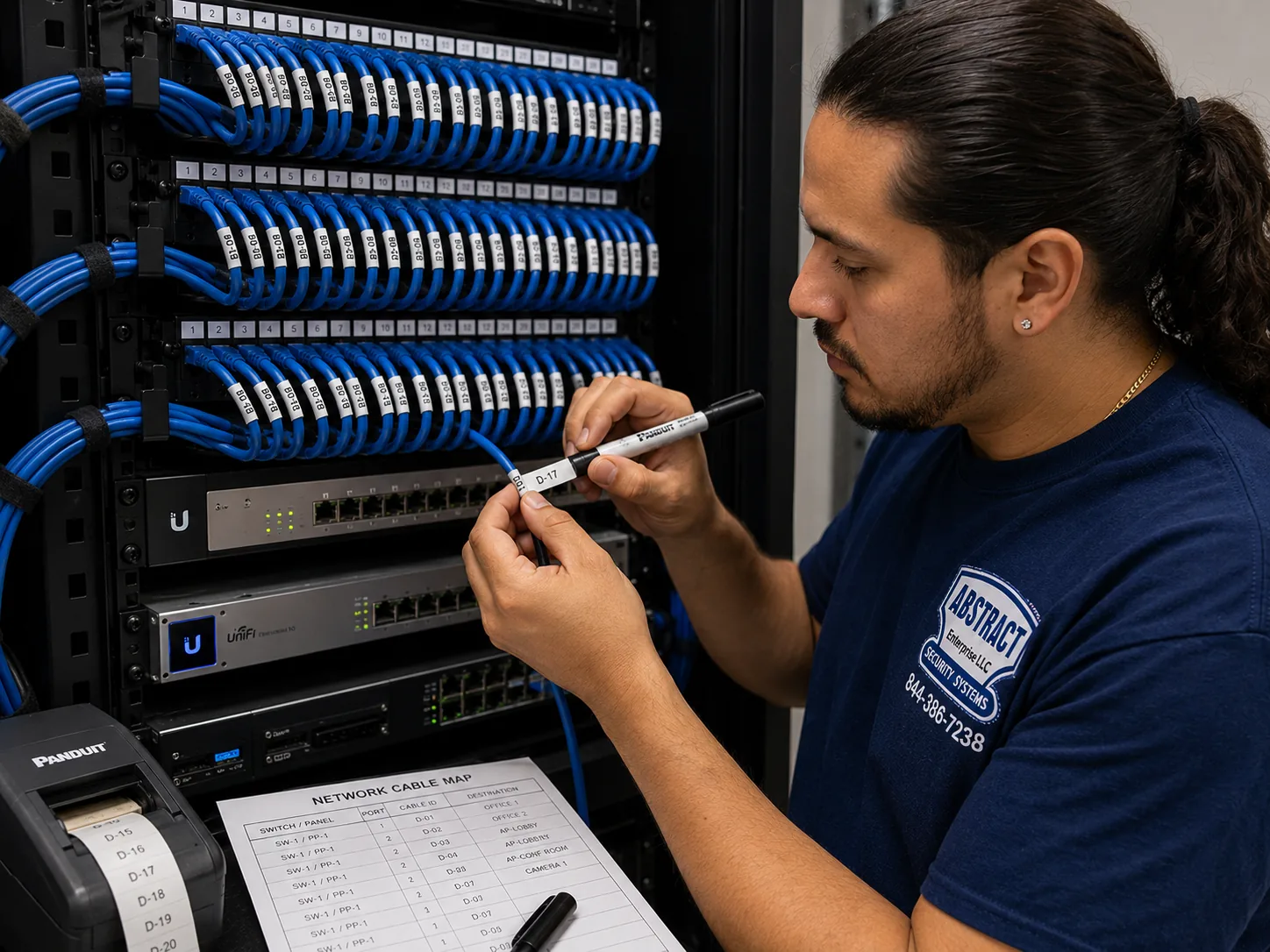
GeoVision camera installation for the Long Island hub, Long Island: technician printing cable labels at a patch panel beside a printed port map
Photo from the AESS job library, not taken on Long Island: a technician printing cable labels at a patch panel, with a printed port map beside it. When we take over a GeoVision system in a Route 110 office or a Hauppauge flex building, the first job is often exactly this: matching every unmarked camera cable to a port, labelling it, and putting the map on paper so the next person does not have to guess.
Long Island GeoVision Cameras
Tell us the town, the property type and the model on any existing recorder

✅
Request Sent!
We'll call about your Long Island GeoVision system the same business day.
25+
Years Experience
✓
Same-Day Estimates
100%
Licensed & Insured
4.7โ˜…
201 Google Reviews

Owner-operated since 2002 · Thousands of jobs completed · Booked within 2 hours

Quick answer: GeoVision camera installation on Long Island is priced per job from our published Long Island GeoVision price list, with separate Nassau County and Suffolk County lists, and it covers the cameras, the recorder or GV-VMS software, Cat6 cable, mounting, setup and phone viewing. If you already own GeoVision equipment, the first thing we do is check the model, because several older units are end-of-life and have known, actively exploited flaws. We book a visit or a phone review within 2 hours of your request, and the written quote names every item before any work starts. Call (800) 486-0943 or see the Long Island GeoVision price list.

  • Every price comes from the county list for your address: Nassau addresses use the Nassau County GeoVision prices, Suffolk addresses use the Suffolk County GeoVision prices
  • Cameras on hard-wired PoE wherever the building allows it, because jamming and dead batteries do not stop a cable
  • Low-voltage camera and recorder work done under NYS license #12000287431, with a certificate of insurance for villages, landlords, HOAs and boards when they ask
The Neighborhood

Why Long Island Properties Need GeoVision Camera Installation

Long Island is not one neighborhood, and a GeoVision system that works well here has to be planned for the kind of place it is going into. According to the state's county profiles, Nassau County covers about 453 square miles with two cities, three towns, 64 incorporated villages and more than 60 unincorporated hamlets, while Suffolk covers about 2,373 square miles and ten towns. The Census Bureau's 2023 American Community Survey counts about 477,860 housing units in Nassau and about 579,790 in Suffolk, and in both counties the large majority are one-unit detached houses: roughly 364,529 in Nassau and 463,095 in Suffolk. The same survey gives a median year built of 1955 for Nassau and 1970 for Suffolk. Put simply, most Long Island camera jobs are on detached houses with a driveway, a front door, a back door and a yard, built in the decades after the Second World War and changed many times since. A good GeoVision installation here is about covering those four things on a house whose walls, attic and floor were never planned for camera cable.

The postwar building boom explains a lot of what we find. Wikipedia's entry on Levitt & Sons records that the company broke ground on Levittown on July 1, 1947, and the development grew to about 17,447 houses by 1951, Cape Cods and then ranches on quarter-acre lots. An architecture firm's history of Levittown describes those ranches as built on concrete slabs, heated with hot-water radiant pipes laid in the slab, with an expandable attic and no garage. Encyclopedia.com notes Levitt switched from the Cape Cod model to the ranch in 1949, and a history of the town observes that so much remodeling has happened that very few original Capes remain. For camera cable this matters in a very practical way. There is no basement to run wire through, the floor may still carry heating pipes, and the attic of a house that has been expanded two or three times may now be split into separate spaces that do not connect. A GeoVision camera on the back corner of a Levittown-style ranch usually gets its cable through the attic and down inside an exterior wall or along the soffit, never through the slab.

The other reason Long Island owners ask about wired systems is what they keep reading in the news. CBS New York reported on a Long Island man who believes thieves jammed his home cameras so they could steal his personal watercraft from his driveway, and the security expert in that story gave blunt advice: "Any camera system that you have, hardline it." News 12 Long Island, covering burglars using Wi-Fi jammers in New Jersey, reported that police urge homeowners to hardwire their security systems rather than rely on Wi-Fi. GeoVision's current line is built around IP cameras on a network, and in our installs that network is a Cat6 cable from each camera back to a PoE switch or the recorder's own PoE ports. A jammer that blinds a Wi-Fi doorbell does nothing to a cable, and a camera fed with power over that cable does not die when its battery runs flat on a cold night.

The pattern of break-ins reported on the Island also shapes where the cameras go. In coverage of an international burglary crew, CBS New York reported that homes behind the Seawane Country Club in Hewlett Harbor had minimal lighting and that police believed the burglars came in from the rear of the property; the village's mayor said patrols were doubled and license plate readers added. Nassau's police commissioner, quoted in another report, said the group hit higher-end homes on both shores, naming Sands Point, Brookville, Great Neck and Woodsburgh. CBS also reported 21 burglaries in twelve months across Sea Cliff, Glenwood Landing and Glen Head with no arrests at the time. In October 2026 News 12 reported an arrest after a man allegedly went into a gated backyard on Melville Road in Farmingdale and forced his way in through the rear door, and a Patch story on a West Babylon break-in described the burglar getting in through a back window. Again and again the weak side is the back of the house: dark, out of sight of the street, reached across a yard. A GeoVision plan for a Long Island house almost always puts as much thought into the rear yard and the back door as into the front walk.

Then there is the equipment that is already on the wall. GeoVision has been a common brand with security dealers for a long time, and older recorders and video servers are still running in homes, shops and offices. In late 2024 the Shadowserver Foundation, as Security Affairs reported, observed a botnet exploiting a previously unknown flaw in end-of-life GeoVision devices, tracked as CVE-2024-11120 and rated 9.8 on the CVSS scale. BleepingComputer reported about 17,000 vulnerable GeoVision devices exposed on the internet, most of them in the United States. CISA later added CVE-2024-6047 and CVE-2024-11120 to its Known Exploited Vulnerabilities catalog, and The Hacker News reported that federal agencies were required to apply fixes by May 28, 2025 or stop using the products. Because the affected models are past end of life, Bitdefender reported that no patch is coming and owners are told to replace them. If one of those boxes is sitting in a Massapequa basement or a Hauppauge equipment closet with its web page open to the internet, it is not just failing to protect the property; it may be helping someone attack other networks. That is why this page spends as much time on checking and replacing old GeoVision gear as on installing new cameras.

Businesses are part of the same story. CBS New York reported a run of nine burglaries in six months that hit delis, laundromats and gas stations across Suffolk County, with the suspects caught on various surveillance cameras. In September 2026 News 12 reported that the owner of Morning Delights in Uniondale received a motion alert from his security camera, went to the restaurant and found a burglary suspect there. Daily Voice reported in May 2026 that a Roslyn Heights homeowner watched two men on his camera system trying to break into a storage unit, and police tracked their car and arrested them. Each of those stories turns on the same thing: the camera saw something, the footage was usable, and someone was alerted or could hand video to police. A GeoVision system is only as good as its aim, its night picture, its recording and its remote access, and getting all four right on a Long Island strip-mall storefront is a different job from doing it on a waterfront house.

Some of what we were asked to research came back empty, and we would rather say so than fill the gap. We found no Reddit threads on r/longisland or r/homesecurity about GeoVision installation on the Island, no Yelp complaints about camera installers in the results we could see, and no hyperlocal news story about a GeoVision system specifically on Long Island. We could not view Google's People Also Ask boxes or AI Overview for this search from our build environment. HPD violations, 311 complaints, DOB permits and Landmarks rules are New York City records and do not apply in Nassau or Suffolk, so you will not find them on this page. What is here comes from the sources listed at the top, from GeoVision's own documentation, and from what we do on jobs.

Long Island facts that shape a GeoVision install

  • Mostly detached houses: the Census Bureau counts about 364,529 one-unit detached homes in Nassau and 463,095 in Suffolk, out of about 477,860 and 579,790 housing units.
  • Older in the west, newer in the east: the median year built is 1955 in Nassau and 1970 in Suffolk, so attic access, wall cavities and old wiring change as you drive east.
  • Slab houses by the thousand: Levittown alone reached about 17,447 homes between 1947 and 1951, ranches on concrete slabs with heating pipes in the floor.
  • Many local governments: Nassau has 64 incorporated villages plus towns, cities and hamlets; Suffolk has ten towns and its own villages, each with its own paperwork habits.
  • Old GeoVision gear under attack: CISA lists CVE-2024-6047 and CVE-2024-11120 as actively exploited in end-of-life GeoVision devices, including the GV-VS12, GV-VS11, GV-DSP LPR V3 and GV-LX4C V2 and V3.
  • Rear-yard break-ins: reports from Hewlett Harbor, Farmingdale and West Babylon describe entry from the back of the property, often in poor lighting.

What owners often add once the cameras are in. On Long Island, the next request after a GeoVision system is usually about the gate, the side door or the alarm. If you plan to tie cameras into a police-dispatched alarm, both Suffolk and Nassau run alarm permit programs with registration fees and false-alarm rules, so we raise that before you buy, not after. If you want a door station or access control on a side entrance later, say so at the start, and we pull an extra cable to that door while the attic is already open.

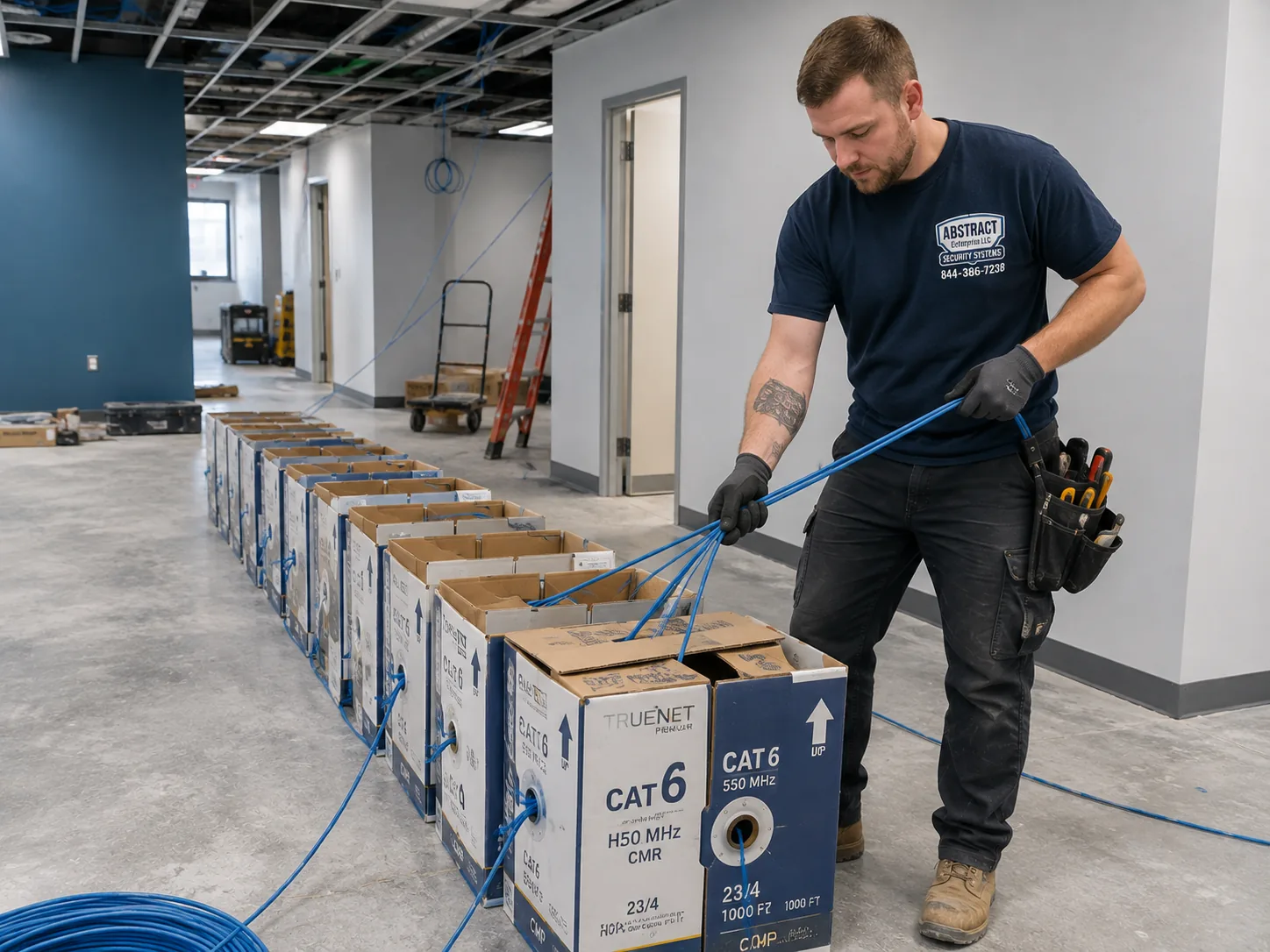
GeoVision camera installation for the Long Island hub, Long Island: boxes of network cable staged for a multi-drop pull on a working commercial premises
Photo from the AESS job library, not taken on Long Island: boxes of network cable staged for a multi-drop pull in a business that stays open while the work goes on. A deli, laundromat or gas station on Hempstead Turnpike or Jericho Turnpike gets its GeoVision camera cables pulled the same way, several runs at once from staged boxes, so the counter only loses the ceiling for one visit instead of several.

Cameras Dark, Recorder Beeping or an Old GeoVision Box You Don't Trust? Fast Help on Long Island

A GeoVision recorder that has stopped recording, a camera that has gone black on one side of the house, a lost admin password, or a GV-Eye app that suddenly will not connect are the calls we move on first, because the property is unwatched until they are fixed. If you suspect the recorder is one of the end-of-life models named in the CISA-listed flaws, unplug its network cable from the router, leave its power on so nothing is lost, and call (800) 486-0943. Tell us the model on the label, how many cameras it runs and whether anyone set up remote access through the router. If cameras were tampered with, as Daily Voice reported in North Valley Stream in May 2026, where burglars repositioned cameras and covered lenses with tape while a family was away, save any footage you can before touching anything, and we will help you pull it off the recorder.

Legacy GeoVision Audit

The Old GeoVision Box in the Closet: Which Long Island Systems Need to Be Isolated, Reset or Replaced

Most of the GeoVision calls we expect from Nassau and Suffolk are not about a bare house with no cameras. They are about a system someone else installed, sometimes a decade or more ago, that still records but that nobody fully understands. The original installer may have closed up shop, the password may be on a sticky note, and the remote viewing may have been set up by opening ports on the router. Before 2024 that was an annoyance. Since the botnet reports and the CISA listing, it is a question worth answering properly. The table below sets out what the published sources say about the affected devices, and what we do when we find one.

Device named in the reportsWhat the sources sayWhat we do on site
GV-VS12End of life, no longer supported by GeoVision, affected by the actively exploited flaws (Cybersecurity Help, BeyondMachines)Disconnect from the internet, record what it connects to, plan replacement
GV-VS11End of life and affected, per the same reportsSame: isolate first, then replace
GV-DSP LPR V3End of life and affected; the name points to a plate-recognition unitCheck what gate or entrance it watches; replace with a supported plate or overview camera
GV-LX4C V2 and V3End of life and affectedIsolate and replace with a supported camera on the same cable where the cable tests good
Any GeoVision device whose admin page is reachable from outside the buildingAbout 17,000 exposed devices were counted worldwide, most in the US (BleepingComputer, Security Affairs)Close the router port forwards, move remote viewing to a secured method, change every password

What "end of life" means for a camera owner

When a manufacturer declares a product end of life, it stops writing software updates for it. For a doorbell or a recorder, that would be a nuisance; for a device that sits on your network and answers requests from anywhere, it is the real problem. CVE-2024-11120, as Security Affairs described it, is a pre-authentication command injection: an attacker does not need your password to make the device run commands. CISA's listing, reported by BeyondMachines, says both flaws let unauthenticated remote attackers run arbitrary system commands. Bitdefender reported that GeoVision will not patch these models and that owners should replace them. That means there is no setting, firmware file or clever configuration that makes an affected end-of-life unit safe on the open internet. The fix is to take it off the internet and, sooner rather than later, out of service.

Isolate, reset, replace: in that order

The recommended steps reported by BeyondMachines are to isolate affected devices from the internet, perform factory resets, and ideally replace them with supported models. On a Long Island job we follow that order and add one step at the front: save the evidence and the settings. Before we disconnect anything we photograph the labels, write down which cameras feed which inputs, and export any footage the owner needs, for example from a recent incident. Then we remove the device's path to the internet, which usually means deleting port forwards on the router and turning off any automatic port opening. If the device has to keep running for a few days while new equipment arrives, it runs isolated. A factory reset clears anything an attacker may have left in its settings, but on an end-of-life unit it does not remove the underlying flaw, so we treat the reset as a stopgap and the replacement as the real fix.

What can usually be kept

An old GeoVision system is rarely all scrap. The most valuable thing in it is often the cable. A Cat5e or Cat6 run that was pulled into the attic of a split-level fifteen years ago, or along the J-hooks of a warehouse ceiling in Hauppauge, can carry a new PoE camera perfectly well if it tests good end to end. Camera brackets and junction boxes on stucco or cedar shingle are sometimes reusable too. Hard drives are a mixed case: the footage on them may matter, but drives that have been spinning in a hot closet for years are not what we want new recordings sitting on. And cameras from other makers that were plugged into the old system may carry over to a current GeoVision recorder if they support ONVIF, which GeoVision says its GV-NVR works with across a wide range of third-party IP cameras. We test each piece and give you a written list of what stays, what goes and why.

Remote viewing done without opening the front door

The single most common weakness we expect in older Long Island systems is how the remote viewing was set up. Many installers simply forwarded ports from the router to the recorder so the owner could see the cameras from work or from Florida. That is the open door the botnet reports describe. GeoVision's current GV-Eye installation guide describes a different path through its GV-Relay service, which by default uses port 443 and moves to port 9443 if 443 is already taken by something else such as WebCam SSL or RTSP. We set remote viewing up on supported software with strong, unique passwords and nothing exposed that does not need to be, and we show you in the GV-Eye app, which the App Store lists as a free iOS app for live view, playback and snapshots on GeoVision devices, that it still works from outside the house.

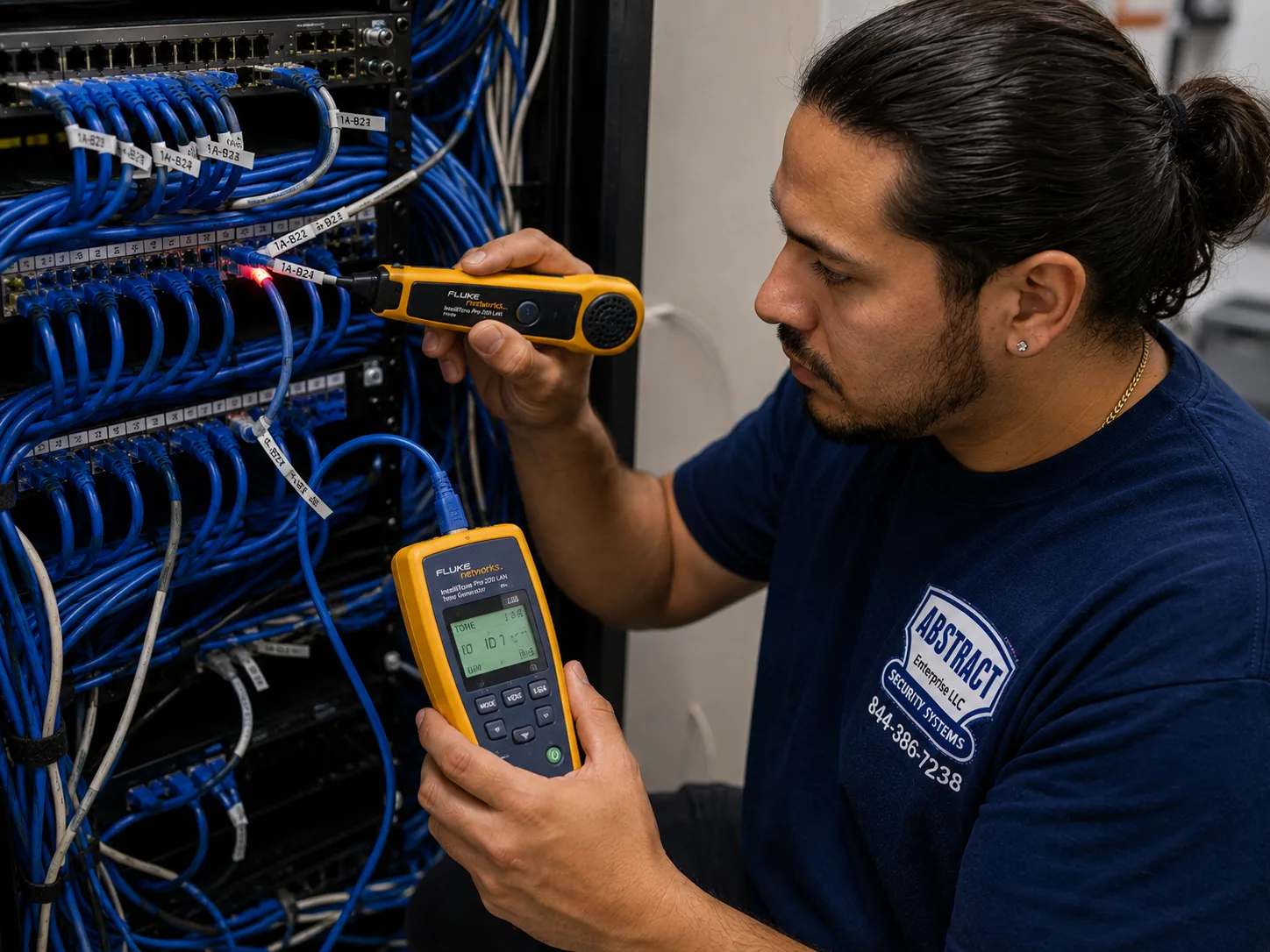
GeoVision camera installation for the Long Island hub, Long Island: technician tracing an unidentified cable run at a patch panel with a tone generator and probe
Photo from the AESS job library, not taken on Long Island: a technician tracing an unidentified cable run at a patch panel with a tone generator and probe. In an older GeoVision system inherited with a Suffolk office or a Nassau two-story colonial, half the cables are often unmarked; tracing each one to its camera is how we decide which runs can carry a new PoE camera and which have to be replaced.
Before You Book

Driveway to Back Fence: What to Check at a Long Island Property Before We Visit

A GeoVision quote is quick and accurate when we know four things: where the cameras need to look, how cable can reach those spots, where the recorder will live, and what is already there. Ten minutes with a phone camera answers most of it. Please do not open walls, unplug a running recorder that holds footage you need, or climb onto a roof; just look and send us what you see.

What to checkWhy it matters on Long IslandWhat to send us
The label on any existing recorder or boxTells us at once whether it is one of the end-of-life GeoVision models or a supported oneA clear photo of the model sticker, front and back
Attic accessOn slab ranches and Capes the attic is usually the only cable path; expanded houses may have several separate attic spacesWhere the hatch is, and whether you can see insulation or flooring up there
Basement or crawl spaceColonials and split-levels with a basement give us a second route; slab houses do not have oneWhich rooms have a basement under them
The back of the house at nightSeveral reported break-ins came from dark rear yards; lighting decides how good the night picture will beA photo taken after dark with the outdoor lights on
Exterior finishVinyl, cedar shingle, brick, stucco and stone each take different mounts and boxesA close photo of the wall where a camera would go
Where the internet comes inThe recorder or PoE switch should sit near the router, on a battery backup, out of heatA photo of the router and the shelf or closet around it
Driveway, gate and dockDriveway thefts and plate readers are part of local news; long lots may need a pole, a long cable or fiberThe distance from the house to the gate, garage, shed or dock
Who signs offHOAs, condo boards, landlords and some villages want paperwork or a certificate of insuranceThe managing agent or board contact if there is one

Walk the property the way a stranger would

The most useful thing you can do before we arrive is walk your own property from the street to the back door at night and notice what a stranger would notice. Where could someone stand without being seen from the road? Which gate is unlocked? Which side of the house has no light at all? Where do delivery drivers leave packages? Where do cars park overnight? On the Island, the answers are usually the rear door, a side gate between houses, the driveway and the front step. Write them down. The camera list follows from those answers, not the other way around, and it saves paying for a camera on a wall nobody would ever approach.

Think about where the recorder should live

GeoVision recorders and PoE switches need a dry, ventilated, reasonably cool place with power and a connection to the router. In a slab ranch that might be a closet off the hall or a shelf in the garage; in a colonial, the basement next to the internet line is often ideal, unless that basement takes water. After the August 2024 storms, when the state's Department of Financial Services reported the first-ever flash flood emergency for Suffolk County and over 2,000 residents and business owners with flood damage, we stopped assuming a basement shelf is a safe place on low ground. If water has ever come into your basement, tell us, and we will put the recorder higher.

Check the neighbor's side of every view

Before you decide a camera should look down the side yard, stand where it would go and look. If the view takes in a neighbor's windows, pool or fenced yard, the camera may still be fine, but it needs privacy masking blocking those areas. New York Civil Rights Law section 52-a, as one news explainer summarized it, makes it unlawful to install or use video surveillance where a person has a reasonable expectation of privacy. In Shirley, police told CBS New York in a neighbor dispute that a backyard visible to the public was fair game, which shows how much depends on the exact view. We aim and mask with you so the camera watches your property and the public approach, not the house next door.

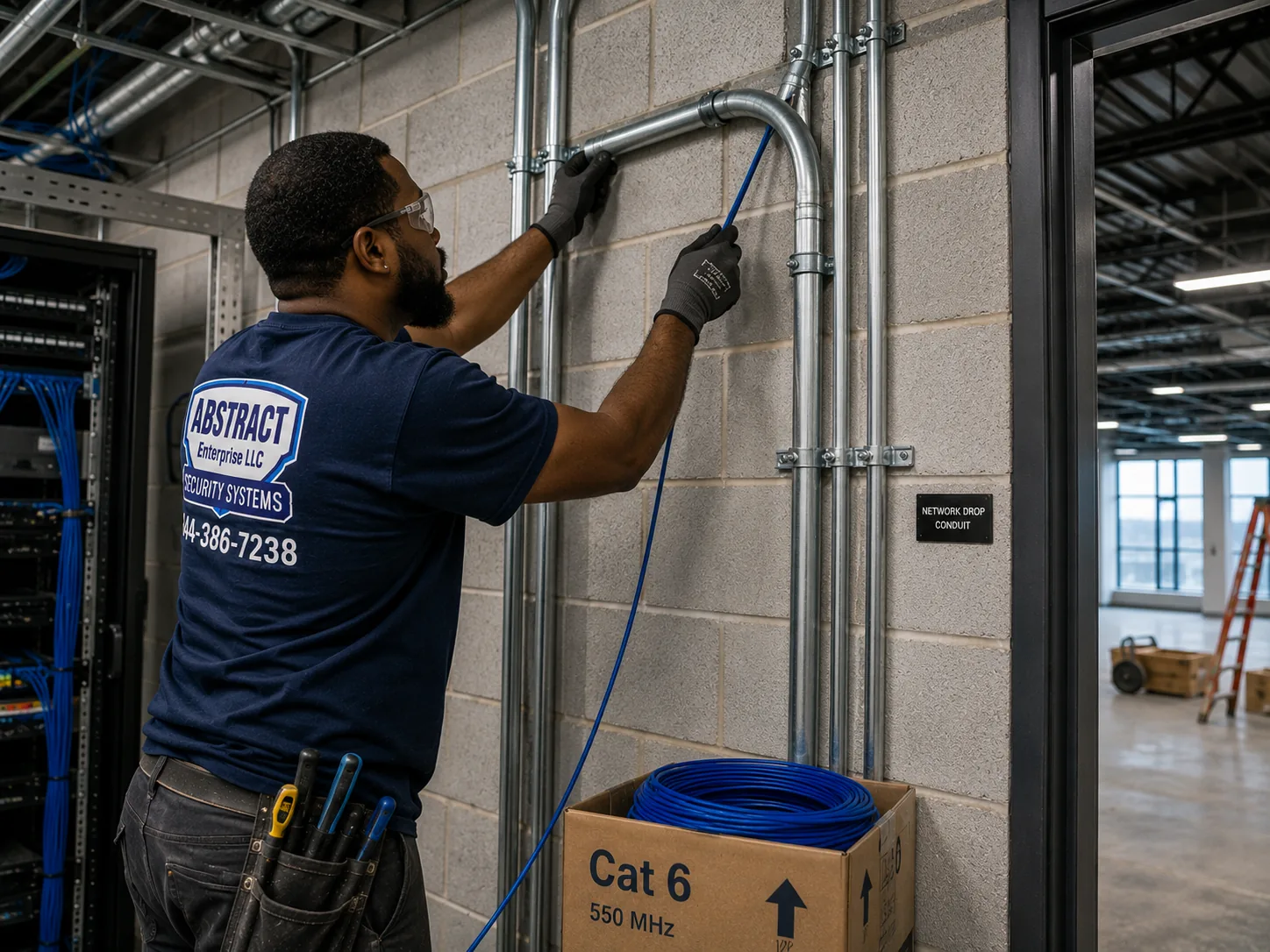
GeoVision camera installation for the Long Island hub, Long Island: technician running cable into EMT conduit beside a telecom room in an industrial building
Photo from the AESS job library, not taken on Long Island: a technician running cable into EMT conduit beside a telecom room in an industrial building. Warehouses and flex buildings along Route 110 and in the Hauppauge industrial park often need camera cable in conduit like this where it crosses open walls or loading areas, so a forklift or a pallet cannot cut a camera off.
What We Install

GeoVision Camera Installation Services in Long Island

These are the GeoVision jobs we take on in Nassau and Suffolk homes, businesses, HOAs and institutions. Each is quoted from the county price list for your address, and the written quote names cameras, recorder, storage and cable routes before you agree to anything.

📹

New GeoVision Systems

Complete systems built on a current GeoVision NVR or GV-VMS with PoE IP cameras, sized to the property: four to six cameras on a ranch, more on a large colonial, estate or storefront.

🛡

Legacy GeoVision Audits

Model checks against the end-of-life devices in the CISA-listed flaws, router port reviews, password resets, footage export and a written isolate-or-replace plan.

🔁

System Takeovers

Systems installed by someone who is no longer around: cables traced and labelled, cameras mapped to channels, admin access recovered or rebuilt, and documentation left behind.

🔌

Wi-Fi to Wired Conversions

Battery and Wi-Fi cameras replaced with PoE cameras on Cat6, the direct answer to the jamming reported on the Island and to batteries that quit in winter.

🧩

Mixed-Brand Systems via ONVIF

Other makers' cameras brought onto a GeoVision recorder through ONVIF, or a GeoVision camera added to an existing system, tested channel by channel.

🚗

Driveway, Gate and Plate Views

Cameras aimed at driveways, gates and parking entrances for faces, vehicles and plates, mounted and angled for the distance and the light.

📱

Remote Viewing on GV-Eye

Secured remote access for live view and playback on phones and tablets, set up without forwarding the recorder's admin page to the open internet.

🏢

Multi-Site and Large Systems

GV-VMS for owners with many cameras or several buildings, recording up to 64 channels of GeoVision and third-party IP devices per GeoVision's specifications.

🔧

Repairs and Re-Aims

Dead cameras, failed drives, recorders that will not boot, cameras knocked out of position or covered, and night pictures washed out by new lighting.

Not sure whether you want a fresh system or a takeover of the one you have? Send photos of the recorder and two or three cameras. In most cases we can tell you over the phone which way the numbers point, and the GeoVision camera installation prices for Long Island show you the lines before we ever visit.

Building Specialists

GeoVision Camera Installation for Long Island's Architecture

A GeoVision camera is the same camera in Bethpage or Bridgehampton. What changes is the route its cable takes, the wall it is fixed to, the weather it faces and who has to agree before we drill. These are the property types the census, local histories and news reports describe on the Island, and how each changes the install.

Slab Ranches and Capes

The Levittown model and its many relatives in Hicksville, Massapequa and beyond: no basement, heating pipes possibly still in the slab, attics that may have been split by later dormers and additions. Cable goes up and over, never down.

Colonials and Split-Levels

Two-story and split-level houses from the 1950s through the 1970s, many with a basement or half-basement and a garage. More routes for cable, more corners to cover, and often an existing alarm or camera system to work around.

North Shore Estates and Large Lots

Gold Coast properties, where more than 500 mansions were built from the early 1890s, plus the subdivisions carved from them. Long driveways, gates, outbuildings and distances that can exceed what a single copper run can carry.

South Shore and Waterfront Homes

Wood-frame and cedar-shingle houses near canals and bays, docks and boat lifts, salt air and storm exposure. Corrosion-resistant hardware, sealed connections and cameras that look at the water side as well as the street.

Seasonal and East End Homes

Houses that sit empty for months, where remote viewing, recording reliability and power backup matter more than anywhere else, because nobody is there to notice a camera going dark.

Condos, HOAs and Apartment Complexes

Shared buildings and garden complexes, including new rental buildings near LIRR hubs. Board approval, insurance certificates, common-area coverage and clear rules about who can see the footage.

How the property type changes the job

PropertyUsual cable routeWhere the recorder goesMain watch-outs
Slab ranch or CapeAttic to soffit or down inside the exterior wallHall closet, garage shelf or utility roomNo drilling in the slab; separate attic sections after additions
Colonial or split-levelBasement up through walls, or attic down, or bothBasement near the internet line, unless it floodsFinished basements, old alarm wiring, multiple rooflines
Estate or large lotLong Cat6 runs, conduit, or fiber to outbuildingsA main equipment room, sometimes a second recorder in an outbuildingDistance limits, gatehouses, landscaping crews
Waterfront homeAttic and exterior runs with sealed entriesUpper floor, away from flood levelSalt air, wind, storm surge zones
Seasonal homeSame as the house type, with extra care at entriesSomewhere it can stay cool and dry while the house is closedPower backup, remote health checks
Condo or HOACommon-area ceilings, conduit, existing risersA management office or locked roomBoard approval, insurance, footage access rules

Slab houses: getting cable from the attic to every corner

In a slab ranch the attic is the backbone of the camera system. We enter it, find the top plates of the exterior walls, and plan each camera so its cable drops the shortest distance to its mount. On many ranches the cleanest camera position is just under the soffit at a corner, with the cable coming straight out of the attic through a sealed hole in the soffit or the fascia, never left hanging on the siding. Where a camera has to sit lower, for example beside a back door, we fish the cable down inside the exterior wall cavity if it is open, or run it in a neat exterior raceway painted to match if it is blocked by fire blocking or insulation. What we never do is drill into the slab. The architecture history of Levittown describes hot-water heating pipes laid in those floors, and even where a system has been replaced, the pipes or their remains may still be there. Expanded houses add another wrinkle: a dormer or a second-story addition can split the attic into sections, so one corner of the house may only be reachable from a different hatch, or not at all. We look before we quote.

Colonials and split-levels: two routes, more corners

The two-story colonials and split-levels that make up much of the Island's 1950s, 1960s and 1970s housing usually give us both a basement and an attic. That makes cable easier, but the houses have more corners, more doors and often a garage that needs its own coverage. In a split-level the half-levels mean the floor of one room is the ceiling of another, and the shortest route may run through a closet rather than a wall. Many of these houses also carry the remains of earlier security systems: alarm wire to every window, a coax cable from an old analog camera, perhaps a GeoVision recorder from the 2010s. We test and reuse what makes sense, label what we leave, and take out only what you ask us to remove.

Estates and long lots: when copper runs out

A Cat6 run for a PoE camera has a practical limit of about 100 meters, roughly 328 feet, from the switch to the camera. On a North Shore estate with a gatehouse at the end of a long drive, a boathouse, or a detached garage across a lawn, that limit arrives quickly. One competitor describes a Sands Point waterfront job using a 32-channel recorder, a fiber run to a boathouse recorder and marine-grade housings on cameras facing the water. That is the right shape for many large properties: a main recorder in the house, a small switch or second recorder in each outbuilding, and fiber or a properly protected cable between them. We plan the backbone first, then the cameras, and we coordinate trenching or conduit with your landscaper or electrician where the run crosses a lawn.

Waterfront and storm exposure

South Shore houses near canals and bays live with salt air and storms, and the hardware has to match. We use corrosion-resistant mounting screws and brackets, sealed junction boxes behind cameras, drip loops on every cable before it enters a box or a wall, and weatherproof caps on connections. After Hurricane Sandy, Wikipedia records that Nassau ordered voluntary evacuations of the South Shore surge area south of Sunrise Highway; in those areas we keep the recorder, switch and battery backup well above flood level and never in a basement. A camera on the water side of a house is often the one owners care most about, for the dock, the boat and the approach from the water, and it is also the one that takes the most weather, so we check its seals at handover.

Seasonal homes and the empty-house problem

An East End house that sits closed from October to May needs a camera system that keeps itself honest. The camera does no good if the recorder froze in December and nobody noticed until June. We put the recorder and switch on a battery backup, set the system so it can send an alert when a camera loses its picture, and walk the owner through checking camera health from the GV-Eye app. Power is the other risk. ABC7 reported that during Isaias in August 2020 almost half of PSEG's 1.1 million customers lost power at the peak. A battery backup will not run a system through a multi-day outage, but it rides through short drops and lets the recorder shut down cleanly instead of crashing, which protects the drive and the settings.

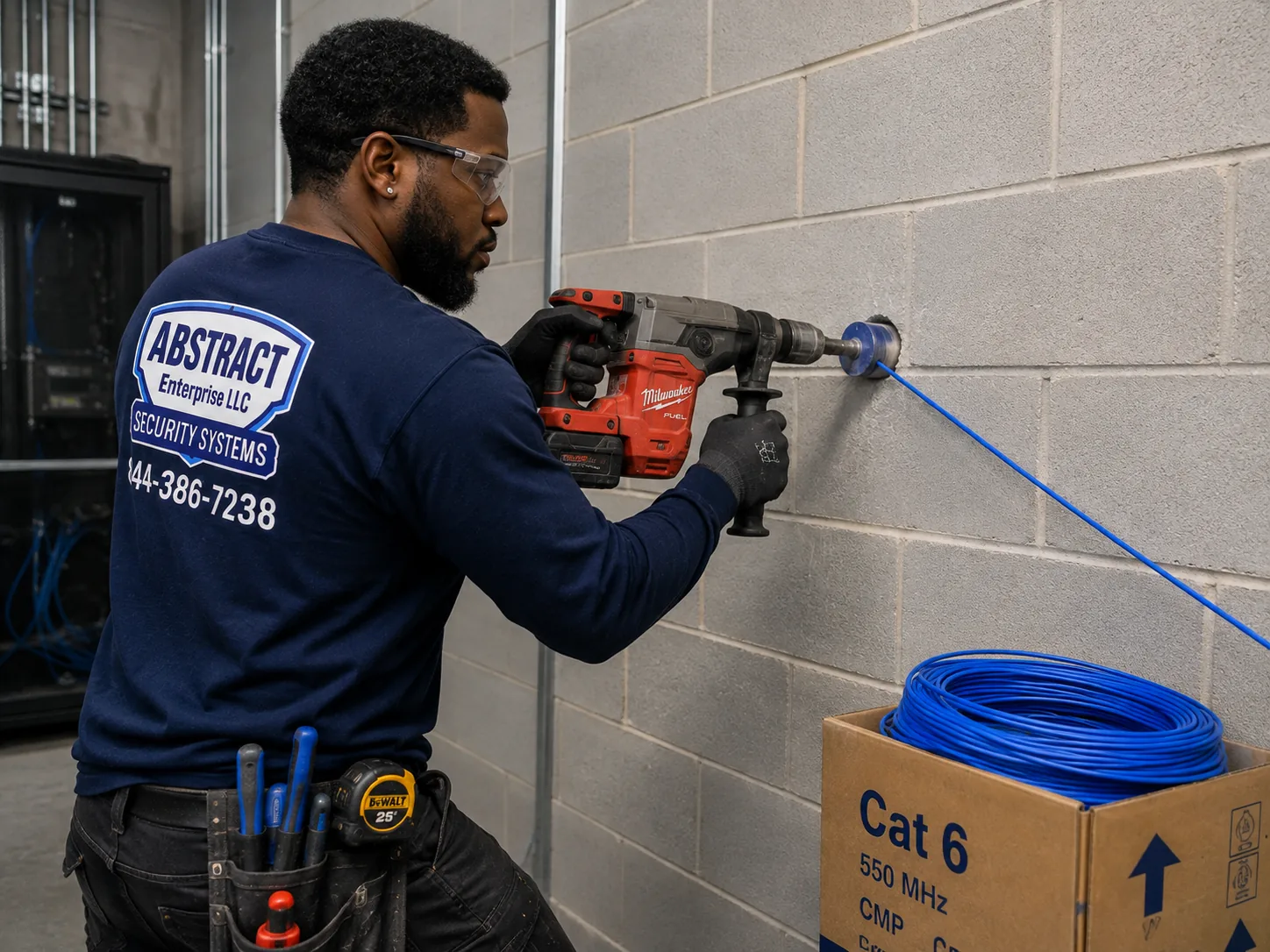
GeoVision camera installation for the Long Island hub, Long Island: technician core drilling a block wall to carry cable through to a network room
Photo from the AESS job library, not taken on Long Island: a technician core drilling a block wall to carry cable through to a network room. Strip-center stores, warehouses and school buildings on the Island are often built of block like this, and a clean core hole with a sleeve is how camera cables from the parking lot reach the recorder room without loose holes chipped into the wall.
Commercial GeoVision Camera Installation

Business GeoVision Camera Installation in Long Island

Long Island's commerce runs along a handful of long roads and gathers in office parks, malls and industrial districts. The corridors below are the ones named in transportation histories, economic profiles and local news. We describe what those sources say about each one; we are not claiming any business there as a client, and we have no information about the cameras inside any particular building.

Hempstead Turnpike

NY 24 runs through long commercial strips in Elmont and Hempstead, past Nassau Veterans Memorial Coliseum at 1255 Hempstead Turnpike and the edge of Hofstra University. Storefronts, gas stations and large lots that need wide views and plate-height entrance cameras.

Route 110 Corridor

A dense run of warehouse, flex, R&D and office buildings through Farmingdale, Melville and Huntington Station with LIE access. Loading docks, perimeter fences and lobbies, often in buildings that already have an older camera system.

Long Island Innovation Park at Hauppauge

About 1,350 businesses and roughly 55,000 workers across about eleven square miles, by one law firm's count. Warehouse ceilings, block walls and the long cable runs that come with large buildings.

Old Country Road and the Nassau Hub

Roosevelt Field in East Garden City, which Wikipedia calls Long Island's largest mall, plus the offices and hotels around Uniondale and the old Mitchel Field. Tenants inside large managed properties with landlord rules.

Jericho Turnpike and Middle Country Road

One of the Island's old east-west routes, lined with strip centers, delis, auto shops and restaurants. Counters, cash areas and parking lots that need to be watched after closing.

Sunrise Highway and Merrick Road

The South Shore's commercial spines, with Freeport sitting on some of the Island's busiest crossroads where they meet. Downtown storefronts, marinas and service businesses close to the water.

What a business camera on the Island has to do

The Suffolk burglaries CBS New York reported, nine in six months at delis, laundromats and gas stations, are a fair picture of what small-business cameras on Long Island are up against: quick entries after closing, through a door or window, with the suspects later identified on surveillance video. For that to work, three things have to be true. The camera covering the door has to see a face, not just the top of a hood, which means mounting lower and closer than most people expect and not relying on a single wide camera on the far wall. The camera covering the lot has to see vehicles and, ideally, plates at the entrance, which means a separate camera aimed and zoomed for that job. And the recording has to be there when police ask, which means a recorder that is not on the counter where a burglar can take it, with drives that are healthy and a schedule that keeps enough days. We plan every commercial job camera by camera with the owner around those three points.

Larger buildings on Route 110 and in Hauppauge bring scale and age. A warehouse may have twenty or thirty cameras on a mix of old and new cabling, with an older GeoVision recorder doing the work, and the same end-of-life questions as a home system but with more at stake. GV-VMS, which GeoVision's partners describe as recording up to 64 channels of GeoVision and third-party IP devices, lets a business keep usable third-party cameras while replacing the recording platform. Where an office already has an IT provider, we coordinate with them so the camera network sits on its own VLAN or switch and the recorder's remote access follows the company's rules.

Rules and practical limits for business cameras

  • State licensing. New York General Business Law Article 6-D requires a Department of State license to engage in the business of installing, servicing or maintaining security or fire alarm systems; the statute exempts passive, non-detecting devices. We work under NYS license #12000287431 either way, because most business camera systems end up tied to alarms or detection.
  • County licensing. Suffolk County Code Chapter 563 requires a county license for regulated trades, with restricted licenses for limited areas of work, and does not apply in towns or villages that run their own licensing. Nassau's Office of Consumer Affairs licenses home improvement contractors and requires fingerprinting. Ask any installer which licenses they hold for your address.
  • Permits. Sources disagree. One installer says standard camera installs in Nassau and Suffolk typically need no municipal permit; another source points to state code permit rules for low-voltage work and says most Nassau towns and villages enforce permits; the Town of Hempstead code requires a permit for work that must conform to the Uniform Code. We check with the town or village for the exact address when the job involves new wiring through fire-rated walls or new electrical work.
  • Workplace cameras. New York Labor Law 203-c bars video in restrooms, changing rooms and similar spaces. We do not install cameras in those areas and we mask views that come close to them.
  • Audio. New York consent rules for audio recording mean we leave microphones off on business cameras unless you have a clear, lawful reason and notice in place.
  • Exits and fire-rated walls. Cable through fire-rated walls or ceilings has to be firestopped, and cameras or brackets must not block exit signs or paths. We check both before we drill.
  • Police registries. The Suffolk County Police camera registry lets businesses and residents register where their cameras are, and the department says it does not get access to the cameras. Garden City's police run a similar voluntary program. Registration is your choice; we can tell you what each program asks for.
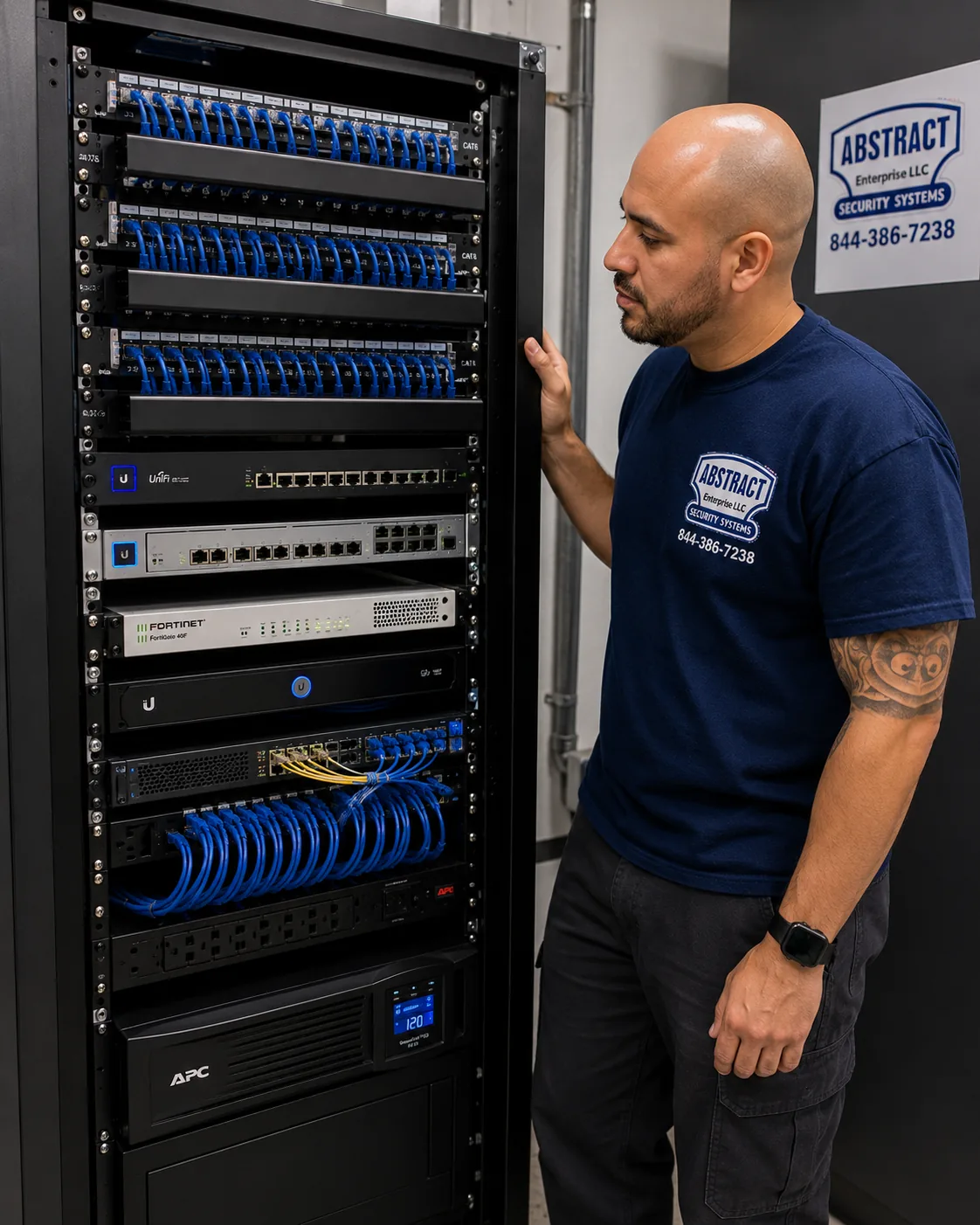
GeoVision camera installation for the Long Island hub, Long Island: finished network rack with patch panels, switching, firewall and battery backup dressed and identified
Photo from the AESS job library, not taken on Long Island: a finished network rack with patch panels, switching, a firewall and a battery backup, all dressed and identified. In a Melville office or a Hauppauge warehouse, the GeoVision recorder and PoE switch belong in a rack like this, behind a firewall and on a battery backup, rather than on a shelf next to the router.
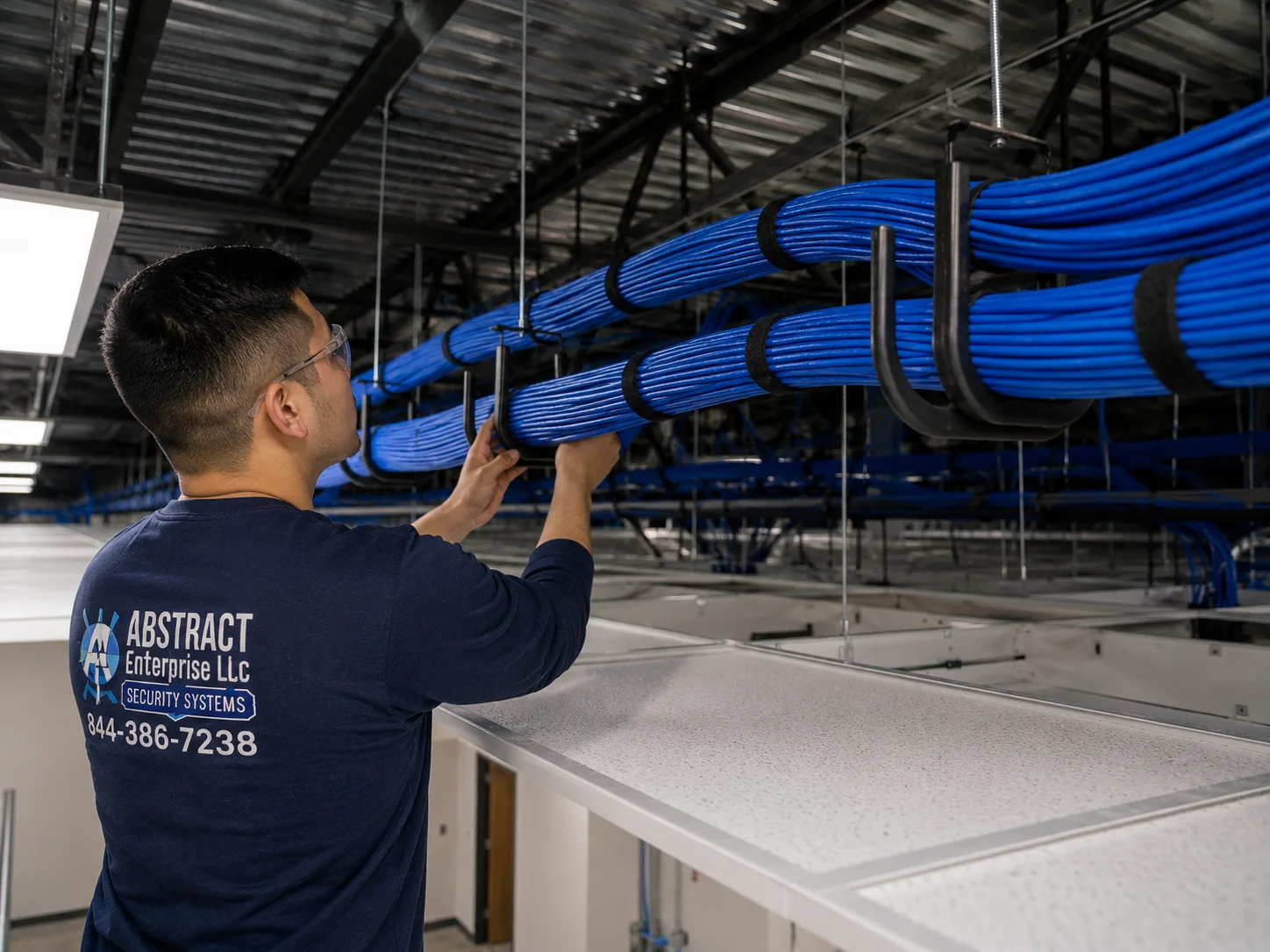
GeoVision camera installation for the Long Island hub, Long Island: J-hook pathway carrying dressed cable bundles across a commercial ceiling
Photo from the AESS job library, not taken on Long Island: a J-hook pathway carrying dressed cable bundles across a commercial ceiling. Above the drop ceilings of Old Country Road storefronts and Route 110 offices, camera cables hung neatly on J-hooks like these are easy to trace years later, unlike cable laid loose across ceiling tiles.
Nassau and Suffolk

One Island, Two Counties: How GeoVision Jobs Differ East and West of the County Line

This page covers the whole Island, but almost every practical detail of a job depends on which county the address sits in. Nassau is smaller, older and more densely built. Its housing has a median year built of 1955, according to the Census Bureau, which means more postwar ranches, Capes and colonials on modest lots, close neighbors, and more houses that have been remodeled several times. Nassau also has many incorporated villages, 64 by the state's count, and several of them run their own police departments and camera programs, Garden City among them. Our Nassau jobs tend to be about tight coverage on small lots, careful privacy masking because neighbors are close, and dealing with older systems.

Suffolk is bigger and younger. Its median year built is 1970, and its houses run from 1970s colonials and raised ranches in the western towns to farm properties on the North Fork and seasonal homes on the South Fork. Distances are longer, lots are larger, and outbuildings are more common, which means more long cable runs and more jobs where fiber or a second switch comes into play. Suffolk's police run the SHIELD camera registry and an Emergency Remote Camera Access program that owners can opt into or out of, and Suffolk's roads have seen more than 30 new Flock plate-reader cameras in the past year, according to Finwire, with The Suffolk Times reporting residents in Southold pressing their task force to get rid of them. That public debate is one reason Suffolk owners ask us careful questions about who can see their own footage.

Our prices follow the address. Nassau jobs are quoted from the Nassau County GeoVision price list and Suffolk jobs from the Suffolk County GeoVision price list. If your property is just over the line in Queens, the Queens GeoVision prices apply instead. The work itself, the way we read a property and the way we set up a recorder, is the same on both sides of the county line.

Field Notes

Field Notes: Opening Up an Inherited GeoVision System

We do not publish stories about a particular customer's property unless we can document them, so this is not a tale about one address. It is the routine our technicians follow when a Long Island owner calls about a GeoVision system they inherited, with a house purchase, a business lease, or a facilities job, and nobody knows much about it.

We start at the recorder, not the cameras. We photograph the model label, the back panel and every cable plugged into it before touching anything. We ask what footage matters and export it first. We check the router for port forwards and remote-management settings and write down what we find. Then we look at the recorder's own camera list: how many channels, which ones are live, which ones have been dark for months without anyone noticing. With a tone generator we follow each cable to its camera, label both ends, and test it. Only after that walk-through do we sit down with the owner and lay out three lists on paper: what is safe to keep, what needs to come off the internet today, and what we recommend replacing, with prices from the county list. It is slow for the first hour. It is also the only honest way to quote a system you did not install.

Your Questions Answered

GeoVision Camera Installation in Long Island: Questions Answered

Old GeoVision equipment and security

Which GeoVision flaws does CISA say attackers are using right now, and what can they do with them?

The two flaws are CVE-2024-6047 and CVE-2024-11120. CISA added both to its Known Exploited Vulnerabilities catalog, and BeyondMachines reported that they let unauthenticated remote attackers run arbitrary system commands on affected end-of-life GeoVision devices. Security Affairs described CVE-2024-11120 as a pre-authentication command injection with a severity score of 9.8 out of 10, first seen exploited by a botnet that the Shadowserver Foundation observed, and BleepingComputer reported that the botnet was installing Mirai malware. In plain terms, an exposed device can be taken over without its password and used to attack other systems. If yours is on the list, it needs to come off the internet now.

The recorder in our Massapequa basement says GeoVision on the front. How do we know if it is one of the affected models?

Read the model label, usually on the back or the underside, and compare it with the models named in the reports: GV-VS12, GV-VS11, GV-DSP LPR V3, and GV-LX4C V2 and V3. If you cannot find the label or the box is in a tight spot, send us a photo of the front and back panels and we will identify it. A model that is not on that list is not automatically safe; any device that is past end of life or whose admin page is reachable from outside the house deserves a look. We check the model, the firmware version and the router settings together, because the risk comes from all three.

Can we just unplug our old GeoVision unit from the internet and keep recording locally?

As a short-term measure, yes, and it is the first step the published guidance recommends. Cutting the device off from the internet removes the path attackers use, and many recorders keep recording cameras on a local network without it. The trade-offs are that you lose remote viewing, an end-of-life unit will never receive fixes, and it is still running unsupported software on your network. We treat isolation as a bridge to replacement, not a permanent answer, and we can set up a supported recorder so you get remote viewing back safely.

Mixing cameras and brands

We want to keep a few non-GeoVision cameras. Why does the GeoVision recorder refuse to add them through ONVIF?

GeoVision lists this among its own support questions, so it happens often. ONVIF is a common standard, but cameras implement it differently. In the field, the usual causes are that ONVIF is switched off on the camera, the camera wants a separate ONVIF user and password, the camera's clock is far out of step with the recorder, or the camera's firmware supports only part of the standard. GeoVision also publishes a method for testing third-party cameras with GV-VMS. We check each camera's settings, update firmware where the maker supports it, test it on the recorder, and tell you plainly if a particular camera will not cooperate.

Do GeoVision's NVR and hybrid DVR speak ONVIF, so a mixed system is possible at all?

GeoVision's product page says GV-NVR works with a wide range of third-party IP cameras via ONVIF, and the company's support FAQ addresses ONVIF compliance for both GV-NVR and GV-Hybrid DVR. In practice, that means a mixed system is possible, but compatibility is decided camera by camera rather than brand by brand. Basic live view and recording usually work; features like motion analytics or two-way audio may not carry across. We test each camera before we promise anything and list which features work on which camera in the handover notes.

Remote viewing and storage

How many cameras can we watch at once from our phones when we are away?

It depends on the recorder model, the software version and your internet upload speed, and GeoVision answers the channel question model by model in its support FAQ rather than with one number. On a Long Island home system the practical limit is usually the upload speed of the home's internet, not the software, especially if several family members are viewing at once. We set the recorder to send a lighter stream to phones so more cameras load smoothly, test it from outside the house on mobile data, and tell you what to expect before you leave for the winter.

Does GeoVision care which hard drives go in the recorder?

GeoVision maintains a list of tested hard drives for its systems and answers that question in its FAQ, which tells you the company does care. Recorders write video around the clock, and drives built for that kind of continuous writing last longer than ordinary desktop drives. We check the drive against GeoVision's tested list for your model, size it for the number of cameras and the days of recording you want, and set the recorder to warn you when a drive starts to fail. In a hot garage or a closet with no air, we also look at where the recorder sits, because heat shortens drive life.

Our system has not been updated in years. How do you bring GV-System or GV-VMS up to date safely?

GeoVision publishes upgrade steps for GV-System in its support FAQ, and the order matters. We first confirm the hardware is still supported, because an end-of-life unit cannot be fixed by an update. Then we back up the configuration and export any footage you need, check that the new version supports every camera on the system, install the update, and test each channel, recording schedule and remote connection afterward. If an update would drop support for a camera you rely on, we tell you before we start, not after.

Wired, wireless and the property

Is a hard-wired GeoVision system really harder to beat than Wi-Fi cameras on Long Island?

Against jamming, yes. CBS New York reported a Long Island man who believes thieves jammed his Wi-Fi cameras before stealing a personal watercraft from his driveway, and News 12 reported police advice to hardwire rather than rely on Wi-Fi. A PoE camera on a Cat6 cable sends its video down the wire, so a radio jammer does not touch it, and it takes its power from the same cable, so there is no battery to die. Wired cameras can still be covered, moved or damaged, which is why we mount them out of easy reach and set alerts for lost picture.

How many GeoVision cameras does a typical Nassau house actually need?

For most Nassau ranches, Capes and colonials, four to six cameras cover the essentials: the front door and walk, the driveway, the back door and rear yard, and one or two side gates or blind corners. Larger houses, corner lots and properties with a detached garage, pool or long driveway need more. The reported break-ins that came in from dark rear yards are why we never skimp on the back of the house. We walk the property with you and count cameras from the approaches, not from a package size.

Our dock and boathouse are well beyond the reach of a normal cable. Can GeoVision cover them?

Yes, with the right backbone. Copper Cat6 for PoE cameras is limited to about 100 meters per run, so a dock or boathouse beyond that gets either fiber from the house with a small switch at the far end, or a second recorder in the outbuilding linked back to the main one. The Sands Point waterfront project another installer describes used a 32-channel recorder, fiber to a boathouse recorder and marine-grade housings on the water-facing cameras. We plan the route, coordinate any trenching, and specify sealed, corrosion-resistant hardware for the cameras facing the water.

Someone covered our cameras with tape before breaking in. How do you stop that from working next time?

Daily Voice reported exactly that in North Valley Stream in May 2026: cameras repositioned and lenses taped while the family was away. Three things help. Mount cameras higher and out of reach of a person standing on the ground or a trash can. Overlap views so one camera sees the next camera's mounting spot, which means anyone tampering is recorded doing it. And turn on tamper or video-loss alerts so the owner's phone gets a warning the moment a picture goes dark. Central Islip's widely reported doorbell camera destroyed with a knife is another reason we prefer higher, harder-to-reach cameras over doorbell-height units for primary coverage.

Equipment

Types of GeoVision Camera Installation We Install

These are the GeoVision components and supporting equipment we fit in Long Island homes and businesses. Prices for each come from the county price list for your address and appear on your written quote; we do not publish camera prices on this page because they change with the model and the county.

💾

GeoVision NVRs

Network video recorders for homes and small businesses, with PoE ports or a separate PoE switch, sized by camera count and days of recording. GV-NVR supports many third-party cameras through ONVIF.

🖥

GV-VMS Software

Video management software on a dedicated PC for larger systems, recording up to 64 channels of GeoVision and third-party IP devices, with a built-in Webcam Server for browser, mobile and Remote ViewLog access.

📷

Bullet Cameras

Long-reach views down driveways, along fences and across parking lots, where a visible camera also tells people they are being recorded.

⚪

Dome and Turret Cameras

Compact cameras for soffits, porches, entries and store interiors, harder to knock out of position and less obvious on a house front.

🚗

Entrance and Plate Views

Cameras aimed and zoomed for gates, driveway mouths and lot entrances, mounted at the height and angle that give readable plates and faces.

🌐

PoE Switches

Managed or unmanaged switches that power cameras over their Cat6 cable, placed with the recorder and on battery backup.

🔋

Battery Backup

UPS units that keep the recorder and switch running through short power drops and allow a clean shutdown in longer outages.

🧵

Cat6 and Fiber

Solid copper Cat6 for camera runs, outdoor-rated where it leaves the building, and fiber with media converters for outbuildings beyond copper's reach.

📱

GV-Eye Mobile App

GeoVision's free app for live view, playback and snapshots, set up on each family member's or manager's phone with their own login.

GeoVision vs ADT, Ring and SimpliSafe on Long Island

QuestionWired GeoVision system, locally installedADT, Ring or SimpliSafe kits
How video travelsCat6 cable from each camera to the recorderMostly Wi-Fi, some wired options depending on product
Where video is storedOn drives in a recorder you own, on your premisesOften in the provider's cloud, with plans for longer history
Camera powerFrom the same cable (PoE)Batteries, plug-in power or a wired transformer depending on model
Mixing brandsThird-party ONVIF cameras can be added, tested camera by cameraUsually limited to the provider's own devices
Best fitOwners who want local recording, many cameras and resistance to jammingRenters and owners who want quick self-install and app-first features

Neither approach is wrong. A Ring doorbell on a rental in Ronkonkoma may be exactly right. But the jamming stories, the empty seasonal houses and the large lots on the Island push many owners toward a wired recorder they control, and that is the job GeoVision systems are built for.

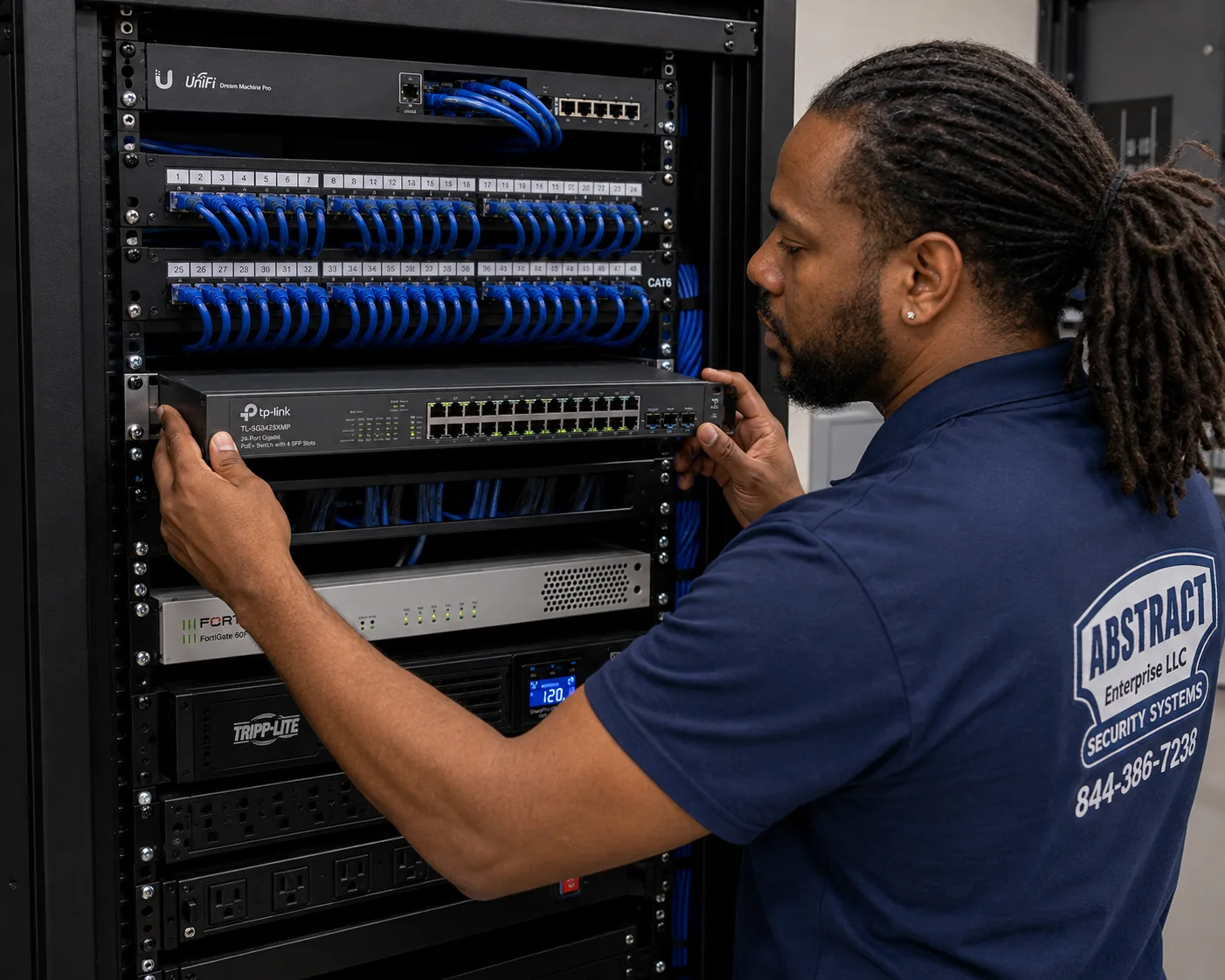
GeoVision camera installation for the Long Island hub, Long Island: technician mounting a managed PoE switch below patch panels in a commercial network rack
Photo from the AESS job library, not taken on Long Island: a technician mounting a managed PoE switch below patch panels in a commercial network rack. A GeoVision system for a Suffolk warehouse or a large Nassau office usually runs its cameras from a switch like this, which powers each camera down its own Cat6 cable and keeps the camera network separate from the office computers.
AI Overview Reality Check

What AI Gets Wrong About GeoVision Camera Installation in Long Island

We could not capture Google's AI Overview or People Also Ask results for this search from our build environment, so we are not going to pretend to quote them. Below are claims we see repeated in quick online answers about camera systems in general and about Long Island, set against what the public record and our field practice say. Marketplaces like Angi, HomeAdvisor and Fixr publish national cost guides that feed many of those answers; they help with a rough idea, but they are not a quote for a house in Seaford or a warehouse in Bohemia.

"A firmware update will fix any security problem with your recorder."

This is the most dangerous claim for owners of older GeoVision gear. Updates fix flaws only on products the manufacturer still supports. The devices named in the CISA-listed flaws, including the GV-VS12, GV-VS11, GV-DSP LPR V3 and GV-LX4C V2 and V3, are past end of life.

Bitdefender reported that no patch is coming for them and that owners are told to replace them as soon as possible. Searching for a firmware file will not change that, and a downloaded file from an unofficial site can make things worse.

Our answer is to check the model first. If it is supported, we update it properly with a backup. If it is end of life, we isolate it and plan the replacement, keeping the good cable and usable cameras.

"Wireless cameras are just as secure as wired ones."

For everyday use, wireless cameras work well, and many people are happy with them. But the Long Island story CBS New York reported, where a homeowner believes thieves jammed his cameras before taking a personal watercraft from his driveway, shows the gap. A radio signal can be drowned out; a cable cannot.

News 12 Long Island reported police advice to hardwire security systems rather than rely on Wi-Fi, and the expert in the CBS story said simply, "hardline it."

GeoVision IP cameras on Cat6 with PoE are our default on the Island for that reason. Where a spot truly cannot take a cable, we say so and suggest the most reliable alternative, rather than pretending a wireless camera there is the same thing.

"Any IP camera works with any recorder because of ONVIF."

ONVIF helps a lot, and GeoVision says GV-NVR works with a wide range of third-party cameras through it. But the fact that GeoVision's own support FAQ includes "Why can't I add a camera to GV-System through ONVIF?" tells you it does not always just work.

Cameras implement the standard differently, ship with it switched off, or support only basic video. Live view may work while motion events, audio or analytics do not.

We test every third-party camera before it becomes part of a quote, and we list which features each one supports on the recorder, so nobody discovers a gap after an incident.

"Camera installs on Long Island never need a permit."

Quick answers often say this flatly. The sources we found disagree. One installer says standard camera installs in Nassau and Suffolk typically need no municipal permit, while another source points to state building code permit rules for low-voltage work and says nearly all Nassau towns and villages enforce permits.

The Town of Hempstead's code requires a building permit for work that must conform to the Uniform Code or the Energy Code, and Nassau has 64 incorporated villages, each with its own habits.

For most simple residential camera jobs the question never comes up, but for new wiring through fire-rated walls, new electrical circuits, poles or commercial fit-outs, we check with the town or village for the exact address before work starts.

"You don't need a licensed installer for cameras in New York."

This claim is half right. New York General Business Law Article 6-D, as published on Justia, requires a Department of State license to install, service or maintain security or fire alarm systems, and exempts passive, non-detecting devices.

A plain camera on a wall can fall into that exemption. A camera system with motion detection, alarm inputs or ties to an alarm panel is a different matter. On top of that, Suffolk County licenses many trades through its consumer affairs office, and Nassau licenses home improvement contractors.

We work under NYS license #12000287431 and carry insurance, and we provide a certificate of insurance when an HOA, landlord or village asks for one. Asking any installer which licenses apply to your address is a fair question.

"Point a camera at the yard and you are covered."

A camera that sees the yard is not the same as a camera that identifies someone in it. Wide views from a high corner show that a person crossed the lawn at 3:45 in the morning, as in the East Hills case ABC7 reported, but often not who they were.

The rear-yard entries reported in Hewlett Harbor, Farmingdale and West Babylon came in poor light, where a wide camera's night picture is grainy and small.

We pair a wide overview camera with a closer camera at each door and gate, mounted where a face will be in frame, and we check the night picture with the outdoor lights on and off before we leave.

"Footage from your home cameras automatically goes to the police."

With a privately owned GeoVision recorder, it does not. The Suffolk County Police SHIELD registry lets owners register where their cameras are, and the department says it does not have access to those cameras; detectives may ask owners to check footage for a date and time, retrieved at the owner's convenience. Garden City's police describe their private camera program the same way.

Suffolk also runs an Emergency Remote Camera Access program, which owners can opt into or out of at any time.

The public debate over Flock plate readers on Suffolk roads, reported by Finwire and The Suffolk Times, is about public cameras. Your recorder's footage stays yours unless you choose to share it, and we set up user accounts so you control who can see what.
Have an Old Recorder or a New Property? Talk to a Technician About Your Long Island Cameras

Send a photo of the recorder label, two or three of the cameras, and the back of the house, and a technician will tell you whether the gear is supported, which cables are likely reusable, and which lines of the county price list apply. Call (800) 486-0943, message us on WhatsApp, or use the quick form.

How It Works

Our Installation Process

Every Long Island GeoVision job follows the same eight steps, whether it is a four-camera ranch in Wantagh, a takeover of an old system in a Port Jefferson shop, or thirty cameras across a Hauppauge warehouse. The order matters most on takeovers, where rushing to install new cameras before checking the old recorder is how unsafe gear stays on the network.

1. Send photos, the address and the recorder model

Photos of the property and any existing recorder, the model label if you can read it, and the street address so we know which county list applies.

2. Security triage of existing gear

We check the model against the end-of-life devices in the CISA-listed flaws and tell you whether to isolate, reset or replace it before anything else.

3. Walk the property and plan coverage

Driveway, doors, rear yard, gates, lot and water side, walked with you; positions marked; neighbors' private areas identified for masking.

4. Written scope and quote

Cameras, recorder, storage, cable routes and paperwork such as a certificate of insurance, priced from the Nassau or Suffolk GeoVision list.

5. Run and label the cable

Cat6 through attics, walls, conduit or ceilings, terminated, labelled at both ends and tested, never through a slab floor.

6. Mount and aim the cameras

Out of easy reach, aimed at the agreed views, sealed against weather, with privacy masking set where a view touches a neighbor's space.

7. Configure the recorder and remote access

Schedules, storage, users, supported firmware and secured GV-Eye viewing, with nothing exposed to the internet that does not need to be.

8. Test, hand over and document

Day and night tests, a walkthrough on your phone and the recorder, and a written record of cameras, ports and cable labels left on site.

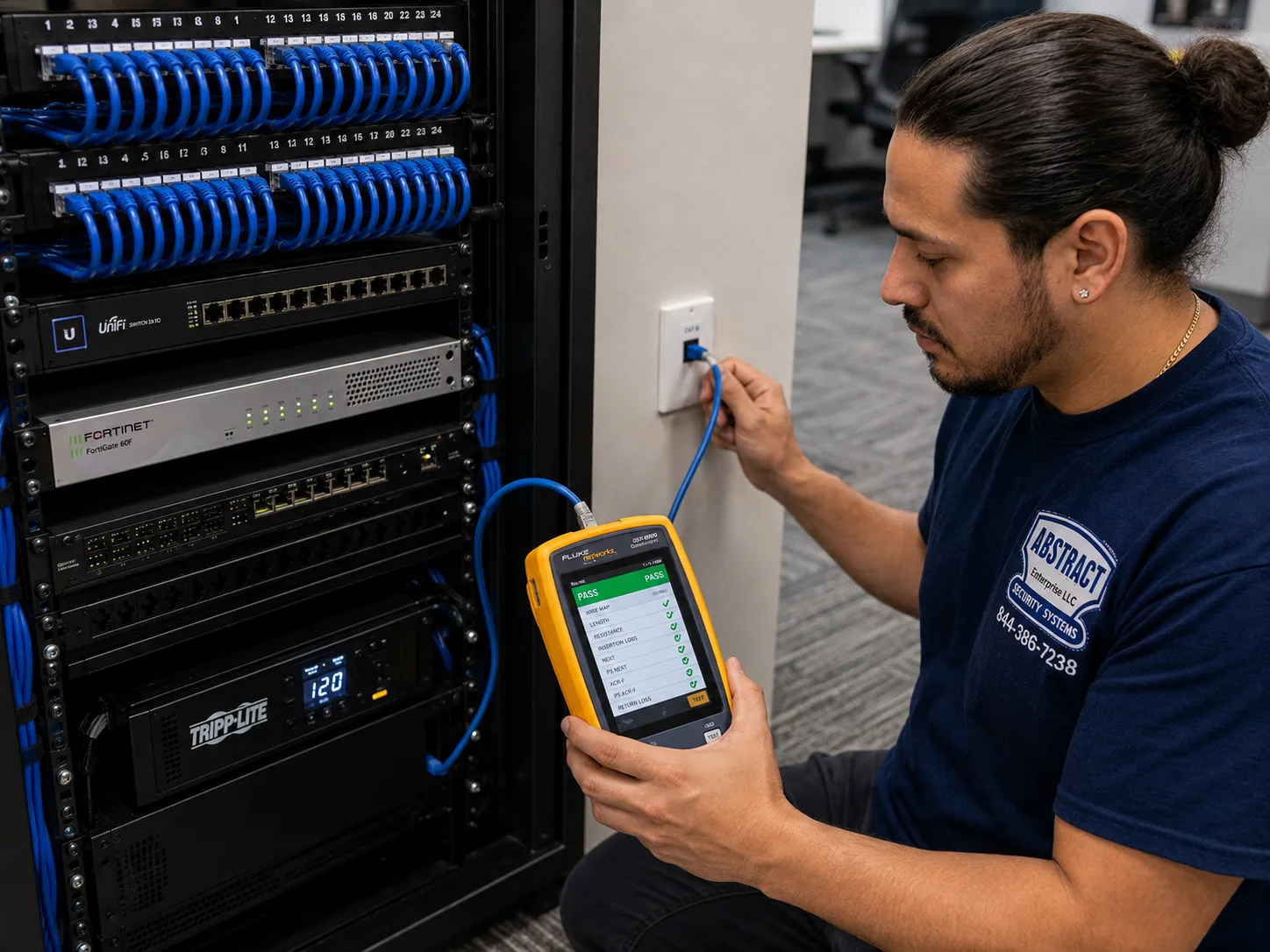
GeoVision camera installation for the Long Island hub, Long Island: technician certifying a data drop with a cable analyzer showing a PASS result
Photo from the AESS job library, not taken on Long Island: a technician certifying a data drop with a cable analyzer showing a PASS result. Before a GeoVision camera goes on the soffit of a Nassau colonial or the warehouse wall of a Route 110 building, its cable is tested like this, because a run that fails in a hot summer attic is a camera that drops out exactly when it is needed.
Coverage Area

GeoVision Camera Installation Near Long Island's Landmarks

Long Island is too large to describe by its edges, so we plan visits by the landmarks and roads everyone knows. These are the ones that come up most when we place a job on the map.

Levittown

Groundbreaking July 1, 1947; about 17,447 homes by 1951; 51,758 residents in 2020 per Wikipedia, Nassau's most populous unincorporated area. The template for slab-house camera wiring.

Roosevelt Field

Long Island's largest mall, in East Garden City, built on the airfield where Lindbergh began his transatlantic flight, per Wikipedia. The center of the Old Country Road commercial district.

Nassau Veterans Memorial Coliseum

At 1255 Hempstead Turnpike in Uniondale, on the old Mitchel Field, beside the Cradle of Aviation Museum and Nassau Community College.

Sagamore Hill and the Gold Coast

Theodore Roosevelt's home at Oyster Bay, plus Old Westbury Gardens, Sands Point Preserve, Oheka Castle and the Vanderbilt Museum in Centerport, the old estate country of the North Shore.

Stony Brook University

213 buildings on about 1,454 acres, per Wikipedia, near the Mill Pond whose dam failed in the August 2024 storm the state called a 1-in-1,000-year rain event.

Ronkonkoma Hub and MacArthur Airport

Suffolk's redevelopment area between Long Island MacArthur Airport and the Ronkonkoma LIRR station, with 48 acres of a 179-acre district out for a master developer.

We also serve the boroughs and counties around the Island. Owners just over the line in Queens can see the Queens GeoVision price list; for the five boroughs as a whole there is the NYC GeoVision price list, and Brooklyn has its own Brooklyn GeoVision prices. North of the city, the Westchester GeoVision prices and the Hudson Valley GeoVision price list apply.

Pricing

GeoVision Camera Installation Cost in Long Island

GeoVision camera installation on Long Island is priced from published county lists, not from a single island-wide number. Nassau addresses use the Nassau County GeoVision price list, Suffolk addresses use the Suffolk County GeoVision price list, and the Long Island GeoVision price page lets you build a system and see the total before you call. We do not repeat those figures here, because camera models and county rates change and the price pages are kept current; a number on this page could go stale. What we can tell you here is what moves the total, so the price list makes sense when you open it.

What drives the priceWhy it matters on Long IslandHow we handle it on the quote
Number of camerasA ranch may need four to six; an estate, storefront or warehouse many moreEach camera is its own line, so you can add or drop one
Camera typeWide overview, door-height identification and entrance or plate views do different jobsNamed by model and purpose
Recorder or GV-VMSSized by channels and the days of recording you wantChannel count and storage stated in writing
Cable routesSlab houses need attic routes; estates may need conduit or fiberRoutes described, with any trenching coordination noted
Exterior surfacesVinyl, cedar shingle, brick, stucco and stone take different mountsMounting hardware listed per camera
Existing equipmentOld GeoVision systems may leave good cable and usable camerasReused items listed at labor only where they test good
Paperwork and accessHOAs, boards, landlords and villages may want insurance papers or set hoursCertificate of insurance and scheduling noted on the quote
Battery backup and extrasOutages after storms; seasonal homes with nobody watchingOptional lines you can accept or decline

How to read the list for a Long Island property

Start with the cameras you need for the approaches you identified walking the property. Add the recorder sized for that camera count, with room for one or two more. Add the cable lines that match your house: an attic route for a slab ranch, attic and basement routes for a colonial, conduit or fiber for an outbuilding. If you are reusing cable or cameras from an old GeoVision system, those show as labor only once they pass testing. Finally, add any extras you want, such as battery backup or a separate entrance camera. The quote you receive will list exactly those lines and nothing else; if something changes on site, for example an attic section that turns out to be sealed off, we show you and agree it before the work changes.

Warranty and terms

Full terms โ€” including 50% deposit, one-year parts-only warranty on AESS-supplied products, and the late-fee schedule โ€” are set out in the service agreement.

Every written quote states what is included, what is reused, what is excluded and how payment works, so you can compare it line by line with any other installer's proposal.

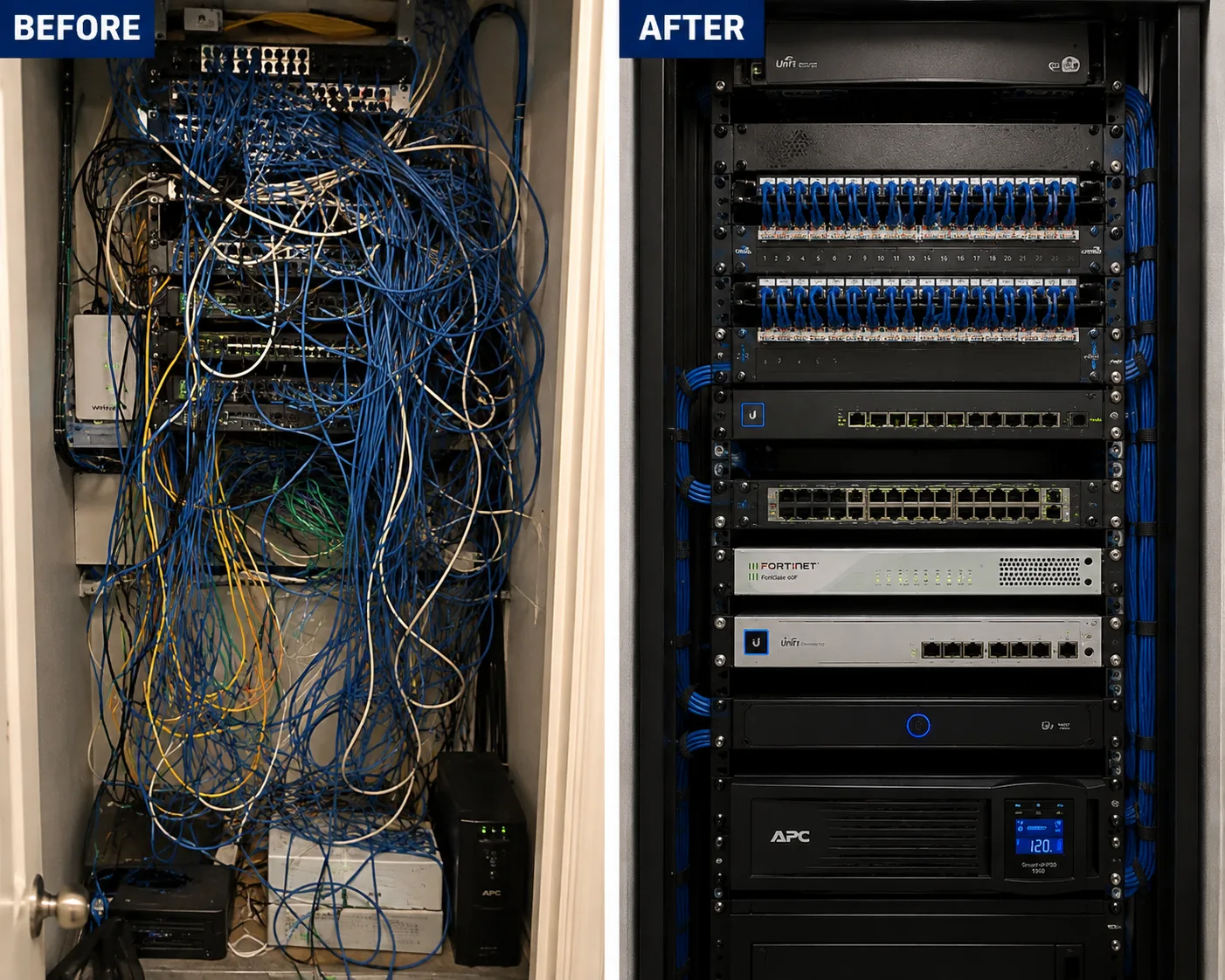
GeoVision camera installation for the Long Island hub, Long Island: before and after views of an unlabelled tangled network rack rebuilt into a dressed and identified one
Photo from the AESS job library, not taken on Long Island: the same network rack before and after, from an unlabelled tangle to a dressed, identified rack. When an older GeoVision system is replaced in a Nassau office or a Suffolk school building, a cleanup like this is usually part of the quote, because the new recorder deserves cables anyone can follow.
Shop Our Systems

GeoVision Camera Installation Packages & Pricing

Three common Long Island GeoVision jobs, described so you know what each includes. The current price of each package for your county is on the Long Island GeoVision price page, with separate Nassau and Suffolk lists. There is no package premium; each one is the sum of its lines.

Starter: Slab Ranch or Cape Perimeter

Four PoE cameras covering the front door, driveway, back door and rear yard, a GeoVision NVR sized with room to grow, attic cable routes to each camera, and GV-Eye set up on your phones. Built for the Levittown-style houses across Nassau and western Suffolk.

Standard: Colonial with Garage and Side Gates

Six to eight cameras including side gates and the garage, a door-height identification camera at the main entrance, a separate driveway view, recorder storage for longer history, and a battery backup. The common two-story or split-level job.

Premium: Estate, Waterfront or Business

A larger system on GV-VMS or a high-channel NVR, entrance and plate views, fiber or a second switch for outbuildings or docks, corrosion-resistant hardware on water-facing cameras, and a rack with battery backup. For North Shore estates, South Shore waterfront homes and commercial sites.

Bring your own equipment, or keep what you have

If you already own GeoVision cameras, a supported GeoVision recorder, or third-party cameras that work over ONVIF, we install or reconfigure them at labor-only rates from the same county list. We check every item first: the model against end-of-life lists, the firmware, the condition of the housing and seals, and, for third-party cameras, whether the recorder actually accepts them. Anything that fails those checks we tell you about plainly, with the price of a supported replacement, and we never install an end-of-life device from the CISA-listed group on a network, even if you already own it.

Complete Services

Every GeoVision Camera Installation Service in Long Island

Long Island GeoVision Prices

Build your system and see the island-wide price page. GeoVision camera installation prices on Long Island

Nassau County

Prices for every Nassau town, city, village and hamlet. Nassau County GeoVision prices

Suffolk County

Prices for the ten Suffolk towns, from Babylon to the East End. Suffolk County GeoVision prices

Queens, Next Door

For properties just west of the county line. Queens GeoVision prices

Across New York City

The same process and list structure in all five boroughs. NYC GeoVision prices

Get a Quote

Send the recorder label and a few photos and we will match the job to the right list. Request a free quote

FAQ

Long Island GeoVision Camera Installation FAQ

What does a GeoVision camera system cost to put in on Long Island?
+

It depends on the number and type of cameras, the recorder size, the cable routes your house allows and the county the address is in. We publish separate Nassau and Suffolk price lists and a Long Island price page where you can build a system and see the total. Your written quote uses only lines from the list for your county, and nothing is added on the day unless you agree to it.

Do you put GeoVision systems into businesses as well as homes on the Island?
+

Yes. We install and take over GeoVision systems in shops, delis, restaurants, gas stations, offices, warehouses, flex buildings, schools, churches and HOAs across Nassau and Suffolk. Business jobs are planned camera by camera with the owner, scheduled around opening hours, and usually include a certificate of insurance for the landlord or managing agent.

Will my town or village on Long Island want a permit before cameras go up?
+

For most simple residential camera jobs, permits do not come up, but sources disagree and rules vary by town and village. The Town of Hempstead requires a permit for work that must meet the Uniform Code, and some sources say most Nassau towns and villages enforce low-voltage permit rules. When a job involves new electrical circuits, poles, fire-rated walls or a commercial fit-out, we check with the town or village for your exact address before starting.

Do you travel all the way out to the North Fork and the Hamptons?
+

Yes. We cover Nassau and all of Suffolk, including the North Fork, the South Fork and the seasonal communities of the East End. For distant addresses we plan the visit carefully so the cable, cameras and recorder are all on the van, and for seasonal homes we can schedule work while the house is open and set up remote checks for the months it is closed.

What should a Nassau or Suffolk owner check before hiring someone to install cameras?
+

Ask which licenses the installer holds for your address, including the New York Department of State security license and any county license, and ask for proof of insurance. Ask whether the quote lists every camera, the recorder model, storage and cable routes in writing. Ask how remote viewing will be set up and whether anything will be opened to the internet. And ask what happens to any old equipment, especially older GeoVision units that may be end of life.

Is a licensed installer legally required for security cameras in New York State?
+

New York General Business Law Article 6-D requires a Department of State license to install, service or maintain security or fire alarm systems, with an exemption for passive, non-detecting devices. A camera system with motion detection or alarm ties is more likely to fall under it. Counties add their own rules for some trades. We work under NYS license #12000287431 so the question does not arise.

How long does a typical GeoVision install take at a Long Island house?
+

A four to six camera system on a house with open attic access is usually a single working day, including cable, mounting, recorder setup and the phone walkthrough. Larger houses, estates with outbuildings, sealed attic sections and takeovers of old systems take longer, and we say so on the quote. We book the visit, or a phone review of your photos, within 2 hours of your request.

Do we have to put up signs saying cameras are recording?
+

For a private home we did not find a New York rule requiring camera signs, though many owners post them because a visible notice discourages people. Businesses and workplaces should take care: cameras may never cover restrooms or changing areas under Labor Law 203-c, and audio recording raises consent questions. If you have employees or tenants, we suggest checking with your attorney about notice, and we can place signs where you want them.

Does it matter whether an installer is certified by GeoVision?
+

What matters most is whether the installer knows the current GeoVision products, can tell supported equipment from end-of-life equipment, and sets up recording and remote access safely. Ask any installer how they would handle an older GeoVision recorder, how they configure GV-Eye remote viewing, and how they test third-party cameras over ONVIF. Clear answers to those questions tell you more than a logo.

Can a GeoVision recorder take over the cameras from the system we already have?
+

Often, yes. GeoVision says its GV-NVR works with a wide range of third-party IP cameras through ONVIF, and GV-VMS records GeoVision and third-party IP devices. Older analog cameras on coax are a different case and may need replacing or a hybrid recorder. We test each existing camera on the new recorder before quoting so you know which ones carry over.

Should we register our cameras with the Suffolk County Police?
+

That is your choice. The Suffolk County Police camera registry records where your cameras are so detectives can ask you to check footage after an incident; the department says it does not get access to the cameras, and retrieval is at the owner's convenience. Suffolk also runs an Emergency Remote Camera Access program that you can opt into or out of at any time. Some Nassau villages, such as Garden City, run their own voluntary registries.

Will our GeoVision cameras keep recording when the power goes out after a storm?
+

Only if the recorder and the PoE switch are on a battery backup, and only for as long as the battery lasts. A backup rides through short drops and lets the recorder shut down cleanly in a long outage, which protects the drive and settings. Isaias left almost half of PSEG's customers in the dark at its peak, so for seasonal homes and waterfront houses we treat battery backup as a strong recommendation, and we place it above any flood level.

Can you aim cameras so they don't record into the neighbor's yard?
+

Yes. We set each camera's view with you on site and use the recorder's privacy masking to black out neighbors' windows, pools and fenced yards that fall inside a view. New York Civil Rights Law section 52-a bars video surveillance where people have a reasonable expectation of privacy, so masking is part of every install where houses sit close together, which on much of Long Island means most of them.

Get In Touch

Request a Free Quote

Tell us the town, the property type and what is there now. A photo of the recorder label and the back of the house makes the quote exact. Prefer to talk? Call (800) 486-0943.

✅
Request Sent!
We'll call about your Long Island GeoVision system the same business day.
GeoVision camera installation for the Long Island hub, Long Island: technician feeding cable through a ceiling in an occupied commercial space
Photo from the AESS job library, not taken on Long Island: a technician feeding cable through a ceiling in a commercial space that stays occupied during the work. In a Jericho Turnpike storefront or a Hempstead Turnpike office, camera cable usually goes in this way, above the ceiling tiles while the business carries on below, so the doors never have to close for the install.

More GeoVision Camera Installation near Long Island hub

ยท GeoVision Camera Installation NYC hub | All 5 Boroughs

Book Your Long Island GeoVision Camera Installation

From a slab ranch in Levittown to a colonial in Smithtown, a waterfront house on a South Shore canal, or a warehouse off Route 110, the job starts the same way: a look at whatever GeoVision gear is already there, a walk of the approaches that matter, and an honest match to the Nassau or Suffolk price list. Call (800) 486-0943, message us on WhatsApp, or send the quote form, and we will tell you exactly what your property needs before anyone climbs into the attic.

GeoVision Camera Installation by neighborhood: Long Island hub, Long Island geovision camera installation

GeoVision Camera Installation by neighborhood: Hudson Valley hub, Hudson Valley geovision camera installation