Old GeoVision recorder still online in a Kingston shop, a Newburgh rowhouse or a Dutchess barn office? Some end-of-life GV models are being actively attacked. Book a Hudson Valley audit: (800) 486-0943
Home › GeoVision Camera Installation › Hudson Valley
Old GV Recorder Audits · Dutch Stone Houses · Newburgh Brick Rowhouses · Barns, Estates & Second Homes · Office Parks & Warehouses · Licensed Low-Voltage
GeoVision Camera Installation in the Hudson Valley
Every Old GV Device Identified First · Wired Runs Built for Storms and Distance · Remote Viewing Without Open Ports
GeoVision camera installation in the Hudson Valley is usually two jobs at once: putting in a new, supported system, and dealing safely with the GeoVision gear that is already on the wall. Across Westchester, Rockland, Orange, Putnam, Dutchess and Ulster, GeoVision recorders and servers have been running in shops, offices, schools, farms and houses for years, and several older models are now end-of-life and on the federal list of actively exploited devices. Add stone walls in Kingston and Hurley, brick rowhouses in Newburgh's East End, barns hundreds of feet from the house, summer thunderstorms and patchy rural internet, and the job needs more than a box of cameras. We identify every GeoVision device you own, plan wired runs that survive the valley's weather, and set up remote viewing that does not leave your recorder exposed to the internet.
Reviewed and updated November 5, 2026 by Anwar Timothy, NYS license #12000287431 · Sources: Security Affairs and BleepingComputer on the GeoVision zero-day botnet, Cybersecurity Help and Armis advisories on end-of-life GeoVision models, The Hacker News on the CISA Known Exploited Vulnerabilities listing, GeoVision's GV-VMS V20 manual, GV-Eye and GV-Remote ViewLog guides, IPVM, IP Security Depot, the NYS Department of State and 19 NYCRR §195.2, the City of Kingston HLPC (Resolution 156 of 2024 and 2025 minutes), the City of Newburgh East End design guidelines, City of Beacon and City of Hudson codes, Hudson Valley One, Mid Hudson News, Times Union, Daily Freeman, News 12 Hudson Valley, Patch Mid-Hudson, Stacker's county housing-age data, the USDA 2022 Census of Agriculture, Earth Networks' 2020 lightning report and Wikipedia entries for the East End Historic District and Kingston Stockade District · Dispatched from 460 E Fordham Rd
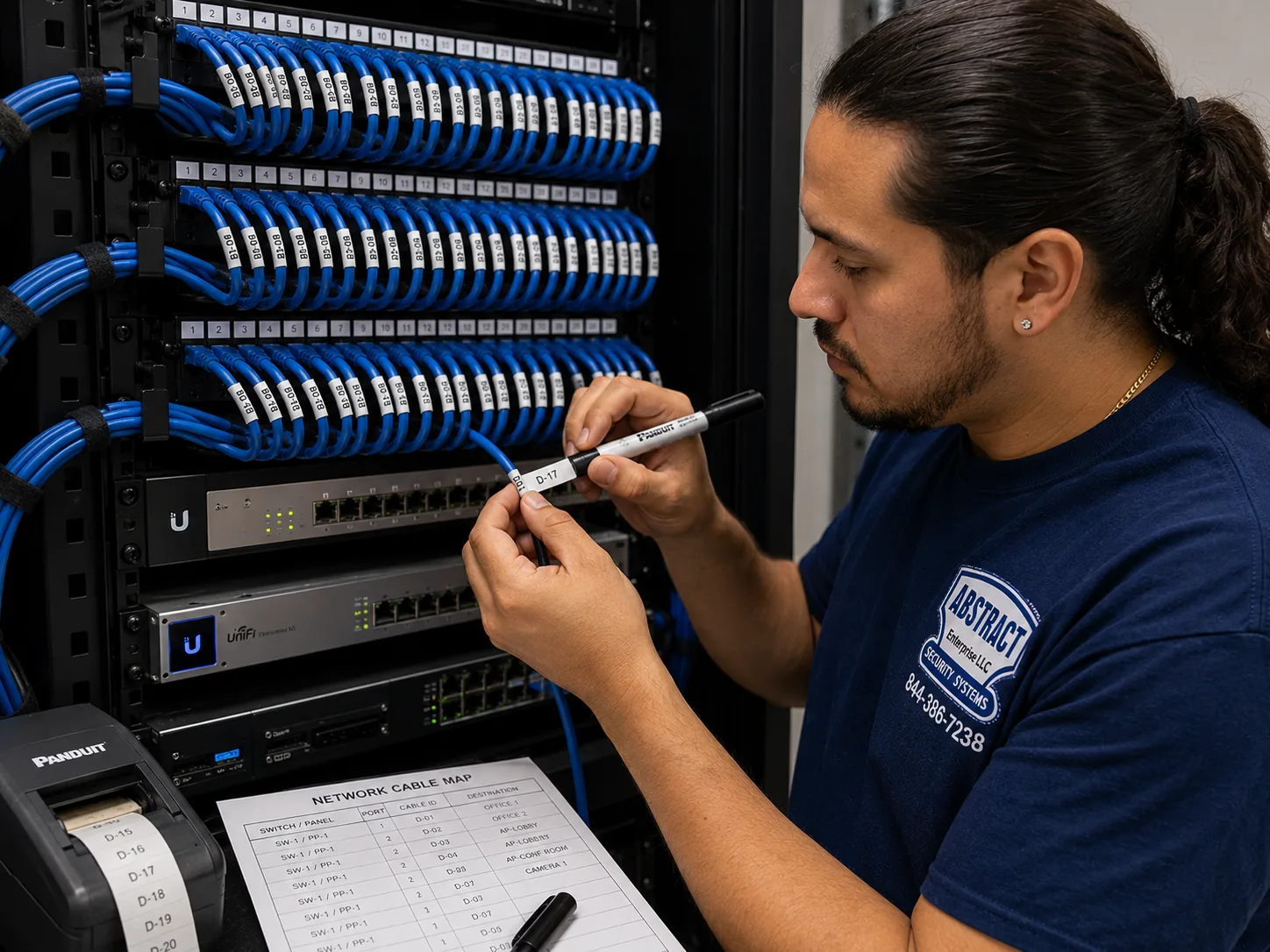
Photo from the AESS job library, not taken in the Hudson Valley: a technician printing cable labels at a patch panel, with a printed port map hanging beside it. On a GeoVision job in a Dutchess barn office or a Westchester office suite, every camera cable gets a label at both ends and a line on a map like this one, so the next person never has to guess which run feeds the gate camera.
Hudson Valley GeoVision Cameras
Tell us the town, the property type and what GeoVision gear is already there
✅
Request Sent!
We'll call about your Hudson Valley GeoVision system the same business day.
25+
Years Experience
✓
Same-Day Estimates
100%
Licensed & Insured
4.7★
201 Google Reviews
Owner-operated since 2002 · Thousands of jobs completed · Booked within 2 hours
Quick answer: a GeoVision camera installation in the Hudson Valley is priced by county on our Hudson Valley GeoVision price page, and every quote starts with a check of the GeoVision equipment you already own. The job includes identifying any end-of-life GV recorders or servers, planning wired PoE runs to the house, barn, lot or storefront, mounting and aiming the cameras, building the recorder on a supported platform with battery backup, and setting up GV-Eye remote viewing without open ports. Requests are booked within 2 hours, and we give you the county price before anyone climbs a ladder. Call (800) 486-0943 or see the Hudson Valley GeoVision camera installation prices.
Six counties, six price pages: Westchester, Rockland, Orange, Putnam, Dutchess and Ulster are each priced separately, because travel, distance and site conditions differ across the valley
Old GeoVision gear is checked model by model against the CVE-2024-11120 and CVE-2024-6047 advisories before we decide what stays and what goes
Camera and CCTV work done under NYS license #12000287431, the Department of State license that Article 6-D of the General Business Law requires of anyone in the business of installing these systems
Why Hudson Valley Properties Need GeoVision Camera Installation
The Hudson Valley is not one place, and a GeoVision system that suits a Westchester office park would be the wrong design for a Dutchess horse barn or a pre-Revolutionary stone house in Kingston. The region stretches from the edge of New York City up the river toward Albany, and the six counties we cover, Westchester, Rockland, Orange, Putnam, Dutchess and Ulster, hold almost four centuries of building. The Hudson River Valley Heritage Area describes architecture that runs from the mansions of land-grant families and nineteenth-century industrialists to modest farmhouses and working-class homes. Dutch settlers followed Henry Hudson's 1609 voyage up the river, and one of New Netherland's three main outposts, Wiltwyck, is the city we now call Kingston. Later came the factory towns: Poughkeepsie, Newburgh, Kingston and Hudson all filled with mills and plants, then declined in the middle of the twentieth century. After that came the suburbs, the office parks along the interstates, the warehouses off Route 17K, and the weekend houses of people who live most of the week in the city. A camera installer here has to read all of those buildings correctly.
GeoVision sits in the middle of that history. GeoVision is a Taiwanese video and access control manufacturer, as IPVM describes it, and its PC-based recorders, GV-VMS software and network cameras were installed in a great many small businesses, schools and offices over the years. A recorder that went in fifteen years ago in a Main Street shop or a town office often keeps running quietly in a closet long after anyone remembers who installed it. That is exactly the problem that surfaced in late 2024. Researchers at the Shadowserver Foundation found a botnet exploiting a previously unknown flaw in end-of-life GeoVision devices, tracked as CVE-2024-11120 with a severity score of 9.8 out of 10, a command-injection flaw that needs no password. Security Affairs reported about 17,000 internet-facing GeoVision devices exposed to it, with 9,179 of them in the United States. In May 2025 CISA added that flaw and a second one, CVE-2024-6047, to its catalog of known exploited vulnerabilities. The affected models, GV-VS12, GV-VS11, GV-DSP LPR V3 and GV-LX4C V2 and V3, are past end of life, and Armis notes that GeoVision issued no patches and strongly recommended replacing them.
So in this region, the first question on a GeoVision call is often not "where do the new cameras go" but "what is the old box in the back room, and is it talking to the internet." We have not seen any public count of how many of those devices sit in the Hudson Valley, and our research found no local news story naming a hacked GeoVision system here, so we are not going to claim one. What we can say is that the risk is national, that the models are documented, and that checking for them is quick once someone reads the label. We would rather spend ten minutes confirming a recorder is a supported model than leave an unpatchable device open on a business network that also carries the point-of-sale terminal or a home network that carries the family's laptops.
The other reasons valley properties need careful camera installation have nothing to do with GeoVision itself and everything to do with the land. In June 2024 the Times Union reported thunderstorms that left a combined 60,000 Orange and Rockland and Central Hudson customers without power, and in July 2026 the Daily Freeman reported nearly 50,000 Central Hudson customers in the dark after another round of storms. Earth Networks' 2020 lightning report put Orange County first in New York for lightning pulses, with Ulster, Westchester and Dutchess also high on the list. Every camera cable that leaves a building, to a barn, a gate, a pole or a detached garage, is a path for a surge back to the recorder. Distance matters too. The USDA's 2022 Census of Agriculture counted 620 farms in Dutchess County averaging 161 acres, and 486 farms in Ulster averaging 150 acres. On properties that size, the camera at the far paddock can be well beyond the roughly 100-meter limit of a single copper Ethernet run, and the plan has to account for that before the trench is dug.
Then there is the question of how residents and towns feel about cameras right now, which has been loud in 2026. Hudson Valley One reported in September 2026 that Kingston police defended a city network that, beyond its license plate readers, includes 71 conventional surveillance cameras concentrated in Midtown and Uptown, while residents raised privacy concerns. The same report noted that the cameras belonging to private businesses are mostly bullet-style cylinders. In Newburgh, Mid Hudson News reported in June 2026 that 21 of the city's 129 street cameras, about 16 percent, were not working and 19 could not be repaired, on a system running on a mix of fiber, copper and wireless radio. In October 2026 the Newburgh City Council moved to drop its Flock plate-reader program, Poughkeepsie Common Council members called for shutting theirs down, Dutchess County began removing its Flock cameras after a packed meeting in Pleasant Valley, and Ulster County Executive Jen Metzger issued an executive order barring county departments from deploying Flock and similar AI-assisted surveillance tools. Whatever you think of public cameras, the message for a private owner is the same: a system on your own property should be recorded locally, under your control, with you deciding who sees the footage.
Private incidents keep the demand real. Patch reported State Police in Poughkeepsie asking residents of Hoofprint Road in Union Vale and Fountain Place and Weatherford Lane in Millbrook, among other streets, to check their home cameras after car break-ins. News 12 reported Port Chester neighbors sharing camera footage of car break-ins around 4 a.m. on and near Tower Hill Drive. Scarsdale homeowners found a hidden camera placed on their property, which police described as a tactic theft rings use to watch homes before a burglary. State Police have also investigated burglaries targeting Asian American residents in Westchester, Dutchess and Putnam counties. And on the business side, WRRV reported a tip-jar theft at Alimentari Rossi & Sons at Eastdale Village in Poughkeepsie that was caught on camera. None of those stories involves GeoVision equipment that we know of, and we do not claim any of those people or businesses as customers. They show what a camera in this region is actually asked to do: record clearly at night, at the driveway and the back of the property, and hand over usable footage when someone asks.
We also want to be honest about what our research did not find. We searched for Reddit threads, local forum posts and Hudson Valley news about GeoVision installations specifically and found none. We found no public list of Hudson Valley businesses using GeoVision, and no local GeoVision dealer story to cite. We could not view Google's People Also Ask boxes or AI Overview from our build environment. Where this page explains how GeoVision behaves, it draws on GeoVision's own manuals and on security researchers' published advisories; where it describes local buildings, it draws on the public record; and where it describes how we work, it is our own practice. If a claim on this page is not supported by one of those, we left it out.
Hudson Valley facts that shape a GeoVision camera job
Old houses across the counties: Stacker's analysis of Census data gives Westchester a median home build year of 1958, with 28.0 percent of homes, 109,608 of them, built in 1939 or earlier. Dutchess has a median of 1971 with 18.0 percent built by 1939, Putnam 1968 with 17.9 percent, and Rockland 1970 with 11.5 percent.
Exploited GeoVision models: GV-VS12, GV-VS11, GV-DSP LPR V3 and GV-LX4C V2/V3 are end-of-life, unpatched and on CISA's Known Exploited Vulnerabilities catalog, which set a federal deadline of May 28, 2025 to fix or stop using them.
Storm exposure: Orange County ranked first in New York for lightning pulses in Earth Networks' 2020 report, and summer storms in 2024 and 2026 each knocked out power to tens of thousands of customers across Orange, Rockland, Dutchess and Ulster.
Large rural parcels: Dutchess farms average 161 acres and Ulster farms 150 acres, according to the USDA 2022 Census, which puts barns, gates and fields far beyond a single copper cable run.
Historic districts with exterior rules: Newburgh's East End holds 2,239 historic resources, the most of any federally recognized district in the state, and Kingston's Stockade District is the largest remaining example of early Dutch settlement in New York State.
Uneven internet: Ulster County has been working to bring fiber to nearly 1,300 unserved households, businesses and community facilities in remote areas, and in most of Ulster the available provider is Spectrum, as a county official told Hudson Valley One.
What owners often add once the cameras are in. On valley properties with a long driveway or a gated barn lane, the next request after cameras is usually control of the gate or door itself: an access control reader, a keypad, or an intercom at the entry. GeoVision makes access control as well as video, and its GV-Control Center software is designed to bring cameras, access control and license plate recognition into one screen. If you think you will want that later, tell us at the survey, so the conduit we run for the gate camera has room for the reader cable too.
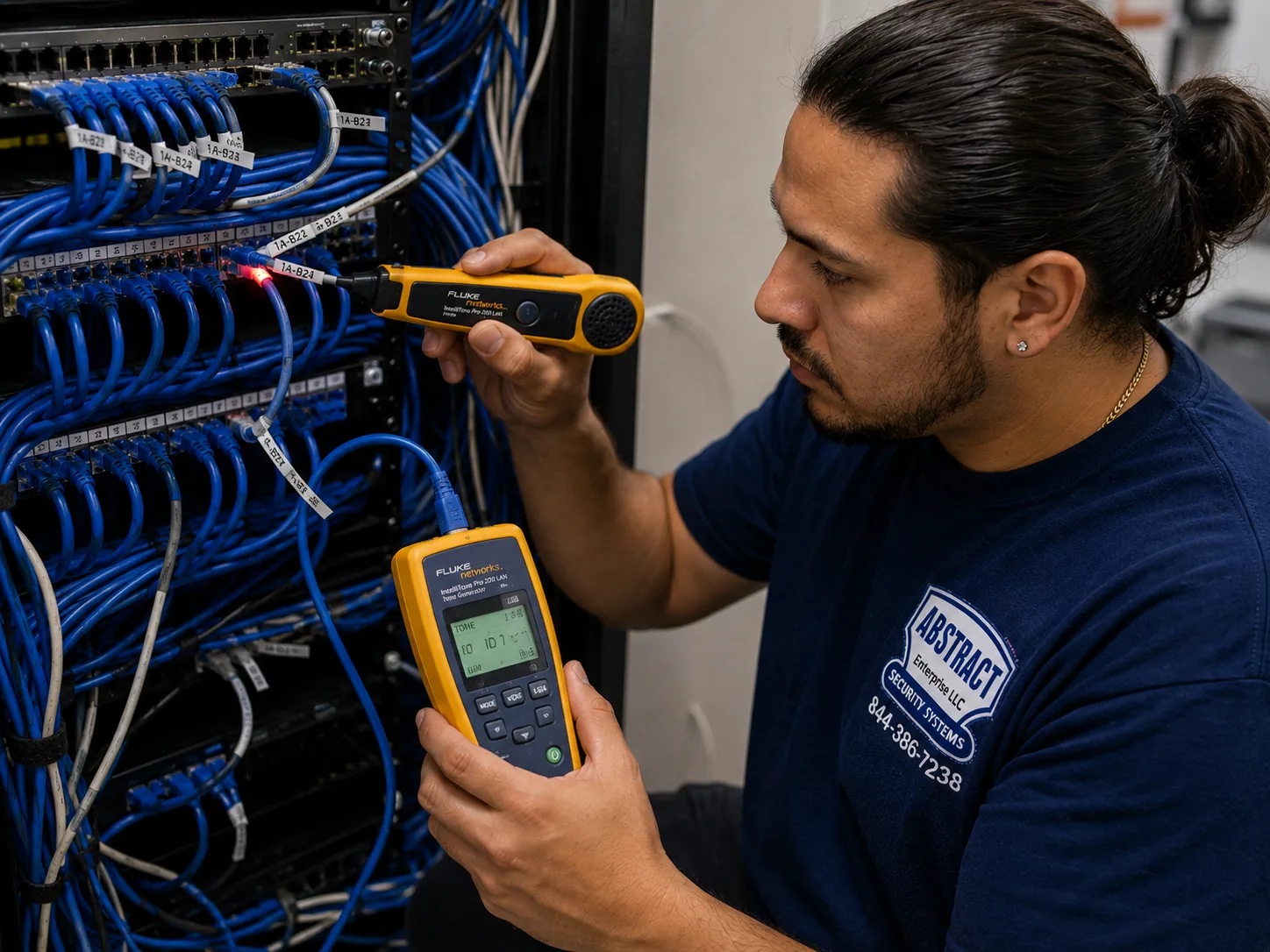
Photo from the AESS job library, not taken in the Hudson Valley: a technician tracing an unidentified cable at a patch panel with a tone generator and probe. When we find an old GeoVision recorder in a shop closet in Kingston or a town office in Orange County, this is how we work out which unlabelled cable runs to which camera before anything is unplugged.
GeoVision Recorder Acting Strange, Cameras Offline After a Storm? Fast Help Across the Hudson Valley
Two kinds of GeoVision call get moved to the front of the line. The first is a recorder that has started behaving oddly: running hot, slowing down, freezing, or showing settings nobody changed. Researchers who studied the GeoVision botnet listed exactly those signs, excessive heat, slowness or unresponsiveness, and configuration changes, as indicators that a device may have been taken over. If you see them, unplug the recorder's network cable, leave the power on so recordings are not lost, and call (800) 486-0943. Do not factory-reset it yourself before someone has exported the footage you may need. The second urgent call is the system that went dark after a storm: cameras on the barn, the gate or the lot offline while the indoor ones still work. That pattern usually means a surge came in on an outdoor run. Tell us which cameras are down and where their cables go, and we will tell you honestly when we can get there and what to bring.
The End-of-Life GeoVision Problem: What We Check Before Installing Anything New
A lot of the GeoVision work in this region is not a blank-slate install. It is a building that already has GeoVision equipment, sometimes a lot of it, and an owner who wants better cameras without throwing away what still works. That is a reasonable goal. But it means the first part of every job is an inventory, and the inventory has to be honest about which devices are now a liability. The table below sets out what the public advisories say, so you can see exactly what we are checking for and why.
Item
What the published sources say
What it means on a Hudson Valley site
CVE-2024-11120
A pre-authentication command-injection flaw rated 9.8, discovered by the Shadowserver Foundation and verified with TWCERT; exploited by a botnet to install Mirai malware
An exposed device can be taken over without anyone knowing its password
CVE-2024-6047
Listed by CISA alongside CVE-2024-11120 as actively exploited; both let remote attackers run system commands
Two separate ways in, on the same family of old devices
Affected models
GV-VS12, GV-VS11, GV-DSP LPR V3, GV-LX4C V2 and V3, all end-of-life and no longer supported
Video servers, a plate-recognition unit and a compact camera that older installs often used
Updating firmware is not an option for these models
Federal deadline
CISA required federal agencies to fix or stop using the products by May 28, 2025
A useful benchmark for schools, towns and contractors who follow federal guidance
Exposure
About 17,000 devices online worldwide, 9,179 in the United States, per Security Affairs
The US had more exposed devices than anywhere else
Recommended steps
Isolate from the internet, factory-reset, and ideally replace with supported models
The order we follow, with footage exported before any reset
How we find out what you have
Most owners do not know the model number of their recorder, and there is no reason they should. We read it from the label on the device, from the software's About screen if it is a PC running GeoVision software, or from the camera's own web page. For each device we record the model, the firmware or software version, its network address, and whether it can be reached from outside the building. That last check matters most. An end-of-life device that sits on an isolated camera network with no route to the internet is a much smaller risk than the same device with a port forwarded through the router so someone could watch from home. In older installs, the remote-viewing setup was often done exactly that way, by opening ports on the router, and the ports were never closed again. We look at the router as well as the recorder, because that is where the exposure lives.
What we do with an affected device
If a device is one of the end-of-life models, we follow the published advice in a careful order. First we take it off the internet, usually by removing the port forwarding and, where necessary, moving it to its own network segment. Second, before any reset, we export the footage you may want to keep, because a factory reset or a replacement wipes the history. Third, we plan the replacement. For a small business that might mean a new GeoVision NVR or GV-VMS server with supported cameras; for a site with good cameras on an old video server, it can mean keeping the cameras and replacing only the device that converts or records them, if the cameras themselves are supported. We do not tell anyone to rip out working, supported equipment to make a sale, and we put every keep-or-replace decision in writing so you can see the reasoning.
Signs a device may already have been compromised
The researchers who documented the botnet listed three warning signs: a device that runs much hotter than it used to, one that has become slow or unresponsive, and one whose configuration has changed without anyone touching it. On their own, none of those proves anything. Old recorders run hot when their fans clog with dust, and slow software is common on aging PCs. But if an end-of-life GeoVision unit shows any of them and has been reachable from the internet, we treat it as compromised: we isolate it, we do not trust its settings, and we do not move its configuration onto the new system. We rebuild the new system from scratch with fresh passwords.
Old PC-based GeoVision recorders
Many GeoVision systems in the valley are not stand-alone boxes but Windows PCs with GeoVision capture cards or GV-VMS software. Those bring their own issues. GeoVision's V20 manual notes that GV-VMS automatically disables Windows Memory Integrity on Windows 10 and 11 during installation, which is a security feature many IT people expect to be on. That is a trade-off worth knowing about, and on a business network it is one more reason to keep the recorder PC on its own segment, away from the office computers. Older PC recorders also tend to run on old versions of Windows. When we find one, we look at whether its cameras can move to a supported GV-VMS install on current hardware, or whether the whole thing is due for replacement.
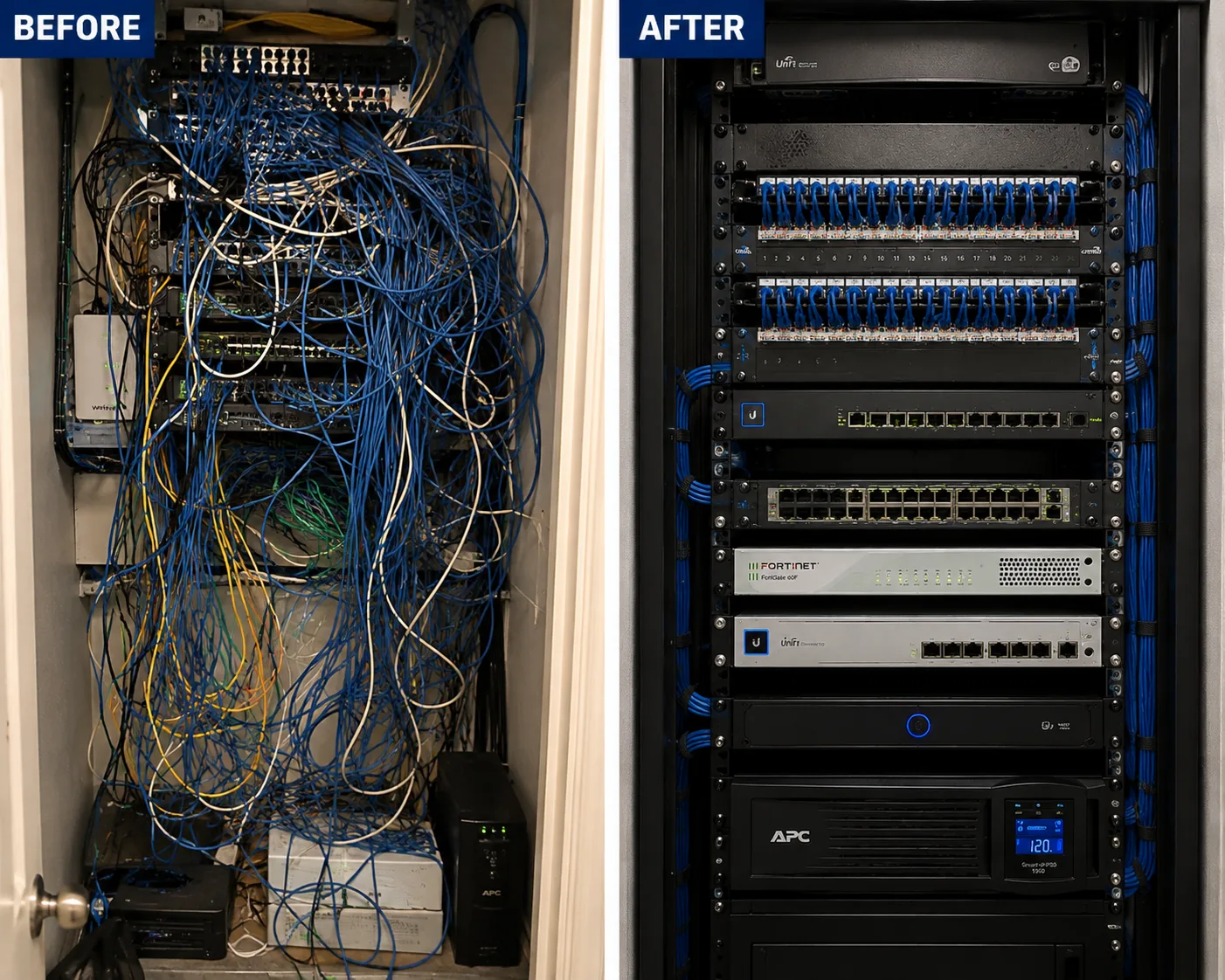
Photo from the AESS job library, not taken in the Hudson Valley: before and after views of the same network rack, first tangled and unlabelled, then rebuilt with dressed, identified cables. Closets that have held an old GeoVision recorder for a decade, in a Poughkeepsie office or a Newburgh storefront, often look like the left side; replacing the recorder is the moment to make them look like the right.
Six Counties
Westchester to Ulster: How a GeoVision Job Changes County by County
This page is the hub for all six Hudson Valley counties we serve, and each county has its own GeoVision price page, because the travel, the distances and the buildings differ. Here is what tends to set each county's jobs apart. These are patterns drawn from the public record and from the type of buildings in each place, not a claim about any particular property.
Westchester County
Westchester has the oldest housing of the four counties in Stacker's data, with a median build year of 1958 and more than a quarter of homes built before 1940, alongside some of the region's biggest office stock. Howard Properties reported in May 2026 that 660,000 square feet of 1970s office buildings in the "700 series" on Route 287 in White Plains had been bought for mixed-use redevelopment, that county office vacancy had fallen to 19.9 percent from a recent peak of 27 percent, and, in their own words, that "our newest office building today is 37 years old." Buildings that age are exactly where older GeoVision servers sit in a telecom room. Westchester jobs tend to be suburban houses with attached garages and a long driveway, older office suites being re-tenanted, and village storefronts. Westchester also requires home improvement contractors to hold a county license, according to the county's Department of Consumer Protection, in addition to the state camera license. See GeoVision camera installation prices in Westchester County.
Rockland County
Rockland is smaller and more suburban, with a median home build year of 1970 and the lowest share of pre-1940 houses of the four counties in Stacker's data. Its commercial life runs along Route 59, Route 304 and Route 202 and around the Palisades Center in West Nyack, which Hoodline reported went to a foreclosure auction in February 2026. Rockland calls tend to be houses in hilly neighborhoods with wooded rear yards, where the back of the property is dark and the camera needs good night performance, and small businesses on the commercial routes. In Montebello, CBS reported a doorbell camera that captured two masked men at a house across the street on Coe Farm Road; a reminder that the useful camera is often the one that sees the street, not just your own door. Rockland's Office of Consumer Protection licenses home improvement contractors and master electricians. See GeoVision camera installation prices in Rockland County.
Orange County
Orange combines the City of Newburgh's historic East End, the logistics buildings along Route 17K and Interstate 84, Stewart International Airport, and wide rural towns. The Hudson Gateway Association of Realtors reported in 2020 on an Amazon building of 1,015,740 square feet at Route 17K and Route 747 in the Town of Montgomery, and a Medline facility of about 1.2 million square feet nearby. Orange also led New York for lightning in Earth Networks' 2020 report, with 275,059 pulses. That combination, huge buildings with long cable runs and the most lightning in the state, makes surge protection and grounding on outdoor camera runs a design issue here, not an afterthought. See GeoVision camera installation prices in Orange County.
Putnam County
Putnam has a median home build year of 1968 and nearly 18 percent of homes built before 1940. It is a county of lake houses, wooded lots and long private roads, from Lake Mahopac to the Hudson Highlands. Much of it also sits within the New York City watershed, where the Department of Environmental Protection's watershed regulations apply to some ground disturbance, which matters if a camera run means trenching near water. Putnam jobs are often houses with a detached garage or boathouse, second homes watched from the city, and small commercial strips. See GeoVision camera installation prices in Putnam County.
Dutchess County
Dutchess holds Poughkeepsie and Beacon on the river, the Route 9 commercial corridor through Wappingers Falls near the Poughkeepsie Galleria, the IBM campus on South Road, Vassar College, and hundreds of farms averaging 161 acres. Beacon's historic Main Street, almost a mile long, sits partly in a historic district overlay where exterior alterations need a certificate of appropriateness from the Planning Board. Farther out, in towns like Union Vale, Millbrook and Pine Plains, the job is about distance and outbuildings. Dutchess is also where the county itself is pulling back from Flock cameras, which has made some owners more interested in private, locally recorded systems. See GeoVision camera installation prices in Dutchess County.
Ulster County
Ulster has Kingston, with its five local historic districts and its stone Stockade houses, the Town of Hurley, which a Fordham study describes as having the oldest surviving group of colonial stone houses in the valley, and wide rural areas where internet service has long been unreliable. It also has iPark 87, the former IBM Kingston manufacturing site on Enterprise Drive, which Spectrum News described in February 2026 as more than a million square feet of buildings on 200 acres, with Ulster BOCES and Archtop Fiber on the East Campus. Ulster jobs swing from thick stone walls in town to off-grid-feeling properties up in the hills. See GeoVision camera installation prices in Ulster County.
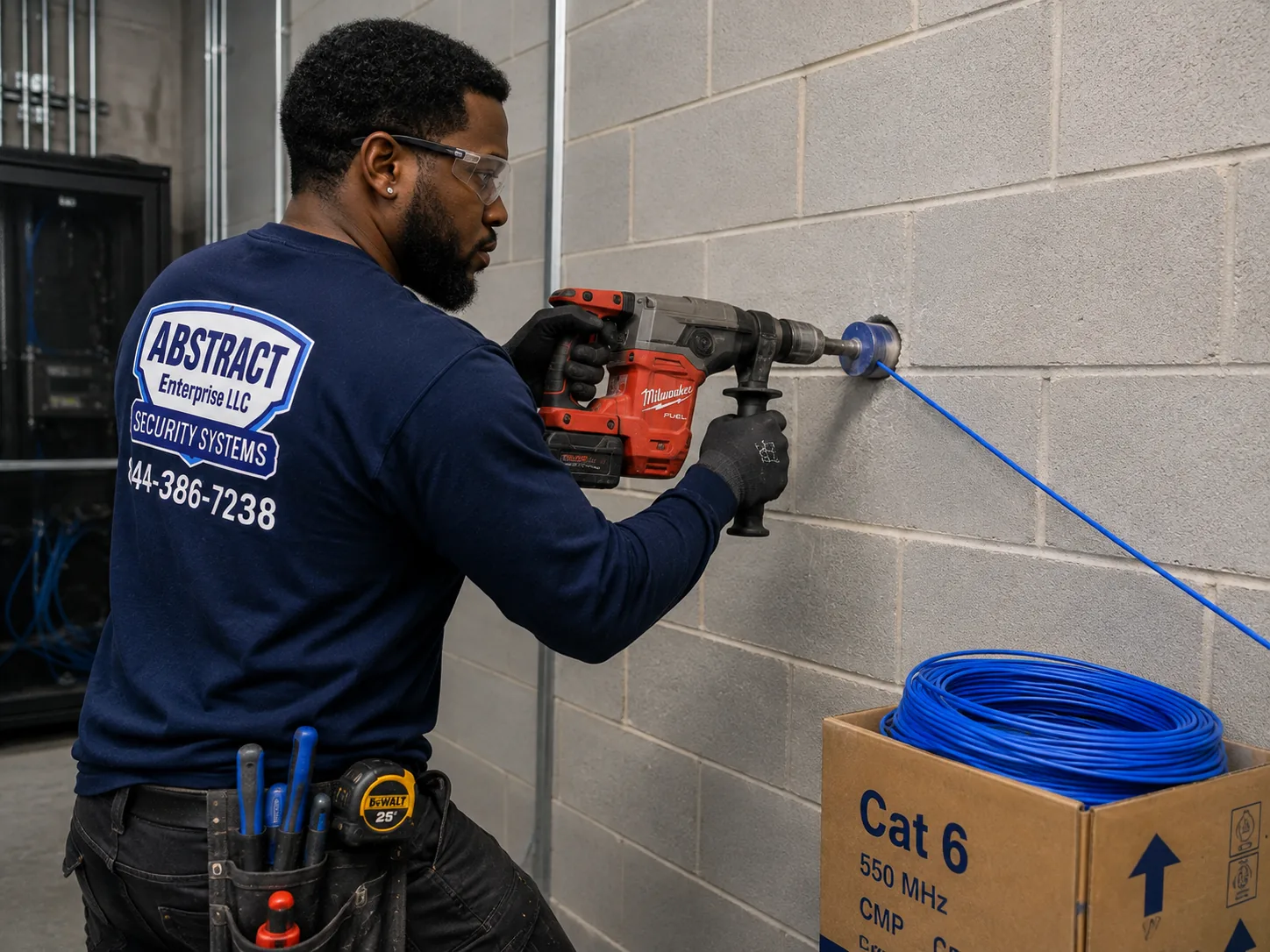
Photo from the AESS job library, not taken in the Hudson Valley: a technician core drilling a block wall to carry cable through to a network room. The same careful, sleeved pass-through is what a camera cable needs to get through the block walls of a warehouse off Route 17K or the brick of a Newburgh rowhouse without leaving a ragged hole.
Before You Book
Ten Minutes Before the Survey: What to Gather at Your Hudson Valley Property
Most of the time lost on a camera job in the valley is lost to things nobody knew in advance: a recorder password nobody has, a router in a locked closet, a barn with no power, or a historic-district rule that nobody mentioned until the camera was on the front wall. A few photos and notes before we come prevent almost all of it. Please do not reset, unplug or open up the old system yourself; just look, photograph and send.
What to check
Why it matters here
What to send us
The label on any existing recorder or video server
It tells us whether the device is one of the end-of-life GeoVision models
A clear photo of the label and the front panel
Who has the recorder's admin password
On PC-based GeoVision recorders, a lost password can mean reinstalling Windows
The name of whoever set it up, or "nobody knows"
How you view the cameras from away
Old setups often used router port forwarding, which is the exposure we close
The app name on your phone and a photo of the router
Outbuildings, gates and poles you want covered
Distance decides between copper, fiber or a wireless link
A rough sketch or a satellite screenshot with distances
Power at each outbuilding
A barn with power can host a small switch; one without needs power sent down the cable or a new circuit by an electrician
Which buildings have outlets
Wall material where cameras will mount
Stone, brick, block, clapboard and vinyl siding each take different fixings and sealing
Close-up photos of the outside walls
Historic district status
Kingston, Newburgh, Beacon and Hudson review street-visible exterior changes
Your address, so we can check the district map with you
Internet service at the property
Rural service and outages affect remote viewing, not local recording
Your provider and whether it drops in storms
Who must agree
Landlords, boards, tenants and employees each have a say in different settings
Contact for the owner, manager or board
Walk the property at night
The most useful thing you can do before a survey is walk your own property after dark. Notice where the light ends. In the Hewlett Harbor burglaries on Long Island, police believed the burglars came in from the rear of homes with minimal lighting; the pattern is not unique to Long Island. On a valley property the dark areas are usually the back of the house facing the woods, the side yard by the garage, the lane to the barn and the parking area behind a shop. Write down where you would want to see a face or a plate, not just movement. That list is the starting point for camera placement, and it tells us which cameras need stronger night performance or a light added near them.
Think about who should see the footage
Before the system is built, decide who gets access. A family might want two phones on the app. A business might want the owner and a manager, but not every employee. A board-run building might want footage reviewed only by the managing agent. GeoVision's software lets each user have their own login and their own permissions, and it is far easier to set that up on day one than to untangle a shared password later. Tell us who needs live view, who needs playback, and who should be able to export footage.
What We Install
GeoVision Camera Installation Services in the Hudson Valley
These are the GeoVision jobs that homeowners, farm owners, business owners, schools and building managers across the six counties ask us for. Each one is priced on the county's GeoVision price page, and where a job needs something extra, such as a fiber link to a far barn or conduit to satisfy a historic commission, the written quote names it before you agree.
🔍
Legacy GeoVision Audits
Every GeoVision recorder, video server and camera on site identified by model and firmware, checked against the end-of-life advisories, and tested for exposure through the router, with a written keep-or-replace list.
🔄
Recorder and Server Replacement
End-of-life GV video servers and aging PC recorders replaced with a supported GeoVision NVR or GV-VMS server, with footage exported first and supported cameras carried over where they qualify.
📹
New GeoVision Systems
Complete new installs for houses, shops, offices and farms: cameras, PoE switching, recorder, battery backup and the cable plant to tie it together, designed around the property's real distances.
🔗
Mixed-Brand Systems
GeoVision recorders that accept third-party cameras through ONVIF, and existing cameras from other brands brought into a GeoVision system, tested one by one before we promise they will work.
🏡
Barns, Gates and Outbuildings
Camera links to barns, detached garages, gates and pole cameras, using copper within distance, fiber or point-to-point wireless beyond it, with surge protection where cables leave a building.
📱
Safe Remote Viewing
GV-Eye and remote playback set up without leaving recorder ports open on the router, default passwords replaced, and separate logins for each person who needs access.
🏛
Historic-District Installs
Camera layouts for Kingston, Newburgh, Beacon and Hudson that favor side and rear facades, use painted conduit and line hides, and avoid damaging historic stone, brick and wood.
🔋
Power and Storm Protection
Battery backup sized for the recorder, switch and modem, surge protection on outdoor runs, and coordination with an electrician where a site needs a generator circuit.
🛠
GeoVision Repairs
Cameras that dropped offline, recorders that stopped recording, failed hard drives, broken remote access and storm-damaged runs, diagnosed and fixed or honestly called for replacement.
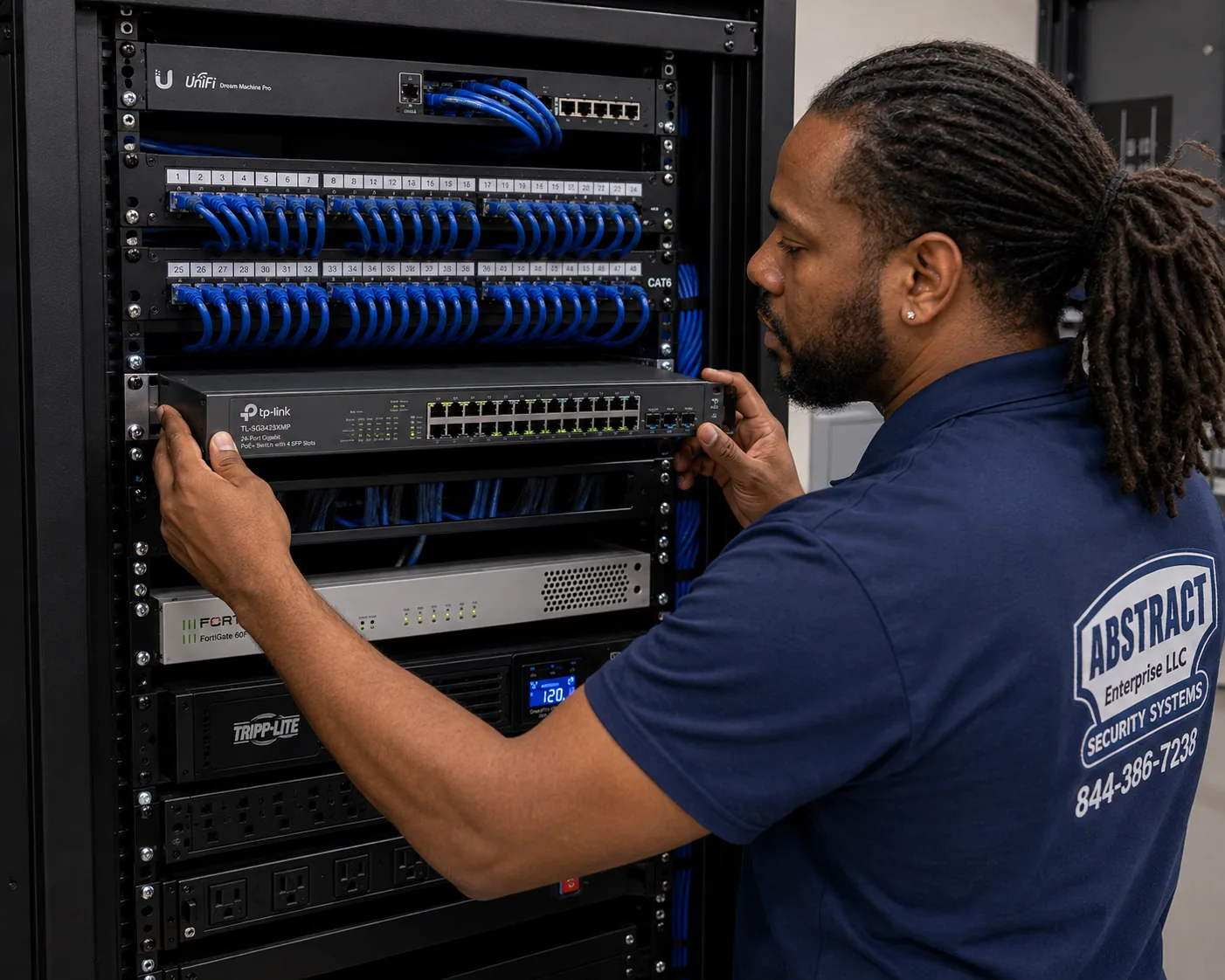
Photo from the AESS job library, not taken in the Hudson Valley: a technician mounting a managed PoE switch below the patch panels in a commercial rack. A switch like this powers and connects the cameras on a GeoVision system in a Westchester office suite or a Dutchess farm office, and its management features let us keep the cameras on their own network, away from the computers.
Building Specialists
GeoVision Camera Installation for the Hudson Valley's Architecture
A GeoVision camera holds just as well on a stone wall as on vinyl siding, if it is fixed correctly. What changes from building to building is how the cable gets from the camera to the recorder, what it has to pass through, and who has to approve what the street will see. These are the building types the public record describes across the valley, and how we approach each.
Dutch Colonial Stone Houses
Kingston's Stockade, with stone houses on all four corners of Crown and John Streets, and Hurley's group of colonial stone houses. Walls of thick masonry, deep window reveals and very little hollow space for cable.
Brick Rowhouses and Townhouses
Newburgh's East End ridge of Federal, Italianate and Greek Revival rowhouses, and Kingston's Victorian rows. Party walls, ornate cornices and front facades the city wants left intact.
Mid-Century Suburban Houses
The ranches, colonials and split-levels behind Westchester's 1958 and Rockland's 1970 median build years. Attics, basements and attached garages make wiring straightforward.
Farms, Barns and Estates
Dutchess and Ulster farms averaging more than 150 acres, horse barns, equipment sheds and the great estates along the river. Distance, livestock, dust and lightning drive the design.
River-Town Industrial Buildings
Brick, steel and concrete factories of the kind Dia Beacon now occupies in a 1929 Nabisco box-printing plant. Huge open floors, high ceilings and walls that need core drilling.
Office Parks and Campuses
The 1970s office buildings along Route 287 and former corporate campuses such as iPark 87 in Ulster. Shared telecom rooms, drop ceilings and decades of other tenants' cable.
Warehouses and Distribution Buildings
The million-square-foot buildings near Route 17K in Montgomery and along I-84. Long runs, high mounting heights, truck courts and large parking lots.
Lake Houses and Second Homes
Lake Mahopac waterfront homes with boathouses, and weekend houses across Putnam, Dutchess and Ulster. Owners watch from the city and need the system to recover on its own after outages.
Apartment Buildings and Multi-Family
Renovated multis in Kingston, older apartment buildings in Newburgh and the river cities. Cabling from a ground-floor recorder up through the building to each common area.
How the building changes the GeoVision job
Building
How the camera is fixed
How the cable usually travels
Who has a say
Stone house
Masonry anchors set in the stone, not the joints, after test holes
Short exterior run in painted conduit to a single sleeved entry
Owner; local commission if street-visible in a district
Brick rowhouse
Sleeve anchors in brick on side or rear walls
Through the rear wall, up through the basement or a closet
Owner; Newburgh ARC in the East End
Suburban house
Junction box on siding or trim, sealed to the wall
Attic and soffit runs, down through the garage to the recorder
Owner
Farm or barn
Mounts on posts, beams or a dedicated pole
Buried conduit, fiber or a wireless bridge between buildings
Owner; 811 notice before digging
Industrial building
Wall or beam mounts at height, sometimes from a lift
EMT conduit along walls and through core-drilled holes
Owner or landlord
Office park suite
Ceiling or wall mounts in the suite and common areas the lease allows
Above the drop ceiling on J-hooks to the suite's rack
Tenant and landlord
Warehouse
High wall and pole mounts aimed at doors and lots
J-hook pathways across the ceiling, conduit outside
Owner or tenant under the lease
Apartment building
Common-area mounts at entries, halls and lots
From a lobby or basement recorder up through the building
Owner or board; tenants told of common-area cameras
Stone walls in Kingston and Hurley
Colonial stone houses have walls that can be well over a foot thick, built from fieldstone set in mortar that has been repointed many times. There are no stud bays to fish a cable through, so on these houses we plan the shortest possible exterior route. The camera goes where it can see what you need, usually from under an eave, on a rear wall or on an outbuilding facing the house, and its cable runs in a small conduit to one carefully drilled entry. We drill that entry into the stone where we can, not through old mortar joints, and we sleeve and seal it so water does not follow the cable inside. In Kingston, staff at the Historic Landmarks Preservation Commission recommended in a 2025 approval that externally mounted lines or line hides be painted to match the facade. Even where your house is not in a district, that is good practice on a stone house, and we bring paint-ready conduit for exactly that reason.
Brick rowhouses in Newburgh's East End
The East End is one of the most important historic districts in the state, and the city has written guidance that speaks directly to security equipment. Newburgh's design guidelines say that installing security features shall not damage historic building fabric, and that security or motion-detection equipment should be located on side or rear facades. Exterior changes in the district need a certificate of appropriateness from the Architectural Review Commission. In practice, that means the GeoVision layout on an East End rowhouse usually covers the street from inside a window, from a discreet position under a cornice or bracket only if the commission agrees, or from the rear of the building toward the alley and yard. Inside, brick party walls are solid, so cable often travels down to the basement and back up, or through a closet stacked between floors.
Suburban houses from the 1950s to the 1970s
The majority of houses in Westchester, Rockland and Putnam were built in the middle decades of the twentieth century, and those are the most straightforward GeoVision installs we do. An attic over the bedrooms gives us a path to every soffit, the garage gives us a path down to a basement or utility room for the recorder, and vinyl or wood siding takes a sealed mounting box cleanly. The details that matter are sealing every exterior penetration, keeping cables out of attic insulation where they would be crushed, and placing the driveway camera so it sees a face at the door and a plate at the curb rather than the roof of the car.
Barns, farms and estate outbuildings
Barns are hard on electronics. Dust, cobwebs and insects collect on camera domes; livestock and equipment knock things; mice chew cable; and lightning finds the long metal paths. We mount barn cameras out of reach of animals, prefer cameras whose housings can be wiped clean, run cable in conduit inside the barn where rodents or horses can reach it, and protect every run that enters the barn from outside. The connection between the barn and the house is the main design decision, covered in detail in the questions below.
Industrial buildings, office parks and warehouses
The river towns are full of former factories now used as studios, offices, galleries and light industry, and the interstates are lined with office parks and distribution buildings. In these buildings the camera itself is the easy part. The work is in the pathways: EMT conduit along masonry walls, core-drilled holes through block, J-hook pathways above drop ceilings, and respecting the fire-rated walls and ceilings the building already has. In a multi-tenant office park, we also work around the other tenants' cable in shared telecom rooms and get the landlord's approval before running anything through common space.
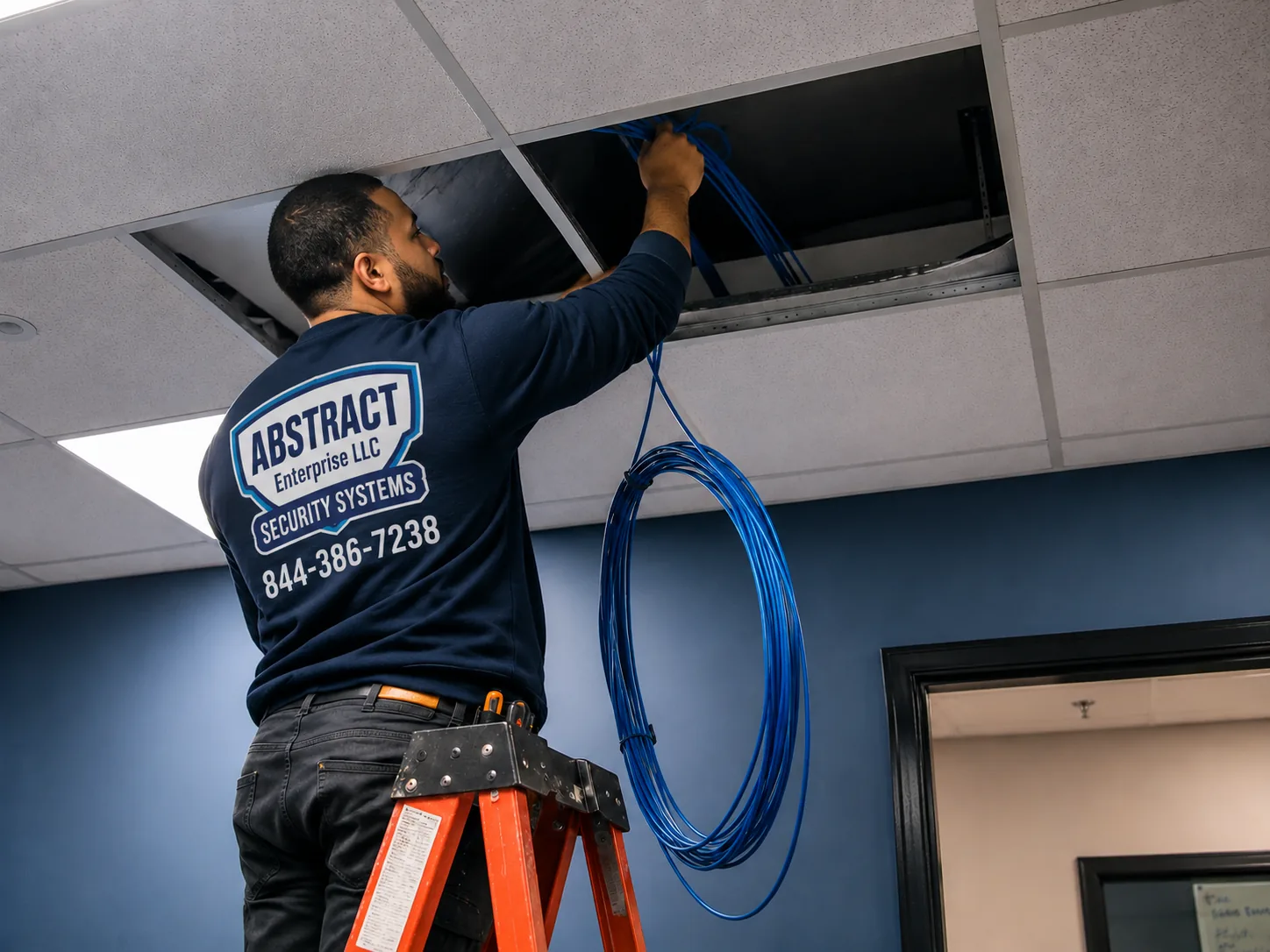
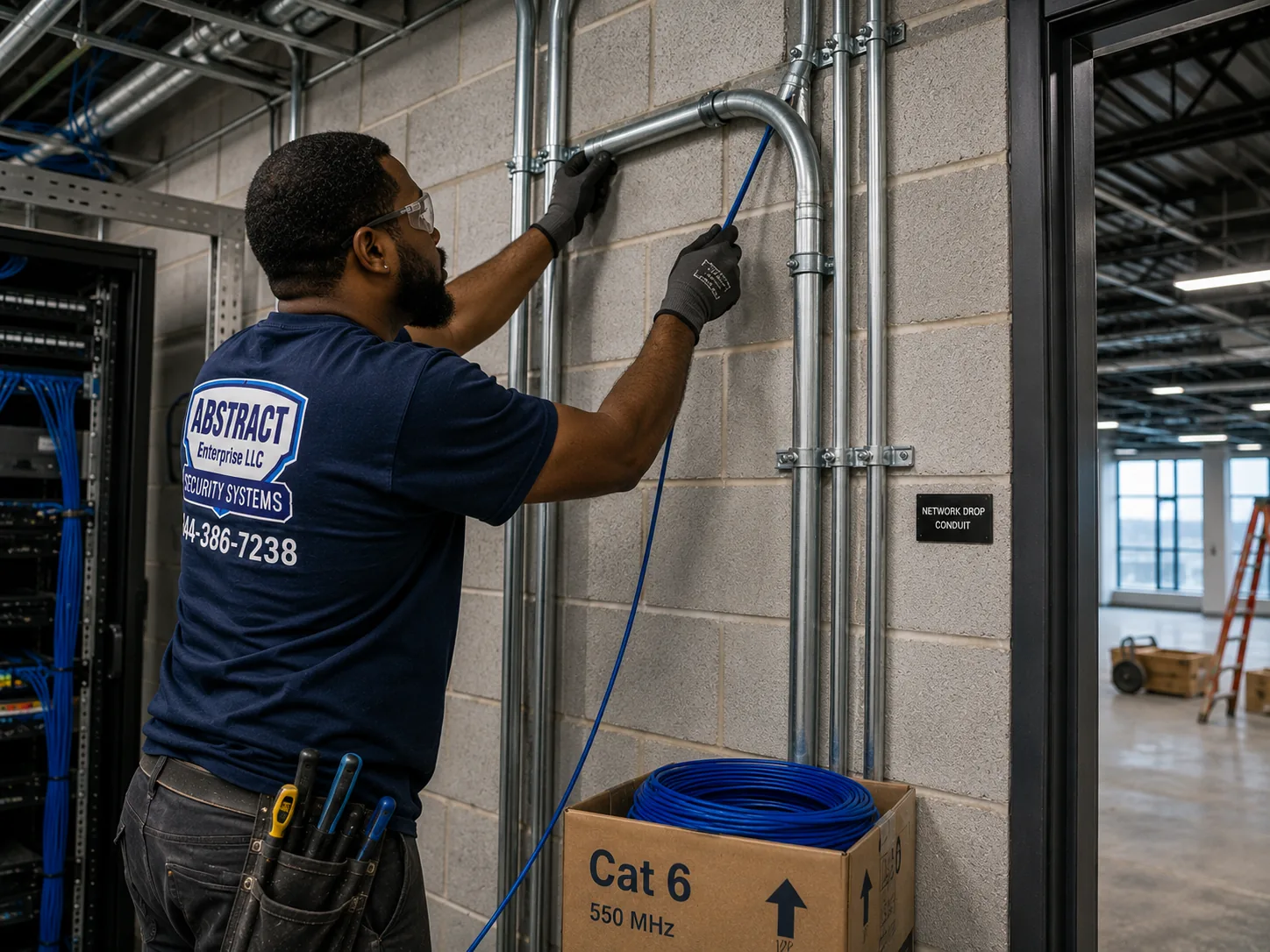
Photo from the AESS job library, not taken in the Hudson Valley: a technician feeding cable through the ceiling of an occupied commercial space. In a re-tenanted 1970s office building on the Route 287 corridor or a suite at a former corporate campus, this is how camera cable reaches the hallway and entry cameras while the office stays open below.Photo from the AESS job library, not taken in the Hudson Valley: a technician running cable into EMT conduit next to a telecom room in an industrial building. The brick and concrete former factories in Beacon, Newburgh, Kingston and Poughkeepsie usually have no hollow walls at all, so GeoVision camera cable travels in conduit like this from the cameras to the recorder.
Commercial GeoVision Camera Installation
Business GeoVision Camera Installation in the Hudson Valley
GeoVision has always been a business-focused brand, and many of the GeoVision systems still running in the valley are in shops, offices, schools and small industrial sites. These are the main commercial corridors the public record describes across the six counties. We describe what the sources say about each place; we have no information about the camera systems in any particular business there and do not claim any of them as customers.
Beacon's Main Street
Almost a mile of shops, restaurants, galleries and tasting rooms, partly within the city's historic district and landmark overlay, where the Planning Board reviews exterior alterations and street-front fixtures.
Kingston's Stockade and Rondout
Commercial blocks on Wall Street, North Front Street and Green Street in the Stockade, plus the Rondout waterfront, all within local historic districts reviewed by the HLPC.
Route 9 Through Wappingers Falls
A commercial, retail and residential corridor near the Poughkeepsie Galleria, with shopping centers, restaurants and service businesses, and Eastdale Village nearby in Poughkeepsie.
Route 17K and I-84 in Orange County
Distribution buildings in the Town of Montgomery, Stewart International Airport and the interchange towns, where trucks, yards and very long buildings set the camera plan.
Route 287 and the Platinum Mile
Westchester's office corridor in White Plains and Harrison, with 1970s office buildings being converted and re-tenanted, and suites with shared telecom rooms.
Route 59 and the Palisades Center
Rockland's main retail route through West Nyack and Nanuet, with strip centers, restaurants and the Palisades Center, which went to foreclosure auction in February 2026.
Warren Street in Hudson
Hudson's main street of shops and restaurants, where the Historic Preservation Commission issues certificates of appropriateness before building permits for exterior work.
NY 32 and Newburgh's Broadway
New Windsor's main commercial strip heading into Newburgh's Lake Street, and Broadway in Newburgh, home to the 1880 New York State Armory building.
Enterprise Drive, iPark 87
The former IBM Kingston site in Ulster, with more than a million square feet of buildings, Ulster BOCES and Archtop Fiber on the East Campus, and parcels in county foreclosure.
What a business GeoVision system has to do
A home system mostly needs to show you who came to the door. A business system has more jobs at once. It has to capture faces at the entry and plates in the lot clearly enough to be useful to police. It has to watch the register and the stock room without pointing anywhere the law forbids. It has to keep recording through a power cut long enough to cover the time the building is most vulnerable. It has to let the owner check in from a phone without turning the recorder into a door into the business network. And it has to be simple enough that a manager can export a clip the morning after an incident without calling anyone. We design commercial GeoVision systems around those jobs, camera by camera, with the owner, and we write the camera list and the purpose of each camera into the quote. GeoVision's GV-VMS platform records up to 64 channels of GeoVision or third-party IP cameras, according to 2N's integration documentation, which is ample for most single-building businesses in the valley; larger or multi-site operations can use GV-Control Center to bring several recorders into one view.
Rules and practical limits for business cameras
A state license for the installer. New York's General Business Law Article 6-D says no one may engage in the business of installing, servicing or maintaining security or fire alarm systems without a license, and 19 NYCRR §195.2 extends that to closed-circuit television used to detect or monitor intrusion. Ours is NYS license #12000287431. An owner installing a system on their own property with their own employees is exempt.
Notice to employees. Under New York Civil Rights Law §52-c, employers who monitor electronically must give notice and post it in a conspicuous place visible to employees. We remind every business client of that before the system goes live.
No cameras in restrooms or locker rooms. Labor Law §203-c prohibits cameras in restrooms, locker rooms and changing areas, regardless of any posted policy. We do not install there, and we check that a hallway camera does not see into one through an open door.
Historic-district storefronts. In Kingston, Newburgh, Beacon and Hudson, street-visible exterior changes on designated buildings go through the local commission or board. We prepare the camera positions, conduit route and finish so you can bring a clear plan to the review.
Protection where cable leaves the building. The National Electrical Code's Article 800 deals with communications circuits that enter buildings, including protectors and grounding. Camera cable running to a pole, a separate building or a sign is an outside run, and we protect and bond it accordingly.
Digging. Before any trench for a lot camera or gate run, New York's 811 system must be notified so underground utilities can be marked; Central Hudson's Dig Safely guidance gives two to ten working days' notice. In the New York City watershed, DEP rules may apply to ground disturbance near water.
Fire-rated walls and ceilings. In commercial buildings, cable that passes through a rated wall or ceiling has to be sealed with an approved firestop so the rating is kept. We firestop our own penetrations.
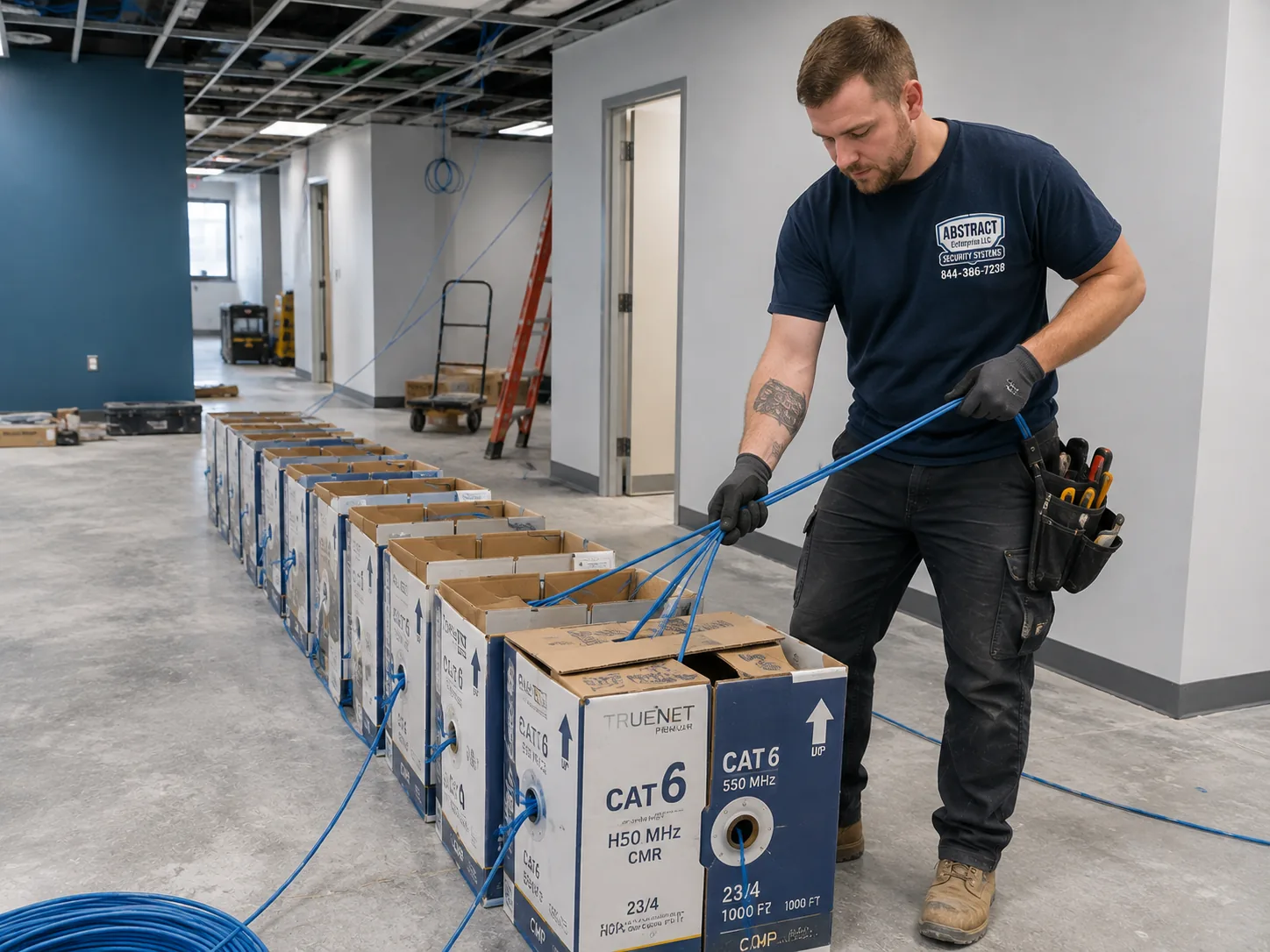
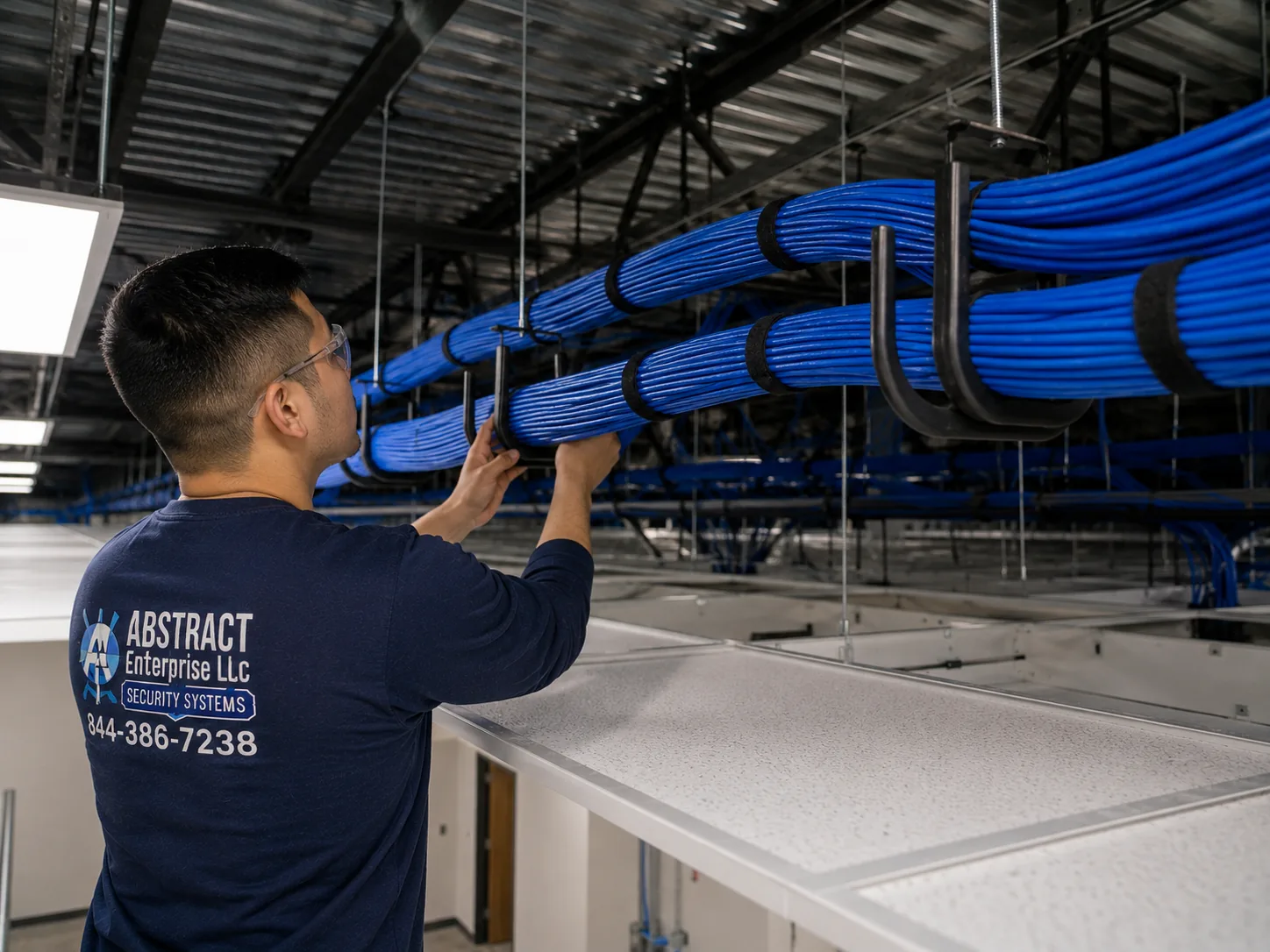
Photo from the AESS job library, not taken in the Hudson Valley: boxes of cable staged for a pull of several drops at once on a premises that stayed open during the work. For a shop on Beacon's Main Street or a business on Route 9, pulling every camera run in one organised pass like this keeps the disruption to a single visit.Photo from the AESS job library, not taken in the Hudson Valley: a J-hook pathway carrying neatly dressed cable bundles across a commercial ceiling. In a distribution building near Route 17K or a former factory floor in a river town, camera cable crossing hundreds of feet of ceiling is supported like this, never laid on the ceiling tiles or tied to sprinkler pipe.
Field Notes
Field Notes: Opening the Closet Where an Old GeoVision Recorder Lives
We do not publish stories about a specific customer's property unless we can document them, so this is not a tale about one address. It is the routine our technicians follow when they find an older GeoVision recorder in a back room, the kind of closet that shows up in shops, offices and town buildings across the valley.
We photograph the closet exactly as we found it before touching anything, because the arrangement of cables is often the only record of how the system was built. We read the label on the recorder and note the model and any software version on screen. We check whether the recording is current and how far back it goes. Before anything is unplugged, we ask the owner whether there is footage they need, and we export it first. Then we look at the router: is there a port forward pointing at the recorder, and has it been there for years? If the recorder is one of the end-of-life GeoVision models, that port forward is closed the same visit. We trace each camera cable with a tone generator, label both ends, and write a port map. Only then do we talk about what to keep and what to replace. In closets that have gone unexamined for a decade, that hour of reading and labeling is what turns a mystery box into a system someone can manage.
Your Questions Answered
GeoVision Camera Installation in the Hudson Valley: Questions Answered
Old GeoVision equipment and the security advisories
Our shop has had a GeoVision recorder for years. How do we tell whether it is one of the models being attacked?
Look at the label on the device, or send us a photo of it. The models named in the CVE-2024-11120 and CVE-2024-6047 advisories are the GV-VS12 and GV-VS11 video servers, the GV-DSP LPR V3 plate-recognition unit, and the GV-LX4C V2 and V3. If your device is one of those, it is end-of-life and will not be patched. If it is a different model, that is good news, but it does not mean it is safe by default; we still check its firmware or software version and whether it is reachable from the internet through the router. The second question is often more important than the first. A supported recorder with an old firmware and an open port can still be a weak point, and an old one on an isolated network is far less exposed. We check both and tell you plainly what we found.
Can the old GeoVision video server just be updated instead of replaced?
Not if it is one of the affected end-of-life models. Armis reported that because those devices were already classified as end-of-life and unsupported, no official patches were issued, and GeoVision's own advisory recommended immediate replacement. The best you can do with one in the meantime is what the published guidance suggests: take it off the internet, factory-reset it, and plan to replace it with a supported model. For other GeoVision devices that are still supported, a firmware or software update may be exactly the right answer, and we would rather update a working device than replace it. The decision depends on the model, and we write it down for you device by device.
If our old recorder was hacked, can its settings be copied onto the new system to save time?
We do not do that. If an end-of-life device has been reachable from the internet, or shows the warning signs researchers listed, such as running hot, slowing down or having its configuration changed, its settings cannot be trusted. Copying them over could carry an attacker's changes, unknown user accounts or altered network settings onto the new equipment. We build the new recorder from scratch, with new administrator credentials and new user logins, and we re-enter camera names and schedules by hand. It takes a little longer, but it means the new system starts clean.
Mixing GeoVision with what you already own
We have a mix of cameras from different brands. Can a new GeoVision recorder use the ones that still work?
Often yes, with testing. GeoVision describes its GV-NVR as working with a wide range of third-party IP cameras through ONVIF, the industry standard that lets recorders and cameras from different makers talk to each other. GV-VMS also records third-party IP devices. In practice, ONVIF support varies from camera to camera; basic live video and recording usually work, while motion events, two-way audio or advanced analytics may not. Older forum posts also describe GeoVision charging for a software dongle to run third-party cameras on its software, so licensing is something we confirm for your exact version before quoting. We test each existing camera on the new recorder before we promise it can stay.
Our GeoVision system runs on an old office PC. Should we keep a PC recorder or move to a dedicated NVR?
It depends on how many cameras you have, who will maintain it, and what else is on your network. A PC running GV-VMS is flexible and can scale up to many channels, but it is a Windows computer that needs updates, a working hard drive and someone who keeps an eye on it. GeoVision's manual notes that GV-VMS turns off Windows Memory Integrity during installation, which matters if the same network carries your business computers. A dedicated NVR is simpler to live with for a small shop or a house. For a business with an IT person and a larger camera count, a properly built GV-VMS server on its own network segment can be the better choice. We lay out both options with the reasoning.
Nobody remembers the administrator password on our PC-based GeoVision recorder. Is the footage lost?
Not necessarily, but it can be hard. A forum post from a GeoVision dealer explains that on PC-based GeoVision systems the password database is encrypted under Windows, and that without enough Windows privileges to run GeoVision's password removal utility, the fix is to reformat the drive and reinstall Windows, which loses the software setup. Before anyone tries that, we look for whoever installed the system, check whether a Windows administrator account is still available, and copy off any recordings that can be reached at the file level. If the footage matters, tell us at the start, and we will not take any step that risks it without asking you.
Watching from away, and rural internet
We want to check the cameras from the city. How is that set up without opening ports on our router?
The old way was port forwarding: opening specific ports on the router so a phone could reach the recorder directly. Troubleshooting guides for GeoVision systems list ports such as 80, 4550 and 5550 for remote viewing, and GeoVision's Remote ViewLog guide uses port 5552 for remote playback. Every open port is a way in, which is how the end-of-life devices were found and attacked. GeoVision's current GV-Eye guide describes GV-Relay, which by default uses port 443 and, when that port is already taken, port 9443, to connect the app without exposing the recorder in the same way. Where your equipment supports a relay or a VPN approach, we use it; where it does not, we keep the exposure to the minimum and change every default password.
Our weekend house in Ulster loses internet in storms. Does that mean we lose the recordings?
No, if the system records locally. A GeoVision NVR or GV-VMS server records to its own drives on the property, so an internet outage stops you from watching remotely but does not stop recording. Power is the other half: a battery backup on the recorder, switch and modem keeps cameras recording through short outages. GeoVision's V20 manual also describes a feature that syncs recording from a camera's own SD card when the camera reconnects, which can fill gaps if the link between a camera and the recorder drops. For a remote property with unreliable service, local recording plus battery backup is the design we start from, and cloud-only cameras are the ones we steer away from.
Storms, distance and outbuildings
The barn is about 600 feet from the house. How do the barn cameras get back to the recorder?
Not on a single copper Ethernet cable; a standard Ethernet channel is limited to about 100 meters, roughly 328 feet. There are three common answers. If the barn has power, a small PoE switch in the barn can power its cameras, and a fiber link back to the house carries the video; fiber also does not conduct lightning between buildings. If the barn has no power, a new circuit by a licensed electrician may be needed first. Where trenching is impractical, a point-to-point wireless bridge with a clear line of sight can work, though we would rather hardwire where we can. We look at the ground, the line of sight and what already exists before recommending one.
How do we keep a thunderstorm from wiping out the recorder through the outdoor camera cables?
By treating every cable that leaves a building as an outside run. That means surge protection where the cable enters the building, bonded to the building's grounding, in line with the approach the National Electrical Code takes for communications circuits. It means keeping outdoor runs in conduit, using outdoor-rated cable, and not running a copper cable between two buildings with separate electrical services when fiber would isolate them. It also means a battery backup with surge protection on the recorder itself. In Orange, Ulster, Westchester and Dutchess, which all ranked high for lightning in Earth Networks' 2020 report, those steps are part of the design, not optional extras.
Historic districts and licensing
Our building is in the Kingston Stockade District. Can a camera go on the front of it?
Possibly, but not without review. Kingston's Resolution 156 of 2024 says no one may change exterior features visible from a public street or alley, including light fixtures and other exterior elements, without commission approval, and the city's process issues a certificate of appropriateness before building permits. We did not find a written rule that says specifically whether a single surface-mounted camera triggers review, so we treat a street-visible camera or conduit as something to raise with the HLPC. Often the better answer is a camera on a side or rear wall, one inside a window facing out, or one on an outbuilding. Where a front camera is needed, we prepare a small, painted, neatly routed proposal for the commission.
Does the person installing our GeoVision cameras actually need a state license?
If they are in the business of doing it, yes. Article 6-D of New York's General Business Law requires a Department of State license to install, service or maintain security systems, and 19 NYCRR §195.2 says that includes closed-circuit television used, full-time or part-time, to detect or monitor intrusion, theft or movement. An industry association warns that unlicensed installers can be fined. The exception is an owner who installs a system on their own property, with their own employees. Our license is NYS #12000287431, and you are welcome to check any installer's license with the Department of State before hiring them.
We are a town office that follows federal guidance. Is GeoVision equipment NDAA compliant?
It depends on the exact product. One reseller notes that GeoVision's NDAA compliance varies by specific model and model year, and an older IPVM teardown, from around 2020, found a HiSilicon chip in one GeoVision camera model and a different chipset in another. So there is no blanket answer for the brand. If your organization needs NDAA-compliant equipment, tell us at the start, and we will quote only models whose current documentation states compliance, and give you that documentation with the quote.
Why does running the cable cost more than the GeoVision cameras themselves on our property?
Because on most valley properties the cable is where the work is. A camera can be mounted in minutes. Getting its cable from a stone wall or a barn to a recorder can mean drilling masonry, fishing through finished walls, trenching after 811 marks the utilities, protecting outdoor runs from surges, firestopping commercial penetrations, and in historic districts running painted conduit along a route the commission accepts. The price pages for each county break the job into its parts, so you can see what the cameras cost and what the pathways cost, and the written quote names every run before you agree.
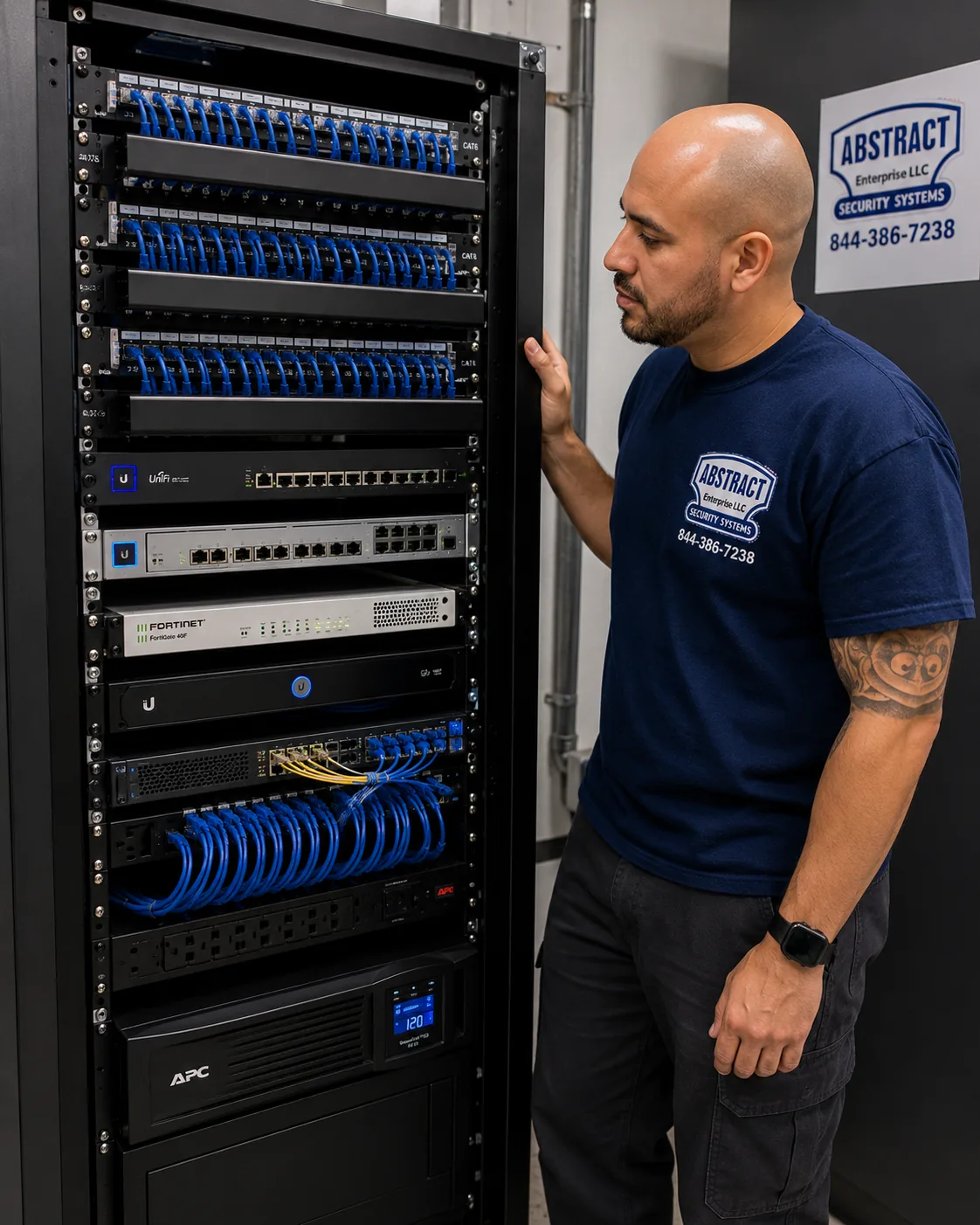
Photo from the AESS job library, not taken in the Hudson Valley: a finished rack with patch panels, switching, a firewall and battery backup, all dressed and identified. A GeoVision recorder for a Westchester office or a Dutchess farm office belongs in an arrangement like this, behind a firewall and on a battery that rides through the short outages summer storms bring.
Equipment
Types of GeoVision Camera Installation We Install
These are the GeoVision components and supporting equipment we fit in Hudson Valley homes, farms and businesses. Exact models are chosen for each site and listed on the quote. Pricing for each county is on that county's GeoVision price page; we do not quote figures on this hub page.
📹
GeoVision IP Bullet Cameras
For driveways, lots, barn lanes and the long sides of buildings, where a longer view and a visible deterrent help. The bullet style is the one Hudson Valley One noted most private businesses in Kingston use.
🟣
GeoVision Dome and Turret Cameras
For entries, porches, storefront interiors and hallways, where a lower profile suits the building, including historic facades where the commission wants equipment to be discreet.
💾
GV-NVR Recorders
Dedicated network video recorders for houses and small businesses, recording locally to their own drives, with ONVIF support for compatible third-party cameras.
🖥
GV-VMS Servers
GeoVision's video management software on a dedicated server, recording up to 64 channels of GeoVision and third-party IP devices, with a built-in webcam server for remote access.
🗺
GV-Control Center
Central monitoring for sites with more than one recorder, designed to bring video, access control and license plate recognition together for multi-building campuses and businesses.
📱
GV-Eye and Remote ViewLog
GeoVision's free GV-Eye app for live view, playback and snapshots on iOS, and Remote ViewLog for playback on a computer, set up with relay connections and separate user logins.
🔌
PoE Switches
Managed switches that power cameras over the same Ethernet cable that carries their video, with the camera network kept separate from household or office devices.
💡
Fiber and Wireless Links
Fiber between buildings beyond copper's distance and for lightning isolation, and point-to-point wireless bridges where trenching is not practical and there is a clear line of sight.
⚡
Surge Protection and Battery Backup
Surge protectors where camera cables enter a building, and battery backup sized to carry the recorder, switch and modem through the outages that valley storms bring.
National security brands vs a local licensed GeoVision installer
People sometimes ask whether they should simply buy a kit from Ring or SimpliSafe, or sign up with ADT, instead of installing a GeoVision system. Those are different products. Ring and SimpliSafe are known for self-install doorbells, cameras and kits, often tied to cloud storage and a subscription, and ADT for monitored alarm service. They can be the right fit for a small apartment. On a Hudson Valley property with a barn 600 feet away, stone walls, storms that knock out power and internet, or an old GeoVision recorder that needs to be dealt with safely, the job turns on cabling, local recording, power and network security, which needs a licensed installer on site. News 12 Long Island reported police advising homeowners to hardwire their systems rather than rely on Wi-Fi after burglars used jammers, and a security expert told CBS, "Any camera system that you have, hardline it." That advice applies equally up the river.
Question
Self-install cloud camera kit
Wired GeoVision system, professionally installed
Where video is stored
Usually the cloud, often by subscription
On a recorder at the property
When the internet drops
Cloud-only cameras cannot save new footage
Recording continues; only remote viewing pauses
Wi-Fi jamming
Wireless cameras can be jammed
Wired cameras do not depend on Wi-Fi
Far barns and gates
Limited by Wi-Fi range
Copper, fiber or a dedicated bridge
Existing GeoVision gear
Not addressed
Audited, isolated, kept or replaced
Who installs it
The owner, or a contractor network
A licensed installer under NYS Article 6-D
AI Overview Reality Check
What AI Gets Wrong About GeoVision Camera Installation in the Hudson Valley
We could not capture Google's AI Overview or People Also Ask results for GeoVision camera installation in the Hudson Valley from our build environment, so we are not quoting them. What follows are claims we see repeated in quick online answers, forum posts and national cost guides from sites such as Angi, HomeAdvisor and Fixr, set against the published advisories, GeoVision's own documentation and what the buildings of this region actually demand.
"Just update the firmware on your old GeoVision box."
This is the most common shortcut answer, and for the most dangerous devices it is simply wrong. The GV-VS12, GV-VS11, GV-DSP LPR V3 and GV-LX4C V2 and V3 are end-of-life, and Armis reported that no official patches were issued for the command-injection flaws found in them.
GeoVision's own advisory recommended replacing those devices immediately, and CISA's listing gave federal agencies until May 28, 2025 to fix the problem or stop using the products. There is no update to download.
For supported GeoVision models, updating is still good practice, and we do it. The point is to know which category your device is in before deciding, which takes a look at the label, not a guess.
"Wireless cameras are the easy choice for a country property."
Wireless sounds easy where houses are far apart and cable runs are long. But Wi-Fi cameras on a rural property depend on a signal reaching across a yard or a field, and on a router and internet connection that, in parts of Ulster and the other counties, drop in storms.
Police on Long Island urged homeowners to hardwire their security systems after burglars used Wi-Fi jammers, and cloud-only cameras cannot store new footage at all without internet. Neither problem respects county lines.
The honest answer for a valley property is usually wired cameras recording to a local GeoVision recorder, with fiber or a dedicated point-to-point bridge to the far buildings. Wi-Fi can still be the right call for a single camera in a spot cable cannot reach.
"Open a few ports on your router to view your cameras remotely."
Many older guides, including GeoVision troubleshooting pages from installers, describe exactly this: forward ports such as 80, 4550 and 5550 to the recorder, and the phone app will connect. It works, which is why so many systems were left that way.
It is also how roughly 17,000 GeoVision devices came to be reachable from the internet when the botnet went looking for them, according to Security Affairs. An open port is an open door to whatever is behind it.
GeoVision's newer GV-Eye guide describes GV-Relay, which uses port 443 by default, or 9443 when 443 is taken, to connect the app without exposing the recorder in the old way. Where the equipment supports it, that, or a VPN, is how we set up remote viewing.
"Every camera sold in the US is NDAA compliant."
Quick answers sometimes treat NDAA compliance as automatic for products on a US store shelf. It is not, and it varies within a single brand.
A reseller of GeoVision equipment states that compliance varies by specific SKU and model year, and IPVM's older teardown found different chipsets in different GeoVision camera models. The answer has to be checked for the exact part number.
For homeowners this rarely matters. For schools, towns, fire districts and contractors on federally funded work across the six counties, it can decide whether a product may be bought at all, so we confirm it before quoting.
"GeoVision software will record any camera you plug into it, free."
GeoVision recorders and GV-VMS do support third-party IP cameras through ONVIF, and that flexibility is one of the brand's strengths. But "supports" and "free with every feature" are not the same thing.
Older forum threads describe GeoVision software being free with GeoVision cameras while third-party cameras needed a purchased software dongle, and ONVIF support itself varies, with basic video working more reliably than motion events or analytics.
So we check licensing for your software version and test each existing camera on the recorder before telling you it can stay. A camera that records but does not send motion events may be fine for a hallway and wrong for a gate.
"Historic districts don't allow exterior cameras at all." Or: "No approval is needed for a camera."
Both versions show up, and neither is accurate for the valley's historic cities. Newburgh's East End guidelines do not ban security equipment; they say it should not damage historic fabric and should be placed on side or rear facades, with a certificate of appropriateness from the Architectural Review Commission for exterior changes.
Kingston's Resolution 156 of 2024 requires commission approval for changes to exterior features visible from the street, and HLPC staff have recommended painting exterior lines to match the facade. Beacon's Planning Board reviews exterior alterations in its overlay zone, and Hudson's Historic Preservation Commission issues certificates before building permits.
We did not find a rule in any of those cities that names a single camera specifically, so we treat street-visible cameras and conduit as review items. Side and rear placements, interior cameras looking out, and painted conduit usually make the review simple.
"Camera installation costs about the same everywhere."
National cost guides tend to give one range for a whole state or city, and AI answers repeat it. Those figures do not know whether your camera is on a vinyl-sided ranch in Rockland or a stone house in Hurley, or whether the barn is 50 feet or 600 feet away.
Our own pricing differs by county, which is why each of the six counties has its own GeoVision price page. Travel up the I-87, Taconic and I-84 corridors from our Bronx base is part of it, and so are the distances and site conditions typical of each county.
Within a single job, the cable route, wall material, outdoor protection and recorder choice move the total far more than the camera model does. That is why we ask for photos and a rough site sketch first, and why we never quote a figure that is not on the county price page.
Old GV Box, New Cameras or Both? Talk to a Technician About Your Valley Property
Send a photo of your existing recorder's label, a few photos of the outside walls and a rough sketch of the property with the buildings you want covered. A technician will tell you whether the old equipment can stay, which county price page applies, and what the cable route is likely to involve. Call (800) 486-0943, message us on WhatsApp, or use the quick form.
Every GeoVision job in the Hudson Valley follows the same eight steps, whether it is two cameras on a Rockland garage or a full replacement of an aging GV-VMS server in a Kingston office. The order matters most on sites with old equipment, where unplugging the wrong thing first can lose footage or leave a vulnerable device online.
1. Send the site and the existing system
Town and county, property type, photos of the walls, and the label on any recorder already there. We match the job to the right county price page before the visit.
2. Identify every GeoVision device
Model and firmware of each recorder, server and camera, checked against the end-of-life advisories, and the router checked for open ports pointing at them.
3. Walk the property and plan positions
Each camera view marked with you, cable distances measured against the 100-meter channel, and the route chosen: copper, conduit, fiber or a wireless bridge.
4. Check approvals and access
Historic-district review where street-visible work is planned, landlord or board approval, employee notice for businesses, and 811 before any digging.
5. Run and protect the cable
Cable pulled, labeled at both ends, sleeved and sealed through masonry, firestopped through rated walls, and surge-protected where it leaves a building.
6. Mount cameras and build the recorder
Cameras fixed and aimed, the recorder or GV-VMS server built on supported equipment with battery backup, and old end-of-life devices disconnected.
7. Set up secure remote viewing
GV-Eye and playback connected without open recorder ports where the equipment allows, default passwords replaced, and a login for each user.
8. Test, train and hand over
Every cable tested, every camera checked by day and at night, export shown to you, and a port map, camera list and credentials record left with the owner.
Step 8 is where many old systems in the valley went wrong, years ago. Nobody wrote down which cable went where, nobody kept the administrator password, and nobody showed the owner how to export a clip. We leave a written record so that the next time someone opens the closet, whether it is us or another licensed installer, they do not have to start over.
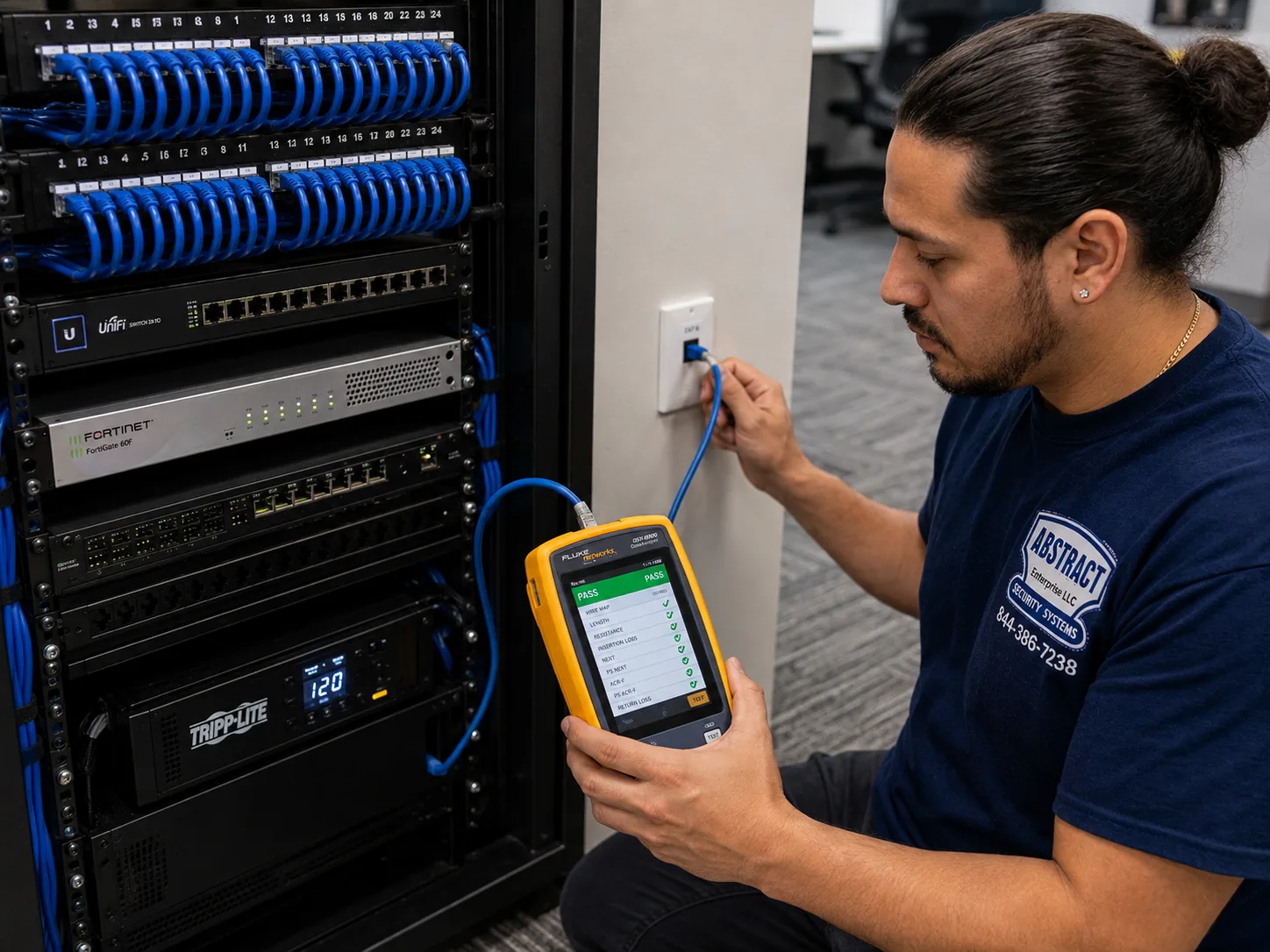
Photo from the AESS job library, not taken in the Hudson Valley: a technician certifying a data drop with a cable analyzer showing a PASS result. Before a GeoVision camera on a long run to a barn or a far corner of a warehouse is called finished, its cable is tested like this, because a run that only just works in summer can fail in the first cold snap.
Coverage Area
GeoVision Camera Installation Near the Hudson Valley's Landmarks
Across six counties, most people give directions by the places everyone knows. These are the landmarks we use when we plan a visit, and what the public record says about each.
Kingston Stockade District
The site of the stockade Peter Stuyvesant ordered built in 1658, the largest remaining example of early Dutch settlement in New York State, with stone houses at Crown and John Streets and the Senate House.
Newburgh's East End and Washington's Headquarters
About 445 acres and 2,239 historic resources, the most of any federally recognized district in the state, around the stone house where Washington lived in 1782 and 1783.
Walkway Over the Hudson
Opened in 1888 as a railroad bridge between Poughkeepsie and Highland, 212 feet high and 1.28 miles long, now described as the longest elevated pedestrian bridge.
Dia Beacon
The museum in a 1929 Nabisco box-printing factory of nearly 300,000 square feet, built of brick, steel, concrete and glass, near the river in Beacon.
Storm King Art Center
A 500-acre outdoor museum at 1 Museum Road in New Windsor, Orange County, in the hills west of the river.
Palisades Center
The large mall in West Nyack, Rockland County, not Westchester, which went to foreclosure auction in February 2026.
GeoVision Camera Installation Cost in the Hudson Valley
Our GeoVision pricing for the region lives on one sticky price page, the Hudson Valley GeoVision camera installation price list, with a separate price page for each of the six counties. Those pages are where you can build your own system, camera by camera, and see the county figure. We keep this hub page free of numbers on purpose: one set of prices, kept current in one place, means the figure you see is the figure we quote. What this page can do is explain what moves the price on a valley property, so the number on the price page makes sense before you call.
What drives the cost
Why it matters in the Hudson Valley
How we handle it on the quote
Which county the property is in
Each county has its own price page; travel and typical site conditions differ from Westchester to Ulster
The county price page applies to your address
Number and type of cameras
Bullets for lots and lanes, domes and turrets for entries and interiors
Each camera listed with its purpose
Recorder choice
A GV-NVR for most houses and shops; a GV-VMS server for larger or growing systems
Channel count sized with room to add cameras
What is already there
Supported GeoVision or ONVIF cameras may stay; end-of-life devices should go
Keep-or-replace list device by device
Wall material
Stone, brick and block take masonry drilling and sealing; siding is quicker
Each penetration counted
Distance to outbuildings
Beyond about 100 meters, a fiber link or wireless bridge replaces copper
Each inter-building link quoted on its own line
Outdoor protection
High lightning counts in Orange, Ulster, Westchester and Dutchess
Surge protection on every run that leaves a building
Trenching and conduit
811 notice, watershed rules near water, historic-district conduit finishes
Route described and priced before work
Power backup
Multi-day outages after storms; generators on some rural sites
Battery backup for recorder, switch and modem; generator circuits by an electrician
Height and access
Warehouses and barns may need a lift; some sites have none
Lift needs named on the quote
How to read the price page for a valley property
Picture two jobs. The first is a mid-century house in Rockland: four cameras on siding, an attic to run cable through, a recorder in the basement, and a phone app. The cost is mostly cameras, recorder and straightforward labor. The second is a farm in Dutchess: an old GeoVision video server in the barn office that turns out to be an end-of-life model, two cameras on a stone farmhouse, three in a barn 600 feet away, and a gate camera at the road. That job adds an audit, footage export, a fiber link, surge protection, masonry work and possibly trenching after 811 marks the lines. Both are priced from the same county price page; the second simply uses more of its lines. We show you which lines apply before you agree, and nothing is added on the day unless you ask for it.
One honest note about third-party figures. Some reseller sites put GeoVision equipment at roughly 20 to 40 percent more than comparable Hikvision or Dahua cameras, according to IP Security Depot. That is a reseller's general claim about hardware, not our pricing, and the difference on a finished job depends on the models chosen and how much of the cost is cable and labor.
Terms
Full terms — including 50% deposit, one-year parts-only warranty on AESS-supplied products, and the late-fee schedule — are set out in the service agreement.
Shop Our Systems
GeoVision Camera Installation Packages & Pricing
Three common Hudson Valley GeoVision jobs. Each is built only from lines on your county's price page, so the figure comes from that page and nowhere else; there is no package premium and no hidden extra.
Starter: Audit and Secure
For any property with existing GeoVision equipment. Every device identified and checked against the end-of-life advisories, open router ports closed, footage exported, default passwords changed, and a written keep-or-replace list. Priced on the Hudson Valley GeoVision price page.
Standard: House or Shop System
A new or replacement GeoVision NVR with cameras for the entries, driveway or lot and the rear of the building, PoE switching, battery backup, sealed exterior penetrations and GV-Eye remote viewing set up safely. The usual job for a suburban house or a Main Street business.
Premium: Farm, Estate or Multi-Building Site
A GV-VMS server or larger NVR, cameras on the main building and outbuildings, fiber or wireless links between buildings, surge protection on every outdoor run, gate or lane cameras, and optional GV-Control Center where more than one recorder is involved.
Bring your own equipment
If you already own GeoVision cameras, a supported GeoVision recorder, or compatible ONVIF cameras from another brand, we install and configure them at labor-only pricing from the same county price page, as long as the equipment is a supported model in sound condition. We check the model and firmware of every piece before it goes on your wall or your network, and we will not install an end-of-life device from the advisory list, even if you already own it. If something you supply turns out to be unsuitable, we say so and show you the supported alternative on the price page.
Complete Services
Every GeoVision Camera Installation Service in the Hudson Valley
Does a GeoVision system need a monthly subscription to record or to view on a phone?
+
A GeoVision NVR or GV-VMS server records to its own drives at your property, so recording does not depend on a cloud plan. GeoVision's GV-Eye app for live view, playback and snapshots is listed as free on the App Store. Your internet service is the only ongoing connection remote viewing needs.
Can you install GeoVision cameras both inside and outside the same Hudson Valley property?
+
Yes. Indoor cameras usually cover entries, hallways, registers or stock rooms, and outdoor cameras cover driveways, lots, rear yards and outbuildings, all recording to the same recorder. Outdoor cameras get sealed mounts and protected cable; indoor ones are kept out of restrooms, locker rooms and other private spaces.
How quickly can you get to a property in Dutchess or Ulster?
+
Requests are booked within 2 hours of reaching us, and we give you a time when we book. The visit date depends on the job and the schedule across the six counties. We do not promise same-day installation, but sending photos and a site sketch in advance lets the first visit do as much as possible.
Do we need to put up signs about the cameras at our business?
+
For employees, New York Civil Rights Law section 52-c requires employers who monitor electronically to give notice and post it in a conspicuous place employees can see. Beyond that, rules depend on the setting, and we are not giving legal advice, so check with your attorney for anything specific to your business.
Is it legal to point a camera from our house toward the road and our neighbor's driveway?
+
Watching your own property and the public road is common, and footage of a street has helped police in cases across the region. What New York prohibits is secretly recording people in private places, which Penal Law 250.45 covers. We aim cameras at your own property and the approach to it, and mask views into a neighbor's windows or yard where needed.
Is GeoVision more expensive than Hikvision or Dahua cameras?
+
One reseller, IP Security Depot, says GeoVision hardware is typically 20 to 40 percent more than equivalent Hikvision or Dahua cameras. On an installed system, cable, labor and site work are often a large share of the total, so the brand difference on the finished job is usually smaller than the hardware difference.
What happens to our old GeoVision recorder and its footage after you replace it?
+
Before anything is reset, we export any footage you want to keep to a drive you hold. The old device is disconnected from the internet and the network. If you want to keep it for its archive, it stays offline; if not, it can be factory-reset before it leaves the building so its settings and recordings go with it.
Will you show us how to use the GV-Eye app before you leave?
+
Yes. We install the app on the phones of the people who should have access, sign each one in with their own login, and show live view, playback, snapshots and how to find a clip by time. We also show the person responsible how to export footage from the recorder itself, which is what police usually ask for.
Can a GeoVision system read license plates at our gate or lot entrance?
+
GeoVision has offered license plate recognition, and GV-Control Center is designed to bring plate recognition together with video and access control. One older unit, the GV-DSP LPR V3, is on the end-of-life advisory list and should not be used. Plate capture depends heavily on camera angle, distance and lighting, so we survey the entrance before recommending a setup.
If police ask for our footage after a break-in nearby, do we have to hand it over?
+
State Police in Poughkeepsie have asked residents in Union Vale and Millbrook to check their home cameras after car break-ins, and many owners choose to help. Whether to share is generally your decision unless there is a legal order. Consumer advocates note that once you share a clip, you lose control over how it is used, so share only the relevant time.
We live in Manhattan and only visit our Putnam lake house on weekends. Can the install happen while we are away?
+
Much of it can, once we have walked the property with you or with someone you trust and agreed camera positions. We need access arrangements, a contact on the day and the internet details. We finish by connecting GV-Eye on your phone remotely and confirming that each camera shows what you agreed.
Our camera cable has to go through a very thick fieldstone wall. Will drilling damage the house?
+
Drilling one small, well-placed hole through stone is routine when it is done slowly and in the right place. We test-drill first, go through stone rather than old mortar joints where possible, sleeve the hole and seal it against water. On historic houses we keep to a single entry point and run the rest in painted conduit.
Does our town require a permit for a new camera system?
+
Permit rules are set town by town, and we did not find a Hudson Valley town rule written specifically for low-voltage cameras. Historic districts in Kingston, Newburgh, Beacon and Hudson review street-visible exterior work, digging needs 811 notice, and new electrical circuits are an electrician's job. We tell you which of those your plan touches.
Get In Touch
Request a Free Quote
Tell us the town and county, the property type, the buildings you want covered and the model of any GeoVision recorder already there. Photos of the walls and the recorder label make the quote exact. Prefer to talk? Call (800) 486-0943.
✅
Request Sent!
We'll call about your Hudson Valley GeoVision system the same business day.
More GeoVision Camera Installation near Hudson Valley hub
Book Your Hudson Valley GeoVision Camera Installation
From a stone house in the Kingston Stockade to a brick rowhouse in Newburgh's East End, a mid-century house in Rockland, a barn in Dutchess or a warehouse off Route 17K, the job starts the same way: find out what GeoVision equipment is already there, plan cable that survives the valley's storms and distances, and set up viewing that keeps the recorder safe. Call (800) 486-0943, message us on WhatsApp, or send the quote form, and we will tell you what your property needs and which county price page applies before anyone drills.