See every Blink camera price in NYC and build your own system →
Building Rules Checked First · Wi-Fi Measured Before Mounting · No-Drill Options for Renters
Blink sells its doorbells and cameras as do-it-yourself kits, and Blink itself does not send installers. In New York City that leaves a gap, because the hard part is rarely the screwdriver. It is the lease that forbids holes, the co-op board that controls the hallway, the brownstone on a landmark block, the building buzzer that cannot power a doorbell, and the prewar brick that swallows the Wi-Fi before it reaches the Sync Module. We are a licensed New York low-voltage company that installs Blink across all five boroughs, and we work through those questions before the first device goes up.
Reviewed and updated November 5, 2026 by Anwar Timothy, NYS license #12000287431 · Sources: Blink support articles on doorbell power, the Wired Doorbell 2K+ and Sync Module range, Blink's renter installation guide, NerdWallet's Blink review, security.org's Blink review and annual package theft report, Gothamist on the city's missing packages, Wikipedia's package theft entry, the New York Attorney General's 2024 package theft alert, Axios on SafeWise rankings, HPD filing guidance on Housing Maintenance Code §27-2043 and intercom rules, HPD's fire safety page, Local Law 111 of 2018, the NYC Landmarks Preservation Commission rules amendments, Permit Guidebook Chapter 11 and July 16, 2013 calendar, the Citizens Housing & Planning Council housing stock visualization, the Rent Guidelines Board 2026 Housing Supply Report, the NYC Council's internet access data, NY1 on the June 2025 heat wave outages, NYC 311 on NewYorkCityConnect.org, the City's Local Law 3 of 2021 biometric rule, Connextivity, The Cooperator, JustAnswer and Justia renter questions, and CBS New York on lobby package thefts · Dispatched from 1282 Troy Ave, Brooklyn

Owner-operated since 2002 · Thousands of jobs completed · Booked within 2 hours
Blink camera installation in NYC comes down to three answers we get before booking: who controls the surface you want to mount on, how strong the Wi-Fi is at that spot, and what power the door actually has. An apartment door in a rental is usually yours to cover with a no-drill bracket; the hallway wall outside it usually belongs to the building. A brownstone stoop on a landmark block can need Landmarks Preservation Commission review before a camera goes on the street facade. And most apartment "doorbells" in the city are a building buzzer, not the 16 to 24 volt chime circuit a wired Blink Video Doorbell expects. Send us the address, a photo of the door and the models you own, and we will tell you which setup fits and what it costs from your borough's Blink price page. Call (800) 486-0943 or use the form.
Most people buy a Blink camera in New York for one reason: packages. Gothamist, writing about the city's missing Amazon deliveries, described the routine many New Yorkers know as the "package shuffle," and summed up one of its steps in a single line: "We install doorbell cameras to monitor the stoop." Gothamist also cited a SafeWise estimate that the total value of packages stolen in New York City is close to one billion dollars. A delivery blog drawing on Gothamist's reporting says New Yorkers filed more than 74,000 complaints about stolen packages over five years and that calls to police about package theft rise 45 percent during the holiday season. Wikipedia's entry on package theft records an estimate of 90,000 packages disappearing every day in the city in 2019, up 20 percent from four years before. And according to Axios, SafeWise ranked New York City ahead of Philadelphia and Chicago for package theft. When the New York Attorney General issued a consumer alert on package theft in 2024, one of the tips was plain: use a doorbell camera or video surveillance system to help deter thieves or help police identify them.
Blink is popular for that job because it is inexpensive, small and wireless, and because it does not need a contract. But New York does not make wireless easy. The Citizens Housing & Planning Council counts about 3.7 million housing units in the city, with roughly 62 percent of them in buildings of six or more units and only a little over a quarter in one- and two-family homes. The Rent Guidelines Board's 2026 Housing Supply Report says 54 percent of the city's units sit in buildings put up before 1947. One building-data analysis puts the city's median residential year built at 1931. Prewar walk-ups and elevator buildings were built with masonry walls that one real-estate writer describes as often 12 to 18 inches thick. Blink's own support pages tell owners to keep the Sync Module away from thick walls and materials like concrete, brick, stone or metal, and say a Sync Module can talk to cameras up to 100 feet away. A hundred feet sounds like plenty until it has to pass through a century-old brick bearing wall, a steel apartment door and a fire-rated stair enclosure.
The second problem is ownership. A camera on the inside of your own apartment door, or on the door itself, is a very different thing from a camera screwed into the hallway wall. Connextivity, a New York security writer, notes that no New York State or City law prohibits a resident from putting a camera on their own apartment door, but that a camera on a hallway wall sits in a common area and usually needs building approval in a co-op or condo. Another New York guide says management has authority to regulate hallway-facing devices that interfere with other tenants' privacy, and that whether a doorbell camera is allowed often comes down to building policy. On a renter question-and-answer site, a New York tenant who had put up a Blink doorbell asked whether the landlord could legally stop them, and was told that a landlord generally cannot remove the device without consent unless it violates the lease or building rules. That was an answer on a non-lawyer site, not a court ruling, and we treat it as one tenant's experience. The point for an install is simple: we read the lease and the house rules before we pick a mount, not after.
The third problem is power. In a house with a doorbell button and a chime, a wired Blink Video Doorbell can take power from the chime transformer, but Blink says that transformer has to supply 16 to 24 volts AC at 50 to 60 hertz, with a maximum of 40 VA. If the wiring does not match, the Blink app shows "Wired power not supported" and the doorbell falls back to running on its batteries in what Blink calls Event Response mode. Most New York apartment buildings do not have a chime at each apartment at all. The Housing Maintenance Code, as summarized by an HPD filing guide, requires class A multiple dwellings built or converted after January 1, 1968 with eight or more apartments to have self-closing, self-locking entrance doors and an intercommunication system, with a bell or buzzer system as the minimum. That buzzer is the "doorbell" for most of the city, and it is not a Blink power source. So in an apartment, a Blink doorbell nearly always runs on batteries, and the job turns on where the Sync Module sits and how much signal reaches the door.
Then there are the city's rules for the outside of buildings. The Landmarks Preservation Commission protects 1,460 individual landmarks, 121 interior landmarks and 12 scenic landmarks, along with whole historic districts full of row houses and brownstones. Its 2018 rules amendments wrote down staff practice for installing equipment on facades and areaway features, and its list explicitly included security cameras alongside intercoms, light fixtures, security grilles and mailboxes. The Commission's Permit Guidebook has a section on installing security cameras that favors placement off the primary facade where possible and finishes that blend with the building. And the Commission does follow up: its July 16, 2013 public hearing calendar included an application to legalize security cameras and an intercom installed without permits on an 1887 to 1889 rowhouse at 52 West 76th Street in the Upper West Side/Central Park West Historic District. A small white camera on a stoop feels harmless, but on a landmark block it is still equipment on a facade.
Finally, there is the weather and the grid. A battery camera on a north-facing stoop in January works harder than the same camera on a kitchen shelf. A battery supplier notes that cold weather, weak Wi-Fi and frequent alerts all shorten battery life, and that lithium cells hold steady from minus 40 to 140 degrees Fahrenheit while alkaline cells lose much of their capacity in the cold. Asurion's setup advice for Blink outdoor cameras is to choose a spot sheltered from direct rain and extreme temperatures. And when the power goes out, cameras that rely on the home router go quiet with it. NY1 reported that on the evening of June 25, 2025, during a heat wave, 10,019 Con Edison customers were without power across the city, most of them in Brooklyn and Queens, and that one customer can be an entire building. Blink's Wired Doorbell 2K+ can run from a plug-in adapter that supplies 24 volts AC from an ordinary indoor outlet, but Blink says that setup has no battery backup and needs continuous power. None of this means Blink is a poor choice. It means a Blink system in New York should be planned around the building, the season and the network, not just unboxed.
We also want to be honest about what our research did not find. We looked for Reddit threads, Yelp reviews and hyperlocal news specifically about Blink installations in New York City and found none we could cite. We found no Department of Buildings permit data and no HPD or 311 complaint data specific to doorbell cameras. Where this page talks about what we see in prewar buildings, brownstones and storefronts, it draws on the public sources named in the stamp above and on our general field practice, not on a survey of Blink systems in the city.
What New Yorkers often add once Blink is up. After the door camera is working, the next question is usually the building's own front door: the lobby buzzer that does not ring, or the entry door that does not latch, which is where the package thief gets in. Those are separate building systems with their own repair, and if you tell us about them when you book, we will look while we are there and quote them separately so you can decide.

The calls we move on first are the ones where a camera has stopped working right before it matters: a Blink doorbell gone offline the week of a big delivery, a Sync Module that lost every camera after a router swap, a camera knocked off a stoop railing, or a store whose outdoor camera went dark after a break-in attempt. Before you call, check three things if you safely can: whether the Sync Module's lights are on, whether your router has power and internet, and whether the camera's batteries are new lithium cells. Then call (800) 486-0943 and tell us what the app says. We book within 2 hours of a request, and we will tell you honestly whether the fix is a setting you can change from your sofa or a visit.
The same Blink Battery Doorbell 2K+ can be a ten-minute job on one front door and a two-hour puzzle on another. The borough is a rough guide to which you will get, because each one has a very different mix of buildings. The Citizens Housing & Planning Council's housing stock analysis gives the outline: Manhattan almost entirely apartments, Staten Island mostly houses, Brooklyn the most even mix, and Brooklyn and Queens together holding about half the city's units. The table sets out what we expect in each, and the paragraphs below explain why. The last column is our working assumption, not a finding about any particular building; we confirm every site before we mount.
| Borough | What the housing data says | Typical Blink front door | What usually decides the job |
|---|---|---|---|
| Manhattan | 97 percent of units in buildings of six or more units (CHPC); the oldest median building stock in the city | An apartment door on an interior corridor, often metal or metal-clad | Building rules, hallway privacy, signal through the door and walls |
| Brooklyn | The most even mix of building types (CHPC); one analysis puts about 57 percent of residential buildings before 1940 | Brownstone or row-house stoop, two-family entry, or a walk-up apartment door | Landmark district rules, brick walls between router and stoop, chime or no chime |
| Queens | With Brooklyn, about half the city's units (CHPC) | Attached and detached houses, garden apartments, elevator buildings | Driveway and side-door coverage, distance from router to garage or yard |
| The Bronx | Large prewar and postwar apartment stock, plus house blocks in the north and east | Apartment doors in elevator buildings and walk-ups; porches on house blocks | Signal in long corridors, building policy, battery life in exposed spots |
| Staten Island | 83 percent of units in one- and two-family homes (CHPC) | A house front door with a chime, plus a driveway and yard | Chime transformer voltage, Sync Module range to the back yard, weather exposure |
In a borough where nearly every unit is in an apartment building, a Blink install usually means a doorbell or a small camera at an apartment door on an interior hallway. The questions are about permission and privacy before they are about hardware. Is the door yours to put a bracket on, or does the lease forbid any change to it? Will the camera's view reach across the hallway into a neighbor's doorway every time they open it? Does the building's alteration policy treat a doorbell camera as something that needs management sign-off? The Cooperator, writing about co-op alteration rules, notes that boards commonly want proof of a contractor's insurance and often limit work to weekday business hours, and that reserving a service elevator can take 48 hours' notice. We plan around those rules. On the hardware side, many Manhattan apartment doors are steel or metal-clad, and a doorbell vendor's guidance warns that walls, brick and metal doors cut the Sync Module's range and drain the batteries faster. We often put the Sync Module inside the apartment within a few feet of the door, rather than next to a router at the far end of a long railroad layout.
Brooklyn has the widest spread of building types in the city, and its Blink jobs follow suit. A brownstone owner in a historic district wants the stoop and the areaway covered without a lump of white plastic on a carved lintel. A tenant on the top floor of a two-family wants a doorbell on their own entry upstairs and has no chime to wire into. A renter in a six-story walk-up wants the same thing as a Manhattan tenant. One Brooklyn installer notes that many of the borough's brownstones sit in Landmarks Preservation Commission historic districts, including Brooklyn Heights, Park Slope and Fort Greene, and the Historic Districts Council records that Brooklyn Heights was the first historic district the city designated, on November 23, 1965. For those homes we start with placement that keeps the camera off the primary facade where the view allows it: inside the vestibule glass, under the stoop, on the side of the areaway, or on the rear of the house. The other Brooklyn issue is brick. In a row house the router is usually on the parlor floor or in the back, and the signal to the front door has to pass through masonry, which is where a well-placed Sync Module, or a second one, earns its keep.
Queens mixes elevator buildings with large areas of attached and detached houses and garden apartment complexes. A typical Queens Blink job covers more than one door: the front entry, a side door down a driveway, a garage or a back yard. That spreads cameras out, and Blink's 100-foot Sync Module range starts to matter. A camera on a detached garage at the end of a long driveway may sit at the edge of what one Sync Module can hear, especially if the signal has to pass through the brick or stucco of the house first. We measure before we mount and, where the far camera is weak, follow Blink's own advice and add a second Sync Module closer to it rather than hoping. Queens also bore a heavy share of the June 2025 outages NY1 reported, with 3,016 customers out at one point that evening, which is a reminder that cameras depending on a router and modem stop when the power does.
The Bronx has some of the largest apartment complexes in the country. Parkchester alone, built by Metropolitan Life between 1939 and 1942, was recorded with 171 brick buildings of eight or thirteen stories and 12,271 apartments. Co-op City, in the northeast Bronx, counts 15,372 units in 35 high-rise buildings and seven townhouse clusters. Apartment-door Blink installs here follow the same rules as Manhattan, with management policy and hallway privacy coming first. Long corridors and fire-rated stair doors can put the door camera a long way, in signal terms, from a router at the back of the apartment. The north and east Bronx also have blocks of one- and two-family houses with porches and driveways, where the job looks more like Queens or Staten Island.
With 83 percent of its units in one- and two-family homes, Staten Island is where a wired Blink Video Doorbell most often has a real chime to connect to. That makes the chime transformer the first thing we check. Blink says the doorbell needs 16 to 24 volts AC and no more than 40 VA, and older houses sometimes have transformers below that range, which is what triggers the "Wired power not supported" message. When the voltage is wrong, the choices are a battery-only doorbell, a transformer upgrade by the right trade, or Blink's Wired Doorbell 2K+ running from the plug-in adapter where an indoor outlet sits close to the door. Staten Island jobs also tend to add Outdoor cameras on the driveway and the back yard, and those spread the system out far enough that Sync Module placement decides whether every camera stays connected.

Nearly every Blink job that runs long in New York runs long for one of a handful of reasons: the building says no to the spot we planned, the door is the wrong thickness for the bracket, the router is two walls of brick away, or the doorbell power is not what anyone assumed. A few minutes with your lease, a tape measure and your phone camera avoids almost all of it. Please do not drill holes, open the chime or move the router yourself before we come; just look, measure and send us what you find.
| What to check | Why it matters in NYC | What to send us |
|---|---|---|
| Your lease or house rules | Many leases and co-op rules limit changes to doors and common areas; building policy often decides whether a doorbell camera is allowed | A photo of the clause, or the managing agent's email |
| Which way your door opens | No-drill door brackets for Blink are often designed for inward-opening doors only | A photo from the hallway side with the door closed |
| Door thickness and gap | One no-drill Blink mount we have seen lists door thickness of 0.82 to 2.08 inches and a gap of more than 0.063 inches | A measurement of the door edge and the gap at the top |
| Metal or wood door | Metal doors cut the Sync Module's range and increase battery drain | Tap the door with a key and tell us what it sounds like |
| Where the router lives | Blink needs Wi-Fi; prewar masonry walls block it | A rough sketch of the apartment with the router and the door marked |
| Your internet service | Some households use cellular-only plans; Blink needs a home Wi-Fi network | The name of your provider and whether you have a home router |
| Doorbell and chime | A wired Blink Video Doorbell needs 16 to 24 volts AC from a chime transformer; a building buzzer is not that | A photo of the button, the chime box if you have one, and the buzzer panel |
| Landmark status | LPC rules cover security cameras on facades in historic districts | Your address; we check the district map |
| The devices you own | Mini 2K+ runs without a Sync Module; Outdoor 2K+ and Battery Doorbell 2K+ need one | The model names from the boxes or the app |
You do not need a lawyer to spot the clauses that matter. Look for anything about "alterations," "common areas" and "doors." Leases and house rules often say you may not change the apartment door, its hardware or its finish without written consent, and that nothing may be attached to hallway walls. Those clauses do not usually forbid a camera on a shelf inside your apartment, which is where a Blink Mini can watch the door from behind. They may affect a doorbell bracket on the outside face of the door. If the clause is unclear, the simplest step is an email to the managing agent describing exactly what you want: a battery doorbell on a clamp mount that leaves no holes, with motion zones set to your own doorway. Keep the reply. If the answer is no, we will design around it rather than putting your deposit at risk.
Stand at your router and walk to the door where the camera will go. Count the walls you pass through and notice what they are made of. In a prewar apartment the walls between rooms are often plaster, but the wall between the apartment and the hallway, and the walls around stairs and elevator shafts, can be masonry. In a brownstone the front and rear walls and the party walls are brick. Each of those costs signal. Then open your phone's Wi-Fi settings at the door and see how many bars it shows. One bar or none at the door usually means a Sync Module close to the door, a Wi-Fi extender, or a wired access point, and it is far better to know that before the visit than to discover it with the doorbell already on.
If you live in a house, find the doorbell chime inside, usually a small box high on a wall near the front door or in the hall. If there is one, there is probably a transformer somewhere, often near the electrical panel or in the basement, with its voltage printed on it. Do not open anything; just take a photo if you can see the label. If you live in an apartment and your only "doorbell" is the building buzzer, tell us. That tells us right away that the doorbell will run on batteries, or on Blink's plug-in adapter if you choose the Wired Doorbell 2K+ and have an outlet nearby, and that we should focus on battery life and signal.

These are the Blink jobs New York renters, owners, co-op shareholders, landlords and small business owners book us for. Each one is priced from the Blink price page for your borough, which lists every line separately. Where a job needs something extra, such as a second Sync Module for a garage at the end of a Queens driveway or a wired access point in a store, the quote names it before you agree.
Blink Battery Doorbell 2K+ on a no-drill clamp or adhesive bracket for renters, with the Sync Module placed inside the apartment near the door and motion zones kept to your own doorway, not the neighbor's.
Wired Blink Video Doorbells on houses with a real chime, after a voltage check on the transformer, so the doorbell actually runs on wired power instead of falling back to Event Response mode.
For homes with no doorbell wiring, Blink's plug-in adapter feeds 24 volts AC from an indoor outlet; we route the cord neatly and explain that it has no battery backup during an outage.
Outdoor 2K+ cameras placed to cover the stoop, the areaway and the parcel drop, keeping off the primary facade where the view allows, with masonry anchors set in mortar joints, not carved stone.
Outdoor cameras on detached and attached houses in Queens, the Bronx and Staten Island, sheltered from direct rain, with Sync Module range measured to the farthest camera.
Plug-in Mini 2K+ cameras that connect straight to Wi-Fi without a Sync Module, set on shelves or small mounts to watch an entry, a hallway inside the apartment or a back room.
Sync Modules moved away from brick, concrete and metal, second modules added where one cannot reach, and extenders or wired access points where the router is simply too far away.
Cameras that drop off after a router change, doorbells that will not hold wired power, cold-weather battery drain and motion that never triggers, traced and fixed.
Blink cameras for low-traffic spots in small businesses: a back door, a stockroom, a register view from behind the counter, with audio left off and placement that respects customers' privacy.

New York has more kinds of front door than any city we know. Each building type changes three things about a Blink job: what the device is fixed to, how the signal gets from the router to the camera, and who has to agree before anything goes up. These are the types the city's housing data describes, and how we handle each.
Four- to six-story tenements built under the early multiple-dwelling laws, with masonry bearing walls, apartment doors on narrow landings and routers deep inside railroad layouts. Battery doorbells and careful Sync Module placement.
Eight- to twelve-story buildings from the 1910s and 1920s and larger doorman buildings from the 1920s and 1930s. Long corridors, heavy doors, staff and management rules about what goes on a door.
Boards control hallways and often require insurance papers and set work hours. Shareholders and owners decide inside their units, but a doorbell on the corridor face of a door may need approval.
Stoops, vestibules and areaways, often in LPC historic districts. Brick front, rear and party walls between the router and the door; the owner decides, subject to the Commission.
An owner on one floor and tenants on the others, separate entries, sometimes one shared router. Each household's cameras need their own account and their own privacy settings.
Real chimes, driveways, yards and garages, mostly in Staten Island, Queens and the outer Bronx. Wired doorbell options and several outdoor cameras spread across a lot.
| Building | What holds the device | How the signal travels | Who signs off |
|---|---|---|---|
| Prewar walk-up | No-drill door bracket or adhesive mount; Mini on a shelf inside | Sync Module near the door inside the apartment; extender if the router is at the back | The tenant, within the lease; the landlord for anything on the hallway wall |
| Elevator or doorman building | Door bracket, or a camera inside watching through the door's peephole side | Through the apartment's own Wi-Fi only; never the building's | Management, per building policy |
| Co-op or condo | As above, or a hallway-wall mount only with written board approval | Inside the unit; second Sync Module in large units | The board or managing agent for anything outside the unit |
| Brownstone or row house | Masonry anchors in mortar joints; vestibule or under-stoop placement | Sync Module on the parlor floor near the front, or a second module downstairs | The owner, and the LPC on a landmark block |
| Two- or three-family house | Screws into the frame of each household's own entry | Separate networks or at least separate Blink accounts per household | The owner, plus the tenant's agreement with them |
| Detached house | Screws into siding or trim; chime wiring where the voltage is right | One or two Sync Modules, measured to the farthest camera | The owner |
Many New York apartment doors are hollow steel or metal-clad wood set in steel frames, because the city's rules ask a lot of them. HPD's fire safety guidance says buildings with three or more apartments must have self-closing doors, and Local Law 111 of 2018 made doors to interior corridors and stairs in residential buildings self-closing, with a deadline of July 31, 2021, and treats a failure to maintain them as an immediately hazardous violation. A heavy self-closing steel door is hard on a doorbell in two ways. It swings shut with force every time, which tests any clamp bracket, and it blocks radio signals, which shortens the Sync Module link and runs the battery down faster. On metal doors we choose clamp mounts that grip the top edge firmly without stopping the closer from latching the door, test the door's closing several times with the bracket on, and put the Sync Module where the signal can reach the doorbell through the smallest amount of steel, usually close to the hinge side inside the apartment. We never fit anything that stops a self-closing door from closing and latching on its own.
On a brownstone or brick row house we treat the facade as something to protect. Where a camera must go outside, we fix into mortar joints rather than the face of the brick or stone, because a joint can be repointed later and a cracked brownstone lintel cannot be put back. Brownstone itself is a soft sandstone that spalls if it is drilled carelessly. Where the view allows, we keep the camera off the street face entirely and place it inside the vestibule looking out through the glass, beneath the stoop looking at the areaway gate, or on the side return of the stoop, which also tends to suit the LPC's preference for keeping equipment off primary facades. Inside, the brick front and party walls are the reason a Sync Module placed next to the router at the back of the parlor floor often loses the front camera, and the reason we often place it on a front-room shelf instead.
On the wood-frame and sided houses common in Staten Island, Queens and parts of Brooklyn and the Bronx, mounting is the easy part: screws into the trim or through the siding into the framing behind, with the screw holes sealed against water. The work is in the power and the range. We check the chime transformer before promising a wired doorbell, and we measure the signal at the driveway, the back yard and the garage before deciding whether one Sync Module will do. Outdoor cameras go under eaves or overhangs where they can, out of direct rain, and pointed so that low winter sun does not blind them at the hour packages usually arrive.


Blink is a consumer camera, and we say so to every business owner who asks. One deal-site commenter put its strength well: Blink cameras and doorbells work best in low-traffic areas where normal wired security cameras would be hard to install. For a corner deli's back door, a salon's stockroom, a small office's reception or a landlord's basement storage room, that can be exactly right. For a busy register or a store with frequent theft, a wired recorder system that records continuously is the better tool, and we will tell you that. The corridors below are among the city's Business Improvement Districts listed by the Department of Small Business Services; we name them to show the kinds of storefronts we work in, not to claim any business there as a client.
One of the borough's busiest shopping streets and a listed BID. Small shops on side streets often want a camera on a rear delivery door that a wired system was never run to.
Harlem's main commercial street and a listed BID. Narrow storefronts with back rooms and upstairs offices, where a Mini inside the office door is often all that is needed.
Downtown Brooklyn's shopping corridor, represented by the Fulton Mall Improvement Association. Stockrooms and staff entrances that see little traffic but need a record.
Astoria's long shopping street and a listed BID. Shops with apartments above, where the owner may want a camera on the residential entry and another in the store.
Served by the Downtown Jamaica Partnership. Offices and shops in older buildings with thick walls, where Wi-Fi coverage to the back door decides the setup.
A listed BID on the island's North Shore. Freestanding and strip storefronts with parking lots, where outdoor range and weather exposure matter most.
Blink battery cameras record clips when they detect motion, and they are built to save battery between events. That is ideal for a door that opens a few times a day and a poor fit for a register that sees hundreds of customers. Plug-in Mini cameras are less constrained by battery, but they still depend on the store's Wi-Fi and on Blink's cloud service. Blink's plans, according to security.org's review, include 60 days of cloud storage. For many small shops that is enough to cover the time between an incident and a police report. For a business that needs continuous recording, many cameras, or footage that stays in the building, we install a wired system instead and say so in the quote. Some owners use both: a wired system for the sales floor and a Blink camera on a rear door or a storage room where running cable was never practical.

We do not publish stories about a customer's home unless we can document them, so this is not a tale about one address. It is the routine our technicians follow at a New York front door, whether it is a steel apartment door on a sixth-floor corridor or a wooden door at the top of a brownstone stoop.
We leave the Blink box closed. First we ask who owns the surface: the door, the frame, the wall beside it. Then we look at the door's swing and the closer, and measure its edge and the gap at the top. We open the Wi-Fi settings on a phone at the door and note the signal, then walk back toward the router counting walls and noting brick, plaster and steel. If there is a chime, we look for the transformer label. If the only bell is the building buzzer, we say so out loud, because it decides the power plan. We stand where the camera will be and look at what it will see: your doorway, or your neighbor's too, or the sidewalk. Only when that picture makes sense do we open the box, register the Sync Module and mount the first device. In a city of shared hallways and thick walls, that ten minutes is the difference between a doorbell that works for a year and one that is offline by the first cold snap.
Renters, landlords and the apartment door
Usually yes, as far as state and city law go. Connextivity's review of New York apartment camera rules found no New York State or City law that prohibits a resident from putting a camera on their own apartment door or that dictates how it must be aimed. What can stop you is the lease and the building's policy, because the outside face of the door and the hallway around it are often treated as the building's. A no-drill bracket on the door is the setup least likely to run into a rule, while a camera screwed into the hallway wall is the one most likely to need written approval. We read the relevant clause with you before choosing the mount, and if the building says no, we set up a Blink Mini inside the apartment watching the door instead.
It depends on what your lease and the building's rules say. A New York renter asked exactly this on JustAnswer after installing a Blink doorbell, and the answer given there was that a landlord generally cannot forcibly remove such a device without the tenant's consent unless it violates the lease or building policies. That came from a non-lawyer question-and-answer site and is not legal advice. A separate JustAnswer thread about a Brooklyn building said that if a tenant mounts a camera in a common area the landlord owns, without permission, the landlord has the right to remove it. So the location matters: a battery doorbell on your door with no holes is in a stronger position than a camera on the hallway wall. If you are in a dispute, talk to a tenant lawyer or a tenant organization. What we can do is move the setup to a spot your lease clearly allows.
It can, and that is the strongest reason a building will give for regulating it. One New York guide notes that management can regulate hallway-facing cameras that interfere with other tenants' privacy. A Justia answer to a co-op question in April 2026 put the line practically: video of a common area is generally lawful as long as the camera is not aimed into someone's apartment when their door is open. With Blink, we use the app's motion zones and the camera's angle to keep the view on your doorway and the stretch of hallway in front of it, not across into a neighbor's door. We also turn off audio in shared hallways, because whether passively recording hallway conversations counts as eavesdropping has never been cleanly settled, according to Connextivity. That combination is the one most buildings accept.
Not in private spaces without your consent. New York Penal Law §250.45 makes it a criminal offense to install a camera where a person has a reasonable expectation of privacy without consent, and the inside of your apartment is the clearest example of such a place. Landlords commonly put cameras in lobbies, hallways, laundry rooms and entrances, and New York tenants have pushed back hard when owners went further: in 2019, 6sqft reported tenants at the 700-unit Atlantic Plaza Towers in Brownsville objecting to the owner's plan for facial-recognition entry, and City Council Member Carlina Rivera later sponsored a bill to restrict facial recognition in residential buildings. If you find a camera inside your unit that you did not agree to, that is a legal matter, not an installation one, and you should get advice. Your own Blink cameras inside your apartment are yours to place.
Doorbell power in New York buildings
No, and this catches many people. The Blink Video Doorbell needs a chime system supplying 16 to 24 volts AC at 50 to 60 hertz, with a 40 VA maximum, according to Blink's support pages. A building intercom or buzzer is a different system, designed by the building's intercom maker, and wiring a Blink doorbell to it can stop the intercom working for you and possibly for others. Blink says that if the doorbell shows "Wired power not supported" during wiring, the chime wiring is not compatible and the doorbell will default to running in Event Response mode on batteries. In apartments we install the doorbell on batteries from the start, or use Blink's Wired Doorbell 2K+ on its plug-in adapter where an outlet is close enough, and leave the building's buzzer alone.
Usually the transformer feeding the chime is outside the range Blink needs, or the wiring between the button and the chime is not what the doorbell expects. Older houses often have transformers that supply less than 16 volts, which was plenty for a mechanical chime. We check the voltage at the button and at the transformer, look at the chime itself, and tell you the options. If the voltage is right, the problem is usually a connection we can fix. If it is not, the options are running the doorbell on batteries, having the transformer replaced by the appropriate trade, or switching to the Wired Doorbell 2K+ with its plug-in adapter. Blink notes that the adapter setup has no battery backup, so in an outage the doorbell goes dark until power returns.
Historic buildings and landmark blocks
Possibly, for anything on the exterior. The Commission's rules amendments, presented publicly in 2018, codified staff practice for installing objects and equipment on facades and areaway features and listed security cameras among them, and its proposed rules would bar many such objects from primary facades. Chapter 11 of the LPC Permit Guidebook includes a section on installing security cameras, which favors placement off the primary facade where possible and finishes that match the building, and notes that staff can approve cameras that meet set criteria. The Commission does pursue unpermitted work: a 2013 hearing calendar included an application to legalize cameras and an intercom installed without permits on a rowhouse at 52 West 76th Street. A Blink camera inside the vestibule looking out, or on the rear of the house, usually avoids the question. For anything on the street face, check with the Commission first, and we will place the camera to match what is approved.
Yes, if the fixings go in the right place. We drill into mortar joints rather than the face of the brick or stone, because mortar can be repointed and a cracked or spalled brownstone face cannot easily be repaired. Brownstone is a soft sandstone, so we drill slowly with a sharp masonry bit and use plastic or sleeve anchors sized for the light weight of a Blink Outdoor camera, never heavy wedge anchors. Where possible we use existing features, such as the underside of a stoop or a wooden door frame, so the stone is not touched at all. On a landmark block we confirm what the Commission allows before any hole goes in.
Signal, range and thick walls
Usually, once the Sync Module and the router are in the right places. Blink's guidance is to keep the Sync Module away from thick walls and materials like concrete, brick, stone or metal, and it notes that a second Sync Module can help cameras with weak signal. A doorbell vendor adds that walls, brick and metal doors both shorten range and drain batteries. In prewar buildings, where some walls are 12 to 18 inches of masonry, we often move the Sync Module to a spot within a few feet of the door on the inside, and if the Sync Module itself cannot hear the router from there, we add a Wi-Fi extender or a small wired access point near the front of the apartment. We test with the door closed, because a steel door shut in its frame is the worst case and the one that matters.
It can, for two reasons. A steel door weakens the radio link, so the doorbell works harder and uses more power to stay connected, which a doorbell vendor notes increases battery drainage. And a self-closing door shuts with force every time, which tests the bracket and the battery contacts. We use clamp brackets that grip firmly, check that the door still closes and latches on its own with the bracket fitted, and set motion sensitivity and zones so the doorbell is not waking for every person who walks down the corridor. In a busy hallway, fewer false events is the single biggest battery saver.
The pieces of a Blink system
The Blink Mini 2K+ connects directly to Wi-Fi without a Sync Module. The Blink Outdoor 2K+ and the Blink Battery Doorbell 2K+ do need one, according to a renter's guide that summarizes Blink's product requirements. That shapes the plan. An apartment setup of one Mini watching the door from inside needs only Wi-Fi. A doorbell on the door plus an Outdoor camera on a balcony needs a Sync Module placed where both can reach it. Blink says its Sync Module (1st Gen), Sync Module 2 and Sync Module Core can communicate with cameras up to 100 feet away, though walls shorten that a great deal. We register the Sync Module first and place it before mounting any battery device.
Blink needs a home Wi-Fi network for setup and for the cameras to send clips, so the question is whether your plan gives you a home router. The NYC Council's internet access data found 12.8 percent of city households relying on a cellular data plan only and 24.5 percent without a cable, fiber or DSL subscription. If your service includes a home internet router, cellular-based or not, Blink can connect to its Wi-Fi like any other. If your only internet is the phone in your pocket, a camera system that depends on Wi-Fi is not a good fit, and we would rather tell you that before you buy than after. NYCHA residents may have access to the city's Big Apple Connect free home internet program, which the City says runs through 2028.
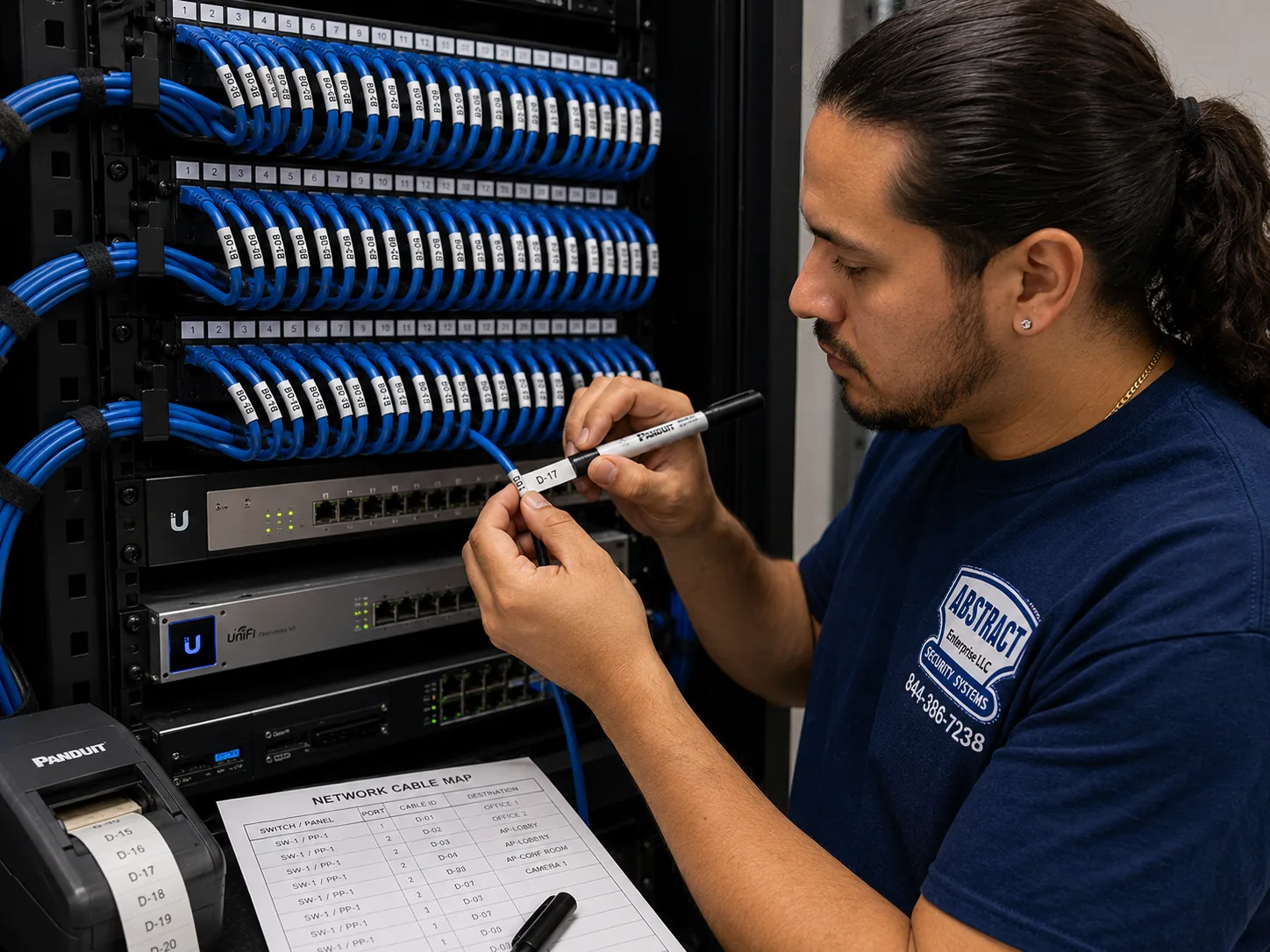
These are the Blink devices and accessories we fit in New York homes and small businesses, with the situations each one suits. We install Blink equipment you already own, or we supply it; line prices for supplied equipment and labor are on each borough's Blink price page. Blink's own renter guide suggests the same broad mix: a plug-in Mini for living areas, a battery doorbell for the front door, and a battery Outdoor camera for a balcony or patio.
The usual choice for apartment doors, where there is no chime. Runs on batteries, needs a Sync Module, and suits no-drill clamp brackets on inward-opening doors.
For houses with a working chime supplying 16 to 24 volts AC. Wired power keeps it out of battery-only Event Response mode when the voltage is right.
For doors with no doorbell wiring but an indoor outlet nearby. The plug-in adapter supplies 24 volts AC; Blink notes there is no battery backup.
Battery cameras for stoops, areaways, driveways, yards, balconies and back doors. Need a Sync Module; we mount them sheltered from direct rain.
Plug-in indoor cameras that join Wi-Fi directly. Good for watching an apartment door from inside when the lease rules out anything on the door itself.
Sync Module 2 or Sync Module Core as the hub for battery devices, with a second module added in brownstones, large apartments and houses with distant garages.
Wi-Fi extenders and wired access points where the router is too far from the door, which in prewar buildings is often the real fix for a camera that drops.
Lithium AA cells for outdoor and cold-exposed devices, no-drill door brackets, adhesive mounts, and masonry anchors sized for light cameras on brick.
People sometimes ask whether they should just call ADT, or buy Ring or SimpliSafe instead. ADT is best known for professionally monitored alarm systems. Ring, like Blink, is owned by Amazon and sells doorbells and cameras mostly for self-installation, and SimpliSafe sells self-install alarm and camera kits. All of them work. None of them solves the New York-specific part: reading a lease, a co-op's rules or a landmark district, working out whether a door has a chime or a buzzer, and getting signal through a brick wall. NerdWallet's Blink review notes that Blink itself offers no professional installation. That is the gap we fill. If you already own Blink, there is rarely a reason to switch brands; the fix is usually placement, power and Wi-Fi.
| Question | Blink installed by AESS | Do-it-yourself Blink | Monitored alarm company |
|---|---|---|---|
| Lease, co-op and LPC rules read before mounting | Yes | Up to you | Varies |
| Chime voltage or buzzer checked | Yes, measured | Up to you | Varies |
| Wi-Fi measured at each camera spot | Yes | Rarely | Varies |
| Long-term contract | No | No | Often |
| Licensed installer in New York State | Yes, NYS license #12000287431 | Not required for your own home | Yes |

We could not capture Google's AI Overview, People Also Ask boxes or Bing and DuckDuckGo answers for this topic from our build environment, so we are not going to pretend to quote them. What follows are claims we see repeated in quick online answers about Blink and doorbell cameras generally, set against what Blink's own documents, New York City's rules and our field practice say. Marketplaces such as Angi, HomeAdvisor and Fixr publish national cost guides that feed many of those answers; they help with a rough idea, but they cannot tell you whether your apartment door has a chime or a buzzer.
Quick answers often say you can replace any existing doorbell with a wired Blink in a few minutes. Blink's own support pages are narrower: the Video Doorbell needs a chime system providing 16 to 24 volts AC at 50 to 60 hertz and no more than 40 VA.
In New York, the most common "doorbell" is a building buzzer, which HPD guidance on the Housing Maintenance Code describes as the minimum intercommunication system for post-1968 buildings with eight or more apartments. That is not a chime circuit, and connecting a Blink to it can interfere with the intercom.
When the wiring does not match, Blink shows "Wired power not supported" and the doorbell runs on batteries in Event Response mode. We measure first and choose battery, chime or plug-in adapter power from what we find.
Blink does say its Sync Modules can communicate with cameras up to 100 feet away. The same support article tells owners to avoid thick walls and materials like concrete, brick, stone and metal, and suggests a second Sync Module for cameras with weak signal.
The 100-foot figure is an open-air figure. In a city where 54 percent of units are in buildings put up before 1947, and where prewar masonry walls can be over a foot thick, the effective range from a router at the back of a railroad apartment to a steel front door can be a fraction of that.
We place the Sync Module by measurement, not by the number on the box, and test every camera with doors closed before we leave.
Many answers treat the space outside your door as yours. In a New York apartment building it usually is not. Connextivity notes that a camera on a hallway wall sits on a common area and typically needs building approval in a co-op or condo, and a JustAnswer reply in a Brooklyn case said a landlord can remove a camera installed in a common area without permission.
The same sources say no state or city law bars a camera on your own apartment door. The difference between the door and the wall beside it is the difference between a likely yes and a likely no.
So we default to no-drill brackets on the door itself, or a Mini inside, and only mount on hallway walls with written approval in hand.
Some answers imply Blink or Amazon will send someone. NerdWallet's Blink review states it plainly: no professional install is available from Blink. The product is designed to be set up by the owner.
That works well in a house with good Wi-Fi and a modern chime. It works less well on a steel door in a prewar walk-up, a landmark brownstone stoop or a co-op with a strict board, which together describe a large share of New York homes.
Third-party installers fill the gap. In New York State, anyone installing security systems as a business needs a Department of State license, which is why our license number is on this page.
Battery claims in quick answers usually assume mild weather, modest activity and strong signal. A battery supplier's guidance lists cold weather, weak Wi-Fi and frequent alerts as the main things that cut battery life, and notes that alkaline cells lose significant capacity in cold weather while lithium cells hold steady across a wide temperature range.
A Blink doorbell on a north-facing stoop in a New York January, behind a steel door, in a corridor with dozens of neighbors walking past, is close to the worst case on all three counts.
We fit lithium cells in exposed devices, tighten motion zones so the camera does not wake for every passer-by, and improve signal where it is weak, which together make more difference than any single battery brand.
It is easy to assume a plugged-in camera is the safer choice. Blink says its Wired Doorbell 2K+ on the plug-in adapter has no battery backup and needs continuous, uninterrupted power.
Outages do happen here. NY1 reported 10,019 Con Edison customers without power on one evening during the June 2025 heat wave, with more than 12,000 out at one point, and noted that one customer can be a whole building. When the power drops, the router and modem usually go too, so even a battery camera cannot send clips.
Where that matters, we suggest a battery doorbell rather than a plug-in one, and a small battery backup unit for the router, so the system rides through short outages.
Quick answers rarely mention the Landmarks Preservation Commission. But its rules amendments specifically list security cameras among the equipment it regulates on facades and areaway features, and its Permit Guidebook has a section on installing them.
With 1,460 individual landmarks and many historic districts full of row houses, including Brooklyn Heights, the city's first, a camera on a stoop can be exactly the kind of facade change the Commission reviews. Its 2013 calendar included a case to legalize cameras already installed without permits on a West 76th Street rowhouse.
Small size does not exempt a device. We keep cameras off the primary facade where we can, and for anything on the street face of a landmark building we check with the Commission first.
Send a photo of your door from both sides, the models you own and a line from your lease if you have one, and a technician will tell you which mount fits, where the Sync Module should go, and which lines of your borough's Blink price list apply. Call (800) 486-0943, message us on WhatsApp, or use the quick form.
Every Blink job we do in the five boroughs follows the same eight steps, whether it is one Mini in a studio apartment or a doorbell, four Outdoor cameras and two Sync Modules on a detached Staten Island house. The order matters most in New York, where rules and walls cause more trouble than hardware.
The address, the building type, photos of the door, stoop or wall from both sides, and the Blink models you own or want. We match the job to your borough's Blink price page before you book.
Lease clauses, co-op or condo rules, the managing agent's requirements and landmark status, checked before the visit. We send a certificate of insurance where the building asks for one.
Signal measured at every planned camera spot with doors closed, because brick, plaster and steel doors are where Blink systems fail.
Within range of every battery device and away from masonry and metal, with a second module or an extender added only where the measurements show it is needed.
Chime transformer voltage read where there is one; batteries or the plug-in adapter chosen where there is only a building buzzer.
No-drill brackets on rental doors, mortar-joint anchors on brick, sheltered spots outdoors, and heights that show faces clearly.
Zones kept off neighbors' doors and the sidewalk, hallway audio off, alert settings chosen to protect battery life through the winter.
Every household member added to the app, test clips recorded and played back, and a written note of models, mounts and Sync Module locations left for the day you move.

A citywide service is easiest to picture through the buildings people know. These six places each stand for a kind of New York home we install Blink in, and each brings its own version of the questions on this page.
Designated November 23, 1965, the city's first historic district, according to the Historic Districts Council: 19th-century brownstones where camera placement starts with LPC rules.
Built 1880 to 1884, a co-op since 1961 and a city landmark since 1969: the prewar co-op where board rules and heavy walls both shape a door camera.
Built by Metropolitan Life from 1939 to 1942, recorded with 171 brick buildings and 12,271 apartments: long corridors and building policy for apartment-door devices.
Planned by Frederick Law Olmsted Jr. and Grosvenor Atterbury, with streets laid out by 1910 and more than 800 homes: houses, townhouses and garden apartments.
A Staten Island historic district designated in 2004, with about 92 freestanding houses: detached homes where chime power and landmark review meet.
15,372 units in 35 high-rises and seven townhouse clusters: one of the largest housing cooperatives anywhere, and a lesson in signal through long corridors.
We install Blink cameras in every borough. Each has its own published price list: Blink installation prices in Manhattan, Blink prices in Brooklyn, Blink prices in Queens, Blink prices in the Bronx and Blink prices on Staten Island. Beyond the city we also serve Long Island and the Hudson Valley.
Blink installation is priced by borough, because travel, parking and building access cost different amounts across the city. Rather than print one citywide number that would be wrong for most addresses, we publish each borough's full Blink line list, with a calculator so you can build your own system and see the total before you call. The NYC Blink camera installation prices page is the starting point, and it links to the borough lists. Nothing is added on the day that is not on your borough's list unless you ask for it.
| Factor | Why it matters in NYC | How we handle it |
|---|---|---|
| Number and type of devices | A single Mini is a short visit; a doorbell, outdoor cameras and two Sync Modules take longer | Each device is its own line on the borough list |
| Who supplies the equipment | Many New Yorkers already own a Blink kit | Labor-only lines for equipment you own; supplied lines if we bring it |
| Mounting surface | No-drill door brackets, wood trim, brick and brownstone each take different time and fixings | Named on the quote from your photos |
| Signal fixes | Prewar masonry and steel doors may need a second Sync Module, an extender or an access point | Measured first; only added if the readings show it |
| Power at the door | Chime-wired, plug-in adapter or battery | Chosen from what we measure, explained before work starts |
| Building paperwork | Co-ops and commercial landlords often want insurance papers and set hours | Certificate of insurance sent before the visit |
Many Blink customers ask us to handle a TV or a cable tidy-up on the same visit. Those jobs are priced from our verified TV and setup list. The figures below are that list's Bronx-rate lines, exactly as published; other boroughs' figures for these items are on their own pages.
| Item (TV and setup list, Bronx rate) | Price | When Blink customers ask for it |
|---|---|---|
| TV wall mounting, drywall on wood studs, up to 55 inches (bracket sold separately) | $209.99 | A new TV going up in the same room as an indoor Mini |
| TV placed on its stand, no wall mount | $137.99 | Renters who cannot drill anywhere |
| Setup-only visit, first hour, then 30-minute blocks | $225 | Devices and Wi-Fi to set up with no mounting |
| In-wall concealment with code-compliant in-wall power and cable kit | $169 | Hiding a TV's power and cables properly |
| Paintable cord cover | $59 | A tidy surface run where a wall should stay closed |
| Soundbar wall-mounted / placed | $129 / $79 | Sound under the new screen |
| Above-fireplace mounting add | $130 | Brownstone parlors with a mantel wall |
| Brick or stone wall add / plaster wall add | $65 / $45 | Prewar and brownstone walls |
| Take down old TV | $85 | Replacing an older set on the same wall |
Open your borough's Blink price page and add one line for each device you want installed, choosing labor-only for devices you already own. Add a Sync Module line if your devices need one and you do not have one yet. If your photos show thick masonry between the router and the door, expect us to suggest a second Sync Module or an extender, and that will appear as its own line on the quote before you agree. If a TV is going up the same day, add the lines from the list above. That total is what you pay.
Full terms โ including 50% deposit, one-year parts-only warranty on AESS-supplied products, and the late-fee schedule โ are set out in the service agreement.
Three common New York Blink setups, each built only from lines on the borough price lists. Exact figures for your address are on your borough's Blink price page; there is no package premium and no hidden extra.
One Blink Battery Doorbell 2K+ on a no-drill bracket, or a Mini 2K+ inside watching the door where the lease rules out the door itself, plus Sync Module placement and app setup for every household member. For walk-ups and elevator buildings in Manhattan, the Bronx and Brooklyn. Line prices: Manhattan, Bronx.
A doorbell or Outdoor camera at the stoop or vestibule, a second Outdoor 2K+ on the areaway or rear yard, a Sync Module on the parlor floor near the front and a second module if the readings call for it, with mortar-joint anchors and LPC-aware placement. Line prices: Brooklyn.
A chime-wired or plug-in Wired Doorbell 2K+ after a voltage check, three or four Outdoor 2K+ cameras on the driveway, side door, yard and garage, two Sync Modules placed by measurement, and Minis indoors. For Staten Island, Queens and the outer Bronx. Line prices: Staten Island, Queens.
Most of our Blink customers already bought the kit. We install equipment you own at the labor-only lines on your borough's list, as long as it is genuine Blink hardware in working order and registered, or ready to register, to your account. We check the model, the firmware update in the app and the batteries before mounting. If a device is faulty or is the wrong model for the job, such as a wired Video Doorbell for an apartment door with only a buzzer, we tell you before we start and suggest the model that fits.
The citywide starting point for Blink line prices and the calculator. Blink camera installation prices NYC
Apartment doors, co-ops and doorman buildings. Blink installation prices Manhattan
Brownstones, row houses, two-families and walk-ups. Blink installation prices Brooklyn
Houses, garden apartments and elevator buildings. Blink installation prices Queens
Large apartment complexes and house blocks. Blink installation prices Bronx
Detached houses with chimes, driveways and yards. Blink installation prices Staten Island
Long Island houses beyond the city line. Nassau County · Suffolk County
Hudson Valley homes north of the city. Westchester County · Rockland County
Send door photos and your Blink models and we will match them to the list. Request a free quote
For a camera that sits inside your own apartment, on a shelf or a small mount, most leases do not require permission, and Blink's own renter guide notes that plug-in indoor cameras like the Mini are the easiest fit for rentals. What usually needs permission is anything that changes the door, the walls in a way the lease restricts, or the common areas outside. If your lease has an alterations clause, read it, and if it is unclear, a short email to the managing agent describing a no-drill setup usually settles it. Keep the reply on file.
Yes. A battery doorbell can sit on a no-drill clamp bracket that grips the top of the door, a Mini can stand on a shelf facing the door, and an Outdoor camera can go on a balcony railing clamp or adhesive mount. Some no-drill door brackets fit inward-opening doors only and have limits on door thickness and the gap at the top, so we measure your door before choosing one. We also check that a self-closing door still closes and latches on its own with the bracket fitted.
The Blink Mini 2K+ is usually the simplest, because it plugs into an outlet and joins your Wi-Fi directly without a Sync Module. Set inside the apartment facing the door, it records whoever comes in and avoids most lease questions. If you want to see who is knocking before you open, a Battery Doorbell 2K+ on the door adds that, but it needs a Sync Module placed near the door, which matters in buildings with thick walls or a steel door.
Use mounts that leave no marks, get written approval for anything that touches the door or walls, and photograph the area before and after installation. No-drill door brackets and shelf-mounted Minis leave nothing behind when removed. Where adhesive mounts are used on painted surfaces, we choose ones that release cleanly and show you how to remove them. When you move out, take the devices down carefully and keep the original brackets with the cameras.
Yes. Blink devices are tied to your Blink account, not the building, so you take them down, pack them with their brackets and set them up again at the new address. The Sync Module needs to join the new Wi-Fi network, and every battery device placement has to be rethought for the new walls and door. We can take the system down at the old place and put it back up at the new one, and the written placement note we leave at hand-over makes that faster.
It depends on the borough, how many devices you want, whether you already own them, the mounting surface and whether the Wi-Fi needs help. We publish every Blink line for each borough on our Blink price pages, with a calculator so you can add up your own job. Send your address, door photos and models and we will tell you which lines apply before you book.
A single Mini or one doorbell on a no-drill bracket with good Wi-Fi is a short visit. A brownstone with a doorbell, two outdoor cameras and a second Sync Module, or a house with a chime check and four outdoor cameras, takes considerably longer because of the measuring, masonry work and testing. Building rules can add time too, such as co-op work hours or a service elevator booking. We give you an expected visit length with the quote.
Usually not for the building as a whole. Blink is designed for individual homes and low-traffic spots, recording clips on motion and relying on Wi-Fi and cloud storage. A lobby, mailroom or entrance that sees constant traffic is better served by a wired recorder system that records continuously and keeps footage in the building. Blink works well for a tenant's own door or a quiet storage room, and some owners combine the two.
Start with the signal, not the bracket: confirm the Sync Module can reach the outdoor spot with good strength. Choose a spot sheltered from direct rain, under an eave or overhang where possible, at a height that shows faces rather than the tops of heads. On brick, fix into mortar joints; on a landmark block, check the Commission's rules first. Then set motion zones away from the sidewalk and neighbors' property and fit lithium cells for winter.
Check that your router has power and internet, that the Sync Module's lights look normal, and that the camera's batteries are fresh. If you recently changed your router or Wi-Fi password, the Sync Module and any Mini cameras need to join the new network. If only one camera is offline, especially one behind a steel door or masonry wall, weak signal is the usual cause, and the fix is moving the Sync Module, adding a second one or improving the Wi-Fi near that camera.
They will last noticeably less than in mild weather. Cold, weak Wi-Fi and frequent motion alerts all shorten battery life, and alkaline cells lose a lot of capacity in the cold while lithium cells hold steady across a wide temperature range. For exposed outdoor devices we use lithium cells, keep motion zones tight so the camera wakes less often, and make sure the signal is strong so the camera is not straining to stay connected.
NYC 311 says you can register your security camera locations with the NYPD through NewYorkCityConnect.org, so police know a camera may have footage if something happens nearby. Registration is voluntary. A state bill once proposed making it mandatory for cameras facing public spaces, but it remained a bill. If you choose to register, we can show you how during the hand-over.
Tell us the borough and address, the building type, whether you rent or own, and which Blink devices you have or want. Photos of the door from both sides make the quote exact. Prefer to talk? Call (800) 486-0943.

ยท Blink Camera Installation Hudson Valley Hub | 6 NY Counties
From a steel apartment door in a Manhattan corridor to a brownstone stoop on a Brooklyn landmark block, a Bronx co-op hallway or a Staten Island driveway, the job starts the same way: the building's rules, the Wi-Fi at the door, and the power that is really there. Call (800) 486-0943, message us on WhatsApp, or send the quote form, and we will tell you exactly what your door needs before anything goes up.
Blink Camera Installation by neighborhood: NYC hub, NYC blink camera installation
Blink Camera Installation by neighborhood: Long Island hub, Long Island blink camera installation