What are you looking for?
About Us Contact Us Careers Get a Free Quote (800) 486-0943
Pick a service
✅ Got Your Own System?
🎬 Home TheatreQuote 🎶 AV SoundQuote 🔑 Access ControlQuote
Now pick your area
Pick your area
Long Island
Hudson Valley
Services available
Pricing & Tools
Pick a service for pricing
🚪 Intercom Pricing 🔔 Buzzer Repair Pricing
Calculators
📹 Camera System Calculator 🚨 Alarm Calculator ⚡ Cabling Quote Builder ✅ Got Your Own System?
Select your area
Amcrest box still sealed in a brownstone hallway, a lobby camera that stopped recording, or a recorder that keeps losing its cameras? Book an NYC Amcrest install or fix: (800) 486-0943
Home › Amcrest Camera Installation › NYC
Brownstone Rows · Tenement Walk-Ups · Prewar Co-ops · Lobbies and Mail Areas · Storefront Corridors · NYS Licensed

Amcrest Camera
Installation in
New York City

See every Amcrest camera price in NYC and build your own system →

Wired PoE Before WiFi · Local Recording, No Required Subscription · Landmark and Board Rules Checked First

New York City is not one kind of building, and an Amcrest camera install changes with the wall in front of us. The Rent Guidelines Board's 2026 Housing Supply Report puts 54 percent of the city's housing units in buildings put up before 1947: brownstone rows from the decades between the Civil War and the First World War, tenement walk-ups from 1860 to 1910, prewar elevator co-ops, and the towers that came after. Amcrest makes PoE turrets, domes and bullets plus network video recorders that store footage on your own hardware, but those cameras are only as good as the cable path, the mounting surface and the network setup behind them. We wire and configure Amcrest systems in all five boroughs, check landmark and board rules before anyone drills, and price every job from our published Amcrest price page for the borough you are in.

Reviewed and updated November 5, 2026 by Anwar Timothy, NYS license #12000287431 · Sources: Amcrest's physical installation guides for PoE dome and turret cameras, Amcrest product listings at Adorama and Walmart, the FCC Covered List, The Intercept (July 20, 2021), Tec-Tel's NDAA Section 889 compliance guide, ICTally and Cargotrans on the 2026 FCC import ruling, Blinkless, the NYC Landmarks Preservation Commission's 2018 rule amendments, Permit Guidebook chapter 11 and July 16, 2013 public hearing calendar, the Rent Guidelines Board 2026 Housing Supply Report, the Citizens Housing and Planning Council, the Architectural League of New York, NY Senate bill S487 (2019), NYC 311, the NYC Business portal, amNY (May 16, 2024), NY1 (July 2, 2026), CBS New York, the New York Attorney General, Security.org, Gothamist, the NYC Council's internet-access data, HPD's Tenant Data Privacy Law page, the NYC Small Business Services BID directory, RecordingLaw, Seneca Security, Justia Answers and Yelp · Dispatched from 1282 Troy Ave, Brooklyn

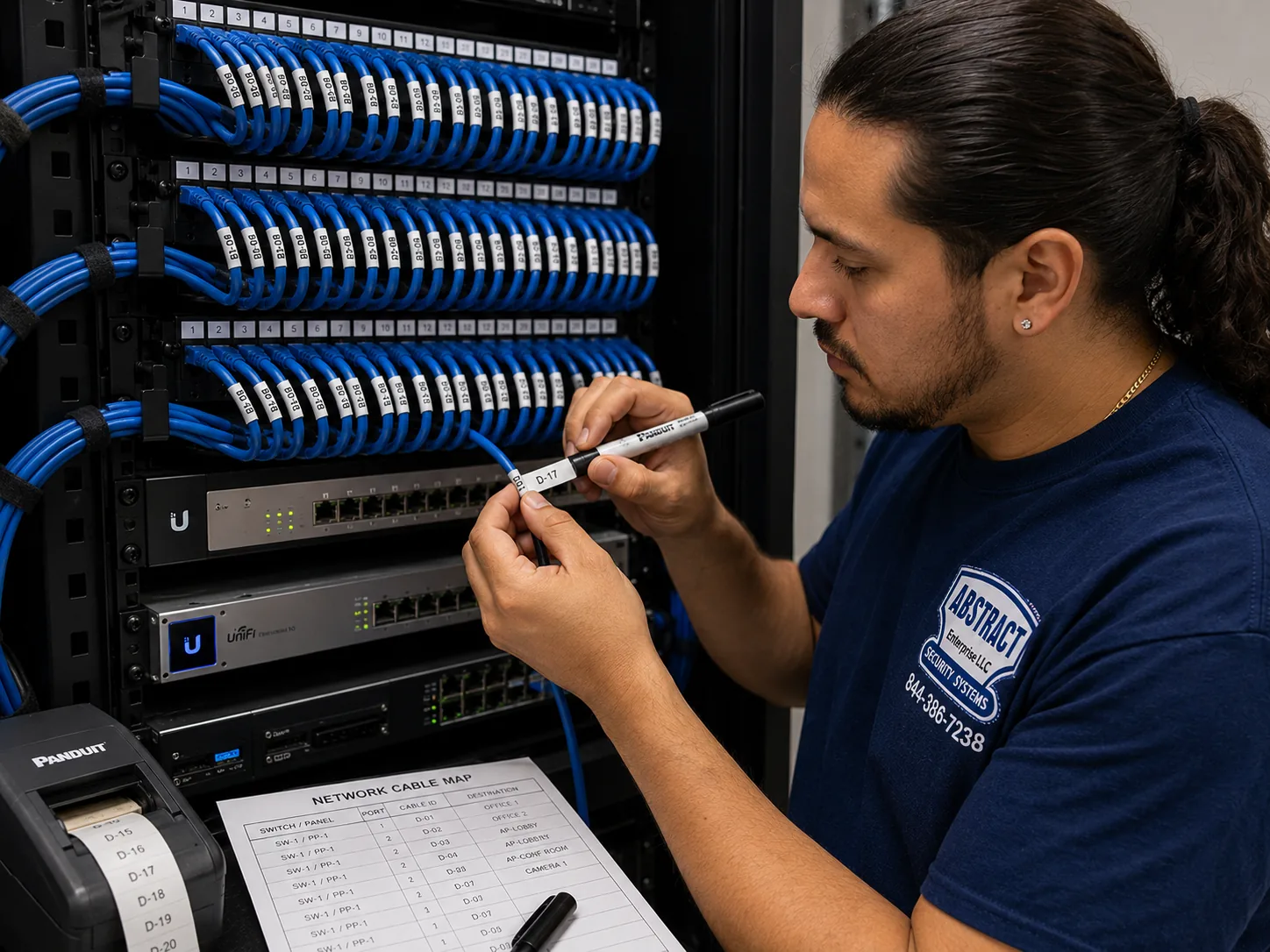
Amcrest camera installation, NYC hub, NYC job-library photo: a technician printing cable labels at a patch panel beside a printed port map
Photo from the AESS job library, not taken at a specific New York City address: a technician printing cable labels at a patch panel, with a printed port map beside the panel. Every Amcrest PoE camera we wire in a city building gets the same treatment, so that years later a super in a prewar co-op or an owner of a Brooklyn rowhouse can tell which cable goes to the lobby camera and which goes to the yard.
NYC Amcrest Camera Install
Tell us the borough, the building type and the Amcrest models you have or want

✅
Request Sent!
We'll reach out to book your NYC Amcrest visit, usually within 2 hours.
25+
Years Experience
✓
Same-Day Estimates
100%
Licensed & Insured
4.7★
201 Google Reviews

Owner-operated since 2002 · Thousands of jobs completed · Booked within 2 hours

Amcrest camera installation in NYC is priced per borough from our published Amcrest price pages, and it includes mounting, cable runs to the recorder, NVR or Blue Iris setup, fixed network addresses, app setup and a labeled hand-over. Your cost depends on four things: how many cameras, which wall each one goes on (drywall, brick, limestone, block or concrete), how far each cable has to travel to the recorder, and whether a board, landlord or the Landmarks Preservation Commission has to sign off first. Send us the model numbers and a few photos and we will tell you which price lines apply before you book. Requests are booked within 2 hours. Call (800) 486-0943 or use the form, or see the NYC Amcrest camera installation prices page.

  • Borough rates follow our area multipliers: Brooklyn and the Bronx at the base rate, Queens at 1.05, Staten Island at 1.10 and Manhattan at 1.25, with each borough's full list on its own price page
  • Wired PoE first: one network cable per camera carries power and video, which is far more dependable through prewar masonry than WiFi
  • Low-voltage work done under NYS license #12000287431; any new electrical outlet is referred to a licensed electrician and named on the quote
The Neighborhood

Why NYC Properties Need Amcrest Camera Installation

New York City was stitched together from very different places, and its buildings still show the seams. On January 1, 1898, according to the city's archaeology collection, Manhattan, Brooklyn, the Bronx, Queens and Staten Island joined into one city after a consolidation vote that passed by 64,744 to 64,467. The housing those five places had already built did not change overnight, and much of it is still standing. The Rent Guidelines Board's 2026 Housing Supply Report says 54 percent of the city's units are in buildings constructed before 1947, out of 3,705,000 housing units counted in 2023. The Citizens Housing and Planning Council puts it another way: more than 80 percent of the city's housing was built more than 50 years ago, in types that run from Riverdale mansions and Midland Beach bungalows to Sunnyside garden apartments, brownstones, tenements and high-rises near Central Park. When someone in New York buys an Amcrest kit, the camera in the box is the same one sold everywhere in the country. The wall it is going onto is not.

The Architectural League of New York traces two of the most common types. Rowhouse neighborhoods filled in between the Civil War and the First World War, using a house type that first appeared in numbers in Manhattan in the 1820s and 1830s. Tenements went up quickly and in huge numbers between 1860 and 1910, first in Manhattan and Brooklyn and later in the Bronx. A real-estate guide adds the prewar apartment types most New Yorkers know from the inside: four- to six-story walk-ups built before 1929, eight- to twelve-story elevator buildings from the 1910s and 1920s, and the larger doorman buildings of the 1920s and 1930s. One renovation firm describes prewar walls as often 12 to 18 inches of masonry. We cannot verify that figure for any one building, but it matches what our drill bits meet in many of them, and it is the first reason we wire Amcrest cameras with PoE cable instead of trusting WiFi. A camera that streams over the air through a brick party wall and two plaster partitions will drop frames, lose its connection and fill the app with gaps exactly when something happens.

The second reason is the kind of trouble cameras are bought for here. CBS New York reported a lobby package thief at a building at 36th Avenue and 31st Street in Astoria, where police said the suspect used a screwdriver to disable the lock on the door. In Park Slope, the same outlet reported thieves cutting open packages and taking things out of them while still inside a lobby. In Harlem, CBS covered a theft of furniture from the lobby of the Robeson on Lenox Avenue, where a key code is needed to enter and police said there was no forced entry; a tenant there said her family had its own door camera so they could see what went on in front of their apartment. Gothamist, citing SafeWise, put the value of packages stolen in the city close to a billion dollars, and Security.org's national survey found apartment residents more than three times as likely as single-family residents to have had a package stolen in the previous three months, 10 percent against 3 percent. The New York Attorney General's package-theft alert tells New Yorkers to use a doorbell camera or video surveillance to deter thieves or help police identify them. Lobbies, vestibules, mail areas and stoops are where most city camera systems earn their keep.

Amcrest fits that job in a particular way. According to Amcrest's product listing at Adorama, its cameras can record to a microSD card (sold separately), an FTP server, a network storage drive, a local computer or any Amcrest NVR, and they work with Blue Iris recording software. In plain terms, the footage can stay inside the building on hardware the owner controls, without a monthly cloud plan. That matters more in New York than people think. The NYC Council's data team, using Census survey figures, found that 8.1 percent of households had no internet access in 2021 and 24.5 percent had no cable, fiber or DSL broadband subscription, with 19 community districts above one-third. A camera system that only works when the cloud is reachable is a weak choice for a building whose owner lives elsewhere, or a walk-up where the internet line is a single cellular router in the super's apartment. An Amcrest NVR in a basement closet keeps recording when the internet goes down; remote viewing comes back when the connection does.

There is a second side to Amcrest that a buyer in the city should hear plainly before the drill comes out. Tec-Tel's NDAA Section 889 guide lists Amcrest as a US-distributed Dahua OEM, meaning cameras built on Dahua hardware and sold under the Amcrest name. The Intercept reported in 2021 that an Amcrest representative confirmed the products are not NDAA compliant, while Amcrest describes them as "conceptualized and designed by Amcrest in Houston, TX." The FCC's Covered List names Dahua, not Amcrest, and limits Dahua's entry to equipment used for public safety, security of government facilities, physical surveillance of critical infrastructure and other national security purposes. For a homeowner in Bay Ridge or a co-op in Washington Heights, that usually does not stop the install. For a building paid for partly with federal money, or an owner thinking about replacement parts five years from now, it is a real question. The next section lays out what we know and what we do not.

Then there are the rules that sit on top of the hardware. No general city law requires apartment buildings to have cameras, according to a security vendor's summary of building requirements; what the law does require is intercoms and lighting. Multiple Dwelling Law §50-a requires intercoms in Class A multiple dwellings with eight or more units built or converted after January 1, 1968. Lighting matters to cameras directly: a camera aimed down an unlit corridor records very little that anyone can use. The Landmarks Preservation Commission writes security cameras into its rules on equipment attached to facades in historic districts. Co-op and condo boards often treat a building-wide camera replacement as something that needs their approval. The city's Tenant Data Privacy Act sets consent rules when entry systems collect data about tenants. And New York's recording laws decide whether a camera's microphone should be switched on at all. Each of those changes where an Amcrest camera can go, who has to agree, and how it is configured.

We also want to be clear about what our research for this page could not find. We did not pull HPD violation counts, 311 complaint counts or Department of Buildings permit data about cameras, so this page does not quote any. We could not read Reddit threads, Google's People Also Ask boxes, Bing or DuckDuckGo directly, and Yelp turned up praise for other local installers but no complaints we could cite. Where a claim on this page comes from a single vendor rather than a law, a regulator or a newspaper, we say so in the sentence. Where a vendor claim could not be checked, such as a reported "Local Law 50" camera-signage rule or a reported change to the Real Property Law forcing landlords to allow tenant cameras, we have left it out entirely.

New York City facts that shape an Amcrest install

  • An old housing stock: 54 percent of the city's 3,705,000 housing units are in buildings from before 1947, per the Rent Guidelines Board's 2026 Housing Supply Report.
  • Two dominant historic types: rowhouses from the Civil War to the First World War and tenements built between 1860 and 1910, per the Architectural League of New York.
  • A large protected stock: the Landmarks Preservation Commission protects 1,460 individual landmarks, 121 interior landmarks and 12 scenic landmarks, plus its historic districts, according to Wikipedia's summary of LPC designations.
  • Internet gaps: 8.1 percent of NYC households had no internet access in 2021 and 24.5 percent had no wired broadband subscription, per the NYC Council's data team.
  • Intercoms are required, cameras are not: MDL §50-a covers Class A buildings of eight or more units built or converted after January 1, 1968; no general city law mandates cameras.
  • A voluntary police link: 311 says businesses with cameras can register camera locations with the NYPD at NewYorkCityConnect.org, and amNY reported a 2024 pilot in nine precincts letting businesses share live feeds by choice.

What city owners often add once the cameras are in. Once a building's Amcrest system is recording the lobby and the door, the next request we usually hear is about the door itself: an intercom that actually works, or a key-fob reader so the super is not cutting new keys every month. Those are separate services with their own quotes, and the Tenant Data Privacy Act rules described further down this page apply when entry data is collected. If you are thinking about either, mention it when we come out, so the cable for a future door station goes in during the same visit rather than through a second set of holes later.

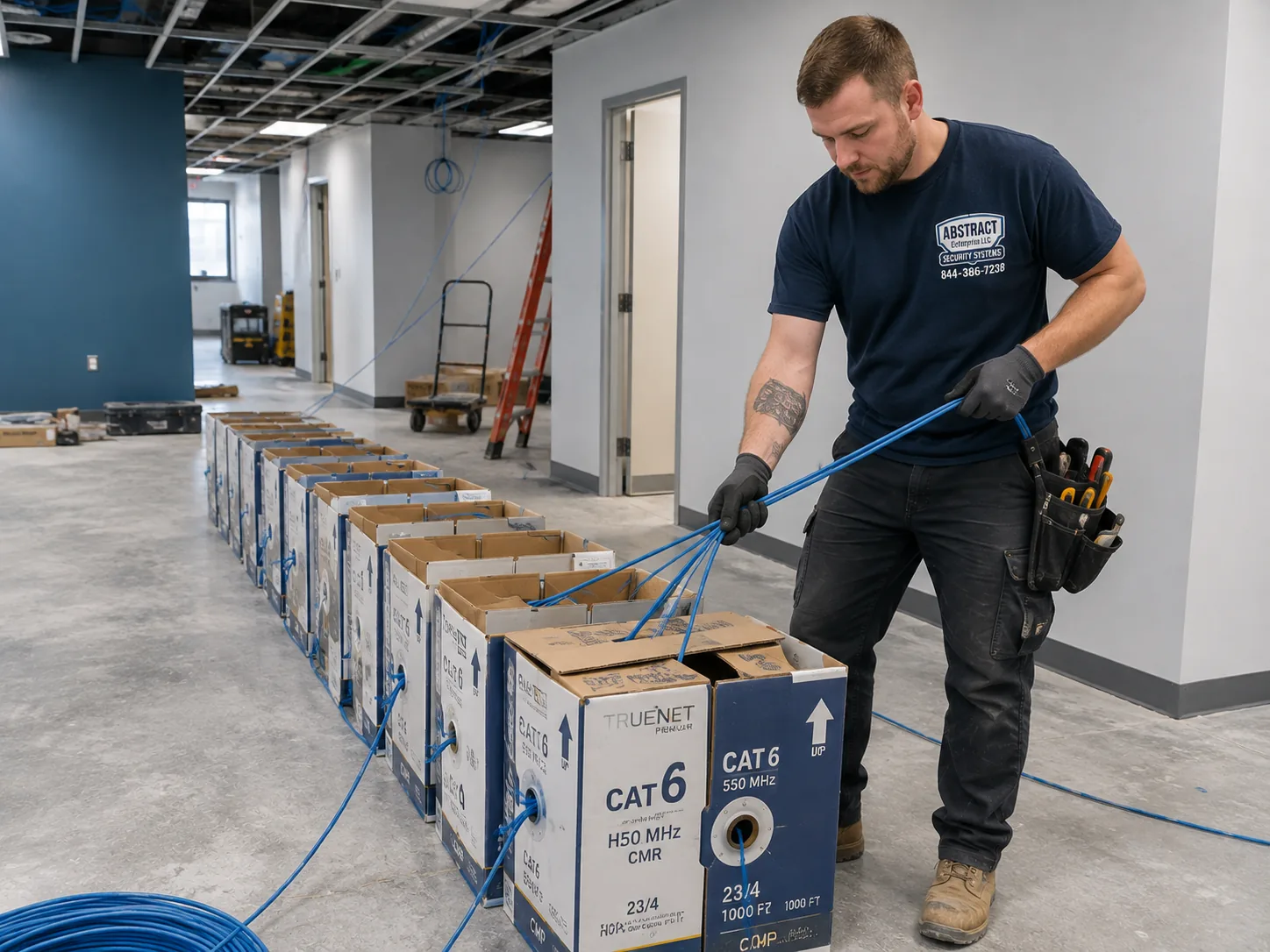
Amcrest camera installation, NYC hub, NYC job-library photo: boxes of network cable staged on the floor of a working premises before a multi-drop pull
Photo from the AESS job library, not taken at a specific New York City address: boxes of network cable staged on the floor of a working premises before a multi-drop pull. An eight- or sixteen-camera Amcrest system in a city apartment building starts like this, with every run measured from the recorder closet to each camera position before the first box is opened, so the cable reaches the fifth-floor landing of a walk-up without a splice.

Amcrest Cameras Offline, Recorder Blank or Footage Needed Today? Fast Help Across NYC

The calls we move on first are the ones where something has already happened: a lobby camera that turns out not to have been recording on the night packages went missing, a recorder whose hard drive has failed, or a set of Amcrest cameras that dropped off the NVR after a router was replaced. If footage matters, do not unplug the recorder, do not factory-reset anything and do not let anyone "try a few things" on it, because a reset or a reformat can overwrite the very clip you need. Note the date and time of the incident, take a photo of the recorder's screen if it has one, and call (800) 486-0943. Tell us the borough, the model number on the recorder's label and what changed recently. We will tell you honestly what can be recovered and how soon we can be there.

The Amcrest Question

Dahua Hardware, FCC Rules and NDAA: What NYC Amcrest Buyers Should Know Before the Install

More of our Amcrest calls start with this question than with any question about cameras: "Is this brand even allowed anymore?" The honest answer is that it depends on who is buying, what the cameras are for, and what money is paying for them. This section sets out what the sources we read actually say. It is not legal advice, and where a funding agency or a lawyer has to answer, we say so.

Who is buyingWhat the sources sayWhat we do on the job
Homeowner, brownstone or rowhouse ownerAmcrest is not on the FCC Covered List; Dahua is, limited to public-safety, government-facility, critical-infrastructure and national-security uses. One source says the 2026 FCC rules do not revoke installed equipment or ban private use.Install as normal; record locally; document model numbers so future parts can be checked
Small landlord or co-op board, private fundsSame as above for the hardware; building rules, board approval and tenant-notice practice applyGet board or owner sign-off in writing; plan coverage so no single door is targeted
Building or nonprofit using federal grants or loansTec-Tel lists Amcrest under Dahua on NDAA Section 889 lists; The Intercept reported Amcrest confirmed its products are not NDAA compliantWe ask you to check with the funding agency before any Amcrest purchase; we can quote an NDAA-compliant alternative instead
Owner planning replacement parts laterICTally and Cargotrans report that in July 2026 the FCC banned continued import and marketing of previously authorized equipment from entities added to the Covered List in 2024 or earlier, for Dahua only for certain security usesWe record exact models and firmware at hand-over and tell you plainly when a part may be hard to find

What "Dahua OEM" means in a city building

An OEM camera is one built by one manufacturer and sold under another company's name. Tec-Tel's NDAA guide lists Amcrest as a US-distributed Dahua OEM, and both ICTally and Cargotrans describe Amcrest and Lorex as brands that have historically sold cameras built on Dahua hardware. Amcrest's own statement, as quoted by The Intercept, is that its products are "conceptualized and designed by Amcrest in Houston, TX." Both things can be true at once: a company can design and specify products in Texas and source the hardware from a factory partner. For installation, what matters is that Amcrest cameras share a great deal with Dahua cameras in how they are configured, how their firmware behaves and how their recorders talk to them. That shared lineage is one reason a technician who knows Dahua recorders can usually work through an Amcrest system quickly.

Private homes and private buildings

The FCC's Covered List entry for Dahua covers equipment used for public safety, security of government facilities, physical security surveillance of critical infrastructure and other national security purposes. A camera over the stoop of a Crown Heights rowhouse or in the lobby of a privately owned Queens walk-up is none of those things. One camera-checking site, Blinkless, states that the FCC rules do not revoke equipment already installed and do not ban private use. We have not seen any source saying a private New York owner must remove an Amcrest system. So for private homes and private buildings, we install Amcrest the way we install any PoE camera brand, and we keep the paperwork tidy so the owner knows exactly what is on the wall.

Buildings that use federal money

NDAA Section 889 is about the federal government buying, and paying for, covered equipment. That is why Tec-Tel and The Intercept focus on whether Amcrest products can be sold to the government. If a building's security upgrade is being paid for in part with federal grants or loans, the safe move is to ask the agency providing the money before buying any Amcrest equipment, and to get the answer in writing. We do not try to answer that question for a board or a nonprofit; we flag it at the first call and, if the answer is no, we quote a compliant system instead. It is far cheaper to change brands on paper than to rip out a finished install.

The parts question

The practical worry for most owners is not legality but supply. If the FCC's 2026 action limits the import and marketing of some Dahua-based equipment for certain uses, an owner who loses one camera in a few years may find the exact model harder to buy. That is a reason to plan, not to panic. We record every camera's model number and firmware version on the hand-over sheet, keep cable runs to standard network cable that any PoE camera can use, and set up the recorder so a replacement camera from another line could be added if it ever came to that. The cable in your walls is the expensive part of the job, and it is brand-neutral.

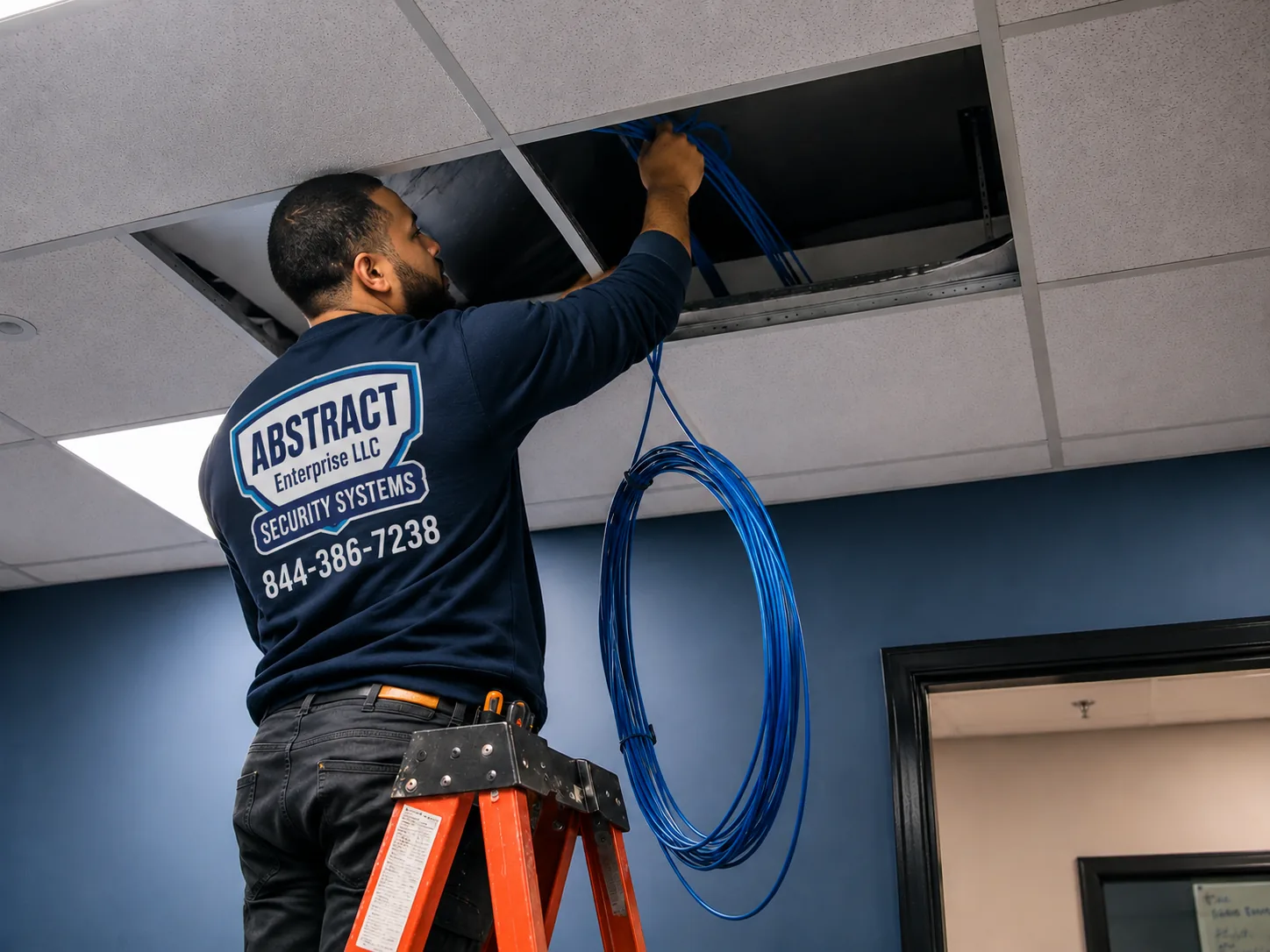
Amcrest camera installation, NYC hub, NYC job-library photo: a technician feeding cable up through an opened ceiling in an occupied commercial space
Photo from the AESS job library, not taken at a specific New York City address: a technician feeding cable up through an opened ceiling in a commercial space that is still in use. That cable is the brand-neutral part of an Amcrest job; whatever camera hangs on it years from now in a city storefront or office, the run from the ceiling to the recorder stays where it is.
Before You Book

Stoop to Server Closet: What to Gather Before We Wire Your Amcrest System

Most of the time lost on a city camera job is lost before the ladder goes up: a box of cameras from two Amcrest product lines that use different apps, a recorder with no hard drive inside, a board that has not seen the plan, or nowhere legal to stop the van on a Manhattan block. Fifteen minutes with your phone camera prevents most of it. Please do not open walls, re-flash firmware or reset a recorder that might hold footage you need; just look, photograph and send us what you find.

What to checkWhy it matters in NYCWhat to send us
The model number on every Amcrest box or cameraAmcrest's SmartHome cameras and its PoE/NVR cameras can live in different apps; one SmartHome camera is listed as working only with the Amcrest SmartHome appA photo of each label or the order confirmation
Whether you have an NVR, and whether it has a driveAmcrest recorders are often sold without a hard drive; without one, nothing is recordedA photo of the recorder's label and the box
Where the recorder can liveBasement, super's office, a closet near the router; it needs power, ventilation and a path for every camera cableA photo of the spot and of the router
Each camera positionStoops, vestibules, lobbies, mail areas, stairwells, yards and alley gates each mean a different wall and cable pathOne photo per position, taken from where the camera would sit
What the walls are made ofBrick, brownstone, limestone, block, concrete and plaster all take different bits, anchors and timeA close photo of each wall surface
Who has to say yesCo-op and condo boards, landlords and, on landmarked facades, the LPCThe managing agent's or board's contact and any alteration rules
Lighting at nightA camera aimed at an unlit corridor or yard records little that helpsA night-time photo of the darkest spot you want covered
Parking and accessLadders, cable boxes and a drill have to reach the door; doorman buildings often set service-entrance hoursWhether there is a driveway, loading zone or service entrance

Decide what each camera is for

Before you count cameras, write one line for each spot: "see faces coming through the vestibule," "see who takes packages from the mail table," "see the whole back yard," "read a plate at the garage gate." A face camera and a wide yard camera are different lenses at different heights. A camera with no clear purpose tends to end up aimed at a ceiling or a wall. This list is also what a co-op board or a skeptical tenant will want to see, because it shows the cameras are about doors and packages, not people's private lives.

Look at the other side of every wall

In a rowhouse or a tenement, the wall you want to drill through to bring a cable inside may have a kitchen, a bathroom or a neighbor's apartment on the other side. Before we arrive, look at what sits behind each spot where a cable would come through: pipes, an electrical panel, a gas meter, a stair stringer. We scan and probe on the day, but a photo of the far side tells us where to be most careful and sometimes points to a better route through a closet or a cellar ceiling.

Know your network

Amcrest cameras and recorders are network devices, and two buyer reports we read show why that matters. One Blue Iris user reported cameras that kept changing their network addresses, which breaks recording software that expects each camera to stay put. Another buyer complained that a camera was talking to an address that was not on their network. Tell us who supplies your internet, where the router is, and whether anyone else manages it, such as a landlord or a building IT person. That lets us plan fixed addresses for every camera and decide how much of the system should be allowed to reach the internet at all.

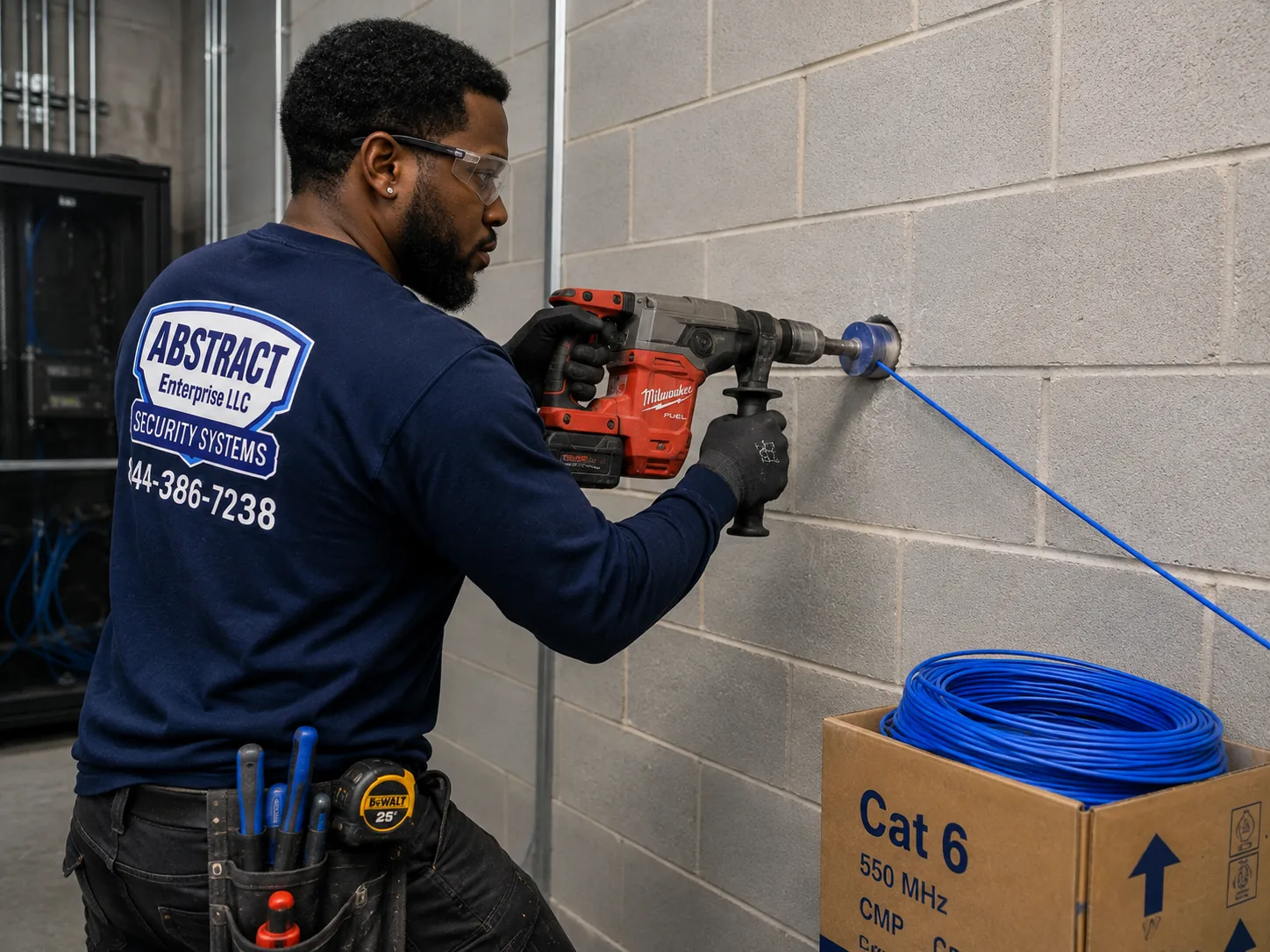
Amcrest camera installation, NYC hub, NYC job-library photo: a technician core drilling a block wall to carry cable through to a network room
Photo from the AESS job library, not taken at a specific New York City address: a technician core drilling a block wall to carry cable through to a network room. In city buildings with block or masonry cellar walls, a clean drilled passage like this is how camera cables from the yard and the lobby reach a recorder in the basement without being stapled across the face of the wall.
What We Install

Amcrest Camera Installation Services in NYC

These are the Amcrest jobs New York homeowners, landlords, boards, supers and shop owners book us for. Each one is priced from the Amcrest price page for your borough. Where a job needs something extra, such as a long run to a rear yard, a pole or a second technician for a high facade, the quote names it before you agree.

📹

New Amcrest PoE Systems

Turrets, domes and bullets wired with one network cable each to an Amcrest NVR or PoE switch, mounted on brick, brownstone, block or drywall, and set up to record locally without a required cloud plan.

📦

Installing Cameras You Bought

Amcrest kits bought online, checked for matching product lines and apps before we mount anything, then wired, aimed and configured as if we had supplied them.

🏢

Lobby, Vestibule and Mail Area Coverage

Cameras placed to see faces at the door and hands at the mail table or package shelf, the spots where the Astoria and Park Slope lobby thefts reported by CBS took place.

🏛

Landmark-Aware Facade Cameras

Cameras kept off a primary facade where LPC rules expect it, small domes finished to blend with the masonry, and cable routed through the inside where it does not show.

💾

NVR, Blue Iris and Storage Setup

Amcrest NVRs fitted with drives, or cameras added to Blue Iris on a local computer, with recording schedules, retention and export tested before we leave.

🌐

Network Hardening and Fixed Addresses

Every camera given a fixed address, default passwords changed, separate viewer accounts created, and internet access limited to what remote viewing needs.

🛍

Storefront and Restaurant Systems

Register, entrance, stock room and rear-door cameras for shops on the city's commercial corridors, installed in the hours the room is closed.

🔧

Fixing Existing Amcrest Systems

Cameras that drop offline, recorders that stopped saving, apps that will not connect after a router change, and systems a previous owner left behind with no passwords.

📋

Rewiring and Cleanup

Old runs traced and labeled, tangled recorder closets rebuilt, and coax-era systems converted to PoE so Amcrest IP cameras can replace failing analog ones.

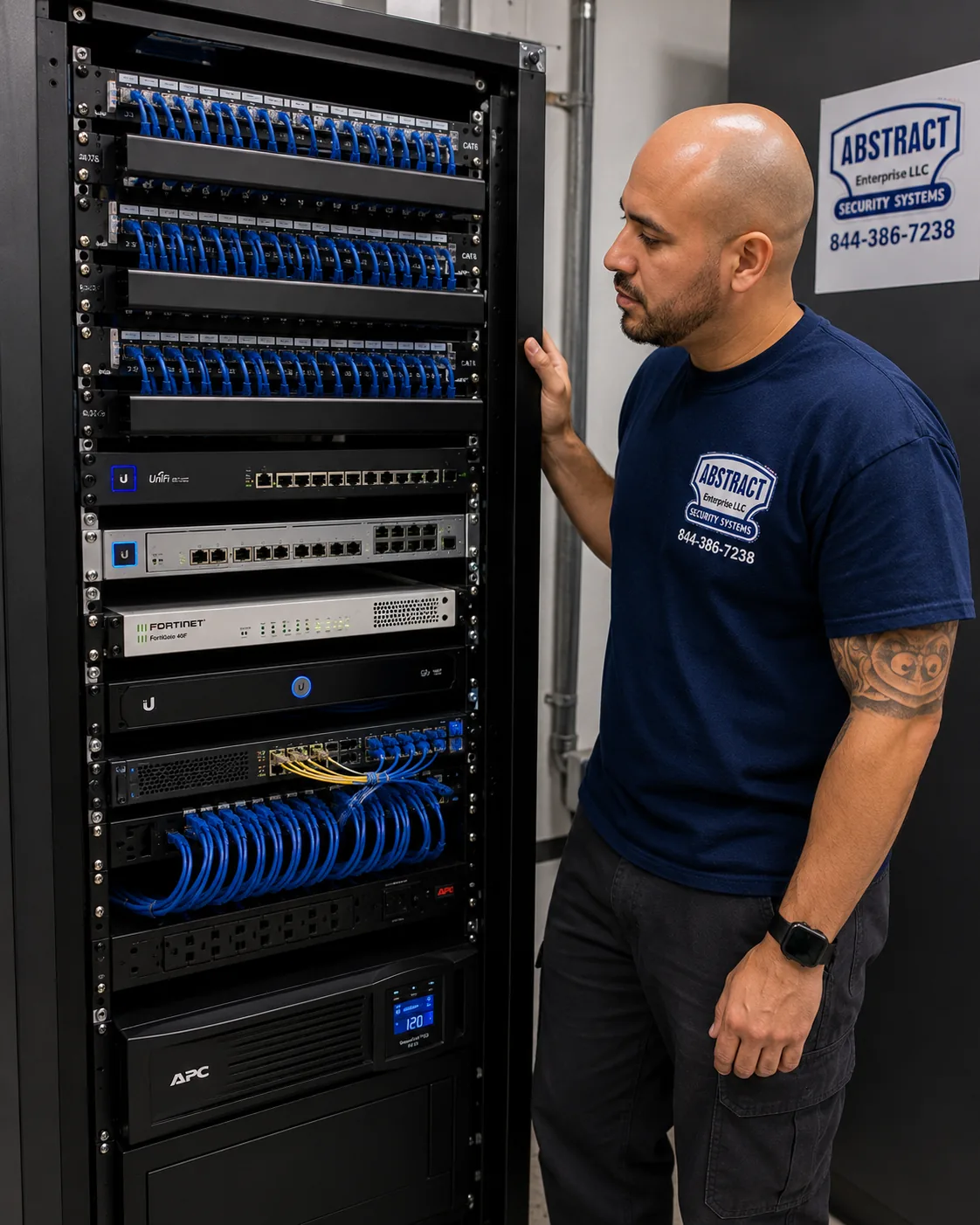
Amcrest camera installation, NYC hub, NYC job-library photo: a finished network rack with patch panels, switching, a firewall and battery backup, dressed and labeled
Photo from the AESS job library, not taken at a specific New York City address: a finished network rack with patch panels, switching, a firewall and battery backup, every cable dressed and identified. In a larger city apartment building, an Amcrest NVR and its PoE switch belong in a closet like this, on battery backup so a short power cut in the building does not stop recording.
Building Specialists

Amcrest Camera Installation for NYC's Architecture

New York packs nearly every building type in American history into five boroughs. Each one changes three things about an Amcrest job: what the camera mount is fixed into, how the cable reaches the recorder, and who has to agree before we start. These are the types the sources we read describe, and how we handle each.

Brownstones and Rowhouses

The house type the Architectural League dates from the Civil War to the First World War, often inside historic districts such as Brooklyn Heights, Harlem, Park Slope and Fort Greene. Stoop cameras, rear-yard coverage and cable through cellars.

Tenement Walk-Ups

Four- to six-story buildings from 1860 to 1910, with narrow vestibules, mail areas under the stairs and a single stair as the main path. Cameras at the door, the mailboxes and each landing if the owner wants them.

Prewar Elevator Co-ops

Eight- to twelve-story buildings from the 1910s and 1920s and larger doorman buildings of the 1920s and 1930s, most run by boards with alteration rules, insurance requirements and set work hours.

HDFC and Small Co-ops

The Comptroller describes HDFC co-ops as largely prewar walk-up buildings. Small boards, tight budgets and a strong case for local recording without monthly fees.

One- and Two-Family Houses

Frame and brick houses across Queens, Staten Island, the Bronx and southern Brooklyn, with driveways, side alleys and garages that need wide coverage.

Post-War and Newer Towers

Concrete construction, finished ceilings, building management systems and existing camera contractors; Amcrest is more often added to cover a gap than to replace the base system.

How the building type changes the job

BuildingWhat the camera is fixed intoHow cable usually reaches the recorderWho signs off
Brownstone or rowhouseBrick, brownstone or limestone, anchored in the stone face, not the jointThrough the wall into the cellar, along joists, up to a closetThe owner; the LPC for visible facade work in a historic district
Tenement walk-upBrick and plaster-on-brick in halls; masonry outsideUp the stair hall in a small raceway or through the cellar and up a chaseThe owner; tenants told in advance as good practice
Prewar elevator co-opPlaster, masonry, sometimes terracottaThrough existing risers or telecom closets where the board allowsThe board or managing agent, under the alteration agreement
HDFC co-opBrick and plaster, as in a walk-upSurface raceway where opening walls is impracticalThe HDFC board
One- or two-family houseSiding, brick or soffit woodThrough the attic, soffit or basementThe owner
Newer towerConcrete or finished drywall ceilingsAbove drop ceilings to a telecom roomBuilding management and its own contractors

Brownstones: stone, stoops and the cellar route

A brownstone facade is soft sandstone laid over brick, and it is unforgiving. Drill too fast and the face spalls; drill into a carved lintel and the damage is permanent. On a brownstone we put cameras where they do the most good with the least visible hardware: under the stoop looking at the parlor-floor door and the garden-level gate, inside the vestibule looking at the inner door and the mail slot, and at the back of the house looking across the yard. Cable from a stoop camera usually goes straight through the wall into the cellar, then along the joists to wherever the recorder will live. Amcrest's turret guide calls for a 1-inch paddle bit on through-wall runs in wood; in masonry we use a bit sized for the cable and the connector, then seal the hole against weather. In a historic district, the camera's place on the facade is not just our call, which the next section covers.

Tenement walk-ups: one stair, many doors

A walk-up has one main path: the street door, the vestibule, the mailboxes and the stair. That makes coverage simple and placement delicate. A camera at the street door, one on the mailboxes and, where the owner wants them, one per landing aimed down the stair rather than at any apartment door covers the building's movement without singling anyone out. Seneca Security warns that a camera aimed specifically at one tenant's door, without covering the wider hall, can look like harassment in a legal dispute. We plan every landing camera to show the stair and the hall, not a particular door. Cable in these halls usually runs in a small surface raceway painted to match, because opening plaster-on-brick walls up four or five floors costs more than the camera system and rarely ends cleanly.

Prewar co-ops: boards, risers and paperwork

The larger prewar buildings are usually co-ops, and their boards treat building-wide security changes as alterations. Seneca Security notes that camera system replacements and new access control may require board approval. Boards often want a contractor's certificate of insurance, set hours for noisy work and use of the service elevator, and a plan of where each camera and cable will go. Inside, these buildings can have plaster on metal lath, terracotta block or solid masonry, and old telecom risers that may or may not have room. We ask the managing agent for the building's alteration rules at the first call, send the camera plan and insurance papers ahead of the visit, and check in with the super on arrival. A board that sees a clear plan, with each camera's purpose written down, usually approves faster.

HDFC and small co-ops: local recording on a budget

The Comptroller's office describes HDFC co-ops as largely prewar multifamily walk-up buildings woven into the streetscape. Many are run by volunteer boards watching every line of the budget. This is where Amcrest's local recording makes the most sense: an NVR with a drive in the cellar, PoE cameras at the door and the mailboxes, and no monthly bill. We keep these jobs simple, write down every login, and set up at least two board members with viewer accounts so the system does not live on one person's phone.

Houses in the outer boroughs: driveways and alleys

One- and two-family houses in Queens, Staten Island, the Bronx and southern Brooklyn bring different needs: a driveway, a side alley between houses, a detached garage, a back fence on a shared lane. Bullets and wider turrets do this work. Soffits and eaves are often the best mounting points, and attics or basements usually give a clean cable route. Amcrest's dome guide says a mount should support at least three times the weight of the camera and bracket. On aluminum or vinyl siding that means a mounting block fixed through to the sheathing and framing, never a bracket screwed into siding alone.

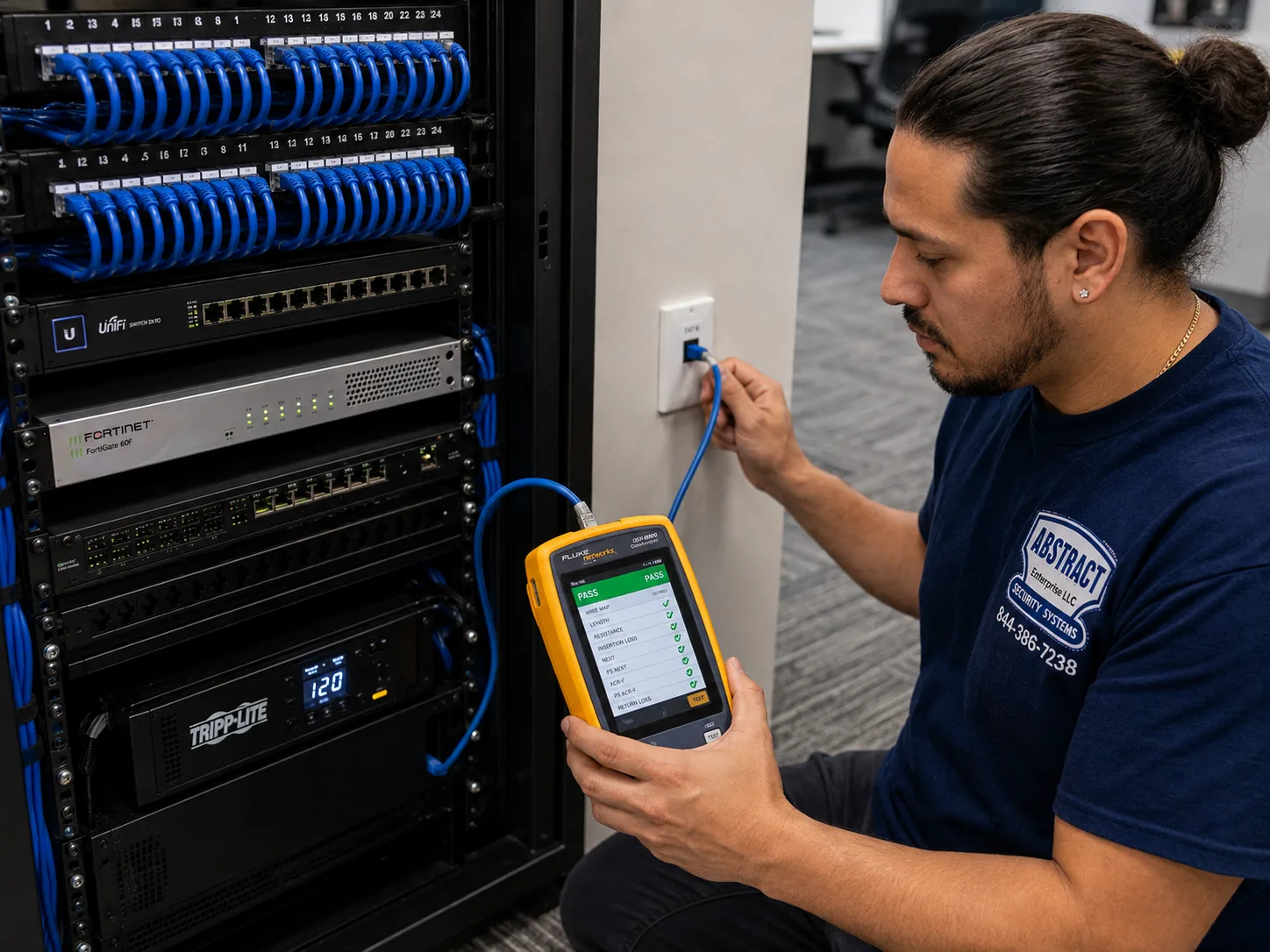
Amcrest camera installation, NYC hub, NYC job-library photo: a technician certifying a data drop with a cable analyzer showing a PASS result
Photo from the AESS job library, not taken at a specific New York City address: a technician certifying a data drop with a cable analyzer that shows a PASS result. A long run up the stair hall of a five-story walk-up or across a brownstone cellar is tested like this before the Amcrest camera goes on the end of it, so a weak run never gets blamed on the camera.
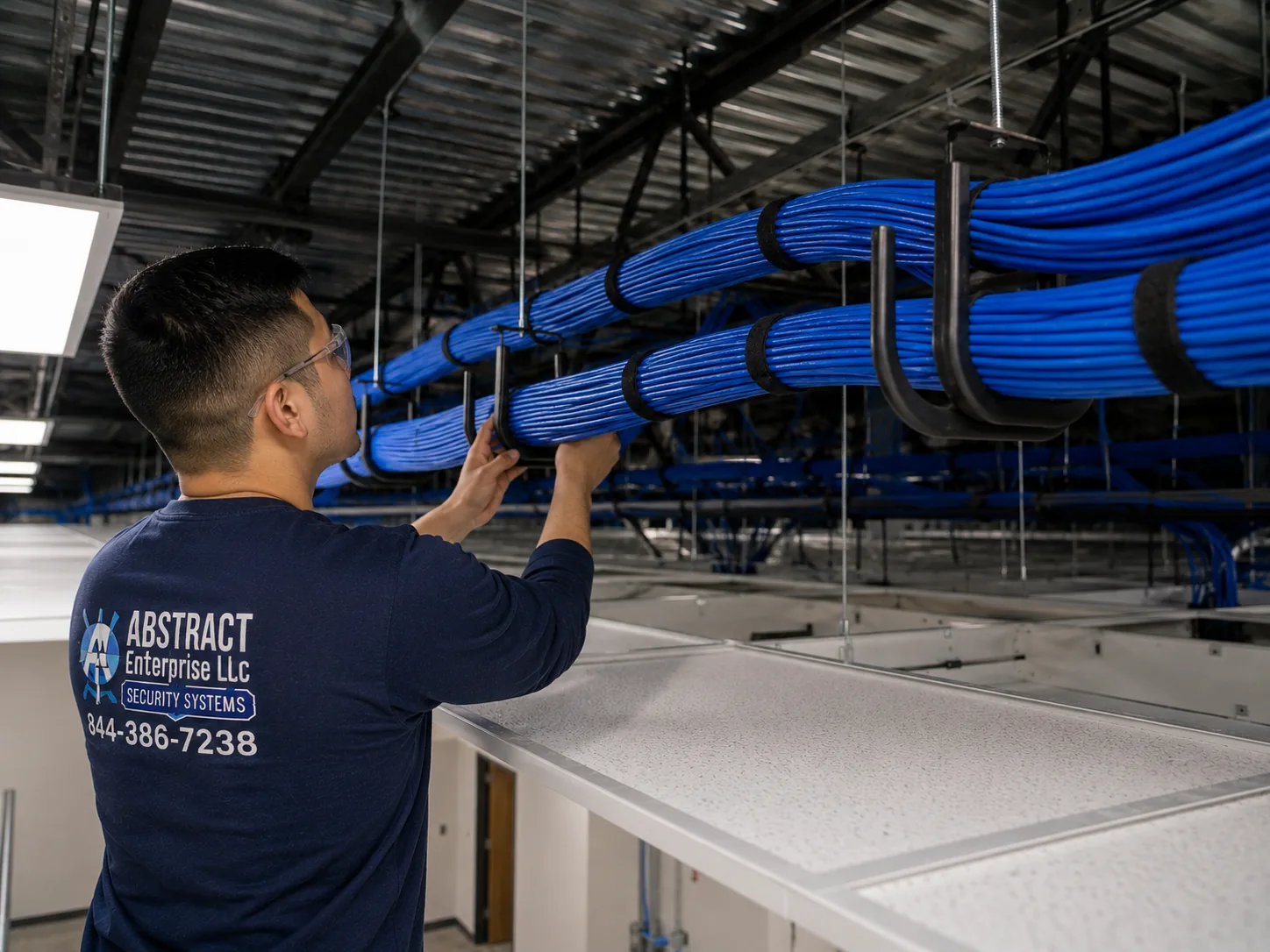
Amcrest camera installation, NYC hub, NYC job-library photo: a J-hook pathway carrying dressed cable bundles across a commercial ceiling
Photo from the AESS job library, not taken at a specific New York City address: a J-hook pathway carrying dressed cable bundles across a commercial ceiling. In a prewar co-op cellar or above a storefront drop ceiling, camera cable supported on hooks like this stays clear of pipes and is easy for the next technician to follow.
Landmarks and Facades

Cameras on Landmarked Facades: How LPC Rules Shape an Amcrest Install

For a brownstone owner in a historic district, the most important decision about an Amcrest camera is not the model. It is which wall it goes on. The Landmarks Preservation Commission's 2018 rule amendments wrote down its staff practice on equipment attached to facades and areaways, naming intercoms, light fixtures, security grilles, mailboxes and security cameras among them. The proposed rules described in the Commission's August 2018 revisions would prohibit many of these objects on a primary facade, the side facing the street, unless there is no feasible alternative or the location is required by an agency or a utility-like entity. The Commission's Permit Guidebook has a section on installing security cameras, including small dome cameras finished to match the facade.

This is not a theoretical concern. The Commission's public hearing calendar for July 16, 2013 lists an application for 52 West 76th Street, an 1887–89 rowhouse in the Upper West Side/Central Park West Historic District, to legalize security cameras and an intercom installed without LPC permits. Legalizing work after the fact costs time and money that a phone call beforehand would have saved. The Commission's FasTrack program issues permits for many simple exterior work types on non-visible facades within 10 working days, according to its 2023 rules. In practice, that pushes us toward cameras inside the vestibule, under the stoop or on rear and side walls, which is often better coverage anyway.

Camera position on a landmarked houseWhat the rules point toHow we usually handle it
On the primary (street) facadeThe 2018 proposed rules would prohibit many such objects unless there is no feasible alternativeAvoid; look for a vestibule, stoop-underside or interior position first
Inside the vestibuleInterior work generally needs no LPC permit unless it affects the exterior or the interior is designatedSmall dome or turret on the ceiling, cable through the wall behind
Under the stoop at the garden-level doorLess visible, but still exterior; check with LPC staffSmall dome finished to match; we bring photos and specs for the application
Rear or non-visible facadeFasTrack covers many simple exterior work types on non-visible facadesYard camera on the back wall, cable straight into the cellar

One secondary source, a legal information site, says small buildings are limited to two cameras per 25 feet of street frontage and large buildings to three. We have not confirmed that figure in the LPC's own guidebook text, so we treat it as a question for LPC staff rather than a rule. We are not the applicant on an LPC permit; the owner is. What we do is give you the camera model, its size and finish, a photo of the proposed spot and a description of the cable route, which is what an application needs, and we hold the install until you have the answer.

Commercial Amcrest Camera Installation

Business Amcrest Camera Installation in NYC

Most city businesses that call about Amcrest are small: a deli, a salon, a hardware store, a restaurant, a garage. They want cameras on the register, the entrance, the stock room and the back door, recording to a box they control. The corridors below are among those the city's Small Business Services directory lists as business improvement districts, chosen to show the range across the boroughs. We describe what the sources say about each; we do not claim any business on them as a client.

125th Street, Manhattan

Listed in the SBS business improvement district directory. Storefronts under apartments, roll-down gates and dense foot traffic, where entrance cameras need to see faces through glass in changing light.

Fordham Road, the Bronx

Another district on the SBS list, lined with retail. Wide sidewalks and deep stores mean cameras at the door and further back at the registers and stock rooms.

Fulton Mall, Brooklyn

Represented on the SBS list by the Fulton Mall Improvement Association. Busy shop entrances where the camera's job is a clear face at the threshold.

Steinway Street and Downtown Jamaica, Queens

Two Queens districts on the SBS list. Mixed retail and restaurants, many in older buildings with cellars that give a route for cable to a back-office recorder.

Forest Avenue, Staten Island

A Staten Island district on the SBS list, with storefronts that often have parking lots or side lots to cover as well as the door.

Flushing and College Point, Queens

Where amNY reported the city's Connect New York demonstration began, letting businesses share camera views with their local precinct by choice.

Brooklyn's Pitkin Avenue and 86th Street in Bay Ridge also appear on the SBS list. On every corridor, the same physical facts come up: a glass front that bounces light into the lens, a roll-down gate that can block a camera's view when it is down, a cellar or rear stock room where the recorder can sit out of reach, and a back door onto a yard or alley that sees deliveries and, sometimes, trouble.

What a storefront Amcrest system has to do

A shop camera has three jobs that a home camera rarely has. It must capture a usable face at the door, not just a shape against the light; it must show hands at the register clearly enough to settle a dispute about a transaction; and it must keep recording overnight when the gate is down and the lights are off. That usually means one camera inside the door at head height looking in, set so the glass is behind the subject rather than in front of the lens; one over the register; one on the stock room or cellar door; and one on the rear door. The recorder goes somewhere a person grabbing things in a hurry cannot easily take it, on battery backup, with remote viewing set up on the owner's phone. We schedule the drilling for the hours the store is closed and leave the floor clean before opening.

Rules and practical limits for business cameras

  • Audio off by default. RecordingLaw notes that cameras recording sound must meet New York's one-party consent rule under Penal Law §250.00. A shop camera recording customers' conversations at the counter, where the owner is not part of the conversation, is the situation that rule is about. Amcrest cameras with microphones are set to video only unless the owner has a lawful reason and has thought it through.
  • No cameras where people expect privacy. New York Penal Law §250.45, as Impera Security summarizes it, makes it a crime to install a camera where a person has a reasonable expectation of privacy without consent. Restrooms and changing areas are never covered.
  • Posted notice helps. According to Ambient.ai's summary, Penal Law §250.65 protects systems where a written notice is posted conspicuously stating that video surveillance is in use for security, or where the cameras are clearly obvious. We recommend a sign at the entrance.
  • Biometrics are different. The city's biometric identifier law, Local Law 3 of 2021, requires covered commercial establishments that collect biometric data from customers to post notices at entrances, but its notice provision generally does not apply to information collected through photographs or video recordings, according to the city's rules page and a Carlton Fields summary. If a business turns on face recognition features, that changes and needs legal advice.
  • Roll-down gates and sightlines. A 2009 city law required storefront gates to be at least 70 percent transparent by July 1, 2026. NY1 reported on July 2, 2026 that the City Council unanimously passed Int. 910, repealing that deadline so a compliant gate is needed only when a gate is replaced for other reasons, and sent it to the Mayor. Either way, a solid gate blocks an inside camera's view of the sidewalk; we place cameras with the gate down in mind.
  • Sharing with police is optional. 311 says businesses can register camera locations with the NYPD at NewYorkCityConnect.org and share live video in emergencies. amNY reported that the Connect New York program lets businesses choose how and when footage is accessible. We set up whatever the owner decides and nothing more.
  • Help with costs may be coming. The City Council's June 30, 2026 press release describes Int. 553-A, which would require Small Business Services to create a program giving small retail owners financial help to buy and install security technology, and Int. 623-2026, introduced in February 2026, would create a pilot installing cameras and plexiglass in some small businesses. Neither is a program you can apply to on the basis of this page; check with SBS.
  • Electrical work is separate. PoE cameras take their power from the network cable, so most Amcrest jobs need no new outlets. Where a recorder closet needs a new receptacle, that circuit is a licensed electrician's job and our quote says so.
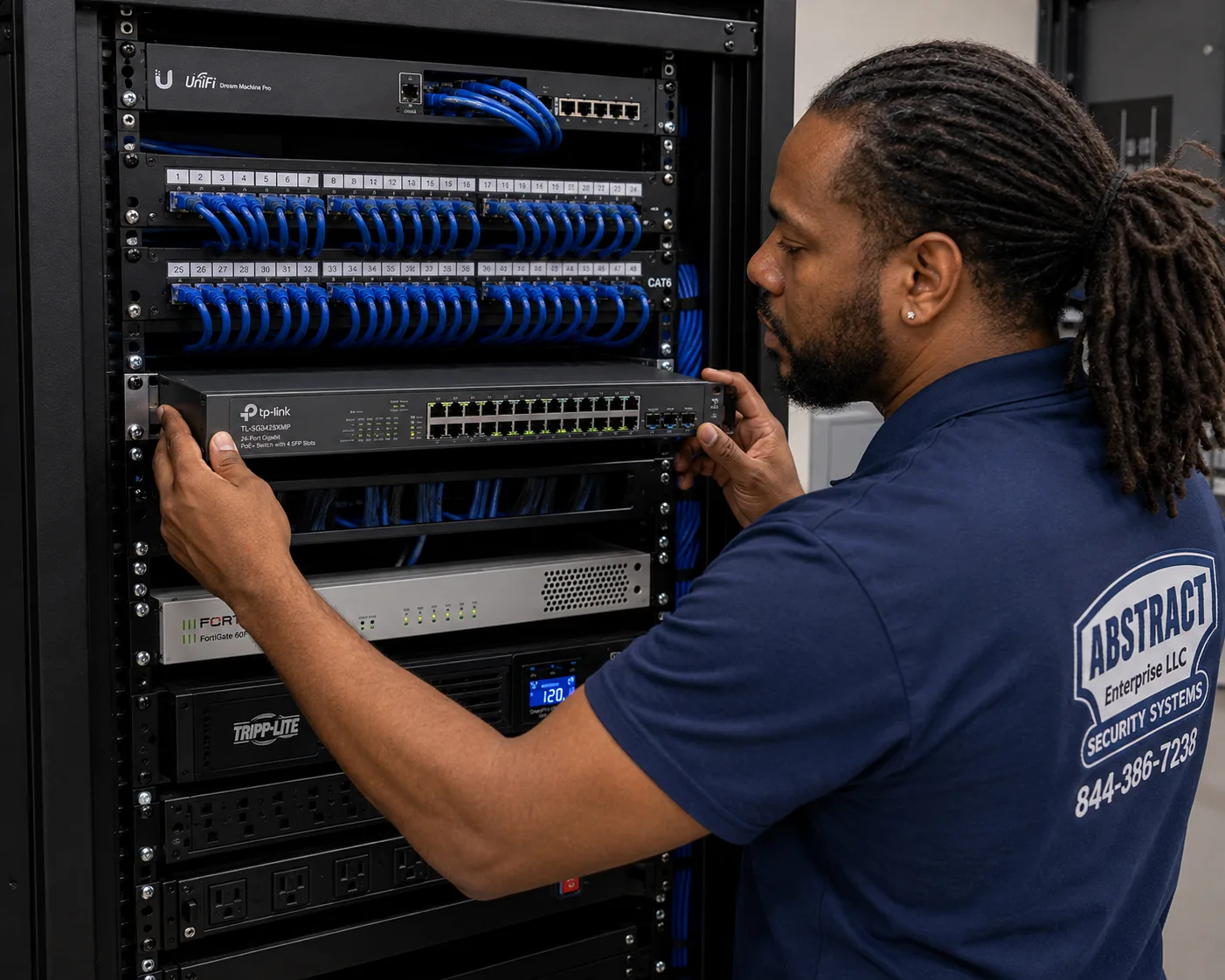
Amcrest camera installation, NYC hub, NYC job-library photo: a technician mounting a managed PoE switch below patch panels in a commercial network rack
Photo from the AESS job library, not taken at a specific New York City address: a technician mounting a managed PoE switch below patch panels in a commercial network rack. In a city storefront with more cameras than the Amcrest recorder has ports, a PoE switch like this powers the extra cameras over their network cables, so no outlet is needed at any camera position.
Field Notes

Field Notes: The Hour Before Any Amcrest Camera Goes on a City Wall

We do not publish stories about a particular customer's building unless we can document them, so this is not a tale about one address. It is the routine our technicians follow on a typical city Amcrest job, whether it is four cameras on a Bed-Stuy rowhouse or twelve in a walk-up in Inwood.

We open every Amcrest box on a blanket and read the labels before we touch a wall, because a mix of product lines means a mix of apps, and that has to be sorted on paper first. We check that the recorder has a drive. We walk the property with the owner, starting at the street door and ending at the recorder spot, and stand where each camera would hang, looking at what it would see by day and, with the lights off, by night. We look at the far side of every wall we plan to drill. We tape a small card at each camera position with its number and purpose. Then we measure each cable run and add slack, plug a test camera into the recorder at the planned spot, and confirm it powers and shows a picture before a single permanent hole is made. Only after the owner has looked at every card and agreed does the hammer drill come out. In buildings this old, that hour is what keeps the stone whole and the footage useful.

Your Questions Answered

Amcrest Camera Installation in NYC: Questions Answered

Cost, time and planning

How is the labor on an Amcrest job in the city worked out?

Per camera, adjusted for the wall and the run. Third-party guides such as ButterflyMX and Linked Security publish per-camera and hourly labor ranges for New York, and Angi publishes a New York average, but none of them has seen your building. On our NYC Amcrest price page and each borough's page, labor is broken into lines: the camera mount itself, the wall type it goes into, the length of cable to the recorder, recorder setup and extras such as a second technician for a high facade. A camera on a vinyl soffit over a Staten Island driveway and a camera through a limestone wall in Manhattan are different lines, and the borough multiplier applies on top.

What actually goes into a four-camera Amcrest setup for a city building?

Four PoE cameras, four network cable runs, a recorder with at least four PoE ports or a separate PoE switch, a hard drive sized for how many days you want kept, and the setup that ties it together: fixed addresses, recording schedules, user accounts and the right app on your phone. In a typical rowhouse the four positions are the stoop, the vestibule, the garden-level door and the yard. In a walk-up they are the street door, the vestibule, the mailboxes and the stair. The price for your borough is the sum of those lines on the matching Amcrest price page; nothing else is added unless you ask for it.

How long does an Amcrest installation usually take in New York?

A four-camera house or small building where the cable has an easy route through a cellar or attic is commonly done in a day. What stretches a job is masonry drilling, long runs up a stair hall, landmark positions that need careful finishing, and building rules that limit work to certain hours. A co-op that allows drilling only between set hours may turn a one-day job into two shorter visits. We tell you the expected time when we quote, after seeing the photos, and we do not promise same-day installation.

Apartments, co-ops and condos

Can you put Amcrest cameras into a Manhattan co-op or condo building?

Yes, once the board or managing agent has approved the work. Building-wide camera replacements usually count as alterations, so we ask for the building's rules and insurance requirements at the first call, send a certificate of insurance and a plan of every camera and cable ahead of time, and work inside the building's permitted hours. Inside a single apartment, a shareholder or owner's own cameras raise different questions; aiming them out into a hallway shared with neighbors is a common-area matter the board controls. Manhattan addresses are priced on the Manhattan Amcrest price page.

How many Amcrest cameras does a typical Manhattan apartment need?

Often fewer than people expect. Inside a single apartment, one camera covering the entry door from inside, and perhaps one on a terrace or back room with a fire escape, is usually enough. Interior cameras in a home you share raise their own privacy issues, and anything aimed at the common hallway needs the building's approval. For a whole building, the count is driven by doors and paths, not square footage: each street entrance, the lobby or vestibule, the mail or package area, the elevator lobby, service and cellar doors, and any yard or roof access.

Does a Manhattan camera install need a permit?

It depends on where the camera goes and what building it is on. Low-voltage camera work inside a building does not usually involve the Department of Buildings, according to one installer we read, though another claims wired installs need a licensed electrician; we treat the electrical side carefully by keeping our work to low-voltage and sending any new circuit to an electrician. The city's business portal says installing or servicing security systems requires a license issued by the New York State Department of State, and we hold NYS license #12000287431. The permit most likely to matter in Manhattan is an LPC permit for a camera on the exterior of a landmark or a building in a historic district.

Our brownstone is in a historic district. Does LPC have to approve the cameras?

For cameras on the exterior, plan on it. The LPC's 2018 rule amendments cover security cameras on facades, and the proposed rules would keep many such objects off a primary facade unless there is no feasible alternative. Interior cameras, such as a dome on the vestibule ceiling, generally do not need LPC review unless the work affects the exterior or the interior itself is designated. Many owners end up with cameras inside the vestibule and on the rear facade, which avoids most of the question. We give you the specs and photos an application needs and hold exterior work until the answer comes back.

Owners, landlords and tenants

As a landlord, can I install cameras in my building's common areas?

Generally yes. Common areas such as lobbies, mail areas, stairs and hallways are the owner's to secure, and a Justia answer from April 2026 about a New York co-op said video surveillance is legal as long as the camera is not aimed into an apartment when its door is open. Seneca Security advises owners of rent-stabilized buildings to write down the security reason before installation, using incident reports, police reports or insurance recommendations, and to tell tenants in advance. We place every hallway camera to cover the hall and the stair, not one tenant's door, which keeps the system defensible.

What happens if tenants object to new cameras in the halls?

Objections usually come down to two worries: that a camera is aimed at someone's door, or that the footage will be used against a tenant. The placement answer is to cover the hallway as a whole, which Seneca Security notes is what separates security from something that looks like harassment. The data answer is to decide in advance who can see footage, how long it is kept and how it is exported, and to tell tenants. If the cameras connect to a smart entry system, the city's Tenant Data Privacy Act, as HPD explains it, requires consent before collecting certain data and bars using it to harass or evict. That law is a matter for the owner's lawyer; our part is a system configured to match the policy.

Recording, storage and the network

What does cloud storage per camera cost with Amcrest, and do I need it?

You do not need it to record. Amcrest's listing at Adorama says its cameras can record to a microSD card, an FTP server, a network storage drive, a local computer or an Amcrest NVR, and they work with Blue Iris. Most of our city installs record to an NVR in the building, which has no per-camera monthly charge. Cloud plans are sold by Amcrest, not by us, and their prices change, so we do not quote them on this page. If you want an off-site copy because the recorder could be stolen or flooded, we can set that up with whichever plan you choose, alongside local recording rather than instead of it.

Should I use an Amcrest NVR or run the cameras on Blue Iris?

Both work. An Amcrest NVR is a single box built for the job, simple for a super or a busy owner, and it powers PoE cameras directly. Blue Iris runs on a Windows computer and offers more control, but the computer has to stay on, updated and secure, and someone has to look after it. One Blue Iris user reported Amcrest cameras changing their network addresses, which is why we set a fixed address for every camera either way. For a small co-op or a shop, we usually suggest the NVR; for an owner who already runs a home server, Blue Iris can make sense.

Why do Amcrest cameras sometimes vanish from the recorder after a few days?

The most common cause we see is addressing. If cameras get their network address automatically from a router, a router reboot or replacement can hand them new addresses, and a recorder or Blue Iris looking for the old ones loses them. The Blue Iris user report in our research describes exactly this. The fix is to give each camera a fixed address, or a reservation in the router, and record them on the hand-over sheet. Weak or damaged cable runs are the second cause, which is why we certify every run before we hang a camera on it.

A buyer said an Amcrest camera talked to an address outside their network. Should that worry me?

It is worth taking seriously, the same way you would with any internet-connected camera. Cameras with cloud and app features reach out to servers on the internet; whether that traffic is expected is a question about which features are turned on. On our installs we change default passwords, turn off features the owner does not need, and where the owner wants, keep the cameras on a network segment that cannot reach the internet directly, with only the recorder allowed out for remote viewing. That way the cameras do their job inside the building and nothing else.
Equipment

Types of Amcrest Cameras and Recorders We Install

These are the Amcrest categories we fit in New York homes, buildings and businesses, with the city spots where each one earns its place. We install cameras you have already bought or supply them as part of the job; either way the exact model goes on the hand-over sheet. Prices for supplied equipment and labor are on each borough's Amcrest price page.

🟣

PoE Turret Cameras

Ball-in-socket cameras for vestibules, stoops and yards. Amcrest's guide says turrets cannot pan, tilt or pivot from the app or web interface, so we set the aim by hand at install and check it at night.

⚪

PoE Dome Cameras

Low, tamper-resistant cameras for lobbies, mail areas and stair halls. Amcrest describes flush mounting with cable on the surface and in-wall mounting with cable hidden; we choose per wall.

📏

PoE Bullet Cameras

Longer-reach cameras for driveways, alleys, parking lots and garage gates in the outer boroughs, mounted high and angled to keep faces and plates in frame.

🖥

Amcrest NVRs

Network video recorders that power and record PoE cameras, fitted with a drive sized to the retention you want, and placed in a cellar, closet or office on battery backup.

💻

Blue Iris and Local Storage

Cameras added to Blue Iris on a local computer, or recording to network storage or microSD where a recorder does not make sense.

🔌

PoE Switches and Network Gear

Managed PoE switches for systems with more cameras than recorder ports, plus patch panels and labeling so every run can be traced.

🏠

SmartHome-Line Cameras

Amcrest's WiFi and SmartHome products for renters and single rooms, set up in the app they actually require; one listing says its camera works only with the SmartHome app and is view-only in View Pro.

🔋

Battery Backup

Uninterruptible power for the recorder and switch, so a brief building outage does not stop recording or corrupt the drive.

Amcrest product lines: which app runs what

What you haveWhere it recordsApp to expectBest NYC use
Amcrest PoE turret, dome or bullet with an Amcrest NVRThe NVR's driveThe app paired with the NVR, confirmed at setupRowhouses, walk-ups, co-ops, storefronts
Amcrest PoE cameras on Blue IrisA local Windows computerBlue Iris's own viewers; Amcrest apps optionalOwners who already run a home server
Amcrest SmartHome-series cameramicroSD card or cloudAmcrest SmartHome app; one listing says View Pro is view-onlyA single room in a rental, no drilling
Mixed lines in one orderVaries by cameraPossibly two appsWe sort this on paper before mounting

National security brands vs a local Amcrest installer

People sometimes ask whether they should just call a big national company instead. ADT is best known for monitored alarm systems with professional monitoring contracts, while Ring and SimpliSafe sell self-install doorbells, cameras and kits built around their own apps and subscription plans. None of them installs Amcrest equipment, and none of them will run a PoE cable through a brownstone wall into your cellar. An Amcrest system is a different choice: cameras that record to hardware in your building, set up by a licensed technician who reads the wall, plans the cable and configures the network. If you also want monitored alarms later, that is a separate service with its own quote.

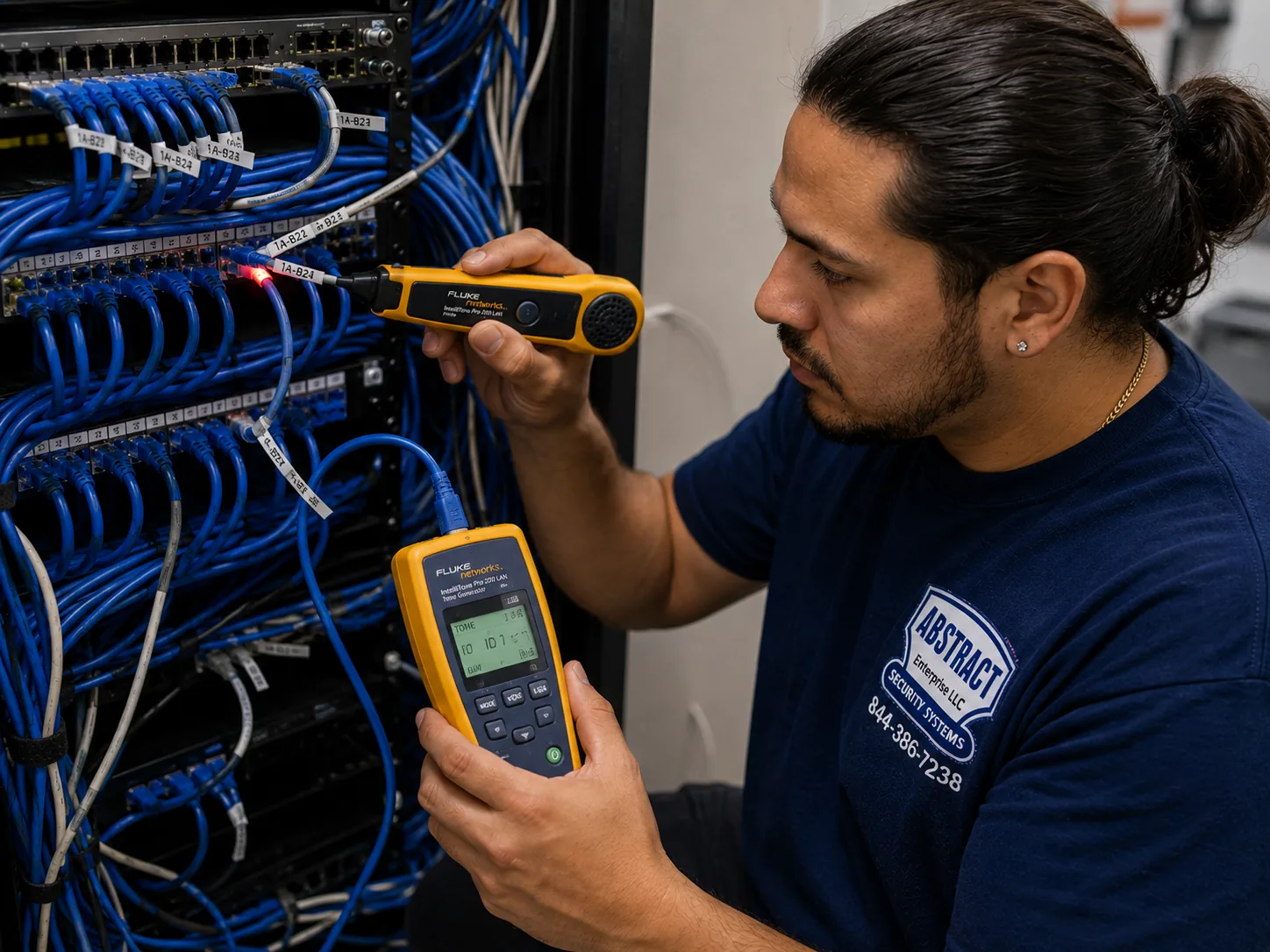
Amcrest camera installation, NYC hub, NYC job-library photo: a technician tracing an unidentified cable run at a patch panel with a tone generator and probe
Photo from the AESS job library, not taken at a specific New York City address: a technician tracing an unidentified cable run at a patch panel with a tone generator and probe. When we take over an Amcrest system a previous owner or contractor left in a city building with no labels, this is how we find which cable belongs to which camera before anything is moved.
AI Overview Reality Check

What AI Gets Wrong About Amcrest Camera Installation in NYC

We could not capture Google's AI Overview or its People Also Ask boxes for this page from our build environment, so we will not pretend to quote them. What follows are claims we see repeated in quick online answers about Amcrest and about camera installs in New York, set against what the sources and our own field practice say. Marketplaces such as Angi, HomeAdvisor and Fixr publish national and regional cost guides that feed many of those answers; they are useful for a rough idea, but they are not a quote for a wall in Harlem or a cellar in Astoria.

"Amcrest cameras are banned in the US."

This is the claim we hear most, and it is not what the sources say. Amcrest does not appear on the FCC Covered List by name. Dahua does, and the FCC's own entry limits Dahua to equipment used for public safety, security of government facilities, physical surveillance of critical infrastructure and other national security purposes.

The real limits are narrower. Amcrest is listed under Dahua on NDAA Section 889 lists, which concern federal purchasing, and ICTally and Cargotrans report that the FCC acted in July 2026 against continued import and marketing of some previously authorized Covered List equipment, for Dahua only for certain security uses. Blinkless says the rules do not revoke installed equipment or ban private use.

For a private home or building in New York, that usually means the install can go ahead. For anyone using federal money, the funding agency gets the last word, and we raise that at the first call.

"Amcrest is a WiFi brand, so there is nothing to wire."

Amcrest sells WiFi and SmartHome cameras, but it also sells PoE turrets, domes, bullets and NVRs, and its own installation guides describe running cable along the surface or hidden inside walls and ceilings. For a city building, the PoE line is usually the better choice.

The reason is the building stock. More than half the city's units are in buildings from before 1947, and prewar masonry walls are thick. A WiFi camera on a brownstone stoop talking to a router two floors up and one party wall over is asking for dropped footage.

A PoE cable carries both power and video, needs no outlet at the camera, and keeps recording through WiFi trouble. The cable is the work; the camera is the easy part.

"You need a cloud subscription to record."

Not with Amcrest. According to its Adorama listing, the cameras can record to a microSD card, an FTP server, a network drive, a local computer or an Amcrest NVR, and work with Blue Iris. A subscription is a choice, not a requirement.

In a city where the NYC Council's data team found 24.5 percent of households without a wired broadband subscription in 2021, local recording is a practical advantage. The NVR in the cellar keeps recording while the internet is down.

What a subscription adds is an off-site copy. If the recorder could be stolen or flooded, that can be worth having alongside local recording, and we will set it up if you choose a plan.

"Any Amcrest app works with any Amcrest camera."

Amcrest runs more than one app. A Walmart listing for one SmartHome-series camera says it works only with the Amcrest SmartHome app and has view-only access in the Amcrest View Pro app. A buyer who mixes product lines can end up with two apps on one phone.

That matters most in buildings where several people need to view footage: a board, a super, an owner who lives elsewhere. Giving each of them two apps and two logins is how systems stop being used.

We read every model number before we mount anything and tell you which app each camera needs. If a mixed order would be awkward to live with, we say so while there is still time to return something.

"You can re-aim the camera from your phone later."

Only some cameras can. Amcrest's turret guide states that turret models cannot pan, tilt or pivot automatically from the app or web interface. The aim you set when the camera goes up is the aim you keep until someone climbs a ladder.

In a narrow walk-up vestibule or under a brownstone stoop, a few degrees decide whether the camera sees faces or the tops of heads. Getting that right takes standing in the spot by day and checking it again with the lights off.

That is why our process includes a night check of every view before we leave, and why we ask the owner to look at each picture with us.

"Cameras in New York need no approval at all."

There is no general city law requiring cameras, and private cameras are legal in many places, but approval is often needed from someone. On a landmarked facade, the LPC's rules cover security cameras; the Commission's July 16, 2013 calendar shows a rowhouse owner on West 76th Street applying to legalize cameras installed without permits.

In co-ops and condos, boards often treat camera systems as alterations. In rentals, a tenant mounting a camera in a common hallway generally needs the landlord's permission. Audio recording falls under Penal Law §250.00.

The approvals are rarely hard to get, but they are much easier before the drilling than after. We ask who has to say yes at the first call.

"Camera installation costs the same anywhere in New York City."

Cost guides often give a single figure for the city, and AI answers repeat it. Angi publishes a New York average and a range, and other installers publish per-camera labor ranges. Those figures blend jobs that have very little in common.

Our own pricing differs by borough, using the area multipliers on this page: Brooklyn and the Bronx at the base rate, Queens slightly above, Staten Island above that, and Manhattan highest because of access and parking. Within any borough, the wall type, cable length and number of cameras move the total more than the borough does.

That is why each borough has its own Amcrest price page with line items, so you can add up your own job before calling, and why we never quote a number that is not on that list.

Ready to Plan the Cameras? Talk to a Technician About Your Building

Send the Amcrest model numbers, a photo of each spot you want covered and a photo of where the recorder could live, and a technician will tell you which lines of your borough's price page apply, whether the cameras you bought will work together, and whether any spot needs board or LPC approval first. Call (800) 486-0943, message us on WhatsApp, or use the quick form.

How It Works

Our Installation Process

Every Amcrest job in the city follows the same eight steps, whether it is two cameras on a Queens driveway or sixteen in a Bronx elevator building. The order matters most in old masonry buildings and shared buildings, where skipping the planning is the usual cause of a camera that sees the wrong thing or a hole that should not have been drilled.

1. Send the models and the property

Amcrest model numbers, the building type, the borough and photos of each spot and the recorder location. We match the job to your borough's Amcrest price page before you book.

2. Check rules and access

Board or landlord approval, any LPC question for a facade camera, certificate of insurance requests, permitted work hours, service entrance and parking.

3. Walk the site and plan coverage

Each entrance, lobby, mail area, stair and yard, by day and with lights off, agreeing what each camera must see and what it must not, such as a single tenant's door.

4. Plan the cable path and drill

Flush or in-wall runs, routes through cellars, attics and chases, masonry drilled with the right bit and sealed, a 1-inch paddle bit for wood through-wall runs as Amcrest's guide calls for.

5. Mount and aim each camera

Into a surface that holds at least three times the camera and bracket weight, per Amcrest's dome guide, with turrets and domes aimed by hand because they cannot be re-aimed from the app.

6. Set up the NVR and storage

Recorder or Blue Iris, drive or card installed, fixed addresses for every camera, recording schedules and retention set to what you need.

7. Lock down and connect remotely

Default passwords changed, separate viewer accounts, the right Amcrest app on each phone, audio off unless lawful and wanted, internet access limited to what viewing needs.

8. Test, label and hand over

Every run certified, day and night views checked, a test clip exported, recorder and cables labeled, and a sheet listing every camera, address, model and login left with you.

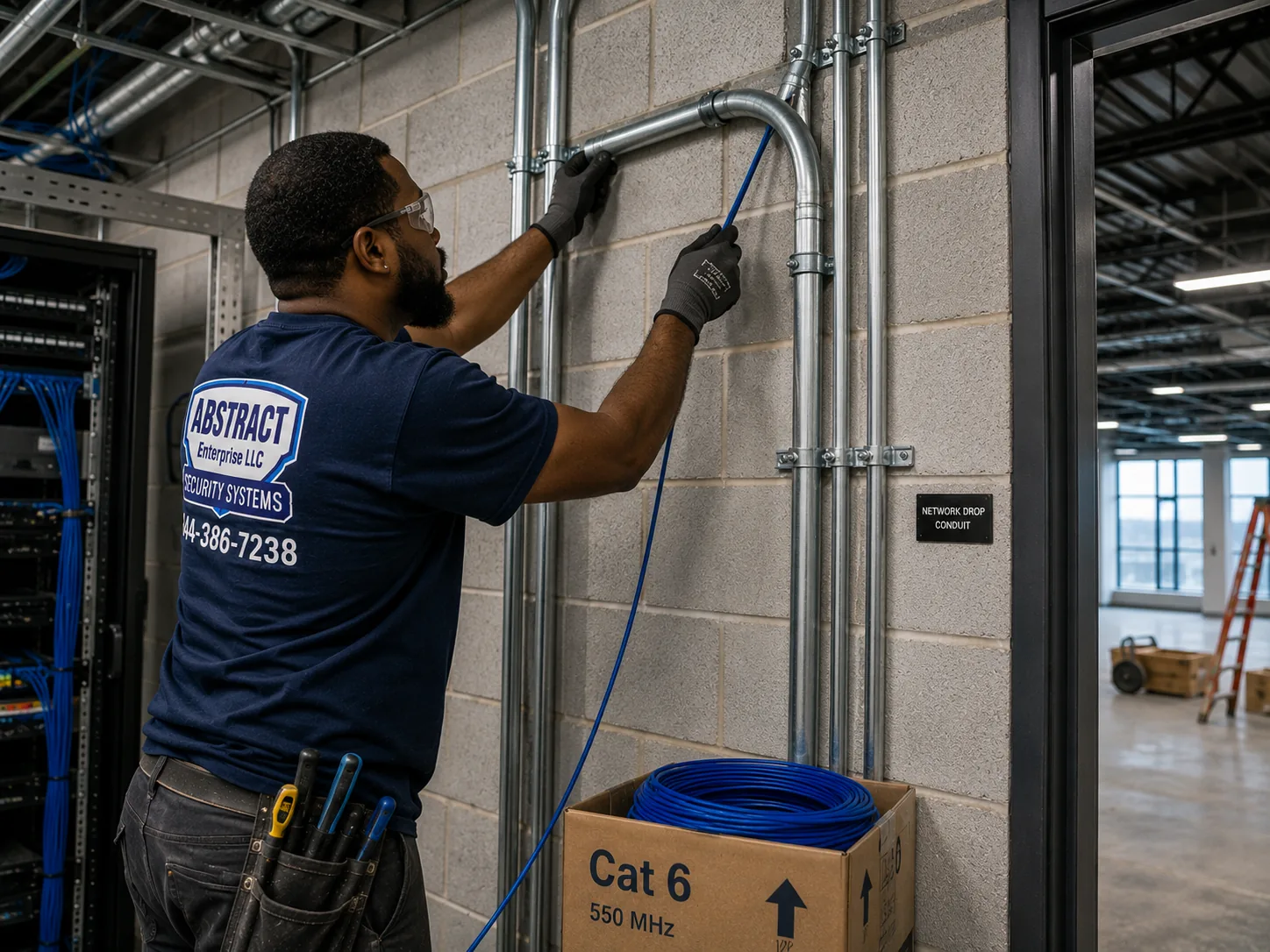
Amcrest camera installation, NYC hub, NYC job-library photo: a technician running cable into EMT conduit beside a telecom room in an industrial building
Photo from the AESS job library, not taken at a specific New York City address: a technician running cable into EMT conduit beside a telecom room in an industrial building. For an Amcrest bullet covering a loading door or a yard at a garage or warehouse in the outer boroughs, exposed runs go in metal conduit like this so they survive forklifts, ladders and weather.
Coverage Area

Amcrest Camera Installation Near NYC's Landmarks

A citywide page cannot list every block, so these six places stand in for the building types we wire Amcrest systems into across the five boroughs. Each fact comes from the source named; none of these buildings or districts is claimed as a client.

Brooklyn Heights Historic District

Designated November 23, 1965, the city's first historic district, full of nineteenth-century brownstones, per the Historic Districts Council. The home ground of the landmark facade question.

The Dakota, Upper West Side

Built 1880–1884, a co-op since 1961 and a city landmark since 1969, per Wikipedia. A reminder of how prewar co-ops combine board rules with heavy masonry and steel-and-arch floors.

Parkchester, the Bronx

Built by Metropolitan Life between 1939 and 1942, 171 brick buildings of 8 or 13 stories, later converted to condominiums, per Wikipedia. Large brick complexes with many entrances to cover.

Forest Hills Gardens, Queens

Planned by Frederick Law Olmsted Jr. and Grosvenor Atterbury, with streets laid out by 1910 and Atterbury's precast concrete panels, per The Cultural Landscape Foundation. Houses and townhouses with unusual walls.

St. Paul's Avenue–Stapleton Heights Historic District, Staten Island

Designated 2004, about 92 freestanding houses dating from the 1830s onward, per the Historic Districts Council. Detached houses where LPC rules meet porches and yards.

Co-op City, the Bronx

15,372 units in 35 high-rises and seven townhouse clusters under Mitchell-Lama, per its own site. The scale at which a camera system becomes a building operation.

We cover every borough, each priced from its own page: Brooklyn Amcrest prices, Manhattan Amcrest prices, Queens Amcrest prices, Bronx Amcrest prices and Staten Island Amcrest prices. Beyond the city line we also serve Long Island and the Hudson Valley. Back to the AESS home page.

Pricing

Amcrest Camera Installation Cost in NYC

Every Amcrest job in the city is priced from the Amcrest price page for its borough. We do not print a single citywide number here, because a fair price for a four-camera rowhouse in Flatbush is not a fair price for the same four cameras through a limestone facade on the Upper East Side. What we can show you on this page is how the price is built and how the boroughs compare, so nothing on the final quote is a surprise.

BoroughArea multiplierWhyFull price list
Brooklyn1.00 (base)Our base rate; dispatched from Troy AvenueBrooklyn prices
The Bronx1.00Parity with BrooklynBronx prices
Queens1.05Longer travel across a large boroughQueens prices
Staten Island1.10Bridge crossingStaten Island prices
Manhattan1.25Access, parking and building logisticsManhattan prices

What moves the price inside a borough

  • Number of cameras. Each camera is a mount, a cable run and a configuration.
  • Wall type. Drywall and wood soffits are quickest; brick, brownstone, limestone, block and concrete take more time and the right bits and anchors.
  • Cable length and route. A run straight through a wall into a cellar is short; a run up five floors of a stair hall in raceway is long.
  • Height and access. High facades and stair-hall ceilings may need a second technician or extra ladder work.
  • Recorder and storage. A supplied NVR and drive, or setup of one you already own, or Blue Iris on your computer.
  • Building logistics. Limited work hours in a co-op, service-elevator bookings and LPC-driven finishes can add time.

We send a written quote with every line named before any work starts, built only from your borough's price page. If, on the day, a wall turns out different from the photos, the technician shows you, names the line that applies, and waits for your yes before drilling. The NYC Amcrest price page brings the borough lists together in one place.

Full terms — including 50% deposit, one-year parts-only warranty on AESS-supplied products, and the late-fee schedule — are set out in the service agreement.

Shop Our Systems

Amcrest Camera Installation Packages & Pricing

Three common city Amcrest jobs, each built from lines on your borough's price page. There is no package premium: the package is a way to describe the job, and the price is the sum of its lines at your borough's rate.

Starter: Rowhouse or Small House

Two to four PoE cameras covering the front door or stoop, the vestibule or side alley, and the yard, wired to a four-port Amcrest NVR with a drive, fixed addresses and the app on two phones. Suits brownstones, rowhouses and one- or two-family houses with a cellar or attic route.

Standard: Walk-Up Building

Six to eight cameras: street door, vestibule, mailboxes, stair landings aimed along the hall, cellar door and rear yard, with raceway in the stair hall, an eight-port NVR on battery backup in the cellar, and viewer accounts for the owner and super.

Premium: Co-op or Larger Building

Larger systems for elevator buildings and storefront-plus-apartment buildings: entrances, lobby, mail and package room, elevator lobbies, service doors and yard, with a PoE switch, a dressed and labeled recorder closet, board-approved plan and certificate of insurance.

Bring your own Amcrest equipment

Many of our city Amcrest jobs start with cameras the owner has already bought. We install them at labor-only lines from the same borough price page, as long as they are in working condition and the product lines will work together on one recorder or one app. We read every label before we mount anything. If two cameras need different apps, or the recorder has too few PoE ports, we tell you before the first hole, along with what it would take to fix: a PoE switch, a different recorder, or returning one item. Equipment you supply is covered by its manufacturer, not by our product warranty; our workmanship on it is covered as described above.

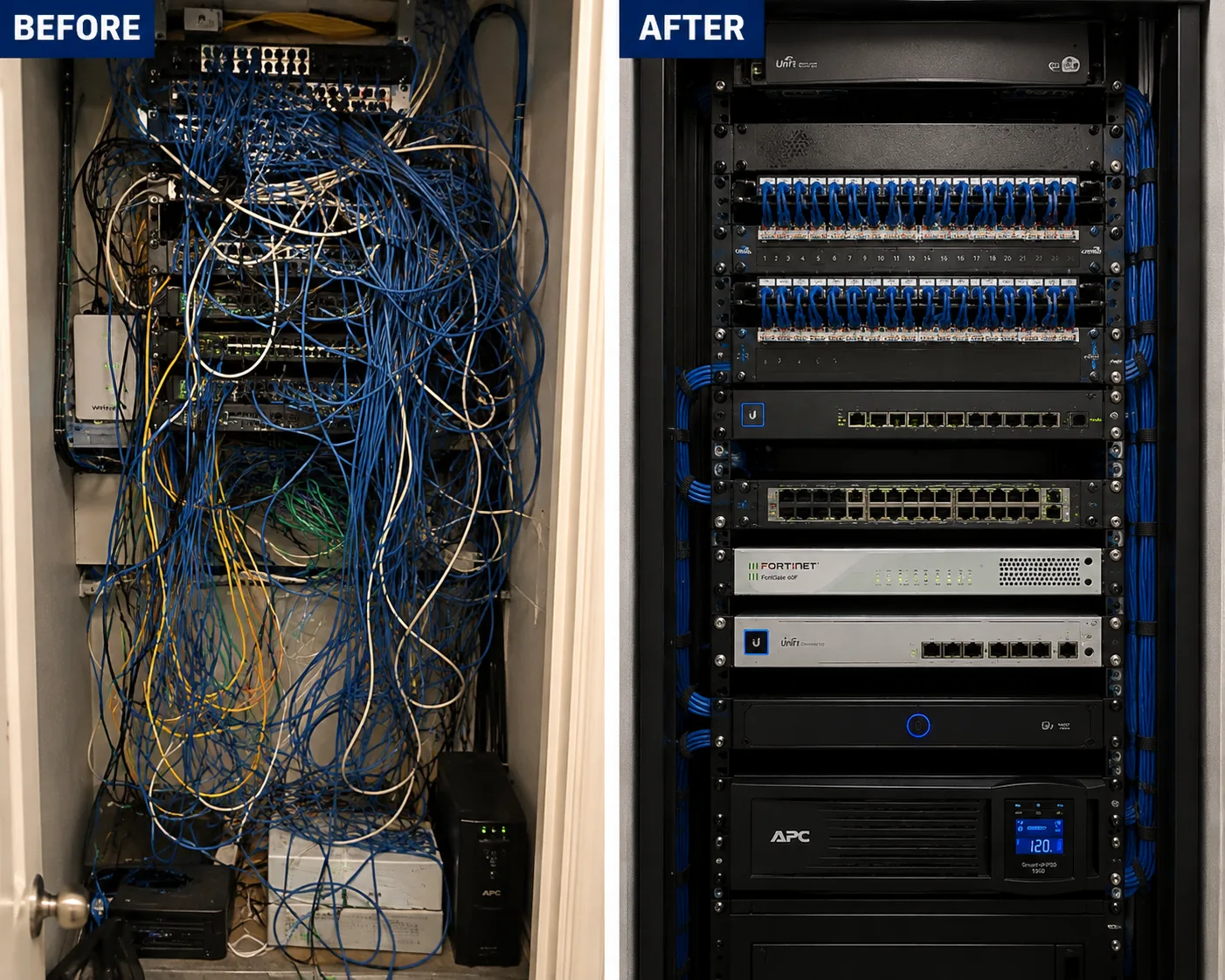
Amcrest camera installation, NYC hub, NYC job-library photo: a before-and-after view of an unlabeled tangled network rack rebuilt into a dressed, identified one
Photo from the AESS job library, not taken at a specific New York City address: a before-and-after view of a tangled, unlabeled network rack rebuilt into a dressed and identified one. Plenty of city buildings already have a closet like the "before" side, and when an Amcrest recorder goes into one, we sort out the cables around it so the super can find the camera feed without pulling everything else loose.
Complete Services

Every Amcrest Camera Installation Service in NYC

NYC Amcrest Prices

The citywide Amcrest price page, bringing together the borough lists. Amcrest camera installation prices NYC

Brooklyn

Brownstones, rowhouses and walk-ups at our base rate. Amcrest installation prices in Brooklyn

Manhattan

Prewar co-ops, doorman buildings and landmark districts. Amcrest installation prices in Manhattan

Queens

Houses, garden apartments and storefront corridors. Amcrest installation prices in Queens

The Bronx

Brick apartment complexes, co-ops and small houses. Amcrest installation prices in the Bronx

Staten Island

Detached houses, driveways and Forest Avenue shops. Amcrest installation prices on Staten Island

Nassau and Suffolk

Long Island homes and businesses, priced by county. Nassau County Amcrest prices · Suffolk County Amcrest prices

Westchester and Rockland

Just north of the city. Westchester County Amcrest prices · Rockland County Amcrest prices

Further Up the Hudson

Orange · Putnam · Dutchess · Ulster county Amcrest price pages.

FAQ

NYC Amcrest Camera Installation FAQ

Is it still legal to buy and install Amcrest cameras in New York in 2026?
+

For private homes and private buildings, the sources we read do not say otherwise. Amcrest is not named on the FCC Covered List; Dahua is, and its entry is limited to public safety, government facility security, critical infrastructure surveillance and national security uses. One source says the 2026 FCC rules do not revoke installed equipment or ban private use. Anyone spending federal grant or loan money should check with the funding agency first, because Amcrest appears under Dahua on NDAA Section 889 lists.

Where are Amcrest cameras actually made?
+

Amcrest says its products are conceptualized and designed by Amcrest in Houston, Texas, as quoted by The Intercept in 2021. NDAA compliance lists such as Tec-Tel's describe Amcrest as a US-distributed Dahua OEM, meaning the hardware is built by Dahua, a Chinese manufacturer, and sold under the Amcrest name. Both descriptions appear in the sources, and we record the exact model of every camera we install so you always know what is on your wall.

Are home and building security cameras legal in New York at all?
+

Yes, video cameras for security are legal in most places a property owner controls. The limits are about privacy and sound. Penal Law section 250.45 makes it a crime to put a camera where someone has a reasonable expectation of privacy without consent, such as a bathroom, and audio recording must meet the one-party consent rule under Penal Law section 250.00. That is why we set cameras to video only unless the owner has a lawful reason for sound.

Does city law make apartment buildings put in cameras?
+

No general city law requires cameras in apartment buildings, according to the building-requirements summaries we read. What the law does require is intercoms in Class A buildings of eight or more units built or converted after January 1, 1968, under Multiple Dwelling Law section 50-a, along with lighting. Cameras are a choice an owner or board makes, usually after package thefts or break-ins, and good lighting is what makes their footage useful.

Who in a building should be allowed to see the camera footage?
+

That is the owner's or board's decision, and it should be written down before the system goes live. Most buildings limit live viewing to the owner or managing agent and the super, with exports for police or insurers handled by one named person. On an Amcrest NVR we create a separate account for each person with only the rights they need, so access can be removed when someone leaves without changing everyone else's login.

Should an owner tell tenants before cameras go up in the common areas?
+

It is good practice, and vendors who advise rent-stabilized owners recommend notifying tenants in advance and documenting the security reason in writing. Posting a clear sign that video surveillance is in use also matters, because Penal Law section 250.65 protects systems where a notice is conspicuously posted or the cameras are plainly obvious. We are not lawyers; we can give you camera positions and a plan to share with tenants.

Can my landlord stop me from mounting my own camera?
+

Inside your own apartment, a camera that sits on a shelf and does not need drilling is usually your business. A camera mounted on a hallway wall or aimed down a shared corridor is on common space, and a landlord or board generally controls that, which means you need permission in writing. We do not mount tenant cameras in common areas without the owner's written approval, and we suggest a no-drill indoor camera when approval is not given.

Does a company installing cameras in NYC need a license?
+

Yes. The city's business portal says a license from the New York State Department of State is required to install, service or maintain security or fire alarm systems, with education and exam requirements, while master electricians register instead. AESS holds NYS license number 12000287431. Homeowners can install their own cameras, but anyone doing it as a paid business should be able to show you a license number.

I mounted some Amcrest cameras myself and they keep failing. Can you take the system over?
+

Yes. We start by tracing and testing every cable, because a weak run is the most common hidden cause, then check addressing, firmware, the recorder's drive and the app setup. Cameras that move to new network addresses after a router restart are a frequent culprit and are fixed with fixed addresses. If a camera was mounted into a surface that will not hold, we remount it. Repair work is priced from your borough's Amcrest price page.

Can an Amcrest system record around the clock without paying for a plan?
+

Yes. With PoE cameras on an Amcrest NVR, continuous recording is limited by the size of the hard drive, not by a subscription. We size the drive to the number of days you want kept and set the recorder to overwrite the oldest footage when it fills. Motion-only recording stretches the same drive further. Cloud backup is optional and sold by Amcrest, not by us.

Will a WiFi Amcrest camera get a signal through a prewar building's walls?
+

Sometimes, but it is the weak point of many city installs. Prewar buildings often have thick masonry walls that block WiFi, and a camera on the far side of a party wall or two floors from the router tends to drop out. Where we can, we run a PoE cable instead, which carries power and video together. Where a cable truly cannot go, a WiFi camera close to the router or a network extender in the right spot can work, and we test the signal before we commit.

Is it safe to view my Amcrest cameras from my phone when I am away?
+

It can be, if the system is set up with care. We change every default password, create separate viewer accounts, keep firmware current at hand-over, avoid opening recorder ports straight to the internet, and where you want it keep the cameras on a network segment that only the recorder can talk to. Remote viewing then goes through the recorder and the app, rather than each camera being reachable from outside.

Can the cameras be shared with the NYPD, and do I have to?
+

Sharing is voluntary. 311 says businesses can register camera locations with the NYPD at NewYorkCityConnect.org and share live video in emergencies, and amNY reported that the Connect New York program lets businesses choose how and when footage is accessible. A state bill to make camera registration mandatory was introduced several times but we found no evidence it passed. We set up only what the owner chooses.

Get In Touch

Request a Free Quote

Tell us the borough and cross streets, the building type, how many cameras and the Amcrest model numbers if you have them. Photos of each spot and of the recorder location make the quote exact. Prefer to talk? Call (800) 486-0943.

✅
Request Sent!
We'll reach out to book your NYC Amcrest visit, usually within 2 hours.

More Amcrest Camera Installation near NYC hub

Book Your NYC Amcrest Camera Installation

From a brownstone stoop in a historic district to the mail area of a tenement walk-up, a prewar co-op lobby or a storefront on a busy corridor, every Amcrest job starts the same way: the model numbers, photos of each spot, an honest word on who has to approve it, and a price from your borough's Amcrest page. Call (800) 486-0943, message us on WhatsApp, or send the quote form, and we will tell you exactly what your building needs before anyone drills.

Amcrest Camera Installation by neighborhood: NYC hub, NYC amcrest camera installation

Amcrest Camera Installation by neighborhood: Hudson Valley hub, Hudson Valley amcrest camera installation

Amcrest Camera Installation by neighborhood: Long Island hub, Long Island amcrest camera installation