What are you looking for?
About Us Contact Us Careers Get a Free Quote (800) 486-0943
Pick a service
โœ… Got Your Own System?
๐ŸŽฌ Home TheatreQuote ๐ŸŽถ AV SoundQuote ๐Ÿ”‘ Access ControlQuote
Now pick your area
Pick your area
Long Island
Hudson Valley
Services available
Pricing & Tools
Pick a service for pricing
๐Ÿšช Intercom Pricing ๐Ÿ”” Buzzer Repair Pricing
Calculators
๐Ÿ“น Camera System Calculator ๐Ÿšจ Alarm Calculator โšก Cabling Quote Builder โœ… Got Your Own System?
Select your area
Alarm.com camera offline at a weekend house in Ulster, or a doorbell that stopped sending clips after the last storm knocked out the router? Call the Hudson Valley line: (800) 486-0943
Home › Alarm.com Camera Installation › Hudson Valley
Westchester · Rockland · Orange · Putnam · Dutchess · Ulster · Stone Houses, Farms, Second Homes and Main Streets · NYS Licensed

Alarm.com Camera
Installation in
the Hudson Valley

See every Alarm.com camera price in the Hudson Valley and build your own system →

Upload Speed Tested Before We Mount · Town Alarm Rules Checked · Cameras That Come Back After the Power Does

Alarm.com camera installation in the Hudson Valley is rarely a matter of screwing a camera to a wall and opening an app. The same doorbell or outdoor camera behaves very differently on a fiber line in White Plains, a tired DSL line on a back road in Ulster, and a weekend house in Putnam that loses power every time a big storm comes through. Some towns make you register an alarm before the installer is allowed to finish, some historic districts review anything bolted to a front facade, and a barn two hundred feet from the house is a network problem before it is a camera problem. We check the internet line, the local rules and the distances first, then mount and connect each camera to your Alarm.com account and test it after dark.

Reviewed and updated November 5, 2026 by Anwar Timothy, NYS license #12000287431 · Sources: Alarm.com's help pages, its "How to get and install Alarm.com" page, its bandwidth and SkyBell network articles and its March 31, 2026 video release; the Surety support forum and product page for the ADC-V724X; GeoArm's internet requirements article; the NYS Department of State Article 6-D installer law and application; the City of Hudson alarm registration notice, its code on eCode360 and News10's 2024 report; eCode360 alarm codes for the Town of Cortlandt, the Village of Tarrytown and the Village of New Hempstead; Security Sales on Ulster County's false alarm law; the City of Kingston HLPC page and its January 2025 minutes; the Kingston Stockade District entry on Wikipedia and Pace University's Gaining Ground summary; the City of Newburgh East End design guidelines; Hudson Valley One (2023 and 2026), the Times Union, Mid-Hudson News, the Daily Gazette, News 12 Hudson Valley and Westchester, WPDH, WRRV, CNY News and the Lohud Dark Skies report; lighting codes for New Paltz, Cold Spring, the Town of Chester and Irvington; Orange & Rockland, Central Hudson and NYSEG territory pages; the Daily Voice on Isaias outages; NYS DEC and Teatown on black bears; and the 2022 USDA Census of Agriculture county profiles · Dispatched from 460 E Fordham Rd

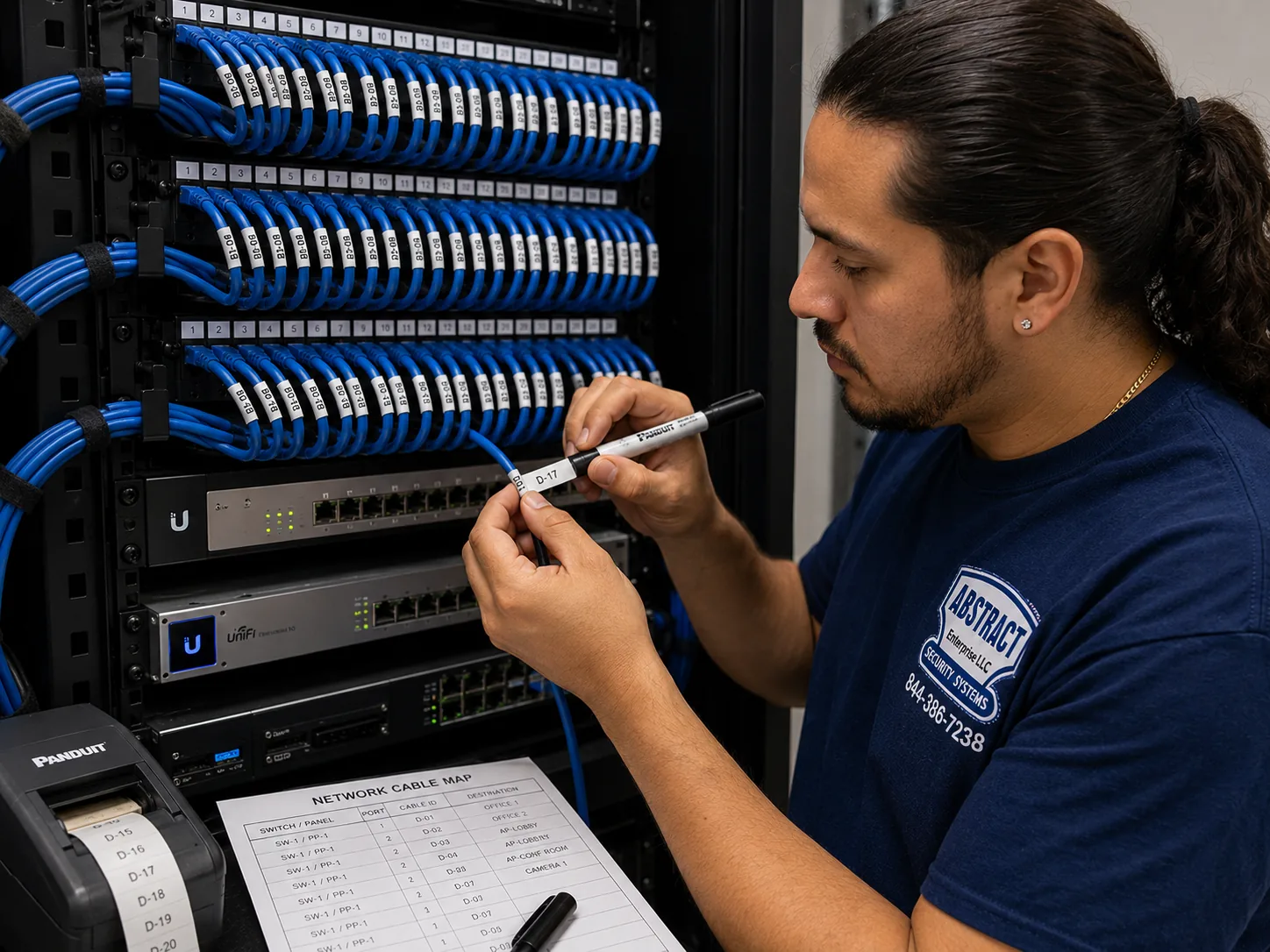
Hudson Valley hub, Hudson Valley region Alarm.com camera installation job-library photo: a technician printing cable labels at a patch panel beside a printed port map
Photo from the AESS job library, not taken in the Hudson Valley: a technician printing cable labels at a patch panel, with the printed port map taped up beside it. On a Hudson Valley property where cameras sit on the house, the garage and a barn across the yard, every camera cable gets a label that matches a written map, so the next person who has to find the driveway camera's cable in the basement does not have to guess.
Hudson Valley Alarm.com Cameras
Tell us the county, the type of property and how the internet gets there

✅
Request Sent!
We'll call to book your Hudson Valley Alarm.com camera visit, usually within 2 hours during business hours.
25+
Years Experience
✓
Same-Day Estimates
100%
Licensed & Insured
4.7โ˜…
201 Google Reviews

Owner-operated since 2002 · Thousands of jobs completed · Booked within 2 hours

Alarm.com camera installation in the Hudson Valley is priced by county, from the Hudson Valley price page, and it starts with three questions: what internet line serves the property, whether an Alarm.com account and video plan already exist, and how far the farthest camera sits from the router. Each Alarm.com video device needs its own share of upload speed, so a fiber line in lower Westchester and a DSL line in the Catskill foothills can carry very different numbers of cameras. Every Alarm.com camera also needs an active service plan with video added by the provider that holds the account. Tell us those three things and we can tell you, before we book, whether the cameras you want will work on the line you have and which county's prices apply. Call (800) 486-0943 or use the form, and see the full list on our Hudson Valley Alarm.com camera prices page.

  • County pricing follows our area rates for Westchester, Rockland, Orange, Putnam, Dutchess and Ulster, each with its own price page; nothing is added on the day that was not on the written quote
  • Upload speed tested on your own connection before any camera is ordered, because Alarm.com publishes a minimum per video device and doorbells need a little more
  • Low-voltage camera, network and app work done under NYS license #12000287431; any new line-voltage outlet or circuit goes to an electrician licensed for that county or town, and the quote says so
The Neighborhood

Why Hudson Valley Properties Need Alarm.com Camera Installation

The Hudson Valley is not one place with one kind of house, and that is the first thing anyone installing cameras here has to accept. Wikipedia describes the region as running from the Capital District around Albany and Troy south to Yonkers on the New York City line. Our Hudson Valley work covers six of its counties: Westchester and Rockland in the lower valley, and Orange, Putnam, Dutchess and Ulster farther north. The Hudson River Valley Greenway's history of the colonial era notes that the Dutch were the first colonists after Henry Hudson sailed up the river in 1609, and that by 1750 most of the region had been settled as a network of small communities that still survives today. A historical marker cited by the Historical Marker Database puts the settlement of Esopus, the future Kingston, in 1653, and describes the great land grants and manors that followed. Put those facts together and you get a region where a single camera installer might start the morning at a 1960s split-level in Rockland, stop at a stone house on a Kingston corner by midday, and finish at a farm in Dutchess with a barn, a run-in shed and a gate at the end of a long drive.

Alarm.com cameras fit that spread better than many systems, because the account, the app and the cameras are designed to work the same way whether you have one doorbell or a dozen cameras across several buildings. Alarm.com's own help pages say the platform is sold, installed and serviced through licensed providers, that cameras you already own and older analog cameras can be brought in through an Alarm.com video server, and that a self-install option exists for renters and small spaces. What the platform cannot do is change the ground it runs on. The camera still needs an internet connection with enough upload speed, a network that reaches the spot on the wall where it is mounted, power that survives a storm or at least comes back cleanly afterward, and a mounting position that the town, the village or the historic district will accept. Those four things are where most Hudson Valley camera trouble starts, and they are what we check before a camera comes out of its box.

Start with the internet. Alarm.com's answers page on bandwidth says its latest video devices need a minimum of two megabits per second of upload speed per device for consistent performance at reduced quality, and that its two current video doorbells, the ADC-VDB770 and the wireless ADC-VDB780B, need at least two and a half. That is easy on a modern fiber line. It is not easy everywhere. In September 2023 Hudson Valley One reported that 1,070 properties in Ulster County still had no broadband reaching them and that in Shandaken even cell phone service struggles. The Daily Gazette reported that the number of Columbia County addresses without internet access had dropped to roughly 700, which is progress, but still hundreds of homes. Mid-Hudson News reported in September 2025 on ConnectALL grants bringing Archtop Fiber to parts of Columbia, Dutchess, Orange and Sullivan counties, with fixed wireless covering about 44 percent of the eligible locations, and the Times Union reported Verizon fiber going to about 1,300 households and businesses in remote parts of Ulster. Those projects will help. Until they reach your road, the speed test on your own line is the number that decides how many cameras you can run and at what quality.

Then there is power and weather. The Hudson Valley's utilities are Con Edison in much of Westchester, NYSEG in the northern Westchester towns of Bedford, Lewisboro, North Salem, Pound Ridge and Somers and across much of Putnam, Orange & Rockland Utilities in Orange and Rockland, and Central Hudson across a territory that its own map shows reaching from Putnam and Orange up through Dutchess and Ulster. The Daily Voice reported that at 10:15 a.m. on August 5, 2020, during Tropical Storm Isaias, NYSEG had 34,150 of its 38,693 Putnam customers without power. The Times Union reported thunderstorm outages on June 27, 2024 affecting a combined 60,000 Orange & Rockland and Central Hudson customers, and Central Hudson itself reported crews restoring power to more than 19,000 homes and businesses after a slow-moving nor'easter in September 2026. A camera is only as reliable as the router and switch behind it. If the property loses power for a day and the network gear does not come back on its own, the cameras sit dark even after the lights return. We test that recovery before we leave.

Security news from the valley gives the practical reason people call. In January 2025, as WPDH reported, New York State Police issued a public safety alert about residential burglaries in Dutchess, Westchester and Putnam counties, and their tips included installing or activating security systems and cameras. In 2024 WRRV reported that police in the lower Hudson Valley confirmed camouflaged cameras hidden in bushes had been placed by burglars watching homes. News 12 reported in May 2026 on an overnight string of smash-and-grab burglaries at businesses in Warwick, Florida and Goshen, and quoted one owner saying, "We've never once had to look at the camera for any reason. I didn't even know the password." That last line is the one we think about most. A camera system that nobody can log into, that records nothing useful at night, or that went offline after the last outage is worse than no system, because it gives the owner confidence it has not earned. Installation is the part where we make sure the camera works, and the handover is the part where we make sure you can actually use it.

Finally, cameras in the valley sit inside a privacy debate that residents care about. Hudson Valley One reported in September 2026 that the Kingston Police Department presented a map of surveillance cameras heavily concentrated in Midtown and Uptown, and that residents raised privacy concerns. In 2023 the same paper reported that the Town of Ulster dropped a proposed outdoor lighting law that had grown out of a neighbor dispute involving, among other things, a motion-activated camera fixed on a backyard. People here notice where a lens is pointed. Our practice is to aim every camera at your own doors, drives, yards and buildings, to keep neighbors' windows and yards out of frame wherever the geometry allows, and to talk through audio recording before it is turned on, because New York's eavesdropping law sets rules for recording conversations.

We also want to be plain about what our research did not find. We looked for Reddit threads, Yelp reviews and hyperlocal coverage about Alarm.com cameras specifically in the Hudson Valley, and we found none we could use. Google's People Also Ask panels, related searches and AI Overview could not be captured from our build environment, so we have not quoted them. Where this page describes how a stone wall or an old frame house usually behaves when drilled, it draws on the age and type of the buildings in the public record and on our general field practice, not on a survey of Hudson Valley homes. Where a town's rule is described, we name the town and the source, because alarm and lighting laws in this region change from one municipality to the next.

Hudson Valley facts that shape an Alarm.com camera job

  • Upload speed per camera: Alarm.com lists a minimum of 2 Mbps upload per current video device, and 2.5 Mbps for its ADC-VDB770 and ADC-VDB780B doorbells.
  • Broadband still has gaps: Hudson Valley One counted 1,070 Ulster County properties without broadband in 2023; the Daily Gazette reported roughly 700 Columbia County addresses without internet access.
  • Fiber is arriving in phases: ConnectALL awards are funding Verizon fiber to about 1,300 remote Ulster locations and Archtop Fiber in parts of Columbia, Dutchess, Orange and Sullivan counties.
  • Storm outages are large: Isaias left 34,150 of 38,693 NYSEG customers in Putnam without power on the morning of August 5, 2020.
  • Towns register alarms: the City of Hudson, the Town of Cortlandt, the Village of Tarrytown and the Village of New Hempstead all have alarm registration or permit rules, each different.
  • Historic districts review exteriors: Kingston has five local historic districts, and Newburgh's East End Historic District, with 2,239 resources, is the largest federally recognized district in the state.

What owners often add once the cameras are up. Once a Hudson Valley house has cameras on its doors and drive, the next request is usually for the rest of the Alarm.com system: door and window sensors, a smart lock on the side door, or a camera on the barn that was left out of the first plan. Those are separate lines on a quote, and they are easiest to add while the network is open and the account is already set up. If you think you might want them, say so at booking so the cable we pull now has spare capacity for later.

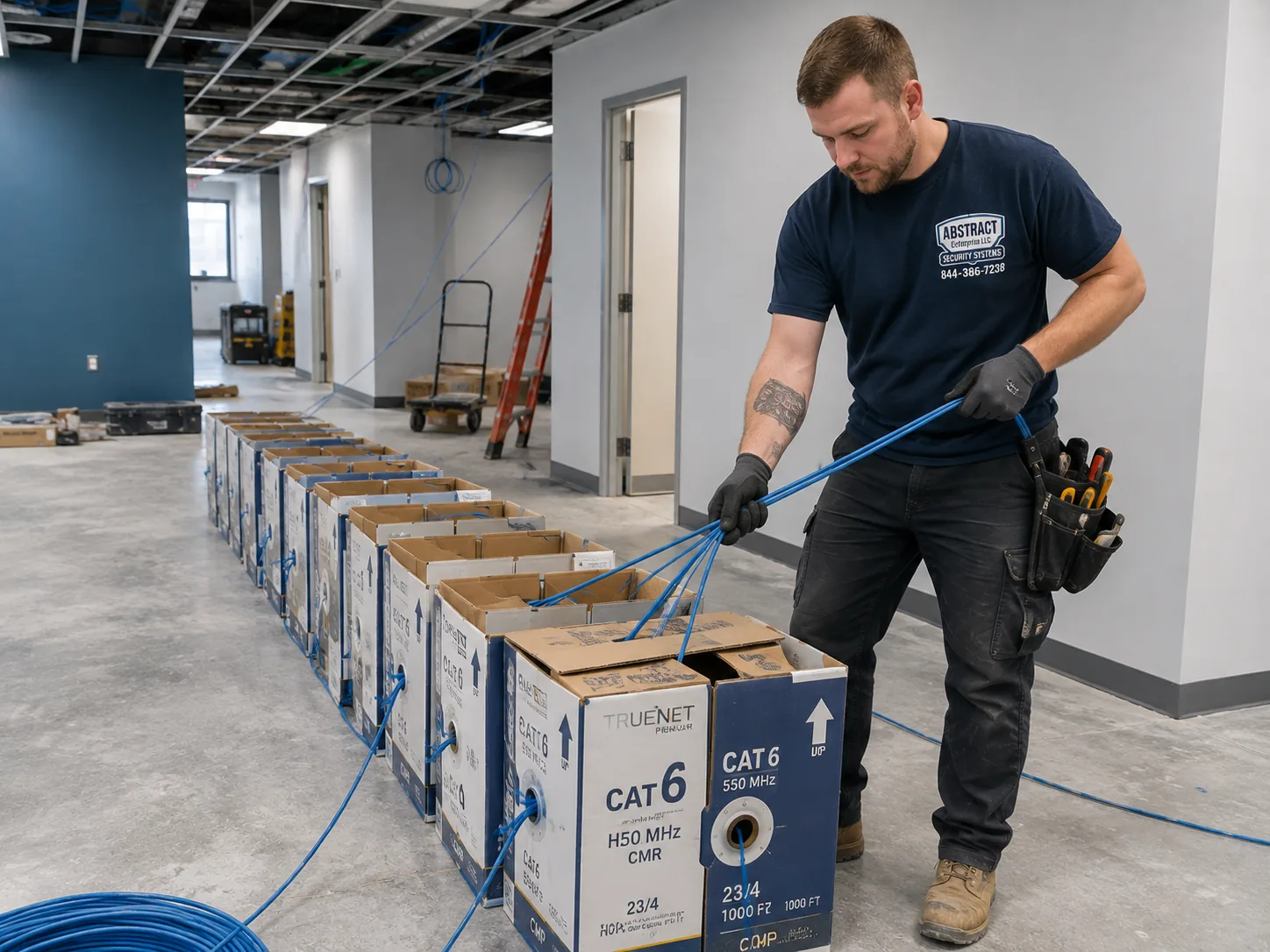
Hudson Valley hub, Hudson Valley region Alarm.com camera installation job-library photo: boxes of network cable staged on the floor of a working premises for a multi-drop pull
Photo from the AESS job library, not taken in the Hudson Valley: boxes of network cable staged on the floor of a working premises before a multi-drop pull. A Hudson Valley property with cameras on the house, a detached garage and an equipment shed needs several separate runs, and staging every box at once lets us pull them in one pass instead of opening the same ceiling or crawlspace twice.

Cameras Dark Since the Last Storm? Getting a Hudson Valley Alarm.com System Back Online

The most common urgent call after a Hudson Valley outage is not a broken camera. It is a camera that cannot reach the internet because the router, the modem or a PoE switch did not come back when the power did, or came back with different settings. Before you call, check that the modem and router lights are on, and if you can, turn the router off and on once. If the cameras still show offline in the Alarm.com app, call (800) 486-0943 and tell us which cameras are down, what kind of internet the property has, and whether anyone is at the house. The other urgent call is a business that has just been broken into and finds its cameras recorded nothing useful. In that case, do not reset anything, write down the time of the incident, and call us; recovering whatever clips exist comes before any changes to the system.

Six Counties, One App

Westchester to Ulster: How the Same Alarm.com Camera Job Changes as You Go North

An Alarm.com outdoor camera is the same product in Port Chester and in Phoenicia. What changes from county to county is everything around it: the electric utility and how long its outages last, the kind of internet that reaches the house, the town's alarm rules, whether a village restricts bright lights on a spotlight camera, who is licensed to add an outlet, and how far apart the buildings are. The table sets out what our research found for each county. The last column is the area rate we apply on that county's price page, relative to our Brooklyn base; it reflects travel and access, not a different product.

CountyElectric utilitiesLocal rules we foundInternet and distance notesArea rate
WestchesterCon Edison; NYSEG in Bedford, Lewisboro, North Salem, Pound Ridge and SomersTown of Cortlandt alarm permit, revocable after more than four residential false alarms in six months; Village of Tarrytown suspension after more than five in a calendar year; county trade license for electricians; Irvington site-plan lighting standardsMostly wired cable and fiber; tighter lots mean neighbors close to the camera's view1.25×
RocklandOrange & Rockland UtilitiesVillage of New Hempstead requires an installed alarm to be registered with the police department within 10 days; county Chapter 250 licenses electrical work at 50 volts or moreSuburban lots along the Route 59 and Route 304 areas; commercial strips near the Palisades Center1.30×
OrangeOrange & Rockland; Central Hudson in villages including Montgomery, Maybrook, Cornwall and Highland FallsCounty electrician license under Local Law 8 of 2007, revised by Local Law 1 of 2024; Middletown has its own electrical board; Town of Chester outdoor lighting lawGreenlight Networks fiber in Goshen, Middletown, Wallkill and Port Jervis; Archtop Fiber grant area; warehouses and farms with long distances1.40×
PutnamNYSEG and Central HudsonCounty Chapter 145 licenses low-voltage technicians, including video surveillance cabling; Village of Cold Spring full-cutoff lighting ruleWooded lots, lake houses and second homes; long outages, as Isaias showed in 20201.45×
DutchessCentral HudsonNo county contractor license found; the Town of Fishkill requires electrical work to be inspected by an approved independent agency620 farms in the 2022 farm census; Archtop Fiber grant area; estates with carriage houses and outbuildings1.53×
UlsterCentral HudsonKingston's five historic districts need review for visible exterior work; Village of New Paltz lighting standards; a county false alarm permit law reported in an older trade article1,070 properties without broadband in 2023; Verizon ConnectALL fiber coming to about 1,300 remote locations; 486 farms1.53×

Westchester: close neighbors and fast lines

In the southern half of Westchester, the internet is usually the easy part. Cable and fiber are common, and a household line can often carry every camera an owner wants. The harder part is that houses are close together. On a suburban street, a driveway camera aimed carelessly takes in the house across the road, and a backyard camera can look straight into the neighbor's patio. We set Alarm.com's motion zones and, where a camera offers privacy masking, black out the parts of the frame that belong to someone else. News 12's report from Port Chester, where neighbors around Tower Hill Drive shared doorbell footage of people going through cars at about 4 a.m., shows what Westchester owners usually want from a camera: a clear picture of the curb, the drive and the doors at night. Northern Westchester is closer in feel to Putnam, with larger lots, NYSEG territory in five towns, and longer cable runs to garages and pool houses. The Town of Cortlandt and the Village of Tarrytown both tie alarm permits to false alarm counts, which matters when cameras are part of a monitored Alarm.com system.

Rockland: suburban grids and village registration

Rockland's housing is mostly post-war suburban, with commercial strips along its main routes and the large Palisades Center in West Nyack. Camera layouts here are usually straightforward: front door, driveway, side yard, back door and garage. What catches people out is the paperwork. The Village of New Hempstead's code, on eCode360, makes it unlawful for an installer to install an alarm system, or for a user to keep one, without registering it with the police department within 10 days of installation. When cameras are added to an Alarm.com system that also has sensors and a monitored panel, we ask which village or town the property is in and remind you of any registration step before we close the job. Rockland's county electrical licensing covers wiring of 50 volts or more, so if a camera position needs a new outlet, that part goes to a licensed electrician.

Orange: warehouses, farms and the county's lightning

Orange County mixes river cities like Newburgh, village centers like Goshen and Warwick, the growing warehouse belt around Stewart and Route 17K, and a great deal of farmland. The Earth Networks lightning report for 2020 ranked Orange first among New York counties for lightning pulses that year, which is one reason we prefer fiber or a properly protected link for any camera on a building with its own electric service. On farms, a camera on a barn may be hundreds of feet from the house, beyond the 328 feet a single Ethernet run can carry. The May 2026 burglaries News 12 covered in Warwick, Florida and Goshen show the commercial side: small businesses on village streets and county roads, closed overnight, where a camera's night picture and its alerts are what matter.

Putnam: wooded lots, lakes and long outages

Putnam is where outages and tree cover dominate the plan. Long drives through woods, houses set back from the road, and lake houses used part of the year all push cameras farther from the router and closer to branches that move in the wind. A camera that alerts every time a branch sways is a camera the owner eventually mutes. We place cameras where they look along paths rather than into foliage, and we plan for the router and switch to restart cleanly after the kind of outage Isaias caused in 2020. Putnam's county Chapter 145 is one of the few local laws we found that names video surveillance cabling directly, licensing low-voltage technicians for work up to 90 volts from an outlet installed by a licensed electrician.

Dutchess: estates, farms and campuses

Dutchess holds 620 farms according to the 2022 Census of Agriculture, with an average size of 161 acres, alongside the river estates of the Hyde Park and Rhinebeck area, the City of Poughkeepsie and campuses like Vassar College. A Dutchess job is often several buildings on one property: the main house, a carriage house or garage, a barn and a gate. We plan the network first, then the cameras. CNY News reported in June 2026 on a theft at a Poughkeepsie thrift shop that was caught on camera, with the stolen phone later tracked to a home in the city, which is a reminder that small shops here use cameras for the same reason big ones do: to have a usable picture of a face and a time.

Ulster: stone houses and the broadband frontier

Ulster holds both ends of the job. Kingston's Stockade District, laid out on the site of the stockade Peter Stuyvesant ordered in 1658, has early Dutch stone houses on all four corners of Crown and John Streets, and any visible exterior work there goes through the city's preservation commission. Farther west, toward Shandaken and the Catskills, the question is whether the property has an internet line that can carry video at all. Ulster's farm census counted 486 farms. Many Ulster owners also keep the house as a second home, which means the cameras have to keep working, and keep recovering from outages, with nobody there to restart anything.

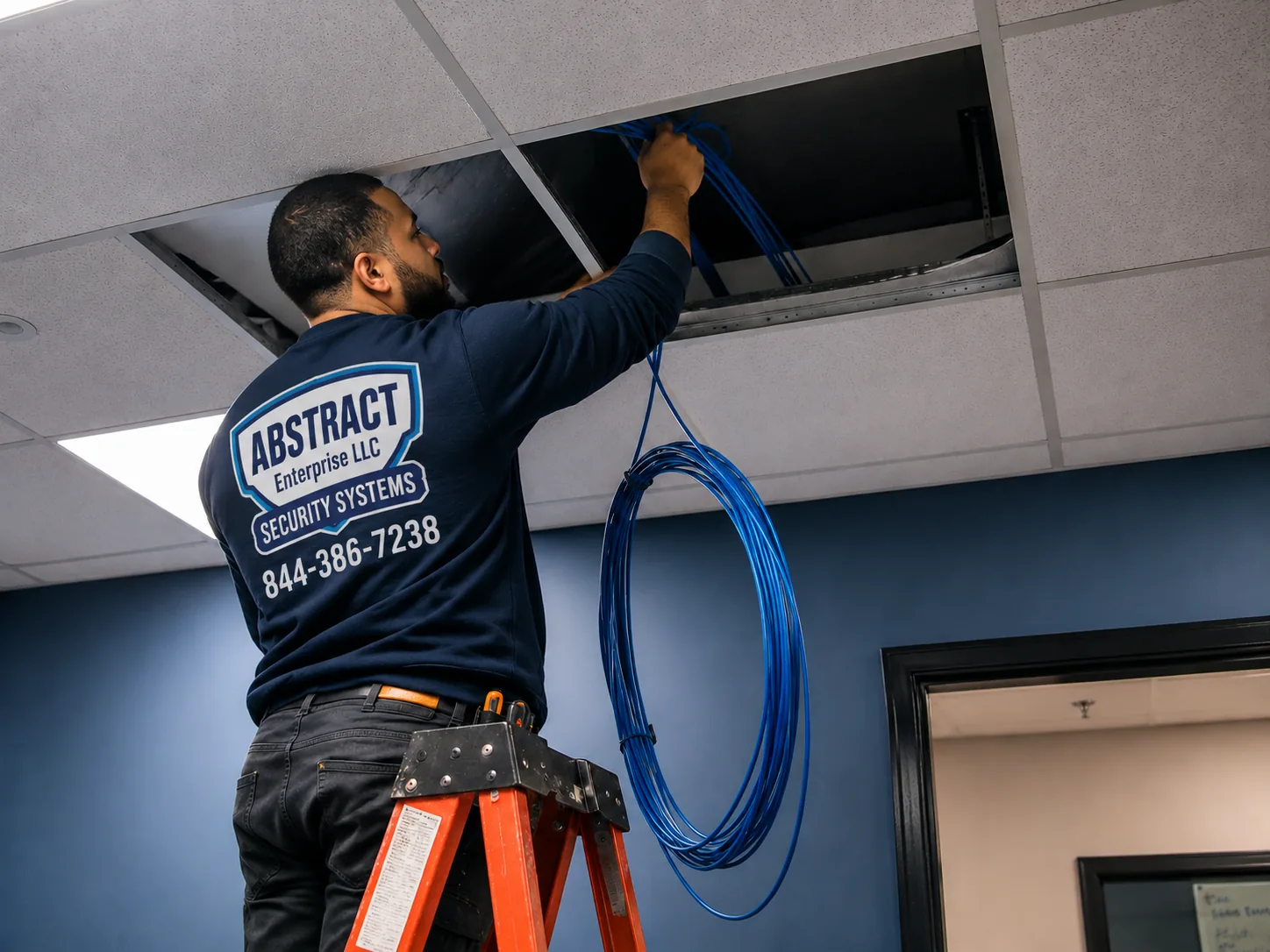
Hudson Valley hub, Hudson Valley region Alarm.com camera installation job-library photo: a technician feeding cable through a ceiling opening in an occupied commercial space
Photo from the AESS job library, not taken in the Hudson Valley: a technician feeding cable through a ceiling opening in a commercial space that stays open while the work goes on. In a shop on a village main street in Goshen, Warwick or Rhinebeck, the camera cable usually travels above the ceiling like this, and the work is planned around the hours the store is quiet.
Before You Book

The Speed Test, the Account and the Tape Measure: Checks to Run at Your Hudson Valley Property

Most of the problems we see on Alarm.com camera jobs could have been spotted from the kitchen table: a connection too slow for the number of cameras, an account that was never given a video plan, a barn farther away than anyone thought, or a Wi-Fi network set up in a way the doorbell does not accept. A few minutes with your phone and a tape measure saves a second visit. Please do not take down old cameras, open walls or change router settings yourself. Just look, measure and send us what you find.

What to checkWhy it matters for Alarm.com camerasWhat to send us
An upload speed test on your own Wi-Fi or routerAlarm.com publishes a per-device upload minimum; the total for all cameras has to fit inside your line's uploadA screenshot showing both download and upload, taken at a busy time of day
What kind of internet you haveCable, fiber and DSL are the usual supported types; at least one dealer says it does not support cameras on satellite or 3G/4G connectionsThe provider's name and the type of service on your bill
Whether an Alarm.com account already existsAlarm.com cameras need an active service plan with video added by the account's providerThe provider's name, or a photo of the panel or app login screen (not your password)
How your Wi-Fi is namedAlarm.com's SkyBell doorbell article says the network must be visible and dual-band routers must give 2.4 GHz and 5 GHz separate namesA screenshot of the network list your phone sees near the front door
Distance to each outbuildingOne Ethernet run is limited to 328 feet; beyond that the link needs a different methodPaced or measured distance from the house to the barn, garage or gate
Your existing doorbellAlarm.com's doorbell page lists the transformer power range and says digital chimes need an adapterA photo of the chime box on the wall inside, with its cover off if it comes off easily
The town or villageAlarm registration, lighting rules and historic review are set locallyThe municipality on your tax bill, not only the postal town

Run the speed test the right way

Run the test on a phone or laptop connected to the same network the cameras will use, standing near the router, and then again near the farthest spot where a camera will go. The first number tells us what your internet line can carry. The second tells us what your Wi-Fi delivers out at the edge of the house, which is often much less. Do it in the evening, when the household is streaming and the neighborhood's lines are busiest, because that is when cameras most often stall. If your line shows an upload of a few megabits, tell us how many cameras you hoped for; we would rather adjust the plan than install cameras that cannot all stream at once.

Find out who holds the account

Alarm.com is the platform, not usually the company you pay. Its own page on getting and installing the system says it is sold, installed and serviced through licensed providers. If you bought a house with an Alarm.com panel on the wall, or you already pay a security company each month, that company most likely holds the account, and it is the one that has to add video to it. Find the name on the panel, the yard sign or your bank statement before we come, so that the cameras we mount can be added to an account that is ready for them.

Walk the route a stranger would take

Before you decide how many cameras you need, walk your property the way a delivery driver, a visitor and someone who should not be there would walk it. Where would they park? Which door would they try? Is there a path from the woods to the back of the garage? Is the gate at the road where things go missing? Note the spots, and photograph each one from where a camera might sit. In our experience, Hudson Valley owners often start with too many cameras on the house and too few on the drive and the outbuildings, where the most useful pictures are taken.

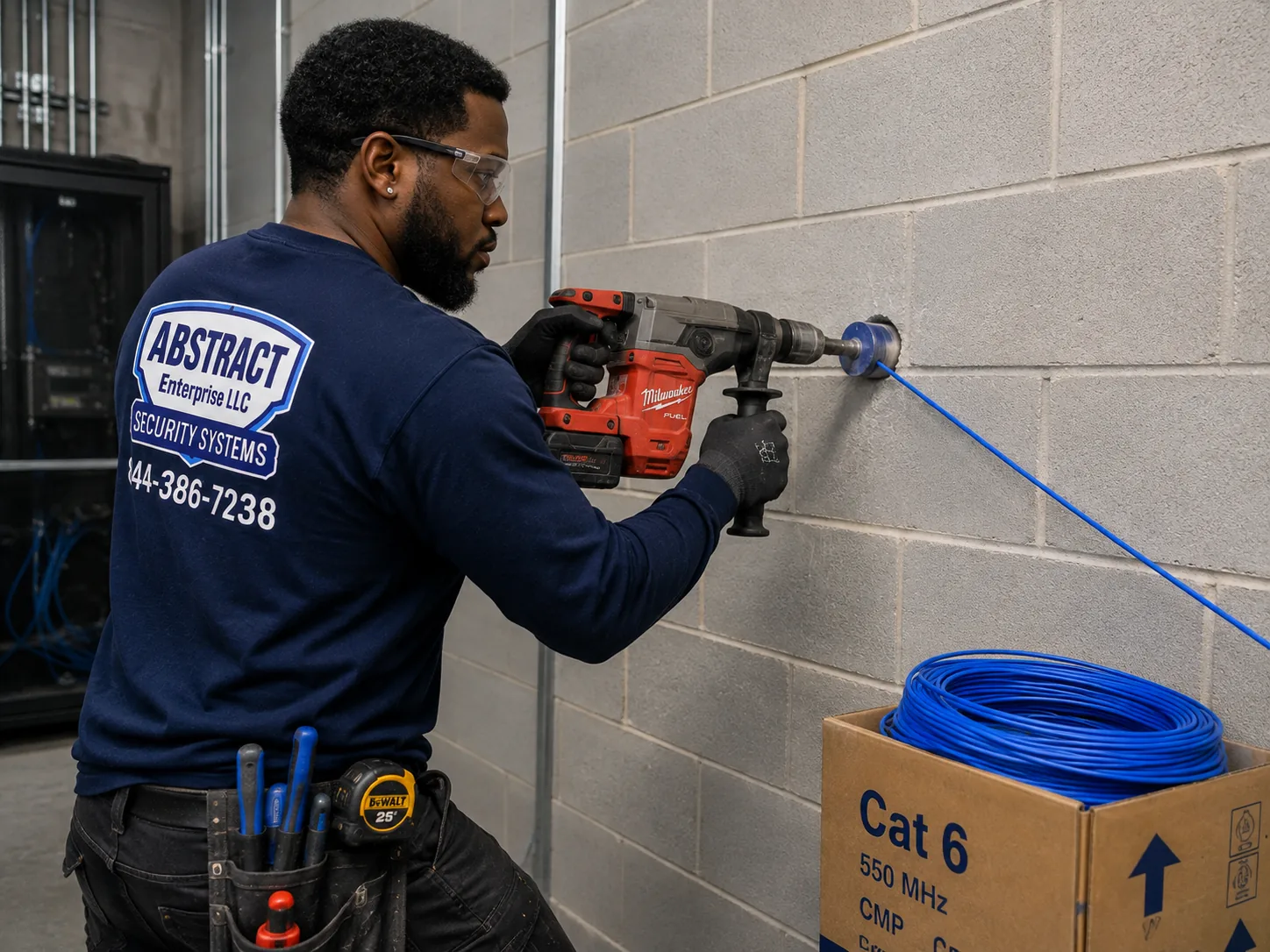
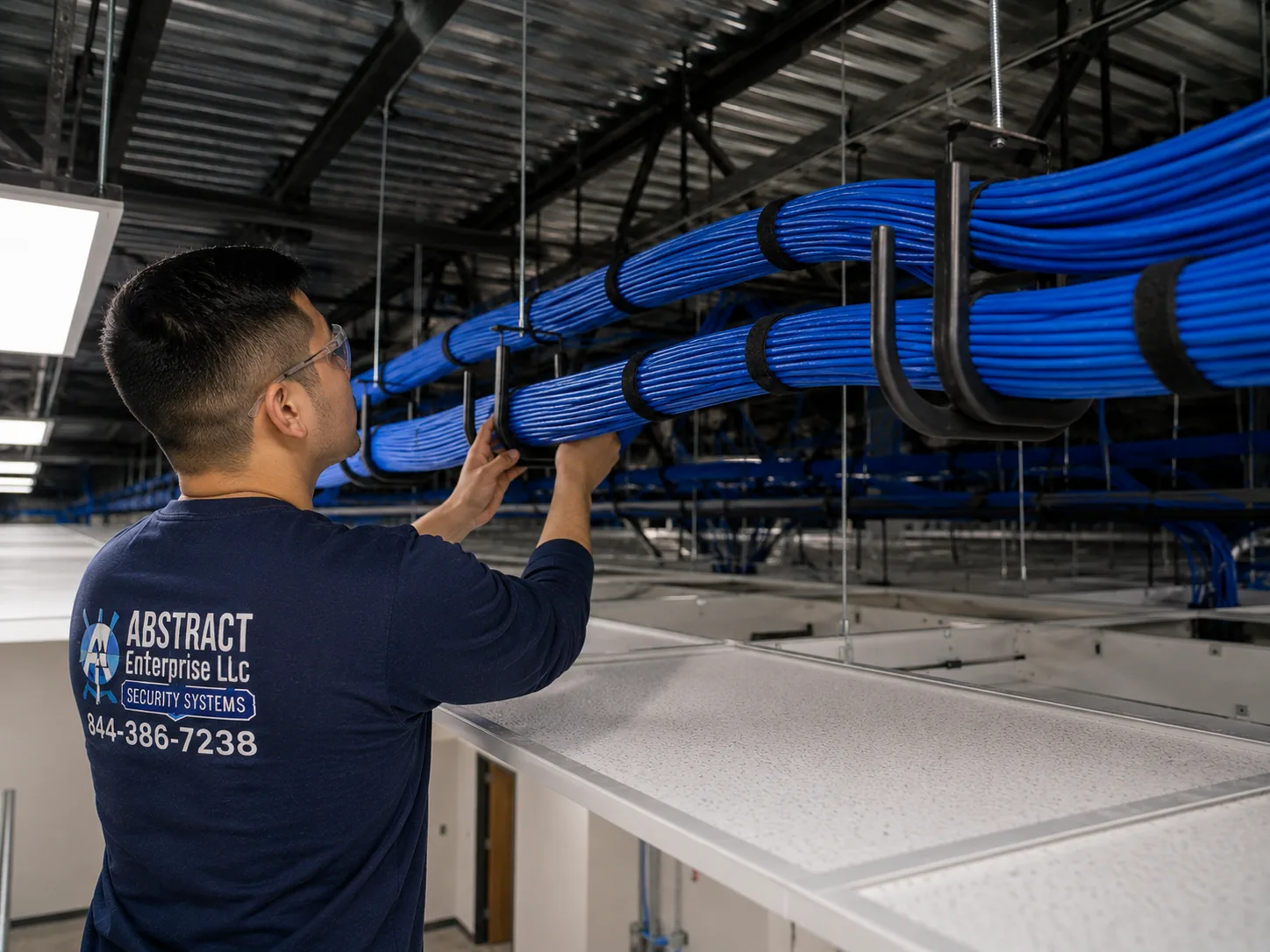
Hudson Valley hub, Hudson Valley region Alarm.com camera installation job-library photo: a technician core drilling a block wall to carry cable through to a network room
Photo from the AESS job library, not taken in the Hudson Valley: a technician core drilling through a block wall so cable can pass into a network room. Many Hudson Valley houses have block or fieldstone foundations, and a camera cable from a barn or detached garage often has to come through one; a clean drilled sleeve, sealed afterward, keeps water and mice out of the basement.
What We Install

Alarm.com Camera Installation Services in the Hudson Valley

These are the Alarm.com camera jobs Hudson Valley homeowners, second-home owners, farms and small businesses ask us about. Each is priced from the county price page for the property's address. Where a job needs work we do not do ourselves, such as a new outlet on a barn wall, the quote names it and names who does it.

📷

Outdoor Cameras on the House

Cameras on the front door, driveway, side yard and back door, mounted into solid framing or masonry, wired back to the network where possible, and aimed at your own ground rather than the road or the neighbor's yard.

🔔

Video Doorbells

Alarm.com doorbells on existing doorbell wiring, with the transformer checked against the doorbell's power range and a digital chime adapter fitted where the house has a digital chime.

🏚

Barns, Garages and Outbuildings

Cameras on detached buildings, with the network link planned first: a buried or protected cable inside the 328-foot limit, fiber where the building has its own electric service, or a wireless bridge where there is a clear line of sight.

💾

Continuous Recording on an SVR

Stream Video Recorders that add round-the-clock recording on top of the Alarm.com cloud video plan, placed on a shelf or rack with battery backup so a short outage does not leave a gap.

🔄

Bringing Older Cameras In

Cameras from a previous system connected through an Alarm.com video server where they are compatible, after we trace and test the old cable runs to see whether they are worth keeping.

🔋

Battery and Wire-Free Cameras

Battery cameras for spots where cable cannot reasonably go, such as a rental, a gatepost or a historic facade, with honest advice on charging, cold weather and Wi-Fi reach.

🏠

Indoor Cameras

Indoor cameras for entry halls, garages, mudrooms and equipment rooms, set up so the household knows when they record and who can see them.

🏪

Cameras for Shops and Offices

Cameras on main-street storefronts, offices and small warehouses, with alert schedules for closed hours and, on commercial accounts, the option of linking video to alarm events so the scene can be checked before dispatch.

🛠

Offline and Recovery Fixes

Cameras that dropped off the account after an outage, a router change or a new internet provider, put back on the network and tested, with the cause written down so it does not happen again.

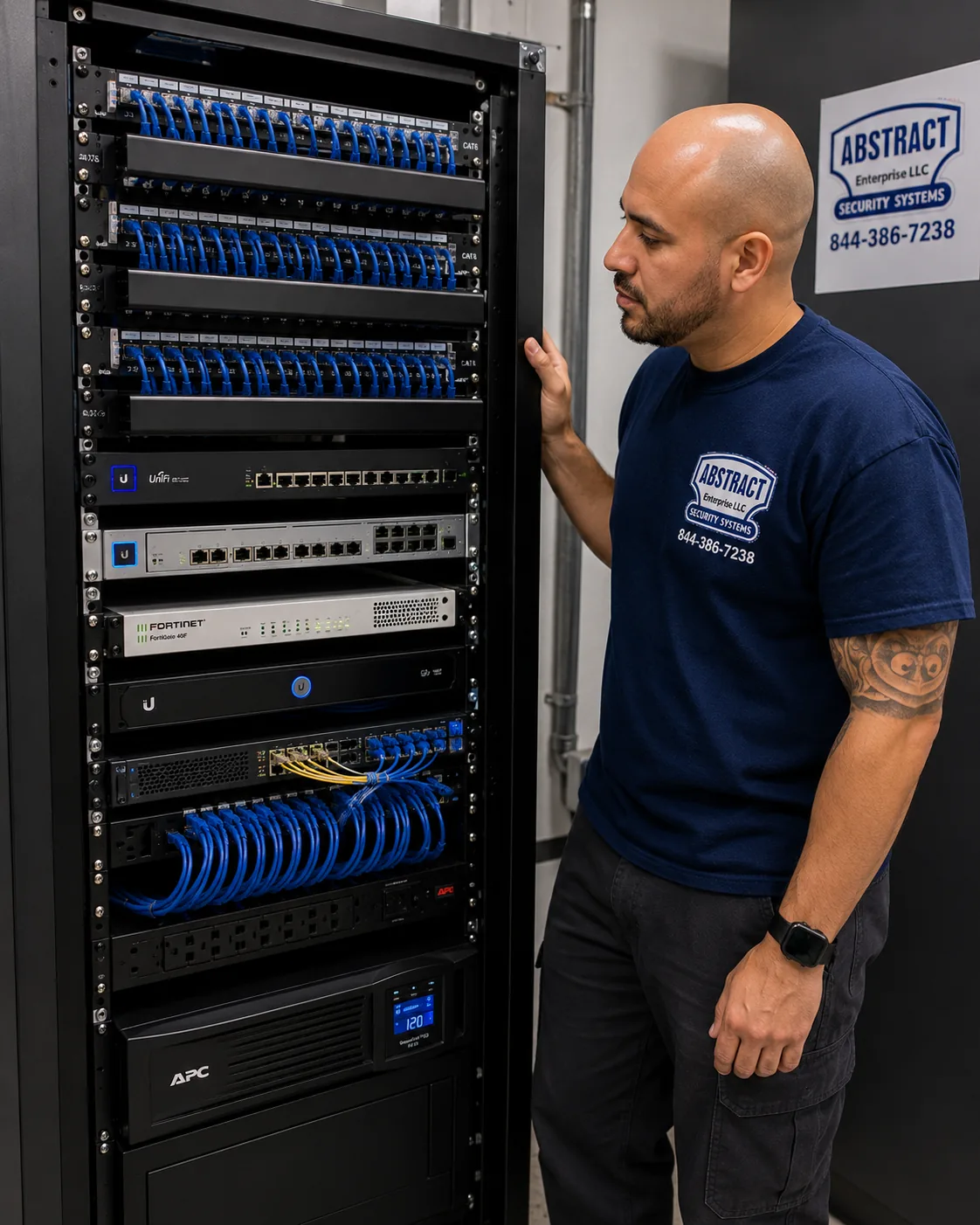
Hudson Valley hub, Hudson Valley region Alarm.com camera installation job-library photo: a finished network rack with patch panels, switching, a firewall and a battery backup unit, all dressed and labelled
Photo from the AESS job library, not taken in the Hudson Valley: a finished network rack with patch panels, switching, a firewall and a battery backup unit, every cable dressed and identified. A Hudson Valley business or large property with an SVR and a dozen cameras ends up with something like this in a closet, and the battery unit at the bottom is what keeps recording going through the first minutes of a Central Hudson or Orange & Rockland outage.
Building Specialists

Alarm.com Camera Installation for the Hudson Valley's Architecture

The valley's buildings run from colonial stone houses to new warehouses, and each one changes three things about an Alarm.com camera job: what the mount is fixed into, how the cable travels back to the network, and who has to approve the work. These are the building types the public record and local histories describe, and how we approach each.

Dutch Stone Houses

Early stone houses like those Hudson Valley Magazine describes on the four corners of Crown and John Streets in Kingston. Thick masonry walls, small openings, and in historic districts a review before visible exterior work.

Nineteenth-Century Row Houses

Brick and clapboard row houses like those in the City of Hudson's 139-acre historic district and Newburgh's East End. Shared walls, narrow fronts and historic review in designated districts.

Frame Worker Houses

Two-story frame houses like the three-bay row at 37–47 North Fifth Street in Hudson. Wood siding, light framing and attics or basements that make cable routing easier.

River Estates and Carriage Houses

The great estates of the stretch from northern Westchester to Albany, such as the Vanderbilt Mansion grounds in Hyde Park, with outbuildings far apart and long drives.

Farms and Barns

Working farms in Dutchess, Ulster and Orange, with barns, sheds and gates spread across many acres, often each on its own electric service.

Suburban and Newer Houses

Post-war and newer houses across Westchester, Rockland and the larger towns, with drywall interiors, attics and basements, and neighbors close by.

How the building changes the camera job

BuildingWhat holds the camera mountHow the cable usually travelsWho has a say
Stone houseMasonry anchors set into stone or into mortar where stone is too hard or brittle, chosen after a test holeThrough an existing opening or a single drilled sleeve, then inside along beams or in the cellarThe owner; a historic commission if the house is in a designated district
Brick row houseSleeve or wedge anchors in brick, placed in the brick face rather than the joint where the mount allowsDown from the cornice or up from the cellar; surface runs painted to match where review requires itThe owner; the historic commission in districts such as Hudson or Newburgh
Frame houseScrews into the sheathing and framing behind the siding, with a mounting block where the siding is unevenThrough the wall into an attic or basement and across to the routerThe owner
Estate or carriage houseMasonry or framing, depending on the building; often the eaves of an outbuildingBuried conduit or fiber between buildings; wireless bridge where trenching is not wantedThe owner; a property manager on larger estates
BarnTimber posts or beams, clear of doors and machineryFiber or a protected cable from the house, or a bridge; inside, along beams away from livestockThe owner or farm manager
Suburban houseFraming behind siding or brick veneerAttic or basement runs, the shortest and simplest in the regionThe owner; a homeowners' association where one exists

Stone walls and how we drill them

A stone house wall is not like a brick wall. Fieldstone and cut stone vary from one stone to the next, some hard enough to wear out a bit and some soft and layered enough to split if drilled carelessly. The mortar between them may be old lime mortar that crumbles, or a later repair that is harder than the stone. On a Hudson Valley stone house we drill one small test hole first, look at the dust and feel how the bit behaves, then decide whether the mount goes into the stone or into a mortar joint, and which anchor suits it. Wherever possible we use an existing opening, such as a window frame, a wooden lintel or an old pipe or wire entry, rather than making a new hole through two feet of stone. When a new hole is unavoidable, it is drilled once, sleeved and sealed, and its position is chosen so that it can be patched to match if the camera is ever removed.

Row houses in historic districts

The row houses of Hudson's Warren Street area and Newburgh's East End were built close together with brick or clapboard fronts, and many sit inside designated historic districts with their own commissions. In these buildings we prefer cameras under the cornice or at the side of a door frame, painted or chosen to blend in, with the cable taken inside as soon as it leaves the camera. Kingston's Historic Landmarks Preservation Commission, in January 2025 minutes, recorded staff recommending that an owner be required to paint externally mounted lines or line hides to match the facade's existing color. We treat that as the standard to plan for in Kingston: if a cable must run on the outside, it is in a cover painted to match, run along a line that follows the architecture rather than crossing it.

Barns and outbuildings on their own power

A barn or detached garage that has its own electric service, or is fed from a separate panel, sits at a different ground reference from the house. Copper network cable between two such buildings can carry surges during a thunderstorm, which is a real concern in a county like Orange that topped New York's lightning count in 2020. Our preference between separately powered buildings is fiber, which does not conduct electricity, or a wireless bridge where the buildings can see each other. Inside a barn, we keep cables high and along beams, away from where animals chew or machinery passes, and we mount cameras where dust and condensation will not fog the lens every morning.

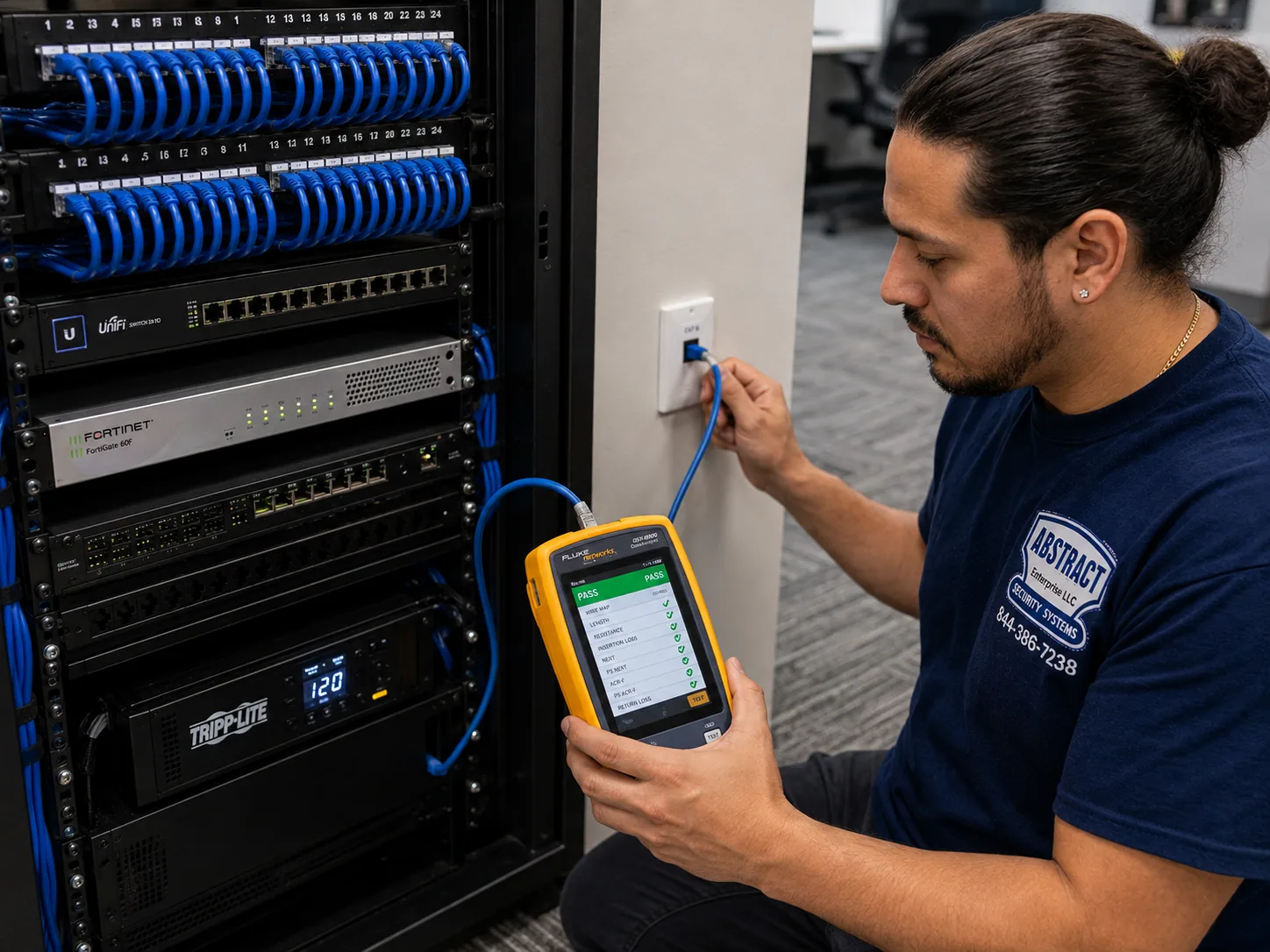
Hudson Valley hub, Hudson Valley region Alarm.com camera installation job-library photo: a technician certifying a data drop with a cable analyzer showing a PASS result
Photo from the AESS job library, not taken in the Hudson Valley: a technician certifying a data drop with a cable analyzer that shows a PASS result. On a long run from a Hudson Valley house to a garage near the limit of what one cable can carry, a certified result like this is how we know the camera at the far end will get steady power and a steady picture.
Hudson Valley hub, Hudson Valley region Alarm.com camera installation job-library photo: a J-hook pathway carrying dressed cable bundles across a commercial ceiling
Photo from the AESS job library, not taken in the Hudson Valley: J-hooks carrying dressed bundles of cable across a commercial ceiling. In a Hudson Valley barn or warehouse with open framing, the same kind of supported pathway keeps camera cable off the beams where it would sag, chafe or be chewed.
Commercial Alarm.com Camera Installation

Business Alarm.com Camera Installation in the Hudson Valley

Hudson Valley businesses range from storefronts on nineteenth-century main streets to million-square-foot distribution centers. The corridors below are ones named in local news and public records. We describe what the sources say about each area; we do not know what cameras any particular business uses, and we do not claim any of them as customers.

Warren Street, City of Hudson

Wikipedia calls Warren Street New York's most intact nineteenth-century main commercial street, inside a historic district with its own preservation commission. Shops in old buildings, with facades that review protects.

Uptown and Midtown Kingston

The parts of Kingston where Hudson Valley One reported the police department's own cameras are concentrated, and where the Stockade District's historic review applies to visible exterior work.

Village Centers in Orange County

Warwick, Florida and Goshen, where News 12 reported overnight smash-and-grab burglaries at businesses in May 2026. Small shops and offices closed overnight.

Westchester Avenue, White Plains

The office stretch known as the Platinum Mile along I-287, described by Westfair Communications, where larger buildings mean camera systems tied into a building network.

Route 17K and Stewart, Montgomery

The warehouse belt where the Hudson Gateway Association of Realtors reported a 1,015,740-square-foot Amazon distribution center and a 1.2-million-square-foot Medline facility under construction in 2020.

West Nyack and the Palisades Center

Rockland's large shopping center, about 2.36 million square feet according to Hoodline's 2026 report on its sale, and the retail around it.

What a business camera has to do that a home camera does not

A home camera is mostly about knowing who came to the door. A business camera often has to produce evidence: a clear face at the register, a plate at the loading door, a time stamp that matches the alarm log. The News 12 owner who did not know his camera's password is the reason we end every commercial install with a handover that includes at least two people who can log in, a written list of which camera covers which door, and a test of how to find and save a clip from a given time. Alarm.com's commercial offering also supports linking video to alarm events, which integrators describe as letting a security team check the scene before calling for dispatch. Where a business's provider and plan support it, we set cameras so that the camera covering each protected door is the one tied to that door's sensor.

More cameras, recorded all the time

Many businesses want continuous recording rather than clips of motion. Alarm.com's commercial Stream Video Recorder, according to its business camera page, records up to 16 cameras at up to 4 megapixels, has built-in PoE to power the cameras, and supports compatible ONVIF and VAPIX cameras from other makers. A forum answer on Surety's support site explains that the SVR is an add-on to Alarm.com cloud video, not a replacement for it, and that its main benefit is round-the-clock recording. For a warehouse or a shop with a closet for the network gear, an SVR with battery backup on the same shelf as the router is often the right core of the system.

Rules and practical limits for business cameras

  • State licensing. New York's Article 6-D, administered by the Department of State, licenses those who install, service or maintain security or fire alarm systems that detect intrusion, movement, sound or fire. The Department's application says even master electricians are not exempt from filing if they do that work. We work under NYS license #12000287431.
  • City and town alarm registration. The City of Hudson requires all alarms to be registered with a one-time fee and an annual fee, requires installers to give the police department a copy of their Article 6-D license, and says an installer must not complete installation until the alarm is registered. Other municipalities, such as Cortlandt, Tarrytown and New Hempstead, have their own rules. We check the address before we finish.
  • False alarms. The Town of Cortlandt can revoke a residential alarm permit after more than four false alarms in six months, and the Village of Tarrytown may suspend or revoke a permit after more than five in a calendar year. Cameras that let an owner or monitoring center see what triggered an alarm can help avoid unneeded calls.
  • New outlets are electrical work. Westchester, Rockland, Orange, Putnam and Ulster all license electricians or electrical work at the county level, and the Town of Fishkill requires electrical work to be inspected by an approved independent agency. Where a camera or recorder needs a new outlet, a licensed electrician does it, and our quote says so.
  • Lighting rules for spotlight cameras. The Village of New Paltz discourages floodlighting and requires shielding, the Village of Cold Spring requires full-cutoff fixtures, and the Town of Chester limits light at residential property lines. A camera with a built-in spotlight on a business near homes in those places needs its light set and aimed with that in mind.
  • Digging between buildings. Any trench for camera cable across a lot needs a call to 811 first; Central Hudson's safety page says to call at least two and no more than ten days before digging, and that the service is free and required by state law.
  • Audio. New York's eavesdropping law, Penal Law Article 250, means a business should think carefully before turning on audio recording where staff or customers talk. We leave audio off unless the owner asks for it after that conversation.
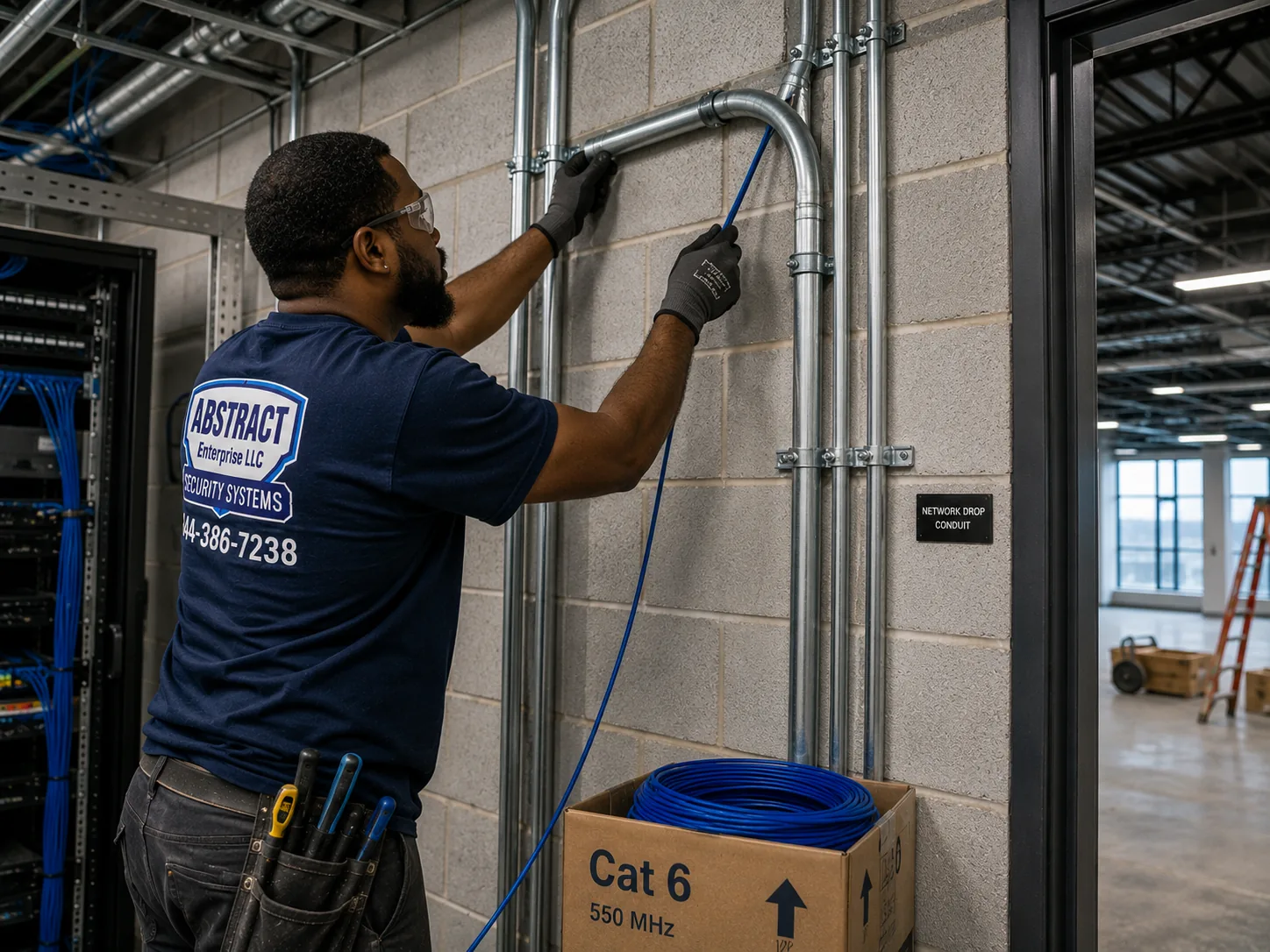
Hudson Valley hub, Hudson Valley region Alarm.com camera installation job-library photo: a technician running cable into EMT conduit beside a telecom room in an industrial building
Photo from the AESS job library, not taken in the Hudson Valley: a technician running cable into EMT conduit beside a telecom room in an industrial building. In a warehouse in the Route 17K and Stewart area, camera cable to the dock doors and yard usually travels in conduit like this, protected from forklifts and accessible for the next change.
Field Notes

Field Notes: What We Do Before the First Camera Goes Up on a Valley Property

We do not tell stories about a particular customer's property unless we can document them, so this is not a story about one address. It is the routine our technicians follow when they arrive at a Hudson Valley property with more than one building and an internet line nobody is sure about.

The first thing out of the van is a phone, not a drill. We run an upload speed test standing next to the router, then walk to each spot where a camera will go and run it again. We open the Alarm.com app with the owner and look at the account together: is there a video plan, how many cameras does it allow, who receives alerts. We walk from the road to each door, the way a visitor would, and stand where each camera will sit to see what it will actually see. We pace the distance to the barn or garage. We find the electric panel and see whether the outbuilding has its own service. We look for the old cables of any previous system and trace them before deciding whether to use them. Then we tell the owner what we found, including anything that changes the plan, and only then do we start mounting. On properties like these, that first half hour decides whether the cameras still work in six months.

Your Questions Answered

Alarm.com Camera Installation in the Hudson Valley: Questions Answered

The account and the plan

We bought a house in Dutchess with an Alarm.com panel already on the wall. Can we keep it and add cameras?

Often you can, and it is worth finding out before buying anything new. Alarm.com's help pages address exactly this situation: a new home that already has an Alarm.com system. The panel is tied to an account held by the previous owner's provider, so the first step is to contact that provider, or another provider, and have the system put into your name with a plan that includes video. Once the account is yours and video is on it, we can mount cameras and add them to the same account so they appear in the same app as the sensors. Before the visit, send us a photo of the panel and any yard sign or sticker, and we will tell you what we can see about its age and whether it will support the cameras you want.

If our Alarm.com service plan lapses while we are away for the winter, what happens to the cameras?

They stop doing what you bought them for. Alarm Grid's answer on using Alarm.com cameras without service is direct: all Alarm.com cameras need an active service with the video add-on, enabled by the monitoring company on the account. A camera without that service is not something you can simply log into on your own. For a second home, that makes the plan as important as the hardware. Before you close up a house in Ulster or Putnam for the season, check that the plan is paid through the months you are away, and that the provider has your current contact details so alerts and notices reach you. If you are changing providers, do it while someone can still get to the house.

We already pay a security company every month. Does adding cameras mean a new bill from you?

Our charge is for the installation itself, quoted in writing from the county price page. The monthly service is between you and the provider that holds your Alarm.com account, because the video plan is added to their service, and we cannot quote or change their fees. Before the visit, ask your provider whether your current plan includes video and how many cameras it allows. If it does not, they add it. We then mount the cameras, connect them to the network and add them to the account. Keeping those two things separate means you know exactly what you paid us for and what you pay each month, and to whom.

Internet, distance and Wi-Fi

Our road in Ulster only gets DSL. How many Alarm.com cameras can that line actually carry?

It depends on the upload number, not the download number most people know. Alarm.com's bandwidth answer gives a minimum of two megabits per second of upload for each current video device, for consistent performance at reduced quality, and two and a half for its two current video doorbells. Many DSL lines have an upload of a few megabits, shared with every phone and laptop in the house. If your test shows, for example, a line that can only just carry two devices at their minimum, four cameras will struggle. We run the test at your house before ordering, and if the line is tight we suggest fewer cameras streaming, recording to an SVR on the property, or waiting for the upgrade the broadband grants are bringing.

The only internet at our cabin is satellite or a cellular hotspot. Will Alarm.com video work there?

Be cautious. GeoArm, an Alarm.com dealer, says in an older support article that it requires a cable, fiber or DSL connection for cameras and does not support cameras on satellite or 3G and 4G connections. That is one dealer's policy rather than a rule from Alarm.com, and connections have changed since it was written, but the reasons behind it still apply: limited upload, data caps and higher delay. If satellite or cellular is all you have, we test the upload and latency on site and give you an honest read. Sometimes the right answer is one doorbell and one driveway camera rather than a full set, or waiting until fiber arrives.

Fiber is supposed to reach our road under the ConnectALL grants. Should we install cameras now or wait?

If you need cameras now, install the cable now and size the camera count to the line you have, then add cameras when the faster service arrives. The Times Union reported that the Verizon fiber project for about 1,300 remote Ulster locations needed federal approval before construction could start in 2026, and Mid-Hudson News described Archtop Fiber and fixed wireless reaching other counties in phases. Dates for any single road are uncertain. The cable we run inside the house and out to the cameras works the same on DSL as on fiber, so it does not have to be redone. What changes later is only how many cameras can stream at once, which is a setting and an addition, not a rebuild.

Our barn is about four hundred feet from the house. How does an Alarm.com camera out there connect?

Not by a single network cable, because Ethernet is specified for runs up to 328 feet, including the short cords at each end. At four hundred feet the choices are fiber between the buildings, with a small media converter or switch at each end; a point-to-point wireless bridge, if the house and barn can see each other with no hill or thick stand of trees between; or a PoE extender partway along a buried cable where there is a safe, powered spot for it. If the barn has its own electric service, we lean toward fiber or wireless so no copper connects the two buildings. Any trench requires an 811 call first. We price the link separately so you can see what the distance costs apart from the camera.

Recording and existing equipment

For a weekend house, is the cloud plan enough, or should we add a Stream Video Recorder?

For most weekend houses, the cloud plan's clips of motion and events cover what owners want to see: who came to the door, what crossed the drive. An SVR adds continuous recording on a box at the property, which helps when you want to see what happened between clips, or when the upload speed is too limited to send everything out. Surety's forum notes that the SVR is an add-on to cloud video, not a substitute, so you still need the cloud plan. At a second home, an SVR also needs battery backup and a network that recovers by itself after outages, because nobody will be there to restart it. We set that up and test it before we leave.

The previous owners left PoE cameras from another brand. Can they go onto our Alarm.com account?

Sometimes. Alarm.com's help pages say existing and analog cameras can be connected through an Alarm.com video server, and its commercial SVR accepts compatible third-party ONVIF and VAPIX cameras. A Surety forum answer adds an important condition: a commercial SVR can sit on a residential account, but support for third-party ONVIF cameras requires a commercial video plan. So the question is partly technical and partly about which plan your provider offers. We trace and test the old cables, identify the cameras and check compatibility before you change plans. If the old cameras are not worth keeping, the cables often are.

Local rules

Our house is in the City of Hudson. Do we have to register the alarm before the install is finished?

If the cameras are part of an alarm system, yes. The city's code, as published on eCode360, requires an installer doing business in Hudson to give the police department a copy of the installer's Article 6-D license, to tell the buyer that the alarm must be registered, and not to complete installation until it is. The city's notice says all alarms must be registered, with a one-time registration fee and an annual fee, and News10 reported that the 2024 amendment set fines for failing to register. Hudson is in Columbia County, beyond the six counties our Hudson Valley pages cover, so call us first about the address. Wherever you are, the general point holds: ask about local registration before the last day of the job.

Do we need Kingston's preservation commission before a camera goes on our Stockade District house?

Plan as if you might. Kingston's commission page says exterior work on historic properties that is visible from the street is reviewed before a building permit, and that this can include visible electrical and mechanical equipment. The rule does not name cameras, so treat a small camera under an eave differently from conduit across a facade, and ask the city before work begins. A contractor's guide estimates that the commission meets monthly, wants applications about 30 days ahead, and that a full review can take 60 to 90 days. We plan camera positions that are as small and discreet as possible, out of the street view where the coverage allows, with cables taken inside or in painted covers.

Does the person mounting our cameras need a New York license, or is that only for alarms?

It depends on what the system does. The Department of State's material on Article 6-D defines a licensed installer as someone who installs, services or maintains security or fire alarm systems that detect intrusion, break-in, movement, sound or fire, and notes that "passive," non-detecting security devices do not require a license. An Alarm.com camera that sends motion alerts and sits on an account with door sensors and a monitored panel is part of a detecting security system. Our work is done under NYS license #12000287431, and local codes such as the City of Hudson's ask installers to show that license before doing business there.

Doorbells and weather

Our farmhouse has an old mechanical chime. Will an Alarm.com video doorbell work with it?

Usually, if the transformer is right. Alarm.com's doorbell camera page lists power of 8 to 36 volts AC at 10 VA, or 12 volts DC, wired to an in-home mechanical chime, and says digital chimes need a separate SkyBell digital doorbell adapter. Old farmhouses often have transformers that are underpowered for a video doorbell, or wiring that has been spliced several times. We measure the voltage at the button, check the transformer's rating, and replace the transformer if needed. If the doorbell wiring is too far gone to trust, the wireless doorbell model is an option. Either way, the doorbell also needs Wi-Fi that reaches the front door at its required speed.

Will an outdoor Alarm.com camera keep working through a January night in the Catskill foothills?

The camera's rating tells you. Surety's product page for the ADC-V724X outdoor camera lists an operating temperature of minus 4 to 122 degrees Fahrenheit and an IP66 rating against dust and water jets. Most Hudson Valley nights fall within that range, though the coldest spots in the higher parts of Ulster and Orange can test it. We check the rating of each model against where it will be mounted, keep cameras under eaves where snow and ice cannot build up on the lens, and avoid spots where meltwater drips off a roof edge. Battery cameras deserve extra thought in winter, because cold usually reduces battery life, so plan more frequent charging in the coldest months.

We are building on a rural lot and want a camera on the job site before the house has power. What works?

A site without power or a wired internet line narrows the choice. A battery camera with local recording, such as the ADC-V731B Battery Spotlight Camera Alarm.com announced in March 2026 with microSD for continuous video, can watch a materials pile or the site entrance for a while, but it still needs a network to send alerts and an account to live on. If the site has temporary power and a cellular or fixed wireless connection, we test the upload and plan around it. Once the house is framed, we run cable for the permanent cameras before the walls close, which is far cheaper and neater than adding it later.
Equipment

Types of Alarm.com Camera Installation We Install

Alarm.com video devices come in several families, and the right one depends on the building, the distance and the internet line. Model names below come from Alarm.com and dealer pages; current availability depends on the provider holding your account. Equipment and installation are priced on the county price pages.

📷

Outdoor Cameras

Weather-rated cameras for doors, drives and yards, such as the ADC-V724X with its listed IP66 rating and minus 4 to 122 degree operating range, mounted under eaves and aimed at people's paths.

🔔

Video Doorbells

The wired ADC-VDB770 and the wireless ADC-VDB780B, each needing at least 2.5 Mbps of upload according to Alarm.com, with chime and transformer checks on older houses.

🔋

Battery Spotlight Cameras

Wire-free cameras like the ADC-V731B announced in March 2026, with microSD recording for continuous video, for spots where cable cannot reasonably go.

💾

Stream Video Recorders

On-site continuous recording on top of cloud video; the commercial SVR handles up to 16 cameras at up to 4MP with built-in PoE and compatible third-party cameras.

🖥

Video Servers for Older Cameras

Alarm.com video servers that bring existing and analog cameras onto the account, so a sound older camera does not have to be thrown out.

🏠

Indoor Cameras

Small cameras for entry halls, mudrooms, garages and equipment rooms, set with schedules so they record when the house is empty.

🌐

Network Gear

PoE switches and injectors, Ethernet cable and fiber links to outbuildings, wireless bridges and battery backup for the router and switch.

💡

Light-Aware Placement

Spotlight cameras set for local lighting rules in villages such as New Paltz and Cold Spring, with light tied to people rather than every passing animal.

National brands vs a local installer for Alarm.com cameras

People sometimes ask how an Alarm.com system installed locally compares with buying from ADT, Ring or SimpliSafe. ADT is best known for monitored alarm systems sold and installed under its own name. Ring and SimpliSafe are best known for doorbells, cameras and alarm kits designed for owners to set up themselves, with their own apps and plans. Alarm.com is a platform sold and serviced through providers, and its strength is that cameras, sensors, locks and recorders can share one account and one app. None of those choices removes the Hudson Valley work: testing the upload, reaching the barn, drilling the stone wall, surviving the outage. That work is what a local installer brings, whichever platform you pick.

QuestionSelf-install kitAlarm.com, installed locally
Who sets up the network to outbuildingsThe ownerThe installer plans and builds the link
Wired cameras through masonryRarely; most kits favour Wi-Fi or batteryWired where possible, battery where needed
Cameras, sensors and locks in one appWithin that brand's own rangeAcross the Alarm.com account
Continuous on-site recordingDepends on the brandSVR add-on with cloud video
Recovery after a long outageUp to the owner to testTested before handover
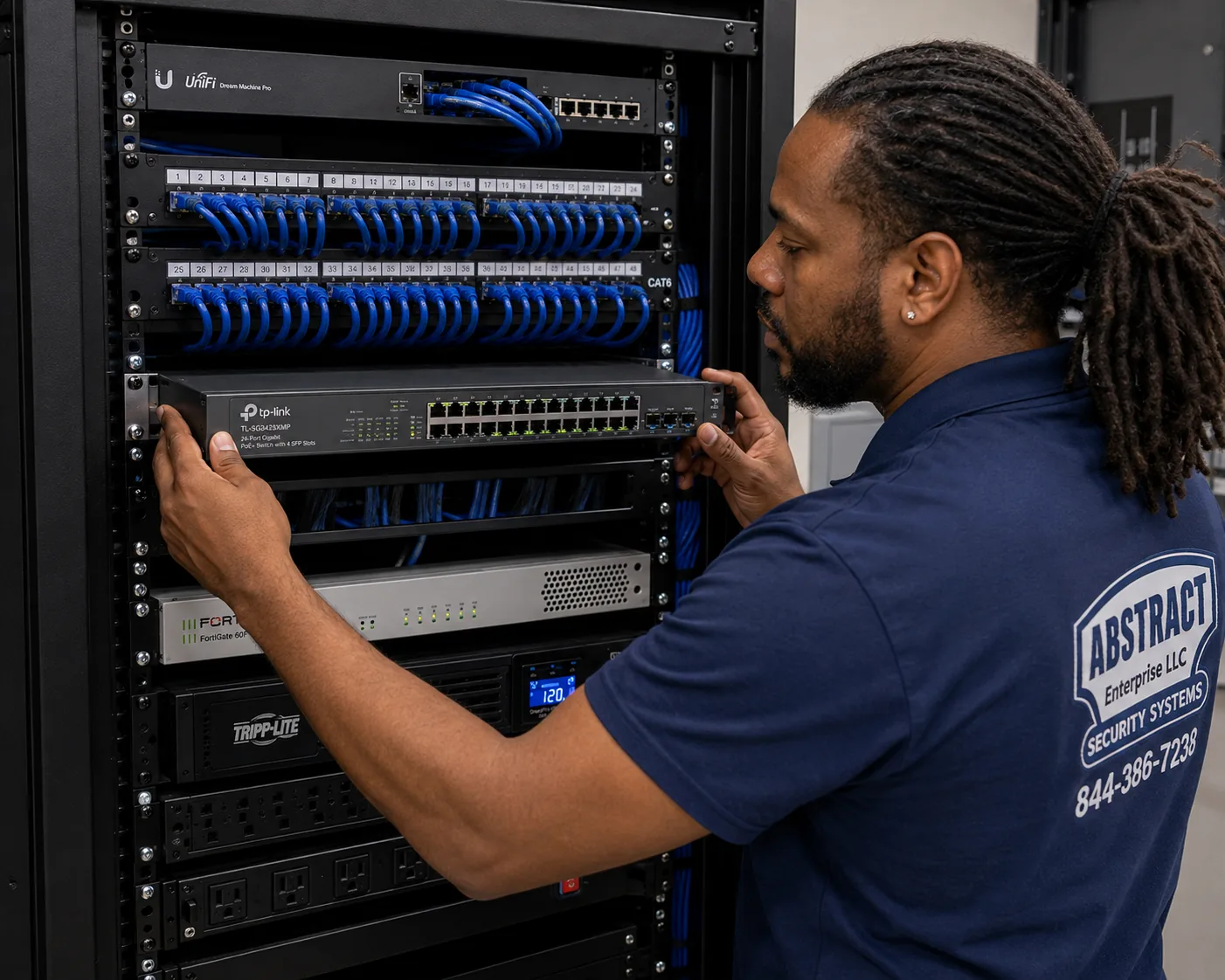
Hudson Valley hub, Hudson Valley region Alarm.com camera installation job-library photo: a technician mounting a managed PoE switch below patch panels in a commercial network rack
Photo from the AESS job library, not taken in the Hudson Valley: a technician mounting a managed PoE switch below patch panels in a commercial network rack. For a Hudson Valley business with wired Alarm.com cameras, a PoE switch like this powers every camera over its network cable, so one battery backup on the switch keeps the whole set alive through a short outage.
AI Overview Reality Check

What AI Gets Wrong About Alarm.com Camera Installation in the Hudson Valley

We could not capture Google's AI Overview for Alarm.com cameras in the Hudson Valley from our build environment, so we will not pretend to quote it. What follows are claims we see repeated in quick online answers about camera installation in general, set against what the published sources and our field practice say about this region. Marketplaces such as Angi, HomeAdvisor and Fixr publish national cost guides that feed many of these answers; they help with a rough idea of the market, but none of them has seen your line, your walls or your barn.

"Join the camera to your Wi-Fi and it just works."

For many homes that is close to true. For a lot of Hudson Valley homes it is not, and the reasons are specific. Alarm.com's article on SkyBell doorbell network requirements says the network must be visible, not hidden, and that dual-band routers must give the 2.4 GHz and 5 GHz bands separate names.

Many newer routers and mesh systems combine both bands under one name by default, and some owners hide their network name. Either setting can stop a doorbell joining at all, or cause it to drop off later when the router steers it to the wrong band.

We check the router settings with the owner before the doorbell goes up, change them only with permission, and write down what we changed, so the next internet technician who visits does not undo it.

"Any camera within Wi-Fi range of the house will be fine."

Wi-Fi range on a spec sheet is measured in open space. A Hudson Valley house with stone walls, a metal-roofed barn, or a wooded slope between buildings cuts that range sharply, and the signal that reaches a camera on the far gable may be too weak for steady video even if it shows connected.

Alarm.com's bandwidth guidance is per device. A camera on a weak signal cannot get its share, however fast the internet line is, and it is often the first to stall when the household is busy.

Our approach is to wire cameras where we can, keep single cable runs inside the 328-foot Ethernet limit, and use fiber or a wireless bridge to reach separate buildings. We test the signal at the camera's position, not at the router.

"Cameras are low-voltage, so local codes do not apply."

The camera itself is low-voltage. Several things around it are not. Westchester, Rockland, Orange, Putnam and Ulster all have county electrical licensing laws, and Rockland's covers wiring for light, heat, power or signaling at 50 volts or more. A new outdoor outlet for a camera or recorder is electrical work for a licensed electrician.

Light is the other surprise. Spotlight and floodlight cameras throw light, and the Village of New Paltz discourages floodlighting and requires shielding, the Village of Cold Spring requires full-cutoff fixtures, and the Town of Chester limits light at residential property lines. Lohud reported in March 2026 on a state Dark Skies bill, A4615, that would take effect in 2028 if passed.

We check the municipality, set spotlight cameras to come on for people rather than every movement, aim the light at your own ground, and leave line-voltage work to the electrician the county or town requires.

"Cloud cameras keep recording through a power cut."

A cloud camera records to the cloud only while it, the router and the modem all have power and the internet line is up. In a regional outage like those Isaias, the June 2024 thunderstorms and the September 2026 nor'easter caused, the camera stops sending video as soon as the router goes down.

What matters more than a few minutes of battery is whether the system comes back on its own. Some routers return with default settings, some PoE switches take a long time to restart, and some cameras need a reboot after a long gap.

Before we hand over, we switch off the router and switch, wait, switch them back on and watch every camera reconnect in the app. Where battery backup makes sense, we put the modem, router and switch on it together, because one without the others is no help.

"Where you point your cameras is your own business."

Legally and socially, it is not entirely. Hudson Valley One's 2023 report on the Town of Ulster's dropped lighting law describes a neighbor dispute that included a motion-activated camera fixed on a backyard, with residents citing New York Civil Rights Law section 52-a, which deals with video surveillance of a neighbor's backyard.

Kingston's 2026 debate over police cameras shows how closely residents here watch where lenses point. Audio adds another layer, because New York's eavesdropping law governs recording conversations.

We aim cameras at your doors, drives, yards and buildings, use motion zones and privacy masking to keep neighbors' windows and yards out of the frame where possible, and leave audio recording off unless you ask for it after we have talked it through.

"Battery cameras make wiring unnecessary."

Battery cameras solve real problems: a rental where you cannot drill much, a gatepost with no power, a historic facade where a cable run would never be approved. Alarm.com's March 2026 announcement of the ADC-V731B Battery Spotlight Camera, with microSD recording for continuous video, makes them more capable than before.

They still need Wi-Fi at the mounting spot, they still need charging, and cold weather usually shortens battery life. A battery camera at the far end of a drive in February may need more attention than its owner expected.

We use battery cameras where they are the best answer and wired cameras everywhere a cable can reasonably go, and we tell you in advance which positions will need charging and roughly how you will reach them.

"National cost guides tell you the Hudson Valley price."

National guides, including the cost pages from Angi and HomeAdvisor, give national ranges for camera installation. AI answers repeat them. They do not account for a two-hour drive to a farm in Ulster, a fiber link to a barn, or drilling through stone.

Our own pricing is set per area. Relative to our Brooklyn base, Westchester is 1.25 times, Rockland 1.30, Orange 1.40, Putnam 1.45, and Dutchess and Ulster 1.53, reflecting travel and access across the region.

Within any one county, the number of cameras, the distance to outbuildings and the wall materials move the total far more than the area rate does. That is why each county has its own price page, and why we confirm the details before giving you a written number.

Not Sure Your Line Can Carry the Cameras? Talk to a Technician First

Send a screenshot of your upload speed test, the name of the company that holds your Alarm.com account if you have one, and photos of the spots you want covered. A technician will tell you how many cameras your line can realistically carry, whether your outbuildings need a separate link, and which county price page applies. Call (800) 486-0943, message us on WhatsApp, or use the quick form.

How It Works

Our Installation Process

Every Hudson Valley Alarm.com camera job follows the same eight steps, whether it is a single doorbell in Rockland or a dozen cameras across a farm in Dutchess. On multi-building properties, the order matters most: the network comes before the cameras, and the recovery test comes before we leave.

1. Tell us the property, the county and the account

The address, the municipality on the tax bill, the type of property, whether an Alarm.com account exists and with which provider, and photos of the doors, drive and outbuildings you want covered.

2. Test the internet line

An upload speed test on your own connection, and the type of service: cable, fiber, DSL, fixed wireless, satellite or cellular. This decides how many cameras can stream at once.

3. Check the local rules

Alarm registration in your town or city, historic review in places like Kingston and Newburgh, village lighting rules for spotlight cameras, and who must do any new line-voltage power.

4. Walk the property and mark each camera

The routes a visitor or intruder would take, each camera's position, height and field of view, and the path its cable will follow back to the network.

5. Run the cable and fix the mounts

Cable inside or along the building, through masonry where needed, mounts fixed into solid material, and runs kept inside the 328-foot limit, with farther buildings bridged properly.

6. Connect each camera to the account

Cameras mounted and powered by PoE or their own supply, joined to the network and added to the Alarm.com account so they appear in your app.

7. Set recording, alerts and zones

Clip or continuous recording, motion zones that follow people rather than trees or the road, alert schedules, and who on the account gets which notifications.

8. Test after dark and hand over

Every camera checked at night, the router and switch switched off and on to confirm recovery, the app walked through with you, and a written camera and cable map left behind.

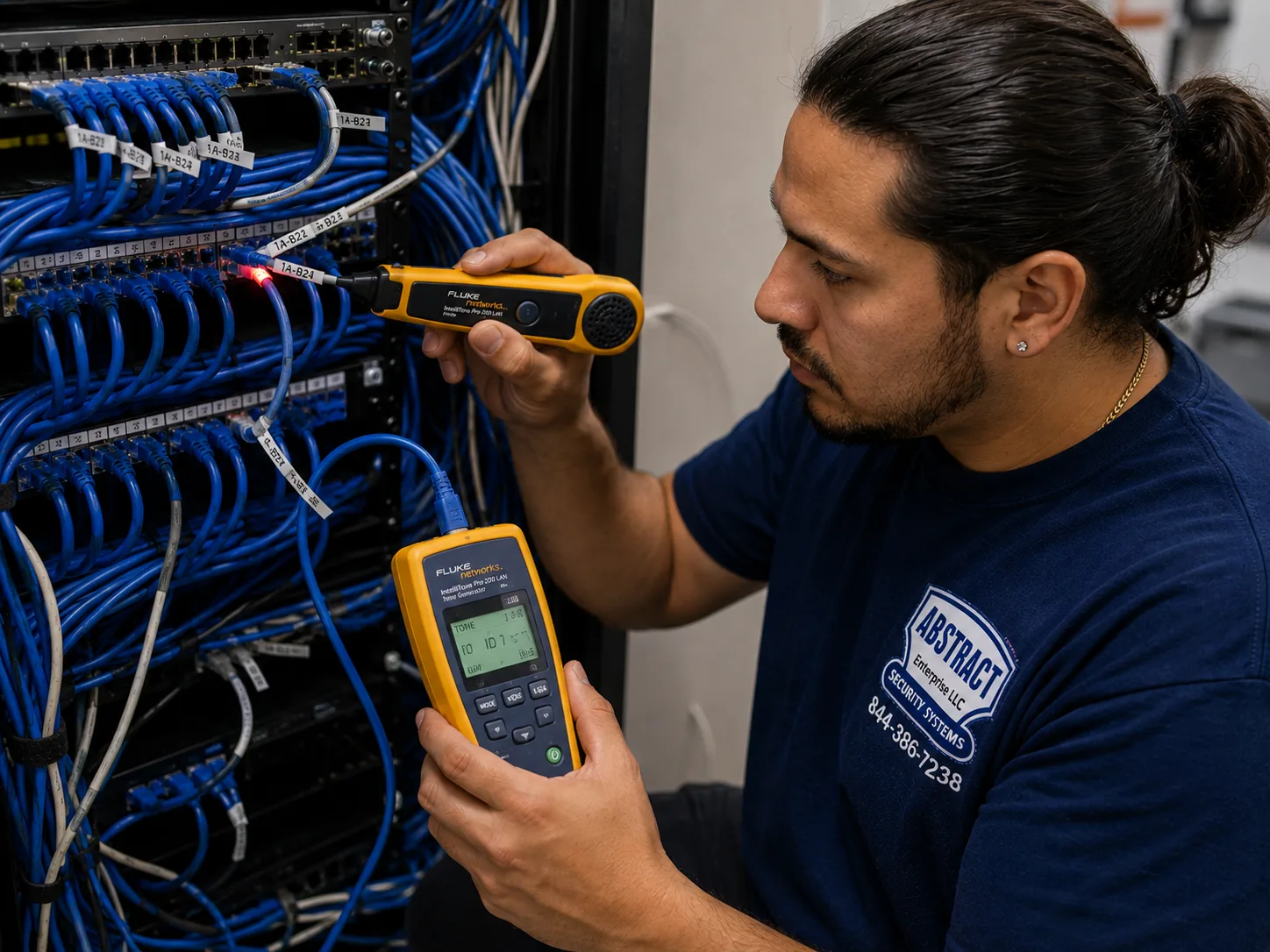
Hudson Valley hub, Hudson Valley region Alarm.com camera installation job-library photo: a technician tracing an unidentified cable run at a patch panel with a tone generator and probe
Photo from the AESS job library, not taken in the Hudson Valley: a technician tracing an unidentified cable run at a patch panel with a tone generator and probe. Hudson Valley houses that have had two or three security systems over the years often have unlabelled camera cables in the basement, and tracing each one tells us which can carry an Alarm.com camera and which should be pulled out.
Coverage Area

Alarm.com Camera Installation Near the Hudson Valley's Landmarks

A region this size is easiest to describe by its anchors. These are places drawn from the public record that we use to plan travel across the six counties. We name them for orientation only; we do not claim work at any of them.

Kingston Stockade District, Ulster

Eight blocks bounded by Clinton Avenue, Main, Green and North Front Streets, on the site of the 1658 stockade; listed on the National Register in 1975.

Newburgh's East End, Orange

With 2,239 resources, the most of any federally recognized district in New York State, and design guidelines that ask security features to fit the architecture.

Stewart International Airport, Orange

About 1,552 acres in the towns of Newburgh and New Windsor, with the warehouse belt of Route 17K and Montgomery nearby.

Vassar College, Dutchess

Founded in 1861 in Poughkeepsie, about 1,000 acres and more than 100 buildings, with its Main Building by James Renwick Jr.

Vanderbilt Mansion, Hyde Park

A national historic site of 211 acres with a mansion built from 1896 to 1899 and a carriage house, typical of the river estates.

Teatown, Westchester

The nature preserve whose 2025 article tracked Westchester black bear sightings rising from 2 in 2019 to 16 in 2021, the kind of visitor a yard camera now records.

Across the six counties we also work in towns and villages such as White Plains, Yonkers, Tarrytown and Cortlandt in Westchester; Nyack, New City and West Nyack in Rockland; Newburgh, Goshen, Warwick and Middletown in Orange; Carmel, Brewster and Cold Spring in Putnam; Poughkeepsie, Beacon, Rhinebeck and Fishkill in Dutchess; and Kingston, New Paltz, Saugerties and Woodstock in Ulster. For county prices, see Westchester, Rockland, Orange, Putnam, Dutchess and Ulster. Everything else we do starts from our AESS home page.

Pricing

Alarm.com Camera Installation Cost in the Hudson Valley

We do not publish one Hudson Valley number for Alarm.com cameras, because the region spans six counties with different travel and access costs, and because a doorbell on a Rockland split-level and four cameras across a Dutchess farm are not the same job. Instead, each county has its own price page, built from our area rates. The Hudson Valley price page brings them together. Any price you see on a quote comes from those pages and nothing else.

CountyArea rate vs Brooklyn baseWhere to see the list
Westchester1.25×Westchester Alarm.com camera prices
Rockland1.30×Rockland Alarm.com camera prices
Orange1.40×Orange County Alarm.com camera prices
Putnam1.45×Putnam Alarm.com camera prices
Dutchess1.53×Dutchess Alarm.com camera prices
Ulster1.53×Ulster Alarm.com camera prices

What moves the total within a county

Within any one county, five things decide most of the price. The first is the number of cameras and doorbells. The second is how each one is connected: a wired camera on a short run through an attic is the simplest, while one on the far side of a stone wall or on a barn is more work. The third is any link between buildings, which is quoted separately so you can see what distance costs. The fourth is recording: cloud clips only, or an SVR for continuous recording with battery backup. The fifth is the wall: stone and brick take more time than siding or drywall. We put each of those on the written quote as its own line.

What is not on our quote

Two things are outside our price. The monthly Alarm.com service and video plan is billed by the provider that holds your account, and we cannot set or quote it. Any new outlet or circuit is done and billed by a licensed electrician where the county or town requires one. If a town or city requires an alarm registration fee, that goes to the municipality. We list all three on the quote as "not included" so nothing appears later as a surprise.

Full terms โ€” including 50% deposit, one-year parts-only warranty on AESS-supplied products, and the late-fee schedule โ€” are set out in the service agreement.

For the full line-by-line list, start at the Alarm.com camera installation prices for the Hudson Valley.

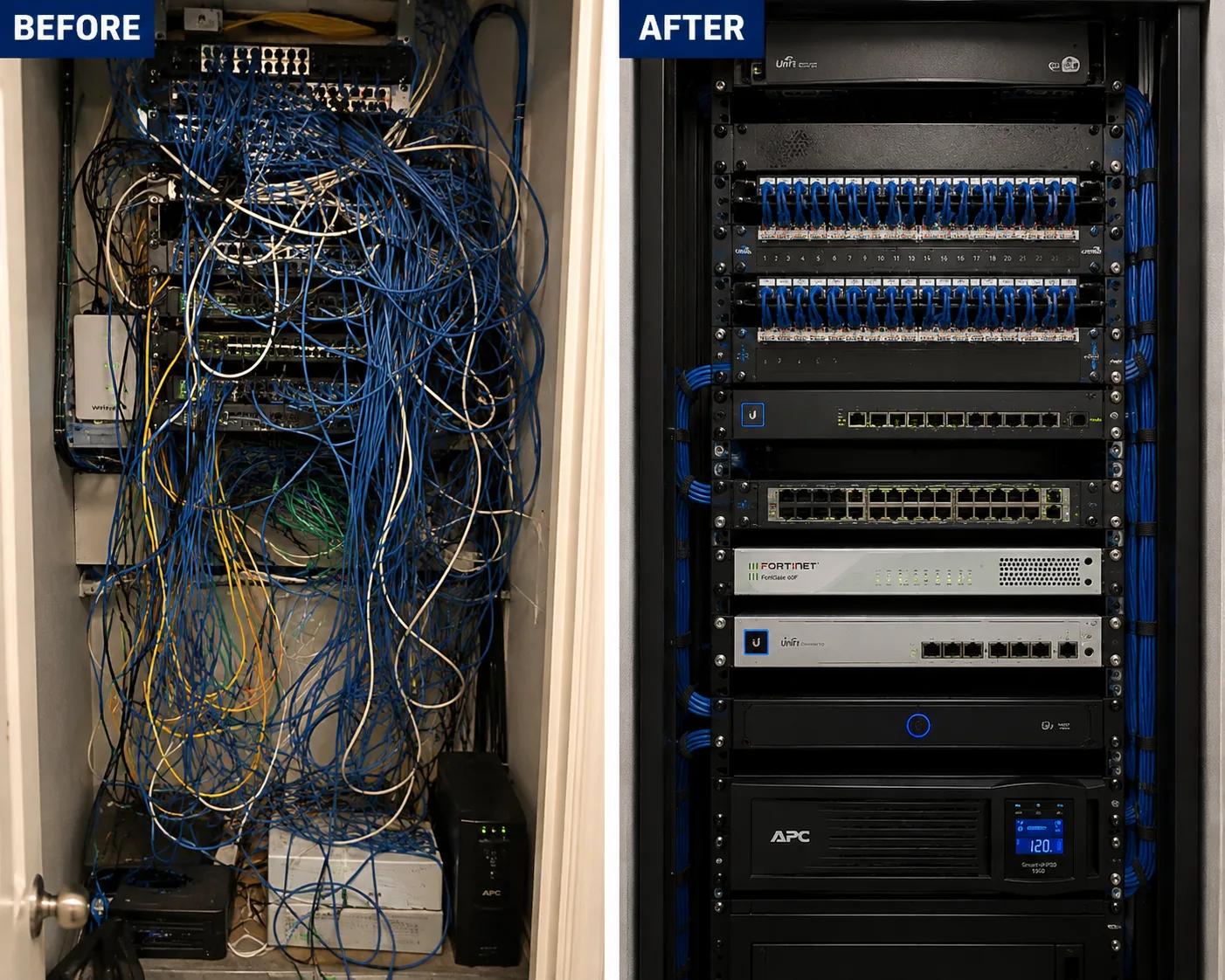
Hudson Valley hub, Hudson Valley region Alarm.com camera installation job-library photo: before and after views of a network rack, from unlabelled tangled cables to a dressed and identified rack
Photo from the AESS job library, not taken in the Hudson Valley: before and after views of a network rack, the first a tangle of unlabelled cables and the second the same rack dressed and identified. When a Hudson Valley business moves its cameras onto Alarm.com, part of the quote is often this kind of cleanup, because a camera that drops offline is far easier to fix in a rack you can read.
Shop Our Systems

Alarm.com Camera Installation Packages & Pricing

Three common Hudson Valley jobs. Each is priced from the county price page for the property's address, so the same package costs a little more in Dutchess than in Westchester. There is no package premium; the package is simply the lines that usually go together.

Starter: Doorbell and Driveway

An Alarm.com video doorbell on the existing doorbell wiring, with the transformer and chime checked, and one wired outdoor camera covering the drive. Suits a suburban house in Westchester or Rockland with a good internet line. Priced on your county price page.

Standard: Whole House

A doorbell plus three or four wired outdoor cameras on the doors, drive and back yard, with motion zones set to people's paths and a recovery test after a power cut. The usual job on a frame or brick house anywhere in the valley.

Premium: House, Barn and Recorder

Cameras on the house and an outbuilding, the link between them planned as fiber or a wireless bridge, an SVR for continuous recording, and battery backup for the modem, router, switch and recorder. For farms, estates and second homes in Orange, Putnam, Dutchess and Ulster.

Bring your own equipment

If you already bought Alarm.com cameras, or your provider shipped them to you, we install them at labor-only lines from the same county price page. We check that each camera is compatible with your account, that the provider has added video to the plan, and that the camera is in sound condition before it goes on the wall. If a camera you bought will not suit the spot, for example a battery camera where the Wi-Fi is weak, we say so and suggest an alternative, and you decide.

Complete Services

Every Alarm.com Camera Installation Service in the Hudson Valley

Hudson Valley Price List

The regional starting point for Alarm.com camera prices across all six counties. Hudson Valley Alarm.com prices

Lower Valley Counties

Suburban houses, villages and commercial strips. Westchester County prices and Rockland County prices

Mid-Valley Counties

River cities, farms, lakes and wooded lots. Orange County prices and Putnam County prices

Upper Valley Counties

Estates, stone houses and rural lines. Dutchess County prices and Ulster County prices

New York City

If you also own property in the city. NYC Alarm.com camera prices

Long Island

For a second property in Nassau or Suffolk. Long Island Alarm.com camera prices

FAQ

Hudson Valley Alarm.com Camera Installation FAQ

Could I set up Alarm.com cameras myself instead of hiring an installer?
+

Yes, in some cases. Alarm.com says some providers ship systems pre-configured and activated for self-install, and its app has a video installation wizard. That suits renters and small spaces with good Wi-Fi. Hudson Valley properties with stone walls, outbuildings, long drives or tight upload speeds are where professional installation usually pays for itself, because the hard part is the network and the mounting rather than the app.

Since Alarm.com does not sell service directly, who provides the account?
+

Alarm.com is sold, installed and serviced through licensed providers, which are security companies that hold the account and bill the monthly plan. If you already pay a security company and have an Alarm.com app, that company is your provider. If you are starting fresh, choose a provider first or ask us what the options look like for your address, and we will plan the cameras around that account.

After the installer leaves, can I still change how the doorbell camera behaves?
+

Yes. The doorbell's motion sensitivity, chime behavior, recording and notification settings are adjusted in the Alarm.com app or website, and Alarm.com's doorbell site explains how. We show you where those settings are during the handover and suggest a starting point for your door, but you can change them whenever you like without a visit.

Is it legal in New York for our cameras to record sound as well as video?
+

New York's eavesdropping law, in Penal Law Article 250, sets rules for recording conversations, and audio raises more legal and privacy questions than video. We leave audio recording off by default and only turn it on after talking it through with you. If you have staff, tenants or guests in the recorded areas, get legal advice for your situation, because we are installers, not lawyers.

For a shop or warehouse, can the cameras show what set off an alarm before anyone is sent?
+

On commercial accounts that support it, Alarm.com links camera footage to alarm events so the scene can be checked before dispatch. Whether that is available depends on your provider and plan. We place the camera for each protected door where it shows the door and the person at it clearly, and tie it to that door's sensor where the account allows.

We have a house in Westchester and a cabin in Ulster. Can both be watched from one login?
+

Usually, depending on how your provider sets up the accounts. Many Alarm.com users manage more than one property from the same app. We install each property's cameras on its own network, priced from its own county page, and make sure the camera names make it obvious which property you are looking at, so a driveway alert in Ulster is never mistaken for one in Westchester.

How long does a Hudson Valley Alarm.com camera installation take on site?
+

A doorbell and a camera or two on a house with an attic or basement for cable usually fit within a single visit. Jobs with stone walls, several buildings, a link to a barn or a recorder take longer, and a trench between buildings depends on the 811 marking wait first. We give you a realistic time on the quote once we have seen photos of the property.

What does the AI video search Alarm.com announced in 2026 actually change for an owner?
+

Alarm.com's March 31, 2026 release announced new AI video search capabilities, meant to make it easier to find events in recorded video rather than scrolling through clips. Which features you get depends on your cameras and your provider's plan. We show you how to search and save clips during handover, because finding the right minute quickly matters most after something has gone wrong.

Our property is two hours north of the city. Can photos replace an in-person estimate?
+

For many jobs, yes. Photos of each door, the drive, the outbuildings and the router area, a speed test screenshot and a paced distance to any barn are usually enough for a written quote. For large estates, farms with several buildings or historic houses where mounting needs approval, a short video call or a site visit first is worth the time.

Do you install north of Ulster, in Columbia or Greene County?
+

Our published Hudson Valley service area and price pages cover Westchester, Rockland, Orange, Putnam, Dutchess and Ulster. If your property is in Columbia, Greene or Sullivan County, call before booking and we will tell you honestly whether we can take the job and how it would be priced.

If we start with a few cameras, can more be added later without redoing everything?
+

Yes, if the first installation plans for it. We leave spare ports on the PoE switch, pull extra cable to likely future spots when walls or ceilings are already open, and size any recorder for growth. Later cameras are then added to the same account and network. The limit to watch is your internet upload, which has to carry every camera that streams.

Do you also install the door sensors and keypad, or only the cameras?
+

Cameras are the focus of this page, but alarm sensors, keypads and smart locks on the same Alarm.com account are work we quote as well, as separate lines. Doing them in the same visit saves a second trip and lets us place cameras where they cover the doors the sensors protect.

Get In Touch

Request a Free Quote

Tell us the town and county, the type of property, your internet type and upload speed if you know it, and whether an Alarm.com account already exists. Photos of the doors, drive and any outbuildings make the quote exact. Prefer to talk? Call (800) 486-0943.

✅
Request Sent!
We'll call to book your Hudson Valley Alarm.com camera visit, usually within 2 hours during business hours.

More Alarm.com Camera Installation near Hudson Valley hub

ยท Alarm.com Camera Installation | NYC Hub, All 5 Boroughs ยท Alarm.com Camera Installation Long Island Hub NY

Book Your Hudson Valley Alarm.com Camera Installation

From a stone house on a Kingston corner to a farm with a barn across the field or a weekend house in the Putnam woods, every job starts the same way: a speed test on your own line, a check on the account and the local rules, and a tape measure to the farthest camera. Call (800) 486-0943, message us on WhatsApp, or send the quote form, and we will tell you what your property needs before any camera comes out of its box.

Alarm.com Camera Installation by neighborhood: Hudson Valley hub, Hudson Valley alarm.com camera installation