 ABSTRACT ENTERPRISESSecurity Systems · Licensed & Insured
Professional wireless camera installation across all five NYC boroughs, Long Island, and Hudson Valley. Apartments, brownstones, co-ops, retail, commercial. Licensed, insured, 25+ years experience, zero monthly fees on most systems. One company for cameras, intercoms, access control, and alarms.
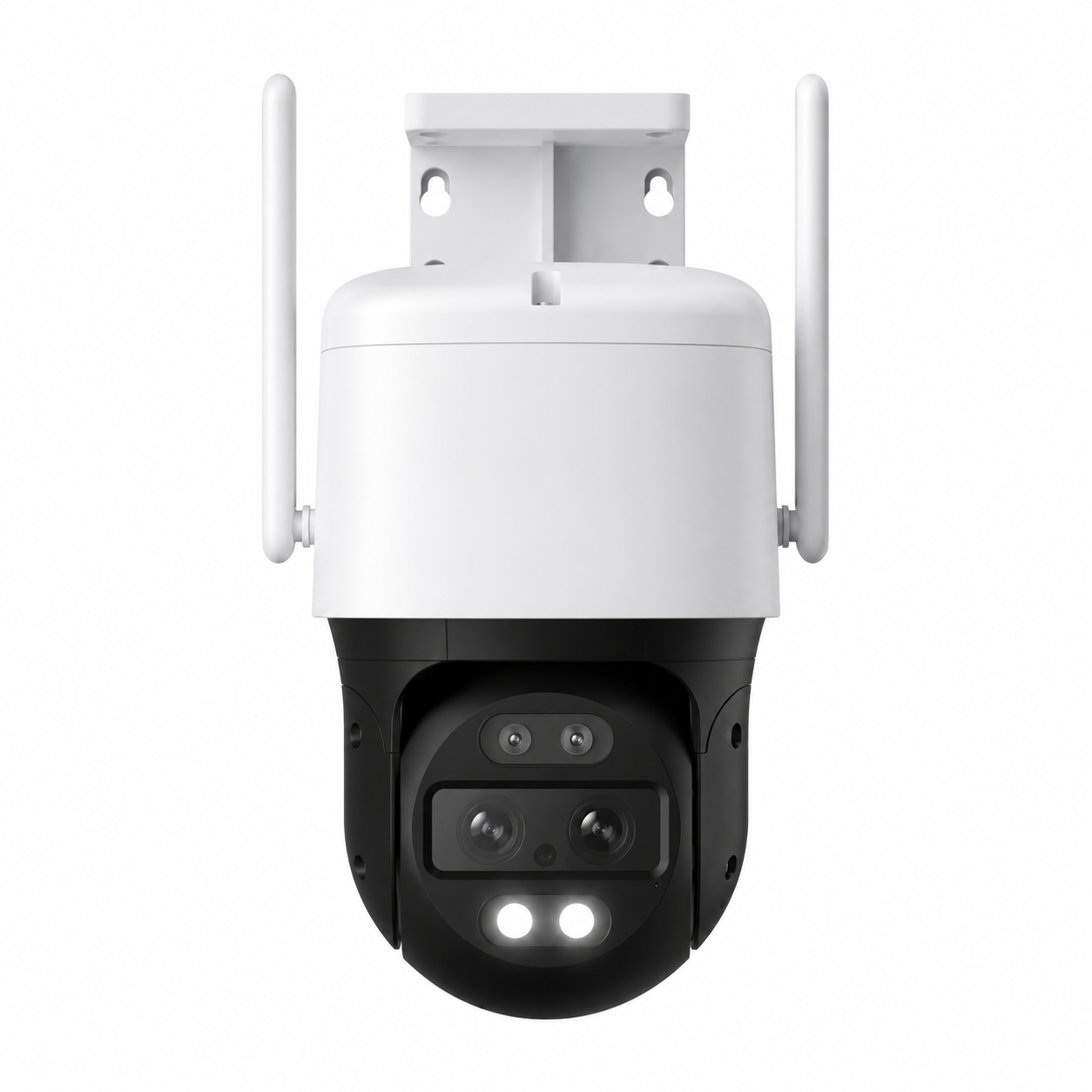
Wireless security camera installation in NYC means something different than it does in the suburbs. Pre-war brick, plaster-over-metal-lath, co-op board rules, dense Wi-Fi environments, and apartment leases that forbid drilling all reshape the job. Abstract Enterprises Security Systems is a licensed New York low-voltage contractor (NYS #12000287431) installing wireless cameras across Brooklyn, Manhattan, Queens, the Bronx, and Staten Island — from a single battery doorbell for a Park Slope rental to a 24-camera hybrid wireless system covering a Bronx warehouse perimeter.
This page is the NYC hub for our wireless camera silo. If you already know your borough, jump straight to the local page in the silo footer at the bottom — Brooklyn, Manhattan, Queens, Bronx, or Staten Island. Otherwise, keep reading: we cover every realistic question a New York property owner, tenant, landlord, or business operator has asked us about going wireless, including the ones the manufacturers and the big-box installers prefer not to answer.
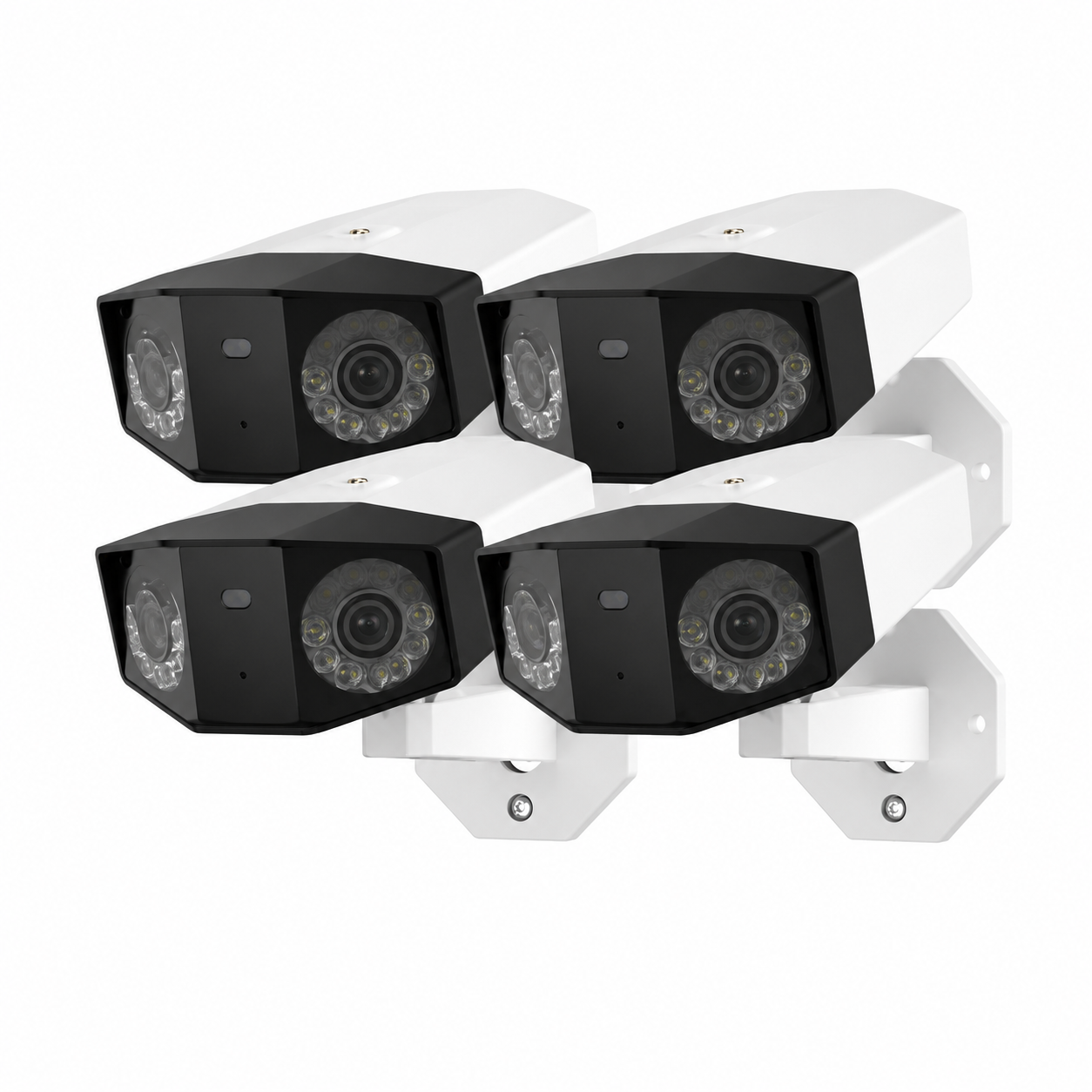
The honest answer to "should you go wireless in NYC" is: it depends on the building and on what you actually need the system to do. Wireless cameras shine in five very specific NYC scenarios, and they struggle in two others. We will tell you both, because steering you wrong is how installers earn one-star Yelp reviews.
Where wireless wins in New York: rentals where drilling and conduit work voids the lease, brownstones and townhouses where the owner does not want fished cable through plaster walls, retail buildouts on short lease terms, detached garages and rear-yard sheds with no power run, temporary construction sites, and seasonal businesses that move equipment in and out. In those cases, a battery or plug-in Wi-Fi camera installed in two hours beats a structured-cabling project that would take three days and a managing agent's blessing.
Where wireless gets harder: deep pre-war buildings with thick masonry walls between the camera and the router, multifamily lobbies where the building Wi-Fi is shared across dozens of devices, and any 16+ camera commercial deployment where 24/7 recording is non-negotiable. In those cases we usually recommend either a hybrid setup (wireless cameras with a wired base station and uplink) or a hardwired PoE system. The point is that the recommendation should match the building, not the marketing.
NYC also brings a Wi-Fi density problem that suburban installers never see. A walk-up in Bushwick can have 40 to 60 competing wireless networks in range of a single apartment. That congestion makes the 2.4 GHz band — which is what most battery cameras use — slow, lossy, and prone to dropping connections during peak hours. Part of doing this job right in New York is knowing how to channel-plan, dual-band, and bridge cameras through a base station so they actually stay online.
Fully wireless cameras with rechargeable lithium packs. Best for rentals, garages, fences, and any location with no nearby outlet. Typical battery life in NYC weather: 3 to 6 months between charges depending on event volume.
USB or barrel-jack powered cameras that send video over Wi-Fi. Ideal where there is an outlet inside 10 feet of the planned camera location — most apartment interiors, retail counters, and home offices.
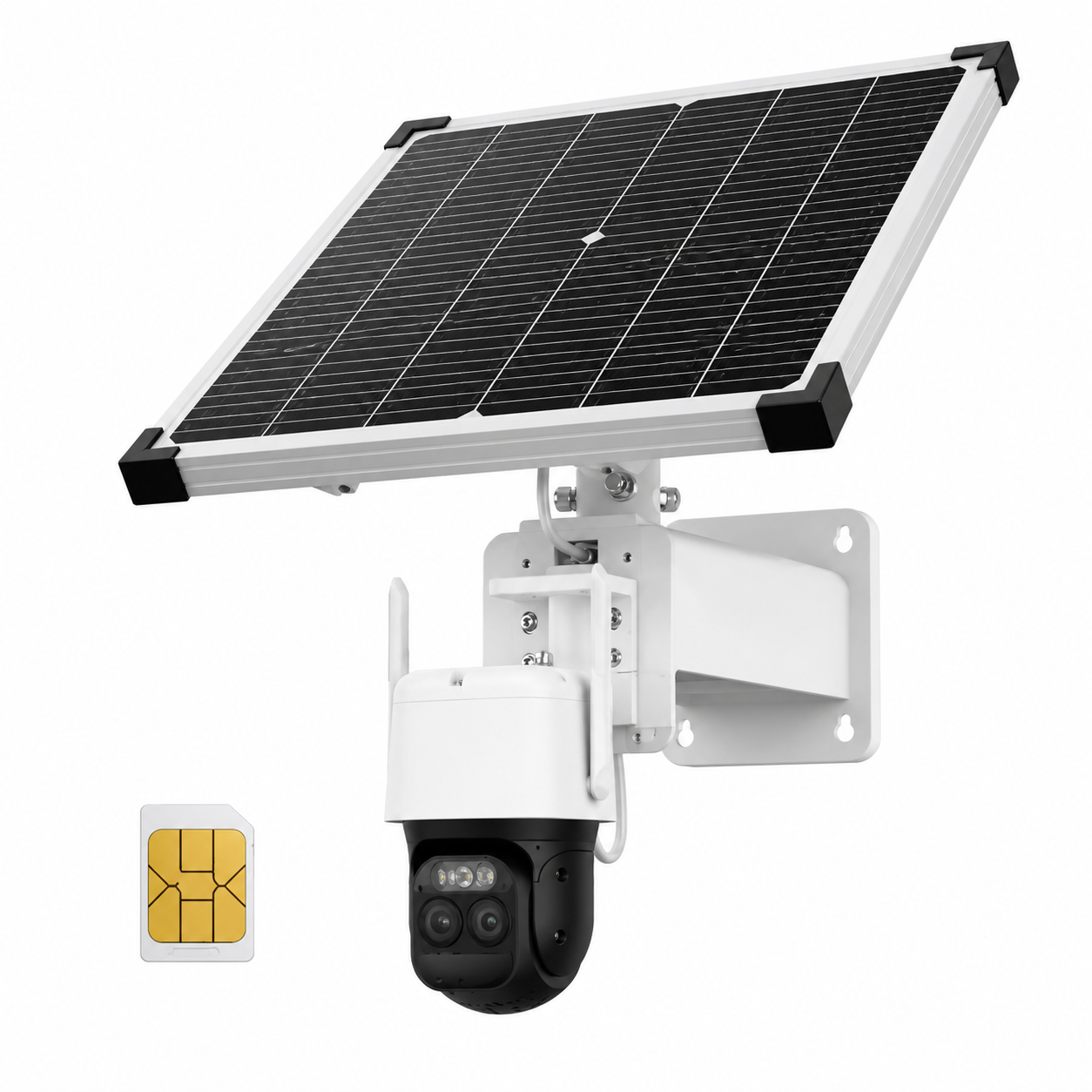
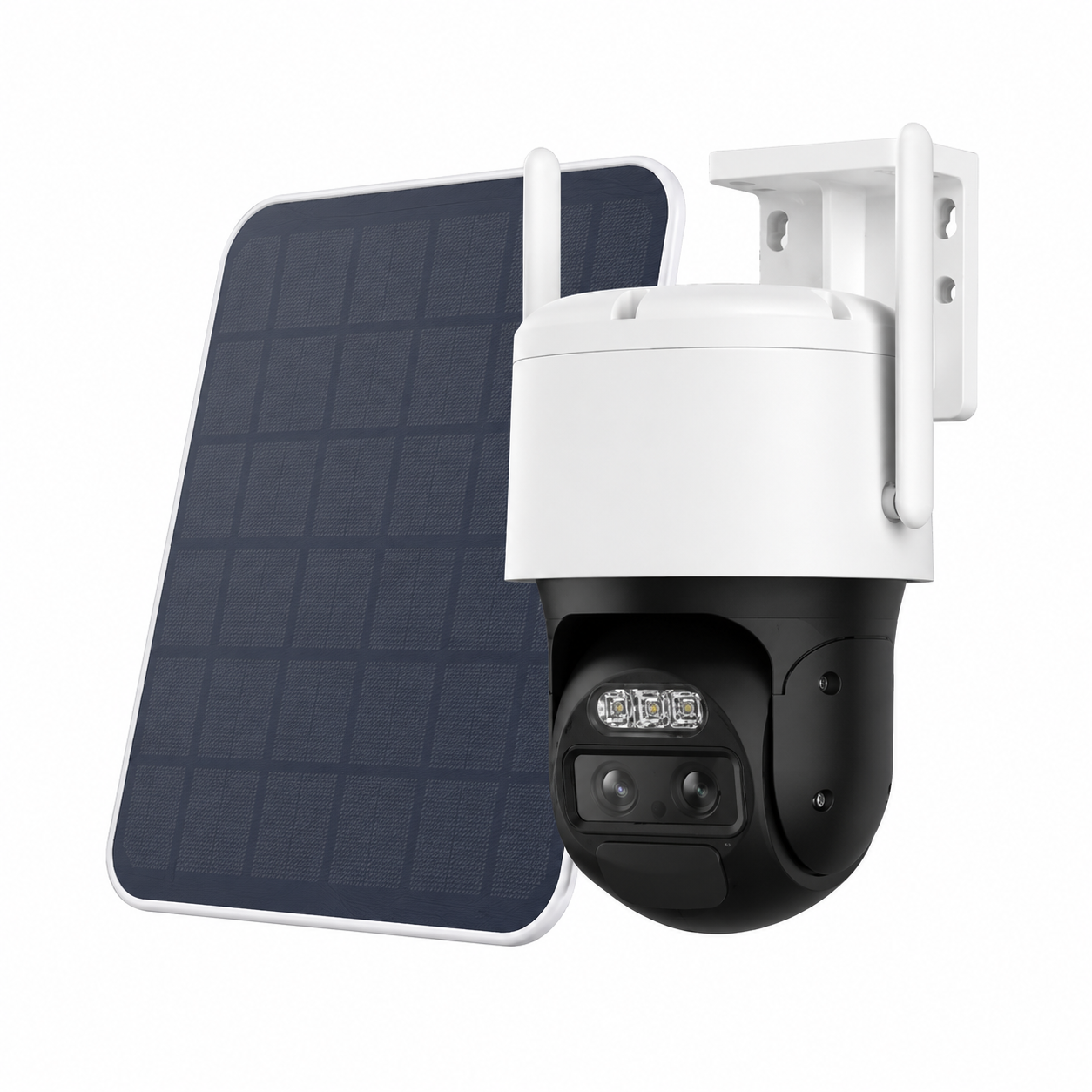
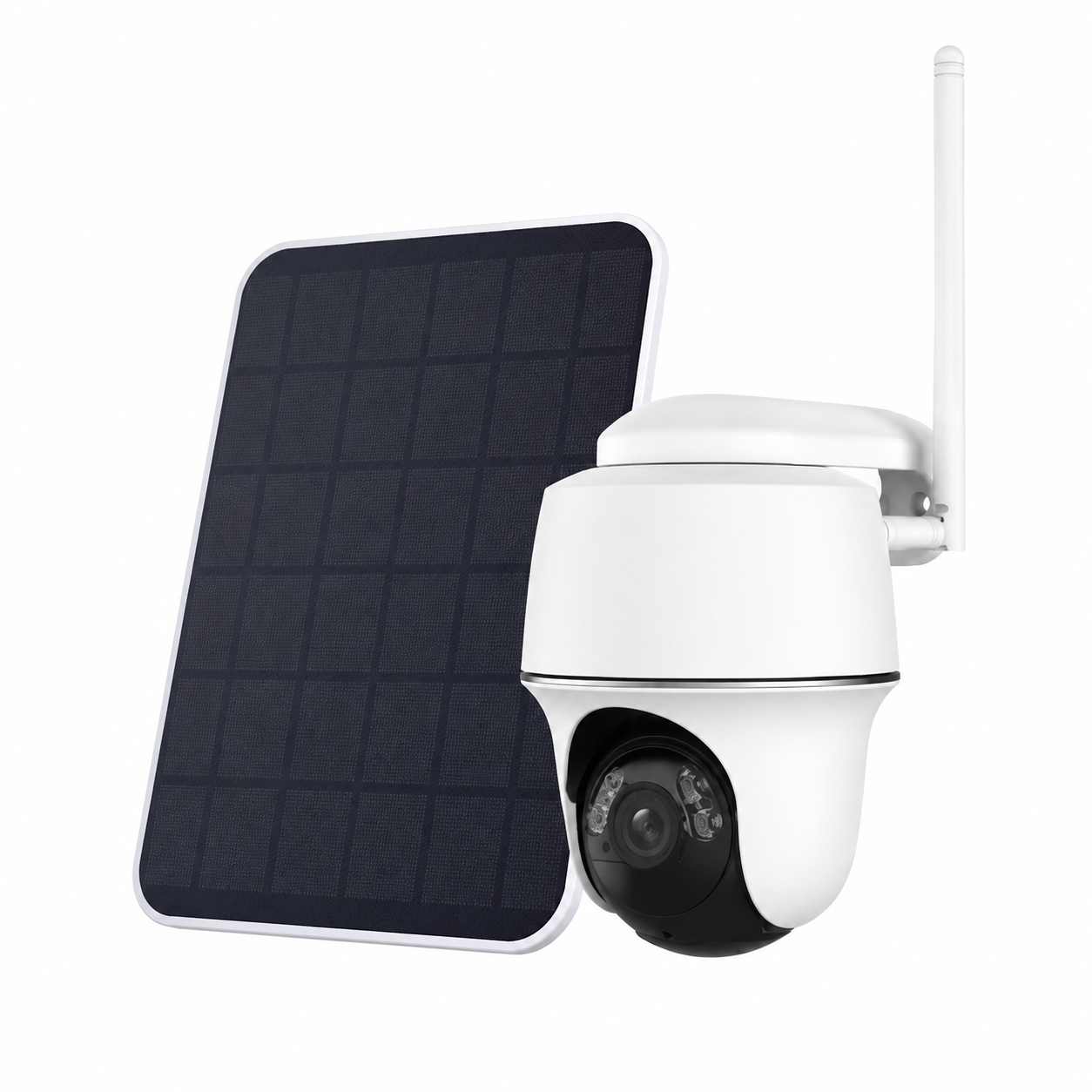
Battery cameras paired with a small solar panel for set-and-forget operation. Strong fit for South-facing brownstone facades, detached structures, and any backyard with 3+ hours of direct sun per day.
For sites with no usable Wi-Fi: construction trailers, vacant lots between tenants, dock yards. Camera uses a SIM card to upload video over cellular. Monthly data plan required.
Wired PoE cameras to the building NVR for serious 24/7 zones, plus wireless cameras for tricky spots — backyard sheds, rooftops, side alleys. The most common 2026 build for NYC commercial.
Battery and hardwired doorbell cameras for brownstone stoops, apartment doors, and co-op vestibules. Often the only camera a tenant is allowed to install without board approval.
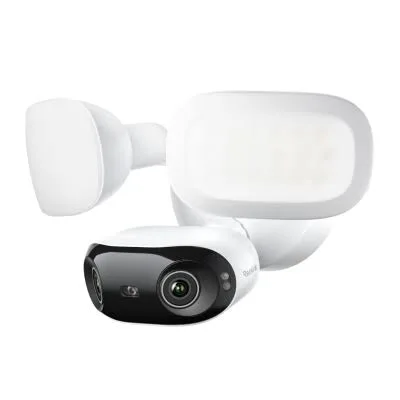
Camera + motion-activated floodlight + siren in one unit. Replaces an existing exterior light fixture, so wiring is already there. Heavy deterrent for driveways and side yards.
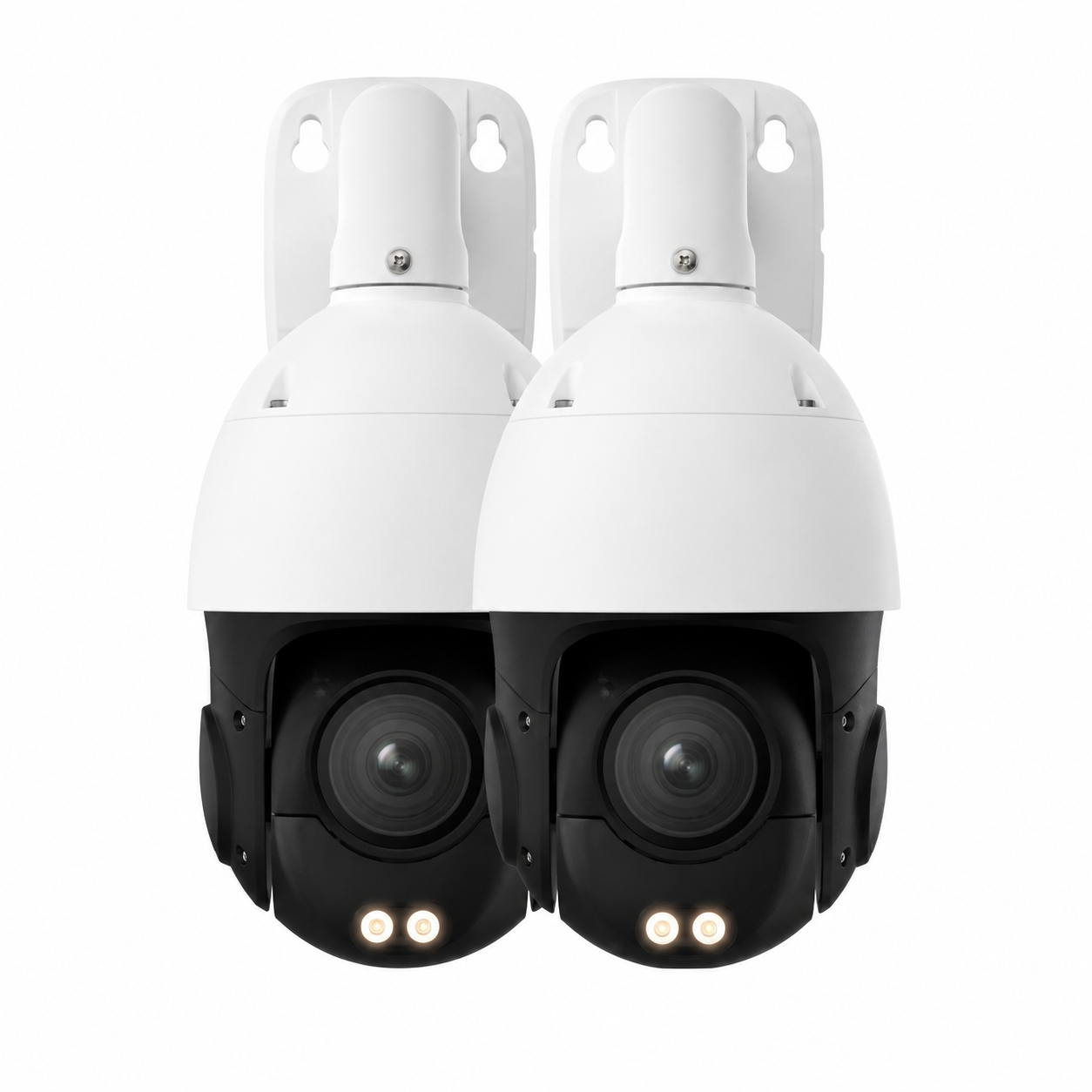
Pan-tilt-zoom cameras with auto-tracking for larger spaces. We install the wireless variants for parking lots, rear yards, and any wide single-sensor coverage zone.
Dual or quad-lens wireless cameras that stitch a 180° or 360° image. One camera replaces three at the corner of a brownstone or the back of a Bronx body shop.
Wi-Fi camera vs wireless camera. Marketing uses these interchangeably, but they are not the same. A "Wi-Fi camera" sends video data over Wi-Fi but still needs power from an outlet. A truly "wireless" camera is fully wire-free — battery powered, no data cable, no power cable. When a New York installer says "wireless," ask which one they mean.
2.4 GHz vs 5 GHz. Most battery cameras only support 2.4 GHz because it travels farther and through walls better. The trade-off: 2.4 GHz is the most congested band in NYC apartments. A dual-band router with a dedicated 2.4 GHz SSID just for cameras solves most reliability problems.
NVR vs base station vs cloud. Wired systems usually record to a Network Video Recorder (NVR) on-site. Wireless systems either record to a small "base station" or "hub" (eufy HomeBase, Arlo SmartHub, Reolink Home Hub) or to the manufacturer's cloud. Local storage is cheaper long-term, hack-resistant, and works during internet outages.
Subscription vs no-subscription. Some wireless brands (Ring, Nest, Arlo) gate AI detection, video history, and even basic motion clips behind monthly fees. Others (eufy, Reolink, Lorex, Hikvision, Dahua) record locally and charge nothing monthly. We default to subscription-free systems unless a client specifically wants the cloud feature set.
PIR vs radar motion. Passive infrared (PIR) sensors trigger on heat signatures and produce constant false alerts in NYC — passing cars, sun on a fire escape, steam from a vent. Radar motion (Arlo Pro 5, certain Ring Pro models) cuts those false alerts by 80% or more. Worth the upgrade in urban environments.
IP rating. Outdoor wireless cameras need IP65 minimum for rain and IP66 or IP67 for snow and salt spray. Anything less than IP65 belongs indoors regardless of what the box says.
We do not push one brand. The right wireless camera depends on the building, the budget, the storage preference, and whether the client wants monthly fees. Here is what we actually deploy, by category:
eufy (eufyCam S4, S330, Solo lineup), Reolink (Argus 4 Pro, Go LTE, Duo Floodlight), Lorex (4K Spotlight, Fusion line), Hikvision & Dahua wireless variants (for commercial). All record locally, all skip monthly fees.
Ring (Stick Up Cam, Spotlight Cam Pro, Floodlight Cam Pro), Arlo (Pro 5S, Ultra 3, Essential 2K XL), Google Nest (Cam Battery, Floodlight Cam). Subscription unlocks AI alerts, history, and smart zones. We install if you want the ecosystem, but you should know the recurring cost up front.
Blink (Outdoor 4, Mini 2, Video Doorbell), TP-Link Tapo (C460, C425, C675D dual-lens), Wyze (Cam Battery Pro, Cam OG). Strong choices for tenants and budget-sensitive single-camera installs.
Rhombus cloud cameras for properties that need centralized management across multiple NYC sites, Verkada alternatives for clients who liked the Verkada concept but not the contract, and Axis Companion cameras for higher-end commercial spaces.
Ring Video Doorbell Pro 2, Eufy Security Video Doorbell Dual, Aiphone wireless variants for buildings already on Aiphone intercoms, Reolink Doorbell Battery, and Nest Doorbell (battery).
We turn down jobs that ask for brands with documented security issues, no firmware update path, or AliExpress-tier knockoffs. The savings disappear the first time the camera goes offline and the manufacturer is unreachable.
Almost no NYC client buys cameras in isolation. The most common wireless camera builds we deliver pair cameras with one or more of the following:
Battery doorbell or hardwired intercom at the front, wireless cameras covering the stoop, side yard, and rear. One app, two layers of door-side visibility. Standard for brownstones across Brooklyn and Manhattan.
Cameras tied to door-open events: every time the lobby door, fob reader, or maglock fires, the corresponding camera clip is bookmarked. Most-paired add-on for commercial wireless installs. See our access control silo for what we pair with.
Motion-detected camera clips trigger the alarm panel, or the alarm panel arms the cameras to a higher recording mode. Useful for vacation homes, weekend retail, and any property that is empty overnight.
Wireless lock unlocks via the same app that streams the camera. Common build for short-term rentals, Airbnbs (where local rules permit), and rental property managers running multiple NYC units.
Our wireless camera technicians work every neighborhood across the five boroughs. Recent installs in 2025 and 2026 include properties near the following:
Common-area cameras, package theft deterrence, hallway monitoring (where legal), and individual-unit wireless cameras for tenants.
Stoop, vestibule, side alley, rear garden, and rooftop. The classic 4-to-6 camera wireless build for owner-occupied or rented brownstones.
Register area, entry/exit, stockroom, and rear loading. Wireless makes retrofits possible without closing the store for cabling work.
POS, kitchen line, back of house, dining floor, and rear exit. Wireless deployment works around health-code-protected wall surfaces.
Reception, conference rooms (signage required), server closet, after-hours entry. Tied into the same access control credentials.
Cellular wireless cameras with solar power for material theft prevention. We mobilize the same day.
Loading dock, yard, perimeter fence, and aisle coverage. Hybrid wireless + PoE for the dock office.
Sanctuary, offices, parking. Discreet wireless cameras with congregation-friendly placement and signage.
Building entry, hallways, basement, and roof access. We manage multi-property rollouts across all 5 boroughs from one quote.
Standardized wireless camera kits across portfolio buildings with centralized cloud or local-NVR monitoring.
Board-approved camera installations with signage, retention policy, and footage-access protocol. We provide the cover-letter documentation boards ask for.
Wireless cameras at entry, playground, and pickup zones. Signed FERPA-aware retention policy provided.
These 14 questions come straight from r/homedefense, r/AskNYC, r/longisland, r/homeowners, r/landlord, and our own intake conversations. Every answer is wireless-specific and NYC-specific.
For a 4-camera wireless install in a Brooklyn brownstone, expect $1,200 to $2,400 all-in (cameras, base station, mounting, configuration, app setup, walkthrough). The split is roughly half hardware, half labor. Labor sits at $150 to $300 per camera in NYC because licensed low-voltage labor runs higher than the national average and most installs include the site survey, the Wi-Fi assessment, and time to seal exterior penetrations. If you see a quote at $80 per camera for "wireless install," that installer is either unlicensed or doing 15 minutes of work and walking away.
Three to look for. First, exterior penetration sealing — some installers leave a 1/4-inch hole through your brick stem and call it done. Second, base station or hub hardware — many "per-camera" quotes leave out the $99 to $299 hub that the cameras actually talk to. Third, app setup and multi-phone access — adding a second or third household user later is sometimes billed as a return-trip service call at $195/hr with a 3-hour minimum.
Yes, with eufy, Reolink, Lorex, Hikvision, and Dahua wireless variants, you record locally and pay nothing monthly for as long as the camera works. The catch is that some brands paywall the AI features (facial recognition, package detection) behind a subscription even when basic motion recording is free. We tell you which features are free and which are not before you buy. The cameras with no monthly fee whatsoever for any feature are eufy local-only and Reolink local-only configurations.
Three checks. Ask for the New York State Department of State Security & Fire Alarm Installer License number — every legitimate NYC installer has one and will read it to you over the phone (ours is #12000287431). Ask for a certificate of insurance — co-ops and managing agents require it. Ask whether the installer will do a written site survey before quoting. The unlicensed guys skip all three and price 30 to 50% lower because they are not carrying any of those costs.
Among working NYC installers in 2026, the most-installed wireless brands are eufy (no subscription, strong local storage), Reolink (Argus 4 Pro for 4K, Go Plus for cellular), Lorex (Wi-Fi 6 4K Spotlight), and the wireless variants of Hikvision and Dahua for commercial. Ring and Arlo are everywhere in consumer reviews because of marketing budget and Amazon placement, but installers we talk to flag the recurring-subscription model and recent ownership/data-handling concerns. We install all of them — we just want you to know the trade-offs before you commit.
For a single Blink doorbell on a Tribeca apartment door, you probably should not pay anyone. But "plug-and-play" stops being accurate around camera number three, especially outdoors. Real installer value shows up in: angle and field-of-view planning so two cameras cover what would otherwise need four, channel-planning the Wi-Fi so cameras do not knock each other offline, sealing exterior penetrations correctly so you do not get water in the wall cavity, and giving you a documented map of where every camera is and how to log in. If you want help with one camera, fine, we sell that visit. If you want a system that still works in three years, the install is where the value lives.
Top five we see when fixing DIY jobs. Camera placed too high or too low — too high catches the top of heads, too low gets tampered with. All cameras on the main household Wi-Fi SSID — instead of a dedicated IoT or 2.4 GHz-only SSID, which keeps cameras stable and household browsing fast. No weatherproofing on exterior screws or cable entries. Battery cameras pointing at a busy street that triggers 200 motion events a day and drains the battery in three weeks. And no documentation — six months later, the owner does not remember the camera password, the recorder login, or how to add another phone.
Honest answer: it depends on how the install is done. On default settings, wireless cameras in a dense Bushwick or Washington Heights building will drop offline several times a day. With a dedicated 2.4 GHz SSID for cameras only, a manually chosen channel (1, 6, or 11), and a base station physically located near the cameras, the same setup runs stable for months. The fix is a planning problem, not a camera problem. If reliability is mission-critical, we recommend hybrid wireless plus PoE.
Lithium batteries lose 20 to 40% of their stated capacity below freezing. A camera the manufacturer rates for 6 months of life will hit closer to 3 months in January and February if it is exposed to the wind. We mitigate this with solar panels (south-facing, 3+ hours direct sun), with placement under an eave or overhang where possible, and with brand selection — Eufy and Arlo handle cold meaningfully better than Wyze and Blink in our field testing.
Depends on the brand. Cloud-only cameras (Ring, Nest, Arlo without local backup) stop recording entirely until the internet returns — anything that happened during the outage is gone. Cameras with local storage (eufy with HomeBase, Reolink with Home Hub, Lorex with NVR/microSD, any system on a base-station-with-storage configuration) keep recording during the outage; you just cannot view live remotely. For NYC clients in older buildings with Spectrum or Verizon outages a few times a year, we strongly recommend local storage.
Inside your unit, generally yes — under NY Real Property Law amendments, tenants can install non-damaging wireless cameras inside their own rental unit pointed at their own space. Outside your unit (doorframe, hallway, building exterior), generally no — those are common areas under the landlord or co-op board's control and you usually need written approval. A peephole-style camera that replaces the existing peephole without structural change is the lowest-friction option for most renters. We install all three configurations and can write the approval-request letter for tenants who need one.
Yes, with conditions. Common-area cameras are legal in NYC — lobby, hallway, vestibule, laundry room, stairwell. Inside individual units without tenant consent is illegal and is a Class E felony under NY Penal Law §250.45. You must post visible signage (we provide compliant signage with every commercial install), you must not enable audio recording without one-party consent, and in co-ops and condos you usually need board approval before installing in common areas. We handle the documentation package every co-op board wants to see.
Nine out of ten times it is the Wi-Fi, not the camera. Specific causes we see in NYC: weak 2.4 GHz signal at the camera location (Wi-Fi looks fine on your phone two feet from the router but loses 70% of signal by the time it reaches the back of a brownstone), channel congestion from neighboring apartments, ISP-provided router with weak roaming, and motion-event spikes that overwhelm cheap routers. A site survey with a Wi-Fi analyzer pinpoints the cause in 30 minutes. Often the fix is repositioning the router or adding a single mesh node, not replacing the cameras.
Yes, almost always. Three main causes. First, motion zones not configured — by default cameras alert on every pixel change, including sun on the wall and passing cars. Second, PIR sensitivity set to maximum — back it down to 70%. Third, the camera uses PIR-only motion detection and the location has too much heat signature movement (vents, sun-warmed metal, pets). We tune motion zones, enable on-device person detection only, and where false alerts persist we recommend a switch to radar-motion models like the Arlo Pro 5 or Ring Spotlight Cam Pro.
We pulled the most-asked questions from Google's "People also ask," "People also search for," Bing related searches, Answer The Public, and 18 months of our own intake forms. The top recurring patterns:
When you Google "wireless camera installation NYC" in 2026, the AI Overview at the top of results gives you a national-average answer dressed up with a few NYC keywords. Here is what it gets right, what it gets wrong, and what an actually-licensed NYC installer would tell you instead.
The hardware price is roughly right for consumer brands. What the AI leaves out is that licensed labor in NYC adds $150 to $300 per camera on top of hardware, that DIY in a pre-war building usually means cameras going offline within weeks because nobody Wi-Fi-channel-planned the install, and that "easy" assumes you have outlets where the cameras need to go.
Angi, HomeAdvisor, and Fixr all publish similar national averages and they are misleading specifically in dense urban markets. Angi's published $400 to $2,700 range for a four-camera system is a national figure that does not account for NYC labor costs, masonry penetrations, or co-op compliance work.
In our actual NYC pricing, a 4-camera wireless install runs $1,200 to $2,400 installed, an 8-camera build runs $2,400 to $4,800, and a 16-camera commercial install runs $5,000 to $12,000. Anything dramatically lower in our market is either unlicensed, missing line items, or both.
This is suburban advice copy-pasted into a city context. Most NYC properties do not have a driveway. Most apartments do not have a "back door." And the placement that works for a Long Island colonial fails for a Brooklyn brownstone or a Bronx walk-up.
NYC-appropriate placement is built around three principles: cover every entry point you actually have (stoop, vestibule, basement hatch, fire escape, rear yard gate), cover every interior chokepoint where movement must pass (front hall, stair landing, basement-to-first-floor), and cover any high-value sight line (garage interior, garden shed, rooftop access).
The big-box installer scripts and AI-generated guides keep recommending fixed "front-back-driveway" templates because the templates work in the suburbs where most of their training data came from. NYC needs property-specific layout planning, which is why every install we do starts with a site walk and a written placement plan.
This is wrong in New York State. The NYS Department of State requires a Security & Fire Alarm Installer License to legally install security camera systems for hire — and the license requirement applies to wireless cameras just as it does to wired. A handyman without that license is not just cheaper, they are operating illegally, and if the install causes property damage or a privacy issue your insurance carrier may use the lack of licensing to deny the claim.
The license is real and verifiable. Our number is #12000287431 and you can look it up on the NYS Department of State licensing portal. Sites like HomeAdvisor and Angi let unlicensed providers list as long as they pay for leads, which is part of why a "cheap" lead from those platforms in NYC turns into a callback nightmare so often.
If a quote sounds too good to be true in NYC, it is almost always because the labor is unlicensed, the insurance does not exist, or the certificate of insurance the installer hands the building manager is forged. Co-op boards in particular are wise to this now and require Schedule of Insurance documents directly from the carrier.
For an SMB on a national footprint, sure. For a 12-unit Bronx walk-up landlord or a Forest Hills retail strip with three tenants, the national security brands are slow, contract-locked, and significantly more expensive than a licensed local installer. ADT installation packages for commercial sites in NYC run $5,000 to $25,000 with multi-year monitoring contracts attached. Verizon Business cameras are bundled inside larger telecom contracts that the security buyer often does not control.
A local NYC installer with the same license, same insurance, and same brand catalog costs 30 to 50% less because there is no national overhead, no monitoring kickback, and no marketing budget being amortized into your install quote. The footage quality is identical. The difference is in who answers the phone when the camera goes offline.
What we tell clients: get a quote from ADT or Verizon Business as a benchmark, then get a quote from a licensed local installer, then make the call. The price difference usually decides itself.
Partly true, mostly outdated. The 2017-era talking point was that any Wi-Fi camera was hackable through default passwords and unencrypted streams. Most 2026-generation wireless cameras from Eufy, Arlo, Reolink, Lorex, Ring, and Nest use TLS encryption in transit, AES encryption at rest, mandatory password changes on first setup, and regular firmware patches.
The remaining security gap is the cloud account itself — if an attacker gets the user's password, they can access the cloud footage. The fix is straightforward: enable two-factor authentication, use a unique password not shared with email, and prefer brands with local storage so the cloud is not the only copy of your video.
The remaining wired-vs-wireless security argument applies to off-brand AliExpress cameras and to cameras nobody ever updates. It does not apply to a properly configured Eufy, Reolink, or Lorex install in 2026.
Cellular wireless cameras (Reolink Go, Arlo Go 2) are increasingly the right answer for any NYC property where the Wi-Fi is unreliable — vacant tenant turnover units, ground-floor retail with bad ISP service, garages and detached structures with no broadband, and rear yards that are out of router range. The monthly data plan adds $10 to $25 to operating cost, but for the right scenario the reliability is dramatically better than dragging Wi-Fi out a window.
The use case nobody mentions: NYC short-term rental owners who need to monitor a property between tenants without paying for permanent broadband at every unit. A single cellular wireless camera fixes that for less than the cost of a month of Spectrum.
If you have heard "cellular cameras are too expensive to run" — that was true in 2020. In 2026, with M2M data plans at $5 to $15 per month per camera, the math has changed.
True for cheap 2W panels, false for properly-sized 5W or 7W panels installed at the right pitch and direction. In NYC, a south-facing 5W solar panel angled at about 40° will keep a 4K wireless camera fully charged through December and January even with reduced sun hours, as long as event triggers are kept under 50 per day.
The mistake DIYers make is using the included 2.5W panel that ships with most consumer cameras and then mounting it on a north or east wall because it was easier. The result is exactly the unreliable winter performance the AI Overview warns about. Sizing and placement fix it, but neither is in the cookie-cutter installer marketing.
For NYC clients on long detached fences or rear properties, our default 2026 spec is a 5W solar panel with a dedicated mount, separate from the camera, oriented for maximum winter sun. It costs $100 to $150 more than the box and eliminates the winter-charging service call.
Licensed NYC installer. Site walk before any quote. No contracts, no monthly fees on most systems.
| Factor | DIY | Abstract Enterprises (Pro) |
|---|---|---|
| Hardware cost | $80–$350/camera | $80–$350/camera (same) |
| Labor cost | $0 (your time) | $150–$300/camera |
| NYS license | None | NYS #12000287431 |
| Site survey & Wi-Fi assessment | Usually skipped | Included before quote |
| Camera placement plan | Best guess | Written, blind-spot-checked |
| Weatherproof exterior penetrations | Hit or miss | Sealed with weatherproof boots |
| 2.4 GHz / 5 GHz channel planning | None | Analyzer-based plan |
| Multi-phone app access | Set up yourself later | Set up on the day |
| Co-op / board paperwork | You handle | We provide |
| Warranty | Manufacturer only | 3-year warranty on AESS-supplied products |
| Honest answer: 1-camera doorbell | DIY makes sense | We'll install if you want |
Default brands record locally. You own the footage and pay nothing recurring.
NYS Security & Fire Alarm Installer License #12000287431. Verifiable. Insured.
Brooklyn, Manhattan, Queens, Bronx, and Staten Island — same crew, same standards.
We see the property before we price it. Real numbers, no surprises.
Adhesive plates, peephole-style cams, and lease-safe installs we can document.
Brownstones, walk-ups, and concrete high-rises. We know what the wall is made of before we touch it.
Pure wireless where it makes sense, wired where reliability matters, both together when needed.
Board cover letters, COIs, retention policies, and signage. The package boards expect.
If your existing wireless system is broken, we usually fix it the same day. Most NYC areas, 1–2 hour response.
Illustrative planning scenario — a typical wireless camera project of this type begins with an on-site assessment, then a written scope and fixed quote, and finishes with professional installation completed to code. Hypothetical planning example — not a customer account, completed AESS project, verified review, or promised result.
— R.K., Park Slope homeowner
Illustrative example — for work like this, a typical wireless camera job involves diagnosing the existing setup, confirming what can be repaired versus replaced, and completing the work the same day where parts allow. Hypothetical planning example — not a customer account, completed AESS project, verified review, or promised result.
— M.A., Astoria retailer
Illustrative configuration — a representative wireless camera engagement may include a site walk, equipment selection matched to the property, clean cabling, and a walkthrough of the finished system. Hypothetical planning example — not a customer account, completed AESS project, verified review, or promised result.
— J.P., Upper East Side tenant
Illustrative planning scenario — a typical wireless camera project of this type begins with an on-site assessment, then a written scope and fixed quote, and finishes with professional installation completed to code. Hypothetical planning example — not a customer account, completed AESS project, verified review, or promised result.
— D.S., Riverdale co-op board treasurer
Illustrative example — for work like this, a typical wireless camera job involves diagnosing the existing setup, confirming what can be repaired versus replaced, and completing the work the same day where parts allow. Hypothetical planning example — not a customer account, completed AESS project, verified review, or promised result.
— L.M., Hunts Point operations manager
Illustrative configuration — a representative wireless camera engagement may include a site walk, equipment selection matched to the property, clean cabling, and a walkthrough of the finished system. Hypothetical planning example — not a customer account, completed AESS project, verified review, or promised result.
— A.V., Tottenville homeowner
Camera offline, app not connecting, hub dead, footage gone? Most NYC repairs fixed same-day, 1–2 hours on site.
📞 Call (347) 934-8335 — Emergency RepairWe install every major wireless camera brand a NYC client asks for, including eufy, Reolink, Lorex, Ring, Arlo, Nest, Blink, TP-Link Tapo, Wyze, and the wireless variants of Hikvision and Dahua. We do not install no-name AliExpress imports that have no firmware update path. If you have already bought a camera and want it installed, bring it — bring-your-own-equipment is fine.
Yes, this is our default. eufy, Reolink, Lorex, and Hikvision/Dahua wireless variants all record locally and require no subscription for basic recording, motion alerts, or remote viewing. You only pay monthly if you choose a brand that gates AI features behind a subscription (Ring, Nest, Arlo).
A 1-camera doorbell or single interior wireless camera takes 30 to 90 minutes including app setup. A 4-camera residential install runs 3 to 5 hours. An 8-camera install runs a full day. Commercial 16+ camera installs run 2 to 3 days. We try to finish in one visit whenever possible.
Yes, with the right setup. Pre-war walls block 2.4 GHz signal more than modern construction does, so we plan for it: base station placement near the cameras, mesh node or repeater where needed, and 5 GHz dual-band where the camera supports it. Reolink, Eufy, and Lorex have the strongest signal performance in brownstone environments.
For most commercial applications, yes — when the install is done right. For 24/7 mission-critical recording on more than 16 cameras, we recommend hybrid wireless + PoE rather than pure wireless. Wireless is reliable for perimeter, secondary coverage, and any spot where running cable is impractical.
Inside your own unit, almost always yes — under NY Real Property Law tenants can install non-damaging interior cameras. Outside your unit and in common areas, you usually need written approval. We provide the cover-letter documentation, the COI, and the retention policy that boards expect to see.
Yes. We use industrial adhesive mounting plates rated for 2 to 5 lbs (more than any consumer wireless camera weighs), peephole-style camera adapters, and tension-mount window/door brackets. For renters, this is the standard install method.
One year on installation labor. Manufacturer warranty on hardware varies by brand — typically 1 year for consumer brands and 2 to 3 years for commercial-grade. Tampering, modification, or unauthorized service voids the warranty.
Yes, regularly. We size the solar panel to the camera and to NYC winter sun conditions — most consumer-included 2.5W panels are undersized for serious year-round operation, and we upgrade to 5W or 7W panels on most jobs. South-facing placement is critical.
Often yes, depending on what you have. We integrate wireless cameras with most major alarm panels (Honeywell, DSC, Bosch, Qolsys, 2GIG), with most video intercom systems (Aiphone, Comelit, Doorbird, BAS-IP), and with major access control platforms (Kisi, Brivo, HID Mobile, Genea). We tell you up front if your existing system is the rare one that does not integrate cleanly.
Most modern wireless cameras have microphones and can record audio, but New York is a one-party consent state under Penal Law §250.05. That means audio recording is legal only when at least one person being recorded knows about it. In practice, we default to audio-disabled on exterior and common-area cameras to avoid eavesdropping liability, and we leave audio on for interior cameras inside the owner's unit and for video doorbells where the visitor is plainly being recorded by a device built to record. Co-op and commercial installs require posted signage either way.
If you are installing for yourself on your own property, no — but the legal limits on placement (no recording inside other people's units, no audio without one-party consent, etc.) still apply. If you are hiring someone to install for you, they must hold the NYS Department of State Security & Fire Alarm Installer License. Unlicensed installers cannot legally take payment for this work in New York.
Talk to a real licensed technician — not a call center, not a chatbot.
Abstract Enterprises serves every neighborhood in all five boroughs. Recent wireless camera installs in 2025–2026 by area:
Bay Ridge, Bedford-Stuyvesant, Bensonhurst, Boerum Hill, Brownsville, Bushwick, Canarsie, Carroll Gardens, Cobble Hill, Crown Heights, DUMBO, East Flatbush, East New York, Flatbush, Fort Greene, Gowanus, Greenpoint, Marine Park, Midwood, Park Slope, Prospect Heights, Red Hook, Sheepshead Bay, Sunset Park, Williamsburg, Windsor Terrace.
Battery Park City, Chelsea, Chinatown, East Village, Financial District, Greenwich Village, Hamilton Heights, Harlem, Hell's Kitchen, Inwood, Little Italy, Lower East Side, Midtown East/West, Morningside Heights, Murray Hill, NoHo, SoHo, Tribeca, Upper East Side, Upper West Side, Washington Heights, West Village.
Astoria, Bayside, Corona, Elmhurst, Far Rockaway, Flushing, Forest Hills, Fresh Meadows, Glendale, Howard Beach, Jackson Heights, Jamaica, Kew Gardens, Long Island City, Maspeth, Middle Village, Ozone Park, Rego Park, Richmond Hill, Ridgewood, Sunnyside, Woodhaven, Woodside.
Belmont, Bronxdale, Castle Hill, City Island, Co-op City, Concourse, Country Club, Eastchester, Fordham, Highbridge, Hunts Point, Kingsbridge, Morrisania, Mott Haven, Norwood, Parkchester, Pelham Bay, Riverdale, Soundview, Throgs Neck, Tremont, University Heights, Wakefield, Williamsbridge.
Annadale, Arden Heights, Arrochar, Bulls Head, Castleton Corners, Dongan Hills, Eltingville, Grasmere, Great Kills, Grymes Hill, Huguenot, Mariners Harbor, New Brighton, New Dorp, New Springville, Oakwood, Port Richmond, Prince's Bay, Rosebank, St. George, Stapleton, Tottenville, Tompkinsville, West Brighton, Willowbrook.
Brooklyn HQ: 1282 Troy Ave, Brooklyn, NY 11203
Bronx office: 460 E Fordham Rd, Bronx, NY
Primary line: (347) 934-8335
Hours: Mon–Sat. Emergency response available outside hours.
| Factor | Abstract Enterprises | ADT | Ring/Amazon Pro Install | SimpliSafe Pro Install | Vivint |
|---|---|---|---|---|---|
| Licensed NYS installer on-site | Yes (#12000287431) | Yes (varies by contractor) | Yes (third-party) | Yes (third-party) | Yes |
| Long-term monitoring contract | None required | 36 to 60 months | Month-to-month | Month-to-month | 42 to 60 months |
| Mandatory monthly subscription | No | $45–$80/mo | $10–$20/mo for Pro features | $22–$35/mo | $30–$50/mo |
| Hardware brand flexibility | Any major brand | Proprietary mostly | Ring only | SimpliSafe only | Vivint only |
| Hardware ownership at end | Yours, day one | Yes | Yes | Yes | Often financed |
| NYC co-op / condo paperwork | Included | Available on request | Not included | Not included | Available on request |
| Same-day repair on existing systems | Yes | Scheduled | Scheduled | Self-service | Scheduled |
| Local NYC technicians | Brooklyn + Bronx based | Routed nationally | Contractor network | Contractor network | Routed regionally |
Real NYC installed-price ranges. Includes hardware, licensed labor, mounting, configuration, app setup, and walkthrough. Excludes ongoing cloud subscription if you choose a subscription-required brand.
| Build | Use case | Installed price range |
|---|---|---|
| 1-camera doorbell only | Apartment door, single entry | $350–$650 |
| 2-camera wireless | Studio/1BR, single entry + interior | $650–$1,200 |
| 4-camera wireless | Brownstone, small retail, 2BR | $1,200–$2,400 |
| 6-camera wireless | Townhouse, mid-size retail, restaurant | $1,800–$3,400 |
| 8-camera wireless | Larger home, multi-unit perimeter, office | $2,400–$4,800 |
| 16-camera hybrid (wireless + PoE) | Warehouse, multi-floor commercial, apartment building | $5,000–$10,000 |
| 32-camera commercial wireless/PoE | Large commercial, multi-property landlord | $10,000–$20,000 |
| Add: solar panel per camera | For battery cams, NYC winter sized | +$150–$300 each |
| Add: cellular LTE module | For no-Wi-Fi sites | +$200 + monthly data plan |
| Add: base station / hub | Local storage, no-subscription | +$99–$299 |
| Specialty service rate (post-install) | Service calls, callbacks, additions | $195/hr, 3-hr minimum |
Final pricing depends on building type (pre-war/post-war/concrete), camera mounting surface (brick, vinyl siding, stucco, drywall), whether conduit or board approval is required, and whether the install is during business hours, after-hours, or weekend. We give you the number after the site walk, not before.
Vs ADT. ADT pushes a 36 to 60 month monitoring contract that locks you into recurring fees of $45 to $80 per month for years. Our wireless camera install is a one-time cost with no contract and no required monitoring. For a 4-camera build, ADT's 36-month total cost is typically $3,000 to $4,500 higher than ours.
Vs Ring (Amazon-managed pro install). Ring's pro install is a third-party contractor network that varies in licensing and quality. Their hardware is locked to Ring-only and gates most useful features behind Ring Protect at $10 to $20 per month. We install Ring if you want it, but we usually steer NYC clients toward eufy or Reolink for the local storage and zero-subscription model — same image quality, no monthly bill.
Vs SimpliSafe pro install. SimpliSafe is genuinely easy hardware. The trade-off is the camera lineup is limited and outdoor performance is weaker than Eufy, Arlo, or Reolink in our field testing. For 1 to 3 cameras on an interior-only apartment, fine. For brownstones, retail, or commercial, the SimpliSafe wireless lineup is undersized.
The honest summary. ADT, Ring, and SimpliSafe sell a packaged ecosystem and a subscription. We sell a one-time licensed install of whichever wireless camera platform best fits your building, with no monthly fee unless you specifically want one. Most NYC clients save $1,500 to $4,000 over three years going this route, with equivalent or better image quality.
From Anwar — actual NYC wireless install jobs. Things you only learn after a few hundred of them.
Pre-war brick eats 2.4 GHz signal harder than people expect. A camera 25 feet from the router in a 1925 Crown Heights walk-up will see half the signal that the same camera sees in a 2015 Long Island City new-build. The fix is almost never "more powerful camera" — it is router or mesh node repositioning. We carry a Wi-Fi analyzer on every install for exactly this.
The most common DIY failure we get called to fix in NYC: someone installed eight wireless cameras on a single $79 Amazon mesh router and one camera knocks the next one offline every time motion fires. A $25 unmanaged switch and a dedicated camera SSID solves it. We do this for free as part of any install where we see the symptom.
Battery cameras on the front of a building facing Atlantic Avenue, Queens Boulevard, or Fordham Road will drain in 2 to 3 weeks because every passing truck triggers motion. Either move the camera to a side angle, switch to plug-in, or set motion zones aggressively. Manufacturers do not warn buyers about this in NYC traffic-density environments — they should.
Doorbell cameras in NYC apartment buildings: peephole-style adapters are the renter-safe answer. The peephole is already a building-approved penetration; replacing the lens with a peephole camera does not modify the door. We install dozens of these on the Upper East Side, Murray Hill, and Park Slope.
The single best wireless camera for NYC outdoor in 2026, across all the brands we install and serviced: Reolink Argus 4 Pro for residential, Eufy S4 for premium residential, Lorex 4K Spotlight Wi-Fi 6 for entry-level commercial. None of those three require a subscription. We pick based on the building and what the client wants on their phone.
Most clients pair wireless cameras with one or more of the following. Click any service to see our hub page.
Brooklyn brownstones, Manhattan apartment vestibules, Queens single-families — Amazon and food delivery packages disappear from front entries every day. A doorbell camera plus one wireless stoop camera resolves about 90% of these cases on footage alone.
Illegal mattress and bulk trash dumping on side streets and in alleyways behind brownstones. Wireless cameras with motion-triggered recording and a posted notice cut this dramatically.
Multi-unit buildings with package rooms see internal-resident theft as well as outsider theft. Wireless cameras in the package room, paired with access logs, identify the pattern quickly.
Copper, wire, tools — gone overnight when site security is one chain-link gate. Cellular wireless cameras with solar power are deployed in hours, no permanent power needed.
Bodegas, salons, smoke shops, and small retail across the city. Wireless cameras at register, entry, and stockroom plus signage. Most install in one day.
Brownstones with garden access through side alleys. Wireless cameras at the gate and back door, with two-way talk for deterrent. Often paired with floodlight cameras.
Kitchen, prep area, walk-in, and rear exit. Wireless install avoids closing the restaurant for cabling work and captures liability/incident footage when needed.
Owners managing multiple NYC units need to see whether tenants have left, whether the unit is being abused, and whether the next cleaning is needed. Hallway-only cameras plus retention policy plus signage = legal and effective.
Wireless cameras are most often paired with access control for tracking who came in and when, with video intercom for verifying who is at the door before buzzing them in, and with alarm systems for active intrusion detection on top of the passive camera record. Ask about combo pricing during your quote.
App not loading, cameras offline, hub flashing red, footage missing? Most NYC areas fixed in 1–2 hours, same-day.
📞 Call (347) 934-8335 — Same-Day Emergency ServiceFive-borough coverage. NYS #12000287431. No contracts, no monthly fees on most systems.
📞 (347) 934-8335Free on-site assessment anywhere in NYC, Long Island, or Hudson Valley. Custom wireless system design for your property — apartment, brownstone, co-op, retail, commercial. Professional installation. No monthly fees on most systems.
Illustrative planning scenario — a typical wireless camera project of this type begins with an on-site assessment, then a written scope and fixed quote, and finishes with professional installation completed to code. Hypothetical planning example — not a customer account, completed AESS project, verified review, or promised result.
Illustrative example — for work like this, a typical wireless camera job involves diagnosing the existing setup, confirming what can be repaired versus replaced, and completing the work the same day where parts allow. Hypothetical planning example — not a customer account, completed AESS project, verified review, or promised result.
Illustrative configuration — a representative wireless camera engagement may include a site walk, equipment selection matched to the property, clean cabling, and a walkthrough of the finished system. Hypothetical planning example — not a customer account, completed AESS project, verified review, or promised result.
Illustrative planning scenario — a typical wireless camera project of this type begins with an on-site assessment, then a written scope and fixed quote, and finishes with professional installation completed to code. Hypothetical planning example — not a customer account, completed AESS project, verified review, or promised result.
Loading…
… · Sales tax + final scope confirmed at checkout