What are you looking for?
About Us Contact Us Careers Get a Free Quote (347) 934-8335
Pick a service
✅ Got Your Own System?
🎬 Home TheatreQuote 🎶 AV SoundQuote 🔑 Access ControlQuote
Now pick your area
Pick your area
Long Island
Hudson Valley
Services available
Pricing & Tools
Pick a service for pricing
🚪 Intercom Pricing 🔔 Buzzer Repair Pricing
Calculators
📹 Camera System Calculator 🚨 Alarm Calculator ⚡ Cabling Quote Builder ✅ Got Your Own System?
Select your area
App Support & Repair · All NYC & Hudson Valley · NYS Lic #12000287431

What Camera App
Do I Have?

Hik-Connect · Guarding Vision · DMSS · XMEye · ICSee · SuperLive Plus — These Are Apps, Not Brands

If you call your cameras “SuperLive Plus,” “Guarding Vision,” or “XMEye,” you’re naming the app, not the camera. That’s completely normal — most homeowners do. This page tells you what brand of cameras and recorder you actually have based on the app you use, and what to do when the app shows “device offline,” won’t connect, or won’t play video. We repair the app, the recorder, the network, and the cameras across NYC, Long Island, and the Hudson Valley — including systems someone else installed.
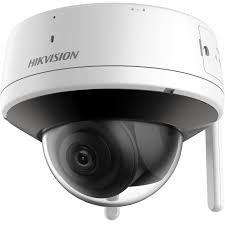
Security camera app support and repair NYC Hik-Connect DMSS XMEye SuperLive Plus
App Not Working? Get Help
We'll call you back within the hour
Request Sent!
We'll call you back within the hour.
✓ Licensed NYS #12000287431 ✓ We fix systems we didn’t install ✓ Most issues fixed in one visit
📞 Call Now ⚡ Get Help
App vs Brand

The App Name Is Usually Not the Camera Brand

When people call us about a problem, they almost always describe their system by the app on their phone: “my SuperLive Plus cameras,” “my Guarding Vision system,” “the XMEye ones.” Those aren’t camera brands — they’re the free mobile apps used to view the cameras remotely. The actual hardware is a recorder (NVR or DVR) and cameras made by a manufacturer, and one app is often used by dozens of different brands and white-label recorders.

That matters when something breaks. “Device offline” in the app could be a network problem, a recorder problem, a camera problem, or a dead cloud server — and which one it is depends on the actual hardware, not the app. The table below maps the common apps to the brands they usually belong to, so you can figure out what you really have. Then pick your app below for the specific fixes.

App → Brand Identifier

What Cameras Do You Actually Have?

Find the app you use on your phone. The middle column is the brand it usually means; the right column is the page with specific fixes.

App on your phoneCameras / recorder it usually meansGet help
Hik-ConnectHikvision (and many Hikvision OEM/white-label units)Hik-Connect support →
Guarding VisionHikvision OEM (the OEM/dealer version of Hik-Connect)Guarding Vision support →
DMSS / gDMSS / iDMSSDahua (and Dahua OEM units)DMSS support →
EZViewDahua-family OEM recorders and camerasEZView support →
SuperLive PlusTVT and TVT-based OEM recorders (many generic brands)SuperLive Plus support →
SuperCam PlusTVT-family OEM systems (close cousin of SuperLive Plus)SuperLive / SuperCam →
XMEyeXiongmai-based generic Chinese DVRs/NVRs (huge number of no-name brands)XMEye support →
ICSee / iCSeeXiongmai-based Wi-Fi cameras and budget systemsICSee support →

Note: app-to-brand mapping is a strong guide, not a guarantee — OEM and white-label systems blur the lines. The surest way to know what you have is to read the brand and model off the recorder, or send us a photo.

Identify It Yourself

How to Tell What You Really Have in 2 Minutes

📼

Read the Recorder

The box your cameras plug into (the NVR or DVR) usually has a brand and model on a sticker on top or the back. That’s your real manufacturer — not the app.

📱

Check the App’s Settings

In the app, the device’s info or “about” screen often lists a model number or serial that identifies the hardware family.

📸

Send Us a Photo

Snap the recorder’s label and the app’s error screen and text them over — we’ll tell you the brand and the likely fix before anyone comes out.

🔧 App Says “Device Offline”? We Fix That

Whatever app you use — Hik-Connect, DMSS, XMEye, SuperLive Plus, ICSee — if it shows device offline, won’t connect, won’t play video, or you’re locked out, we diagnose the recorder, network, cameras, and remote-viewing setup across NYC, Long Island, and the Hudson Valley. Most issues fixed in one visit, including systems another company installed.

Get It Fixed →
Common App Problems

The Errors People Search Most — and What They Mean

“Device offline” in the app

The most common one. It means your phone app can’t reach the recorder — usually a network change (new router, new internet provider, changed Wi-Fi password), a recorder that lost power or its connection, or a cloud/P2P server issue. The app itself is rarely the problem; the recorder’s link to the internet usually is. We trace it end to end.

App won’t connect / endless loading

Often a P2P/cloud registration that dropped, an expired or changed device password, or a recorder that needs a firmware update to keep talking to the app’s servers. On budget systems it can also mean the manufacturer’s cloud service changed or shut down — which we’ll tell you honestly.

Can’t see video / black screen

The app connects but shows no image. Usually a camera fault, a bad cable run, a stream/substream setting, or storage/recorder trouble — not the app. We check the cameras and recorder directly.

Forgot password / locked out

Lost the recorder or app password and can’t get in. Recovery depends on the brand and firmware — some allow a verified reset, others need on-site work. We handle password recovery on Hikvision, Dahua, and most OEM recorders.

New phone — can’t re-add the cameras

You switched phones and can’t get the system back into the app. This is usually a quick fix — re-adding the device by serial/QR or recovering the account — and often something we can walk you through or do remotely.

The Honest Part

When the App Can’t Be Fixed

Sometimes the honest answer is that the app can’t be saved. Many bargain systems — the kind that use XMEye, ICSee, or some SuperLive Plus recorders — run on cheap hardware with firmware the maker abandoned, or on cloud servers that get shut down without notice. When that happens, no amount of troubleshooting brings remote viewing back, because there’s nothing on the other end to connect to.

In those cases we’ll tell you straight: the fix isn’t a repair, it’s a replacement — usually a modern Hikvision or Dahua recorder that often reuses your existing cameras and cabling, so the upgrade costs less than a full new system. We’d rather tell you that than charge you to chase a dead server. See our camera repair service →

Not sure what you have? We’ll figure it out.

Send a photo of your recorder and the app error — we’ll identify the brand and the fix.

App Support Directory

Pick Your App for Specific Fixes

FAQ

Camera App Questions — Answered

Is Hik-Connect a camera brand?

No — Hik-Connect is Hikvision’s free mobile app for viewing cameras remotely. Your cameras and recorder are Hikvision (or a Hikvision OEM). The app is just how you watch them on your phone.

What cameras use SuperLive Plus?

SuperLive Plus is the app for TVT and TVT-based OEM recorders, which are sold under many generic and no-name brands. The app name doesn’t tell you the brand — the recorder’s label does.

What’s the difference between Guarding Vision and Hik-Connect?

They’re essentially the same Hikvision platform — Guarding Vision is the OEM/dealer-branded version. If you have Guarding Vision, you almost certainly have Hikvision OEM hardware.

My XMEye/ICSee app won’t connect — can you fix it?

Often yes — but these run on budget Xiongmai-based hardware, and sometimes the issue is a cloud server that’s been shut down, which can’t be repaired. We’ll diagnose it and tell you honestly whether it’s a fix or a replacement.

Do you fix systems you didn’t install?

Yes — the majority of app and recorder repairs we do are on systems another company or the previous owner installed.

What areas do you cover?

All five NYC boroughs, Long Island (Nassau & Suffolk), and the Hudson Valley. Call (347) 934-8335 or send a photo of your recorder and app error.

Get Help

Get Your Camera App Working Again

Tell us the app and the problem. We’ll call you back within the hour — no obligation.

Request Sent!
We'll call you back within the hour.

Camera App Support & Repair Across NYC & the Hudson Valley

Hik-Connect, Guarding Vision, DMSS, EZView, SuperLive Plus, SuperCam Plus, XMEye, ICSee — whatever app you use, we identify the real hardware and fix the app, recorder, network, and cameras. Licensed, insured, honest when it’s a replacement instead of a repair.

Freshness: Updated May 2026 · NYS Lic #12000287431 · Camera app support hub

Packages