Offline · Won’t Connect · No Video · Login & Playback Issues — Support & Repair Across Orange County
If you opened DMSS to check your cameras and got a spinning circle, a “device offline” banner, a frozen live view, or a login it won’t accept, you’re in the right place. DMSS is Dahua’s own surveillance app — the “Digital Mobile Surveillance System” — so behind it is Dahua hardware: a Dahua NVR, DVR, or XVR and Dahua cameras. That matters, because Dahua gear is well-documented and highly repairable; most DMSS complaints trace back to the recorder, the network, a lapsed password, or aging firmware rather than the cameras themselves. We diagnose and fix all of it — app, recorder, network, and cameras — across Orange County — from the cities of Newburgh, Middletown, and Port Jervis to the towns of Warwick, Goshen, Monroe, and Montgomery and the rural farms beyond — including systems another company or a previous owner set up.
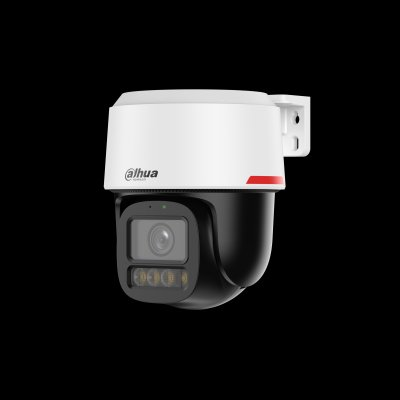
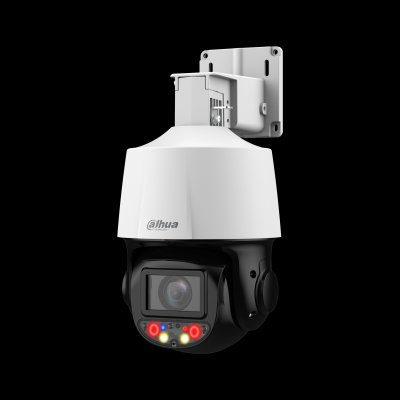
If you’re searching for “DMSS cameras,” “DMSS camera setup,” or a “DMSS security camera,” here’s the key thing: there is no such thing as a DMSS-brand camera. DMSS is the free mobile app made by Dahua to view their cameras remotely on a phone or tablet — the name stands for Digital Mobile Surveillance System. So if you use DMSS, the cameras and recorder behind it are Dahua hardware (an NVR, DVR, or XVR with Dahua IP or HDCVI cameras). It’s the same platform as Guarding Vision (the OEM/dealer-branded version), so the two apps behave almost identically and the fixes are the same.
That’s good news when something breaks. Dahua is the most widely-installed camera brand in the world, its hardware is thoroughly documented, and most DMSS problems — device offline, can’t connect, no video, login trouble — have a clear cause and a clear fix. Below we walk through every common issue by symptom, exactly the way you’d search for it, so you can see what’s wrong and what it takes to fix it.
Tell us what the app shows and where you are — we diagnose the recorder, network, cameras, and DMSS setup anywhere in Orange County. Most issues fixed in one visit; some remotely. Including systems another company installed.


Send a photo of your recorder and the app error — we’ll tell you the fix before anyone comes out.
DMSS is made by Dahua for Dahua hardware, so if you use it you have Dahua cameras and a Dahua recorder. Guarding Vision is the OEM/dealer-branded version of the same app — same platform, same P2P cloud, same fixes — so if you searched “Dahua app not working” or “Dahua remote viewing app problems” and landed here, you’re in the right place. See our Guarding Vision support page if that’s the app you actually use.
Because it’s Dahua underneath, your system is very repairable. If you’re also thinking about upgrading or expanding, see our Dahua camera repair service; we can often reuse your existing cameras and cabling with a new recorder, and we cover Dahua across Orange County and the wider region.
Searching “who fixes DMSS camera systems” or “DMSS repair company near me” turns up a lot of national call centers and lead brokers. We’re a licensed New York low-voltage contractor (NYS #12000287431) that does the work ourselves — the same technicians who install Dahua systems repair DMSS setups every week.
NYS #12000287431 — a real local contractor, not a call center or lead broker.
Dahua hardware is our daily work — app, recorder, network, and cameras.
Most repairs we do are on systems set up by another company or a previous owner.
Tell us the symptom or send a photo — we’ll give a likely cause and price before anyone comes out.
Newburgh, Middletown, Port Jervis, Warwick, Goshen, Monroe, Montgomery & Chester.
If a repair isn’t worth it, we’ll tell you — and an upgrade often reuses your cameras.
Search a DMSS error and you’ll get forum threads, generic “restart the app” advice, and lead-broker sites. Here’s the straight version.
Deleting and reinstalling DMSS is the top suggestion on every forum, and for one narrow bug — a phone that loses notifications until you log out and back in — it buys you a day. But device-offline, no live view, dead playback, and lockouts all live on the recorder and the network, not in the app. Reinstalling does nothing for those. The actual fix is checking the recorder’s P2P status, its internet path, its storage, and its credentials — which is why the generic advice keeps failing the people posting it.
This is the single most misread error. DMSS reaches your system through Dahua’s P2P cloud; when the recorder can’t register with that cloud — after a router swap, a provider change, or a P2P toggle someone flipped off — the app shows everything offline even though the cameras are still recording to the hard drive the entire time. Restore the recorder’s connection and the feeds reappear; nothing was ever lost.
Search “DMSS notifications not working” and you’ll find years of threads. The honest answer: some are phone-side (battery optimization quietly killing the app, a Focus mode muting it), some are the recorder’s event rules not being enabled, and some are P2P being switched off — which silently breaks alerts because that’s the channel they ride on. We sort which layer is at fault and configure all three so alerts actually land on your phone.
“Orange County is where the internet gets interesting. Get out past Goshen and Warwick into the farms and a lot of people are on rural wireless or Starlink, and those put your recorder behind the provider’s network — so the old port-forward trick stops working and DMSS shows everything offline. The fix is P2P, set up correctly so it works through that kind of connection. Once it’s registered on Dahua’s cloud the right way it stays online no matter what the ISP is doing.”
“These are big properties — barns, detached garages, multiple buildings — and power is rough out here. A storm rolls through, the PoE switch drops cameras, DMSS lights up with offline alerts, and without a UPS it keeps happening. We’ll reconnect what dropped, put the recorder on battery backup, and update firmware that fell behind. And on the homes and farms that change hands, the ‘device bound’ error comes up — we run the proper Dahua unbinding and get the new owner their own account.”
— Field tech, Abstract Enterprises · 25+ years on Dahua systems
Tell us the symptom and your area — we’ll call with a likely cause and price.
“We’re on Starlink at our place outside Warwick and I could never see the cameras in DMSS when I was away — always offline. They set it up on Dahua’s P2P the right way instead of the port-forward the last guy tried, and now it works from anywhere. Huge difference.”
— Homeowner, Warwick
“Our property in Montgomery has cameras on the house, the barn, and the driveway. Every time the power flickered a couple would drop and DMSS would spam me with offline alerts. They reconnected everything, put the recorder on a battery backup, and updated old firmware. Quiet ever since.”
— Homeowner, Montgomery
“Bought a house in Middletown and the cameras were still tied to the previous owner’s DMSS account — ‘device bound,’ couldn’t add them at all. They ran the proper Dahua unbinding, set me up with my own account, and now I watch the place from my phone. Didn’t cost me a new system.”
— Homeowner, Middletown
Transparent ranges. We diagnose by phone first and give you a likely number before any visit.
Re-adding a device, app guidance, simple account help — sometimes resolved on the call.
On-site diagnosis of offline, no-video, or login issues, with the fix often included for app/network problems.
Hard drive replacement, a failed camera, cabling, or a recorder upgrade — quoted after diagnosis.
Tell us the problem. We’ll call you back within the hour — no obligation.
Whatever you need to get DMSS set up and running on your Dahua system in Orange County — from first-time account setup and device registration to remote viewing and full system configuration:
DMSS setup · configuration · installation · system configuration · network configuration · internet setup · device setup · device configuration · mobile app setup · app configuration · smartphone setup · phone setup · tablet setup · iPhone setup (iDMSS) · Android setup (gDMSS) · platform setup · portal setup · QR code setup · QR code registration · SN / serial-number registration · camera connection setup · camera linking · device linking
DMSS account setup · account configuration · account creation · user account creation · account registration · account linking · activation · app activation · device activation · NVR activation · DVR activation · cloud activation · device registration · camera registration · NVR registration · DVR registration · P2P setup · multi-user setup · multiple device setup · business account setup · commercial system setup · residential system setup · camera sharing setup · onboarding service
DMSS remote viewing setup · remote access setup · remote camera access setup · remote camera viewing · remote monitoring setup · remote surveillance setup · live view setup · viewing app setup · video monitoring setup · surveillance app setup · security camera app setup · cloud setup · cloud connection setup · NVR setup · DVR setup · XVR setup · recorder setup · push notification setup · alert setup · notification configuration
Looking for a DMSS setup company, DMSS setup specialist, DMSS setup expert, DMSS configuration expert, DMSS remote viewing expert, or DMSS onboarding specialist in Orange County? People search DMSS setup near me, DMSS configuration near me, DMSS activation near me, DMSS account setup near me, DMSS NVR setup near me, and DMSS DVR setup near me — that’s us. Call (347) 934-8335 for account setup, device registration, QR-code linking, P2P/SN setup, remote viewing, and NVR/DVR/XVR configuration anywhere in Orange County.
Offline, won’t connect, no live view or playback, login locked, notifications dead, or setup help — we support and repair DMSS and the Dahua hardware behind it across Orange County. Licensed, insured, honest when it’s an upgrade instead of a repair.
Freshness: Updated May 2026 · NYS Lic #12000287431 · DMSS is Dahua’s app · Dahua cameras · Guarding Vision