Offline · Won’t Connect · No Video · Login & Playback Issues — Support & Repair Across Nassau County
If you opened DMSS to check your cameras and got a spinning circle, a “device offline” banner, a frozen live view, or a login it won’t accept, you’re in the right place. DMSS is Dahua’s own surveillance app — the “Digital Mobile Surveillance System” — so behind it is Dahua hardware: a Dahua NVR, DVR, or XVR and Dahua cameras. That matters, because Dahua gear is well-documented and highly repairable; most DMSS complaints trace back to the recorder, the network, a lapsed password, or aging firmware rather than the cameras themselves. We diagnose and fix all of it — app, recorder, network, and cameras — across Nassau County — from the South Shore towns of Long Beach, Freeport, and Massapequa to the North Shore around Great Neck, Port Washington, and Glen Cove, and the central hubs of Hempstead, Garden City, and Hicksville — including systems another company or a previous owner set up.
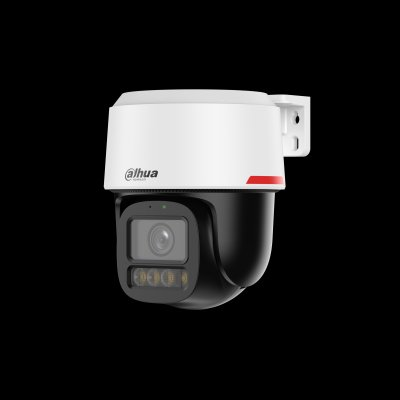
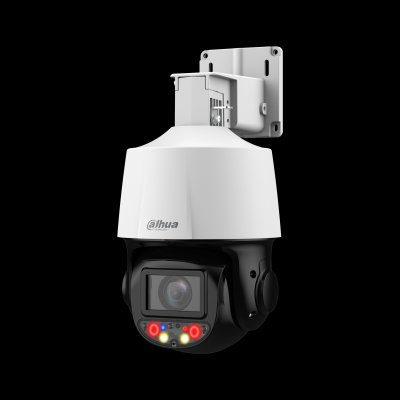
If you’re searching for “DMSS cameras,” “DMSS camera setup,” or a “DMSS security camera,” here’s the key thing: there is no such thing as a DMSS-brand camera. DMSS is the free mobile app made by Dahua to view their cameras remotely on a phone or tablet — the name stands for Digital Mobile Surveillance System. So if you use DMSS, the cameras and recorder behind it are Dahua hardware (an NVR, DVR, or XVR with Dahua IP or HDCVI cameras). It’s the same platform as Guarding Vision (the OEM/dealer-branded version), so the two apps behave almost identically and the fixes are the same.
That’s good news when something breaks. Dahua is the most widely-installed camera brand in the world, its hardware is thoroughly documented, and most DMSS problems — device offline, can’t connect, no video, login trouble — have a clear cause and a clear fix. Below we walk through every common issue by symptom, exactly the way you’d search for it, so you can see what’s wrong and what it takes to fix it.
Tell us what the app shows and where you are — we diagnose the recorder, network, cameras, and DMSS setup anywhere in Nassau County. Most issues fixed in one visit; some remotely. Including systems another company installed.


Send a photo of your recorder and the app error — we’ll tell you the fix before anyone comes out.
DMSS is made by Dahua for Dahua hardware, so if you use it you have Dahua cameras and a Dahua recorder. Guarding Vision is the OEM/dealer-branded version of the same app — same platform, same P2P cloud, same fixes — so if you searched “Dahua app not working” or “Dahua remote viewing app problems” and landed here, you’re in the right place. See our Guarding Vision support page if that’s the app you actually use.
Because it’s Dahua underneath, your system is very repairable. If you’re also thinking about upgrading or expanding, see our Dahua camera repair service; we can often reuse your existing cameras and cabling with a new recorder, and we cover Dahua across Nassau County and the wider region.
Searching “who fixes DMSS camera systems” or “DMSS repair company near me” turns up a lot of national call centers and lead brokers. We’re a licensed New York low-voltage contractor (NYS #12000287431) that does the work ourselves — the same technicians who install Dahua systems repair DMSS setups every week.
NYS #12000287431 — a real local contractor, not a call center or lead broker.
Dahua hardware is our daily work — app, recorder, network, and cameras.
Most repairs we do are on systems set up by another company or a previous owner.
Tell us the symptom or send a photo — we’ll give a likely cause and price before anyone comes out.
Hempstead, Garden City, Hicksville, Freeport, Long Beach, Great Neck, Port Washington & Glen Cove.
If a repair isn’t worth it, we’ll tell you — and an upgrade often reuses your cameras.
Search a DMSS error and you’ll get forum threads, generic “restart the app” advice, and lead-broker sites. Here’s the straight version.
Deleting and reinstalling DMSS is the top suggestion on every forum, and for one narrow bug — a phone that loses notifications until you log out and back in — it buys you a day. But device-offline, no live view, dead playback, and lockouts all live on the recorder and the network, not in the app. Reinstalling does nothing for those. The actual fix is checking the recorder’s P2P status, its internet path, its storage, and its credentials — which is why the generic advice keeps failing the people posting it.
This is the single most misread error. DMSS reaches your system through Dahua’s P2P cloud; when the recorder can’t register with that cloud — after a router swap, a provider change, or a P2P toggle someone flipped off — the app shows everything offline even though the cameras are still recording to the hard drive the entire time. Restore the recorder’s connection and the feeds reappear; nothing was ever lost.
Search “DMSS notifications not working” and you’ll find years of threads. The honest answer: some are phone-side (battery optimization quietly killing the app, a Focus mode muting it), some are the recorder’s event rules not being enabled, and some are P2P being switched off — which silently breaks alerts because that’s the channel they ride on. We sort which layer is at fault and configure all three so alerts actually land on your phone.
“Nassau is single-family houses on real lots, so the systems cover the front, the driveway, the yard, sometimes a detached garage. The number-one DMSS call is offline after an internet change — FiOS in, Optimum out, new router, and the recorder lost its P2P registration. The cameras never stopped recording. We get it back on and add the device by serial number, not IP, so the next router swap doesn’t knock it offline again.”
“Lots of homes change hands out here, and that brings the ‘device bound’ problem — the recorder’s still tied to the previous owner’s DMSS account, so the new homeowner can’t add it. There’s a proper Dahua unbinding process for that; we handle it on-site, get them their own account, and set notifications up right. And the garage or basement NVR — heat and power flicker kill drives out here, so when live view works but playback’s gone, that’s usually a dead drive plus firmware that fell behind.”
— Field tech, Abstract Enterprises · 25+ years on Dahua systems
Tell us the symptom and your area — we’ll call with a likely cause and price.
“Switched to FiOS at our house in Massapequa and all the cameras — front, driveway, yard — went offline in DMSS the next day. They reconnected the recorder remotely and added it by serial number so it won’t break with the next router. Twenty minutes, all footage intact.”
— Homeowner, Massapequa
“Bought a house in Garden City and the cameras were still tied to the old owner’s account — DMSS kept saying ‘device bound’ and wouldn’t let me add it. They ran the proper Dahua unbinding on-site, set me up with my own account, and now it all works from my phone. Saved buying a new system.”
— Homeowner, Garden City
“The NVR in our Hicksville garage kept dropping cameras and I could never pull up old footage. They found a failed hard drive, replaced it, put the recorder on a battery backup, and updated the firmware. Playback loads instantly now and the offline alerts stopped.”
— Homeowner, Hicksville
Transparent ranges. We diagnose by phone first and give you a likely number before any visit.
Re-adding a device, app guidance, simple account help — sometimes resolved on the call.
On-site diagnosis of offline, no-video, or login issues, with the fix often included for app/network problems.
Hard drive replacement, a failed camera, cabling, or a recorder upgrade — quoted after diagnosis.
Tell us the problem. We’ll call you back within the hour — no obligation.
Whatever you need to get DMSS set up and running on your Dahua system in Nassau County — from first-time account setup and device registration to remote viewing and full system configuration:
DMSS setup · configuration · installation · system configuration · network configuration · internet setup · device setup · device configuration · mobile app setup · app configuration · smartphone setup · phone setup · tablet setup · iPhone setup (iDMSS) · Android setup (gDMSS) · platform setup · portal setup · QR code setup · QR code registration · SN / serial-number registration · camera connection setup · camera linking · device linking
DMSS account setup · account configuration · account creation · user account creation · account registration · account linking · activation · app activation · device activation · NVR activation · DVR activation · cloud activation · device registration · camera registration · NVR registration · DVR registration · P2P setup · multi-user setup · multiple device setup · business account setup · commercial system setup · residential system setup · camera sharing setup · onboarding service
DMSS remote viewing setup · remote access setup · remote camera access setup · remote camera viewing · remote monitoring setup · remote surveillance setup · live view setup · viewing app setup · video monitoring setup · surveillance app setup · security camera app setup · cloud setup · cloud connection setup · NVR setup · DVR setup · XVR setup · recorder setup · push notification setup · alert setup · notification configuration
Looking for a DMSS setup company, DMSS setup specialist, DMSS setup expert, DMSS configuration expert, DMSS remote viewing expert, or DMSS onboarding specialist in Nassau County? People search DMSS setup near me, DMSS configuration near me, DMSS activation near me, DMSS account setup near me, DMSS NVR setup near me, and DMSS DVR setup near me — that’s us. Call (347) 934-8335 for account setup, device registration, QR-code linking, P2P/SN setup, remote viewing, and NVR/DVR/XVR configuration anywhere in Nassau County.
Offline, won’t connect, no live view or playback, login locked, notifications dead, or setup help — we support and repair DMSS and the Dahua hardware behind it across Nassau County. Licensed, insured, honest when it’s an upgrade instead of a repair.
Freshness: Updated May 2026 · NYS Lic #12000287431 · DMSS is Dahua’s app · Dahua cameras · Guarding Vision