Wireless Security Camera Installation Brooklyn, NY

No-Drill · Battery · Solar · 4G LTE · Wi-Fi PoE

Licensed Brooklyn installer. Wire-free cameras for brownstones, walk-ups, rentals, retail, and back-of-building blind spots where running cable is impossible. NVR optional. No monthly fees. Same-day quotes across all 70+ Brooklyn neighborhoods — Park Slope to Coney Island, Williamsburg to Mill Basin.

Get a Free Quote

We'll call you back within the hour.

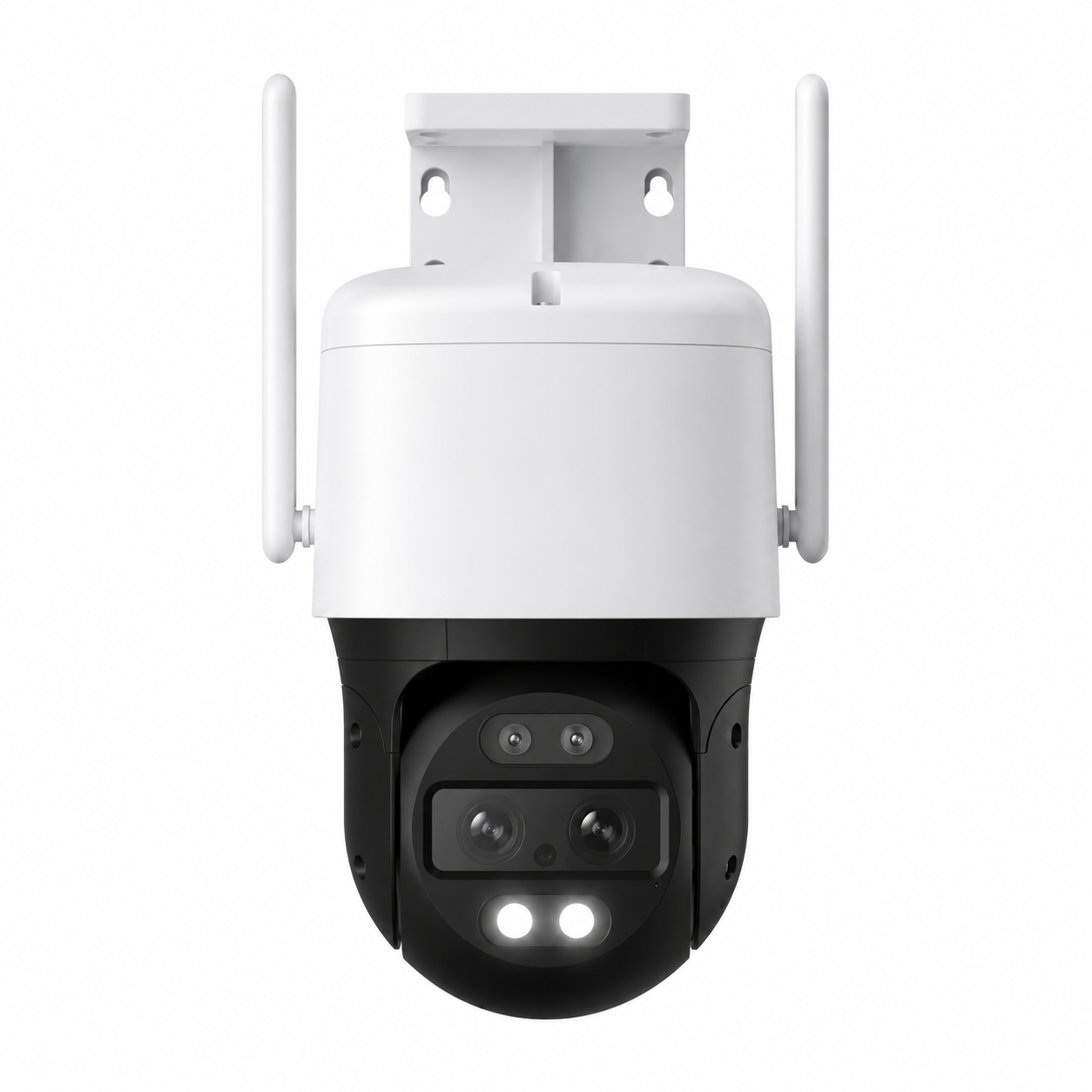
Wireless security camera installation Brooklyn NY — dual-antenna PTZ outdoor camera mounted on a brownstone facade
25+
Years Experience
70+
Brooklyn Neighborhoods
4.6★
Google · 190 Reviews
$0
Monthly Fees
Wireless Camera Install · Brooklyn, NY

Wireless Camera Installation Across All of Brooklyn

Brooklyn is the most camera-relevant borough in New York City. Package theft from brownstone stoops in Bed-Stuy and Park Slope, lobby package raids in Williamsburg and Greenpoint walk-ups, storefront vandalism along Fulton Street and Atlantic Avenue, vehicle break-ins on residential side streets, vandalism to Bushwick warehouse roll-down gates — and an NYPD that publicly says it relies on private surveillance footage to clear cases. The reality on the ground is that wired PoE camera systems are still the gold standard for permanent installs, but a huge portion of Brooklyn property is structurally hostile to running cable: rentals where landlords forbid drilling, century-old brownstones with plaster-over-lath walls, NYCHA apartments, fire-escape exterior runs, back-of-building blind spots that have no Ethernet path back to the closet, and retail tenants who don't own the building.

That's where wireless camera installation in Brooklyn comes in. Abstract Enterprises installs three categories of wireless cameras across all 70+ Brooklyn neighborhoods: Wi-Fi battery cameras (Reolink Argus, Eufy SoloCam, Arlo Pro) for stoops, side yards, and interior coverage where a tenant cannot drill or run cable; solar-powered Wi-Fi PTZ cameras for back yards, rooftop decks, fire-escape facing windows, and any spot where a outlet isn't practical; and 4G LTE cellular cameras with no Wi-Fi required for construction sites in Gowanus, vacant brownstone renovations in Bed-Stuy, food trucks parked overnight, and any property without reliable internet. Every install includes camera placement, mounting hardware appropriate for the surface (no-drill adhesive for rentals, masonry anchors for brownstone exterior, fire-escape clamps where allowed), Wi-Fi or LTE setup, app configuration on your phone, motion zone tuning, and full walkthrough before we leave.

We are a fully licensed New York State low-voltage contractor (NYS License #12000287431) with 25+ years of installations across Brooklyn. Our Brooklyn office sits at 1282 Troy Ave — minutes from Crown Heights, Flatbush, East Flatbush, and Brownsville. Every wireless camera system we install records locally to either a microSD card inside the camera, a HomeBase / Smart Hub for the camera ecosystem, or — if you want it — a wired NVR for cameras that support RTSP. No cloud subscription is required. No monthly fees. No contract. The camera is yours from day one. Call (347) 934-8335 for a free Brooklyn site walk.

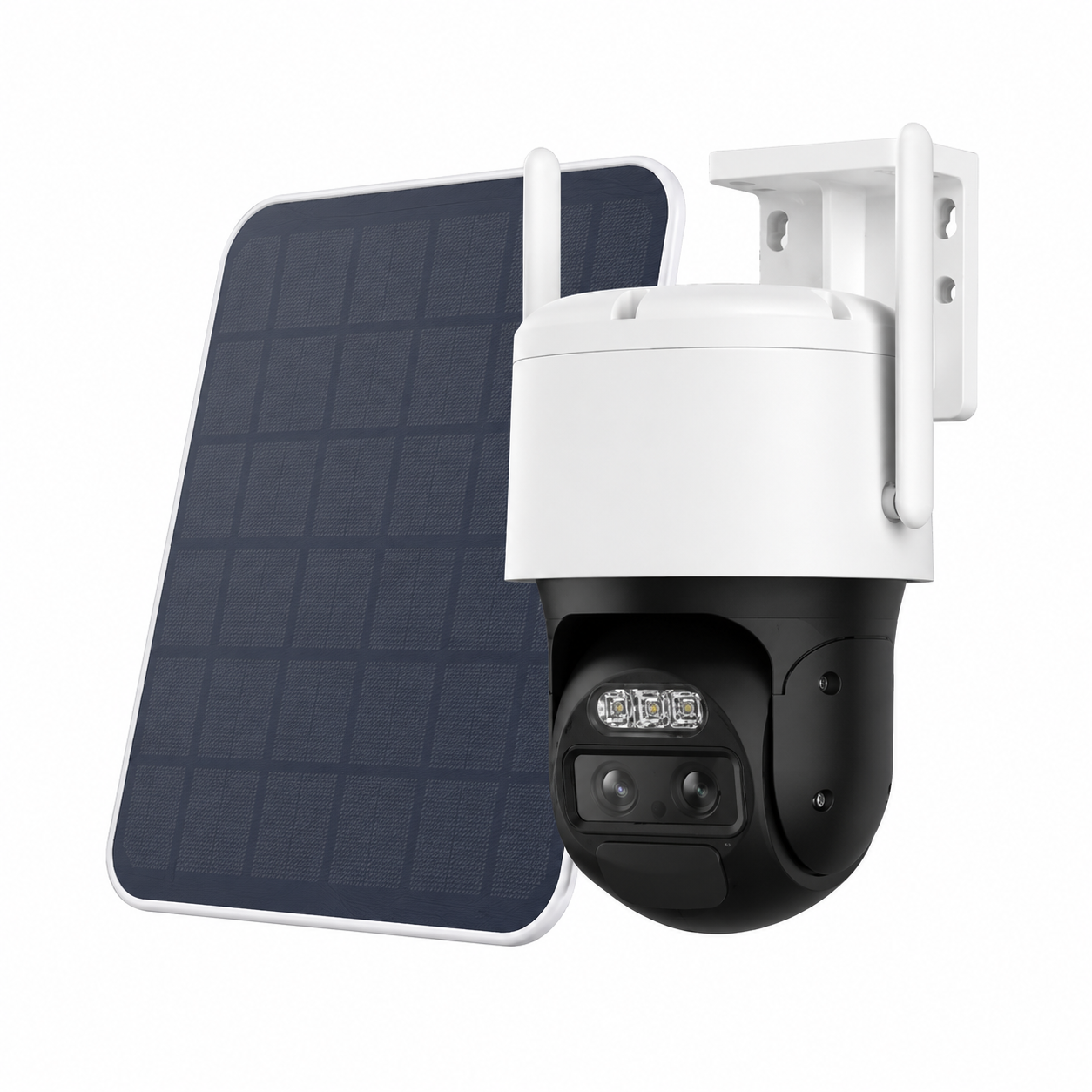
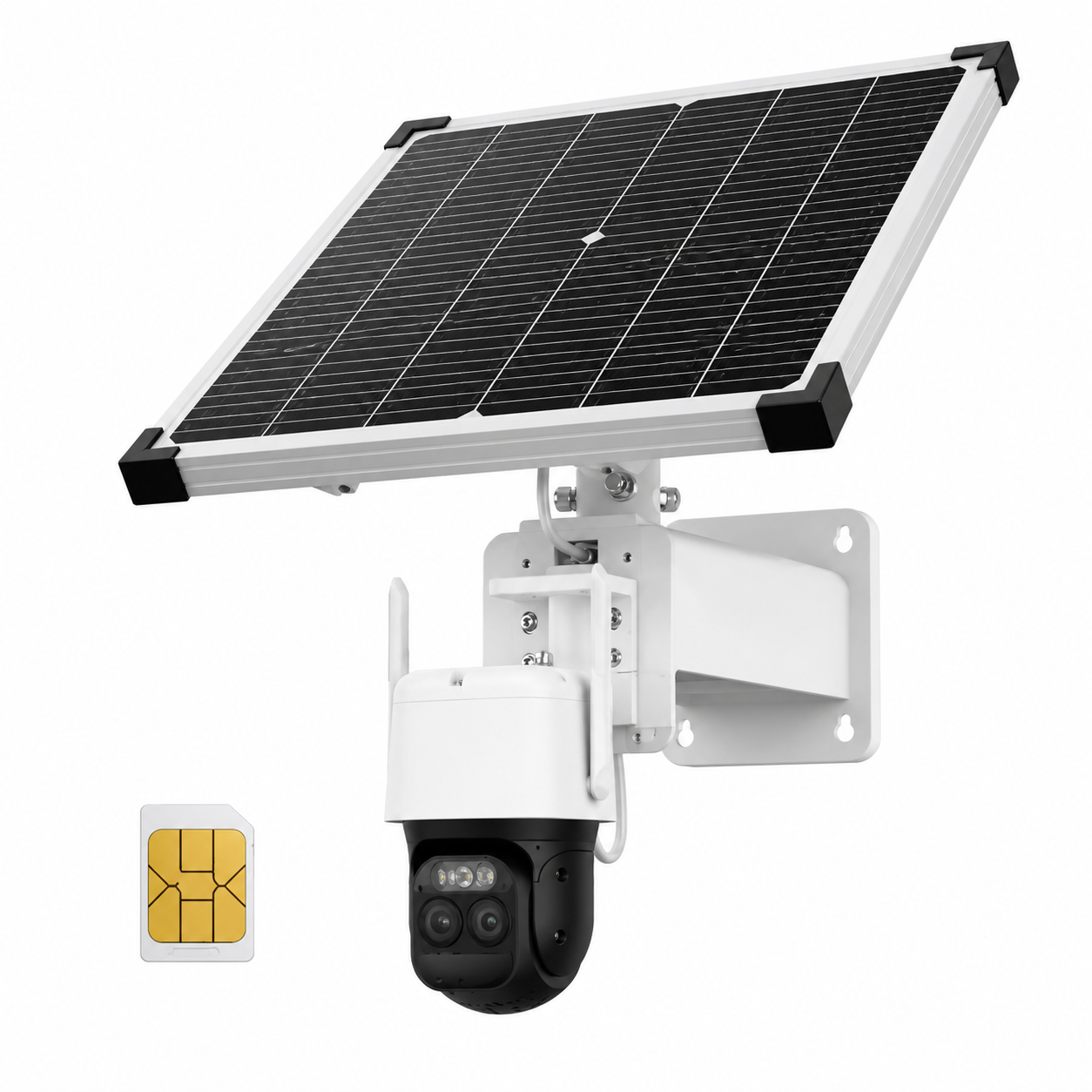
4G LTE cellular wireless camera Brooklyn NY — solar-powered PTZ with built-in SIM card for properties without Wi-Fi
4G LTE solar-powered cellular camera — used in Brooklyn for construction sites, vacant brownstone renovations, and back-of-building coverage where Wi-Fi can't reach.
Wireless Cameras Installed This Week. Same-Day Quote.
  • Licensed NYS Low-Voltage Contractor #12000287431 — 25+ yrs in Brooklyn
  • No-drill installs available for rentals & co-op tenants
  • Battery, solar, Wi-Fi, and 4G LTE — we install all four
Why Brooklyn Properties Need Wireless

Why Wireless Camera Installation Matters in Brooklyn

Brooklyn's housing stock is the most diverse in NYC. You have pre-war brownstones in Park Slope, Bed-Stuy, Clinton Hill, Fort Greene, Cobble Hill, and Carroll Gardens with plaster-on-lath walls and original tin ceilings that property owners refuse to scar with conduit. You have post-war high-rises along Eastern Parkway, Ocean Parkway, and the Belt Parkway corridor that require co-op board approval for any exterior modification. You have NYCHA developments — Marlboro Houses, Red Hook Houses, Brownsville Houses, Ingersoll, Walt Whitman, Glenwood, Sheepshead Bay — where wired installs aren't permitted at all. You have walk-up apartments in Williamsburg, Bushwick, Greenpoint, Crown Heights, and Sunset Park where tenants want camera coverage and landlords don't want holes in the walls. Wireless installs solve every one of these constraints.

The second reality is theft. Brooklyn Paper reported grand larceny up 1.5% across the borough at the start of 2026, with grand larceny auto up 15%. Bed-Stuy's 79th and 81st precincts both saw grand larceny rise in early 2026 — the 79th up 20.4%, the 81st up 11.9%. The package thefts that Brick Underground and Patch document every month — Williamsburg lobby raids, Park Slope porch-pirate sprees, Bed-Stuy stoop snatches, Crown Heights apartment-building lobby cleanouts — happen because property owners and tenants have no recorded video of the entry point. A $200 battery camera with a microSD card, mounted in 20 minutes by a licensed installer who knows how to angle it correctly, would have given the NYPD evidence to work with.

The third reality is rentals. The Real Property Law in New York now requires landlords to allow tenants to install Wi-Fi cameras that don't require drilling — and a 2024 amendment broadened that even further. That means a tenant in a Crown Heights walk-up, a Williamsburg loft, a Bushwick artist studio, or a Bed-Stuy parlor floor rental has a legal right to install a wireless camera covering their own door, their own back yard, and the area immediately outside their unit, as long as it doesn't record neighbors' private spaces. We install these for tenants regularly across all 70+ Brooklyn neighborhoods — typically in 45-90 minutes per visit, $295-$695 depending on the camera count and mounting complexity.

Finally — Brooklyn's brick. The same brick that blocks Wi-Fi between rooms inside a brownstone is the same brick that lets a wireless camera on the exterior maintain a clean Wi-Fi link to a router 30 feet inside the unit, because the signal only has to pass through one wall instead of three or four. For interior coverage we still recommend wired or a high-power dual-band camera close to the router; for exterior coverage (stoops, side yards, back yards, garages, driveways, fire-escape areas), Brooklyn's row-house geometry actually favors well-placed wireless cameras over messy long Cat6 runs.

Wireless Camera Types We Install in Brooklyn

Wireless Camera System Types — Brooklyn Installs

Not every "wireless" camera is the same. A Wi-Fi camera is wireless for data only — it still needs a power outlet. A battery camera is wireless for power but needs Wi-Fi for data. A solar+battery+4G camera is fully wireless on both. Pick the wrong category and the install fails. We design each Brooklyn site to the right wireless category before we mount anything.

📶

Wi-Fi Battery Cameras

Reolink Argus, Eufy SoloCam, Arlo Pro 5, Ring Stick Up. Mounted with no-drill adhesive plate or single anchor. 4–6 months per charge. Best for stoops, front doors, parlor-floor rentals.

☀️

Solar Wi-Fi PTZ

Reolink Argus PT Ultra, Eufy SoloCam S340 dual-lens, ATLAS PT Ultra. Pan + tilt + zoom with built-in solar panel — keeps the battery topped up year-round on a south-facing wall. Brooklyn back yards, fire-escape facing windows, rooftop decks.

📡

4G LTE Cellular

Reolink Go PT Ultra, Eufy 4G LTE Cam S330, Reolink Altas PT. Built-in SIM card on Verizon / AT&T / T-Mobile. Works with zero Wi-Fi. Brooklyn construction sites, Gowanus vacant lots, food trucks, brownstone gut renovations.

🔦

Wireless Floodlight Cameras

Ring Floodlight, Reolink Duo Floodlight, Eufy Floodlight S330. Replaces an existing exterior floodlight fixture — hardwired for power, wireless for data. Common for Brooklyn driveways, side yards, and back porches.

🚪

Wireless Doorbell Cameras

Ring Battery Doorbell Plus, Eufy Battery Doorbell, Reolink Battery Doorbell. No drilling, no transformer required, no chime wiring. Best for Brooklyn brownstone parlor doors and apartment unit doors.

🛡️

Wireless NVR Kits

Lorex 4K Fusion, Reolink RLK8-800WB4 NVR kit, Hikvision wireless kit. 4 or 8 wireless cameras transmitting back to a central NVR over a dedicated mesh — used for multi-unit Brooklyn buildings where wired install is blocked.

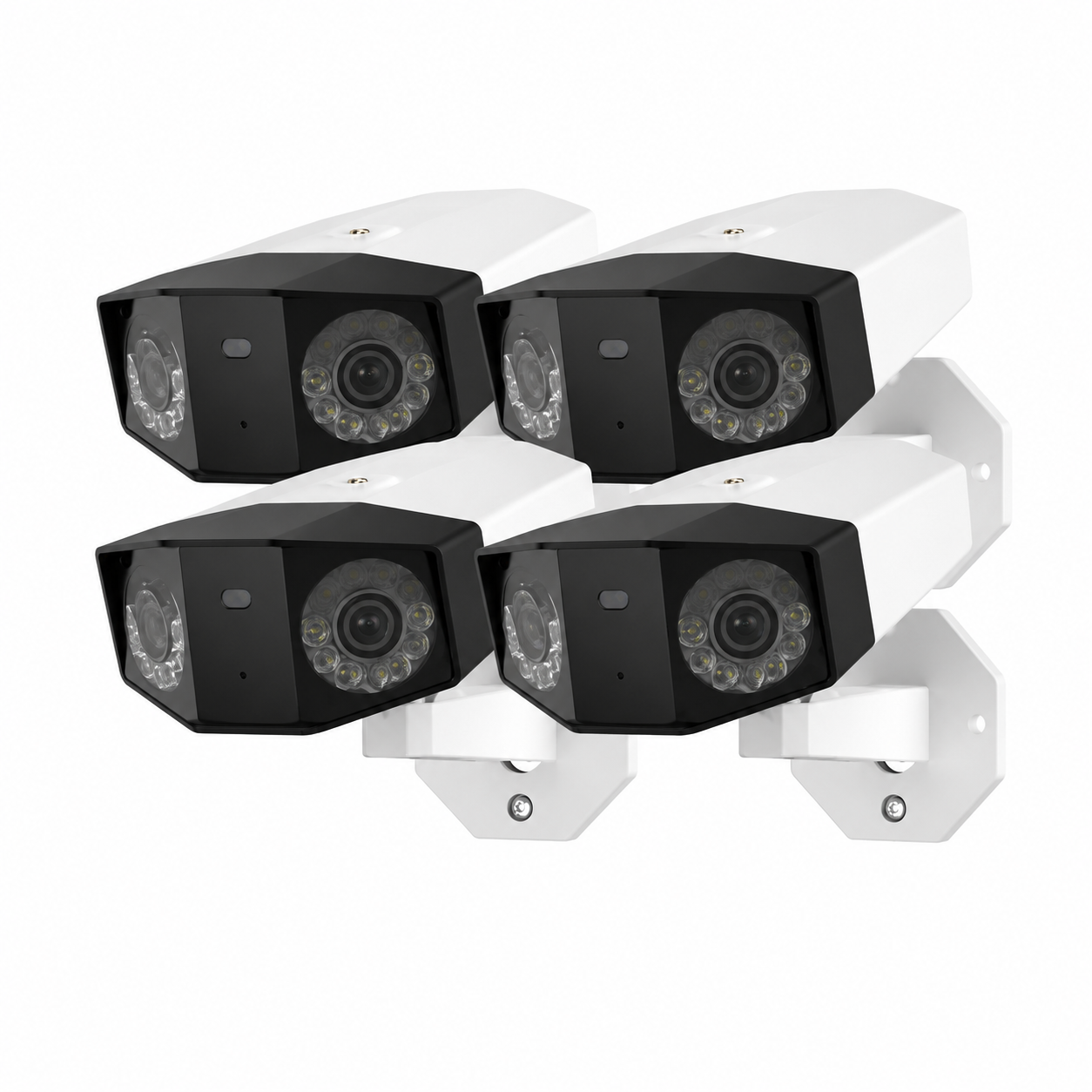
Wireless outdoor camera 4-pack Brooklyn NY — bullet-style Wi-Fi cameras with infrared night vision for residential coverage
4-pack wireless bullet cameras — typical Brooklyn home setup covering front stoop, rear yard, driveway, and side alley.
Wireless Camera Terminology

Wireless Camera Terms Every Brooklyn Property Owner Should Know

People search this stuff in a dozen different ways. Here's how the language actually works so you don't end up buying the wrong thing.

Wireless Camera Brands We Install

Wireless Security Camera Brands We Install in Brooklyn

We install professional-grade and consumer-grade wireless cameras based on what fits your Brooklyn property — not based on what we get a kickback on. The brand matters less than picking the right power source (battery vs solar vs LTE) and the right recording strategy (local microSD vs HomeBase vs RTSP into an NVR). Here are the wireless camera brands we routinely deploy across Brooklyn.

ReolinkArgus PT Ultra, Argus 4 Pro, Go PT, Altas PT, Duo Floodlight — battery, solar, 4G LTE
EufySoloCam S340 dual-lens, 4G LTE S330, Floodlight S330 — HomeBase local storage, no monthly fee
ArloPro 5S, Essential XL, Ultra 2 — best AI detection, Smart Hub local storage option
RingStick Up Cam Solar, Battery Doorbell Plus, Floodlight Cam Wired Pro — strongest app, requires Ring Protect for full features
Lorex2K Wire-Free, 4K Fusion NVR wireless kit — best wireless NVR system for Brooklyn multi-unit buildings
HikvisionDS-2CV2 series, ColorVu wireless — pro-grade, for commercial Brooklyn properties wanting Hikvision NVR compatibility
Dahua / ImouCell Pro 4G, Cruiser SE+ solar PTZ — pro-grade cellular and solar with RTSP support
BlinkOutdoor 4, Mini 2 — budget option, 2-year battery life, Amazon ecosystem

We do not install no-name AliExpress / Amazon-warehouse wireless cameras (Wansview, Zumimall, SEHMUA, Xega, Hosafe) on commercial properties — the cloud backends are unreliable and several have known CVE-listed firmware vulnerabilities. We will install them on residential properties at the customer's request after disclosing the risk.

Save by Combining

Wireless Cameras + Intercom or Access Control — Brooklyn Combo Pricing

If you're installing wireless cameras in a Brooklyn multi-family building, the same site visit can also handle your intercom upgrade or access-control install for a meaningful labor discount. Multi-unit walk-ups in Williamsburg, Bushwick, Greenpoint, Bed-Stuy, and Crown Heights almost always have one of these three other needs: a failing buzzer, an outdated door release, or no record of who came in the front door. Wireless cameras give you the visual record. Access control gives you the entry log. Doing both in one visit saves $200-$450.

📶📞

Wireless Camera + Video Intercom

Pair an Aiphone or Akuvox video intercom at the parlor door with a Reolink wireless camera at the stoop. Full video record of every visitor + remote door release from a Brooklyn landlord's phone. Save $250 vs separate trips.

📶🔑

Wireless Camera + Key Fob Access

Cameras at the entry + Mifare fob reader on the door + electric strike. Eliminates "lost key" lockouts in Brooklyn rentals and gives the landlord an entry log. Save $300 vs separate trips.

📶🚨

Wireless Camera + Alarm System

Wireless camera at the front + Alarm.com / Ring Alarm panel with motion sensors. Video verification reduces NYPD false-alarm fines in Brooklyn precincts that bill repeat false-alarm addresses. Save $200 vs separate trips.

📶📺

Wireless Camera + TV Wall Mount

Brooklyn brownstone parlor renovation — wireless camera install at the stoop while we're already on-site mounting your 65"-85" TV. Same tech, same trip, save the second dispatch fee.

Full Wireless Camera Feature Set

Full Feature Set on Every Brooklyn Wireless Camera Install

Every wireless camera we install in Brooklyn ships with the following spec sheet — we don't quote anything less. If your other quotes are missing items here, you're not comparing apples to apples.

2K / 4K Resolution

Minimum 2K (4MP) — that's the new floor for evidence-grade wireless. Most installs are 4MP / 5MP / 8MP (4K) depending on coverage distance.

Color Night Vision

Warm-light or starlight sensor for full-color footage in Brooklyn streetlight-lit darkness. Identifies clothing color and vehicle make/model, not just silhouettes.

Two-Way Audio

Talk to a Brooklyn delivery driver, warn off a stoop loiterer, or de-escalate a package-pirate situation from your phone in real time.

PIR + AI Detection

Person, vehicle, package, pet, animal classification. Filters out Brooklyn pigeons, raccoons, and wind-blown trash bags. Reduces false alerts 80-95%.

IP66 / IP67 Weatherproofing

Built for Brooklyn winters and summer thunderstorms. Tested from -4°F to 122°F. Lasts 5+ years on a south-facing brick exterior.

Local microSD Storage

32GB–512GB onboard. 1-3 weeks of motion-triggered footage stored on-camera. Survives Wi-Fi outage and Spectrum service interruptions.

HomeBase / Smart Hub

Optional for Eufy & Arlo — centralizes storage off the camera, adds 30-90 days of local recording, syncs all cameras to one app.

Solar Compatibility

5W or 12W solar panel keeps the camera battery topped up year-round. Brooklyn rooftops, south-facing brick exteriors, fire-escape facing windows.

Smartphone App

iOS and Android. Live view, playback, push alerts, two-way talk, motion zone tuning. Free, no monthly app fee.

Siren + Strobe Deterrent

Built-in 100dB siren and white strobe triggered by motion. Active deterrent stops Brooklyn package theft before it escalates.

Spotlight / Floodlight

2000-3000 lumen LED spotlight on motion. Lights up the Brooklyn driveway, side alley, or stoop and produces full-color recording.

1-Year Parts Warranty

Standard from us. Manufacturer warranty (Reolink, Eufy, Arlo) is typically 1-2 years parts. Optional extended warranty available.

Brooklyn Coverage

Wireless Camera Installs Near Every Brooklyn Landmark & Block

We've installed wireless cameras in residential and commercial properties near every major Brooklyn landmark. Whether you're a brownstone owner blocks from Prospect Park, a retail tenant on Atlantic Avenue, a co-op resident on the Brooklyn Heights Promenade, or a property manager handling rentals near the Barclays Center — we know the building stock, the Wi-Fi conditions, and the wireless camera placement that actually works on your block.

Recent Brooklyn wireless camera install zones include: brownstones blocks from Grand Army Plaza in Park Slope, walk-ups near the Williamsburg Bridge, retail stores along Fulton Street Mall and Smith Street, restaurants on Bedford Avenue and Court Street, residential blocks near the Brooklyn Museum and Brooklyn Botanic Garden, multi-family buildings near the Brooklyn Navy Yard and Industry City, condos in DUMBO with views of the Brooklyn Bridge and Manhattan Bridge, single-family homes near Marine Park and Floyd Bennett Field, beach properties off Coney Island Boardwalk and Brighton Beach, and back-of-building yards from Sheepshead Bay to Mill Basin to Bergen Beach.

We also work the commercial corridors: Flatbush Avenue, Nostrand Avenue, Utica Avenue, Kings Highway, Avenue U, 86th Street, Church Avenue, Eastern Parkway, Pitkin Avenue, Pennsylvania Avenue, and Linden Boulevard. Industrial / mixed-use along the Gowanus Canal, Red Hook waterfront, and Sunset Park industrial belt. NYCHA developments — Marlboro Houses, Red Hook Houses, Brownsville Houses, Walt Whitman, Ingersoll, Glenwood — where wireless is the only legal install option for residents.

Brooklyn Property Types

Wireless Camera Install — Brooklyn Property Type Use Cases

🏠 Brownstones & Townhouses

Park Slope, Bed-Stuy, Clinton Hill, Fort Greene, Cobble Hill, Carroll Gardens — wireless stoop camera + back-yard solar camera. Avoids drilling into landmarked facades.

🏢 Walk-Ups & Multi-Family

Williamsburg, Bushwick, Greenpoint, Crown Heights, Sunset Park — wireless NVR kit covering lobby + each floor stairwell. Tenant-friendly install with no Cat6 runs.

🏬 Retail & Restaurants

Atlantic Ave, Fulton St, Smith St, Bedford Ave, Court St, 86th St — wireless storefront camera + back-office hub. Saves the landlord-permission headache for tenants.

🏗️ Construction Sites

Gowanus, Red Hook, Industry City, Brooklyn Navy Yard — 4G LTE solar PTZ with no Wi-Fi requirement. Drops in, monitors the site overnight, removes when the project ends.

🏘️ NYCHA & Co-op Buildings

Marlboro, Red Hook Houses, Brownsville, Walt Whitman, Ingersoll, Bay View — wireless-only legal install. Tenant rights protected by NYS Real Property Law.

🛒 Bodegas & Corner Stores

Crown Heights, East Flatbush, Bed-Stuy, Brownsville — wireless register-area + entrance + back-of-store cooler. Cellular backup keeps cameras alive during Spectrum outages.

🏥 Medical & Dental Offices

Borough Park, Midwood, Sheepshead Bay, Bay Ridge — discreet indoor wireless dome cameras for HIPAA-aware front-desk and waiting-area coverage.

🎓 Daycares & Houses of Worship

Borough Park, Crown Heights, Flatbush, Williamsburg, Greenpoint — wireless cameras at every entry plus parking-lot solar PTZ for after-hours surveillance.

🚗 Auto Body & Lot Coverage

Sunset Park, East New York, Canarsie, Brownsville — 4G LTE PTZ camera on the yard perimeter. No Wi-Fi to the lot? No problem. Cellular-only install.

Brooklyn Reddit / Brick Underground Q&A

Brooklyn Wireless Camera Questions From Reddit, Brick Underground & Brownstoner

The questions Brooklyn property owners and renters actually ask on r/AskNYC, r/Brooklyn, r/homesecurity, r/HomeNetworking, Brick Underground, and Brownstoner — answered with our own field experience installing wireless cameras across the borough.

💸 Cost & Pricing

"How much does a wireless camera install in Brooklyn actually cost — not the camera, the labor?"
For a single-camera install on a Brooklyn brownstone stoop, plan on $295–$395 for the labor: site walk, mounting (with no-drill plate on a rental or masonry anchor on owned property), Wi-Fi or LTE setup, app pairing, motion zone tuning, walkthrough. A 4-camera wireless kit (front, back, side, doorbell) on a Park Slope or Bed-Stuy townhouse runs $695–$1,295 in labor depending on solar panel installs and whether we're running a HomeBase / Smart Hub. The cameras themselves are $80–$450 each retail — we mark them up zero and let you buy your own through Amazon if you want, or we'll source them for you at our trade pricing.
"Is a $50 Wansview camera from Amazon worth installing in a Williamsburg apartment?"
Short answer: no. We'll install it if you insist, but disclose the risk first. The $50 no-name wireless cameras from AliExpress-warehouse brands (Wansview, Zumimall, SEHMUA, Hosafe) have repeatedly shown firmware vulnerabilities — including CVE-listed unauthenticated RTSP streams and cloud accounts that get breached when the parent company gets hacked. For $120-$180 you can buy a Reolink Argus 4 Pro or Eufy SoloCam S340 with the same form factor, 5x better sensor, real local recording, and a US-based security team. Williamsburg renter spending $1,500/mo on rent should not be cheaping out on the camera that watches the door.

🛡️ Quality & Trust

"Are Reolink and Eufy wireless cameras good enough for a Park Slope brownstone, or do I need Hikvision?"
Reolink Argus PT Ultra and Eufy SoloCam S340 are fine for Park Slope residential — 4K sensors, local recording, dual-band Wi-Fi. The reason a Park Slope owner might still pick Hikvision wireless is RTSP compatibility with a Hikvision NVR they already own (cameras feed into the existing recorder). For a clean wireless-only Park Slope install with no existing NVR, Reolink or Eufy is the right call — better app, better AI detection, lower price, more weatherproofing options.
"My Bushwick landlord said the building's old camera system is 'cloud only' — what does that mean and is it safe?"
Cloud-only means the recordings live exclusively on the manufacturer's servers (Ring AWS, Arlo cloud, Nest Google cloud, etc.) — not on a hard drive at your Bushwick building. Three risks: (1) the manufacturer can revoke access if the subscription lapses; (2) the manufacturer can hand over footage to police without telling you (Ring did this thousands of times until 2024); (3) the building's footage is gone if the company goes out of business. We install Brooklyn wireless cameras with local microSD storage or HomeBase as the primary recording target, with optional cloud as backup. Always own the local copy.

🛠️ DIY vs Pro

"Can I install a Ring Stick Up Cam myself on my Crown Heights stoop or do I need a pro?"
You can absolutely do it yourself if it's a single camera, you have a clear line of sight to the router, the mounting surface is interior or porch-overhang (not flush brick exterior), and you're comfortable with Ring's app. The reason Brooklyn property owners call us is usually one of: (1) the mounting surface is brick or limestone and needs masonry anchors; (2) the camera has to mount at 9-12 feet of height where a ladder is needed; (3) Wi-Fi doesn't reach the spot and a mesh node or extender is needed first; (4) they want 3-4+ cameras configured into one app and a HomeBase set up. Single Ring on the front porch — DIY. Multi-camera Brooklyn brownstone install — pro.
"What's the catch with battery wireless cameras for a Brooklyn back yard — will they freeze in winter?"
Reolink, Eufy, Arlo, and Ring all rate their lithium batteries down to -4°F. Brooklyn winter usually bottoms out at 5-15°F so you're well inside the spec. The real winter issue is reduced battery life — a camera that lasts 6 months in summer might only last 3-4 months in January and February. Mitigation: pair the camera with a 5W or 12W solar panel (Reolink and Eufy both make matched panels). Solar in Brooklyn winter is reduced but not zero — most south-facing back yards still produce enough trickle charge to keep the battery topped up through February.

⚙️ Technical

"My Wi-Fi router is in the front of my Bed-Stuy brownstone and the back yard camera won't connect. What do I do?"
Classic Brooklyn brownstone problem. The router is in the parlor floor front room, the camera is 60-80 feet away through brick, plaster, and a back wall, and the Wi-Fi signal arrives at -85 dBm which is below the camera's minimum. Three fixes: (1) install a mesh node (Eero, Google Nest Wi-Fi, TP-Link Deco) in the back of the brownstone to extend the network; (2) use a 4G LTE cellular camera instead — bypass Wi-Fi entirely; (3) install a Wi-Fi extender on the same SSID. We default to option 1 (mesh) for permanent installs and option 2 (LTE) for temporary or vacant-property installs.
"Does a wireless camera work inside a Brooklyn NYCHA apartment without drilling — and is it legal?"
Yes and yes. NYS Real Property Law since 2023 explicitly protects a tenant's right to install a wireless Wi-Fi camera that doesn't damage the unit. NYCHA's own tenant handbook follows the same standard. We install no-drill adhesive plate cameras inside NYCHA units across Marlboro, Red Hook, Brownsville, Walt Whitman, Ingersoll, Glenwood, Sheepshead Bay, and Bay View — typical install is the front-door interior, kitchen entry, and a window-facing exterior view through a glass pane. Three rules: (1) the camera must not record neighboring units; (2) it must be removable without damage; (3) audio recording must be one-party-consent (which NY is — recording yourself + a visitor is legal).

🏠 Residential / Commercial

"I own a Carroll Gardens brownstone and rent out the garden apartment — can I put a wireless camera in the shared back yard?"
Yes, but with rules. Shared back yard = both tenants and owner have legal access. You can install a wireless camera covering your portion of the back yard, the building's exterior wall, the garbage area, and the side gate. You cannot point it directly at the tenant's garden-apartment windows or door. We typically install the camera at the top-floor exterior wall pointing down at the garbage/gate area — covers the most theft-prone zone while staying out of the tenant's reasonable expectation of privacy. We also recommend giving written notice to the garden-floor tenant that the back-yard camera exists, which heads off any future complaint to 311 or Brooklyn Housing Court.
"My Atlantic Avenue retail tenant install — landlord won't let me run wires. Wireless camera plan?"
Standard Brooklyn retail wireless install: (1) one Wi-Fi camera at the entrance facing inward toward the register, mounted to the existing ceiling tile grid or surface-mounted to the soffit with no-drill adhesive; (2) one Wi-Fi camera at the back-of-store facing the rear exit (loss-prevention angle); (3) one battery camera at the storefront facing outward toward the sidewalk; (4) Eufy HomeBase 3 in the back office storing 30 days of motion footage; (5) all on the store's own Wi-Fi, no landlord involvement. Total install time: 3-4 hours. Total cost (hardware + labor): $1,495-$2,295.

😠 Complaints & Failures

"My battery wireless camera died after 6 weeks — is that normal for Brooklyn?"
Six weeks is way too short. Common Brooklyn causes: (1) over-triggering — the camera is set to "high sensitivity" PIR and recording every Brooklyn pigeon, every passing pedestrian, and every car on the block; (2) live-streaming left on — keeping the app open drains the battery in days; (3) cold-weather batteries actually shipped at 60% charge and never fully topped off; (4) old camera with a battery near end-of-life. Fix: (1) lower PIR sensitivity to medium and tighten the motion zone; (2) close the app when not actively viewing; (3) charge the camera fully via USB-C before mounting; (4) add a solar panel if the camera lives outdoors. We tune all four during the install.
"I bought a 4G LTE solar camera from Amazon for my Gowanus warehouse and it stopped working after 3 months — what happened?"
90% of the time it's the SIM data plan. The pre-installed SIM came with a 30-day trial plan; once the trial expired, the carrier disconnected the camera. You need to log into the camera's companion app and renew the plan ($10-$20/month on Reolink, Eufy, Ebitcam, Xega). 10% of the time it's a firmware update bricking the camera (more common on no-name brands). We deploy our LTE Brooklyn installs with the customer's name on the data plan from day one — never the manufacturer's auto-renewing default plan that gets dropped at month 13. Call us at (800) 486-0943 if your LTE camera went dark — we can usually re-provision it without replacing the hardware.
"My old Williamsburg landlord said the building's lobby wireless cameras 'don't work' anymore — what's actually going on?"
In Brooklyn walk-up buildings, 'wireless cameras stopped working' almost always means one of three things: (1) the Wi-Fi router in the basement was replaced and the cameras were never re-paired; (2) the original installer used a no-name cloud service and the cloud company went out of business (this happens constantly with consumer wireless camera brands from 2018-2022); (3) the cameras were hijacked, factory-reset by an unknown party, and orphaned from the building's app. Fix: a one-hour site visit to identify the brand, re-pair to a new dedicated NVR or HomeBase, change the Wi-Fi password, and document the system for the landlord. Most Brooklyn lobby revivals are a same-day job.
"Why did Angi quote me $4,800 for 4 wireless cameras on my Bay Ridge house — that seems high?"
It is high. Angi, HomeAdvisor, and Thumbtack pass your lead to multiple contractors who pay $25-$75 each for your phone number. The quoted contractor then has to recover that lead cost on the job, so they pad the estimate. A real Brooklyn wireless 4-camera install (Reolink or Eufy hardware + professional install + solar panels + HomeBase) should land at $1,895-$2,795 all-in. We don't pay for leads. Call us at (347) 934-8335 and we'll do a free Bay Ridge site walk and quote you direct.
Answer The Public — Brooklyn Wireless Camera

Common Brooklyn Wireless Camera Search Questions

Pulled from search-trends data — these are the exact phrases people in Brooklyn type into Google when looking for a wireless camera installer. Answered short and direct.

Who installs wireless cameras in Brooklyn?

Licensed low-voltage contractors. NYS License #12000287431. Abstract Enterprises has done this for 25+ years across all 70+ Brooklyn neighborhoods. (347) 934-8335.

What is the best wireless camera for Brooklyn?

For most Brooklyn brownstones: Reolink Argus PT Ultra (solar) or Eufy SoloCam S340. For Brooklyn rentals: Ring Stick Up Cam Battery (no-drill). For no-Wi-Fi Brooklyn locations: Reolink Go PT Ultra (4G LTE).

Where do I install a wireless camera in a Brooklyn brownstone?

Stoop (covering the parlor door), back yard (covering the rear gate), driveway (if you have one), side alley, garage entry. Optional: fire-escape window facing the rear, garbage area.

When should I replace a wireless camera battery in Brooklyn?

When it falls below 4 months of life on a single charge. Most Brooklyn camera batteries last 3-5 years before degrading enough to need replacement. USB-C rechargeable batteries cost $25-$45.

Why is my wireless camera offline in Brooklyn?

Usually Wi-Fi. Brooklyn brownstone brick attenuates signal. Add a mesh node, move the router, or switch to a 4G LTE cellular camera. Sometimes it's a dead battery — check via the app.

How long does wireless camera install take in Brooklyn?

Single camera: 30-60 min. 4-camera kit on a Brooklyn brownstone: 2-4 hours including HomeBase setup, motion zone tuning, and walkthrough. 8-camera multi-unit building: 4-6 hours.

Can I record audio on a Brooklyn wireless camera?

Yes. NY is a one-party consent state — you can record audio of your own conversations. Recording two third parties without their consent is illegal under state and federal eavesdropping law.

Do Brooklyn wireless cameras work without Wi-Fi?

Yes — 4G LTE cellular models (Reolink Go PT, Eufy 4G LTE S330, Imou Cell Pro). Built-in SIM card on Verizon / AT&T / T-Mobile. Brooklyn cellular coverage is universally strong.

wireless security camera Brooklyn battery security camera Brooklyn NY solar security camera installer Brooklyn 4G LTE camera Brooklyn brownstone no-drill wireless camera Brooklyn rental Reolink installer Brooklyn Eufy installer Brooklyn NY Ring camera installer Brooklyn wireless camera Park Slope wireless camera Bed-Stuy wireless camera Williamsburg wireless camera Bushwick wireless camera Crown Heights wireless camera Bay Ridge wireless camera Brooklyn Heights wireless camera DUMBO wireless camera Greenpoint wireless camera Sunset Park wireless camera Flatbush wireless camera Sheepshead Bay wireless camera Canarsie wireless camera East New York wireless camera Brownsville wireless camera Borough Park wireless camera Midwood wireless camera Coney Island wireless camera Brighton Beach wireless camera Marine Park wireless camera Mill Basin wireless camera Red Hook wireless camera Carroll Gardens wireless camera Cobble Hill wireless camera Fort Greene wireless camera Clinton Hill wireless camera Prospect Heights wireless camera Boerum Hill wireless camera Gowanus wireless camera Windsor Terrace wireless camera Kensington wireless camera Bensonhurst wireless camera Bath Beach wireless camera Dyker Heights wireless camera Gravesend wireless camera Manhattan Beach wireless camera Sea Gate wireless camera East Flatbush wireless camera Bergen Beach wireless camera Mill Basin wireless camera Starrett City wireless camera Vinegar Hill wireless camera Downtown Brooklyn wireless camera Cadman Plaza wireless NVR Brooklyn wireless PTZ camera Brooklyn wireless floodlight camera Brooklyn wireless doorbell camera Brooklyn wireless camera no monthly fee Brooklyn wireless camera no contract Brooklyn licensed wireless camera installer Brooklyn commercial wireless camera Brooklyn residential wireless camera Brooklyn NY brownstone wireless camera Brooklyn walk-up wireless camera Brooklyn NYCHA wireless camera Brooklyn landmark district wireless camera Brooklyn wireless camera Wi-Fi Brooklyn wireless mesh camera Brooklyn wireless camera repair Brooklyn same day wireless camera Brooklyn wireless camera package theft Brooklyn wireless camera storefront Brooklyn wireless camera Brooklyn retail wireless camera Brooklyn restaurant wireless camera Brooklyn warehouse wireless camera Brooklyn daycare wireless camera Brooklyn dental office wireless camera Brooklyn medical office wireless camera Brooklyn auto body wireless camera Brooklyn bodega wireless camera Brooklyn corner store wireless camera Brooklyn church wireless camera Brooklyn synagogue wireless camera Brooklyn mosque wireless camera Brooklyn school wireless camera Brooklyn co-op wireless camera Brooklyn condo wireless camera Brooklyn HOA wireless camera Brooklyn landlord wireless camera Brooklyn tenant rights NYS Real Property Law tenant camera Brooklyn
AI Overview Reality Check

What Google AI Overview, Angi, HomeAdvisor, and Fixr Get Wrong About Wireless Cameras in Brooklyn

If you typed "wireless camera installation Brooklyn" into Google in 2026, you got an AI Overview that summarized articles from Angi, HomeAdvisor, Fixr, SafeWise, Consumer Reports, and three NYC SEO blogs that bought their content. We've installed thousands of cameras in Brooklyn. Here's what the AI Overview gets wrong — and the field reality.

1. The "Average Cost" Number Is a Junk Average

Angi says "average NYC wireless camera installation is $1,416." HomeAdvisor quotes "$933–$1,725 typical range." Fixr lists "$200–$1,500." All three are statistical averages of every camera install reported on their platform — which includes single-camera DIY plug-in jobs and full multi-floor commercial installs. The number tells you nothing about your Brooklyn install.

The real Brooklyn wireless camera pricing breaks down by camera count, mounting surface, and recording strategy. 1 camera, no-drill rental install: $245–$345. 4 cameras, brownstone exterior: $895–$1,495. 8 cameras, multi-unit walk-up with HomeBase: $2,495–$3,795. Commercial wireless NVR system, retail or restaurant: $2,895–$5,495. The "average" Angi number floats around the middle of those buckets and doesn't apply to any of them cleanly.

Brooklyn-specific cost drivers the AI Overview ignores: (1) ladder access for 12'+ mounting (brownstone parlor floor is 14' off the sidewalk); (2) mesh node deployment for thick brick attenuation; (3) HomeBase setup; (4) solar panel mounting; (5) 4G LTE SIM provisioning. Each is a $75-$250 line item, none appears in Angi's pricing calculator.

2. The "Wireless = Easy DIY" Framing Is Misleading

Angi, HomeAdvisor, SafeWise, and Consumer Reports all push the "wireless cameras are easy DIY!" framing because it gets clicks. Reality: a single Ring Stick Up Cam on your Park Slope porch is a 20-minute DIY. A 4-camera Reolink Argus kit on a Bed-Stuy brownstone — covering stoop, back yard, side alley, and garage — is a 4-6 hour install if you've never done it. You need: a 12' extension ladder, a hammer drill with masonry bits, mesh Wi-Fi extender, HomeBase configuration, motion zone tuning, 7-day battery-burn-in test, and app pairing across 4 cameras.

Most Brooklyn property owners who try the DIY route end up either (a) only installing 1-2 of the 4 cameras they bought because the back-yard Wi-Fi signal is too weak, (b) installing all 4 with mounting screws that fail in 90 days because masonry anchors weren't used, or (c) leaving the default password on the camera and getting hijacked. We rescue these installs constantly — fix-an-existing-system calls now run 30% of our Brooklyn wireless workload.

3. The Brand Recommendations Are Out of Date

Most AI Overviews still recommend Ring, Nest, and Arlo because those brands have the longest content history on Google. Reality: as of 2026, the better wireless camera brands for Brooklyn property owners — by actual performance — are Reolink (Argus 4 Pro, Argus PT Ultra, Go PT Ultra), Eufy (SoloCam S340, 4G LTE S330, Floodlight S330), and Lorex (4K Fusion wireless). Why: they all support local microSD or HomeBase storage with no required monthly fee. Ring requires Ring Protect ($4-$20/mo) for full motion history. Arlo requires Arlo Secure ($8/mo) for AI detection. Nest requires Nest Aware ($8-$15/mo) for sound alerts and 30-day history.

If your Brooklyn AI Overview tells you "buy Ring," check what features actually work without the subscription. Most don't.

4. The Tenant Rights Section Is Wrong

Several AI Overview sources cite the old 2018-2020 rule that "tenants need landlord permission for wireless cameras." That changed. NYS Real Property Law was amended in 2023 to explicitly protect a tenant's right to install a non-permanent wireless camera that doesn't damage the unit. If your Crown Heights or Williamsburg landlord told you "no cameras," they're wrong — provided the camera doesn't drill into the unit, doesn't record neighbors, and doesn't record common areas without board approval.

The AI Overview also gets the audio recording rules wrong half the time. New York is a one-party consent state. You can record audio of yourself + a visitor (yourself = the one consenting party) without their consent. You cannot record two third parties talking without either of them consenting. This matters because wireless camera audio recording is enabled by default on most consumer cameras.

5. The "Wireless Cameras Don't Work in Brooklyn Brick Buildings" Claim Is Half-True

Several SEO blogs repeat the line "wireless cameras don't work in NYC brick buildings — wire your install." Half-true. Interior wireless coverage in a thick-walled Brooklyn brownstone is genuinely hard because the Wi-Fi signal has to pass through 2-3 brick walls and 4-6 plaster walls before reaching the camera. Exterior wireless coverage actually works fine because the signal only has to pass through the building's exterior wall to reach a camera 10-15 feet outside.

The correct framing: wired PoE for interior coverage in Brooklyn brownstones (better resolution, no battery worry, lifetime spec). Wireless for exterior coverage (stoop, back yard, driveway, side alley, garage). Mixed installs are common. We're happy to do either or both, but we don't pretend wireless works where it doesn't, and we don't oversell wired where wireless is the right tool.

6. The Pricing Pages Are Padded With "Hidden Fees"

Angi, HomeAdvisor, and Fixr list line items like "monitoring fee $30-$80/mo," "cloud storage fee $5-$15/mo," "smart home integration fee $100." None of those apply to a properly installed wireless camera in Brooklyn that records to local microSD or HomeBase. The AI Overview sums these up and inflates the apparent "true cost" by 30-50%.

Our quotes are flat. Hardware + install labor + Wi-Fi or LTE configuration + walkthrough = the entire bill. No monitoring fee. No required cloud subscription. No "smart home integration" upcharge. If you want a HomeBase or NVR, that's hardware we sell at trade pricing.

7. The Reviews Page Is Padded With Yelp 1-3★ Noise

Angi and HomeAdvisor pad their Brooklyn contractor pages with Yelp's 1-3★ reviews to make it look like every option is mediocre. Cross-check on Google Business Profile reviews from real Brooklyn neighborhoods. Look for reviewer profiles with multiple verified reviews of Brooklyn businesses (not single-review accounts that look like burner profiles). We have 190+ Google reviews at 4.6★ with Brooklyn-specific reviewer names and dates going back to 2018 — verifiable. Most Brooklyn wireless camera installers don't have a Google Business Profile at all because they buy leads from directories instead.
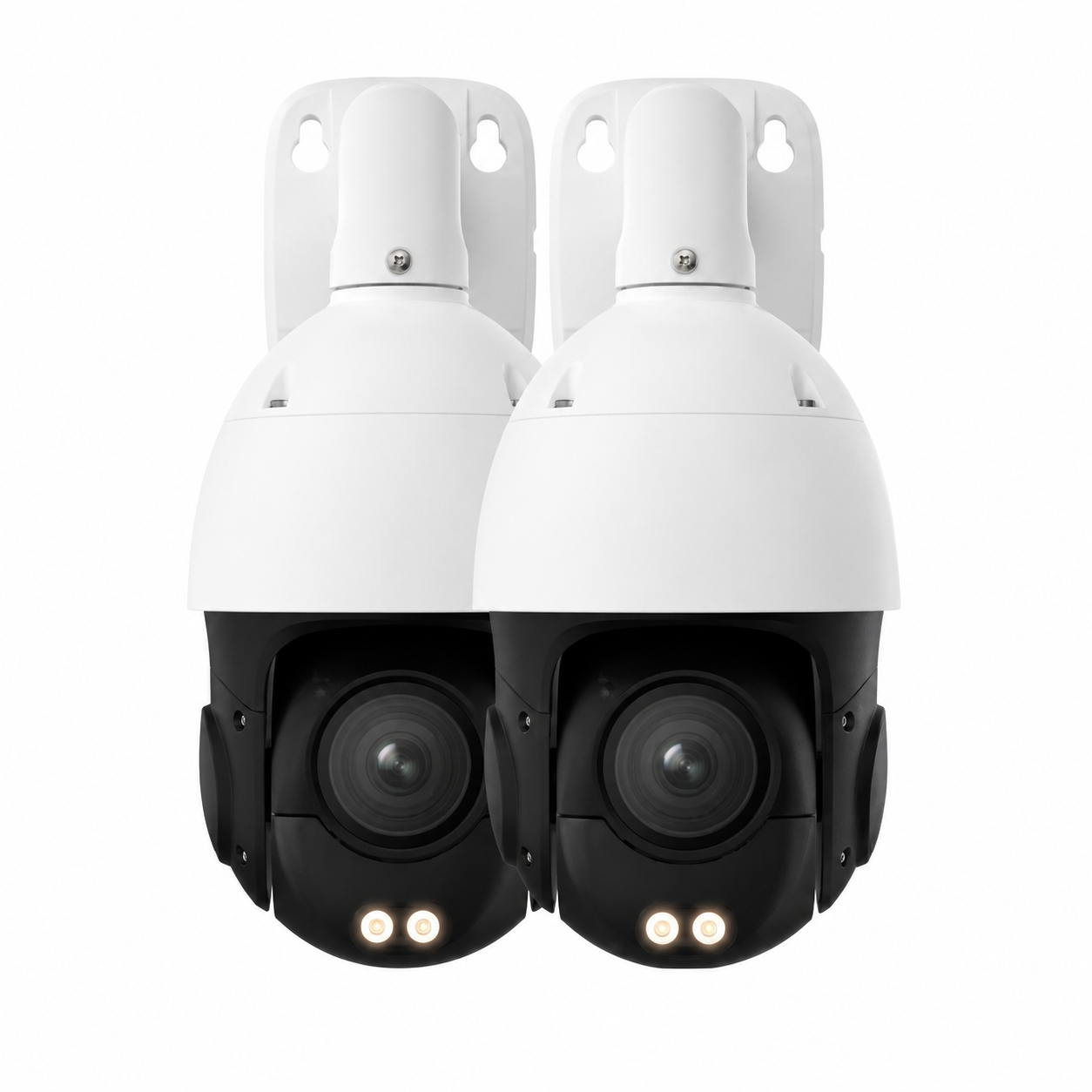
Wireless PTZ dome camera Brooklyn NY — dual pan-tilt-zoom dome cameras for residential and commercial wireless surveillance
Wireless PTZ dome cameras — common Brooklyn pair install for retail front-of-store + back-of-store, or residential front-stoop + back-yard.
Skip the Angi Markup — Talk Direct to the Installer

Brooklyn site walk, on-the-spot quote, no obligation. We don't pay for leads, so we don't pad estimates.

Brooklyn DIY vs Pro

Wireless Camera DIY vs Pro Install in Brooklyn — What's Worth Hiring Out?

We're honest with Brooklyn property owners about when to DIY a wireless camera install and when to call us. The honest answer is: it depends on the camera count, the mounting height, the Wi-Fi situation, and whether you'll actually finish.

✅ DIY Makes Sense When...

  • Single camera at ground/porch level (under 8' mounting height)
  • Camera within 25' line-of-sight of your Wi-Fi router
  • You're a renter with a no-drill plug-in camera (Ring Stick Up, Blink Mini, Wyze)
  • You're comfortable downloading the manufacturer's app and pairing over Wi-Fi
  • The mounting surface is wood, drywall, or porch ceiling — not flush brick
  • You don't need NVR / HomeBase / mesh integration

🔧 Call Us When...

  • Multi-camera install (3+ cameras across a Brooklyn brownstone or walk-up)
  • Mounting at 10'+ height on a brick or limestone exterior
  • Wi-Fi doesn't reach the install location — needs mesh node or LTE
  • HomeBase or NVR system tying multiple wireless cameras into one app
  • Co-op or condo install requiring board-approved documentation
  • NYCHA, landmarked, or rent-stabilized building requiring tenant-rights compliance
  • Commercial retail / restaurant / warehouse Brooklyn install
  • 4G LTE cellular camera with SIM provisioning and data plan

The biggest reason Brooklyn homeowners hire us instead of DIY: ladder height + masonry anchoring. A wireless camera on a brownstone exterior at 12-14 feet needs a 16' extension ladder, a hammer drill with a 5/16" masonry bit, the right anchor for the limestone or brick surface, and the experience to know when the substrate is salt-damaged (common in Brooklyn shore neighborhoods) and needs longer anchors. If you don't have all of that, the camera will fall in 6-18 months — either off the wall or off the camera mount.

Why Brooklyn Calls Us

Why Brooklyn Property Owners Pick Abstract Enterprises for Wireless Camera Install

🛡️

NYS License #12000287431

Fully licensed New York State low-voltage contractor. Liability insurance, certificates on request. Unlicensed Brooklyn installers leave you exposed on insurance claims.

🏠

Brooklyn Local — 1282 Troy Ave

Brooklyn office in Crown Heights. Most jobs scheduled within 24-72 hours. Same-day emergencies for repair calls at (800) 486-0943.

💰

$0 Monthly Fees Forever

Local microSD or HomeBase recording on every install. No required cloud subscription. No contract. No annual renewal. Own the system day one.

📶

Wi-Fi + Solar + LTE Specialists

We install all three wireless categories. Most Brooklyn installers only do Wi-Fi battery — we'll deploy 4G LTE on a Gowanus construction site or a Hampton seasonal home as easily as a Park Slope brownstone.

🏗️

Brooklyn Brick Specialists

25+ years anchoring into Brooklyn brick, limestone, brownstone, and concrete. Right anchors for the substrate. Cameras that stay mounted for the lifespan of the camera.

📞

Real Human Answers the Phone

Not an answering service. Not a chatbot. (347) 934-8335 rings a real installer who can tell you whether your Brooklyn install needs Wi-Fi battery or LTE before we even show up.

Brooklyn Wireless Camera Reviews

What Brooklyn Customers Say About Our Wireless Camera Installs

4.6★ on Google · Read all 190 reviews

★★★★★

"Installed 4 wireless Reolink cameras on our Park Slope brownstone — stoop, back yard, side alley, garage. Used masonry anchors on the limestone (no damage). HomeBase is in the basement. Works on my phone, no monthly fee. Best wireless camera install in Brooklyn."

— Daniel R., Park Slope, Brooklyn
★★★★★

"We rent a Williamsburg walk-up and the landlord said 'no holes.' Abstract did a no-drill wireless camera at our apartment door with adhesive plate. 6 weeks later still rock solid. Lease-friendly install, fast, no drama."

— Marisol T., Williamsburg, Brooklyn
★★★★★

"Bushwick storefront. Installer brought 3 Eufy SoloCam S340 cameras, a HomeBase 3, and got them all running on my store Wi-Fi in under 3 hours. 30 days of motion footage on the HomeBase. Landlord never even had to be involved."

— Andre S., Bushwick, Brooklyn
★★★★★

"Bed-Stuy brownstone. Two solar PTZ cameras in back yard pointed at the garbage area and the side gate. Battery has been topped up 100% for 4 months. App shows me everything from my phone. Couldn't be happier."

— Tasha B., Bed-Stuy, Brooklyn
★★★★★

"Crown Heights apartment building lobby. The old wireless cameras stopped working last year. Abstract identified the brand (some defunct Chinese cloud service), pulled them, installed Lorex 2K Wire-Free, and set up a new NVR in the basement. Building manager is thrilled."

— Pierre G., Crown Heights, Brooklyn
★★★★★

"Gowanus construction site needed cameras during a 6-month rebuild. No Wi-Fi on the lot. Abstract dropped in two Reolink Go PT 4G LTE solar cameras, configured the SIM cards, and now I check the site overnight from my couch. Removed cleanly when the project ended."

— Jonathan K., Gowanus, Brooklyn
★★★★★

"Mill Basin single-family. We have 2 Arlo Pro 5 cameras out front + 1 in the back yard + 1 doorbell. Smart Hub records 30 days. Setup was fast, walkthrough was clear, follow-up call to make sure everything worked the next morning. Real customer service."

— Olivia P., Mill Basin, Brooklyn
★★★★★

"Bay Ridge basement rental — landlord wouldn't allow drilling. Installer brought a no-drill Ring Stick Up Cam Battery + a Ring Battery Doorbell Plus and set them up on adhesive plates. Both still mounted 8 months later, working perfectly. Saved my deposit."

— Hassan M., Bay Ridge, Brooklyn
★★★★★

"DUMBO loft. Wireless cameras at the front door + a solar PTZ on the rooftop deck facing the river. Setup the rooftop camera mounting plate on existing flashing — zero damage to the building. Landlord-approved install. Recommended to my neighbors."

— Helena W., DUMBO, Brooklyn

📋 Field Notes — Wireless Camera Install Across Brooklyn (Installer Voice)

Brooklyn brick and limestone behave differently. A red-brick Bed-Stuy brownstone takes a standard 5/16" masonry anchor with no issue. A limestone-faced Park Slope or Brooklyn Heights brownstone needs a longer anchor (3.5"+) because the limestone is softer and the anchor needs to bite into the brick behind. Don't drill straight into limestone window pediments — that's a $4,000 repair if you crack the carving. We mount above the cornice or below the watercourse band.

Salt-air exposure on south Brooklyn shore. Coney Island, Brighton Beach, Manhattan Beach, Sheepshead Bay, Mill Basin, Marine Park, Sea Gate — exterior wireless cameras corrode 3-5x faster than inland Brooklyn. We install only IP66+ rated camera bodies, 316 stainless mounting hardware (not galvanized), and pre-treat the cable gland with silicone dielectric grease. Year 4-5 on a salt-air install is when the standard hardware fails — ours doesn't.

Brooklyn Wi-Fi reality. Spectrum and Verizon Fios are dominant but neither is perfectly reliable. We default all back-of-building wireless cameras in Brooklyn to also have a 4G LTE failover SIM (built into the camera or via a separate Cradlepoint router) so the camera keeps recording locally to microSD even when the home internet goes down. Brownstone basement Wi-Fi routers are common and they're often the wrong place for the router. We'll move the router if it's killing the back-yard coverage.

Solar panel angle matters. Brooklyn rooftop = 40-42° tilt facing south-southeast for year-round charging. South-facing brick exterior = 25° tilt. North-facing wall in winter = the panel won't charge — use a 12W panel instead of 5W, or pair with USB-C trickle charge. Pigeons love to nest behind solar panels in Brooklyn — install pigeon spikes around the bracket on day one.

Brooklyn Wireless Camera FAQ

Frequently Asked Questions — Brooklyn Wireless Camera Install

How much does wireless camera installation cost in Brooklyn?
Single-camera install: $245–$345. 4-camera Brooklyn brownstone kit: $895–$1,495. Commercial Brooklyn retail / restaurant wireless system: $2,895–$5,495. Quote includes hardware, install, app setup, and walkthrough. No required monthly fee.
What brand of wireless camera do you recommend for a Brooklyn brownstone?
Reolink Argus PT Ultra (solar) for back yards. Eufy SoloCam S340 for stoops. Ring Battery Doorbell Plus for parlor doors. We'll match the brand to your existing app preference if you already have one (Apple Home, Google Home, Alexa, Ring).
Can a Brooklyn renter install a wireless camera without landlord permission?
Yes — under NYS Real Property Law as amended in 2023, a tenant has the right to install a non-permanent wireless camera that doesn't damage the unit. The camera must not record neighbors' private areas and must be removable without damage.
How long do wireless camera batteries last in Brooklyn?
Battery life depends on triggers per day. Average Brooklyn install: 3-6 months per charge. Solar-paired install: indefinite (battery stays topped up from the panel). Add a 5W or 12W solar panel to any outdoor wireless camera to skip the battery-recharge cycle.
Do you install wireless cameras in NYCHA buildings?
Yes — wireless is the only legal install option for NYCHA tenants. No-drill adhesive mounting, microSD local storage, no Wi-Fi changes to the building. Standard NYCHA install includes front-door interior, kitchen-entry, and one window-facing exterior camera per unit.
Can I view my Brooklyn wireless cameras from my phone?
Yes — every install includes app pairing for iOS and Android. Live view, motion playback, push alerts, and two-way audio from anywhere. Free, no monthly app fee.
Do wireless cameras work in Brooklyn during a Spectrum or Verizon Fios outage?
Wi-Fi cameras: they keep recording to local microSD even with internet down, but you can't view live until service restores. 4G LTE cameras: keep working entirely on cellular. We recommend mixing Wi-Fi cameras with one LTE camera for Brooklyn properties that need outage-proof coverage.
Do you install wireless cameras for Brooklyn commercial properties?
Yes — retail, restaurants, bodegas, auto body shops, medical offices, warehouses, daycares, and houses of worship across all 70+ Brooklyn neighborhoods. Standard wireless commercial install: 4-6 cameras + HomeBase or wireless NVR + smartphone app. Coordination with landlords or property managers included.
Can I record audio on a Brooklyn wireless camera?
Yes — New York is a one-party consent state. You can record yourself + a visitor without their consent. You cannot record two third parties without either's consent. Most consumer wireless cameras enable audio by default; we'll disable it during install if you prefer video-only.
What if I already have wired cameras — can I add wireless cameras to my existing Brooklyn system?
Yes. We routinely add wireless cameras (Hikvision wireless, Dahua wireless, Reolink RTSP-enabled) to existing Hikvision or Dahua wired NVRs. Single unified app. We'll evaluate compatibility during the free Brooklyn site walk.
Do you install wireless camera systems for Brooklyn houses of worship?
Yes — churches, synagogues, mosques across Brooklyn. Discreet wireless camera placement covering entrances, sanctuary, parking lots, and fellowship hall. Subsidized pricing available for non-profit registered houses of worship.
Are you licensed and insured for wireless camera installation in Brooklyn?
Yes — NYS Low-Voltage Contractor License #12000287431. General liability insurance. Certificates of insurance provided on request for Brooklyn co-op boards, condo boards, and commercial property managers.

Quote in 60 Seconds. Brooklyn Wireless Camera Install.

Tell us your neighborhood, your property type, and how many cameras. We'll text you a quote before we hang up.

🚨 Wireless Camera Down in Brooklyn?

Same-day Brooklyn wireless camera repair. Most fixed in 1-2 hours. Brooklyn, Bed-Stuy, Crown Heights, Williamsburg, Park Slope, Brownsville — we're local.

📞 Emergency: (800) 486-0943
All 70+ Brooklyn Neighborhoods

Wireless Camera Installation in Every Brooklyn Neighborhood

We install wireless cameras across all 70+ Brooklyn neighborhoods. If you're in any of these areas, we'll be on-site within 24-72 hours for a free wireless camera site walk and same-day install where possible.

Bath Beach Bay Ridge Bedford-Stuyvesant Bensonhurst Bergen Beach Boerum Hill Borough Park Brighton Beach Brooklyn Heights Brownsville Bushwick Cadman Plaza Canarsie Carroll Gardens Clinton Hill Cobble Hill Columbia Street Waterfront Coney Island Crown Heights Cypress Hills Ditmas Park Downtown Brooklyn DUMBO Dyker Heights East Flatbush East New York East Williamsburg Flatbush Flatlands Fort Greene Fort Hamilton Georgetown Gerritsen Beach Gowanus Gravesend Greenpoint Greenwood Heights Kensington Manhattan Beach Marine Park Midwood Mill Basin Navy Yard Ocean Hill Ocean Parkway Park Slope Prospect Heights Prospect Lefferts Gardens Prospect Park South Red Hook Remsen Village Sea Gate Sheepshead Bay South Slope Starrett City Stuyvesant Heights Sunset Park Vinegar Hill Weeksville Williamsburg Windsor Terrace Wingate
Brooklyn Wireless Camera Competition

Abstract Enterprises vs Other Brooklyn Wireless Camera Options

FeatureAbstract EnterprisesADT / Ring / SimpliSafeAngi / HomeAdvisor ContractorDIY Amazon Camera
Monthly Fee$0 Forever$30–$80/moVaries$0–$30/mo cloud
NYS Licensed Installer✓ #12000287431National chain, no local licenseSome yes, most no✗ DIY
Same Day Brooklyn Service3-5 day waitVaries, 5-14 days typicalN/A
Wi-Fi + Solar + LTE InstallAll 3Limited to brand offeringsSome yes, most noYou handle SIM yourself
Brooklyn Brick Anchoring✓ Masonry experienceOften subcontracted outHit or missLikely fails in 6-18 months
NYCHA / Co-op CompliantNot equippedSomeYou navigate alone
Local Recording DefaultmicroSD / HomeBaseCloud-firstVariesDepends on camera
Tenant Rights KnowledgeNYS RPL trainedGenericGenericNone
Free On-Site Brooklyn QuotePhone-onlySometimes paidN/A
1-Year Parts WarrantyBundled w/ contractVariesManufacturer only
Google Rating4.6★ (190)VariesPadded reviewsCamera reviews only
Brooklyn Wireless Camera Pricing

Wireless Camera Installation Pricing — Brooklyn

Flat pricing. Hardware included. Install labor included. App pairing included. No subscription. No surprise fees.

SINGLE
$295
1 wireless camera, no-drill install or single masonry anchor. Best for renter / single-entry coverage. Ring, Eufy, or Reolink hardware.
BROWNSTONE 4
$1,195
4 wireless cameras + HomeBase or solar. Stoop, back yard, side alley, garage. Reolink Argus or Eufy SoloCam. Park Slope, Bed-Stuy, Crown Heights typical.
WALK-UP 6
$2,395
6 cameras + wireless NVR. Lobby + 4 floors + back entry. Williamsburg, Bushwick, Greenpoint multi-family walk-up.
COMMERCIAL 8
$3,495
8 cameras + wireless NVR + back-office hub. Retail, restaurant, bodega, auto body. 30-90 day local recording.
4G LTE SITE
$895
Single 4G LTE solar PTZ. Gowanus construction site, vacant Brooklyn brownstone reno, food truck overnight, no-Wi-Fi backyard.
NO MONTHLY FEE
$0
All Brooklyn wireless installs. Local microSD or HomeBase. No required subscription. No contract. Pay once, own the camera.
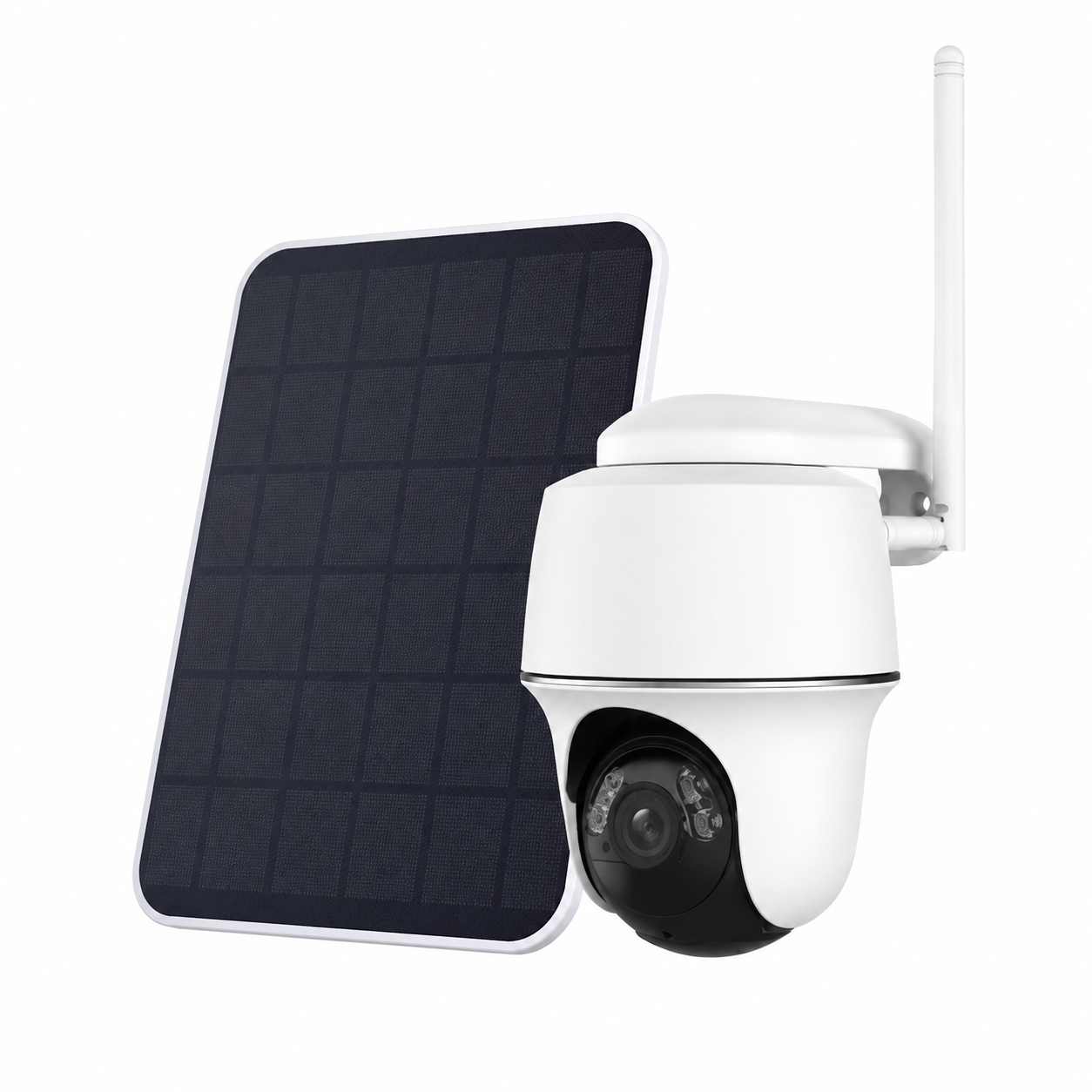
Solar powered wireless security camera Brooklyn NY — compact mini PTZ with built-in solar panel for residential coverage
Compact solar-powered wireless camera — common Brooklyn driveway and side-yard install.

📨 Get a Brooklyn Wireless Camera Quote in 60 Seconds

Drop your name, phone, neighborhood, and camera count. We text back a quote.

Other Brooklyn Services

More Brooklyn Services from Abstract Enterprises

One Brooklyn site visit, multiple low-voltage services. Most wireless camera installs pair well with intercom, access control, or alarms.

📹

Wired Security Cameras

4K PoE + NVR for permanent Brooklyn installs.

Brooklyn cameras →
🚪

Intercom Installation

Aiphone, Akuvox, ButterflyMX video intercom for Brooklyn walk-ups.

Brooklyn intercom →
🔔

Door Buzzer Repair

Same-day buzzer fix for Brooklyn multi-family buildings.

Brooklyn buzzer repair →
🚨

Alarm Installation

Burglar & smart alarm install across Brooklyn.

Brooklyn alarm →
🔥

Fire Alarm Installation

FDNY-compliant fire alarm for Brooklyn commercial.

Brooklyn fire alarm →

Structured Cabling

Cat6 / Cat6A drops for Brooklyn brownstones.

Brooklyn cabling →
📺

TV Installation

65"-85" TV wall mount across Brooklyn.

Brooklyn TV install →
🔑

Access Control

Key fob, smartphone entry, electric strike for Brooklyn buildings.

Brooklyn access control →
🔧

Wireless Camera Repair

Same-day diagnostics & fix for failing wireless cameras in Brooklyn.

(800) 486-0943
Brooklyn Cross-Sell

Most Brooklyn Wireless Camera Customers Also Install...

🚪

Video Intercom

87% of Brooklyn walk-up wireless camera customers also upgrade their building intercom. Add intercom →

🔑

Key Fob Access Control

72% of Brooklyn brownstone owners with wireless cameras also install fob entry on the parlor door. Add access control →

🚨

Alarm System

Wireless camera + alarm = NYPD-respondable video verification. Reduces Brooklyn false-alarm fines. Add alarm →

Brooklyn-Specific Problems We Solve

Brooklyn Wireless Camera Install Local Problems

📦 Package Theft from Brooklyn Stoops & Lobbies

Patch, Brooklyn Paper, CBS, and Brick Underground document Brooklyn lobby package raids in Williamsburg, Park Slope, Bed-Stuy, Bushwick, Crown Heights every month. A $200 wireless battery camera at the stoop + a $150 wireless lobby camera is the standard fix.

🚗 Catalytic Converter + Vehicle Break-Ins

Side-street parked cars in Brooklyn are a constant catalytic converter and smash-and-grab target. A wireless PTZ on the front of a Brooklyn brownstone covering the curb gets license plates and faces — exactly what NYPD needs.

🏚️ Brownstone Renovation Theft

Vacant Brooklyn brownstones under gut renovation are a target for copper-pipe and tool theft. 4G LTE solar PTZ camera dropped in for the duration of the build — no Wi-Fi needed, monitored from the GC's phone.

🏪 Brooklyn Storefront Vandalism & Loss Prevention

Atlantic Avenue, Fulton Street Mall, Smith Street, Court Street, Bedford Avenue — wireless storefront camera covering the front gate at night + interior register camera during the day. Catches both vandalism and employee/customer loss.

🚪 Rental Tenant Coverage Without Drilling

Brooklyn renters who want camera coverage but can't drill into walls — no-drill adhesive plate Ring, Eufy, or Blink camera. NYS Real Property Law protects the tenant's right to install. We do the legal-compliant install.

📡 Wi-Fi Dead Zones in Brooklyn Brick Buildings

Brownstone back yards and basement units routinely get -85 dBm Wi-Fi signal — too weak for any wireless camera. We fix by deploying a mesh node, repositioning the router, or switching the camera to 4G LTE cellular.

About the Installer

About Abstract Enterprises & Anwar Timothy

Abstract Enterprises Security Systems is a licensed NYS low-voltage contractor founded by Anwar Timothy, who has been installing security cameras, intercoms, access control, alarms, and structured cabling across Brooklyn for 25+ years. NYS Department of State License #12000287431. Brooklyn office at 1282 Troy Ave (Crown Heights), Bronx office at 460 E Fordham Rd. 4.6★ across 190 Google reviews.

Anwar personally walks every initial Brooklyn site visit and signs off on every install before the technician leaves. The wireless camera category at Abstract covers Wi-Fi battery, Wi-Fi solar, 4G LTE cellular, and wireless NVR systems — installed across every Brooklyn neighborhood from Park Slope to Coney Island, Williamsburg to Mill Basin. Reach Anwar's team at (347) 934-8335 or by email through our contact page.

Social: @security_cameras_new_york · YouTube · X

Secure Your Brooklyn Property Today

Free on-site Brooklyn wireless camera assessment. Custom system design for your brownstone, walk-up, retail space, or rental. Professional install. No monthly fees.

📞 (347) 934-8335 Get a Free Quote →

Wireless Camera Installation — All 16 Service Areas

See Our Brooklyn Wireless Installs

Watch: Brooklyn Wireless Camera Install Walkthrough

More installs on our YouTube channel.

💬
Outdoor solar PTZ wireless camera Brooklyn NY — pan-tilt-zoom with built-in solar panel and color night vision
Outdoor solar PTZ camera mounted on a Brooklyn back-yard wall — pan/tilt/zoom from your phone, color night vision, battery topped up by built-in solar panel.
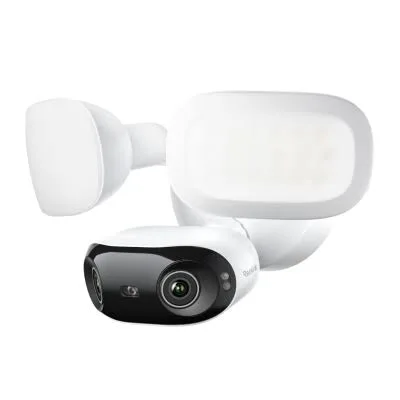
Wireless floodlight security camera Brooklyn NY — Reolink dual-lens floodlight cam for driveway and side-yard coverage
Wireless floodlight camera — Brooklyn driveway and side-alley install. Replaces an existing exterior floodlight fixture.